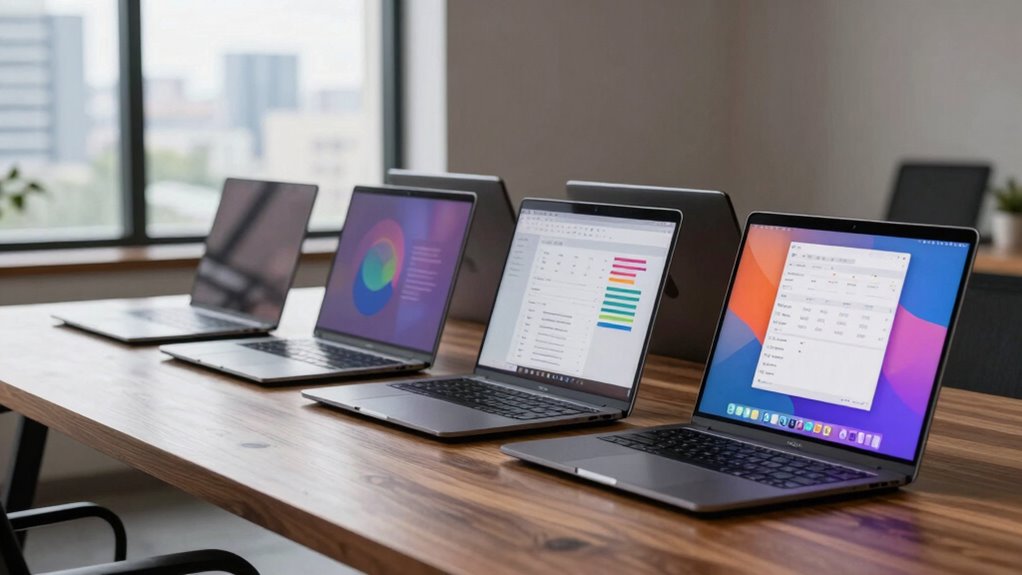

For a business laptop with long battery life, my best overall pick is the Apple 2025 MacBook Air 13-inch with M4, thanks to its efficient chip and portable design. The HP OmniBook 3 with Snapdragon X stands out for buyers who want Windows and a roomy storage configuration, while the Lenovo IdeaPad 5 2-in-1 suits people who need a touchscreen and stronger multitasking hardware. The main tradeoff is between efficiency and workload headroom: entry-level N-series laptops can handle basic tasks, but their small memory configurations may limit busy workdays. Larger screens and performance-focused processors can be more comfortable or capable, yet may draw more power and add weight. Read on for the full comparison, ranking logic, and advice on matching battery expectations to your actual workload.

Get the latest gadgets delivered free with Prime
- Fast, free delivery on millions of items
- Prime Video, Amazon Music and more included
- Member-only deals all year
Complete the kit



Key Takeaways
- The MacBook Air M4 is the strongest all-around battery-focused choice in this group: its efficient platform and compact build suit mobile work, though macOS and 256GB storage may not fit every office workflow.
- The HP OmniBook 3 and Lenovo IdeaPad 5 2-in-1 target different Windows buyers: Snapdragon X prioritizes efficient everyday work, while the Ryzen 7 model offers more performance and a flexible touchscreen format.
- Several low-cost configurations pair only 4GB RAM with 128GB storage, a meaningful constraint for heavy browser use, video calls, and keeping files locally.
- Large 16- and 17.3-inch laptops trade portability for workspace; the larger display may help desk-based users, but it is a poor match for frequent commuting.
- Product names do not establish real-world runtime: battery capacity, screen brightness, workload, wireless use, and power settings all affect how long a laptop lasts away from an outlet.
| HP 17.3-Inch Business Laptop with Intel Core 5 120U, 12GB RAM, and 768GB Storage |  | Best for Desk-Based Work | Processor: Intel Core 5 120U, 10 cores, 12 threads, up to 5 GHz | Memory: 12GB DDR4 SDRAM | Storage: 256GB SSD plus 512GB SD card | VIEW ON AMAZON | See Our Full Breakdown |
| HP Laptop PC 14, 14-inch HD, Intel N150, 4GB RAM, 128GB UFS |  | Best for Light Work on the Go | Processor: Intel N150, 4 cores, up to 3.6 GHz | Memory: 4GB LPDDR5-4800 | Storage: 128GB UFS | VIEW ON AMAZON | See Our Full Breakdown |
| KAIGERR 15.6-Inch Laptop with Intel N150, 16GB RAM, 512GB SSD, and Windows 11 |  | Best for Multitasking on a Budget | Processor: Intel Twin Lake N150, 4 cores/4 threads, up to 3.6 GHz | Memory: 16GB DDR4 RAM | Storage: 512GB M.2 SSD, upgradeable to 2TB | VIEW ON AMAZON | See Our Full Breakdown |
| Lenovo IdeaPad Slim 3i 15.6-Inch FHD Laptop |  | Best for Everyday Office Basics | Processor: Intel N150, 4 cores, up to 3.6 GHz | Memory: 8GB LPDDR5-4800 | Storage: 128GB UFS 2.2 | VIEW ON AMAZON | See Our Full Breakdown |
| HP OmniBook 3 14-inch OLED Laptop with Snapdragon X, 16GB Memory, and 2TB SSD |  | Best Premium Portable | Processor: Qualcomm Snapdragon X, 8-core | Memory: 16GB LPDDR5X, 8448 MT/s | Storage: Up to 2TB PCIe Gen4 NVMe SSD; configuration described as aftermarket | VIEW ON AMAZON | See Our Full Breakdown |
| HP 14-Inch Laptop with Intel N150, 4GB RAM, and 128GB Storage |  | Best for Basic, Lightweight Work | Processor: Intel N150, 4 cores, up to 3.6 GHz | Memory: 4GB LPDDR5-4800 | Storage: 128GB UFS | VIEW ON AMAZON | See Our Full Breakdown |
| Lenovo IdeaPad 5 2-in-1 Business Laptop, 16-inch WUXGA Touchscreen, AMD Ryzen 7 8845HS, 16GB RAM, 1TB SSD, Windows 11 Pro |  | Best for Flexible, Power-Hungry Work | Processor: AMD Ryzen 7 8845HS, 8 cores, 16 threads, up to 5.1 GHz | Graphics: Integrated AMD Radeon 780M | Memory: 16GB LPDDR5 | VIEW ON AMAZON | See Our Full Breakdown |
| Lenovo IdeaPad Slim 3 16-inch Laptop, Intel Core i5-13420H, 16GB DDR5 RAM, 512GB SSD |  | Best Large-Screen Workhorse | Processor: Intel Core i5-13420H, 8 cores, up to 4.6 GHz | Graphics: Integrated Intel UHD Graphics | Memory: 16GB DDR5 | VIEW ON AMAZON | See Our Full Breakdown |
| HP 17.3-Inch FHD Laptop with AMD Ryzen 5, 16GB RAM, 512GB SSD, and Windows 11 |  | Best for a Desk-Based Workspace | Processor: AMD Ryzen 5 | Display: 17.3-inch Full HD anti-glare | Memory: 16GB RAM | VIEW ON AMAZON | See Our Full Breakdown |
| Apple 2025 MacBook Air 13-inch with M4 Chip, 16GB Memory, 256GB SSD, and Sky Blue Finish | 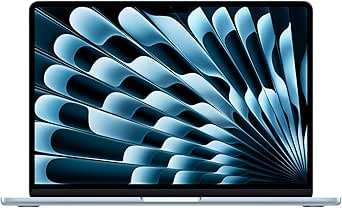 | Best Overall for Long Battery Life | Chip: Apple M4 | Display: 13.6-inch Liquid Retina | Memory: 16GB unified memory | VIEW ON AMAZON | See Our Full Breakdown |
| Lenovo IdeaPad Slim 3i 15.6-inch FHD Laptop |  | Best for Portability on a Tight Workload | Processor: Intel N150, 4 cores, up to 3.6GHz | Memory: 8GB LPDDR5-4800 | Storage: 128GB UFS 2.2 + 500GB HDD | VIEW ON AMAZON | See Our Full Breakdown |
| KAIGERR 15.6-Inch FHD Laptop with 16GB RAM and 512GB SSD |  | Best for Memory and SSD Capacity | Processor: Intel Twin Lake N150 listed in title; description also states a 12th-generation quad-core processor up to 3.4GHz | Memory: 16GB DDR4 RAM | Storage: 512GB M.2 SSD; supports up to 2TB SSD and a 128GB TF card | VIEW ON AMAZON | See Our Full Breakdown |
| business laptop with long battery life | Memory | Storage | Display | Processor |
|---|---|---|---|---|
| HP 17.3-Inch Business Laptop w | 12GB DDR4 SDRAM | 256GB SSD plus 512GB SD card | 17.3-inch LED, 1600 × 900, 60Hz | Intel Core 5 120U, 10 cores, 12 threads, up to 5 GHz |
| HP Laptop PC 14 | 4GB LPDDR5-4800 | 128GB UFS | 14-inch HD, 1366 × 768, anti-glare, 250 nits | Intel N150, 4 cores, up to 3.6 GHz |
| KAIGERR 15.6-Inch Laptop with | 16GB DDR4 RAM | 512GB M.2 SSD, upgradeable to 2TB | 15.6-inch LCD, 1920 × 1080 | Intel Twin Lake N150, 4 cores/4 threads, up to 3.6 GHz |
| Lenovo IdeaPad Slim 3i 15.6-In | 8GB LPDDR5-4800 | 128GB UFS 2.2 | 15.6-inch FHD TN, 1920 × 1080, anti-glare, 250 nits | Intel N150, 4 cores, up to 3.6 GHz |
| HP OmniBook 3 14-inch OLED Lap | 16GB LPDDR5X, 8448 MT/s | Up to 2TB PCIe Gen4 NVMe SSD; configuration described as aftermarket | 14-inch OLED, 1920 × 1200, 16:10, 100% DCI-P3 | Qualcomm Snapdragon X, 8-core |
| HP 14-Inch Laptop with Intel N | 4GB LPDDR5-4800 | 128GB UFS | 14-inch HD, 1366 × 768, anti-glare, 250 nits | Intel N150, 4 cores, up to 3.6 GHz |
| Lenovo IdeaPad 5 2-in-1 Busine | 16GB LPDDR5 | 1TB SSD | 16-inch WUXGA (1920 × 1200) LED touchscreen, 60Hz | AMD Ryzen 7 8845HS, 8 cores, 16 threads, up to 5.1 GHz |
| Lenovo IdeaPad Slim 3 16-inch | 16GB DDR5 | 512GB PCIe 4.0 NVMe SSD | 16-inch WUXGA IPS, 1920 × 1200, 300 nits, 60Hz | Intel Core i5-13420H, 8 cores, up to 4.6 GHz |
| HP 17.3-Inch FHD Laptop with A | 16GB RAM | 512GB SSD | 17.3-inch Full HD anti-glare | AMD Ryzen 5 |
| Apple 2025 MacBook Air 13-inch | 16GB unified memory | 256GB SSD | 13.6-inch Liquid Retina | — |
| Lenovo IdeaPad Slim 3i 15.6-in | 8GB LPDDR5-4800 | 128GB UFS 2.2 + 500GB HDD | 15.6-inch FHD (1920 × 1080), TN, anti-glare, 250 nits | Intel N150, 4 cores, up to 3.6GHz |
| KAIGERR 15.6-Inch FHD Laptop w | 16GB DDR4 RAM | 512GB M.2 SSD; supports up to 2TB SSD and a 128GB TF card | 15.6-inch LCD, 1920 × 1080 | Intel Twin Lake N150 listed in title; description also states a 12th-generation quad-core processor up to 3.4GHz |
More Details on Our Top Picks
HP 17.3-Inch Business Laptop with Intel Core 5 120U, 12GB RAM, and 768GB Storage
I’d choose this HP when a large workspace and Windows 11 Pro matter more than carrying the laptop all day. Its 17.3-inch screen, numeric keypad, and fingerprint reader suit spreadsheet-heavy office work, while the Core 5 120U and 12GB of RAM offer more headroom for multitasking than the Intel N150 models in this group. That extra performance and screen area make it a better fit for a fixed desk than the lighter HP Laptop PC 14.
The battery-life case is less convincing: no runtime figure is provided, and its 4.6-pound weight favors occasional travel rather than constant commuting. The 1600 × 900 display is also less sharp than the Lenovo IdeaPad Slim 3i’s Full HD panel. I’d factor in that the factory seal was opened for upgrades, and the listing conflicts on graphics details.
Pros:- Large 17.3-inch screen and numeric keypad suit spreadsheets and document work
- Core 5 120U and 12GB RAM provide more multitasking capacity than the N150 options here
- Windows 11 Pro, fingerprint reader, and camera privacy shutter support business use
- 256GB SSD plus 512GB SD card gives substantial listed combined storage
Cons:- No battery-life estimate is provided
- 1600 × 900 resolution is less sharp than the Full HD panels on several alternatives
- Factory seal was opened for upgrades, and the listing gives conflicting graphics descriptions
Best for: Office workers who mostly keep a laptop at one desk and need a large screen, numeric keypad, and Windows 11 Pro.
Not ideal for: Frequent travelers or workers choosing primarily for dependable all-day battery life, since runtime is not stated and the laptop is relatively heavy.
- Processor:Intel Core 5 120U, 10 cores, 12 threads, up to 5 GHz
- Memory:12GB DDR4 SDRAM
- Storage:256GB SSD plus 512GB SD card
- Display:17.3-inch LED, 1600 × 900, 60Hz
- Operating system:Windows 11 Pro
- Wireless:Wi-Fi 6 and Bluetooth 5.3
- Weight:4.6 pounds
- Ports:USB-C, 2 × USB-A, HDMI, headphone/microphone combo jack
- Warranty:One-year warranty from NLY Electronics
Our verdict“Pick this HP for a roomy, desk-first business setup, but choose a lighter alternative if battery runtime and daily portability lead your priorities.”
HP Laptop PC 14, 14-inch HD, Intel N150, 4GB RAM, 128GB UFS
The clearest battery evidence in this group belongs to this compact HP: its listing claims up to 7 hours 30 minutes of mixed use and up to 11 hours of video playback. That makes it easier to judge as a travel companion than the KAIGERR 15.6-inch laptop or the HP 17.3-inch business model, neither of which supplies a runtime figure. At 3.24 pounds, it is also the easier carry for commuting, and its Wi-Fi 6, port selection, and included Microsoft 365 Personal subscription cover basic office needs.
The tradeoff is a low ceiling for heavier work: 4GB of RAM and 128GB of storage leave little room for demanding multitasking or large local files. Its HD screen is also less spacious and sharp than the Lenovo IdeaPad Slim 3i’s Full HD display. I’d keep this HP to documents, browsing, and video calls rather than treating it as a power-user machine.
Pros:- Listed battery estimates provide a useful basis for judging unplugged use
- 3.24-pound weight is suited to commuting and carrying between meetings
- Wi-Fi 6, Bluetooth 5.4, and a useful mix of ports
- One-year Microsoft 365 Personal subscription includes 1TB of OneDrive storage
Cons:- 4GB of memory limits multitasking headroom
- 128GB UFS storage can fill quickly with applications and offline files
- 1366 × 768 display offers less workspace and detail than Full HD alternatives
Best for: Students, mobile workers, and office users who mainly handle browser tabs, documents, and video calls and want a stated battery estimate.
Not ideal for: People who keep many applications open, work with large local files, or need a sharp, spacious screen for detailed work.
- Processor:Intel N150, 4 cores, up to 3.6 GHz
- Memory:4GB LPDDR5-4800
- Storage:128GB UFS
- Display:14-inch HD, 1366 × 768, anti-glare, 250 nits
- Operating system:Windows 11 Home
- Battery life:Up to 7 hours 30 minutes mixed use; up to 11 hours video playback
- Weight:3.24 pounds
- Wireless:Wi-Fi 6 and Bluetooth 5.4
- Included software:One-year Microsoft 365 Personal subscription
Our verdict“Choose this HP for light mobile work where stated battery estimates and low carry weight matter more than speed, memory, or screen resolution.”
KAIGERR 15.6-Inch Laptop with Intel N150, 16GB RAM, 512GB SSD, and Windows 11
Among the N150 laptops here, the KAIGERR puts the most emphasis on local capacity: 16GB of RAM and a 512GB SSD make it better equipped for keeping several everyday applications open and storing work files than the HP Laptop PC 14 or Lenovo IdeaPad Slim 3i. The 15.6-inch Full HD screen also gives more workspace than the HP’s 14-inch HD panel, while HDMI and three USB-A ports help when connecting office accessories.
That capacity does not make it a strong battery-first pick: no battery runtime is listed, and its 1.6kg weight is heavier than the HP 14. The N150 is aimed at everyday tasks, not demanding compute work, and the USB-C port is specified for data, limiting its stated role. I’d also treat the wireless details cautiously because the listing gives conflicting Wi-Fi and Bluetooth information.
Pros:- 16GB RAM supports more everyday multitasking than the 4GB HP 14 and 8GB Lenovo Slim 3i
- 512GB M.2 SSD provides more listed local storage than those alternatives
- 15.6-inch Full HD display offers more detail and workspace than the HP 14’s HD screen
- Storage is listed as upgradeable to 2TB
Cons:- No battery-life estimate is provided
- 1.6kg weight is less convenient for frequent travel than the HP Laptop PC 14
- USB-C is listed for data only, and wireless specifications conflict
Best for: Home-office users who want a Full HD screen, ample memory, and SSD space for everyday documents and multitasking.
Not ideal for: Workers who need confirmed all-day battery life, a light daily carry, or dependable details about wireless and USB-C capabilities.
- Processor:Intel Twin Lake N150, 4 cores/4 threads, up to 3.6 GHz
- Memory:16GB DDR4 RAM
- Storage:512GB M.2 SSD, upgradeable to 2TB
- Display:15.6-inch LCD, 1920 × 1080
- Operating system:Windows 11
- Weight:1.6 kg
- Ports:HDMI, 3 × USB 3.2, USB-C data, 3.5mm headphone jack, TF card slot
- Warranty:12 months of repair support
Our verdict“Choose the KAIGERR for memory and storage capacity in everyday office work, not for a proven long-runtime mobile setup.”
Lenovo IdeaPad Slim 3i 15.6-Inch FHD Laptop
I’d put the Lenovo IdeaPad Slim 3i ahead of the HP Laptop PC 14 for office basics when screen workspace and privacy features matter: its 15.6-inch Full HD anti-glare display is roomier and sharper, and the webcam has a physical privacy shutter. Wi-Fi 6, an SD card reader, HDMI, and the included Microsoft 365 Personal subscription make it a practical fit for documents, online meetings, and light productivity. At 3.42 pounds, it remains portable, though not as light as the HP 14.
For a roundup centered on long battery life, the key limitation is that no battery runtime is supplied, so I can’t rank it above the HP on endurance. Its 8GB of memory is a step up from that HP’s 4GB, but the 128GB UFS drive still constrains local storage. The TN panel’s limited color coverage also makes the KAIGERR’s Full HD display a better fit for color-sensitive tasks.
Pros:- 15.6-inch Full HD anti-glare display provides more workspace than the HP 14’s HD panel
- Webcam privacy shutter is useful for business calls and privacy-conscious users
- 8GB memory exceeds the HP Laptop PC 14’s 4GB
- Wi-Fi 6, HDMI, USB-C, USB-A, and SD card reader support common office connections
Cons:- No battery-life estimate is provided
- 128GB UFS storage leaves limited room for applications and offline work files
- TN panel has limited color coverage compared with more color-rich display options
Best for: Office and study users who want a portable Full HD screen, a webcam privacy shutter, and everyday connectivity for documents and calls.
Not ideal for: Travelers who require a stated long battery runtime, users with large offline file collections, or anyone doing color-sensitive visual work.
- Processor:Intel N150, 4 cores, up to 3.6 GHz
- Memory:8GB LPDDR5-4800
- Storage:128GB UFS 2.2
- Display:15.6-inch FHD TN, 1920 × 1080, anti-glare, 250 nits
- Operating system:Windows 11 Home
- Weight:3.42 pounds
- Wireless:Wi-Fi 6 and Bluetooth 5.2
- Camera:HD 720p webcam with privacy shutter
- Included software:One-year Microsoft 365 Personal subscription
Our verdict“Pick the Lenovo for everyday office work that benefits from a larger Full HD screen, but look elsewhere if verified battery runtime is your deciding factor.”
HP OmniBook 3 14-inch OLED Laptop with Snapdragon X, 16GB Memory, and 2TB SSD
The HP OmniBook 3 is the premium portability choice here, pairing a 3.13-pound, 14-inch design with 16GB of memory and a Snapdragon X processor. Compared with the budget-focused HP Laptop PC 14, it offers substantially more memory, a higher-resolution 1920 × 1200 OLED screen, Windows 11 Pro, and a 1080p IR webcam with a privacy shutter. Those features better suit professionals who want a polished mobile workstation for calls, documents, and visual content.
Its battery-life position is still unproven in this lineup: the listing gives no runtime estimate, despite the Snapdragon platform, so I wouldn’t buy it on an assumed endurance advantage. The OLED display and listed storage configuration make it a more feature-rich choice than the Lenovo IdeaPad Slim 3i, but the Lenovo has a stated software bundle and this HP’s SSD capacity is described as an aftermarket configuration. I’d verify the exact storage setup before ordering.
Pros:- Light 3.13-pound build suits mobile work
- 14-inch 1920 × 1200 OLED display offers a sharp 16:10 workspace and wide color gamut
- 16GB LPDDR5X memory and Snapdragon X processor provide a stronger listed platform than the N150 laptops here
- 1080p IR webcam, privacy shutter, and Windows 11 Pro support business calls and sign-in
Cons:- No battery-life estimate is provided
- The up-to-2TB storage configuration is described as aftermarket, so the exact supplied setup should be checked
- Premium display and business features may be unnecessary for basic document and browser work
Best for: Mobile professionals who want Windows 11 Pro, a high-quality OLED display, strong video-call features, and a light 14-inch laptop.
Not ideal for: Battery-first buyers who require published runtime figures, or buyers who need certainty about the exact SSD configuration before purchase.
- Processor:Qualcomm Snapdragon X, 8-core
- Memory:16GB LPDDR5X, 8448 MT/s
- Storage:Up to 2TB PCIe Gen4 NVMe SSD; configuration described as aftermarket
- Display:14-inch OLED, 1920 × 1200, 16:10, 100% DCI-P3
- Operating system:Windows 11 Pro
- Camera:1080p FHD IR webcam with privacy shutter
- Wireless:Wi-Fi 6E and Bluetooth 5.3
- Weight:3.13 pounds
- Ports:2 USB-C 10Gbps, 2 USB-A 5Gbps, HDMI 2.1, 3.5mm combo jack
Our verdict“Choose the OmniBook 3 for a light, feature-rich business laptop, but confirm its storage configuration and don’t assume a long runtime without published battery figures.”
HP 14-Inch Laptop with Intel N150, 4GB RAM, and 128GB Storage
The HP 14-inch stands out for buyers whose workday is mostly browser tabs, documents, email, and video calls, with a stated up to 11 hours of video playback and a carry-friendly 3.24-pound build. Its ports include USB-C with DisplayPort, HDMI, two USB-A ports, and an SD card reader, so it can connect to common office accessories without a dock. Compared with the Lenovo IdeaPad Slim 3 16-inch, it is easier to carry but gives up screen space, memory, and storage capacity. The bigger concern is that 4GB RAM can constrain multitasking, while the 1366 × 768 screen leaves less room for spreadsheets than Full HD options. I’d choose it for light tasks, not a demanding or heavily multitasked business workload.
Pros:- Stated battery life of up to 11 hours of video playback
- 3.24-pound weight suits commuting and moving between workspaces
- Useful mix of USB-C, HDMI, USB-A, and SD card connections
- Includes Windows 11 Home and a one-year Microsoft 365 Personal subscription
Cons:- 4GB memory can limit multitasking and demanding applications
- 1366 × 768 display is less spacious and detailed than Full HD alternatives
- 128GB UFS storage leaves limited room for large work files and applications
Best for: Mobile workers with light browser-and-document workloads who prioritize a low carry weight and a stated long video-playback estimate.
Not ideal for: People who routinely run many applications, handle large files, or need a sharp, roomy display for spreadsheet-heavy work.
- Processor:Intel N150, 4 cores, up to 3.6 GHz
- Memory:4GB LPDDR5-4800
- Storage:128GB UFS
- Display:14-inch HD, 1366 × 768, anti-glare, 250 nits
- Battery life:Up to 11 hours of video playback
- Weight:3.24 lb
- Wireless:Wi-Fi 6, Bluetooth 5.4
- Operating system:Windows 11 Home
Our verdict“Choose this HP for light, portable work and its stated video-playback endurance, but pick a 16GB model for heavier daily multitasking.”
Lenovo IdeaPad 5 2-in-1 Business Laptop, 16-inch WUXGA Touchscreen, AMD Ryzen 7 8845HS, 16GB RAM, 1TB SSD, Windows 11 Pro
This Lenovo is the productivity-first option in this group: its Ryzen 7 8845HS, 16GB of memory, and 1TB SSD are better suited to demanding multitasking than the HP 14-inch with Intel N150. The 16-inch touchscreen folds into tablet-style use, while Windows 11 Pro, a fingerprint reader, privacy shutter, and numeric keypad support office workflows. Those strengths come with a real portability cost: at 6 pounds, it is much heavier than the MacBook Air, and the supplied details do not state battery runtime. That makes it difficult to rank as a long-battery-life pick despite its capable hardware. I’d favor it when screen area and performance matter more than carrying weight or documented unplugged endurance; buyers should also note the conflicting display-resolution information in the product details.
Pros:- Ryzen 7 processor and 16GB memory suit demanding multitasking
- 1TB SSD provides substantially more file space than 256GB and 512GB options
- 16-inch touchscreen and 2-in-1 form offer flexible work and presentation modes
- Windows 11 Pro, fingerprint reader, privacy shutter, and numeric keypad support office use
Cons:- At 6 pounds, it is substantially heavier than the MacBook Air and other portable picks
- No battery-life figure is provided, making endurance hard to judge for this roundup
- Product details give conflicting display-resolution information, and the factory seal is opened for upgrades
Best for: Office professionals who need Windows 11 Pro, a large convertible touchscreen, and strong multitasking capacity while working near power.
Not ideal for: Frequent travelers seeking a light laptop with a clearly stated, long battery runtime.
- Processor:AMD Ryzen 7 8845HS, 8 cores, 16 threads, up to 5.1 GHz
- Graphics:Integrated AMD Radeon 780M
- Memory:16GB LPDDR5
- Storage:1TB SSD
- Display:16-inch WUXGA (1920 × 1200) LED touchscreen, 60Hz
- Operating system:Windows 11 Pro
- Weight:6 lb
- Ports:2 USB-C, 2 USB-A, HDMI, headphone/microphone combo jack, microSD card reader
Our verdict“Pick this Lenovo for convertible-screen flexibility and demanding office workloads, not for a light carry or verified long battery life.”
Lenovo IdeaPad Slim 3 16-inch Laptop, Intel Core i5-13420H, 16GB DDR5 RAM, 512GB SSD
The IdeaPad Slim 3 is a practical middle ground for people who want a 16-inch WUXGA workspace without the six-pound burden of the Lenovo IdeaPad 5 2-in-1. At 3.70 pounds, it is still a larger travel companion than the 13.6-inch MacBook Air, but its 16GB DDR5 memory and 512GB NVMe SSD provide a sensible setup for everyday business multitasking. The anti-glare display, privacy-shutter webcam, and USB-C port with Power Delivery and DisplayPort add useful office flexibility. However, the supplied specifications give no battery-life estimate, so screen size and capable hardware should not be mistaken for proven all-day endurance. Its integrated graphics and 45% NTSC color gamut also make it a weaker fit for graphics-intensive work or color-critical editing.
Pros:- 16-inch 1920 × 1200 anti-glare IPS display gives documents and spreadsheets more room
- 16GB DDR5 memory and 512GB NVMe SSD support everyday multitasking and file access
- USB-C supports Power Delivery and DisplayPort, alongside HDMI and an SD card reader
- 3.70-pound design is lighter than the Lenovo IdeaPad 5 2-in-1
Cons:- No battery-life figure is supplied, so long unplugged work sessions are unverified
- Integrated Intel UHD Graphics are suited to light graphics work rather than demanding workloads
- 45% NTSC color gamut limits suitability for color-sensitive creative tasks
Best for: Hybrid workers who want a roomy spreadsheet-friendly screen, 16GB memory, and standard business connections in a moderately portable laptop.
Not ideal for: Travelers who need documented long runtime, or creative professionals who depend on strong graphics and color accuracy.
- Processor:Intel Core i5-13420H, 8 cores, up to 4.6 GHz
- Graphics:Integrated Intel UHD Graphics
- Memory:16GB DDR5
- Storage:512GB PCIe 4.0 NVMe SSD
- Display:16-inch WUXGA IPS, 1920 × 1200, 300 nits, 60Hz
- Wireless:Wi-Fi 6, Bluetooth 5.2
- Weight:3.70 lb
- Operating system:Windows 11 Home
Our verdict“Choose this Lenovo for a spacious everyday work setup, but favor the MacBook Air if long, specified battery life is your leading concern.”
HP 17.3-Inch FHD Laptop with AMD Ryzen 5, 16GB RAM, 512GB SSD, and Windows 11
For buyers who spend most of the workday at a desk, this HP offers a 17.3-inch Full HD anti-glare screen and full-size keyboard with numeric keypad—useful for long documents, wide spreadsheets, and frequent number entry. Its 16GB RAM and 512GB SSD give it a stronger everyday work setup than the HP 14-inch N150, whose 4GB memory and 128GB storage are much more restrictive. The tradeoff is mobility: the supplied details do not list its weight or battery runtime, and a 17.3-inch machine is not the natural choice for all-day travel. HP Fast Charge is included, but no charging-time or battery-capacity figure is provided. I’d choose this for a mostly stationary workstation, not as a confident long-battery-life pick.
Pros:- 17.3-inch Full HD anti-glare display offers generous workspace
- 16GB RAM and 512GB SSD are better suited to multitasking than entry-level configurations
- Full-size keyboard with numeric keypad supports data entry
- HP Fast Charge is included
Cons:- Battery runtime and laptop weight are not specified
- Large 17.3-inch format is less convenient for frequent travel
- Office 365 is for the web, and the camera is limited to 720p
Best for: Desk-based professionals who want a large readable screen, a numeric keypad, and enough memory for routine office multitasking.
Not ideal for: Commuters who need a compact machine or buyers who require a stated battery-life figure before choosing a laptop for work away from outlets.
- Processor:AMD Ryzen 5
- Display:17.3-inch Full HD anti-glare
- Memory:16GB RAM
- Storage:512GB SSD
- Keyboard:Full-size keyboard with numeric keypad
- Camera:720p with digital microphones
- Operating system:Windows 11
- Charging feature:HP Fast Charge
Our verdict“Choose this HP for a large, desk-friendly screen and numeric keypad, but look elsewhere if portable, documented battery endurance is the priority.”
Apple 2025 MacBook Air 13-inch with M4 Chip, 16GB Memory, 256GB SSD, and Sky Blue Finish
The MacBook Air is the clearest fit for this roundup’s battery-life brief, with a stated up to 18 hours of battery life and a 2.73-pound build that is easy to carry between meetings. Its M4 chip and 16GB unified memory offer more headroom for multitasking and creative work than the entry-level HP 14-inch, while the 13.6-inch Liquid Retina display keeps the package compact. The tradeoff is 256GB of storage, which may feel tight for large project files, and its two Thunderbolt 4 ports make it less convenient for older accessories than laptops with more built-in connections. Compared with the larger Lenovo IdeaPad Slim 3, it sacrifices screen area for portability and a specifically stated long runtime. I’d pick it for mobile workdays where endurance matters more than storage capacity or Windows compatibility.
Pros:- Stated battery life of up to 18 hours
- 2.73-pound weight makes it the lightest option in this group
- M4 chip and 16GB unified memory support demanding multitasking and creative tasks
- 12MP Center Stage camera and support for up to two external displays
Cons:- 256GB SSD may be limiting for large work files and media libraries
- Two Thunderbolt 4 ports mean many older peripherals may need adapters
- macOS may not fit businesses that require Windows-only software
Best for: Frequent travelers and mobile professionals who want a lightweight laptop with a long stated battery life and capable everyday performance.
Not ideal for: Windows-only workplaces, buyers with large local file libraries, or users who need several built-in legacy ports.
- Chip:Apple M4
- Display:13.6-inch Liquid Retina
- Memory:16GB unified memory
- Storage:256GB SSD
- Battery life:Up to 18 hours
- Weight:2.73 lb
- Camera:12MP Center Stage
- Connectivity:Two Thunderbolt 4 ports, MagSafe, headphone jack, Wi-Fi 6E, Bluetooth 5.3
Our verdict“Choose the MacBook Air if long stated battery life and easy portability outrank extra storage, more built-in ports, or Windows compatibility.”
Lenovo IdeaPad Slim 3i 15.6-inch FHD Laptop
The Lenovo IdeaPad Slim 3i is a practical pick for email, documents, video calls, and browser-based work when you want a roomy screen without carrying a heavy laptop. At 3.42 pounds, it is lighter than many 15.6-inch alternatives, and its anti-glare Full HD panel helps reduce reflections in bright rooms. The product data does not provide battery capacity or runtime, so I can’t rank it as a proven all-day option; its modest Intel N150 and 8GB of memory are better suited to light work than heavy multitasking. Compared with the similarly sized KAIGERR 15.6-Inch FHD Laptop with 16GB RAM and 512GB SSD, the Lenovo offers clearer processor and connectivity details, but less memory. Its TN panel also gives up viewing angles, while the combined UFS and HDD storage adds capacity rather than the simplicity of a single SSD.
Pros:- 15.6-inch Full HD anti-glare display provides ample workspace and helps limit reflections.
- 3.42-pound weight is manageable for a 15.6-inch laptop.
- Wi-Fi 6 and a useful mix of USB-A, USB-C, HDMI, and SD card connectivity.
- Webcam privacy shutter and MIL-STD-810H testing add practical business-friendly touches.
Cons:- No battery capacity or runtime is provided, so long unplugged workdays are unverified.
- 8GB of memory can constrain multitasking with many apps or browser tabs open.
- TN display has narrower viewing angles than IPS alternatives.
Best for: Mobile office workers who mainly handle documents, email, video calls, and light browsing and want a large screen with a relatively low carry weight.
Not ideal for: People who need verified all-day battery life, demanding multitasking, strong viewing angles, or fast, all-SSD storage.
- Processor:Intel N150, 4 cores, up to 3.6GHz
- Memory:8GB LPDDR5-4800
- Storage:128GB UFS 2.2 + 500GB HDD
- Display:15.6-inch FHD (1920 × 1080), TN, anti-glare, 250 nits
- Wireless:Wi-Fi 6, Bluetooth 5.2
- Ports:2 × USB-A, USB-C with Power Delivery and DisplayPort 1.2, HDMI 1.4, SD card reader, 3.5mm audio
- Weight:3.42 lbs (1.55 kg)
- Webcam:720p HD with privacy shutter
Our verdict“Choose the IdeaPad Slim 3i for light office work and a portable 15.6-inch screen, but not when dependable all-day battery life or heavier workloads are priorities.”
KAIGERR 15.6-Inch FHD Laptop with 16GB RAM and 512GB SSD
The KAIGERR 15.6-inch laptop offers a useful baseline for everyday work: 16GB of RAM, a 512GB SSD, and a Full HD screen. That memory and storage combination gives it more room for simultaneous apps and local files than the Lenovo IdeaPad Slim 3i, which has 8GB of RAM and splits storage between UFS and a hard drive. But this advantage comes with a major qualification: the listing gives conflicting processor, graphics, and wireless details, and it provides no battery runtime or capacity. That makes it difficult to judge either performance or suitability for long unplugged workdays. Its 1.6kg weight is close to the Lenovo’s, and the stated port selection is broad, but I would verify the configuration before treating it as a dependable business machine.
Pros:- 16GB of RAM provides more multitasking headroom than the Lenovo IdeaPad Slim 3i’s 8GB.
- 512GB M.2 SSD offers substantial single-drive storage for work files and applications.
- 15.6-inch Full HD display gives documents and spreadsheets a roomy workspace.
- HDMI, USB-A, USB-C, headphone, and TF card connections are listed.
Cons:- No battery capacity or runtime is provided, leaving long-workday endurance unverified.
- Processor and graphics descriptions conflict, making performance difficult to assess.
- Wireless details conflict between 802.11ac and Wi-Fi 6, and Bluetooth versions are inconsistent.
Best for: Budget-conscious home-office users who want 16GB of memory and an SSD for ordinary productivity and can confirm the exact processor and wireless configuration before buying.
Not ideal for: Business travelers who need proven long battery life or buyers who require dependable, clearly documented processor, graphics, and wireless specifications.
- Processor:Intel Twin Lake N150 listed in title; description also states a 12th-generation quad-core processor up to 3.4GHz
- Memory:16GB DDR4 RAM
- Storage:512GB M.2 SSD; supports up to 2TB SSD and a 128GB TF card
- Display:15.6-inch LCD, 1920 × 1080
- Operating system:Windows 11
- Ports:HDMI, 2 × USB 3.2, 1 × USB 2.0, USB-C data, 3.5mm headphone jack, TF card socket, USB-C DC jack
- Wireless:Listing states 802.11ac Wi-Fi and Bluetooth; it also states Wi-Fi 6 and Bluetooth 6
- Weight:1.6 kg
Our verdict“Consider the KAIGERR if verified 16GB memory and SSD storage matter more than certainty, but skip it for travel-focused work until its specifications and battery details are confirmed.”

How We Picked
I ranked these laptops around the needs behind the search: staying productive away from a charger while handling routine business work. I weighed processor efficiency alongside memory and storage, because a laptop that lasts but struggles with everyday multitasking is not a useful work machine. I also considered screen size and resolution, portability, operating system, and whether the configuration appears suitable for common office tasks. Since the provided product details do not include comparable battery-capacity figures or standardized runtime results, I do not present specific hours or treat any battery claim as proven.
The ranking gives preference to options that combine a promising efficiency profile with practical work specifications and a form factor people can carry. The MacBook Air leads for its compact, efficient design; the Snapdragon X OmniBook follows as a Windows-focused efficiency option. The Ryzen 7 convertible and Core i5/Core 5 laptops offer more capability or screen flexibility, but their performance-oriented components and larger screens make battery life harder to assume from specifications alone. Entry-level N150 models rank lower because their 4GB memory configurations are restrictive, while lesser-detailed listings cannot be judged as confidently as fully specified alternatives.
| business laptop with long battery life | Operating system |
|---|---|
| HP 17.3-Inch Business Laptop w | Windows 11 Pro |
| HP Laptop PC 14 | Windows 11 Home |
| KAIGERR 15.6-Inch Laptop with | Windows 11 |
| Lenovo IdeaPad Slim 3i 15.6-In | Windows 11 Home |
| HP OmniBook 3 14-inch OLED Lap | Windows 11 Pro |
| HP 14-Inch Laptop with Intel N | Windows 11 Home |
| Lenovo IdeaPad 5 2-in-1 Busine | Windows 11 Pro |
| Lenovo IdeaPad Slim 3 16-inch | Windows 11 Home |
| HP 17.3-Inch FHD Laptop with A | Windows 11 |
| Apple 2025 MacBook Air 13-inch | — |
| Lenovo IdeaPad Slim 3i 15.6-in | — |
| KAIGERR 15.6-Inch FHD Laptop w | Windows 11 |
Factors to Consider When Choosing Business Laptop With Long Battery Life
A laptop’s processor name alone cannot predict whether it will last through your workday. I would start by matching the machine to your actual routine, then check the configuration and battery evidence for the exact model being sold. These factors help separate a genuinely practical mobile work setup from one that merely looks portable on a product page.
Match Battery Claims to Your Workday
Runtime figures are useful only when the test conditions resemble your day. Office-document playback at low brightness can produce a very different result from video meetings, spreadsheets, and constant browser use. Look for independent tests or manufacturer figures that identify the workload, screen brightness, and wireless settings. If your work includes long calls, factor in camera use, speakers, and network activity rather than relying on an idle or video-playback figure. I would also leave a buffer: a laptop that barely reaches your expected schedule can become inconvenient as the battery ages. When evidence is missing, treat a processor’s efficiency reputation as a clue, not a guarantee.
Choose Enough Memory for Your Actual Multitasking
Battery life does not compensate for a laptop that bogs down when you open your normal set of apps. Four gigabytes of RAM is a tight limit for modern business use, especially with many browser tabs, video calls, and office software running together. Sixteen gigabytes gives most people more breathing room, though the right amount depends on specialized tools and whether memory can be upgraded. Avoid choosing a low-memory configuration solely because it has a modest processor or a small screen. When memory is soldered, the configuration you buy is usually the one you keep. Check upgrade options before purchase rather than assuming a service shop can expand it later.
Balance Screen Size Against Carrying Weight
A 14-inch laptop is generally easier to carry between meetings or on a commute, while a 16- or 17-inch screen can reduce the need for an external monitor at a fixed desk. Bigger displays may also require more power, though brightness, panel type, resolution, and tuning matter too. A high-resolution or OLED screen can look sharper and richer, but it may use more energy than a modest panel in some settings. Think about where you work most: a large laptop that stays on a desk can be a sensible choice, while a smaller model is easier to take everywhere. Check dimensions and weight, not just the screen diagonal, before treating a model as portable.
Pay Attention to Platform and App Compatibility
Processor efficiency only helps if the laptop runs the software your business depends on. A MacBook is a strong fit for people whose tools work well on macOS, but company policies, Windows-only applications, and peripheral drivers may make it a poor match elsewhere. Windows laptops offer familiar compatibility, while Snapdragon-based systems can have different support behavior for specialized or older software. Ask your IT team about security tools, device management, VPNs, and any required applications before switching platforms. For a personal work laptop, check how your cloud services and accessories behave. A compatibility problem can erase the convenience of a long-lasting battery.
Check Battery Replacement and Warranty Support
Battery capacity declines with use, so long-term ownership depends partly on whether replacement is practical. Check the warranty terms for battery coverage, repair options, and service availability where you live. Thin designs may make repairs harder or require professional service, while business buyers may need predictable turnaround and fleet support. A removable or serviceable battery can matter more to an organization keeping laptops for several years than to someone who replaces devices often. Also check charging-port type and included power adapter, since a compact USB-C charger can make travel simpler. These details are easy to miss when comparing processor and memory specifications.
Budget for the Configuration You Can Keep
Compare complete configurations rather than judging a laptop by its family name. Storage, memory, screen, operating system, and processor can vary between listings that sound nearly identical. A small solid-state drive may fill quickly with offline files, while limited memory can constrain everyday multitasking; either can shorten the useful life of a work laptop. Paying more can make sense for sufficient RAM, dependable support, or a screen and keyboard suited to daily work. It may not make sense to pay for performance you rarely use if battery runtime is the priority. Confirm the exact model number and specifications before ordering, especially when two listings share a name.
Frequently Asked Questions
Can I count on a laptop advertised for long battery life to last through my workday?
Not from the phrase alone. Battery life changes with screen brightness, video meetings, wireless use, software load, and battery age, so a single advertised figure may not represent your routine. Look for independent tests that describe their workload and compare several results rather than relying on a best-case claim. If you cannot find comparable testing for the exact configuration, plan for access to charging during a long or meeting-heavy day. A USB-C power bank may help only if the laptop supports charging from one at a suitable wattage.
Is a 4GB RAM laptop suitable for business work if battery life is my priority?
It can be adequate for a narrow set of tasks, such as basic documents, light web use, and simple email, but it leaves little room for multitasking. Browser tabs and video calls can quickly compete for memory, which may slow work or force apps to reload. A lower-power processor does not remove that limitation. I would choose a configuration with more memory for regular meetings, large spreadsheets, or several apps open at once. Also check whether memory is upgradeable before buying, since many slim laptops do not allow an easy upgrade.
Should I choose a Snapdragon Windows laptop or a MacBook for mobile work?
Start with the applications and support rules your work requires, not with battery claims. The MacBook Air is a compelling fit when macOS supports your tools and the compact design suits your travel, while a Snapdragon Windows model keeps you in the Windows environment with an efficiency-focused platform. Some specialized, legacy, or hardware-dependent Windows programs may behave differently on an ARM-based system. Ask your IT department about VPNs, security software, printers, and device management. If you rely on a specific app, confirm compatibility for the exact processor platform before committing.
Is a 16- or 17-inch laptop a poor choice if I want long battery life?
Not automatically, but a larger display and chassis change the portability and power tradeoffs. A large screen can make a laptop more comfortable for desk work and reduce dependence on a separate monitor, while the added size can be burdensome on a commute. Screen technology, brightness, and resolution also affect power use, so diagonal size alone does not determine runtime. Check tested battery results for the specific display configuration, then consider whether you will carry the laptop daily. For frequent travel, a smaller model may be easier to live with even if both have similar measured endurance.
Which specifications should I verify before buying one of these laptops?
Confirm the exact processor, RAM, storage, screen resolution and type, operating system, and battery capacity for the particular listing. Several product names in this roundup are similar, and a shared family name does not guarantee matching components. Check whether RAM or storage can be upgraded, whether the charger is included, and which ports support charging or external displays. For business use, verify warranty coverage and compatibility with required apps and management tools. If long runtime is the deciding factor, seek a trustworthy test of the exact configuration rather than inferring performance from its processor name.
Conclusion
For the broadest mix of mobility and efficiency, I recommend the Apple MacBook Air 13-inch with M4 as best overall, provided your work fits macOS and its storage configuration. The HP OmniBook 3 with Snapdragon X is my best Windows efficiency pick for people who want a capable everyday setup with substantial listed storage, while the Lenovo IdeaPad 5 2-in-1 is best for touchscreen flexibility and heavier multitasking. For beginners handling basic tasks, the HP Laptop PC 14 or HP 14-inch N150 may be straightforward entry points, but I would avoid their 4GB RAM configurations for demanding daily work. The best value depends on the exact configuration: compare the Lenovo Slim models and KAIGERR listings carefully, since similar names and incomplete details make assumptions risky. If you need a large workspace, look at the 16- or 17.3-inch choices; if you commute often, favor a compact model and confirm independent battery results before deciding.
Fall Picks
fall essentials
As an affiliate, we earn on qualifying purchases.