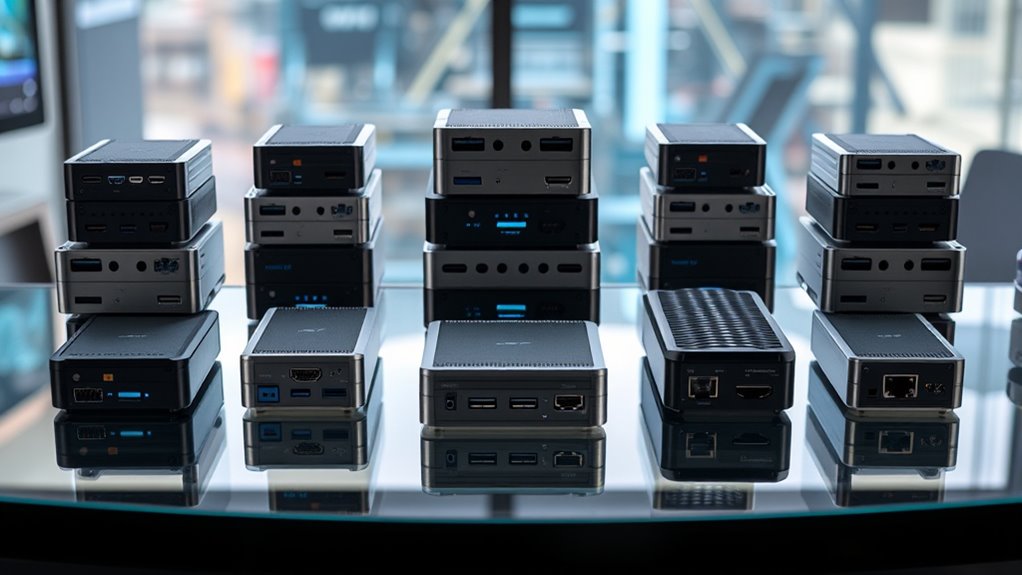
For a conventional ARM mini PC kit, the Raspberry Pi 500 Desktop Computer Kit is my best overall pick because it combines an ARM computer, keyboard, mouse, and storage in a ready-to-use package. The BL304 industrial mini PCs stand out for embedded control, while the Waveshare Pi5 Module BOX-C kit suits builders who want a compact Raspberry Pi 5 enclosure and expansion setup. This lineup also includes handheld computing and robotic arm projects, which serve different needs from desktop mini PCs. The main tradeoffs are setup effort, connectivity, expansion, and whether a product is a complete computer or a project kit. Read on for the full breakdown and help matching each option to your use case.
Complete the kit



Key Takeaways
- The Pi 500 is the clearest ready-to-use mini PC choice: its keyboard, mouse, and 32GB SD card make it a more complete desktop package than the bare expansion kits.
- BL304 variants are aimed at embedded and industrial use: compare Wi-Fi, 4G, and Ethernet configurations against the network connection your deployment needs.
- The Pi5 Module BOX-C is a build path, not a finished desktop: its appeal is the case and expansion setup for Raspberry Pi 5, so account for the board and any other required parts.
- The uConsole occupies a different niche: it is a compact handheld computing kit, with Wi-Fi-only connectivity in the listed configuration, rather than a conventional desk mini PC.
- Three robotic arm kits and an ARM starter pack are project equipment: they may suit learning, robotics, or development, but their category labels alone do not make them substitutes for a complete mini PC.


More Details on Our Top Picks
SUOGOEST uConsole Kit with ClockworkPi v3.14 Mainboard, Revision 5, Wi-Fi Only
The SUOGOEST uConsole is the clearest fit here for someone who wants an ARM mini PC in a self-contained handheld format. Its 5-inch 720p screen and backlit QWERTY keyboard make it usable as a small portable computer without assembling a separate display and input setup. Compared with the Raspberry Pi 500 Desktop Computer Kit elsewhere in this roundup, it takes up less desk space and is easier to carry, but its compact screen is a tighter workspace for sustained typing. The ClockworkPi board is listed with a CM4 configuration, yet the CM4 module is optional, so buyers should confirm what is included before expecting a ready-to-run computer. The supplied 32 GB TF card with clockworkOS is a useful starting point; the Wi-Fi-only configuration and two USB ports limit expansion.
Pros:- Integrated 5-inch screen and backlit QWERTY keyboard create a portable computer setup
- Includes a 32 GB TF card with clockworkOS
- Supports dual-band Wi-Fi, Bluetooth 5.0, and BLE
- Compact console format combines display and input in one kit
Cons:- CM4 module is optional, so the listed Cortex-A72 configuration may require a separate purchase
- Wi-Fi-only connectivity offers no listed Ethernet option
- Two USB ports and a 5-inch display constrain peripherals and longer desktop work
Best for: Makers who want a compact ARM mini PC with an integrated screen and keyboard for portable tinkering.
Not ideal for: Buyers seeking a complete computer out of the box, since the CM4 module is optional, or users who need a larger display and broad port selection.
- Mainboard:ClockworkPi v3.14, revision 5
- Display:5-inch IPS, 720p
- Keyboard:Backlit QWERTY
- Processor:ARM Cortex-A72 quad-core (CM4 configuration)
- Memory:4 GB LPDDR4 (CM4 configuration)
- Storage:32 GB TF card
- Connectivity:2.4 GHz and 5.0 GHz Wi-Fi, Bluetooth 5.0, BLE
- Operating system:clockworkOS
- USB ports:2
Our verdict“Choose the uConsole if portability and built-in controls matter more than a larger screen, but verify whether the CM4 is included.”
2126 Development Boards & Kits – ARM 2 or Model B+ Starter Pack (Without)
This starter pack is the most stripped-back way into ARM experimentation in this group: it is described as an ARM 2 or Model B+ board, with no extra components or accessories. That can suit a developer who already has a bench supply, cables, and a project plan, but the sparse listing leaves the exact board and package contents unclear. Compared with the SUOGOEST uConsole Kit, it offers no integrated screen or keyboard; compared with the Freenove robot arm, it also has no defined project hardware to assemble. Its place in an ARM mini PC roundup is therefore narrow: it may be a starting board for custom builds, but the available data does not establish a complete mini PC configuration. I would choose it only after confirming the board variant and identifying the parts needed for the intended setup.
Pros:- Board-focused pack leaves room for custom ARM experiments
- Described as including an ARM 2 or Model B+ board
- May suit developers who already have project components and peripherals
Cons:- Listing does not clearly identify which board variant is supplied
- No additional components or accessories are included
- Insufficient detail to confirm it can form a complete mini PC setup
Best for: Electronics hobbyists who already own compatible peripherals and want a board to build around.
Not ideal for: First-time mini PC buyers who need a clearly specified, complete kit with storage, power, and included accessories.
- Board options:ARM 2 or Model B+
- Pack type:Development boards and kits starter pack
- Number of items:1
- Included accessories:No additional components or accessories listed
- Brand:Generic
- Manufacturer:Generic
- Manufacturer part number:BM2QH64N-15295
Our verdict“Pick this only if you can verify the board variant and already have the parts to build your ARM project.”
Freenove Robot Arm Kit for Raspberry Pi, High Accuracy, Stepper Motor, Metal Structure, Clamping and Drawing Modes, App Control
The Freenove kit is a robotics project for a Raspberry Pi, rather than a mini PC kit by itself. It earns a place for buyers who already have a compatible Pi and want to give that computer a hands-on job: the arm supports clamping and drawing, and the supplied Python code offers a route into programming. Its stated 1 mm end accuracy applies with no load, so it should not be read as a guarantee during heavier handling. Compared with the Waveshare ESP32 Robotic Arm Kit, this model explicitly lists Raspberry Pi compatibility and Python materials, making its link to an ARM mini PC clearer. The tradeoff is that the Raspberry Pi and batteries are not included, and assembly is required. It suits a builder who wants a Pi-driven arm, not someone looking for a self-contained computer.
Pros:- Compatible with several Raspberry Pi models
- Includes Python code and detailed assembly instructions
- Offers clamping with replay and drawing modes
- Metal structure and stepper motors support precise movement in unloaded use
Cons:- Raspberry Pi and batteries are not included
- Assembly is required and may challenge newcomers
- Stated 1 mm accuracy is for no-load operation and can worsen under load
Best for: Raspberry Pi owners who want to add a programmable arm for clamping, drawing, or Python learning projects.
Not ideal for: Buyers who need a complete ARM mini PC or a ready-to-use robot, since the Pi, batteries, and assembly are separate requirements.
- Working modes:Clamping with replay; drawing
- Accuracy:1 mm end accuracy, no load
- Control methods:Wireless control via Android, iPhone, or computer
- Compatibility:Raspberry Pi 5, 4B, 3B+, 3B, and 3A+; additional parts needed for some models
- Materials:Metal structure
- Motors:Stepper motors
- Assembly:Required
Our verdict“Choose Freenove as a Raspberry Pi robotics add-on if you are ready to assemble the arm and provide its computer and batteries.”
Waveshare Robotic Arm Kit, Desktop Robot Kit, 5 + 1 DOF, Based on ESP32, Wireless Control, 2-DOF Wrist Joint, Compatible with LeRobot, All Metal Servos
Waveshare is the most robotics-focused option in this set, with 5 + 1 degrees of freedom, a two-axis wrist, and all-metal bus servos. That range of motion makes it a stronger fit for research and custom manipulation projects than a simple arm add-on, while its ESP32 control module and stated ROS2 and LeRobot compatibility connect it to broader robotics software workflows. For an ARM mini PC buyer, the key distinction is that this is not itself an ARM computer kit; it is a robot platform that may pair with a separate host. Compared with the Freenove Raspberry Pi arm, Waveshare emphasizes flexible installation and advanced ecosystem compatibility, while Freenove provides explicitly listed Python code and Pi model support. The setup is aimed at technically confident builders, and the listing gives limited detail on setup requirements.
Pros:- 5 + 1 degrees of freedom with a 2-DOF wrist
- All-metal ST3235 bus servos
- Lists ROS2 and LeRobot compatibility
- Supports wireless and wired control with flexible installation
Cons:- ESP32-based arm is not a standalone ARM mini PC
- Advanced setup may require robotics and software knowledge
- Available description provides limited detail about setup and included items
Best for: Robotics developers who want a configurable desktop arm for ROS2, LeRobot, or AI research projects.
Not ideal for: Beginners seeking a simple Raspberry Pi mini PC kit or a clearly guided first robotics project.
- Degrees of freedom:5 + 1
- Control module:ESP32 MCU
- Joint type:Direct-drive
- Movement range:360° omnidirectional
- Servo type:All-metal ST3235 bus servos
- Compatibility:ROS2, LeRobot
- Wrist joint:2-DOF
- Control:Wireless and wired control supported
Our verdict“Choose Waveshare for an advanced, configurable robotics arm when you already have the skills and host setup for your project.”
Robotic Arm with Arduino 5DOF/Axis AI Smart Robot Arm Open Source STEM Educational Kit
This 5-DOF arm makes the most sense for learners who want to experiment with Arduino programming and sensor expansion, rather than buy a mini PC. Its Atmega328 platform and app or knob control give builders both a programmable route and a direct way to move the arm; multiple expansion ports leave room for adding sensors. Compared with the Freenove Raspberry Pi arm, it centers on Arduino and lists starter components and sensors, while Freenove names Python code and compatibility with specific Raspberry Pi boards. That makes this a distinct educational pick, though the listing’s recommended age range is unusual and its secondary development instructions are described as limited. The kit also notes that a glowing ultrasonic sensor is not included. Buyers focused on an ARM mini PC should treat it as a peripheral project, not a computer kit.
Pros:- Open-source Arduino compatibility through an Atmega328 platform
- Offers both app and knob potentiometer control
- Multiple ports support sensor expansions
- Starter kit includes sensors, Type-C cable, and wires
Cons:- This is a robotic arm kit, not an ARM mini PC
- Secondary development instructions are limited
- Glowing ultrasonic sensor is not included in the starter kit
Best for: Arduino learners and STEM project builders who want an arm with manual controls and room to add sensors.
Not ideal for: Buyers seeking an ARM mini PC, or beginners who need detailed guidance for secondary development.
- Degrees of freedom:5
- Platform:Atmega328
- Control methods:App, knob potentiometers
- Sensor expansion:Ports for ESP32 Cam, accelerometer, touch sensor, and ultrasonic sensor
- Included components:Starter kit, sensors, Type-C cable, wires
- Recommended age:17–120 months
Our verdict“Choose this arm for Arduino and sensor projects if you want hands-on controls and do not need a computer included.”
ARM Embedded Control Industrial Mini PC Computer with Linux Ubuntu/Debian, BL304 WiFi
For automation projects that need Wi-Fi, this BL304 pairs ARM embedded control with digital inputs and outputs, giving it a more specific role than a general-purpose mini PC. Ubuntu and Debian support offer familiar Linux environments for developers building motor-control or other industrial setups. Compared with the Raspberry Pi 500 Desktop Computer Kit, this model is aimed at embedded control rather than a ready-to-use desktop, and its wireless connectivity may simplify placement where network cabling is inconvenient. The tradeoff is sparse hardware detail: the listing does not specify processor performance, memory, storage, or the I/O configuration. Its tiny listed package dimensions also provide little basis for judging the installed unit’s footprint. Choose it for a Linux control project if you can confirm its hardware and setup requirements first; newcomers seeking a complete desktop should look at the Pi 500.
Pros:- Supports Ubuntu and Debian for Linux-based development
- Digital inputs and outputs suit embedded control tasks
- Wi-Fi enables wireless network access
- Compact, lightweight design is suited to space-constrained installations
Cons:- Processor, memory, storage, and I/O details are not provided
- Industrial setup may require Linux and hardware configuration experience
- The listing gives little information about warranty or support
Best for: Linux developers building compact automation or motor-control systems that need Wi-Fi and can verify the hardware details before purchase
Not ideal for: First-time mini PC buyers who need clearly documented memory, storage, processor, and straightforward desktop setup
- Model number:QBDJHWBT
- Operating systems:Linux Ubuntu and Debian
- Wireless connectivity:Wi-Fi
- Control features:Digital inputs and outputs
- Listed package dimensions:1.18 x 0.79 x 0.39 inches
- Listed item weight:1.76 ounces
Our verdict“Pick this BL304 when Wi-Fi is useful in a Linux automation build and you can confirm its undocumented hardware before buying.”
ARM Embedded Control Industrial Mini PC Computer (BL304T, 4G) with Linux Ubuntu/Debian
The stated 4G RAM gives this BL304T one concrete advantage over the Wi-Fi BL304: buyers have at least a memory figure to work from when planning a Linux control project. It also lists digital inputs and outputs, putting it closer to an embedded controller than to a small office mini PC such as the Raspberry Pi 500 Desktop Computer Kit. Ubuntu and Debian support leave room to choose a familiar Linux environment for automation tasks. The specification remains incomplete, though: there is no storage information, and the processor, network connections, and I/O details are not described. Wi-Fi is not listed, unlike on the BL304 WiFi model, so wireless operation should not be assumed. This is the clearer pick on memory alone, but buyers should confirm the remaining hardware and connectivity before designing around it.
Pros:- Specifies 4G RAM, unlike the BL304 WiFi listing
- Supports Ubuntu and Debian
- Digital inputs and outputs are suited to control tasks
- Compact form is intended for industrial installations
Cons:- Storage capacity and type are not stated
- Processor and connectivity details are missing
- The listing does not clarify the input/output configuration
Best for: Automation developers who need a stated 4G RAM configuration and plan to confirm storage, processor, and connection details with the seller
Not ideal for: Buyers who need specified storage or confirmed Wi-Fi and other network connections before choosing a mini PC
- Model:BL304T
- Memory:4G RAM
- Operating systems:Linux Ubuntu and Debian
- Control features:Digital inputs and outputs
- Listed item weight:1.76 ounces
- Listed package dimensions:0.39 x 0.39 x 0.39 inches
Our verdict“Choose the BL304T if a listed 4G RAM configuration matters more than having documented storage and wireless connectivity.”
ARM Embedded Control Industrial Mini PC Computer with Linux Ubuntu/Debian, BL304 (BL304T Ethernet)
The Ethernet designation makes this BL304T the most natural fit of these industrial control options for a wired network plan, while its digital inputs and outputs target automation tasks rather than everyday desktop use. Ubuntu and Debian support align it with the same Linux development workflows as the Wi-Fi BL304 and the 4G BL304T. That keeps the choice focused on deployment needs: this listing names an Ethernet variant, while the Wi-Fi model explicitly calls out wireless connectivity and the 4G model states its memory. The tradeoff is that the available product data does not specify processor, RAM, storage, Ethernet speed, or the I/O layout. Confirm the exact wired interfaces and system configuration before purchase, especially if they determine compatibility with existing equipment. It is a purpose-built mini PC candidate, but not a well-documented plug-and-play desktop.
Pros:- Ethernet is identified in the product variant name
- Digital inputs and outputs target automation control
- Supports Ubuntu and Debian
- Listed item weight is 50 g
Cons:- Processor, memory, and storage are not specified
- Ethernet speed and port details are not provided
- Power plug type is listed as no plug
Best for: Industrial integrators planning a wired Linux automation setup who can verify the Ethernet and I/O configuration before purchase
Not ideal for: Buyers who need confirmed processor, memory, storage, network speed, or a ready-to-use home desktop
- Product variant:BL304T Ethernet
- Operating systems:Linux Ubuntu and Debian
- Control features:Digital inputs and outputs
- Listed item weight:50 g
- Color:One Color
- Power plug type:No Plug
Our verdict“Consider this BL304T for a wired Linux control build only after confirming its Ethernet, power, and system configuration.”
Waveshare Pi5 Module BOX-C Case and Expansion Kit for Raspberry Pi 5
This is a build-your-own mini PC kit, with a case and PCIe-to-M.2 board for a Raspberry Pi 5 rather than a complete computer. That modular approach gives it a different appeal from the Raspberry Pi 500 Desktop Computer Kit: the BOX-C can support M.2 storage and additional HATs, including a PoE HAT, while the Pi 500 arrives with a keyboard, mouse, and microSD card. Dual HDMI outputs make a multi-display setup possible, and Type-C or screw-terminal power connections offer flexibility for project installations. The tradeoff is extra assembly and component planning: the Raspberry Pi 5 is sold separately, and the optional fan is not listed as included. Buyers who want a working desktop out of the box should favor the Pi 500; this case kit suits people who want to configure and expand their own Pi-based mini PC.
Pros:- PCIe-to-M.2 board adds a storage expansion path
- Dual HDMI outputs support two displays
- Case has room for additional HATs, including PoE HAT
- Power can connect through Type-C or screw terminal
Cons:- Raspberry Pi 5 is not included
- Optional fan is not listed as included
- Requires assembly and separate component choices
Best for: Raspberry Pi 5 builders who want M.2 expansion, dual HDMI, and room for additional HATs in a configurable mini PC
Not ideal for: Buyers who want a complete computer in one package or do not already plan to obtain a Raspberry Pi 5
- Compatible device:Raspberry Pi 5
- Case material:Aluminum alloy
- Storage interface:PCIe to M.2
- Video outputs:2 HDMI
- Power connections:Type-C or screw terminal
- Cooling:Air cooling; supports optional fan
- Expansion:Supports additional HATs, including PoE HAT
- Raspberry Pi 5 included:No
Our verdict“Pick this kit to build an expandable Raspberry Pi 5 mini PC, provided you are ready to source the board and any cooling separately.”
Raspberry Pi 500 Desktop Computer Kit, 2.4GHz Quad-Core, 8GB RAM, with Keyboard, Mouse, 32GB SD Card
For buyers who want a complete mini PC experience, the Pi 500 kit is the most straightforward choice in this group: it pairs a quad-core ARM Cortex-A76 processor and 8GB RAM with a keyboard, mouse, power supply, HDMI cable, and 32GB microSD card. That makes setup more direct than with the Waveshare Pi5 Module BOX-C, which requires a separate Raspberry Pi 5 and additional build choices. Its included accessories suit a compact home desktop, learning setup, or general project machine, while Wi-Fi, Bluetooth, and Gigabit Ethernet cover common ways to connect. The compromise is storage: 32GB on the included card may constrain larger software libraries or files. Its micro HDMI output also means display connections may need checking against an existing monitor. This is the strongest general-purpose mini PC option here, not an industrial I/O controller.
Pros:- Quad-core 2.4GHz ARM Cortex-A76 processor
- 8GB RAM supports desktop multitasking
- Includes keyboard, mouse, power supply, HDMI cable, and microSD card
- Wi-Fi, Bluetooth, and Gigabit Ethernet provide varied connectivity
Cons:- Included storage is limited to a 32GB microSD card
- Micro HDMI may require a compatible cable or adapter for the display
- Does not list the digital inputs and outputs found on the BL304 control models
Best for: Students, home users, and project makers who want an ARM mini PC with core desktop accessories in the box
Not ideal for: Industrial automation buyers who need specified digital inputs and outputs or users who need substantial included storage
- Processor:2.4GHz quad-core ARM Cortex-A76
- RAM:8GB
- Storage:32GB microSD card
- Connectivity:Wi-Fi, Bluetooth, Gigabit Ethernet, USB 2.0, dual USB 3.0
- Display output:Micro HDMI
- Included accessories:Keyboard, mouse, power supply, HDMI cable
Our verdict“Choose the Pi 500 kit for a ready-to-use general-purpose ARM mini PC, and plan for extra storage if your files or software grow.”
MINIX X35i Plus Android Mini PC, Cortex-A55 Quad-Core, 2GB RAM, 32GB Storage
The MINIX X35i Plus is the more approachable general-purpose mini PC in this pair: its Cortex-A55 processor, Android 11, and 4K output suit basic streaming and lightweight apps on a TV. At 270 g, it is easy to place beside a screen, while the 32 GB eMMC gives it built-in space for apps and files. That makes it a different kind of ARM kit from the BL304 industrial mini PC, which is geared toward automation and digital I/O rather than home media. The tradeoff is modest capacity: 2 GB RAM can limit multitasking, and 32 GB may fill quickly. I’d choose it for simple Android tasks, but skip it for demanding workloads or expansion-heavy projects.
Pros:- Compact 270 g TV-box form factor
- Supports 4K resolution
- Runs Android 11 for familiar app use
- Includes 32 GB eMMC storage
Cons:- 2 GB RAM can constrain multitasking
- 32 GB built-in storage leaves limited room for apps and media
Best for: People who want a compact Android device for basic apps and 4K playback on a TV
Not ideal for: Users who need substantial multitasking, large local storage, or industrial control interfaces
- Processor:ARM Cortex-A55 quad-core
- Graphics:ARM Mali-G52
- Operating system:Android 11
- RAM:2 GB
- Storage:32 GB eMMC
- Resolution:4K supported
- Connectivity:HDMI
- Form factor and weight:TV box; 270 g
Our verdict“Choose the MINIX X35i Plus for lightweight Android use and 4K TV playback; choose the BL304 when Linux automation and digital I/O matter more.”
ARM Embedded Control Industrial Mini PC Computer with Linux Ubuntu/Debian, BL304 WiFi
The BL304 earns a distinct place as a control-focused ARM mini PC, with digital inputs and outputs and support for Ubuntu or Debian. Those features point to motor control and automation projects, where connecting control signals matters more than a polished desktop setup. Compared with the MINIX X35i Plus, it is better aligned with embedded Linux work, while the MINIX offers clearer details for 4K media use and a defined 2 GB RAM and 32 GB storage configuration. The BL304’s central drawback is the sparse product data: the listing gives no processor, memory, storage, port, or Wi-Fi standard details, making compatibility planning difficult. I’d shortlist it for technically confident buyers who can verify the configuration before building around it.
Pros:- Supports Ubuntu and Debian
- Digital inputs and outputs suit control projects
- Designed for motor speed control and automation
- Compact, lightweight design
Cons:- Processor, RAM, and storage capacities are not specified
- Connectivity details, including Wi-Fi standards and ports, are limited
- Linux setup may require technical experience
Best for: Linux developers and automation integrators who need digital I/O in a compact ARM control computer
Not ideal for: First-time mini PC buyers or project teams that need confirmed processor, memory, storage, and connectivity details before purchase
- Operating systems:Linux Ubuntu and Debian supported
- Control features:Digital inputs and outputs
- Intended applications:Motor speed control and automation
- Model number:PRPYVPEY
- Package dimensions:1.18 x 0.79 x 0.39 inches
- Item weight:1.76 ounces
- Pieces:1
- Wireless:BL304 WiFi; standard not specified
Our verdict“Pick the BL304 for Linux automation requiring digital I/O, but prefer the MINIX X35i Plus for a more clearly specified, straightforward 4K Android mini PC.”
How We Picked
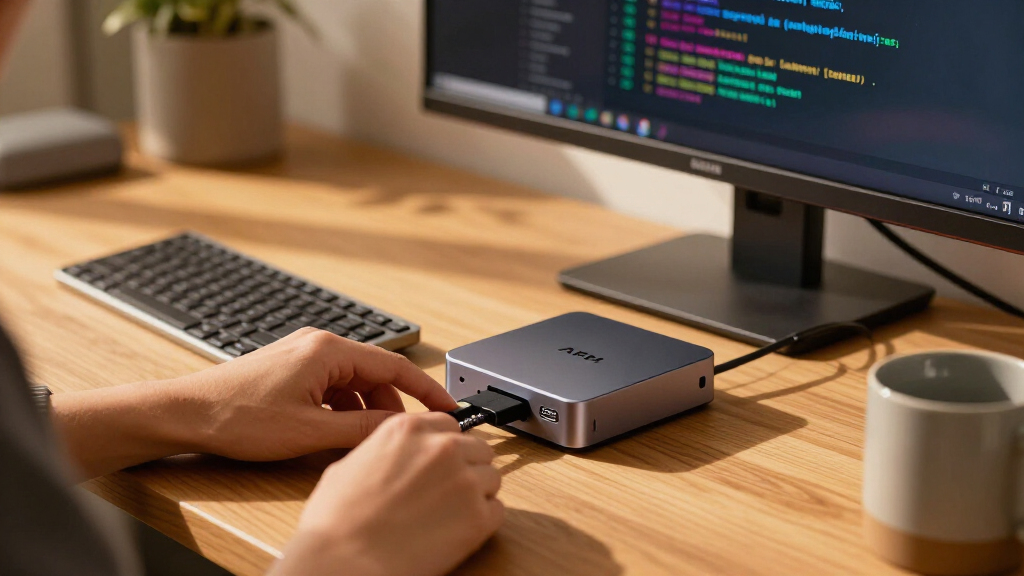
I compared each listing by how directly it serves someone seeking an ARM mini PC kit: whether it forms a usable computer, what components are included, and how much setup or separate hardware a buyer may need. I also considered the stated processor platform, memory and storage where provided, network options, expandability, and the intended setting, from a desktop to an embedded installation. The Pi 500 ranks first because its bundled desktop accessories and storage make its purpose clear. The BL304 machines follow for buyers whose priority is embedded computing, while the Pi5 case and expansion kit offers flexibility with more assembly responsibility.
The remaining products rank by how closely they match the search intent and how clearly their listed features support a particular buyer. The uConsole is a specialized ARM computer; the MINIX is a compact Android option with listed 2GB RAM and 32GB storage. Robotic arms and the ARM starter pack are included because they appear in the supplied comparison set, but I rank them below general-purpose mini PCs because they are specialized kits. The listings do not provide enough detail to compare every specification, so buyers should confirm board inclusion, operating system support, power needs, and exact port configurations before choosing.
Factors to Consider When Choosing Arm Minipc Kits
ARM mini PC kits can mean a complete desktop, a board enclosure, an industrial computer, or a hands-on robotics project. I would first decide what the finished system needs to do, then check what is actually in the box. These factors can prevent a mismatch between the compact computer you want and the kit the listing describes.
Decide Whether You Need a Complete Computer
Start by listing the parts required for your intended setup: the computer board, case, power supply, storage, cooling, display connection, and input devices. A kit may include only an enclosure or a mainboard, while a desktop bundle may already provide several essentials. Missing parts can add setup work and create compatibility questions, especially when a listing covers multiple revisions. Check whether the operating system is preinstalled and whether the storage is included or merely supported. For a first desktop, fewer separate components usually means a simpler path from unboxing to use. For a custom build, buying components separately can give you more control over layout and upgrades. Confirm the precise package contents before comparing options.
Match Connectivity to Where the Computer Will Run
Network needs often determine which compact computer is practical. Wi-Fi works well where wireless access is reliable, while Ethernet can suit a fixed installation that needs a wired connection. Cellular connectivity may matter for equipment operating away from a local network, but confirm what the listed 4G configuration includes and what service or antenna it requires. Do not assume that two similarly named model variants have identical ports or radios. For a remote or embedded deployment, plan how you will manage updates and troubleshoot a lost connection. At a desk, a wired network can reduce dependence on wireless signal quality. Choose the connection for the actual site rather than for a spec label alone.
Check Memory and Storage Against Your Workload
Light desktop tasks, media playback, and small control programs place different demands on memory and storage. A listing that names a memory capacity gives you a useful starting point, but it does not reveal how well the system handles your software or workload. Storage capacity affects how much room remains for the operating system, applications, files, and updates. Removable card storage can make replacement and recovery easier, though it may not suit every always-on deployment. Before buying, check whether the storage is included and whether it can be expanded or replaced. For the MINIX Android mini PC, the stated 2GB RAM and 32GB storage point to a compact, limited-purpose role; buyers with heavier multitasking needs should look for fuller specifications and headroom. Match capacity to the applications you plan to run, not to the word “mini PC.”
Separate General Computing From Project Kits
Robotic arms and development boards can involve ARM-related hardware without functioning as general-purpose mini PCs. Their value depends on the project: teaching motion control, experimenting with robotics, or building an embedded prototype. If you need a computer for browsing, office work, or media, verify that the kit includes a usable computing board, operating system, and desktop connections. If you want a robotics project, check the controller, motors, control software, assembly requirements, and compatibility with your chosen host computer. A complete robot kit may still need a separate computer to program or control it. The same distinction applies to a board starter pack: identify its exact board and bundled accessories before treating it as a computer purchase. Buying for the intended finished setup avoids paying for parts that solve a different problem.
Plan for Heat, Power, and Long-Term Operation
Small enclosures limit space for cooling, so physical size alone does not tell you whether a system suits sustained workloads. Check the maker’s cooling approach and power requirements, especially for a computer expected to run continuously. An industrial computer may be a better fit for a fixed control role, but confirm its mounting, environmental limits, and maintenance needs for your location. A compact kit can also make access to ports and storage less convenient once mounted inside another device. Think about how you will reach the system for updates, resets, and repairs. For hobby projects, easy access may matter more than a sealed installation. Choose a design whose operating conditions match the place you plan to use it.
Pay for the Parts That Reduce Your Setup Burden
A higher-spec or more fully bundled option is useful when it removes work you would otherwise need to do yourself. Included storage and input devices can simplify a desktop setup, while a case and expansion hardware can make a custom build tidier. Extra connectivity is worth paying for only when your deployment uses it; otherwise, it can add features without improving the result. On the other hand, a bare kit may be a sensible choice if you already own compatible parts or need a specific configuration. Compare the time needed to assemble and configure each option as well as the hardware list. Beginners often benefit from a clearly specified bundle with fewer compatibility decisions. Experienced builders may prefer a flexible kit when it supports a particular project or mounting plan.
Frequently Asked Questions
Which option in this roundup is the most ready to use as a desktop?
The Raspberry Pi 500 bundle is the most clearly packaged for desktop use because its listing includes a keyboard, mouse, and 32GB SD card. That reduces the number of separate items a buyer must source before getting started. Check whether the display cable and power supply are included, since the supplied product details do not settle every package question. If you need a fixed industrial installation rather than a desk setup, compare the BL304 configurations instead. The Pi5 Module BOX-C is an expansion and enclosure route, so it calls for more build planning.
How should I choose between the BL304 Wi-Fi, 4G, and Ethernet versions?
Base the choice on the network available where the mini PC will operate. Wi-Fi suits locations with dependable wireless access, Ethernet fits fixed wired installations, and a 4G model may suit sites without local broadband. Confirm the exact included radio, antennas, SIM requirements, and ports because the listing names alone do not describe every configuration detail. Also consider how you will manage the computer if its network connection fails. For deployments where connectivity is essential, verify those details with the seller before selecting a variant.
Is the Waveshare Pi5 Module BOX-C a complete mini PC?
The listed product is a case and expansion kit for Raspberry Pi 5, so buyers should treat it as a build component rather than assume it includes a complete computer. Confirm whether the Raspberry Pi board, power supply, storage, and cooling parts are included in the package you are ordering. It can make sense if you want to assemble a compact Pi-based system and choose your own supporting parts. A bundle such as the Pi 500 is a more direct option when you want a desktop setup with accessories already specified. The right choice depends on whether customization or a simpler setup matters more.
Can I use a robotic arm kit instead of an ARM mini PC?
A robotic arm kit serves a different purpose: it provides hardware for learning robotics or building motion-control projects, not necessarily a general-purpose desktop computer. Some kits may need a separate host computer, controller, or software setup, so check what the package includes. The Freenove option is listed for Raspberry Pi, while the Waveshare model names ESP32 and LeRobot compatibility; those details point to project-specific workflows. If you need a compact computer for everyday software, choose a computer product instead. If your goal is automation or education, a robot kit may be the more relevant purchase, with a host computer added if required.
What should a beginner verify before buying an ARM mini PC kit?
Check the exact board or computer included, the operating system, storage, power supply, cooling, and the connections needed for your display and network. Then look for setup instructions and confirm whether the listed kit needs separate accessories. Product names can combine multiple model variants, so compare the exact selected configuration with the details in the listing. For a beginner desktop, a bundle with storage and input devices can reduce compatibility work. For a learning project, make sure the included hardware and software match the tutorials or tools you intend to use.
Conclusion
For a straightforward desktop, I recommend the Raspberry Pi 500 as best overall because its listed bundle includes the core input devices and storage. The best value for a beginner is also the Pi 500 when an all-in-one setup matters more than customizing each component; confirm the remaining package details before ordering. For embedded deployments, my best specialized pick is a BL304 variant chosen to match the site’s Wi-Fi, 4G, or Ethernet needs. The best choice for a custom Raspberry Pi build is the Pi5 Module BOX-C, while the uConsole fits buyers seeking handheld computing. I would choose the Freenove, Waveshare, or Arduino arm kits for robotics projects, and the ARM starter pack for board development—not as replacements for a complete mini PC. If premium means a more specialized installation, compare the industrial BL304 options by connectivity and confirm their exact specifications before deciding.