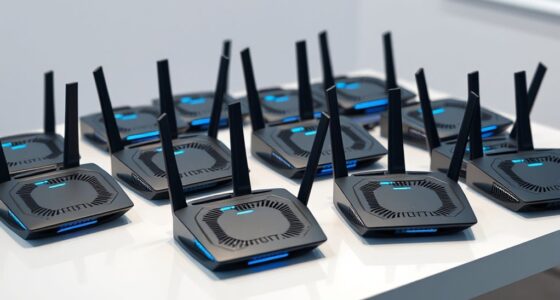

For a network built around 5GbE devices, my best overall pick is the GiGaPlus 8-port 5GbE switch, which offers eight 5GbE ports and flexible desktop or rack placement. The YuanLey 8-port 5G switch stands out for support across 100Mbps, 1Gbps, 2.5Gbps, and 5Gbps links, while the TP-Link TL-SX105 is a better fit when a few devices need 10GbE headroom. The main tradeoff is whether you need 5GbE on every port or can save space and complexity with fewer faster ports or 2.5GbE. I compare port counts, speed flexibility, and practical fit across all 10 options below.

Get the latest gadgets delivered free with Prime
- Fast, free delivery on millions of items
- Prime Video, Amazon Music and more included
- Member-only deals all year
Complete the kit



Key Takeaways
- Eight-port 5GbE models suit buyers who need several fast NAS, PC, or router connections; the GiGaPlus and NICGIGA options also allow rack placement.
- 2.5GbE switches are a different value proposition: the TP-Link TL-SG108S-M2 and NETGEAR MS308 provide eight ports but do not give devices 5GbE links.
- Mixed-speed flexibility separates the YuanLey: its listed support for 100Mbps, 1Gbps, 2.5Gbps, and 5Gbps can help connect older and newer equipment on one switch.
- Few high-speed devices may call for a smaller switch: the TP-Link TL-SX105 offers five 10GbE ports, while the NICGIGA 6-port model combines two 10GbE ports with four 2.5GbE ports.
- Port count and top speed are separate decisions: the five-port TP-Link TL-SG105S-M2 is a compact 2.5GbE option, while eight-port 5GbE models prioritize more high-speed connections.
| GiGaPlus 8-Port 5Gb Unmanaged Ethernet Switch |  | Best for Simple 5Gb Upgrades | Ports: 8 RJ45 | Supported speeds: 5Gbps, 2.5Gbps, 1Gbps, 100Mbps | Switching capacity: 80Gbps | VIEW ON AMAZON | See Our Full Breakdown |
| TP-Link TL-SG108S-M2 8-Port Multi-Gigabit 2.5G Ethernet Switch |  | Best for Quiet 2.5Gb Networks | Ports: 8 | Port speed: 2.5Gbps | Switching capacity: 40Gbps | VIEW ON AMAZON | See Our Full Breakdown |
| VIMIN 8-Port 5G Unmanaged Ethernet Switch |  | Best for Rack Flexibility | Ports: 8 RJ45 | Supported speeds: 100Mbps, 1Gbps, 2.5Gbps, 5Gbps | Switching capacity: 80Gbps | VIEW ON AMAZON | See Our Full Breakdown |
| GigaPlus 8-Port 5Gb Unmanaged Ethernet Switch |  | Best for Straightforward Rack Installation | Model: GP-S50-0800 | Ports: 8 RJ45 | Port speeds: 5Gbps, 2.5Gbps, 1Gbps, 100Mbps | VIEW ON AMAZON | See Our Full Breakdown |
| YuanLey 8-Port 5G Ethernet Switch |  | Best for a Simple Desktop or Rack 5Gb Build | Ports: 8 | Interface: RJ45 | Supported speeds: 5Gbps, 2.5Gbps, 1Gbps, 100Mbps | VIEW ON AMAZON | See Our Full Breakdown |
| NETGEAR 8-Port 2.5G Multi-Gigabit Ethernet Unmanaged Network Switch (MS308) |  | Best for Quiet 2.5G Expansion | Ports: 8 x 2.5Gbps | Switch type: Unmanaged | Mounting: Desktop or wall mount | VIEW ON AMAZON | See Our Full Breakdown |
| NICGIGA 8-Port 5G Ethernet Switch, Unmanaged, Desktop or 19-Inch Rack Mount |  | Best for 5G Rack Expansion | Ports: 8 RJ45 | Supported speeds: 5Gbps, 2.5Gbps, 1Gbps, 100Mbps | Switching capacity: 80Gbps | VIEW ON AMAZON | See Our Full Breakdown |
| TP-Link TL-SG105S-M2 5-Port Multi-Gigabit 2.5G Ethernet Switch |  | Best Compact 2.5G Pick | Ports: 5 x 2.5-Gigabit | Switching capacity: 25Gbps | Supported link speeds: 100Mbps, 1Gbps, 2.5Gbps | VIEW ON AMAZON | See Our Full Breakdown |
| TP-Link TL-SX105 5-Port 10G Multi-Gig Unmanaged Ethernet Switch |  | Best Premium 10G Option | Ports: 5 x 10-Gigabit Ethernet | Supported link speeds: 100Mbps, 1Gbps, 2.5Gbps, 5Gbps, 10Gbps | Switching capacity: Up to 100Gbps | VIEW ON AMAZON | See Our Full Breakdown |
| NICGIGA 6-Port Unmanaged Ethernet Switch with 2 x 10Gb RJ45 and 4 x 2.5Gb Ports |  | Best Mixed-Speed Upgrade | Ports: 4 x 2.5GbE and 2 x 10GbE RJ45 | Supported speeds: Ports 1–4: 2.5G, 1G, 100Mbps; ports 5–6: 10G, 5G, 2.5G, 1G, 100Mbps | Switching capacity: 60Gbps | VIEW ON AMAZON | See Our Full Breakdown |
| 5g ethernet switch | Ports | Mounting | Switch type | Switching capacity |
|---|---|---|---|---|
| GiGaPlus 8-Port 5Gb Unmanaged | 8 RJ45 | Desktop or 19-inch rack | Unmanaged | 80Gbps |
| TP-Link TL-SG108S-M2 8-Port Mu | 8 | Desktop or wall | Unmanaged | 40Gbps |
| VIMIN 8-Port 5G Unmanaged Ethe | 8 RJ45 | Desktop or rack | Unmanaged | 80Gbps |
| GigaPlus 8-Port 5Gb Unmanaged | 8 RJ45 | Desktop or 19-inch rack | Unmanaged | 80Gbps |
| YuanLey 8-Port 5G Ethernet Swi | 8 | Desktop or rackmountable | Unmanaged | — |
| NETGEAR 8-Port 2.5G Multi-Giga | 8 x 2.5Gbps | Desktop or wall mount | Unmanaged | — |
| NICGIGA 8-Port 5G Ethernet Swi | 8 RJ45 | Desktop or 19-inch rack | Unmanaged, Layer 2 | 80Gbps |
| TP-Link TL-SG105S-M2 5-Port Mu | 5 x 2.5-Gigabit | Desktop or wall mount | Unmanaged | 25Gbps |
| TP-Link TL-SX105 5-Port 10G Mu | 5 x 10-Gigabit Ethernet | Desktop or wall mount | Unmanaged | Up to 100Gbps |
| NICGIGA 6-Port Unmanaged Ether | 4 x 2.5GbE and 2 x 10GbE RJ45 | Desktop or wall mount | — | 60Gbps |
More Details on Our Top Picks
GiGaPlus 8-Port 5Gb Unmanaged Ethernet Switch
The GiGaPlus makes the most sense for a home or small office moving several wired devices to 5Gb Ethernet without adding network configuration work. All eight RJ45 ports negotiate at 5Gb, 2.5Gb, 1Gb, or 100Mb, so older gear can share the switch while a fast NAS or WiFi 7 router gets a quicker link. Its 80Gbps switching capacity matches the VIMIN and other 8-port 5Gb options in this lineup. Compared with the TP-Link TL-SG108S-M2, it supports 5Gb links but gives up TP-Link’s stated silent fanless operation. Unmanaged plug-and-play setup is straightforward, though it also means no VLANs or other configurable controls. Desktop and rack mounting add flexibility; buyers should still check that unmanaged operation and the stated 0–45°C range fit their network.
Pros:- Eight ports support links up to 5Gb with backward speed compatibility.
- 80Gbps switching capacity is suited to simultaneous traffic across the eight ports.
- Plug-and-play operation and automatic MDI/MDIX avoid manual setup.
- Can be used on a desktop or mounted in a 19-inch rack.
Cons:- Unmanaged design provides no VLAN or traffic configuration.
- The product description does not specify fanless or noise performance.
- Operating range is limited to 0–45°C.
Best for: Home labs and small offices connecting several 5Gb-capable PCs, NAS devices, or WiFi 7 equipment that need simple plug-and-play expansion.
Not ideal for: Buyers who need VLANs, traffic controls, or confirmed silent operation, or who only have 2.5Gb devices and would rather choose the TP-Link TL-SG108S-M2.
- Ports:8 RJ45
- Supported speeds:5Gbps, 2.5Gbps, 1Gbps, 100Mbps
- Switching capacity:80Gbps
- Switch type:Unmanaged
- Setup:Plug and play
- Mounting:Desktop or 19-inch rack
- Operating temperature:0–45°C
Our verdict“Choose this GiGaPlus when you need eight straightforward 5Gb links and desktop or rack placement, and skip it if you need managed controls or verified silent running.”
TP-Link TL-SG108S-M2 8-Port Multi-Gigabit 2.5G Ethernet Switch
The TP-Link TL-SG108S-M2 is the lineup’s practical pick for buyers whose devices top out at 2.5Gb. Its eight ports and 40Gbps switching capacity support that tier across the switch, while auto-negotiation lets slower Ethernet gear connect as well. The key distinction from the 5Gb models, including the GiGaPlus 8-Port 5Gb, is a lower port-speed ceiling; that is no loss if your computers and NAS lack 5Gb interfaces, but it leaves less room for a future upgrade. TP-Link specifies silent fanless operation, a useful fit for a desk or shared room. Like the other unmanaged picks here, it offers no configurable network controls. Its desktop or wall mounting is also less suited to buyers who specifically need rack mounting.
Pros:- Eight ports support 2.5Gb connections.
- Fanless design is specified for silent operation.
- Auto-negotiation supports compatible devices at their available speeds.
- Plug-and-play setup avoids configuration.
Cons:- Port speeds top out at 2.5Gb, below the 5Gb switches in this roundup.
- Unmanaged operation lacks configurable network features.
- Mounting is listed for desktop or wall, not a 19-inch rack.
Best for: Home users and small offices with 2.5Gb-capable PCs, access points, or NAS devices who want a quiet switch for a desk or wall.
Not ideal for: Buyers building a 5Gb network or needing rack installation; the GiGaPlus 8-Port 5Gb offers faster links and rack mounting.
- Ports:8
- Port speed:2.5Gbps
- Switching capacity:40Gbps
- Operation:Plug and play
- Mounting:Desktop or wall
- Operation noise:Silent, fanless
- Switch type:Unmanaged
Our verdict“Pick the TL-SG108S-M2 for a quiet eight-port 2.5Gb setup, but choose a 5Gb model if faster links are part of your plan.”
VIMIN 8-Port 5G Unmanaged Ethernet Switch
VIMIN’s 8-port switch suits buyers who want a compact multi-gig setup with both desktop and rack mounting and some stated hardware protection. Its eight RJ45 ports negotiate among 100Mbps, 1Gbps, 2.5Gbps, and 5Gbps, so a mix of older devices and newer NAS or PCs can share the same switch. The 4 kV lightning protection and metal case are distinguishing details in the provided product data; the GigaPlus GP-S50-0800 lists the same 80Gbps capacity and mounting choice but does not specify those protections in its specs. Both are unmanaged, so neither provides VLANs or traffic controls. VIMIN also lists a one-year warranty and a 0–45°C operating range. Choose it for those stated details, while recognizing that the speed and capacity figures alone do not set it apart from other 8-port 5Gb options.
Pros:- Eight RJ45 ports support 5Gb and lower negotiated speeds.
- 80Gbps switching capacity is specified.
- Metal case and 4 kV lightning protection are listed.
- Supports desktop or rack mounting.
Cons:- Unmanaged design has no configuration controls.
- Operating temperature is limited to 0–45°C.
- The stated one-year warranty is shorter than buyers seeking longer coverage may prefer.
Best for: Home lab or small office owners who want an 8-port 5Gb switch with rack or desktop placement and specified lightning protection.
Not ideal for: Buyers who need configurable network controls, or who need operation outside the listed 0–45°C temperature range.
- Ports:8 RJ45
- Supported speeds:100Mbps, 1Gbps, 2.5Gbps, 5Gbps
- Switching capacity:80Gbps
- Switch type:Unmanaged
- Protection:4 kV lightning protection
- Case material:Metal
- Mounting:Desktop or rack
- Operating temperature:0–45°C
- Warranty:1 year manufacturer
Our verdict“Choose VIMIN if its stated lightning protection and one-year warranty suit your 5Gb installation; compare the GigaPlus GP-S50-0800 if those details are not priorities.”
GigaPlus 8-Port 5Gb Unmanaged Ethernet Switch
The GigaPlus GP-S50-0800 is a straightforward fit for buyers who want eight 5Gb ports and a specified path into a 19-inch rack. Its ports also negotiate at 2.5Gb, 1Gb, or 100Mbps, helping a mixed-speed network connect without extra adapters. The 80Gbps switching capacity puts it on the same stated capacity as the VIMIN 8-Port 5G, while the product data for VIMIN adds metal housing and 4 kV lightning protection. GigaPlus instead lists a one-year warranty and clearly identifies its model number, GP-S50-0800. Automatic MDI/MDIX and plug-and-play setup keep installation simple, but the unmanaged design rules out VLANs and traffic controls. Its appeal is practical mounting and basic 5Gb connectivity rather than extra protection or management features.
Pros:- Eight RJ45 ports support up to 5Gbps.
- 80Gbps switching capacity is specified.
- Supports desktop or 19-inch rack mounting.
- Plug-and-play setup includes automatic MDI/MDIX.
Cons:- Unmanaged design lacks VLAN and traffic controls.
- One-year warranty is specified.
- The supplied specs do not list fanless operation or lightning protection.
Best for: Small offices or home labs fitting an unmanaged 8-port 5Gb switch into a 19-inch rack while connecting devices at mixed Ethernet speeds.
Not ideal for: Buyers seeking managed controls or specified lightning protection; VIMIN lists 4 kV protection, while this model’s supplied specs do not.
- Model:GP-S50-0800
- Ports:8 RJ45
- Port speeds:5Gbps, 2.5Gbps, 1Gbps, 100Mbps
- Switching capacity:80Gbps
- Switch type:Unmanaged
- Setup:Plug and play; automatic MDI/MDIX
- Mounting:Desktop or 19-inch rack
- Operating temperature:0–45°C
- Warranty:1 year
Our verdict“Choose the GP-S50-0800 for basic 5Gb connectivity with explicit 19-inch rack support, and look to VIMIN if its listed lightning protection matters more.”
YuanLey 8-Port 5G Ethernet Switch
The YuanLey is a basic eight-port 5Gb option for buyers who want auto-negotiated multi-gig connections and flexible placement. Its ports support 5Gb, 2.5Gb, 1Gb, and 100Mbps, making it easier to add fast links without replacing every older Ethernet device at once. The listing describes a metal housing and lightning protection, details that may appeal to a home lab; unlike the VIMIN model, however, the supplied YuanLey specs do not quantify that protection or state a switching capacity figure. Its plug-and-play unmanaged design keeps setup simple but also means no VLANs or traffic controls. Rackmount and desktop use are listed, though the switch still needs space and the available information does not establish noise performance. I would compare its documented details carefully with the similarly sized GigaPlus and VIMIN alternatives.
Pros:- Eight RJ45 ports support speeds up to 5Gbps.
- Auto-negotiation supports 2.5Gb, 1Gb, and 100Mbps devices.
- Plug-and-play setup requires no configuration.
- Product data describes a metal housing and lightning protection.
Cons:- Unmanaged operation provides no advanced network controls.
- The supplied specs do not state switching capacity.
- Lightning protection is mentioned without a quantified rating.
Best for: Home lab owners who need eight mixed-speed 5Gb Ethernet ports and want a desktop or rack installation with a metal housing.
Not ideal for: Buyers who need managed features, a stated switching-capacity figure, or quantified protection details; the VIMIN listing supplies those additional specifications.
- Ports:8
- Interface:RJ45
- Supported speeds:5Gbps, 2.5Gbps, 1Gbps, 100Mbps
- Data transfer rate:80 Gigabits Per Second
- Switch type:Unmanaged
- Mounting:Desktop or rackmountable
- Color:Black
Our verdict“Choose YuanLey for a simple 8-port 5Gb build when its mounting flexibility fits, but prefer VIMIN if you want more detailed capacity and protection specifications.”
NETGEAR 8-Port 2.5G Multi-Gigabit Ethernet Unmanaged Network Switch (MS308)
The NETGEAR MS308 suits a home or small office that needs eight faster-than-gigabit wired connections in a quiet, simple setup. Its fanless metal case and desktop or wall mounting make it easier to place near work areas than a rack-focused switch. All eight ports top out at 2.5Gbps, so this is a straightforward fit for compatible PCs, access points, and storage without paying for unused higher link speeds. Compared with the five-port TP-Link TL-SG105S-M2, the MS308 gives you three more connections; compared with the 5Gbps NICGIGA switch, it offers a lower port speed ceiling. It is unmanaged, and the stated U.S. and Canada limitation narrows its fit for buyers elsewhere.
Pros:- Eight 2.5Gbps ports provide more wired connections than five-port alternatives
- Fanless operation avoids switch noise in an office or living space
- Desktop and wall-mount options allow flexible placement
- IEEE 802.3az compliance supports energy-efficient operation
Cons:- Ports top out at 2.5Gbps, below the 5Gbps NICGIGA and 10Gbps TP-Link options
- Unmanaged operation provides no configuration controls
- Designed for use in the U.S. and Canada only
Best for: Home and small-office users in the U.S. or Canada who need eight quiet 2.5Gbps connections and simple installation
Not ideal for: Buyers outside the U.S. and Canada, or network administrators who need VLANs and other management controls
- Ports:8 x 2.5Gbps
- Switch type:Unmanaged
- Mounting:Desktop or wall mount
- Case:Metal
- Cooling:Fanless
- Energy efficiency:IEEE 802.3az compliant
Our verdict“Choose the MS308 for eight quiet 2.5Gbps connections in a U.S. or Canadian home or small office.”
NICGIGA 8-Port 5G Ethernet Switch, Unmanaged, Desktop or 19-Inch Rack Mount
The NICGIGA is the pick here for buyers who need five-gigabit links across all eight ports and want the option to mount the switch in a 19-inch rack. Auto-negotiation supports 5G, 2.5G, 1G, and 100Mbps devices, making it easier to add faster equipment without replacing every existing endpoint at once. Its 80Gbps switching capacity and metal case position it above the NETGEAR MS308 when link speed is the priority; the NETGEAR instead offers a quieter, energy-efficient 2.5G setup with simpler placement details. The tradeoff is that NICGIGA is still unmanaged, so it cannot provide network segmentation or port-level configuration. Its 1.92kg weight also makes a desktop placement less discreet.
Pros:- Eight RJ45 ports support links up to 5Gbps
- Auto-negotiation handles 5G, 2.5G, 1G, and 100Mbps devices
- Supports desktop or 19-inch rack mounting
- Includes a one-year warranty and lifetime technical support
Cons:- Unmanaged operation provides no configuration controls
- Its 1.92kg weight may be cumbersome for some desktop placements
- Offers no 10Gbps ports for faster NAS or workstation uplinks
Best for: Small-office or home-lab owners with several 5GbE devices who want desktop or 19-inch rack mounting
Not ideal for: Buyers who need managed network controls, only have 2.5GbE devices, or want a particularly lightweight desktop switch
- Ports:8 RJ45
- Supported speeds:5Gbps, 2.5Gbps, 1Gbps, 100Mbps
- Switching capacity:80Gbps
- Switch type:Unmanaged, Layer 2
- Mounting:Desktop or 19-inch rack
- Case:Metal
- Operating temperature:0°C to 45°C
- Weight:1.92kg
- Warranty:1 year
Our verdict“Choose this NICGIGA when you need eight 5GbE ports and rack mounting, and can work without management features.”
TP-Link TL-SG105S-M2 5-Port Multi-Gigabit 2.5G Ethernet Switch
For a desk or small media setup with a handful of wired devices, the TP-Link TL-SG105S-M2 keeps the switch compact while adding 2.5Gbps links to five connections. Auto-negotiation accommodates 100Mbps and 1Gbps equipment too, so a gradual upgrade does not require replacing every endpoint. Its fanless metal design supports quiet use, and it can sit on a desktop or mount on a wall. The larger eight-port NETGEAR MS308 is a better match when several more devices need wiring; the NICGIGA 8-port model makes more sense when those connections need 5Gbps. This TP-Link trades capacity and peak speed for a smaller port count. Buyers should also check that their cabling and connected devices support 2.5Gbps.
Pros:- Five 2.5Gbps ports fit a small wired home network
- Auto-negotiation supports 100Mbps, 1Gbps, and 2.5Gbps devices
- Fanless operation keeps noise down
- Metal case and desktop or wall-mount placement options
Cons:- Five ports may be limiting as a network grows
- 2.5Gbps maximum speed falls below the 5Gbps NICGIGA and 10Gbps TP-Link models
- Unmanaged design offers no configuration controls
Best for: Home users with up to five wired devices who want quiet 2.5Gbps connections in a compact desktop or wall-mounted setup
Not ideal for: Growing offices that need more than five ports, or users whose devices need 5Gbps or 10Gbps links
- Ports:5 x 2.5-Gigabit
- Switching capacity:25Gbps
- Supported link speeds:100Mbps, 1Gbps, 2.5Gbps
- Switch type:Unmanaged
- Cooling:Fanless
- Mounting:Desktop or wall mount
- Dimensions:5.45 x 4.96 x 3.98 inches
Our verdict“Pick this TP-Link for a quiet five-device 2.5Gbps setup; step up to an eight-port model if you need room to grow.”
TP-Link TL-SX105 5-Port 10G Multi-Gig Unmanaged Ethernet Switch
The TP-Link TL-SX105 is the high-speed choice for a small network built around 10GbE workstations or storage. All five ports support links up to 10Gbps, while auto-negotiation also accommodates 5G, 2.5G, 1G, and 100Mbps devices. That flexibility gives a mix of older and newer equipment a path onto one switch. Against the six-port NICGIGA model, the TL-SX105 offers an additional port at 10Gbps; NICGIGA gives you one more total connection but limits two ports to 10Gbps and the other four to 2.5Gbps. The TP-Link’s fanless case suits quiet rooms, but five ports may be restrictive, and its unmanaged design leaves network controls out of reach.
Pros:- All five ports support speeds up to 10Gbps
- Auto-negotiation accommodates speeds from 100Mbps through 10Gbps
- Fanless metal design supports quiet operation
- Desktop or wall mounting and plug-and-play setup simplify placement
Cons:- Five-port capacity can constrain a larger network
- Unmanaged design provides no software configuration
- May be more switch speed than a 2.5GbE-only setup can use
Best for: Creators, small teams, and home-lab owners connecting several 10GbE NAS, workstation, or server devices
Not ideal for: Buyers who need more than five connections, want managed controls, or have no devices that can use 10Gbps
- Ports:5 x 10-Gigabit Ethernet
- Supported link speeds:100Mbps, 1Gbps, 2.5Gbps, 5Gbps, 10Gbps
- Switching capacity:Up to 100Gbps
- Switch type:Unmanaged
- Cooling and case:Fanless metal case
- Mounting:Desktop or wall mount
- Setup:Plug and play
- Warranty:3 years
Our verdict“Choose the TL-SX105 when several devices need 10GbE links and five unmanaged ports are enough.”
NICGIGA 6-Port Unmanaged Ethernet Switch with 2 x 10Gb RJ45 and 4 x 2.5Gb Ports
The NICGIGA 6-port model bridges everyday 2.5GbE devices and a pair of faster NAS or workstation connections. Its two 10GbE RJ45 ports can serve high-speed equipment, while four 2.5GbE ports cover compatible PCs and access points. That mix may suit a home lab better than the TP-Link TL-SX105, which offers five 10Gbps-capable ports but fewer total connections. The eight-port 5Gbps NICGIGA provides more uniform midrange capacity, though it lacks this model’s two 10GbE ports. A fanless metal case and desktop or wall mounting help with placement. The tradeoff is fixed port speeds and unmanaged operation: only four ports reach 2.5Gbps, and there are no software controls.
Pros:- Combines two 10GbE RJ45 ports with four 2.5GbE ports
- Supports 5Gbps negotiation on the two 10GbE ports
- Fanless metal case supports quiet placement
- Desktop or wall mounting and plug-and-play setup simplify installation
Cons:- Only two ports support 10Gbps and four are capped at 2.5Gbps
- Unmanaged design provides no software configuration
- Six-port total may not cover a larger wired network
Best for: Home-lab owners who need two 10GbE links for a NAS or workstation alongside four 2.5GbE devices
Not ideal for: Teams needing more than two 10GbE connections, eight matching high-speed ports, or managed network controls
- Ports:4 x 2.5GbE and 2 x 10GbE RJ45
- Supported speeds:Ports 1–4: 2.5G, 1G, 100Mbps; ports 5–6: 10G, 5G, 2.5G, 1G, 100Mbps
- Switching capacity:60Gbps
- Management:Unmanaged, plug and play
- Mounting:Desktop or wall mount
- Case and cooling:Metal, fanless
- Lightning protection:6KV
- Operating temperature:-10°C to 50°C
- Warranty and support:One-year warranty and lifetime technical support
Our verdict“Choose this NICGIGA for a mixed-speed network that needs two 10GbE devices and four 2.5GbE connections.”

How We Picked
I ranked these switches by how well their port speeds and counts match the needs behind a 5GbE upgrade. I gave more weight to models with multiple 5GbE ports for buyers connecting fast NAS devices, workstations, or Wi-Fi equipment, while also considering whether the switch supports slower link speeds and offers desktop or rack placement. I treated 2.5GbE switches as lower-cost-in-complexity alternatives for networks that do not need 5GbE at each endpoint, and 10GbE models as choices for buyers prioritizing higher peak link speed over an all-5GbE layout.
The ranking also reflects practical fit: number of ports, mix of supported speeds, and how clearly a model addresses a specific buyer need. Several products share similar eight-port 5GbE descriptions, so I distinguish them mainly by stated compatibility and mounting flexibility rather than implying unverified performance differences. The product information supplied does not establish details such as switching capacity, noise, power draw, or warranty, so I do not use those as ranking claims.
| 5g ethernet switch | Switch type | Mounting |
|---|---|---|
| GiGaPlus 8-Port 5Gb Unmanaged | Unmanaged | Desktop or 19-inch rack |
| TP-Link TL-SG108S-M2 8-Port Mu | Unmanaged | Desktop or wall |
| VIMIN 8-Port 5G Unmanaged Ethe | Unmanaged | Desktop or rack |
| GigaPlus 8-Port 5Gb Unmanaged | Unmanaged | Desktop or 19-inch rack |
| YuanLey 8-Port 5G Ethernet Swi | Unmanaged | Desktop or rackmountable |
| NETGEAR 8-Port 2.5G Multi-Giga | Unmanaged | Desktop or wall mount |
| NICGIGA 8-Port 5G Ethernet Swi | Unmanaged, Layer 2 | Desktop or 19-inch rack |
| TP-Link TL-SG105S-M2 5-Port Mu | Unmanaged | Desktop or wall mount |
| TP-Link TL-SX105 5-Port 10G Mu | Unmanaged | Desktop or wall mount |
| NICGIGA 6-Port Unmanaged Ether | — | Desktop or wall mount |
Factors to Consider When Choosing 5g Ethernet Switches
Before choosing a switch, I would map the devices that actually need faster links and check the ports on the router, NAS, and network adapters they connect to. That simple inventory helps prevent paying for unused speed or buying a switch that cannot serve the intended devices.
Match switch speed to both ends of each link
A switch port’s advertised maximum only matters when the connected device also supports that speed. Check the Ethernet capability of the NAS, computer, access point, and router before choosing between 2.5GbE, 5GbE, and 10GbE. A faster switch port can generally connect to a slower device, but the link runs at the speed the endpoints negotiate. This is why a 10GbE switch may be unnecessary for a set of 2.5GbE computers. If you plan to add faster network cards later, buying more headroom now may avoid replacing the switch. Decide based on the devices you have and the upgrades you realistically expect.
Count fast connections, not just total devices
Make two counts: all wired devices and the devices that need multi-gig speeds. A printer or smart-home hub may use a port without benefiting from 5GbE, while a NAS and editing workstation may need the fastest links available. Eight ports can be useful when many devices share one location, but they do not make every connected device faster by themselves. Also check whether the switch needs an uplink to a router or another switch; that connection uses a port unless a dedicated uplink is listed. A smaller switch can work well for a desk with only a few high-speed clients. Planning for the uplink avoids discovering that the port count is tighter than it looked.
Choose 5GbE, 2.5GbE, or 10GbE for the workload
For large local file transfers or several fast wired devices, 5GbE can offer a useful step above 2.5GbE without requiring every link to reach 10GbE. But the benefit depends on the storage, computer, and network path keeping up; a slow drive or busy server can limit transfers before Ethernet does. 2.5GbE may be enough for many home and small-office devices, especially when the internet connection is the main workload. 10GbE can suit demanding workstation-to-NAS transfers, although it may be more speed than a small group needs. Consider the actual file sizes and frequency of transfers rather than choosing by the largest number on a product listing. Mixed-speed equipment can make a switch with varied port rates a more practical fit.
Check compatibility with existing equipment
List the speeds supported by devices already on the network, including older 100Mbps or 1Gbps equipment. A switch that supports several link rates can simplify a gradual upgrade, while a 2.5GbE-only device will not provide 5GbE links to faster clients. Confirm that network adapters and the router have the necessary Ethernet ports; Wi-Fi speed labels do not guarantee a wired 5GbE connection. Cables also matter: the required cable category and length depend on the link speed and installation, so check the equipment specifications for guidance. If the router has only gigabit LAN, devices connected to a switch may still communicate locally at higher speeds, but their path to the router can remain limited. Knowing which traffic stays local helps set realistic expectations.
Plan placement, mounting, and expansion
Decide where the switch will live before selecting a form factor. A compact desktop unit may fit beside a router, while rack-mount capability can help organize equipment in a network cabinet. Leave room for power and Ethernet cables, and check the product details for mounting hardware and physical dimensions. If the switch will serve a growing setup, consider whether the port count leaves room for the next NAS, access point, or workstation. A second switch can add ports, but its uplink becomes part of the network path and should have enough speed for the traffic it carries. Port layout and mounting options can matter as much as the headline speed in a crowded workspace.
Frequently Asked Questions
Will a 5GbE switch make my internet connection faster?
Only if the router, internet service, and connected device can all use more bandwidth than your current connection allows. A 5GbE switch can still speed up transfers between compatible local devices, such as a computer and NAS, even when the internet plan is slower. The connection from the switch to the router may limit internet traffic if it uses a slower port. Check the router’s LAN speed and how the switch will connect to it. For many buyers, local file transfers are the clearest reason to upgrade to 5GbE.
Can 2.5GbE devices connect to a 5GbE switch?
They can connect when the switch supports the devices’ link speed, and the link will operate at a speed both sides support. Check each model’s listed speed compatibility, since product names alone may not spell out every supported rate. A 2.5GbE client will not receive a 5GbE link just because the switch has 5GbE ports. This makes a multi-speed switch useful when a network mixes older and newer devices. Confirm the adapter and router capabilities as well as the switch specification.
Is an eight-port 5GbE switch better than a five-port 10GbE switch?
It depends on how many devices need a fast connection and what speed they support. An eight-port 5GbE model suits a larger group of multi-gig devices, while a five-port 10GbE model offers higher link speeds for a smaller set. You may also need one port for the router or an upstream switch, reducing the number available to clients. If only a NAS and one workstation need the fastest links, the 10GbE option may fit better. Count endpoints and uplinks before choosing by port speed alone.
Do I need a 5GbE network adapter for a 5GbE switch?
To establish a 5GbE link from a computer or NAS, that device needs an Ethernet interface that supports 5GbE. A 1GbE or 2.5GbE adapter can still connect to a compatible multi-speed switch, but its link will stay at the supported lower rate. Check whether the device has a built-in multi-gig port before buying a separate adapter. Also verify operating system support and the adapter’s connection type. The switch alone does not upgrade the Ethernet capability of connected devices.
Should I choose a multi-speed 5GbE switch or a 2.5GbE switch for a mixed network?
Choose based on the fastest links your current devices need, not just on how many devices are connected. A multi-speed 5GbE switch can serve compatible 5GbE devices alongside slower equipment when its specifications list those rates. A 2.5GbE model can make more sense when every fast client tops out at 2.5GbE and you do not expect to add faster gear soon. Check the number of ports at each speed, since a mixed-port model may not provide the same speed to every endpoint. Matching the switch to actual devices and likely upgrades helps avoid buying unused capacity.
Conclusion
For an all-around upgrade with several fast wired devices, I recommend the GiGaPlus 8-port 5GbE switch as my best overall pick, with the NICGIGA 8-port 5G switch as another rack-friendly option. Buyers seeking broad link-speed compatibility should look at the YuanLey 8-port model; those prioritizing 10GbE for a smaller setup should compare the TP-Link TL-SX105 and the NICGIGA 6-port mixed-speed switch. For a beginner whose devices only support 2.5GbE, the TP-Link TL-SG108S-M2 offers eight ports without stepping up to 5GbE across the board, while the five-port TP-Link TL-SG105S-M2 suits a smaller setup. My best-value recommendation is the 2.5GbE option that fits the buyer’s current devices: choosing a lower speed is sensible when no endpoint can use 5GbE. The right choice comes down to how many fast links you need, which speeds your devices support, and whether you need room to grow.