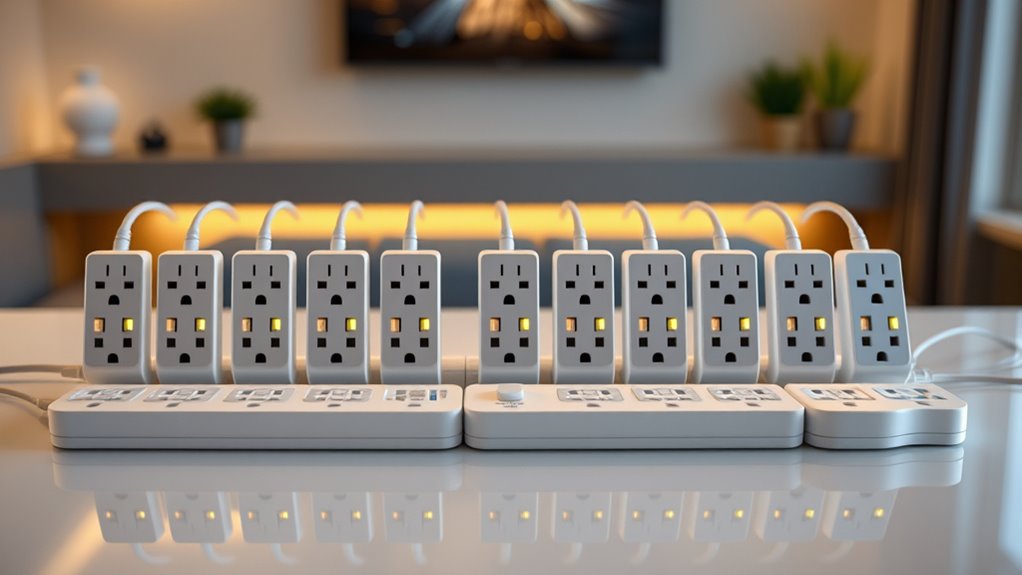

Smart power strips WiFi combine multiple outlets with remote control capabilities, making them ideal for automating and managing devices in your home. The best options offer reliable connectivity, energy monitoring, and easy integration with smart assistants like Alexa and Google Home. The top pick, GHome Smart Power Strip with Energy Monitoring, stands out for its comprehensive features and solid build. Other notable options include the Tapo Smart Wi-Fi Power Strip for advanced energy tracking and the Kasa Smart Plug Power Strip for its surge protection. Buyers face tradeoffs between price, number of outlets, smart features, and ease of use. Keep reading for the full breakdown and detailed comparisons to help you make an informed choice.

Get the latest gadgets delivered free with Prime
- Fast, free delivery on millions of items
- Prime Video, Amazon Music and more included
- Member-only deals all year
Complete the kit



Key Takeaways
- The number of outlets and USB ports varies widely, affecting suitability for different device setups.
- Energy monitoring is a key feature that separates premium options from basic models.
- Compatibility with smart assistants like Alexa and Google Home is common but not universal.
- Surge protection is an important addition for device safety but can increase cost.
- Ease of setup and app usability are critical for a seamless smart home experience.
| GHome Smart Power Strip with Energy Monitoring, 6 WiFi Outlets, 30W USB-C Charging, and 7.2 ft Cord |  | Best Overall for Energy Monitoring and Versatile Control | Smart Outlets: 6 | USB-A Ports: 2 | USB-C Ports: 1 | VIEW ON AMAZON | See Our Full Breakdown |
| GHome 15A WiFi Smart Power Strip with 6 Outlets, 3 USB Ports, and 7.18 ft Flat Extension Cord |  | Best for Heavy-Duty Use and Multiple Device Management | Outlets: 6 | USB Ports: 3 (2 USB-A, 1 USB-C) | Maximum Load: 15A / 1800W | VIEW ON AMAZON | See Our Full Breakdown |
| Tapo Smart Wi-Fi Power Strip, Matter, P316M, Energy Monitoring |  | Best for Cross-Platform Compatibility and Local Control | Number of outlets: 6 | USB ports: 3 (5V 2.4A) | Connectivity: Wi-Fi, Matter compatible | VIEW ON AMAZON | See Our Full Breakdown |
| GHome Smart WiFi Surge Protector Power Strip with 6 Outlets and 3 USB Ports |  | Best Compact Surge Protection with Individual Outlet Control | AC Outlets: 6 | USB Ports: 3 (2 USB-A, 1 USB-C) | USB-C Charging: 30W | VIEW ON AMAZON | See Our Full Breakdown |
| Amazon Basics Smart Plug Power Strip with 6 Outlets and 3 USB Ports, WiFi, Alexa Compatible, No Hub Required, White |  | Best Budget-Friendly Smart Power Strip for Alexa Users | Number of Outlets: 6 | USB Ports: 3 | Maximum Current: 15 A | VIEW ON AMAZON | See Our Full Breakdown |
| Meross Smart Power Strip with 4 Outlets and 4 USB Ports, WiFi Enabled |  | Best Overall for Versatile Home Control | USB Ports: 4 | USB Power: Up to 4.0A | Outlets: 4 | VIEW ON AMAZON | See Our Full Breakdown |
| Westinghouse 94012 WH-320 Wi-Fi Smart Power Strip |  | Best for Custom Scheduling and Simplicity | Number of Outlets: 4 (3 controllable, 1 always-on) | Connectivity: Wi-Fi | Compatibility: Alexa, Google Assistant, IFTTT | VIEW ON AMAZON | See Our Full Breakdown |
| Kasa Smart Plug Power Strip KP303, Surge Protector with 3 Smart Outlets and 2 USB Ports |  | Best for Surge Protection with USB Charging | Number of Outlets: 3 | USB Ports: 2 | Voice Assistant Compatibility: Alexa, Google Assistant | VIEW ON AMAZON | See Our Full Breakdown |
| GHome 6-in-1 WiFi Smart Power Strip with Surge Protection |  | Best for Advanced Automation and Surge Safety | Configuration: 6-in-1 | Voltage: 120V | Maximum Power: 1200W | VIEW ON AMAZON | See Our Full Breakdown |
| Geeni Surge Ultra Smart 8-Outlet Surge Protector, No Hub, 6 ft. Cord |  | Best for High Capacity and Flexible Placement | Number of Outlets: 8 | Smart Outlets: 6 | Always-On Outlets: 2 | VIEW ON AMAZON | See Our Full Breakdown |
| BN LINK Smart Power Strip with 6 Outlets and 4 USB Ports, Surge Protector, Compatible with Alexa and Google Home |  | Best Overall for Versatile Home Automation | Number of Outlets: 6 | Total USB Ports: 4 | USB Port Power: 5V/3A | VIEW ON AMAZON | See Our Full Breakdown |
| GHome Smart Power Strip with 3 WiFi Outlets and 3 USB Ports |  | Best for Simplicity and App Control | AC Outlets: 3 individually controllable WiFi outlets | USB Ports: 3 | Voltage: 120V | VIEW ON AMAZON | See Our Full Breakdown |
| LINKVOLT Smart Power Strip WiFi Surge Protector with Alexa & Google Home Voice Control |  | Best Compact Design with Essential Control | Number of Outlets: 3 | Surge Protection: 1080 Joules | Connectivity: WiFi 2.4GHz | VIEW ON AMAZON | See Our Full Breakdown |
| POWSAV 6-Foot WiFi Surge Protector with 8 Outlets and 4 USB Ports |  | Best for High Capacity and Power Management | AC Outlets: 8 | Smart Outlets: 4 | USB Ports: 4 | VIEW ON AMAZON | See Our Full Breakdown |
| smart power strips wifi | USB Ports | Number of outlets |
|---|---|---|
| GHome Smart Power Strip with E | — | — |
| GHome 15A WiFi Smart Power Str | 3 (2 USB-A, 1 USB-C) | — |
| Tapo Smart Wi-Fi Power Strip | 3 (5V 2.4A) | 6 |
| GHome Smart WiFi Surge Protect | 3 (2 USB-A, 1 USB-C) | — |
| Amazon Basics Smart Plug Power | 3 | 6 |
| Meross Smart Power Strip with | 4 | — |
| Westinghouse 94012 WH-320 Wi-F | — | 4 (3 controllable, 1 always-on) |
| Kasa Smart Plug Power Strip KP | 2 | 3 |
| GHome 6-in-1 WiFi Smart Power | — | — |
| Geeni Surge Ultra Smart 8-Outl | — | 8 |
| BN LINK Smart Power Strip with | — | 6 |
| GHome Smart Power Strip with 3 | 3 | — |
| LINKVOLT Smart Power Strip WiF | — | 3 |
| POWSAV 6-Foot WiFi Surge Prote | 4 | — |
More Details on Our Top Picks
GHome Smart Power Strip with Energy Monitoring, 6 WiFi Outlets, 30W USB-C Charging, and 7.2 ft Cord
This GHome model stands out for integrating real-time energy tracking with individual outlet control, making it ideal for users who want detailed power consumption insights. Compared with the Tapo Power Strip, it offers dedicated energy monitoring, which is valuable for managing energy costs, but it relies solely on 2.4GHz WiFi, limiting compatibility with dual-band routers. Its USB-C port supports fast charging, adding convenience, though the USB ports are not separately controllable, unlike the Westinghouse strips that may offer more flexible USB management. The low-profile flat plug design makes it less obtrusive in tight spaces, and the surge protection adds an extra layer of safety. However, the absence of 5GHz WiFi support and lack of individual USB port control could be limiting for tech-savvy users who want maximum customization.
Pros:- Controls each outlet individually or as a group
- Supports real-time energy monitoring and scheduling
- Includes fast USB-C charging and surge protection
Cons:- Does not support 5GHz WiFi, limiting network flexibility
- USB ports are not individually controllable
Best for: Tech enthusiasts and energy-conscious households seeking detailed power insights and flexible outlet control.
Not ideal for: Users with dual-band WiFi networks or those needing independent USB port control—this model’s limited WiFi band support and USB management may hinder their setup.
- Smart Outlets:6
- USB-A Ports:2
- USB-C Ports:1
- USB-C Charging Power:30W
- Cord Length:7.2 ft
- WiFi Band:2.4GHz only
Our verdict“This power strip is best suited for users prioritizing energy monitoring with flexible control over outlets, but less so for those needing dual-band WiFi or USB customization.”
GHome 15A WiFi Smart Power Strip with 6 Outlets, 3 USB Ports, and 7.18 ft Flat Extension Cord
This GHome model offers a high-capacity 15A load with six individually controlled outlets and multiple USB ports, making it ideal for power-hungry devices and home office setups. It supports scheduling, grouping, and energy monitoring, comparable to the Westinghouse strips, but with the added benefit of a longer 7.18 ft cord for flexible placement. Its 2.4GHz WiFi limits compatibility, similar to other models like the B0F5LNYTR7, but it emphasizes safety with overload, surge, and short-circuit protections. Unlike the Amazon Basics strip, it provides a more robust load capacity suited for larger appliances or multiple devices, but it does not support dual-band WiFi, which could restrict connectivity in some environments.
Pros:- Supports high load capacity of 15A/1800W
- Controls outlets individually or as a group
- Includes 3 USB ports with fast charging and energy monitoring
Cons:- Limited to 2.4GHz WiFi, reducing compatibility with dual-band networks
- No weather resistance or outdoor suitability
Best for: Homeowners needing a high-capacity, multi-device power strip with safety features and longer reach.
Not ideal for: Users with dual-band routers or those seeking outdoor or weatherproof options—its design is indoor-focused and limited to 2.4GHz WiFi.
- Outlets:6
- USB Ports:3 (2 USB-A, 1 USB-C)
- Maximum Load:15A / 1800W
- WiFi:2.4 GHz only
- Cord Length:7.18 ft
- Safety Features:Overload, surge, short-circuit protection
Our verdict“This power strip offers robust capacity and control for indoor heavy-duty use, but its WiFi limitations might restrict some smart home setups.”
Tapo Smart Wi-Fi Power Strip, Matter, P316M, Energy Monitoring
The Tapo P316M distinguishes itself by supporting Matter, making it highly compatible across major smart home platforms like Apple HomeKit, Alexa, Google, and Samsung SmartThings. It offers six controllable outlets and three USB ports, with energy monitoring and scheduling features that promote energy efficiency. Unlike some models, it emphasizes local control, allowing operation during internet outages, which is ideal for users who depend on consistent device management. However, setup requires app configuration and firmware updates, which may be a hurdle for less tech-savvy users. Its 3-foot power cord limits placement flexibility somewhat, but the broad platform support makes it suitable for varied smart home ecosystems.
Pros:- Supports Matter, Alexa, Google, Apple HomeKit, and SmartThings
- Features energy monitoring, scheduling, and local control
- Overcharge protection enhances safety
Cons:- Requires app setup and firmware updates
- Limited to 9 devices total (6 outlets + 3 USB)
Best for: Smart home enthusiasts seeking broad platform compatibility and reliable local control.
Not ideal for: Users who prefer plug-and-play setups or outdoor use—its indoor design and app-based setup may be less straightforward for some.
- Number of outlets:6
- USB ports:3 (5V 2.4A)
- Connectivity:Wi-Fi, Matter compatible
- Control methods:Voice, app, local network
- Power cord length:3 ft
- Safety features:Overcharge protection
Our verdict“This power strip is ideal for users wanting versatile cross-platform smart home control with safety and energy features, though setup may be more involved.”
GHome Smart WiFi Surge Protector Power Strip with 6 Outlets and 3 USB Ports
This GHome surge protector emphasizes safety with built-in surge, overload, and short-circuit protections, making it excellent for protecting sensitive electronics. It offers six individually controlled outlets plus three USB ports, including a 30W USB-C port, and supports Alexa, Google Assistant, and app control over 2.4GHz WiFi. Its compact flat plug design with spacing for bulky adapters makes it versatile for tight spaces. Compared to the B0C453CLSY model, it adds surge protection, which is crucial for safeguarding devices during power fluctuations. However, it only supports 2.4GHz WiFi and its USB ports are not separately controllable, which could limit customization for advanced users seeking more granular control.
Pros:- Individually controlled outlets with scheduling
- Includes surge, overload, and short-circuit protections
- Compact design with space for bulky adapters
Cons:- Supports only 2.4GHz WiFi
- USB ports are not individually controllable
Best for: Home or office users who prioritize surge protection along with outlet control in tighter spaces.
Not ideal for: Users needing dual-band WiFi support or detailed USB port control—this model’s limitations in WiFi compatibility and USB management may be restrictive.
- AC Outlets:6
- USB Ports:3 (2 USB-A, 1 USB-C)
- USB-C Charging:30W
- Maximum Output:15A / 1800W
- WiFi Compatibility:2.4GHz only
- Safety Features:Surge, overload, short-circuit protection
Our verdict“This surge protector balances safety and control in a compact form, but limited WiFi support and USB control could be limiting for some users.”
Amazon Basics Smart Plug Power Strip with 6 Outlets and 3 USB Ports, WiFi, Alexa Compatible, No Hub Required, White
The Amazon Basics model offers a straightforward solution for those integrating Alexa into their smart home, providing six independently controlled outlets and three USB ports. Its no-hub-required setup simplifies the process, and surge protection adds peace of mind. While it shares the same 2.4GHz WiFi limitation as other models like the B0F8P5JLZZ, its simplicity makes it accessible for users new to smart home devices. Compared to the more feature-rich GHome options, it lacks energy monitoring and advanced scheduling, making it less suited for power management enthusiasts. Its straightforward design and Alexa compatibility make it a reliable, budget-friendly choice for basic control needs.
Pros:- Individually controlled outlets for flexible device management
- No hub required, easy Alexa integration
- Includes surge protection for connected devices
Cons:- Limited to WiFi 2.4GHz, restricting network compatibility
- Lacks energy monitoring and advanced scheduling features
Best for: Budget-conscious Alexa users seeking simple, reliable device control without complex setup.
Not ideal for: Advanced users wanting energy monitoring, detailed scheduling, or dual-band WiFi support—this model focuses on basic control and affordability.
- Number of Outlets:6
- USB Ports:3
- Maximum Current:15 A
- Voltage:120 volts
- WiFi:2.4GHz only
- Compatibility:Alexa
Our verdict“This power strip provides essential smart control with Alexa at a budget, but is less suited for users wanting detailed energy data or dual-band WiFi support.”
Meross Smart Power Strip with 4 Outlets and 4 USB Ports, WiFi Enabled
This Meross power strip stands out for its combination of four independently controlled outlets and four fast-charging USB ports, making it highly versatile for both home and office setups. Unlike the GHome 6-in-1 strip, it offers more USB charging options, though it lacks built-in surge protection. Its support for multiple voice assistants—Alexa, Google, and Siri—adds convenience that the Westinghouse WH-320 can’t match, which only supports Alexa and Google. The need for an internet connection for app control means it’s less reliable during outages, but the safety certifications and flame-retardant material enhance peace of mind. The main tradeoff is the absence of surge protection, which might be a concern for sensitive electronics.
Pros:- Supports multiple voice assistants including Alexa, Google, and Siri
- Remote control and scheduling via app enhance convenience
- Safety-certified with flame retardant material
Cons:- Requires internet connection for app control, reducing reliability during outages
- Limited to 15A devices, restricting heavy-duty appliances
- No integrated surge protection features
Best for: Tech-savvy homeowners who want flexible device management and USB charging in one device
Not ideal for: People seeking built-in surge protection or offline operation without internet dependency
- USB Ports:4
- USB Power:Up to 4.0A
- Outlets:4
- WiFi Compatibility:2.4GHz or Dual Band
- Material:Flame retardant PC
- Certifications:ETL, FCC
Our verdict“This pick is ideal for users who prioritize device control versatility and voice integration over surge protection.”
Westinghouse 94012 WH-320 Wi-Fi Smart Power Strip
Compared with the Meross strip, the Westinghouse WH-320 offers a more straightforward setup with three controllable outlets plus one always-on socket, making it suitable for basic device automation. It supports voice commands via Alexa and Google Assistant, but lacks USB ports, which could be a drawback for charging multiple devices. Its focus on individual socket control allows tailored automation, but the absence of USB charging limits its versatility. The device’s simplicity makes it less feature-rich than the GHome 6-in-1, but it excels at straightforward scheduling and device management. A key tradeoff is its limited number of outlets, which may not satisfy users with many devices.
Pros:- Supports voice control with Alexa and Google Assistant
- Customizable scheduling and automation options
- Individual socket management for tailored control
Cons:- Limited to four outlets, restricting device connections
- No USB charging ports, reducing versatility
- Requires Wi-Fi connection for operation
Best for: Users seeking simple, reliable scheduling for a few devices without needing USB charging
Not ideal for: People who want USB ports or a higher number of controllable outlets
- Number of Outlets:4 (3 controllable, 1 always-on)
- Connectivity:Wi-Fi
- Compatibility:Alexa, Google Assistant, IFTTT
- Control:Schedule, custom on/off
Our verdict“Ideal for users who prioritize simple, effective scheduling over a large number of outlets or USB charging.”
Kasa Smart Plug Power Strip KP303, Surge Protector with 3 Smart Outlets and 2 USB Ports
The Kasa KP303 offers a compelling mix of three independently controlled outlets and two USB ports, making it especially suited for managing multiple small devices simultaneously. Unlike the Westinghouse, it includes surge protection, providing extra safety for sensitive electronics. Its app-based control and voice compatibility with Alexa and Google Assistant ensure easy remote management, but it requires Wi-Fi and initial setup—similar to other smart strips like the GHome 6-in-1. The limited number of outlets might be a constraint for users with many devices, and it lacks traditional AC outlets beyond the three smart ones. Still, its surge protection makes it a prudent choice for protecting electronics.
Pros:- Supports voice control with Alexa and Google Assistant
- Independently controllable outlets for flexible device management
- Includes USB ports for charging multiple devices simultaneously
- Surge protection safeguards electronics
Cons:- Requires Wi-Fi connection and app setup, which can be a barrier for some
- Limited to three smart outlets, restricting device connections
- No traditional non-smart outlets
Best for: Home users needing surge protection and USB charging for multiple devices
Not ideal for: Customers seeking a high number of outlets or non-smart, traditional power strips
- Number of Outlets:3
- USB Ports:2
- Voice Assistant Compatibility:Alexa, Google Assistant
- Surge Protection:ETL-certified
- Control Method:Kasa Smart app
Our verdict“Best suited for users who want smart control combined with surge protection and USB charging capabilities.”
GHome 6-in-1 WiFi Smart Power Strip with Surge Protection
This GHome 6-in-1 strip excels for users who want advanced automation modes like timers, countdowns, and grouped controls, surpassing simpler options like the Westinghouse. Its 6 outlets provide more capacity for device management, and the built-in surge protection adds safety for sensitive electronics. It works with Alexa and Google Assistant, but only on 2.4GHz WiFi, which could limit performance in congested networks. Compared to the Meross strip, it offers more automation modes, though it still lacks USB ports, which might be a downside for charging smaller devices. This model is best for those who prioritize detailed automation and surge safety over USB charging or multi-protocol voice control.
Pros:- Supports remote app control and voice commands
- Offers multiple automation modes including timers and schedules
- Built-in surge protection enhances safety
Cons:- Limited to 2.4GHz WiFi, which may affect connectivity in crowded networks
- No USB ports for charging small devices
- Maximum power of 1200W may limit use with high-power appliances
Best for: Power users needing complex scheduling and surge safety for multiple devices
Not ideal for: Casual users or those who rely heavily on USB charging or dual-band Wi-Fi
- Configuration:6-in-1
- Voltage:120V
- Maximum Power:1200W
- WiFi Compatibility:2.4GHz only
- Voice Assistants:Amazon Alexa, Google Assistant
- Safety Features:Built-in surge protection
Our verdict“This model is best for advanced users who want detailed automation and surge protection for many devices.”
Geeni Surge Ultra Smart 8-Outlet Surge Protector, No Hub, 6 ft. Cord
The Geeni Surge Ultra provides a substantial 8-outlet setup with 6 controllable smart outlets, making it suitable for larger setups. Its 1200 joules surge protection and no-hub required Wi-Fi connectivity simplify installation, and the long 6-foot cord offers flexible placement options. Compared with smaller strips like the Kasa KP303, it offers more outlets, but the design may feel bulky for tight spaces, and it only supports North American plugs. Its Wi-Fi connectivity is straightforward, but it lacks detailed automation modes or USB ports, which could limit its versatility. This device is a solid choice for those needing multiple outlets with surge protection and flexible positioning.
Pros:- Includes 6 smart outlets for individual control
- No hub required for Wi-Fi connectivity
- Provides robust surge protection up to 1200 joules
- Long 6-foot cord for flexible placement
Cons:- Limited to North American plug type, restricting international use
- Design may be bulky for tight spaces
- No USB charging ports or advanced automation features
Best for: Large setups requiring many outlets and surge protection without complex automation
Not ideal for: Small spaces or users needing USB charging or detailed automation features
- Number of Outlets:8
- Smart Outlets:6
- Always-On Outlets:2
- Surge Protection:1200 Joules
- Cord Length:6 ft.
- Wi-Fi Connectivity:Yes
Our verdict“This high-capacity surge protector is best for users who need many outlets and flexible placement in North American outlets.”
BN LINK Smart Power Strip with 6 Outlets and 4 USB Ports, Surge Protector, Compatible with Alexa and Google Home
This model stands out for combining a generous number of outlets and USB ports with robust surge protection and voice control compatibility. Compared to the GHome Smart Power Strip, it offers more outlets but requires a WiFi connection for remote access, which can be a downside for those seeking a simple switch. The 6 outlets and 4 USB ports support a wide range of devices, making it ideal for comprehensive home setups. However, it’s limited to 125V/15A, so high-power appliances are off-limits. It’s a solid pick for users wanting extensive device control without sacrificing surge protection or voice compatibility, but not suitable for heavy-duty appliances or those with unstable WiFi.
Pros:- Supports voice control with Alexa and Google Assistant
- Includes 6 outlets and 4 USB ports for versatile charging
- Provides surge protection up to 1200 Joules
Cons:- Requires WiFi connection for remote control
- Some Android users may face app upgrade issues
- Limited to 125V/15A, not suitable for heavy appliances
Best for: Homeowners needing a versatile, all-in-one smart strip for multiple devices and voice control integration.
Not ideal for: Users with high-power appliances or limited WiFi stability, as it can’t handle high wattage or offline operation.
- Number of Outlets:6
- Total USB Ports:4
- USB Port Power:5V/3A
- Voltage:125 volts
- Maximum Current:15 A
- Item Dimensions:10″L x 2.36″W
Our verdict“This pick suits those who want a feature-rich power strip with voice control and surge protection for everyday home devices.”
GHome Smart Power Strip with 3 WiFi Outlets and 3 USB Ports
This option makes the most sense for users who prefer straightforward app-based control with reliable security certifications. It offers three individually controlled WiFi outlets and three USB ports, similar to the LINKVOLT WiFi Surge Protector, but with a more simplified setup. Its 2.4GHz WiFi only limits compatibility with newer 5GHz networks, which might be a concern for some. The device supports a variety of control modes including timers and grouping, making it flexible for basic automation. However, it’s limited to 1200W, so it’s not ideal for high-wattage appliances. This model is well-suited for casual users seeking an easy-to-manage, certified smart strip but less so for power users with complex setups or unstable WiFi environments.
Pros:- Supports individual and grouped outlet control
- Offers remote app access and versatile scheduling
- Works with Alexa and Google Assistant
Cons:- Limited to 2.4GHz WiFi only
- Maximum power output of 1200W may restrict some appliances
- Not recommended for unstable or crowded networks
Best for: Consumers who want a straightforward, app-controlled smart strip without complex features or high wattage demands.
Not ideal for: Power users needing high wattage support or those with 5GHz WiFi-only networks, as it’s limited to 2.4GHz and 1200W.
- AC Outlets:3 individually controllable WiFi outlets
- USB Ports:3
- Voltage:120V
- Maximum Power:1200W
- WiFi Compatibility:2.4GHz only
- Control Modes:App, voice, timer, schedule, grouping
Our verdict“This strip is ideal for users seeking reliable app control and basic automation in a compact form factor.”
LINKVOLT Smart Power Strip WiFi Surge Protector with Alexa & Google Home Voice Control
This device excels for those who need a simple, space-efficient smart strip with independent outlet control and surge protection. Compared to the larger POWSAV 8-Outlets Surge Protector, it offers fewer outlets but emphasizes a compact form factor with a 6-foot cord, making it ideal for office or limited space environments. Its three outlets can be controlled separately via app or voice, with the added benefit of surge protection. However, its 2.4GHz WiFi requirement and only three outlets mean it’s less suitable for larger setups or networks operating solely on 5GHz. It’s a good choice for users who want reliable voice control in a small footprint but not for those needing extensive device connectivity or high wattage capacity.
Pros:- Independent control of each outlet via app or voice
- Compact design with a 6-foot cord fits small spaces
- Built-in surge protection safeguards electronics
Cons:- Requires 2.4GHz WiFi, not compatible with 5GHz networks
- Limited to 3 outlets, less flexible for bigger setups
- Connectivity issues may occur with unstable WiFi
Best for: Office or small home setups where space is tight and simple, reliable control of a few devices is needed.
Not ideal for: Users with larger device needs or those on 5GHz WiFi networks, as it only supports 2.4GHz and has limited outlets.
- Number of Outlets:3
- Surge Protection:1080 Joules
- Connectivity:WiFi 2.4GHz
- Voice Assistants:Alexa, Google Home
- Cord Length:6 ft
- Certification:ETL
Our verdict“Ideal for users needing a small, controlled surge protector for low to moderate device loads in space-constrained areas.”
POWSAV 6-Foot WiFi Surge Protector with 8 Outlets and 4 USB Ports
This model is best suited for users who need extensive device connectivity combined with high surge protection. With 8 outlets, including 4 smart and 4 always-on, plus 4 USB ports, it offers substantial flexibility. The 1680-joule surge rating provides peace of mind for protecting sensitive electronics. Unlike the BN LINK, it supports more outlets and higher surge capacity, but it shares the limitation of 2.4GHz WiFi only, which might cause connectivity issues in crowded networks. The app controls four outlets and USB ports separately, but the always-on outlets cannot be managed via app, limiting automation. This pick makes the most sense for users seeking maximum outlets and surge resilience but less so for those on 5GHz WiFi or requiring full control over all outlets and USB ports.
Pros:- Individually controls four outlets via app or voice
- High surge protection at 1680 Joules
- Includes four USB ports for charging multiple devices
Cons:- Limited to 2.4GHz WiFi, no 5GHz support
- Some outlets and USB ports are always-on, not controllable via app
- Not compatible with encrypted public networks
Best for: Home or office environments with multiple devices needing high surge protection and flexible power management.
Not ideal for: Users with 5GHz WiFi networks or those wanting comprehensive control over all outlets and USB ports through the app.
- AC Outlets:8
- Smart Outlets:4
- USB Ports:4
- Surge Protection:1680 joules
- WiFi Compatibility:2.4 GHz only
- Cord Length:6 ft
Our verdict“This strip is a strong choice for users needing high surge capacity and multiple outlets in a large device setup, with some network limitations.”

How We Picked
In evaluating these smart power strips WiFi, I focused on performance, build quality, ease of use, and value. Each product was assessed based on its connectivity stability, app interface, and smart home compatibility. I also considered the number and type of outlets, surge protection features, and energy monitoring capabilities. Products were ranked by balancing these features with price and user convenience, aiming to highlight options suitable for different types of buyers—from beginners to tech enthusiasts. The top picks represent a combination of reliability, versatility, and overall value, ensuring each meets specific user needs without unnecessary compromises.Factors to Consider When Choosing Smart Power Strips Wifi
Choosing the right smart power strip WiFi involves understanding key features that impact usability, safety, and integration with your existing smart home setup. Beyond basic outlet count, consider how the device manages energy, its compatibility with your voice assistants, and whether surge protection is included. The right choice depends on your specific needs—whether you prioritize automation, safety, or cost savings. Being aware of potential pitfalls, such as complex setup processes or limited app support, can help you avoid buyer’s remorse. This guide outlines important factors to weigh before making a decision, ensuring you select a model that complements your home and lifestyle.Number of Outlets and USB Ports
The quantity and arrangement of outlets directly influence how many devices you can control with a single strip. USB ports are a valuable addition for charging smartphones and tablets without occupying outlets, but they vary in power output and number. Consider your device needs—more outlets suit larger setups, while fewer may suffice for targeted automation. Keep in mind that adding more ports can sometimes lead to clutter or reduced spacing between outlets, affecting larger plugs.Energy Monitoring and Management
Integrated energy monitoring allows you to track power consumption, which can help reduce bills and improve efficiency. Premium models often provide detailed reports and can be programmed to turn off devices during peak usage times. However, energy tracking features typically come at a higher price point and may require more complex setup. If energy savings are a priority, look for models that offer reliable monitoring and easy-to-understand interfaces.Smart Home Compatibility
Most smart power strips work with voice assistants like Alexa and Google Home, but compatibility varies. Confirm that the device supports your preferred platform and check whether it requires a hub or works directly over WiFi. Compatibility ensures seamless voice control and automation, but some models may have limited integration or lack compatibility with certain ecosystems. Consider your current smart home setup to choose a device that integrates smoothly.Surge Protection and Safety Features
Surge protection shields your devices from voltage spikes, an essential feature for safeguarding expensive electronics. However, not all smart power strips include this feature, and those that do often come at a higher cost. Evaluate whether surge protection is a priority for your setup, especially if you use sensitive or costly devices. Also, check for safety certifications and robust build quality to ensure long-term reliability.Ease of Setup and App Usability
A straightforward setup process and intuitive app interface significantly enhance the user experience. Some products require complicated wiring or multiple app steps, which can frustrate less tech-savvy users. Clear instructions, quick pairing, and responsive controls are signs of good design. Additionally, look for features like scheduling, timers, and remote control that are accessible via the app for maximum convenience.Price and Overall Value
While budget models offer basic control, investing a bit more can unlock advanced features like energy monitoring, surge protection, and better app support. Balance your needs against the cost to find the best value. Premium models tend to be more durable and feature-rich, but may be unnecessary for light use or simple automation. Recognize that paying more often means increased longevity and reliability.Frequently Asked Questions
Can I control my smart power strip WiFi when I’m away from home?
Yes, most smart power strips WiFi can be controlled remotely via their dedicated app, provided you have an internet connection. This allows you to turn outlets on or off, set schedules, or monitor energy usage from anywhere. Make sure your device supports remote access and that you set up the app properly. Some models also offer notifications or automation features that trigger based on your location or other smart home devices.Do I need a hub to use a WiFi smart power strip?
Most modern WiFi smart power strips connect directly to your home network without the need for a separate hub. This simplifies setup and reduces additional costs. However, some older or specialized models might require a hub or bridge for full functionality. Confirm the connectivity requirements before purchasing to ensure compatibility with your existing smart home ecosystem.Are energy monitoring features worth paying extra for?
Energy monitoring can provide valuable insights into your device usage, helping you identify power hogs and reduce bills. Although these features add to the cost, they are often worth it if you’re focused on efficiency or sustainability. Keep in mind that the accuracy and detail of monitoring vary between models, so review the specific capabilities before selecting a device primarily for energy management.How secure are smart power strips WiFi from hacking?
Security depends on the device’s firmware, your WiFi network, and your password practices. Reputable brands regularly update firmware to patch vulnerabilities, and using strong, unique passwords for your WiFi and app accounts enhances security. Avoid devices with poor security records or unverified firmware updates. When properly secured, these devices can be safe additions to your smart home ecosystem.What should I do if a smart power strip stops responding?
First, check your WiFi connection and ensure the device is powered on. Restart the device and your router if needed. Reinstall or update the app to rule out software issues. If problems persist, consult the manufacturer’s troubleshooting guide or contact support. Sometimes, firmware updates or factory resets are necessary to restore full functionality, especially after network changes or firmware bugs.Conclusion
For most users, the GHome Smart Power Strip with Energy Monitoring offers the best balance of features, reliability, and value, making it the top overall choice. Those seeking the best bang for their buck will appreciate models like the Amazon Basics Smart Plug Power Strip, which combines affordability with essential smart features. If safety and premium features matter most, the GHome Smart WiFi Surge Protector or BN LINK Smart Power Strip provide robust surge protection and durability. Beginners or casual users should prioritize models with simple setup and good app interfaces, while advanced users may want to opt for options with detailed energy insights and extensive automation options. Tailor your choice to your specific needs and budget for the best experience in 2026.
Halloween Picks
halloween
As an affiliate, we earn on qualifying purchases.