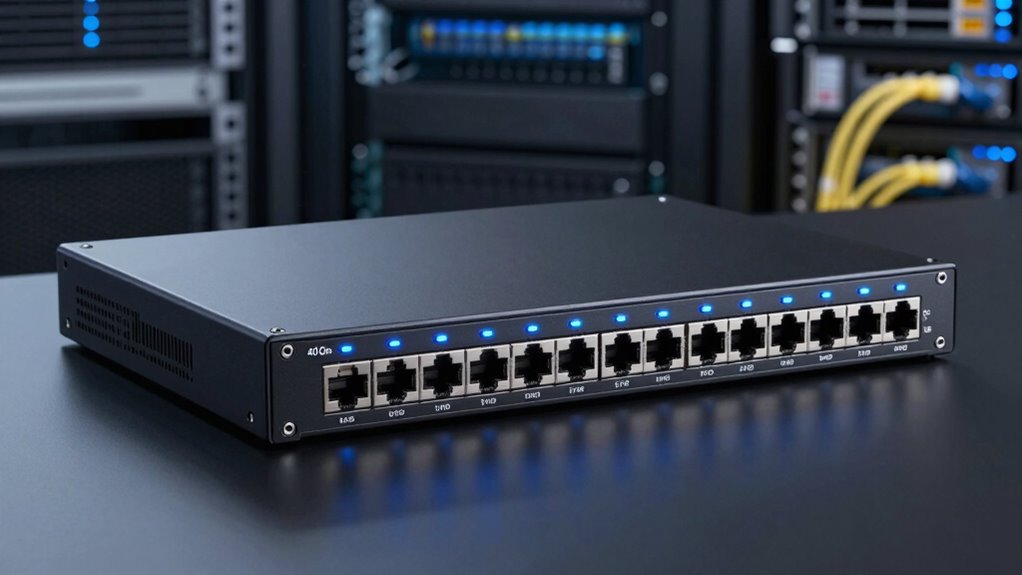

A 40GbE switch can serve as a high-speed aggregation point, a direct-connect fabric, or a bridge between 10GbE servers and faster uplinks. My leading pick for mixed 10GbE and 40GbE deployments is the Dell S4048-ON, which pairs 48 SFP+ ports with six QSFP+ ports. For a fabric built around 40GbE links, the Arista DCS-7050QX-32S-R provides 32 QSFP+ ports; for 10GbE devices using copper Ethernet, the Arista DCS-7050TX-72Q-R has the lineup’s clearest RJ45 advantage.

Get the latest gadgets delivered free with Prime
- Fast, free delivery on millions of items
- Prime Video, Amazon Music and more included
- Member-only deals all year
The main choice is not simply how many ports the switch has. I would weigh QSFP+ density, the difference between RJ45 and SFP+, airflow direction, included rack hardware, and the risks of buying renewed equipment. These listings offer very different port layouts, and several provide only limited warranty information. I rank them by how well their stated features match practical 40GbE use, while calling out where listing details are incomplete.
Complete the kit



Key Takeaways
- The Dell S4048-ON is the strongest mixed-port choice here: 48 10GbE SFP+ ports, six 40GbE QSFP+ ports, and dual power supplies, but no rails.
- The Arista DCS-7050QX-32S-R offers the largest stated 40GbE port count at 32 QSFP+ ports, making it the fabric-focused option rather than a broad 10GbE access switch.
- The Arista DCS-7050TX-72Q-R is the standout when existing devices need 10GbE RJ45 copper ports instead of SFP+; check its airflow and rack mounting needs before ordering.
- The Arista DCS-7050SX-64-R combines 48 SFP+ ports with four QSFP+ ports, but its supplied listing has sparse model-specific details, so buyers should verify condition and included hardware.
- The Juniper QFX5100-24Q-AFO lists 24 QSFP+ ports and Layer 3 management, but its listing gives few deployment details; confirm airflow, software, optics, and mounting compatibility.


| 40gbe switch | Condition | 10GbE ports | 40GbE ports | Warranty |
|---|---|---|---|---|
| Dell S4048-ON 48-Port 10GbE SF | Certified refurbished | 48 SFP+ | 6 QSFP+ | Minimum 90 days |
| Arista DCS-7050QX-32S-R 32-Por | Renewed | 4 SFP+ | 32 QSFP+ | 90-day limited |
| Arista DCS-7050TX-72Q-R Manage | Renewed | 48 RJ45 | 6 QSFP+ | 90-day limited |
| Arista DCS-7050SX-64-R 48 Port | Renewed | 48 SFP+ | 4 QSFP+ | — |
| Juniper Networks Juniper QFX51 | Renewed | — | — | Not specified in supplied details |
More Details on Our Top Picks
Dell S4048-ON 48-Port 10GbE SFP+ and 6-Port 40GbE QSFP+ Managed Switch with Dual Power Supplies (Renewed, No Rails)
I put the Dell S4048-ON first because its port mix suits the common task of aggregating many 10GbE connections while providing several 40GbE links for uplinks or faster peers. Its 48 SFP+ ports give a network room to connect servers and access switches, while six QSFP+ ports add meaningful 40GbE capacity without making the whole device a specialist fabric switch.
Compared with the Arista DCS-7050QX-32S-R, the Dell trades a much smaller QSFP+ count for a far larger bank of stated 10GbE interfaces. That makes it easier to justify when most endpoints are still 10GbE. The Arista DCS-7050TX-72Q-R may be a better fit if those endpoints require copper RJ45 rather than SFP+, but the Dell is the more flexible SFP+-based aggregation choice among the mixed-port options.
The tradeoff is practical rather than subtle: this unit is renewed and sold without rails, and the supplied information gives a minimum 90-day warranty. Its 29.7-pound weight and sizable package dimensions also call for a suitable rack and safe installation. I would confirm that the required optics, DACs, or fiber modules are compatible and included only if explicitly stated; this listing does not establish that they are.
Pros:- 48 10GbE SFP+ ports alongside six 40GbE QSFP+ ports
- Dual power supplies are specified
- Certified refurbished with testing and a minimum 90-day warranty
- Balanced port mix for mixed-speed aggregation
Cons:- Rack rails are not included
- Renewed condition and minimum 90-day warranty may not suit support-sensitive deployments
- Optics and cabling are not established as included
Best for: A small data center or lab that needs many 10GbE SFP+ connections plus a handful of 40GbE uplinks.
Not ideal for: Buyers who need a large number of native 40GbE ports, RJ45 10GbE access, or rails included.
- 10GbE ports:48 SFP+
- 40GbE ports:6 QSFP+
- Switch type:Managed
- Power supplies:Dual
- Condition:Certified refurbished
- Warranty:Minimum 90 days
- Weight:29.7 lb
- Rack rails:Not included
Our verdict“I rank the Dell first for mixed-speed networks because its 48 SFP+ ports and six QSFP+ ports cover more everyday 10GbE aggregation needs than the 40GbE-heavy alternatives.”
Arista DCS-7050QX-32S-R 32-Port 40GbE QSFP+ Switch with 4 10GbE SFP+ Ports, Back-to-Front Airflow (Renewed)
If the purpose of the purchase is to connect high-speed peers rather than provide a large 10GbE access layer, the Arista DCS-7050QX-32S-R has the strongest stated port count in this group: 32 QSFP+ ports, plus four SFP+ interfaces. That density makes it the clearest choice for a fabric or aggregation design built around 40GbE connections.
Its role differs sharply from the Dell S4048-ON. The Dell gives you 48 SFP+ ports for 10GbE and six 40GbE ports for uplinks; this Arista reverses the emphasis, dedicating most of its listed interfaces to QSFP+. The Juniper QFX5100-24Q-AFO also targets QSFP+ density, but lists 24 ports rather than 32. I would favor this Arista when port count is the deciding factor and the network already has a plan for QSFP+ cabling.
The listing identifies Layer 2 and Layer 3 features, a compact metal chassis, and back-to-front airflow. Airflow direction is not a cosmetic detail: it needs to match the rack’s cooling arrangement. Its renewed condition and 90-day limited warranty leave less room for long-term support than many enterprise deployments require. The four SFP+ ports also mean it is not a substitute for a switch with dozens of 10GbE access connections.
Pros:- 32 QSFP+ ports provide the lineup’s highest stated 40GbE port count
- Four SFP+ ports add a small number of 10GbE connections
- Layer 2 and Layer 3 capabilities are stated
- Back-to-front airflow and metal case are specified
Cons:- Only four SFP+ ports are listed for 10GbE connections
- Renewed unit carries a 90-day limited warranty
- Airflow must suit the rack, and optics or cables are not specified as included
Best for: A lab or data-center fabric needing a high count of 40GbE QSFP+ connections in a managed Layer 2/Layer 3 switch.
Not ideal for: A 10GbE-heavy access network, a rack with incompatible airflow, or an installation requiring a longer stated warranty.
- 40GbE ports:32 QSFP+
- 10GbE ports:4 SFP+
- Networking features:Layer 2 and Layer 3
- Airflow:Back-to-front
- Case material:Metal
- Condition:Renewed
- Warranty:90-day limited
- Listed transfer rate:40 Gbps
Our verdict“I would choose this Arista over the Dell or Juniper when 40GbE QSFP+ density matters more than broad 10GbE connectivity.”
Arista DCS-7050TX-72Q-R Managed Switch, 48x 10GbE RJ45 and 6x 40GbE QSFP+, Rear-to-Front Airflow, Dual PSU (Renewed, No Rails Kit)
The Arista DCS-7050TX-72Q-R earns its place for a specific reason: it supplies 48 10GbE RJ45 ports alongside six 40GbE QSFP+ ports. That is a distinct advantage when servers or existing switches use copper 10GbE and replacing endpoints with SFP+ connections would add extra adapters or cabling changes. Its 40GbE count matches the Dell S4048-ON, but its 10GbE interface type changes the installation equation.
Compared with the Dell, this Arista is the more direct match for copper-based 10GbE access; the Dell instead provides SFP+ connectivity. Neither has the 40GbE density of the 7050QX-32S-R, so I would not choose this model as the core of a large QSFP+ fabric. Its dual power supplies and stated rear-to-front airflow are useful deployment details, and the listing says a rack mount kit, power cords, and console cable are included.
There is a small but meaningful hardware detail to verify: the title says no rails kit, while the description lists a rack mount kit. I would ask the seller what exact mounting pieces come with the unit and confirm they fit the intended rack. The renewed unit has a 90-day limited warranty, and the listing does not establish that optics or other network accessories are included. This is a practical port-type specialist, not the most versatile 40GbE option overall.
Pros:- 48 10GbE RJ45 ports and six 40GbE QSFP+ ports
- Dual power supplies are listed
- Rear-to-front airflow is specified
- Listing identifies power cords, console cable, and a rack mount kit
Cons:- Title says no rails kit while description lists a rack mount kit, so mounting contents need confirmation
- Renewed unit has a 90-day limited warranty
- Six QSFP+ ports do not match the 40GbE density of the 32-port Arista
Best for: A network with many 10GbE copper endpoints and a need for six 40GbE QSFP+ uplinks or peer connections.
Not ideal for: A QSFP+-dense fabric, an SFP+-only environment, or a buyer who needs unambiguous rack-rail and accessory details.
- 10GbE ports:48 RJ45
- 40GbE ports:6 QSFP+
- Port count:54
- Airflow:Rear-to-front
- Power supplies:2
- Included items:2 power supplies, 2 power cords, console cable, rack mount kit listed
- Condition:Renewed
- Warranty:90-day limited
Our verdict“I recommend this Arista over the Dell when 10GbE RJ45 is the priority, but I would confirm the exact rack hardware before ordering.”
Arista DCS-7050SX-64-R 48 Port 10GbE SFP+ 4 Port 40GbE QSFP+ Back-to-Front Airflow Switch (Renewed)
The Arista DCS-7050SX-64-R is another mixed-speed option, but its balance leans even harder toward 10GbE access: 48 SFP+ ports and four QSFP+ ports. That makes it a candidate for a network where nearly every connected device is 10GbE and only a few links need 40GbE. Compared with the Dell S4048-ON, it gives up two listed QSFP+ ports while keeping the same stated SFP+ count.
That difference matters if the switch is expected to aggregate several high-speed links. The Dell has the clearer advantage there, and its listing also specifies dual power supplies and a minimum 90-day warranty. The DCS-7050SX-64-R may still fit a buyer who needs the Arista model and its stated back-to-front airflow, but the product information provided here does not identify power-supply configuration, warranty duration, rack hardware, or included accessories.
The source information says it is a renewed, professionally inspected and tested product and describes a renewed-product replacement or refund guarantee. It also lists 52 ports and a 560-gigabit-per-second transfer-rate figure, but gives few model-specific operating details. I would treat those gaps as a reason to verify the exact configuration before purchase, particularly the software, PSU modules, airflow label, and condition of the QSFP+ ports. The sparse listing makes this a more cautious pick than the Dell, despite the useful port layout.
Pros:- 48 SFP+ ports support a large 10GbE access layer
- Four QSFP+ ports provide 40GbE connections
- Back-to-front airflow is stated
- Renewed listing describes professional inspection and testing
Cons:- Fewer QSFP+ ports than the Dell S4048-ON
- Provided listing does not specify power supplies or warranty duration
- Rack hardware, accessories, and detailed operating features are not described
Best for: A buyer seeking 48 10GbE SFP+ connections with a small number of 40GbE QSFP+ links and who can confirm the exact renewed configuration.
Not ideal for: A buyer needing well-documented PSU, warranty, mounting, or accessory details, or more than four 40GbE ports.
- 10GbE ports:48 SFP+
- 40GbE ports:4 QSFP+
- Total ports:52 listed
- Switch type:Managed
- Airflow:Back-to-front
- Listed transfer rate:560 Gbps
- Condition:Renewed
- Warranty and power details:Not specified in the supplied listing
Our verdict“I see this Arista as a 10GbE SFP+ switch with a few 40GbE links, but its sparse listing puts it behind the better-documented Dell.”
Juniper Networks Juniper QFX5100-24Q-AFO 24-Port QSFP+ 40GbE Ethernet Switch w/ Dual PSU (Renewed)
The Juniper QFX5100-24Q-AFO is the Juniper-branded choice for buyers who want a 24-port QSFP+ switch with managed Layer 3 capability. Its port count puts it between the Arista DCS-7050QX-32S-R, with 32 QSFP+ ports, and the mixed-use Dell or Arista models, which have far fewer 40GbE interfaces. I would place it in a QSFP+-oriented network where Juniper compatibility is a specific requirement.
Unlike the Dell S4048-ON and Arista DCS-7050SX-64-R, the Juniper listing does not state a large bank of 10GbE SFP+ ports. The supplied details identify 24 QSFP+ interfaces and dual PSUs in the title, but do not spell out how the unit can be configured for additional interface modes or what transceivers it supports. Buyers should not assume that the 24 QSFP+ ports automatically meet a particular 10GbE breakout plan.
The product information is notably limited: it identifies managed Layer 3 switching and a 40-gigabit-per-second transfer-rate field, but gives no airflow direction, warranty term, rack hardware, or accessory list. That uncertainty keeps it below the better-documented Arista 7050QX, which states 32 QSFP+ ports and airflow. I would shortlist the Juniper only after confirming software access, fan direction, PSU condition, mounting pieces, and compatibility with the intended optics and network environment.
Pros:- 24 QSFP+ ports suit a 40GbE-focused setup
- Managed Layer 3 switching is stated
- Dual power supplies are identified in the title
- Juniper model may suit an existing Juniper environment
Cons:- Fewer QSFP+ ports than the 32-port Arista DCS-7050QX-32S-R
- Supplied information does not specify airflow, warranty, or included accessories
- No 10GbE SFP+ port count is stated in the listing details
Best for: A buyer building a Juniper-aligned network who needs 24 QSFP+ ports and can verify the unit’s software, airflow, and accessory details.
Not ideal for: A buyer who needs a clearly specified warranty, broad 10GbE SFP+ access, or a listing with detailed deployment information.
- 40GbE interfaces:24 QSFP+
- Switch type:Managed, Layer 3
- Power supplies:Dual, as stated in title
- Condition:Renewed
- Airflow:Not specified in supplied details
- Warranty:Not specified in supplied details
- Rack hardware:Not specified in supplied details
Our verdict“I would choose the Juniper for a confirmed Juniper-centered deployment, but the Arista 7050QX is the safer pick when port density and listing detail lead the decision.”

How We Picked
I ranked these switches by their fit for a buyer specifically seeking 40GbE QSFP+, not by brand name or a raw port total alone. I compared the number of stated QSFP+ ports, the usefulness of any 10GbE ports alongside them, and whether the port type suits common server and cabling plans. A switch with many QSFP+ interfaces serves a different job from one with a large bank of 10GbE access ports and a few 40GbE uplinks.
I also considered practical purchase details that matter for renewed enterprise hardware: dual power supplies, stated warranty, airflow direction, and whether rack hardware is identified as included or absent. These listings do not supply equal levels of information. I treat missing details as something a buyer should verify, not as evidence of a feature. I do not assume optics, cables, operating-system licenses, rails, or support are included unless the product information says so.
This ranking is a fit guide, not a claim that all five models are interchangeable or ready for every network. Before buying, I would confirm the exact hardware revision, supported transceivers and breakout modes, software access, fan and PSU condition, and compatibility with the rack and cooling layout. The products are renewed, and listed warranty terms are limited or not fully described; buyers should check the current seller terms for the specific unit.
| 40gbe switch | Switch type | Condition | Airflow |
|---|---|---|---|
| Dell S4048-ON 48-Port 10GbE SF | Managed | Certified refurbished | — |
| Arista DCS-7050QX-32S-R 32-Por | — | Renewed | Back-to-front |
| Arista DCS-7050TX-72Q-R Manage | — | Renewed | Rear-to-front |
| Arista DCS-7050SX-64-R 48 Port | Managed | Renewed | Back-to-front |
| Juniper Networks Juniper QFX51 | Managed, Layer 3 | Renewed | Not specified in supplied details |
Factors to Consider When Choosing 40gbe Switch
I would start by mapping the ports to the devices and links the switch will actually serve. A 40GbE label alone does not tell you whether a model is right for your rack: the options here range from a 32-port QSFP+ fabric switch to models with 48 10GbE ports and only four or six 40GbE connections.
Match QSFP+ count to the job
Count the 40GbE links you need now, then leave capacity for planned growth. The Arista DCS-7050QX-32S-R is the clear choice for a large set of QSFP+ peers, while the Juniper QFX5100-24Q-AFO lists 24 such ports. The Dell S4048-ON and Arista DCS-7050TX-72Q-R each list six, and the DCS-7050SX-64-R lists four. Those mixed-port models make more sense when 40GbE serves as uplink capacity for a larger 10GbE layer.
Do not equate a QSFP+ connector with every desired connection mode. Check whether the exact switch and software support the transceiver, DAC, fiber type, and breakout arrangement you plan to use. The supplied product details do not provide a full compatibility matrix for these listings.
Choose the 10GbE interface your devices use
The SFP+ and RJ45 distinction can dictate extra parts and deployment work. The Dell S4048-ON and Arista DCS-7050SX-64-R list 10GbE SFP+ ports; the Arista DCS-7050TX-72Q-R lists 10GbE RJ45. If your servers have copper 10GbE network ports, the RJ45 model may fit them more directly. If your environment already uses SFP+ optics or DAC cables, the SFP+ models are more aligned.
Confirm whether the required modules and cables are included. Do not assume that a switch listing supplies transceivers just because its ports accept them. Account for compatible cabling, link distance, device-side interfaces, and any adapters before selecting a port mix.
Check airflow, power, and rack fit
Airflow must agree with the direction of cooling through the rack. The Arista 7050QX-32S-R and DCS-7050SX-64-R list back-to-front airflow; the DCS-7050TX-72Q-R lists rear-to-front. Confirm the vendor’s naming convention against your rack’s intake and exhaust layout before installation. A mismatch can undermine the cooling plan even when the port layout is ideal.
Dual PSUs can help with power-path planning, but they do not by themselves establish that power cords, replacement modules, or independent circuits are included. Rack hardware is also model-specific: the Dell listing says rails are not included, while the TX-72Q-R title says no rails kit even though its description lists a rack mount kit. Ask what pieces ship with the exact unit and check rack depth and mounting requirements.
Treat renewed condition as a verification task
These are renewed or refurbished enterprise switches, not a set of identical new retail units. Warranty language varies: some listings state a 90-day limited term, the Dell specifies a minimum 90 days, and the Juniper details supplied here do not state a term. Before purchase, confirm the warranty with the seller and ask about the hardware revision, fan and PSU status, cosmetic condition, and return process.
I would also verify operating-system access, licensing or support needs, and whether the switch can be configured for the intended network. A managed switch can offer useful Layer 2 or Layer 3 functions, but the product title alone does not establish software availability or a particular feature set. For a business-critical deployment, compare the cost and operational risk of renewed gear with the support requirements of the network.
Use the listing detail as part of the decision
Specifications are uneven across these five listings. Dell and the two more detailed Arista descriptions give clearer port or accessory information than the supplied Juniper and DCS-7050SX-64-R details. That does not prove the less-documented models are unsuitable; it means I would ask more questions before committing. Request confirmation of the exact model, ports, airflow, PSU configuration, included mounting pieces, and warranty in writing.
For a first 40GbE deployment, favor a configuration that matches known devices and can be supported by your team. A high QSFP+ count is useful only if you have compatible peers, cables, and a plan for configuration. Conversely, a switch with many SFP+ or RJ45 ports can be the more useful purchase when most traffic still enters over 10GbE.
Frequently Asked Questions
What is the difference between 40GbE and 10GbE on these switches?
40GbE describes a faster Ethernet link than 10GbE, while the listed port types show how a switch connects to other equipment. In this roundup, QSFP+ ports provide the stated 40GbE interfaces, and SFP+ or RJ45 ports provide the stated 10GbE connections on the mixed-port models. I would match each port to the speed and connector on the device at the other end, then verify supported optics or cables.
Which switch has the most 40GbE ports?
The Arista DCS-7050QX-32S-R has the highest stated count in this comparison, with 32 QSFP+ ports. The Juniper QFX5100-24Q-AFO lists 24 QSFP+ ports; the Dell S4048-ON and Arista DCS-7050TX-72Q-R each list six; and the Arista DCS-7050SX-64-R lists four. The largest count is most useful when your design has enough 40GbE peers and compatible cabling to use it.
Should I choose SFP+ or RJ45 10GbE ports?
I would choose based on the interfaces already present on your servers and other switches. SFP+ on the Dell and DCS-7050SX-64-R suits an environment planned around supported optics or DAC connections; RJ45 on the DCS-7050TX-72Q-R is the direct match for 10GbE copper Ethernet devices. Confirm module and cable compatibility before buying, since these product details do not say that optics or cables are included.
Are these renewed switches suitable for a production network?
They may suit a production environment if the exact unit, software access, support needs, and warranty meet the organization’s requirements. The listings describe renewed or refurbished hardware, and the stated warranty details are limited or absent for some models. I would confirm the return policy, condition, PSU and fan status, firmware or operating-system access, and seller warranty before placing a business-critical workload on any of them.
What should I verify before ordering a 40GbE switch?
Confirm the exact model and port count, compatible QSFP+ optics or DACs, any required 10GbE breakout support, airflow direction, power-supply configuration, and rack mounting hardware. Ask whether the unit includes cables, rails, or a console cable rather than inferring that from a product image or title. Also check the warranty and return terms, since the information provided for these renewed listings varies.
Conclusion
For a mixed 10GbE and 40GbE aggregation role, I would start with the Dell S4048-ON: it has 48 SFP+ ports, six QSFP+ ports, and dual power supplies, with the important caveat that rails are absent. For a 40GbE-first fabric, my choice is the Arista DCS-7050QX-32S-R because its 32 QSFP+ ports lead this group. If your 10GbE devices use copper, the Arista DCS-7050TX-72Q-R is the more suitable interface match, subject to confirming mounting hardware.
I would treat the Arista DCS-7050SX-64-R as a possible SFP+ access option when four 40GbE links are enough and the seller can fill in its missing configuration details. The Juniper QFX5100-24Q-AFO makes most sense for buyers already aligned with Juniper and able to verify airflow, warranty, and software details. For all five, my final check would be compatibility and condition—not just the headline port count—because renewed hardware, cabling requirements, and rack fit can change whether a switch is useful in a real installation.