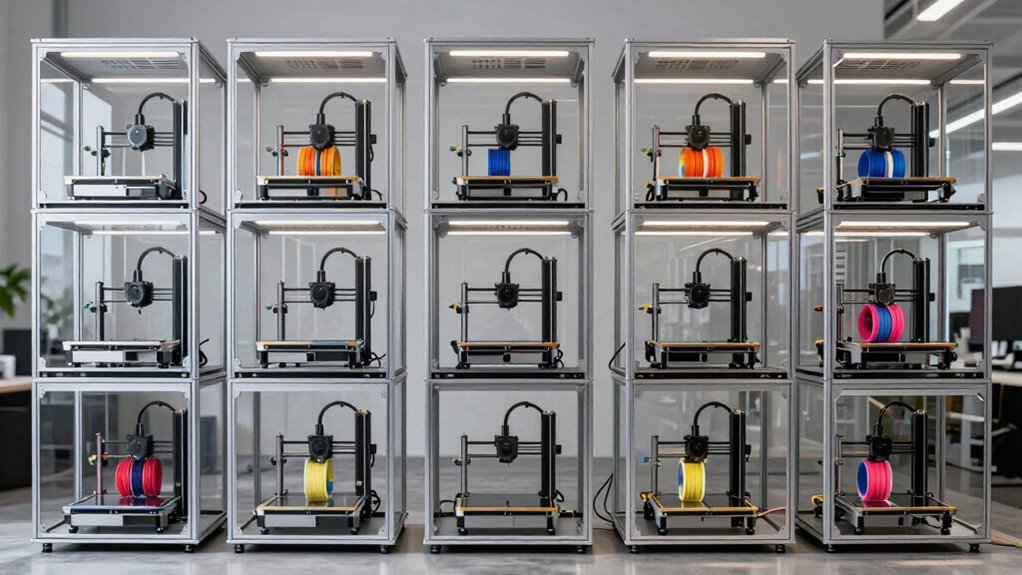

3D printer enclosures can help manage fumes, drafts, dust, and temperature, but the right choice depends on your printer, materials, and available space. My best overall pick is the YOOPAI 3D Printer Enclosure with Ventilation Kit and LED, which pairs airflow features with built-in lighting. The Creality Fire-Resistant and Dustproof Enclosure stands out for buyers prioritizing a protective cover, while the Crafit cabinet suits users who also need substantial filament storage. The main tradeoffs are enclosure size, ventilation and filtration needs, access for maintenance, and whether storage or printer-specific fit matters most. Read on for the full breakdown and a guide to choosing an enclosure that fits your workspace.

Get the latest gadgets delivered free with Prime
- Fast, free delivery on millions of items
- Prime Video, Amazon Music and more included
- Member-only deals all year
Complete the kit


Key Takeaways
- Ventilation is a recurring strength: several picks include a fan or ventilation kit, but buyers should check how the exhaust can be routed in their actual room.
- Resin printing calls for a different fit: dedicated YOOPAI and DORUNDEA resin models make more sense for resin setups than general-purpose covers.
- Added features serve different needs: LED lighting aids visibility, while the Crafit cabinet prioritizes filament organization rather than a compact cover.
- Printer compatibility is not interchangeable: TOPCUBE is specifically listed for Bambu Lab A1, so users of other printers should verify dimensions and access before choosing it.
- There is no single best enclosure for every material: filtration, airflow, fire-resistant construction, storage, and temperature control address different priorities, so match the feature set to your printing habits.
| YOOPAI 3D Printer Enclosure with Ventilation Kit and LED |  | Best for Quick Setup and Monitoring | Dimensions: 25.6 × 21.6 × 29.5 inches | Weight: 5.57 pounds | Maximum printer size: Smaller than 21.6 × 25.6 × 29.5 inches | VIEW ON AMAZON | See Our Full Breakdown |
| VEVOR 3D Printer Enclosure with Ventilation and LED |  | Best for Resin Printer Visibility | Dimensions: 21.65 × 25.59 × 29.53 inches | Item weight: 4.72 pounds | Model: S0003 | VIEW ON AMAZON | See Our Full Breakdown |
| YOOPAI Large Resin 3D Printer Enclosure with Ventilation Kit and LED Light |  | Best for Resin Printer and Curing Station Setups | Internal dimensions: 30 × 19.7 × 28.3 inches | Product dimensions: 15.75 × 15.75 × 27.56 inches | Weight: 8.1 pounds | VIEW ON AMAZON | See Our Full Breakdown |
| VEVOR 3D Printer Enclosure with Ventilation and LED |  | Best Rigid-Panel Build | Dimensions: 23.6 × 23.6 × 31.5 inches | Weight: 33.7 pounds | Materials: Acrylic panels, PVC foam boards, metal frame | VIEW ON AMAZON | See Our Full Breakdown |
| 3D Printer Enclosure with Ventilation Kit and LED Light |  | Best for External Filament Feed Setups | Dimensions: 25 × 23 × 28.5 inches | Package dimensions: 28 × 11 × 6.05 inches | Weight: 6.93 pounds | VIEW ON AMAZON | See Our Full Breakdown |
| YOOPAI Resin 3D Printer Enclosure with Ventilation Filter |  | Best for Compact Resin Printers | Dimensions: 28 × 18 × 17 inches | Weight: 4.36 pounds | Model: Vent Resin Enclosure | VIEW ON AMAZON | See Our Full Breakdown |
| Creality 3D Printer Enclosure, Fire-Resistant and Dustproof |  | Best Foldable Option | Product dimensions: 23.62 × 18.9 × 28.35 inches | Storage dimensions: 18.89 × 23.62 × 28.34 inches | Weight: 3.5 pounds | VIEW ON AMAZON | See Our Full Breakdown |
| Crafit 3D Printer Enclosure Cabinet with 48-Spool Filament Storage |  | Best for Filament Storage | Dimensions: 23 × 23 × 70 inches | Weight: 66 pounds | Compatible printer size: Up to 21.6 × 22 × 28.7 inches | VIEW ON AMAZON | See Our Full Breakdown |
| 3D Printer Enclosure with LED Lighting, Medium |  | Best for Easy Print Monitoring | Interior dimensions: 21.7 × 25.6 × 30.7 inches | Product dimensions: 45 × 25 × 80 inches | Item weight: 4.18 pounds | VIEW ON AMAZON | See Our Full Breakdown |
| DORUNDEA Resin 3D Printer Enclosure with Adjustable Ventilation and Filter |  | Best Adjustable Resin Ventilation | Brand: DORUNDEA | Compatibility: Anycubic Photon Mono 4, ELEGOO Saturn and Mars 3/4, Creality Halot series, and other suitably sized LCD/resin printers | Ventilation: 12V fan with adjustable speed | VIEW ON AMAZON | See Our Full Breakdown |
| YOOPAI 3D Printer Enclosure, Dust-Resistant Temperature-Controlled Cover |  | Best for Quick, Flexible Setup | Brand: YOOPAI | Model: Enclosure-BV | Dimensions: 29.5 × 25.6 × 21.6 inches | VIEW ON AMAZON | See Our Full Breakdown |
| TOPCUBE 3D Printer Enclosure for Bambu Lab A1 with LED Light |  | Best for Bambu Lab A1 Monitoring | Model: C1 | Compatibility: Bambu Lab A1 with AMS Lite | Enclosure dimensions: 580 × 670 × 670 mm (22.83 × 26.37 × 26.37 inches) | VIEW ON AMAZON | See Our Full Breakdown |
| 3d printer enclosure | Weight | Dimensions | Compatibility |
|---|---|---|---|
| YOOPAI 3D Printer Enclosure wi | 5.57 pounds | 25.6 × 21.6 × 29.5 inches | — |
| VEVOR 3D Printer Enclosure wit | — | 21.65 × 25.59 × 29.53 inches | Photon Mono, Mars 3, and many FDM/LCD printers |
| YOOPAI Large Resin 3D Printer | 8.1 pounds | — | — |
| VEVOR 3D Printer Enclosure wit | 33.7 pounds | 23.6 × 23.6 × 31.5 inches | — |
| 3D Printer Enclosure with Vent | 6.93 pounds | 25 × 23 × 28.5 inches | — |
| YOOPAI Resin 3D Printer Enclos | 4.36 pounds | 28 × 18 × 17 inches | — |
| Creality 3D Printer Enclosure | 3.5 pounds | — | Creality Ender 3 series, Ender 5, Anycubic Kobra, and ELEGOO Neptune 3 |
| Crafit 3D Printer Enclosure Ca | 66 pounds | 23 × 23 × 70 inches | — |
| 3D Printer Enclosure with LED | — | — | Creality Ender 3 series, ELEGOO Neptune 3/4 Pro, PRUSA MK3S, AnkerMake M5/M5C, and others |
| DORUNDEA Resin 3D Printer Encl | — | — | Anycubic Photon Mono 4, ELEGOO Saturn and Mars 3/4, Creality Halot series, and other suitably sized LCD/resin printers |
| YOOPAI 3D Printer Enclosure | — | 29.5 × 25.6 × 21.6 inches | Select Creality Ender, Anycubic Kobra and Mega Pro, and ELEGOO Neptune printers; verify printer and spool-holder fit |
| TOPCUBE 3D Printer Enclosure f | 3.96 lb | — | Bambu Lab A1 with AMS Lite |
More Details on Our Top Picks
YOOPAI 3D Printer Enclosure with Ventilation Kit and LED
The YOOPAI is a practical choice for desktop-printer owners who want more than a basic dust cover without taking on a complicated setup. Its LED strip and temperature and humidity monitoring make it easier to check conditions and see a print inside the enclosure, while the ventilation kit adds airflow options. Fire-resistant material, dust shielding, and noise reduction address common workspace concerns. Compared with the folding AHOWPD enclosure, this model does not list filament feed ports, but it adds explicit temperature and humidity monitoring. Its roughly five-minute installation is a plus for anyone who may need to remove the cover between print jobs. The main limitation is fit: the stated size is a maximum, not a promise of compatibility with every printer in a named series, so measure the printer and allow room for cables and movement.
Pros:- Temperature and humidity monitoring helps track the enclosure environment
- LED strip improves visibility while checking a print
- Fire-resistant material plus dust and noise shielding
- Installs and disassembles in about five minutes
Cons:- Compatibility depends on the printer fitting within the stated dimensions
- Does not list the multiple filament feed ports offered by the AHOWPD enclosure
Best for: Desktop FDM printer owners who want quick installation, basic environment monitoring, and a lighted, dust-shielded workspace.
Not ideal for: Owners of printers larger than 21.6 × 25.6 × 29.5 inches, or buyers who need a dedicated resin-odor filtration setup.
- Dimensions:25.6 × 21.6 × 29.5 inches
- Weight:5.57 pounds
- Maximum printer size:Smaller than 21.6 × 25.6 × 29.5 inches
- Features:LED light strip, temperature and humidity monitoring, ventilation kit
- Material safety:Fire-resistant
- Installation time:About 5 minutes
- Battery:1 included LR44 battery
- Compatible printers:Select Creality Ender and Ender 5, ELEGOO Neptune, AnkerMake M5/M5C, and Anycubic models
Our verdict“Choose the YOOPAI if you want a fast-to-install desktop enclosure with lighting and environment monitoring, provided your printer fits.”
VEVOR 3D Printer Enclosure with Ventilation and LED
This VEVOR enclosure suits buyers who want to watch a print without opening the cover. A transparent window and LED light improve visibility, while the ventilation system is described as expelling smoke and dust. Its Oxford-cloth construction and flame-retardant material make it a lighter, soft-sided alternative to the 33.7-pound VEVOR enclosure with acrylic panels. The listed dimensions are compact enough for many Photon Mono and Mars 3 setups, but the product data also mentions FDM printers, so the model name alone is not a reliable fit guide. Measure the printer, including any protruding cables or accessories. Unlike the YOOPAI enclosure with temperature and humidity monitoring, this VEVOR does not list environmental readouts; its appeal is simpler: a viewing window, light, and ventilation in a lighter enclosure.
Pros:- Transparent window and LED make prints easier to inspect
- Ventilation system is intended to expel smoke and dust
- Flame-retardant materials and dust-resistant enclosure
- Weighs less than the larger VEVOR acrylic-panel enclosure
Cons:- Printer dimensions need checking because compatibility varies by model
- No temperature or humidity monitoring is listed
- Soft-sided Oxford cloth offers a different structure from a rigid-panel enclosure
Best for: Resin-printer owners with a Photon Mono, Mars 3, or similarly sized machine who want a lighted viewing window and ventilation.
Not ideal for: Buyers who need temperature and humidity monitoring, or anyone whose printer and accessories exceed the listed enclosure dimensions.
- Dimensions:21.65 × 25.59 × 29.53 inches
- Item weight:4.72 pounds
- Model:S0003
- Material:Oxford cloth
- Features:Ventilation system, LED light, transparent window, flame-retardant materials
- Compatibility:Photon Mono, Mars 3, and many FDM/LCD printers
Our verdict“Pick this VEVOR for a lighter, windowed enclosure around a compatible resin printer, but measure carefully and skip it if monitoring readouts matter.”
YOOPAI Large Resin 3D Printer Enclosure with Ventilation Kit and LED Light
Unlike the compact covers aimed at a single desktop printer, this YOOPAI is designed to hold a resin printer and curing machine together. That shared enclosure can help keep dust and resin splashes contained across both stages of a workflow. A clear PVC window and LED let users check the setup without opening it, while exhaust fans, expandable ducts, and a carbon filter target resin odors. Compared with the VEVOR S0003 enclosure, this model specifically lists a carbon filter and room for a curing machine, making it the more workflow-focused resin option. There are tradeoffs: airflow may be slow through the carbon filter, and listed product dimensions differ from the internal dimensions. Measure both machines and leave space for ducts before buying; the large interior does not mean the exterior will fit every work area.
Pros:- Internal space is designed for a resin printer and curing machine
- Carbon filter, exhaust fans, and expandable pipes support odor management
- Clear PVC window and LED allow checks without opening the cover
- Enclosed design helps limit dust and resin splashes
Cons:- Airflow may be slow through the activated carbon filter
- Equipment fit requires careful measurement of internal space
- Ducting and the larger interior may be awkward in a compact workspace
Best for: Resin-printing hobbyists who want to enclose a printer and curing machine together and have room for an exhaust duct setup.
Not ideal for: FDM-only users, tight workspaces, or resin users who need fast odor extraction and cannot accommodate the enclosure and ducts.
- Internal dimensions:30 × 19.7 × 28.3 inches
- Product dimensions:15.75 × 15.75 × 27.56 inches
- Weight:8.1 pounds
- Filtration:Carbon filter sheet
- Ventilation:Exhaust fans and expandable pipes
- Viewing:Clear PVC window
- Lighting:LED light
Our verdict“Choose this YOOPAI for a combined resin-printing and curing station when you can accommodate its footprint and measured airflow needs.”
VEVOR 3D Printer Enclosure with Ventilation and LED
This VEVOR stands apart from the fabric-style enclosures in this group through its acrylic panels, PVC foam boards, and metal frame. The rigid construction and magnetic closure suit a dedicated printer station where the enclosure is likely to stay assembled. Three clear panels and an LED make print checks straightforward, and the ventilation system is intended to move smoke and particles out. Compared with the lighter VEVOR S0003, this model has a more substantial panel-and-frame build, but it weighs 33.7 pounds rather than less than five. That added weight makes it less convenient to move or store, even as it may appeal to buyers who want a more fixed setup. Its dimensions are larger than the smaller VEVOR, though fit still depends on the printer’s full measurements.
Pros:- Acrylic panels and metal frame provide a rigid enclosure structure
- Three clear panels and LED support print monitoring
- Ventilation system is intended to expel smoke and dust
- Magnetic closure and waterproof construction are listed
Cons:- At 33.7 pounds, it is much heavier than the fabric-style options
- Printer fit must be checked against the enclosure dimensions
- Rigid panels and frame are less convenient to fold away than the AHOWPD cover
Best for: Makers setting up a semi-permanent printer station who prefer rigid viewing panels and a framed enclosure.
Not ideal for: People who need a portable or frequently stored cover, or printers that exceed 23.6 × 23.6 × 31.5 inches.
- Dimensions:23.6 × 23.6 × 31.5 inches
- Weight:33.7 pounds
- Materials:Acrylic panels, PVC foam boards, metal frame
- Color:Gray
- Water resistance:Waterproof
- Closure:Magnetic
- Lighting:LED
- Ventilation:Ventilation system
Our verdict“Choose this VEVOR for a fixed printer station where rigid panels matter more than easy transport or storage.”
3D Printer Enclosure with Ventilation Kit and LED Light
The AHOWPD enclosure makes the most sense for FDM users who route filament from a dryer or external spool setup. Its four feed ports on both sides offer more routing flexibility than the YOOPAI enclosure, which lists lighting and environment monitoring but no dedicated feed ports. The cover also folds for storage and includes ventilation and LED lighting, while its fire-resistant, dustproof material helps limit exposure to drafts and workshop debris. At 6.93 pounds, it remains much easier to move than the rigid-panel VEVOR, though it does not offer that model’s acrylic viewing panels and metal frame. The key purchase check is fit: compare the 25 × 23 × 28.5-inch enclosure dimensions with the printer, then account for cable and filament paths so the ports are useful rather than cramped.
Pros:- Four filament feed ports on both sides suit external spool or dryer setups
- Folds for storage when the printer is not enclosed
- Includes ventilation kit and built-in LED light
- Fire-resistant, dustproof material helps shield against drafts and debris
Cons:- Printer compatibility depends on careful measurement
- Does not list a carbon filter for resin odor management
- Soft-sided construction lacks the rigid panels of the VEVOR enclosure
Best for: FDM printer owners who feed filament from external dryers or spools and want a foldable enclosure with multiple routing options.
Not ideal for: Buyers seeking rigid acrylic panels, a listed temperature and humidity monitor, or a dedicated carbon-filter system for resin odors.
- Dimensions:25 × 23 × 28.5 inches
- Package dimensions:28 × 11 × 6.05 inches
- Weight:6.93 pounds
- Ventilation kit input:AC 100–240 V, 50/60 Hz
- Ventilation kit output:3–12 V, 2 A
- Filament feed ports:Four on both sides
- Material:Fire-resistant and dustproof
- Manufacturer:AHOWPD
Our verdict“Choose the AHOWPD if filament routing and fold-away storage matter more than rigid panels or environmental monitoring.”
YOOPAI Resin 3D Printer Enclosure with Ventilation Filter
For a smaller resin setup, this YOOPAI enclosure pairs a carbon filter sheet with exhaust fans and expandable pipes, giving buyers a way to direct ventilation rather than relying on a covered printer alone. The clear front window also lets you monitor a print without opening the enclosure, while the insulated walls help limit dust and temperature swings. Compared with the larger DORUNDEA Resin 3D Printer Enclosure, this model lists a simpler filter setup and does not specify adjustable fan speed. Its 28 × 18 × 17-inch footprint suits select smaller resin printers, but fit is the deciding constraint: listed compatibility does not replace measuring your printer and accessories. Fan output and filter performance are also unspecified, so buyers needing documented extraction performance should look elsewhere.
Pros:- Carbon filter sheet, exhaust fans, and expandable pipes provide a dedicated ventilation setup.
- Clear front window allows print checks without opening the enclosure.
- Enclosed, insulated design helps limit dust, resin splashes, and temperature variation.
Cons:- The 28 × 18 × 17-inch size may exclude larger printers or setups with extra clearance needs.
- Fan output and carbon-filter performance are not specified.
Best for: Owners of compact ELEGOO Photon Mono, Mars, or similarly sized resin printers who want odor-control components and a viewing window.
Not ideal for: Owners of larger resin printers or buyers who need specified fan airflow and filter performance before choosing an enclosure.
- Dimensions:28 × 18 × 17 inches
- Weight:4.36 pounds
- Model:Vent Resin Enclosure
- Filter:Carbon filter sheet
- Ventilation:Exhaust fans and expandable pipes
- Compatible printers:ELEGOO Photon Mono, Saturn, Mars, and Halot series; printers smaller than the enclosure
Our verdict“Choose this YOOPAI for a compact resin printer if its dimensions fit and you value a window plus basic filtered exhaust.”
Creality 3D Printer Enclosure, Fire-Resistant and Dustproof
This Creality enclosure is the lineup’s straightforward choice for buyers who want a folding cover rather than a cabinet or a ventilation-focused resin tent. Its flame-retardant exterior and aluminum-film interior help shield a printer from dust and support a steadier print environment, while observation panels make routine checks easier. Compared with the Crafit 3D Printer Enclosure Cabinet, it gives up dedicated spool storage, lighting, and a controlled fan in exchange for a much lighter, portable format. The tool pockets add a useful place for small accessories, but they do not change the central limitation: printer fit depends on the stated dimensions, and the compatibility list is selective. This is best for common listed machines and users who may need to pack the enclosure away; buyers seeking documented fume extraction should choose a ventilated model instead.
Pros:- Folding design and 3.5-pound weight make it easier to move or store than the Crafit cabinet.
- Flame-retardant exterior and aluminum-film interior provide a protective enclosure.
- Observation panels and tool pockets add practical access for print monitoring and small tools.
Cons:- No ventilation fan or filtration system is specified.
- The listed compatibility may not cover newer or less common printer models, so dimensions need checking.
Best for: Owners of listed Creality Ender, Anycubic Kobra, or ELEGOO Neptune printers who need a light enclosure that can be folded and stored.
Not ideal for: Users who need active fume extraction, a built-in fan, or a cabinet with substantial filament storage.
- Product dimensions:23.62 × 18.9 × 28.35 inches
- Storage dimensions:18.89 × 23.62 × 28.34 inches
- Weight:3.5 pounds
- Model:Ender-tent
- Materials:Aluminum-film interior and flame-retardant exterior
- Compatibility:Creality Ender 3 series, Ender 5, Anycubic Kobra, and ELEGOO Neptune 3
Our verdict“Pick this Creality tent for a portable, protective cover around a compatible printer, not for ventilation or workshop storage.”
Crafit 3D Printer Enclosure Cabinet with 48-Spool Filament Storage
The Crafit is less a simple printer tent than a tall printer-and-filament cabinet. Its steel frame, PET viewing panels, interior LED, and manually controlled fan create a more organized workspace, while capacity for up to 48 standard spools makes it stand apart from the foldable Creality enclosure. Four feed-through ports can keep filament routed to the printer without leaving the cabinet open. The tradeoff is substantial: at 23 × 23 × 70 inches and 66 pounds, this is a dedicated piece of furniture, not a portable cover. It also accommodates printers only up to the stated 21.6 × 22 × 28.7-inch size, so measuring the actual interior clearance matters. The fan is manually controlled, and the description gives no temperature range or automatic ventilation behavior. Buyers wanting a compact enclosure should favor a tent; spool-heavy workspaces may value the cabinet’s storage.
Pros:- Storage for up to 48 standard spools consolidates filament and printer equipment.
- Four feed-through ports let up to four filaments route toward the printer.
- PET viewing panels and interior LED support print monitoring without opening the cabinet.
- Manually controlled fan gives the user a choice about when to ventilate.
Cons:- At 66 pounds and 70 inches tall, it is difficult to move and requires dedicated floor space.
- Fan control is manual, and no temperature range or automatic ventilation control is specified.
- Printer fit is limited to the listed maximum dimensions.
Best for: Makers with many standard filament spools who have floor space for a tall cabinet and a printer within the stated size limit.
Not ideal for: Users with limited space, a printer larger than the listed fit, or a need for automatic ventilation or a specified temperature range.
- Dimensions:23 × 23 × 70 inches
- Weight:66 pounds
- Compatible printer size:Up to 21.6 × 22 × 28.7 inches
- Filament storage capacity:Up to 48 standard spools
- Top compartment capacity:Up to 8 spools
- Filament feed-through ports:4
- Frame and panels:Carbon steel frame and PET panels
- Ventilation and lighting:Manually controlled high-flow fan and interior LED
Our verdict“Choose the Crafit if filament organization is as important as enclosure protection and you can accommodate a large, heavy cabinet.”
3D Printer Enclosure with LED Lighting, Medium
This medium YOOPAI enclosure emphasizes visibility and broad printer fit: its LED strip lights the work area, and the stated interior dimensions suit several common Creality, ELEGOO, PRUSA, and AnkerMake models. A quick-install format and fire-resistant, dustproof construction make it a simpler choice than the Crafit cabinet, which adds spool storage and a fan but demands far more room. The distinction is that this enclosure prioritizes covering the printer and seeing the print, rather than managing fumes or filament. It weighs only 4.18 pounds, but the listed product dimensions are much larger than the interior dimensions, so buyers should check both the available room around the enclosure and the printer’s actual clearance. Noise reduction is claimed without a quantified figure, and no ventilation system is listed.
Pros:- Built-in LED strip improves visibility during print checks.
- Interior dimensions list compatibility with several popular printer families.
- Fire-resistant and dustproof materials help shield the printer and print area.
- Quick installation and low listed weight make it less cumbersome than the Crafit cabinet.
Cons:- No fan, filter, or ventilation kit is specified.
- Noise reduction claims are not quantified.
- Product dimensions are much larger than the stated interior, so available space needs careful checking.
Best for: Owners of compatible mid-sized FDM printers who want built-in lighting, dust coverage, and easy visual monitoring without a heavy cabinet.
Not ideal for: Resin-printing users seeking filtered exhaust, or anyone needing quantified noise reduction or active ventilation.
- Interior dimensions:21.7 × 25.6 × 30.7 inches
- Product dimensions:45 × 25 × 80 inches
- Item weight:4.18 pounds
- Model number:Enclosure-M
- Manufacturer:YOOPAI
- Material features:Fire-resistant and dustproof
- Lighting:Built-in LED light strip
- Compatibility:Creality Ender 3 series, ELEGOO Neptune 3/4 Pro, PRUSA MK3S, AnkerMake M5/M5C, and others
Our verdict“Choose this YOOPAI medium enclosure for a compatible FDM printer when lighting and simple coverage matter more than extraction or storage.”
DORUNDEA Resin 3D Printer Enclosure with Adjustable Ventilation and Filter
For resin users who want more control over exhaust, the DORUNDEA combines a variable-speed 12V fan with a three-layer filter and a UV-blocking viewing window. That adjustable fan is its clearest advantage over the YOOPAI Resin 3D Printer Enclosure, whose description lists exhaust fans and a carbon filter but no fan-speed control. Fire-resistant fabric and stainless steel frame pipes round out the enclosure, while the window allows monitoring without opening it. There are setup caveats: the printer is not included, fit still depends on measuring the enclosure against the machine, and a plastic fan adapter must be printed separately. The filter and fan are specified by type, but no capture efficiency or airflow figure is provided. This makes the DORUNDEA a better match for users comfortable with a small installation task than for buyers seeking a ready-to-install, performance-documented extraction system.
Pros:- Adjustable 12V fan lets users change ventilation speed.
- Three-layer filter is included with the ventilation kit.
- UV-blocking viewing window supports print monitoring while limiting light exposure.
- Stainless steel frame pipes and fire-resistant fabric provide a sturdy enclosure structure.
Cons:- A plastic adapter for fan installation must be printed separately.
- The printer is not included, and fit depends on the printer’s dimensions.
- No fan airflow or filter-capture performance figures are provided.
Best for: Resin-printer owners who want adjustable fan speed and a layered filter, and who can print the required fan adapter.
Not ideal for: Buyers seeking a ready-to-run installation, documented airflow or filter efficiency, or an enclosure that includes a printer.
- Brand:DORUNDEA
- Compatibility:Anycubic Photon Mono 4, ELEGOO Saturn and Mars 3/4, Creality Halot series, and other suitably sized LCD/resin printers
- Ventilation:12V fan with adjustable speed
- Power adapter input:AC 100–240V, 50/60Hz
- Power adapter output:3–12V, 2A
- Filter:Three-layer filter
- Frame material:Stainless steel pipe
- Included components:Enclosure and adjustable ventilation kit with three-layer filter
- Printer included:No
Our verdict“Choose the DORUNDEA for adjustable resin-printer ventilation if you can print its adapter and accept unspecified filtration performance.”
YOOPAI 3D Printer Enclosure, Dust-Resistant Temperature-Controlled Cover
The YOOPAI enclosure is a practical choice for buyers who want a simple cover to help steady printing conditions and keep dust, noise, and accidental contact down. Its five-minute installation and quick disassembly make it easier to set up temporarily than a more involved enclosure arrangement. Openings for an exhaust accessory and external filament feeding also leave room to adapt the setup without routing everything through a closed wall.
Compared with the TOPCUBE enclosure for Bambu Lab A1, this model is less printer-specific, but fit still depends on the printer and spool holder staying within its 29.5 × 25.6 × 21.6-inch interior. It has no listed LED or included ventilation kit, so buyers seeking built-in lighting or active exhaust should look at other options in the roundup. Its appeal is straightforward flexibility, not a fully equipped workstation.
Pros:- Installs and disassembles in about five minutes
- Helps reduce dust and printing noise while supporting a more consistent printing environment
- Includes openings for exhaust accessories and external filament feeding
- Fire-resistant materials are specified
Cons:- Fit depends on the full printer setup, including the spool holder, staying within the listed dimensions
- No exhaust accessory or LED light is listed as included
- Compatibility is limited to printers that fit the enclosure and its supported models
Best for: Owners of compatible Creality Ender, Anycubic Kobra or Mega Pro, and ELEGOO Neptune printers who want a quick-to-install cover with ports for exhaust accessories and external filament feeding.
Not ideal for: Buyers whose printer and spool holder exceed the stated interior dimensions, or anyone seeking an enclosure with included ventilation hardware or built-in LED lighting.
- Brand:YOOPAI
- Model:Enclosure-BV
- Dimensions:29.5 × 25.6 × 21.6 inches
- Compatibility:Select Creality Ender, Anycubic Kobra and Mega Pro, and ELEGOO Neptune printers; verify printer and spool-holder fit
- Installation:About 5 minutes
- Materials:Fire-resistant materials
- Features:Dust-resistant design, exhaust accessory opening, and external filament feeding port
Our verdict“Choose this YOOPAI if your printer fits its measured interior and you want a fast, adaptable enclosure rather than a model with built-in lighting or ventilation.”
TOPCUBE 3D Printer Enclosure for Bambu Lab A1 with LED Light
For Bambu Lab A1 owners using the AMS Lite, the TOPCUBE stands out because it is designed around that specific printer setup rather than presented as a broad-fit cover. Its transparent observation window and LED light strip make it easier to check print progress without relying on room lighting. The enclosure is also intended to help limit dust, particles, odors, and noise, while its fire-resistant materials add a practical layer of protection.
Compared with the more adaptable YOOPAI Enclosure-BV, TOPCUBE gives A1 and AMS Lite owners a more tailored fit, but that specialization narrows its audience. The listed enclosure dimensions are 22.83 × 26.37 × 26.37 inches, so other printer owners should check measurements rather than assume compatibility. Its enclosed layout can also make hands-on access less convenient during a print, and the listed features do not include an exhaust kit.
Pros:- Designed specifically for the Bambu Lab A1 with AMS Lite
- Transparent window and LED strip support print monitoring
- Intended to reduce dust, particles, odors, and noise
- Installs and disassembles in approximately five minutes
Cons:- Compatibility is specifically listed for the Bambu Lab A1 with AMS Lite
- Enclosed layout may limit access to the printer during operation
- No ventilation kit is listed among the included features
Best for: Bambu Lab A1 owners who use the AMS Lite and want a fitted enclosure with lighting and a clear view for checking prints.
Not ideal for: Owners of other printer models, or buyers who need frequent access to the printer while it is running or want a listed ventilation kit.
- Model:C1
- Compatibility:Bambu Lab A1 with AMS Lite
- Enclosure dimensions:580 × 670 × 670 mm (22.83 × 26.37 × 26.37 inches)
- Product dimensions:23.62 × 21.65 × 26.38 inches
- Weight:3.96 lb
- Color:Grey
- Features:LED light strip, transparent observation window, and fire-resistant materials
- Installation:Approximately 5 minutes
Our verdict“Pick the TOPCUBE if you have a Bambu Lab A1 with AMS Lite and value a clear, illuminated view more than broad printer compatibility.”

How We Picked
I compared these 12 enclosures by the problems buyers are trying to solve: printer fit, ventilation or filtration, dust protection, visibility, storage, and ease of access. I gave more weight to clearly stated functions and specialized designs than to feature counts alone. A ventilation kit matters only if it can serve the printer and room layout; a cabinet earns its place for users who need storage, not simply because it is larger.
The ranking reflects how broadly useful each design appears for its stated purpose, alongside how clearly it serves a distinct buyer. The general YOOPAI enclosure with ventilation and LED leads as a balanced option, while resin-specific models, the fire-resistant Creality cover, the Crafit storage cabinet, and the A1-specific TOPCUBE serve narrower needs. Several listings have similar names or overlapping features, so I treat fit and stated use as decision points rather than assuming that one model is interchangeable with another.
| 3d printer enclosure | Compatibility |
|---|---|
| YOOPAI 3D Printer Enclosure wi | — |
| VEVOR 3D Printer Enclosure wit | Photon Mono, Mars 3, and many FDM/LCD printers |
| YOOPAI Large Resin 3D Printer | — |
| VEVOR 3D Printer Enclosure wit | — |
| 3D Printer Enclosure with Vent | — |
| YOOPAI Resin 3D Printer Enclos | — |
| Creality 3D Printer Enclosure | Creality Ender 3 series, Ender 5, Anycubic Kobra, and ELEGOO Neptune 3 |
| Crafit 3D Printer Enclosure Ca | — |
| 3D Printer Enclosure with LED | Creality Ender 3 series, ELEGOO Neptune 3/4 Pro, PRUSA MK3S, AnkerMake M5/M5C, and others |
| DORUNDEA Resin 3D Printer Encl | Anycubic Photon Mono 4, ELEGOO Saturn and Mars 3/4, Creality Halot series, and other suitably sized LCD/resin printers |
| YOOPAI 3D Printer Enclosure | Select Creality Ender, Anycubic Kobra and Mega Pro, and ELEGOO Neptune printers; verify printer and spool-holder fit |
| TOPCUBE 3D Printer Enclosure f | Bambu Lab A1 with AMS Lite |
Factors to Consider When Choosing 3d Printer Enclosures
Before choosing a cover, decide what problem you want it to solve. An enclosure for draft-sensitive filament printing may not be the right answer for resin fumes, and adding storage can make a setup less compact. These factors help narrow the field without relying on a feature checklist alone.
Match the enclosure to the printer and its movement
Measure the printer with the bed, spool holder, cables, and any moving parts in their most extended positions. A cover that fits the machine body on paper can still restrict a bed-slinger or make routine access awkward. Check where the door opens and whether the frame leaves room to remove prints or reach the tool head. Printer-specific options such as the TOPCUBE for Bambu Lab A1 make compatibility easier to judge, but the named model should still match your exact setup. If you may change printers, a roomy general enclosure can offer more flexibility than a tailored cover. Avoid choosing by external dimensions alone; usable interior clearance is what matters.
Choose ventilation and filtration for the material
Ventilation and filtration are not identical jobs: a fan moves air, while a filter is intended to capture some airborne contaminants. Think through where exhaust air will go before buying a fan-equipped enclosure; simply moving it into the same poorly ventilated room may not address your concern. Resin printing, filament printing, and different materials can call for different handling, so do not assume a general enclosure is a complete fume-control system. Dedicated resin models in this roundup signal a more focused design, but buyers should still check filter type, replacement availability, and airflow details. If odor or emissions are a primary concern, plan for room ventilation as well as the enclosure itself. Treat vague claims as a reason to ask for specifications rather than as proof of a particular level of protection.
Decide whether temperature control or draft blocking matters more
An enclosure can reduce drafts and help retain warmth around a print, which may benefit materials prone to warping. That does not mean every printer or filament should run in a heated environment. Electronics and power supplies may sit inside or outside the enclosure, and their operating needs should guide your choice. A temperature-controlled cover may appeal to users focused on a steadier print environment, while a simpler dust-resistant cover may be enough for basic protection. Avoid adding external heat unless the printer maker and enclosure instructions allow it. For a first setup, prioritize a stable, safe arrangement over chasing a particular chamber temperature.
Treat safety claims as one part of the setup
A fire-resistant label can be a useful differentiator, as with the Creality cover, but it does not make a printer fireproof or remove the need for sensible supervision. Check how the enclosure handles cables, ventilation openings, and access to the printer’s power controls. Keep the printer on a stable surface and follow the manufacturer’s guidance for electrical and thermal safety. Think about whether the enclosure’s materials and closures suit the way you run long prints. Buyers should also distinguish dust protection from fire protection; one does not automatically imply the other. Consider safety as a system of precautions, not a single product feature.
Balance storage against footprint and access
A cabinet with spool storage can reduce clutter and make material easier to organize, but it takes more space and may be harder to reposition than a fabric-style enclosure. The Crafit cabinet’s listed 48-spool capacity makes sense for users with a large filament collection, not for someone seeking only a simple printer cover. Check whether stored spools are protected from humidity; storage capacity alone does not promise dry filament. Also consider how often you swap spools and whether the layout allows easy loading without reaching around the printer. If your collection is small, separate storage may leave more room for print access. Choose added storage only when it solves an existing workspace problem.
Check maintenance, visibility, and replacement needs
Lighting can make it easier to inspect a print through a covered frame, but it cannot compensate for blocked sightlines or an awkward door. Look for how the enclosure opens for cleaning, nozzle work, and failed-print removal. Fans and filters bring upkeep: ask how filters are replaced, whether parts are available, and how accessible the ventilation components are. A cover that is quick to open may be more useful day to day than one with extra features but restricted access. For resin setups, account for cleaning and handling routines as well as the printer’s dimensions. Before purchase, confirm that the accessories and replacement parts you expect are included or obtainable.
Frequently Asked Questions
Can one enclosure work for both resin and filament printers?
Sometimes, but a shared enclosure is only practical if it fits both machines and supports the needs of each printing process. Resin setups often call for attention to fumes and filtration, while filament users may care more about draft control and chamber conditions. Switching between machines also raises questions about cleanup, ventilation routing, and whether the enclosure is large enough for the larger printer. The resin-focused YOOPAI and DORUNDEA options are more directly aimed at that use than a general cover. Check each printer’s dimensions and the enclosure’s stated ventilation features before treating one unit as a universal solution.
Does an enclosure with a fan replace room ventilation?
No; a fan can move air, but its benefit depends on where that air goes and how the room is ventilated. A fan that recirculates air inside the room may not remove unwanted fumes from the space. Check whether the enclosure supports ducting, what the fan is designed to do, and whether a filter is included. Filtration also depends on the filter type and its condition, so replacement access matters. If managing emissions is a key reason for buying, plan the full airflow path rather than relying on the word ventilation alone.
Should I choose a larger enclosure than my printer needs?
Extra space can make it easier to reach the printer, accommodate a spool holder, or fit a future machine, but a larger enclosure may occupy more workspace and be harder to position. It can also be less suited to setups that depend on a close-fitting cover to limit drafts. Measure the printer with moving parts extended and add clearance for cables, doors, and maintenance. If you expect to change printers, compare the likely future machine’s dimensions before sizing up. The best fit is roomy enough for safe access without making the enclosure an obstacle in your workspace.
Is a fire-resistant enclosure enough to leave a printer unattended?
No enclosure should be treated as permission to ignore a running printer. A fire-resistant construction may offer a useful layer of protection, but it does not eliminate electrical faults, hot components, or print failures. Follow the printer and enclosure makers’ safety instructions, keep the setup clear of combustible clutter, and use suitable supervision for your situation. Check that you can reach the power controls and that cables are not pinched or strained. A safety feature is one factor in a broader setup, not a guarantee against fire.
Is built-in LED lighting worth prioritizing?
LED lighting is useful if the enclosure makes it hard to see print progress, especially in a dim workspace or when the cover has tinted or shaded panels. It is less valuable if your printer already has clear visibility and good lighting nearby. Compare the light’s placement and power arrangement with the printer’s access points, since a bright feature can still be inconvenient if it obstructs maintenance. Ventilation, fit, and access usually deserve attention first when fumes or printer compatibility are the main concern. Treat an LED as a convenience feature rather than a substitute for core enclosure functions.
Conclusion
For most buyers seeking a balanced cover, I would start with the YOOPAI enclosure with ventilation kit and LED as the best overall choice. The best value depends on which core need matters: a simpler general enclosure may suit a basic setup, while paying for ventilation or filtration is more sensible when that feature will be used. For a premium, storage-focused setup, the Crafit cabinet is the clearest pick for users who will make real use of its spool capacity. Beginners should favor a straightforward, well-fitting general enclosure with accessible controls rather than extra features they cannot use. For specific needs, choose the Creality model for its fire-resistant and dustproof positioning, a dedicated YOOPAI or DORUNDEA resin enclosure for resin workflows, or the TOPCUBE when its Bambu Lab A1 fit matches your printer. Before ordering, verify dimensions, ventilation details, and what accessories are included; those checks matter more than a long feature list.
Halloween Picks
halloween
As an affiliate, we earn on qualifying purchases.