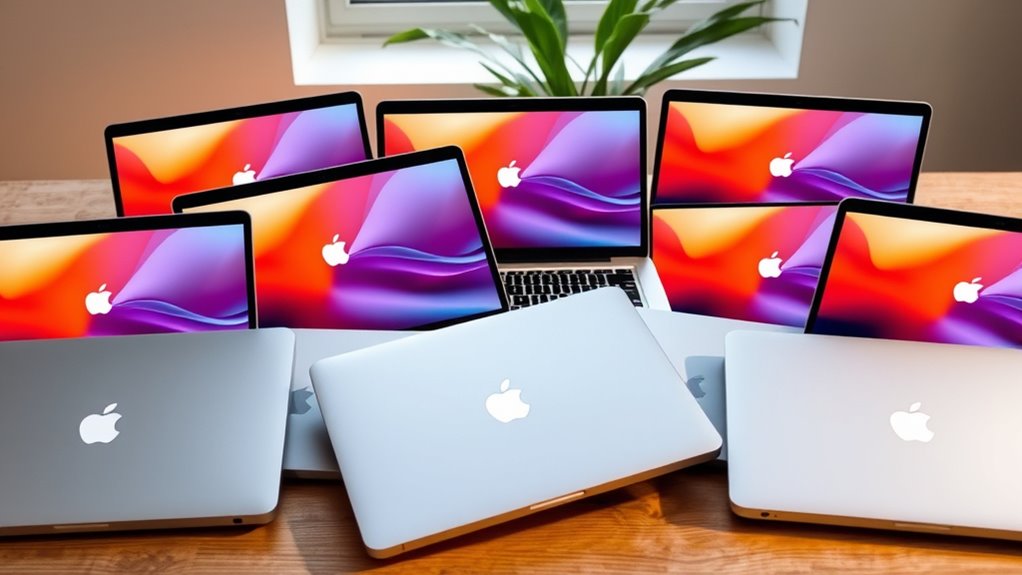

The best 2TB MacBook Pro laptop in this lineup is the 16-inch M5 Pro, pairing a current-generation chip and large SSD with a spacious screen for demanding work. For buyers who need more graphics and memory headroom, the 16-inch M5 Max is the premium choice, while the 14-inch M5 Pro offers a more portable current-generation option. The main tradeoffs are performance versus portability, newer Apple silicon versus lower-cost renewed Intel models, and whether you need a built-in 2TB drive or can manage storage externally. One listing in the group has only a 1TB SSD, so it does not meet the stated 2TB requirement. Read on for the full breakdown and guidance on choosing the right configuration.

Get the latest gadgets delivered free with Prime
- Fast, free delivery on millions of items
- Prime Video, Amazon Music and more included
- Member-only deals all year
Complete the kit



Key Takeaways
- The current M5 Pro models lead the direct 2TB choices: the 16-inch version favors screen space, while the 14-inch version is easier to carry.
- The M5 Max is the performance-first pick for graphics-heavy work, but its extra capability is harder to justify for routine office tasks.
- Older Apple silicon still offers a meaningful middle ground: the M1 Max and M2 Max have 2TB drives and substantial memory, but come as renewed models.
- The 2017, 2018, and 2020 Intel MacBook Pros trade newer-platform benefits for legacy Intel configurations; age and renewed condition merit careful checking.
- The 2025 M5 MacBook Pro listing has a 1TB SSD, not 2TB. It may suit someone willing to use external storage, but it does not satisfy a strict built-in 2TB requirement.



| 2tb macbook pro laptop | Display | Memory | Storage | Processor |
|---|---|---|---|---|
| Apple 16.2-inch MacBook Pro wi | 16.2-inch Liquid Retina XDR | 36GB unified memory | 2TB SSD | Apple M5 Max, 18-core CPU |
| Apple MacBook Pro 15-inch | 15.4-inch Retina LED-backlit, 2880 x 1800 pixels | 16GB 2133MHz LPDDR3 | 2TB PCIe SSD | 3.1GHz quad-core Intel Core i7, Turbo Boost up to 3.9GHz |
| Apple 2025 MacBook Pro Laptop | 14.2-inch Liquid Retina XDR | 24GB unified memory | 1TB SSD | Apple M5 chip with 10-core CPU and GPU |
| Apple MacBook Pro 13-inch | 13-inch LED, 2560 x 1600 pixels | 16GB LPDDR4X | 2TB SSD | Intel Core i7 (I7-1068NG7), 2.3 GHz, four cores |
| Apple MacBook Pro 15-inch | 15.4-inch, 2560 x 1600 pixels | 32GB DDR4 | 2TB SSD | Intel Core i9-8950HK, 2.9 GHz, six cores |
| Apple 2022 MacBook Air 13.6-in | 13.6-inch Liquid Retina, 2560 × 1664 | 24GB | 2TB SSD | Apple M2 |
| Apple MacBook Pro 16-inch with | 16.2-inch Liquid Retina XDR, up to 120Hz ProMotion | 64GB unified memory | 2TB SSD | Apple M1 Max |
| Apple MacBook Pro 16.2-inch | 16.2-inch Liquid Retina XDR, up to 120Hz | 32GB unified memory | 2TB SSD | — |
| Apple 16-inch MacBook Pro with | 16.2-inch Liquid Retina XDR | 24GB | 2TB SSD | Apple M5 Pro, 18-core CPU |
| Apple MacBook Pro 14.2-inch wi | 14.2-inch Liquid Retina XDR | 24GB unified memory | 2TB SSD | Apple M5 Pro, 15-core CPU |
More Details on Our Top Picks
Apple 16.2-inch MacBook Pro with M5 Max, 18-core CPU, 32-core GPU, 36GB Memory, and 2TB SSD
This is the strongest fit here for buyers who need a 2TB MacBook Pro with substantial graphics headroom. Its M5 Max pairs an 18-core CPU with a 32-core GPU, while 36GB of unified memory gives demanding creative and AI workflows more room than the renewed Intel models in this group. The 16.2-inch Liquid Retina XDR display and broad port selection also make it well suited to a desk-based editing setup without relying as heavily on adapters. Compared with the 2018 15-inch MacBook Pro with Core i9, this model offers a newer platform and Thunderbolt 5, but it is also a heavier 4.73-pound machine. Choose it for intensive work and a large built-in SSD; skip it if compact travel matters more than performance.
Pros:- M5 Max with an 18-core CPU and 32-core GPU is suited to demanding creative and AI workloads.
- 36GB of unified memory supports heavier multitasking than the 16GB renewed Intel options.
- 2TB SSD provides ample space for large project files and media libraries.
- Three Thunderbolt 5 ports, HDMI, SDXC, and MagSafe 3 offer flexible connections.
Cons:- At 4.73 pounds, it is the least appealing choice for buyers who carry a laptop all day.
- Its performance-focused hardware may be more than everyday office, study, or browsing tasks require.
Best for: Video editors, 3D creators, and AI-focused professionals who need a fast current-generation MacBook Pro with 2TB of built-in storage.
Not ideal for: Frequent travelers who prioritize low weight, or buyers whose work does not need the M5 Max’s graphics and memory capabilities.
- Processor:Apple M5 Max, 18-core CPU
- Graphics:32-core GPU
- Display:16.2-inch Liquid Retina XDR
- Memory:36GB unified memory
- Storage:2TB SSD
- Wireless:Wi-Fi 7, Bluetooth 6
- Ports:Three Thunderbolt 5, MagSafe 3, SDXC card slot, HDMI, headphone jack
- Weight:4.73 pounds
Our verdict“Choose this model for demanding creative work that benefits from M5 Max graphics and 2TB of storage, but not for a lightweight everyday carry.”
Apple MacBook Pro 15-inch (2017) with Touch Bar, 3.1GHz Quad-Core Intel Core i7, 16GB RAM, 2TB SSD, Space Gray (Renewed)
This renewed 2017 model makes the list for a specific buyer: someone who needs 2TB inside an Intel MacBook Pro and values its older software or workflow compatibility. The 15.4-inch Retina screen, 16GB of memory, and dedicated Radeon Pro 560 graphics give it more room for multitasking and graphics work than the 2020 13-inch Intel MacBook Pro in this group. But its quad-core processor, older wireless standards, and listed macOS Mojave installation place it well behind the current M5 Max 16.2-inch MacBook Pro for demanding new workloads. The four Thunderbolt 3 ports remain useful, though the included generic charger and 90-day limited warranty are reminders that this is a renewed, older machine. I’d choose it for a compatible legacy setup, not as the most future-facing 2TB pick.
Pros:- 2TB PCIe SSD offers generous internal storage for a renewed laptop.
- 15.4-inch Retina display provides a larger workspace than the 2020 13-inch model.
- Radeon Pro 560 has dedicated graphics memory.
- Four Thunderbolt 3 ports support multiple connected devices and displays.
Cons:- The quad-core Intel processor and 16GB memory are modest beside newer M-series options.
- Renewed condition, generic charger, and 90-day limited warranty add ownership uncertainty.
- The listed macOS Mojave and older Wi-Fi and Bluetooth standards make it a dated platform.
Best for: Users who specifically need an Intel-based MacBook Pro for legacy applications and want a built-in 2TB SSD.
Not ideal for: Buyers seeking current-generation performance, newer wireless connectivity, or a long support horizon.
- Model year:2017
- Processor:3.1GHz quad-core Intel Core i7, Turbo Boost up to 3.9GHz
- Display:15.4-inch Retina LED-backlit, 2880 x 1800 pixels
- Memory:16GB 2133MHz LPDDR3
- Storage:2TB PCIe SSD
- Graphics:AMD Radeon Pro 560 with 4GB GDDR5 VRAM; Intel HD Graphics 630
- Ports:Four Thunderbolt 3 (USB-C) ports; 3.5mm headphone jack
- Operating system:macOS 10.14 Mojave
- Warranty:90-day limited warranty
Our verdict“Pick this renewed 2017 MacBook Pro only when Intel compatibility and 2TB storage matter more than current performance and platform longevity.”
Apple 2025 MacBook Pro Laptop with M5 Chip, 14.2-inch Liquid Retina XDR Display, 24GB RAM, 1TB SSD, Space Black
This 14.2-inch MacBook Pro is the most portable modern option in this batch, but it does not meet the roundup’s 2TB storage brief: its listed SSD is 1TB. I include it as a useful comparison for buyers deciding whether smaller size and a current M5 platform matter more than capacity. Its 24GB of unified memory, XDR display, and broad port selection suit professional work, while the 12MP Center Stage camera and six-speaker system add practical value for calls and media. Compared with the M5 Max 16.2-inch MacBook Pro, this model is more compact and has less memory and storage; its standard M5 chip also signals a different performance tier. Choose it if 1TB is enough or external storage is acceptable, but skip it if 2TB built in is non-negotiable.
Pros:- Compact 14.2-inch size is easier to carry than the 16.2-inch M5 Max model.
- 24GB unified memory supports demanding multitasking.
- Liquid Retina XDR display and six-speaker audio suit creative work and media.
- Three Thunderbolt 4 ports, HDMI, SDXC, and MagSafe 3 provide useful connectivity.
Cons:- Its 1TB SSD does not satisfy a strict 2TB built-in storage requirement.
- The standard M5 chip is a lower performance tier than the M5 Max configuration in this roundup.
Best for: Creative professionals and frequent commuters who prefer a compact current-generation MacBook Pro and can work with 1TB or external storage.
Not ideal for: Buyers who require a built-in 2TB SSD, or workflows that need the higher-tier M5 Max configuration.
- Processor:Apple M5 chip with 10-core CPU and GPU
- Display:14.2-inch Liquid Retina XDR
- Memory:24GB unified memory
- Storage:1TB SSD
- Battery life:All-day
- Ports:Three Thunderbolt 4, MagSafe 3, SDXC card slot, HDMI, headphone jack
- Camera:12MP Center Stage
- Audio:Six speakers with Spatial Audio and Dolby Atmos
Our verdict“Consider this compact M5 MacBook Pro only if its 1TB SSD is enough, since it does not qualify as a 2TB-storage pick.”
Apple MacBook Pro 13-inch (2020), Intel Core i7, 16GB RAM, 2TB SSD, Space Gray (Renewed)
Among the renewed 2TB options here, this 2020 13-inch model is the compact choice: it pairs an internal 2TB SSD with a 2560 x 1600 display in a smaller format than the 15-inch Intel models. Its Core i7 is a four-core Intel chip with integrated Iris Plus graphics, so it is better suited to general productivity and moderate creative tasks than the 2018 15-inch Core i9 MacBook Pro, which has six CPU cores, 32GB of memory, and dedicated AMD graphics. The listed battery condition exceeds 80% of new capacity, but it is still a renewed machine, and compatible accessories may not be original. I’d favor it when screen size and portability count; skip it for graphics-heavy work or a new-machine warranty experience.
Pros:- 2TB SSD provides substantial built-in capacity in a 13-inch model.
- 2560 x 1600 display offers sharp resolution for work and reading.
- Battery is listed as exceeding 80% of new capacity.
- Smaller display and chassis make it more portable than the 15-inch renewed options.
Cons:- Four-core Intel CPU and integrated graphics are less suited to demanding creative work than the 2018 Core i9 model.
- Renewed condition means it is pre-owned, and accessories may be non-original.
- 16GB memory offers less headroom than the 32GB in the 2018 15-inch model.
Best for: Students, writers, and mobile professionals who want a smaller renewed MacBook Pro with 2TB of internal storage.
Not ideal for: Video editors or other graphics-heavy users who need dedicated graphics, more than 16GB of memory, or a larger screen.
- Model year:2020
- Processor:Intel Core i7 (I7-1068NG7), 2.3 GHz, four cores
- Display:13-inch LED, 2560 x 1600 pixels
- Memory:16GB LPDDR4X
- Storage:2TB SSD
- Graphics:Integrated Intel Iris Plus
- Operating system:macOS Ventura
- Battery condition:Exceeds 80% capacity relative to new
- Renewed condition:Professionally inspected, tested, and cleaned
Our verdict“Choose this renewed 13-inch model for compact everyday use with 2TB onboard, not for graphics-intensive work.”
Apple MacBook Pro 15-inch (2018) with Intel Core i9, 32GB RAM, 2TB SSD, Space Gray (Renewed)
For a buyer set on a renewed Intel MacBook Pro with 2TB of internal storage, this 2018 15-inch model offers the most substantial memory and processor combination in this batch: a six-core Core i9 and 32GB of RAM. That gives it a clearer multitasking and legacy Intel-workstation role than the 2020 13-inch Core i7, which has half the memory and integrated graphics. Its Radeon Pro 560X also has dedicated graphics memory, though it remains an older platform next to the M5 Max 16.2-inch MacBook Pro, which pairs newer silicon with Thunderbolt 5. This is a renewed machine with a 90-day limited warranty and macOS Catalina listed, so its older software and support profile are real compromises. Choose it for Intel-specific work, not for buyers seeking the newest platform.
Pros:- Six-core Core i9 and 32GB memory are a stronger multitasking combination than the 2020 13-inch Core i7.
- 2TB SSD provides ample local storage for projects and files.
- Radeon Pro 560X includes 4GB of dedicated GDDR5 graphics memory.
- 15.4-inch 2560 x 1600 display offers a roomy workspace.
Cons:- Renewed condition and a 90-day limited warranty provide less assurance than a new model.
- The listed macOS Catalina and Intel platform are dated beside current M-series MacBook Pros.
- Four Thunderbolt 3 ports are older than the Thunderbolt 5 ports on the M5 Max model.
Best for: Professionals who need a renewed Intel MacBook Pro with 32GB memory, dedicated graphics, and 2TB storage for compatible legacy workflows.
Not ideal for: Buyers seeking a current-generation Mac, a longer warranty, or a modern operating system and connectivity platform.
- Model year:2018
- Processor:Intel Core i9-8950HK, 2.9 GHz, six cores
- Display:15.4-inch, 2560 x 1600 pixels
- Memory:32GB DDR4
- Storage:2TB SSD
- Graphics:AMD Radeon Pro 560X with 4GB GDDR5; Intel UHD Graphics 630
- Ports:Four Thunderbolt 3
- Operating system:macOS 10.15 Catalina
- Warranty:90-day limited warranty
Our verdict“This is the renewed Intel pick for buyers who need 32GB memory and dedicated graphics, but its older platform makes it a poor choice for long-term future-proofing.”
Apple 2022 MacBook Air 13.6-inch with M2 Chip, 24GB RAM, 2TB SSD, Midnight (Renewed)
The 13.6-inch MacBook Air is the portability pick here: its 2.7-pound body is much easier to carry than the 16-inch MacBook Pro models, while its 2TB SSD leaves room for sizable photo libraries and project files. The M2 chip and 24GB of memory suit everyday creative work and multitasking, though they are a step below the M2 Max MacBook Pro’s graphics and memory capacity for sustained, demanding production. Its Liquid Retina screen, 1080p webcam, and Touch ID make it a capable travel computer, but the two USB 4 ports mean accessories may call for a hub. This is also a renewed machine with a 90-day limited warranty, unlike the new M5 Pro models in this lineup.
Pros:- 2TB SSD paired with 24GB of memory
- Light 2.7-pound design and compact footprint
- 13.6-inch high-resolution Liquid Retina display
- 1080p webcam, Touch ID, and backlit keyboard
Cons:- Only two Thunderbolt/USB 4 ports are listed
- Renewed condition and a 90-day limited warranty
- M2 graphics are less suited to demanding pro workloads than the Max-chip MacBook Pros
Best for: Frequent travelers, students, and mobile creators who need 2TB of storage and more memory than a basic Air configuration.
Not ideal for: Video professionals working with demanding effects or many external devices, who may prefer a MacBook Pro’s stronger graphics options and broader port selection.
- Model year:2022
- Processor:Apple M2
- Memory:24GB
- Storage:2TB SSD
- Display:13.6-inch Liquid Retina, 2560 × 1664
- Weight:2.7 pounds
- Ports:Two Thunderbolt 3/USB 4 ports; 3.5mm headphone jack
- Condition and warranty:Renewed; 90-day limited warranty
Our verdict“Choose this renewed Air if carrying a 2TB MacBook matters more than having a Pro-class display, graphics performance, or port selection.”
Apple MacBook Pro 16-inch with M1 Max, 64GB RAM, 2TB SSD (2021, Renewed)
For projects that lean on memory as much as storage, this 16-inch MacBook Pro pairs 64GB of unified memory with a 2TB SSD, giving demanding creative and technical workflows more room than the 32GB M2 Max model in this roundup. Its M1 Max chip is an older generation than the M5 Pro options, but the high memory capacity and dedicated-class graphics make it a compelling fit for large timelines, complex image work, or extensive multitasking. The Liquid Retina XDR display with up to 120Hz ProMotion and built-in HDMI and SDXC slots reduce dependence on adapters. The tradeoff is age and renewed condition; buyers seeking newer silicon and a longer-term platform may prefer the 16-inch M5 Pro.
Pros:- 64GB unified memory for large, concurrent workloads
- M1 Max chip and 2TB SSD
- 16.2-inch XDR display with up to 120Hz refresh
- Thunderbolt 4, HDMI, SDXC, and MagSafe 3 ports
Cons:- 2021 chip generation trails the M5 Pro models for newer-platform features
- Renewed condition may not suit buyers seeking a new laptop
- Large 16-inch form factor is less convenient to carry than the 14-inch MacBook Pro
Best for: Video editors, 3D artists, and technical users whose projects benefit from 64GB of memory alongside 2TB of internal storage.
Not ideal for: Buyers who prioritize the newest chip generation, a compact laptop, or the reassurance of a new-product purchase.
- Model year:2021
- Processor:Apple M1 Max
- Memory:64GB unified memory
- Storage:2TB SSD
- Display:16.2-inch Liquid Retina XDR, up to 120Hz ProMotion
- Ports:Three Thunderbolt 4, HDMI, SDXC, MagSafe 3, 3.5mm headphone jack
- Color:Space Grey
- Condition:Renewed
Our verdict“Pick this renewed model when 64GB of memory is a higher priority than getting the latest processor generation.”
Apple MacBook Pro 16.2-inch (2023) with M2 Max, 32GB RAM, 2TB SSD, Space Gray (Renewed)
This 2023 MacBook Pro is the balanced renewed choice for large-screen creative work: its M2 Max chip combines a 12-core CPU and 38-core GPU with 32GB of memory and a 2TB SSD. Compared with the 2021 M1 Max model, it has a newer chip generation but half the listed memory, so the older machine may suit projects that are unusually memory hungry. Against the M5 Pro models, this one offers a 16.2-inch XDR screen and Max-class graphics, while giving up newer-generation features. ProMotion up to 120Hz and HDMI, SDXC, and MagSafe 3 make it well equipped for studio use. The main compromise is renewed condition with a 90-day warranty, not a new purchase.
Pros:- M2 Max with 12-core CPU and 38-core GPU
- 2TB SSD and 32GB unified memory
- 16.2-inch Liquid Retina XDR display with up to 120Hz refresh
- HDMI, SDXC, Thunderbolt 4, and MagSafe 3 connectivity
Cons:- Renewed condition with a 90-day Amazon Renewed Warranty
- Less memory than the 64GB M1 Max option
- Older chip generation than the M5 Pro models in this roundup
Best for: Creative professionals who want a large XDR display, strong graphics, and 2TB storage in a renewed MacBook Pro.
Not ideal for: Buyers who need more than 32GB of memory, want a new laptop, or prefer the latest M5 Pro generation.
- Model year:2023
- Chip:Apple M2 Max
- CPU and GPU:12-core CPU; 38-core GPU
- Memory:32GB unified memory
- Storage:2TB SSD
- Display:16.2-inch Liquid Retina XDR, up to 120Hz
- Ports:Thunderbolt 4, HDMI, SDXC, MagSafe 3, headphone jack
- Condition and warranty:Renewed; 90-day Amazon Renewed Warranty
Our verdict“Choose this renewed M2 Max if you want a 16-inch creative workstation with 2TB storage and do not need 64GB memory or the newest chip generation.”
Apple 16-inch MacBook Pro with M5 Pro, 18-core CPU, 20-core GPU, 24GB Memory, 2TB SSD, Space Black
The 16-inch M5 Pro MacBook Pro is the large-screen choice for buyers who want current-generation processing with a full 2TB internal drive. Its 18-core CPU and 20-core GPU are aimed at demanding professional work, while the Liquid Retina XDR display gives long editing sessions and detailed visuals more room than the 14-inch M5 Pro model. Compared with the renewed M2 Max MacBook Pro, this is the newer platform, but the supplied specifications list 24GB of memory rather than 32GB. That makes it a less obvious fit for memory-intensive projects. The stated all-day battery life can support mobile work, though actual runtime varies by workload, and some on-device AI features depend on region and language availability.
Pros:- M5 Pro with 18-core CPU and 20-core GPU
- 2TB SSD and 24GB memory
- Large 16.2-inch Liquid Retina XDR display
- 140W USB-C power adapter and MagSafe 3 cable included
Cons:- 24GB memory is lower than the 32GB and 64GB renewed Max-chip options
- 16-inch chassis is less portable than the 14-inch M5 Pro model
- Battery runtime varies with workload, and some AI features have regional or language limits
Best for: Professionals who want a current-generation 16-inch MacBook Pro, 2TB storage, and a large XDR workspace for creative or technical work.
Not ideal for: Memory-heavy users who need more than 24GB, or buyers who prefer a smaller, lighter 14-inch laptop.
- Processor:Apple M5 Pro, 18-core CPU
- GPU:20-core
- Memory:24GB
- Storage:2TB SSD
- Display:16.2-inch Liquid Retina XDR
- Color:Space Black
- Power adapter:140W USB-C
- Included cable:USB-C to MagSafe 3, 2 m
Our verdict“Choose this model for current-generation performance and a spacious 16-inch display, but favor a higher-memory option for especially large workloads.”
Apple MacBook Pro 14.2-inch with M5 Pro chip, 15-core CPU, 16-core GPU, 24GB memory, and 2TB SSD
This 14.2-inch M5 Pro MacBook Pro keeps the same 24GB memory and 2TB storage as the 16-inch M5 Pro model, but in a more manageable package. Its 15-core CPU and 16-core GPU are specified below that larger model’s 18-core CPU and 20-core GPU, making the 16-inch version the stronger choice for buyers who prioritize the listed processing and graphics cores. In return, this one weighs 3.52 pounds and adds Thunderbolt 5, alongside HDMI and an SDXC slot, for a portable professional setup with fewer adapter needs. The 12MP Center Stage camera also suits frequent video calls. For basic tasks, this much storage and performance may be more than necessary.
Pros:- M5 Pro with 15-core CPU and 16-core GPU
- 2TB SSD and 24GB unified memory
- Thunderbolt 5, HDMI, SDXC, and MagSafe 3 connectivity
- 12MP Center Stage camera and 14.2-inch XDR display
Cons:- Lower listed CPU and GPU core counts than the 16-inch M5 Pro model
- May exceed the needs of buyers focused on basic computing
- Smaller display offers less workspace than either 16-inch MacBook Pro
Best for: Mobile professionals and creators who want 2TB of fast internal storage, a capable M5 Pro chip, and a smaller display than the 16-inch model.
Not ideal for: People who mainly browse, write, and stream, or professionals who prefer the larger screen and higher listed core counts of the 16-inch M5 Pro.
- Processor:Apple M5 Pro, 15-core CPU
- Graphics:16-core GPU
- Memory:24GB unified memory
- Storage:2TB SSD
- Display:14.2-inch Liquid Retina XDR
- Wireless:Wi-Fi 7, Bluetooth 6
- Camera:12MP Center Stage
- Ports:Three Thunderbolt 5, MagSafe 3, SDXC, HDMI, headphone jack
- Weight:3.52 pounds
Our verdict“Choose this 14-inch M5 Pro when portability and broad connectivity matter more than the larger screen and higher core counts of its 16-inch counterpart.”

How We Picked
I ranked these options around the actual promise of the roundup: a 2TB MacBook Pro that gives buyers useful built-in storage alongside suitable performance and usability. I weighed chip generation and tier, memory, screen size, portability, and whether the configuration has a 2TB internal SSD. Current M5 Pro and M5 Max models rise to the top because they pair newer silicon with the requested capacity; among them, I favor the 16-inch M5 Pro for its balance of screen area and capability, while the M5 Max ranks higher for buyers whose workloads can use its added graphics power.
I treated the 1TB M5 model as a non-match for strict 2TB shoppers and ranked it accordingly, even though its newer chip may appeal to people who can rely on external storage. Renewed Intel and Apple silicon models remain relevant as alternatives, but their age, platform differences, and renewed condition make them less straightforward recommendations than current-generation machines. I did not use price or customer ratings as ranking factors; the order reflects configuration fit, likely workload match, portability, and the tradeoffs a buyer should check before choosing.
Factors to Consider When Choosing 2tb Macbook Pro Laptops
A 2TB drive narrows the search, but it does not answer whether a particular MacBook Pro fits your workload. I would match the storage configuration to your files, then compare chip tier, memory, screen size, and the risks attached to older or renewed machines.
Decide Whether 2TB Must Be Built In
A built-in 2TB SSD keeps large libraries, project files, and offline work together without relying on accessories. It is especially useful for video work, large photo catalogs, and travel where external drives are inconvenient. But some buyers search by capacity when their real need is a dependable archive, which can also be handled by external storage or cloud services. Before choosing a 1TB machine, estimate the space occupied by active projects, apps, and local backups rather than counting only your current documents. If you need all files available away from a network, prioritize the internal 2TB models. If most data is archival, a smaller internal drive may be workable, though it does not meet a strict 2TB requirement.
Match Chip Tier to the Work You Actually Do
Pro and Max chips target different levels of sustained computing and graphics work, so the higher tier is not automatically the better purchase for every owner. Editing complex video, working with demanding visual effects, or running GPU-heavy workflows can make the Max configuration more useful. Coding, office work, browsing, and many creative tasks may be better served by a Pro model with the same storage. Buyers often focus on chip names and overlook whether their apps can use the extra capability. Check the requirements of your regular software and the size of the projects you handle before paying for more performance. A suitable chip tier leaves room for demanding work without making unused headroom the main reason for the purchase.
Treat Memory and Storage as Separate Decisions
SSD capacity and unified memory solve different problems: storage holds files, while memory helps active apps and projects run together. A 2TB drive cannot compensate for too little memory when you regularly use demanding applications, large datasets, or many tools at once. On the other hand, a high-memory configuration does not remove the need to manage a large media library. Think about your busiest typical session, not just the number of files on disk. For long ownership, leave room for heavier workflows you expect to adopt, but avoid choosing a memory level solely because it is the largest listed. This distinction is particularly useful when comparing older machines with generous memory against newer models with different chip capabilities.
Choose Screen Size Around Your Workday
A 16-inch display gives timelines, documents, and side-by-side windows more room, which can reduce the need for an external monitor at a fixed desk. A 14-inch model is easier to carry and can suit a buyer who moves between home, work, and travel. Screen size also affects how pleasant long creative sessions feel, not just how much fits on screen. A common mistake is to choose the largest laptop for its workspace and then find its portability inconvenient, or to choose compactness and spend most work hours attached to a display. Consider where you do most of your work and whether you already own a monitor. The best size is the one that fits your usual setup rather than an occasional scenario.
Check Renewed Intel Models With Extra Care
Renewed condition adds uncertainty that does not apply in the same way to a new current-generation configuration. Older Intel MacBook Pros may suit buyers who specifically need an Intel-based Mac environment or a legacy software workflow, but they are not interchangeable with newer Apple silicon models. Before buying, verify the seller’s condition definitions, return terms, battery condition, included power adapter, and the exact configuration being shipped. Confirm that the software you rely on supports the machine’s operating system and processor. A low age-adjusted purchase cost can be less appealing if a worn battery or compatibility limit interrupts work. For a primary computer expected to last through years of changing workloads, a newer Apple silicon model is generally the simpler path.
Do Not Confuse a Large SSD With a Complete Backup
Two terabytes of internal storage is not a backup plan; a failed, lost, or damaged laptop can still take its files with it. Keep a separate backup on an external drive or a trusted cloud service, and decide how often important work needs to be copied. Buyers working with media should also distinguish between active project storage and long-term archive storage, since keeping every source file on the laptop can consume capacity quickly. Leave free space for macOS, applications, temporary files, and new projects rather than planning to fill the drive. That approach helps prevent a spacious SSD from becoming a bottleneck sooner than expected. Storage planning matters regardless of which chip or screen size you select.
Frequently Asked Questions
Which listed MacBook Pro is the best fit if I need a built-in 2TB SSD and a current-generation chip?
The 16-inch M5 Pro is the strongest balanced fit in this group: it has the requested 2TB SSD, a current-generation chip, and a large display. Choose the 14-inch M5 Pro instead if carrying the laptop matters more than having extra screen area. The 16-inch M5 Max is a better match when your work can use its higher graphics tier. The 2025 M5 model listed with 1TB does not meet a strict built-in 2TB requirement. Check the exact configuration before ordering, since similar model names can refer to different storage capacities.
Is the 1TB M5 MacBook Pro worth considering if I searched specifically for 2TB?
It can make sense if you are comfortable keeping some files on an external drive or in cloud storage, but it is not a direct match for a required 2TB internal SSD. Consider how often you work away from a reliable connection and whether your active projects need to be available locally. External drives add capacity, but also add another item to carry and manage. If you want a self-contained setup for large offline libraries, select one of the listed 2TB configurations instead. Confirm the advertised storage on the exact product listing before buying.
Should I choose a renewed M1 Max or M2 Max MacBook Pro over a newer M5 Pro?
The renewed M1 Max and M2 Max models may appeal if you need their listed memory and graphics configurations, but they come with older silicon and renewed-condition variables. The M5 Pro models offer a newer platform and a clearer choice between 14-inch portability and 16-inch workspace. Your software requirements matter: check compatibility and performance needs rather than assuming that an older Max label always beats a newer Pro chip. Also review the seller’s battery, condition, and return details. For buyers who prefer a current-generation machine with fewer age-related questions, the M5 Pro is the simpler choice.
Does a 2TB SSD make an older Intel MacBook Pro a good long-term purchase?
Storage alone does not make a 2017, 2018, or 2020 Intel model a strong long-term choice. These options may fit a specific Intel-dependent workflow, but buyers should check current software support, battery condition, and the machine’s overall renewed state. Their large SSDs can be useful for local files, yet they do not provide the newer-platform experience of Apple silicon models. Review the return policy and exact hardware configuration before relying on a renewed laptop for essential work. If you do not need Intel compatibility, compare a newer Apple silicon option first.
Is the 14-inch or 16-inch 2TB MacBook Pro a better choice for creative work?
Choose the 16-inch model if you spend long sessions on timelines, large canvases, or multiple windows and want more built-in workspace. The 14-inch version suits creative professionals who travel often or connect to an external monitor at their main desk. Neither size alone determines performance, so compare the chip and memory configuration alongside the display. Also account for the space and weight you are willing to carry every day. If you split time between mobile and desk work, the 14-inch model can be the more practical compromise.
Conclusion
For most buyers who need a built-in 2TB drive, I recommend the 16-inch M5 Pro as the best overall balance of current-generation capability, storage, and workspace. The 14-inch M5 Pro is my best value in practical fit for people who prioritize portability without giving up 2TB, while the 16-inch M5 Max is the best premium option for graphics-intensive workloads that can use its added capability. Beginners who want a current MacBook Pro for general creative and everyday work can start with the 14-inch M5 Pro rather than paying for Max-tier power. For buyers who need a specific Intel setup, the renewed Intel models may fit, but I would check condition and software compatibility closely; for a lower-capacity internal-drive compromise, the 1TB M5 is only suitable if external storage works for you. Choose by workload and daily carrying habits, not SSD capacity alone.
Halloween Picks

Vexalify 11-Inch Halloween Pumpkin Fog Machine with 12-Color Lights

8.5 Foot Halloween Inflatable Haunted House Castle with Skeleton, Ghost & Skulls

Kalolary 12ft Halloween Witch Haunted House Inflatable Archway
As an affiliate, we earn on qualifying purchases.