
If you’re looking to upgrade your workspace, the top 27-inch 5K monitors available in 2026 offer incredible detail, vibrant colors, and advanced features like USB-C, Thunderbolt, and HDR support. They combine superb color accuracy, ergonomic design, and smart connectivity to boost productivity and comfort. From the ASUS ProArt to Samsung’s ViewFinity, these options are built to keep you ahead. Keep exploring, and you’ll discover which model suits your needs perfectly.
Key Takeaways
- Look for models with 5120 x 2880 resolution, wide color gamut, and HDR support for vibrant, detailed visuals.
- Prioritize monitors with factory calibration, Delta E < 2, and Pantone validation for superior color accuracy.
- Choose displays with versatile connectivity options like Thunderbolt 4, USB-C with Power Delivery, and multiple input ports.
- Opt for ergonomic stands with height, tilt, swivel, and pivot adjustments to ensure comfort during extended use.
- Consider smart features such as built-in cameras, smart calibration, and integrated apps to enhance productivity and entertainment.
| ASUS ProArt 27” 5K HDR Monitor with USB-C | 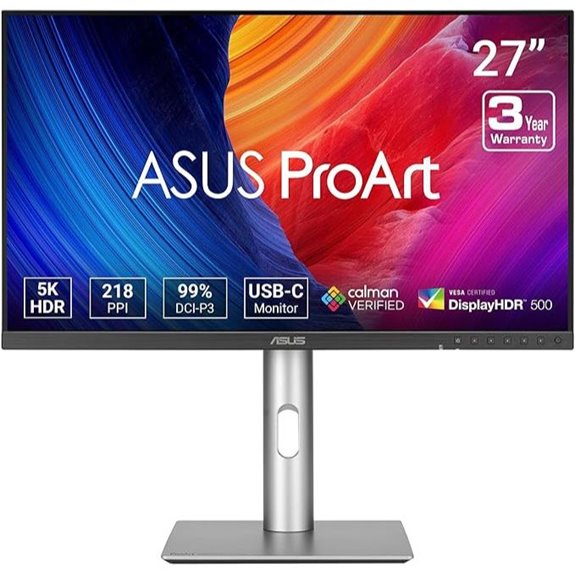 | Creative Professional’s Choice | Screen Size: 27-inch | Resolution: 5K (5120 x 2880) | Color Gamut: 99% DCI-P3, 100% sRGB | VIEW LATEST PRICE | See Our Full Breakdown |
| KTC 27″ 5K Monitor with Type-C HDMI HDR |  | Versatile All-Rounder | Screen Size: 27-inch | Resolution: 5K (5120 x 2880) | Color Gamut: 135% sRGB | VIEW LATEST PRICE | See Our Full Breakdown |
| ViewSonic 27″ 5K Monitor with Thunderbolt & USB Hub | 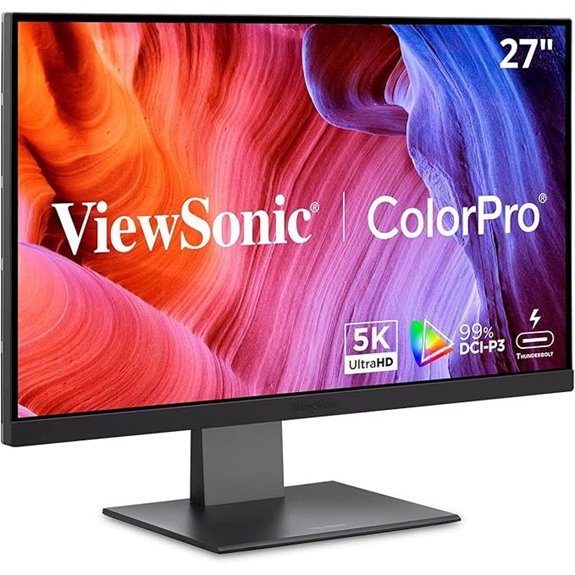 | Power User’s Hub | Screen Size: 27-inch | Resolution: 5K (5120 x 2880) | Color Gamut: 99% sRGB, 99% DCI-P3 | VIEW LATEST PRICE | See Our Full Breakdown |
| BenQ 27″ 5K Monitor with Thunderbolt 4 and KVM | 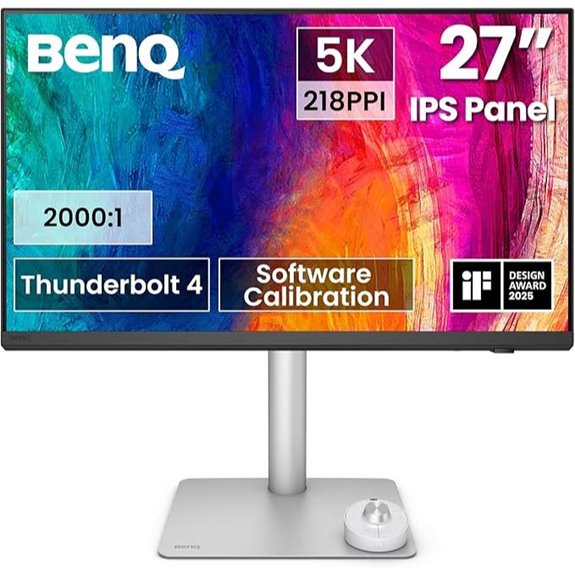 | Workflow Optimizer | Screen Size: 27-inch | Resolution: 5K (5120 x 2880) | Color Gamut: 98% P3 | VIEW LATEST PRICE | See Our Full Breakdown |
| KTC 5K 27″ Dual Mode Monitor with Type-C | 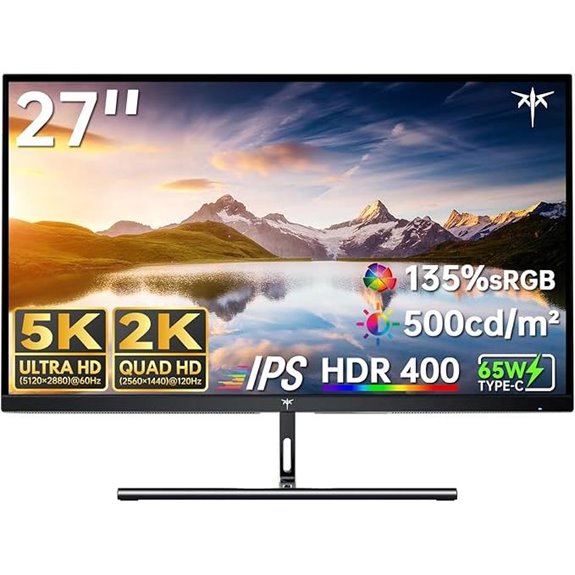 | Dual-Mode Flexibility | Screen Size: 27-inch | Resolution: 5K (5120 x 2880) | Color Gamut: 99% DCI-P3, 100% sRGB | VIEW LATEST PRICE | See Our Full Breakdown |
| Samsung 27″ ViewFinity S9 5K Monitor with Thunderbolt | 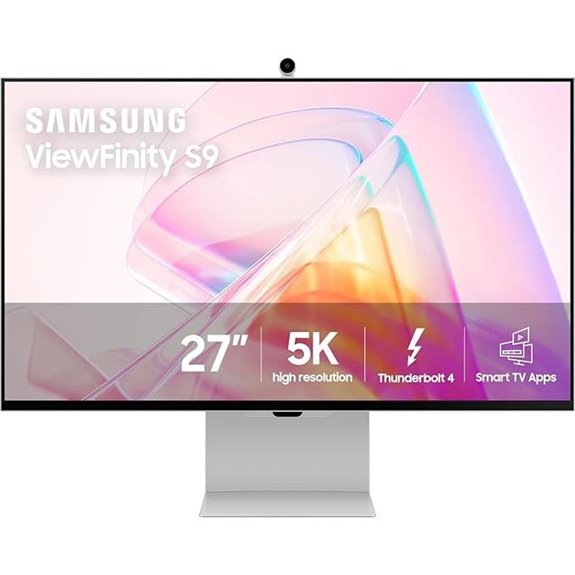 | Premium Collaboration | Screen Size: 27-inch | Resolution: 5K (5120 x 2880) | Color Gamut: 99% DCI-P3 | VIEW LATEST PRICE | See Our Full Breakdown |
| LG 27MD5KL-B Ultrafine 27-inch IPS LCD 5K UHD Monitor (Renewed) | 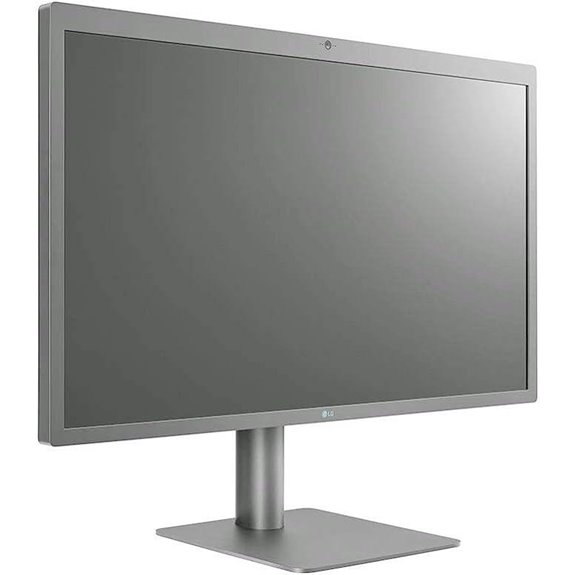 | Apple-Compatible Elite | Screen Size: 27-inch | Resolution: 5K (5120 x 2880) | Color Gamut: 99% DCI-P3 | VIEW LATEST PRICE | See Our Full Breakdown |
More Details on Our Top Picks
ASUS ProArt 27” 5K HDR Monitor with USB-C
Looking for a monitor that delivers stunning detail and color accuracy for creative work? The ASUS ProArt 27” 5K HDR Monitor is exactly that. Its 5120 x 2880 resolution and IPS panel provide vibrant, sharp images from wide angles. With 99% DCI-P3 and 100% sRGB coverage, colors are precise and rich. Factory calibrated and Calman verified, it guarantees consistent accuracy with Delta E < 2. For convenience, it includes USB-C with 96W Power Delivery, making connection and charging seamless. Enhanced with LuxPixel technology and equipped with sensors for ideal brightness and color temperature, this monitor truly elevates creative workflows. Plus, it comes with a 3-year warranty.
- Screen Size:27-inch
- Resolution:5K (5120 x 2880)
- Color Gamut:99% DCI-P3, 100% sRGB
- Connectivity:USB-C, DisplayPort, HDMI
- Power Delivery:96W
- Additional Features:Factory calibration, HDR, HDR support
- Additional Feature:Factory pre-calibrated, Calman Verified
- Additional Feature:Ambient light sensors included
- Additional Feature:LuxPixel color technology
KTC 27″ 5K Monitor with Type-C HDMI HDR
If you’re seeking a monitor that combines stunning visual clarity with versatile connectivity, the KTC 27″ 5K Monitor is an excellent choice. Its 5120×2880 resolution and 217 PPI deliver ultra-sharp details, while HDR 400 boosts contrast and color vibrancy for realistic images. With a 135% sRGB gamut and 1.07 billion colors, colors are accurate and vivid. Support for dual modes—5K at 60Hz and 2K at 120Hz—ensures smooth performance across tasks. Fully equipped with Type-C, HDMI, and DisplayPort, it’s compatible with a range of devices, making it perfect for work, entertainment, and creative projects.
- Screen Size:27-inch
- Resolution:5K (5120 x 2880)
- Color Gamut:135% sRGB
- Connectivity:USB-C, HDMI, DisplayPort
- Power Delivery:65W
- Additional Features:HDR 400, Dual modes, Eye-care features
- Additional Feature:Supports dual 5K/2K modes
- Additional Feature:135% sRGB color gamut
- Additional Feature:Tilt adjustable stand
ViewSonic 27″ 5K Monitor with Thunderbolt & USB Hub
The ViewSonic 27″ 5K Monitor with Thunderbolt and USB Hub stands out as an ideal choice for professionals demanding top-tier color accuracy and seamless connectivity. Its 5120x2880p IPS display delivers sharp detail and vibrant colors, with 100% sRGB and 99% DCI-P3 coverage, plus Pantone validation for precise color reproduction. The Thunderbolt 4 port ensures blazing-fast data transfer up to 40 Gbps and supports daisy chaining for dual 5K setups. With a versatile USB-C, HDMI, and DisplayPort, plus 100W power delivery, it’s perfect for creative workflows. The sleek, frameless design and ergonomic stand make it both stylish and comfortable for long work sessions.
- Screen Size:27-inch
- Resolution:5K (5120 x 2880)
- Color Gamut:99% sRGB, 99% DCI-P3
- Connectivity:Thunderbolt 4, USB-C, HDMI, DisplayPort
- Power Delivery:Up to 100W
- Additional Features:Thunderbolt, Daisy chaining, Ergonomic stand
- Additional Feature:Pantone Validated display
- Additional Feature:Daisy chaining support
- Additional Feature:High data transfer speeds
BenQ 27″ 5K Monitor with Thunderbolt 4 and KVM
For professionals who demand seamless connectivity and efficient multitasking, the BenQ 27″ 5K Monitor with Thunderbolt 4 and KVM is an ideal choice. Its 27-inch display offers stunning 5120×2880 resolution, delivering ultra-sharp visuals with 218 PPI, making details pop and workflows smoother. The 98% P3 color gamut ensures vibrant, accurate colors, perfect for creative tasks. With Thunderbolt 4, it supports 90W power, fast data transfer, and connection to multiple displays. The built-in KVM switch allows control of two systems with one keyboard and mouse, while the nano matte panel reduces glare for comfortable, extended use.
- Screen Size:27-inch
- Resolution:5K (5120 x 2880)
- Color Gamut:98% P3
- Connectivity:Thunderbolt 4, USB-C, HDMI, DisplayPort
- Power Delivery:Up to 90W
- Additional Features:KVM switch, Reflection-free panel, Hotkey Puck
- Additional Feature:Nano matte anti-glare panel
- Additional Feature:Built-in KVM switch
- Additional Feature:Wireless Hotkey Puck included
KTC 5K 27″ Dual Mode Monitor with Type-C
Looking to boost your creative or professional workflow with a versatile, high-performance monitor? The KTC 5K 27″ Dual Mode Monitor with Type-C delivers stunning visuals with 5K@60Hz for detailed work and switches to 2K@120Hz for smooth multitasking or gaming. It covers 99% DCI-P3 and 100% sRGB, ensuring vivid, accurate colors, while HDR400 and high brightness enhance image clarity in any lighting. With USB-C supporting 65W fast charging and data transfer, plus multiple connectivity options like DisplayPort and HDMI, it’s perfect for Mac Mini users and professionals seeking reliability, quality, and flexibility in a single display.
- Screen Size:27-inch
- Resolution:5K (5120 x 2880)
- Color Gamut:99% DCI-P3, 100% sRGB
- Connectivity:USB-C, HDMI, DisplayPort
- Power Delivery:65W
- Additional Features:Dual modes, HDR, Flicker-Free, Blue Light reduction
- Additional Feature:Switchable 5K/2K modes
- Additional Feature:Hardware Low Blue Light
- Additional Feature:Extensive connectivity options
Samsung 27″ ViewFinity S9 5K Monitor with Thunderbolt
If you want a monitor that combines stunning 5K clarity with seamless connectivity, the Samsung 27″ ViewFinity S9 with Thunderbolt is an excellent choice. Its 5K resolution delivers crisp, detailed visuals with 218 PPI, perfect for professional work and creative tasks. The factory-calibrated colors cover 99% DCI-P3, ensuring vibrant, accurate hues, while the matte display minimizes reflections. With Smart Calibration via smartphone, you can customize color settings easily. The built-in 4K SlimFit camera enhances video calls, and Thunderbolt 4 along with DisplayPort ensure fast data transfer, making this monitor versatile and workspace-ready.
- Screen Size:27-inch
- Resolution:5K (5120 x 2880)
- Color Gamut:99% DCI-P3
- Connectivity:Thunderbolt 4, DisplayPort, USB-C
- Power Delivery:Up to 94W
- Additional Features:Smart Calibration, Built-in camera, Smart TV apps
- Additional Feature:Smart Calibration via smartphone
- Additional Feature:Built-in 4K SlimFit camera
- Additional Feature:Smart TV & Gaming Hub
LG 27MD5KL-B Ultrafine 27-inch IPS LCD 5K UHD Monitor (Renewed)
The LG 27MD5KL-B Ultrafine 27-inch IPS LCD 5K UHD Monitor is an excellent choice for creative professionals and power users who demand exceptional image quality and seamless connectivity. Its 27-inch IPS display offers a stunning 5120 x 2880 resolution, delivering vibrant, precise colors with 99% DCI-P3 coverage. Brightness reaches 500 nits, ensuring clear visuals even in bright environments. The Thunderbolt 3 port provides up to 94W power delivery, while three USB-C ports make device connection simple. With an integrated camera and speakers, it’s perfect for video calls. Though renewed, it maintains high standards, making it a reliable, versatile addition to any workspace.
- Screen Size:27-inch
- Resolution:5K (5120 x 2880)
- Color Gamut:99% DCI-P3
- Connectivity:Thunderbolt 3, USB-C, DisplayPort, USB-C
- Power Delivery:Up to 94W
- Additional Features:Built-in camera, Wide viewing angles, Renewed status
- Additional Feature:Built-in camera for calls
- Additional Feature:94W Power Delivery via Thunderbolt 3
- Additional Feature:Renewable/renewed product status
Factors to Consider When Choosing a 27-Inch 5K Monitor
When choosing a 27-inch 5K monitor, I focus on display resolution quality and color accuracy to guarantee sharp visuals and true-to-life colors. I also consider connectivity options and ergonomic adjustments for seamless integration into my workspace. Finally, I look at smart features that can boost productivity and convenience.
Display Resolution Quality
Choosing a 27-inch 5K monitor hinges on understanding display resolution quality, which directly impacts how sharp and detailed your visuals appear. A true 5K resolution of 5120 x 2880 pixels offers markedly sharper images than lower-res displays, making it ideal for detailed work like photo editing or design. Pixel density, measured in PPI, also matters — higher PPI means crisper, more precise visuals. Support for HDR enhances contrast and color depth, delivering vibrant, lifelike images. Additionally, a high-quality 5K monitor should reproduce colors accurately, often with a wide color gamut like 99% DCI-P3 or sRGB, ensuring faithful color representation. Consistent image rendering across viewing angles, typically achieved through IPS panels, guarantees your visuals stay sharp and true from any position.
Color Accuracy Standards
Ensuring color accuracy on a 27-inch 5K monitor is essential for professional work, and understanding the relevant standards helps you make an informed choice. Look for monitors with Delta E values below 2, which indicates minimal deviation from true colors. Wide color gamuts like 99% DCI-P3 and 100% sRGB guarantee vibrant, precise reproduction vital for creative tasks. Factory calibration and validation tools such as Calman or Pantone ensure the monitor meets strict accuracy benchmarks right out of the box. HDR support, like HDR400 or HDR10, enhances contrast and color vibrancy, making images more lifelike. Consistent performance is maintained through calibration features like LuxPixel or Smart Calibration, ensuring your display stays true to color over time. Prioritizing these standards helps you choose a monitor that delivers professional-grade color accuracy.
Connectivity Options Flexibility
Having the right connectivity options on a 27-inch 5K monitor is essential for a seamless workflow, especially when juggling multiple devices. Look for monitors that offer a variety of ports like USB-C, Thunderbolt, HDMI, and DisplayPort to guarantee compatibility with your existing setup. Power delivery via USB-C or Thunderbolt helps reduce clutter by eliminating extra power adapters. Check if the monitor supports daisy chaining through Thunderbolt or DisplayPort, which allows you to connect multiple monitors efficiently. Be mindful of the ports’ compatibility with your devices, and consider whether adapters or converters might be needed. Additionally, advanced features like adaptive sync and high data transfer speeds contribute to a smooth experience, whether you’re working, gaming, or editing. Flexibility in connectivity keeps your workspace versatile and future-proof.
Ergonomic Adjustments
When selecting a 27-inch 5K monitor, ergonomic adjustments play a vital role in creating a comfortable and productive workspace. Features like adjustable height, tilt, swivel, and pivot allow you to customize the monitor’s position, reducing strain during long sessions. A height-adjustable stand helps align the display with your eye level, promoting better neck posture. Swivel and pivot functions enable you to fine-tune the viewing angle and organize your workspace efficiently. These flexible options support sustained comfort, minimizing fatigue and discomfort over extended use. Prioritizing monitors with versatile ergonomic features ensures you can set up your workspace to suit your body’s needs, ultimately enhancing comfort, reducing pain, and boosting overall productivity throughout your workday.
Additional Smart Features
Smart features can greatly enhance the functionality and convenience of a 27-inch 5K monitor, making it more than just a display. Built-in cameras, smart TV apps, and wireless connectivity options improve multitasking and entertainment, allowing me to stream content or participate in video calls directly from the monitor. Seamless screen mirroring with smartphones via protocols like AirPlay simplifies content sharing. Embedded smart apps reduce the need for external devices, offering quick access to streaming services. Additionally, features like blue light reduction, flicker-free technology, and ambient light sensors protect my eyes during long working hours. Some models even support mobile app calibration, enabling me to fine-tune color accuracy effortlessly. These smart features transform a monitor into a versatile, integrated workspace hub.
Frequently Asked Questions
What Is the Typical Price Range for 27-Inch 5K Monitors in 2026?
In 2026, I’ve found that 27-inch 5K monitors typically range from $1,200 to $2,000. The price depends on features like color accuracy, refresh rates, and build quality. If you need professional-grade visuals, expect to pay on the higher end. For general use, some models sit closer to the lower end. I recommend balancing your budget with the features most important to your workflow.
How Do 5K Monitors Impact Productivity for Creative Professionals?
Did you know that creative pros report a 30% boost in productivity with 5K monitors? I’ve found that these screens drastically improve detail work, reduce eye strain, and streamline multitasking. As a designer myself, I see clearer images and smoother workflows, making my projects more efficient and enjoyable. If you’re serious about your craft, investing in a 5K monitor can truly elevate your creative output and overall productivity.
Are 5K Monitors Compatible With All Recent Operating Systems?
Yes, most 5K monitors are compatible with recent operating systems like Windows 10/11 and macOS. I always double-check the manufacturer’s specs, but generally, these monitors support standard connections like Thunderbolt 3, USB-C, or HDMI, making setup straightforward. If you’re using an older OS, you might need updates or specific drivers, but overall, modern 5K monitors are designed to work seamlessly with current systems.
What Are the Key Differences Between Thunderbolt and USB-C Connections?
Thunderbolt and USB-C might seem similar, but I’ve found their differences important. Thunderbolt offers faster data transfer, higher power delivery, and supports daisy-chaining multiple devices. USB-C, on the other hand,, is more common, versatile, and works with many devices, but usually has slower speeds compared to Thunderbolt. When choosing a monitor, I always check which port it supports to guarantee I get the speed and compatibility I need.
How Energy-Efficient Are 5K Monitors Compared to Lower-Resolution Displays?
You might think a 5K monitor guzzles energy like a spaceship, but surprisingly, they’re quite efficient. Advanced backlighting and power management help cut down energy use, making them comparable to lower-resolution screens. I find it amusing how we often assume bigger and sharper always means more power. So, rest assured, these high-res displays can be eco-friendly, especially if you enable energy-saving settings—saving both your workspace and the planet.
Conclusion
Choosing the right 27-inch 5K monitor can truly transform your workspace, boosting productivity and visual clarity. Did you know that professionals using 5K displays report up to 30% faster editing times? Investing in the right monitor means better accuracy and an overall smoother workflow. So, weigh your options carefully, considering your needs and budget—your perfect workspace upgrade is just a decision away.