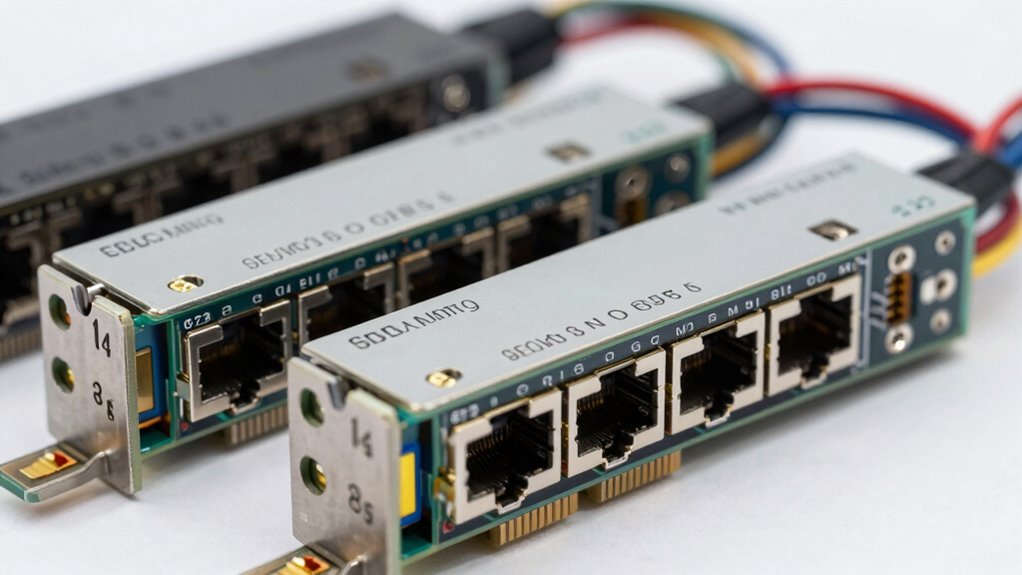

If you’re looking to upgrade your network to handle faster data transfer speeds, a 25GbE network card offers a substantial boost over traditional 10GbE options. The Vogzone 25GbE PCIe Network Card stands out as the best overall choice thanks to its robust performance and compatibility. For those needing a budget-friendly yet reliable option, the 10Gtek 25G Ethernet Network Card delivers solid value. Meanwhile, the ConnectX-4 Lx EN excels for enterprise environments with advanced features. As these cards vary in speed, port options, and compatibility, choosing the right one involves weighing performance against cost and ease of integration. Continue reading for a detailed breakdown of the best 25GbE network cards in 2026.
Listen free for 30 days with Audible
Thousands of audiobooks and originals — cancel anytime.
Start your free trialAs an affiliate, we earn on qualifying purchases.
Complete the kit



Key Takeaways
- Top picks balance performance, compatibility, and price, with the Vogzone 25GbE card leading overall.
- Port options like dual SFP28 vs. Ethernet RJ45 influence use cases, from data centers to small offices.
- PCIe version (3.0 vs. 4.0) affects future-proofing, but most current cards perform well on PCIe 3.0 slots.
- Advanced features like SR-IOV and RoCE are critical for enterprise or HPC users but add cost.
- Build quality and driver support significantly impact long-term reliability and ease of setup.
| Vogzone 25GbE Network Adapter for E810-XXVDA2, PCIe 4.0 x8, Dual SFP28 Ports |  | Best Overall for Data Center Environments | Controller: Intel E810-XXVAM2 | Data Rate: 25GbE | Ports: 2x SFP28 | VIEW ON AMAZON | See Our Full Breakdown |
| ConnectX-4 Lx EN Network Interface Card, 25GbE Dual-Port SFP28, PCIe 3.0 x8, Tall |  | Best for Enterprise Data Centers on a Budget | Network Speed: 25GbE | Ports: Dual SFP28 | Interface: PCIe 3.0 x8 | VIEW ON AMAZON | See Our Full Breakdown |
| 10Gtek 25G Ethernet Network Card, 2X SFP28 Ports, PCIe 4.0 x8, Intel E810 Controller |  | Best for Versatile High-Speed Networking with Advanced Features | Ports: 2 SFP28 | Data Rate: 25/10/1 GbE | Interface: PCIe 4.0 x8 | VIEW ON AMAZON | See Our Full Breakdown |
| 10Gb PCIe Network Card with Dual SFP+ Ports – Intel 82599 Chipset |  | Best for High-Speed 10Gbps Needs with Compatibility Flexibility | Ports: 2x 10Gbps SFP+ | Chipset: Intel 82599 | Compatibility: Windows, Linux, VMware | VIEW ON AMAZON | See Our Full Breakdown |
| TP-Link 10Gb PCIe Network Card (TX401) – PCIe to 10 Gigabit Ethernet Adapter | 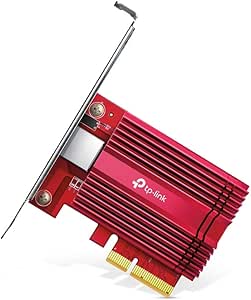 | Best for Easy 10GbE Upgrade for General Use | Speed: 10 Gbps | Compatibility: Windows 10/8.1/8/7, Windows Server, Linux | Cable Included: 1.5 m CAT6A | VIEW ON AMAZON | See Our Full Breakdown |
| SABRENT 10Gb PCIe Network Card, 10GBASE-T, Multi-Gig NIC (NT-10PE) |  | Best Overall for Versatile 10GbE Performance | Network Speed: 10Gbps | Interface: PCIe 3.0 x4 | Form Factor: Full-height | VIEW ON AMAZON | See Our Full Breakdown |
| 10Gtek 10Gb Dual RJ45 Port Network Card with X540 Controller, PCIe Ethernet LAN Adapter for Windows/Linux/ESX Servers |  | Best for Server Environments with Dual Ports | Controller: Intel X540 | Ports: 2 x RJ45 10Gb Ethernet | Interface: PCIe 2.1, PCIe x8/x16 | VIEW ON AMAZON | See Our Full Breakdown |
| PCIe Gen 3.0 x8 to 2x 25GbE SFP28 Optical Ports Converged RDMA Network Adapter for HPC and Data Centers |  | Best for High-Performance Data Center and HPC Applications | Chipset: Broadcom BCM57414 | Network Speed: 2x 25GbE | Interface: PCIe Gen 3.0 x8 | VIEW ON AMAZON | See Our Full Breakdown |
| Vogzone 25GbE PCIe Network Card MCX4121A-ACAT for ConnectX-4 Lx Dual SFP28 |  | Best for Virtualization and Low-Latency Data Center Use | Controller: Mellanox ConnectX-4 Lx | Data Rate: Dual SFP28 ports (1GbE/10GbE/25GbE) | Interface: PCIe v3.0 x8 | VIEW ON AMAZON | See Our Full Breakdown |
| Ipolex 25G Ethernet Network Card with 2 SFP Ports, PCIe 4.0 x8, Compatible with Intel E810 Controller |  | Best for High-Speed Enterprise Networking with PCIe 4.0 | Speed: 25G | Ports: 2 x SFP | Interface: PCIe 4.0 x8 | VIEW ON AMAZON | See Our Full Breakdown |
| QXG-25G2SF-CX6 Two Port 25GbE Network Card with SR-IOV and RoCE |  | Best Overall for High-Performance Virtualization | Controller: NVIDIA Mellanox ConnectX-6 Lx | Ports: 2 x 25GbE (supports 10Gbps) | Interface: PCIe Gen 3 x4 | VIEW ON AMAZON | See Our Full Breakdown |
| Vogzone XXV710-DA2 25GbE Network Adapter PCIe 3.0 x8 SFP28 NIC |  | Best for Multi-OS Compatibility and Flexibility | Controller: Intel XXV710BM2 | Data Rate: 25GbE | Ports: 2x SFP28 | VIEW ON AMAZON | See Our Full Breakdown |
| Vogzone BCM57414 Network Card, Dual SFP28 25GbE PCIe 3.0 x8 NIC |  | Best for Versatile Speeds and Server Stability | Controller: Broadcom BCM57414B | Data Rate: Dual SFP28 ports supporting 1GbE/10GbE/25GbE | Interface: PCIe v3.0 x8 | VIEW ON AMAZON | See Our Full Breakdown |
| 25gbe network card | Interface | Ports | Supported OS | Controller |
|---|---|---|---|---|
| Vogzone 25GbE Network Adapter | PCIe 4.0 x8 | 2x SFP28 | Windows, Linux, FreeBSD, VMware | Intel E810-XXVAM2 |
| ConnectX-4 Lx EN Network Inter | PCIe 3.0 x8 | Dual SFP28 | — | — |
| 10Gtek 25G Ethernet Network Ca | PCIe 4.0 x8 | 2 SFP28 | Windows, Linux, VMware | Intel E810 |
| 10Gb PCIe Network Card with Du | — | 2x 10Gbps SFP+ | — | — |
| TP-Link 10Gb PCIe Network Card | — | — | — | — |
| SABRENT 10Gb PCIe Network Card | PCIe 3.0 x4 | — | Windows, Linux, Unraid, QNAP, Proxmox | — |
| 10Gtek 10Gb Dual RJ45 Port Net | PCIe 2.1, PCIe x8/x16 | 2 x RJ45 10Gb Ethernet | Windows Server, Linux, ESX/ESXi | Intel X540 |
| PCIe Gen 3.0 x8 to 2x 25GbE SF | PCIe Gen 3.0 x8 | — | — | — |
| Vogzone 25GbE PCIe Network Car | PCIe v3.0 x8 | — | Windows, Linux, VMware ESXi | Mellanox ConnectX-4 Lx |
| Ipolex 25G Ethernet Network Ca | PCIe 4.0 x8 | 2 x SFP | Windows, Linux, VMware | — |
| QXG-25G2SF-CX6 Two Port 25GbE | PCIe Gen 3 x4 | 2 x 25GbE (supports 10Gbps) | — | NVIDIA Mellanox ConnectX-6 Lx |
| Vogzone XXV710-DA2 25GbE Netwo | PCIe 3.0 x8 | 2x SFP28 | Windows, Linux, FreeBSD, VMware | Intel XXV710BM2 |
| Vogzone BCM57414 Network Card | PCIe v3.0 x8 | — | Windows, Linux, FreeBSD, VMware | Broadcom BCM57414B |
More Details on Our Top Picks
Vogzone 25GbE Network Adapter for E810-XXVDA2, PCIe 4.0 x8, Dual SFP28 Ports
This Vogzone adapter stands out for integrating the powerful Intel E810-XXVAM2 controller, enabling reliable 25GbE speeds with dual SFP28 ports. Compared with the ConnectX-4 Lx card, it offers a more modern PCIe 4.0 interface, which can deliver better throughput and future-proofing. However, the need for separate SFP28 modules and the complexity of installation may challenge beginners. Its advanced traffic management and virtualization support make it ideal for data centers needing robust, high-speed networking. The low-profile form factor ensures compatibility with a variety of server chassis, but it requires a PCIe 4.0 x8 slot, which might be limiting for older systems.
Pros:- Supports 25GbE speeds with dual SFP28 ports for high throughput
- Compatible with multiple OS including Windows, Linux, and VMware
- Includes advanced traffic management features
Cons:- Requires purchasing separate SFP28 modules
- Dependent on PCIe 4.0 x8 slot, limiting older systems
Best for: Data center operators or enterprise IT teams looking for high-performance, versatile 25GbE connectivity.
Not ideal for: Home users or small business setups that lack PCIe 4.0 slots or don’t require dual-port 25GbE.
- Controller:Intel E810-XXVAM2
- Data Rate:25GbE
- Ports:2x SFP28
- Interface:PCIe 4.0 x8
- Supported OS:Windows, Linux, FreeBSD, VMware
- Form Factor:Low-profile
Our verdict“This adapter is best suited for advanced data center deployments requiring scalable, high-speed connectivity.”
ConnectX-4 Lx EN Network Interface Card, 25GbE Dual-Port SFP28, PCIe 3.0 x8, Tall
Compared with the Vogzone model, the ConnectX-4 Lx offers reliable 25GbE dual ports with a PCIe 3.0 x8 interface, making it a practical choice for existing systems. Its tall form factor might cause fit issues in compact cases, but it remains a solid option for enterprise environments needing proven performance. While it lacks some of the modern features found in newer cards like RDMA or SR-IOV, its stability and compatibility with PCIe 3.0 systems make it appealing for budget-conscious data centers. The card’s support for dual 25GbE ports offers ample bandwidth, though the lack of included SFP28 modules means additional expenses. Its simplicity and proven reliability are key strengths for many enterprise setups.
Pros:- Reliable dual 25GbE ports for high-speed networking
- Compatible with PCIe 3.0 x8 slots, suitable for older systems
- Proven enterprise-grade stability
Cons:- Tall form factor may not fit in all chassis
- Lacks advanced features like RDMA or SR-IOV
Best for: Organizations with existing PCIe 3.0 slots seeking dependable, dual 25GbE network connectivity.
Not ideal for: Small or compact server builds where the tall form factor may not fit comfortably.
- Network Speed:25GbE
- Ports:Dual SFP28
- Interface:PCIe 3.0 x8
- Form Factor:Tall
Our verdict“This card provides dependable 25GbE performance for enterprise systems with PCIe 3.0 slots, especially where cost is a concern.”
10Gtek 25G Ethernet Network Card, 2X SFP28 Ports, PCIe 4.0 x8, Intel E810 Controller
This 10Gtek card offers a compelling balance of 25GbE speeds and extra features like RDMA, SR-IOV, and jumbo frames, making it ideal for high-performance virtualized environments. Its use of the Intel E810 controller aligns with the Vogzone model, but it adds the flexibility of supporting 10GbE and 1GbE speeds, providing more versatility. Compared to the TP-Link TX401, it emphasizes advanced networking features over plug-and-play simplicity. The setup can be complex, especially for users unfamiliar with high-performance networking configurations, but it rewards with scalability and low latency. Its support for multiple OSes, including VMware, makes it suitable for demanding data center tasks.
Pros:- Supports 25GbE, 10GbE, and 1GbE speeds for flexibility
- Includes advanced features like RDMA and SR-IOV
- Compatible with multiple operating systems and virtualization platforms
Cons:- Setup complexity may intimidate less experienced users
- Requires PCIe 4.0 slot for best performance
Best for: IT professionals and virtualization specialists needing flexible, feature-rich 25GbE network cards.
Not ideal for: Home users or those seeking straightforward plug-and-play solutions without advanced networking features.
- Ports:2 SFP28
- Data Rate:25/10/1 GbE
- Interface:PCIe 4.0 x8
- Controller:Intel E810
- Supported OS:Windows, Linux, VMware
- Features:RDMA, PXE, SR-IOV, Jumbo frames
Our verdict“This card excels for users who need a feature-rich, adaptable 25GbE solution in virtualized or high-performance environments.”
10Gb PCIe Network Card with Dual SFP+ Ports – Intel 82599 Chipset
Compared with the 25GbE options, this Intel 82599-based card provides reliable 10Gbps connections, suitable for users who don’t require the highest speeds but need proven stability. Its compatibility with PCIe x8 and x16 slots grants flexibility, and the support for Windows, Linux, and VMware makes it versatile. However, it doesn’t support 2.5G or 5G speeds, which could limit future-proofing as networks evolve. The absence of an included SFP+ module means additional costs, and its primary strength lies in steady 10Gbps performance rather than cutting-edge speed or features. It’s a practical choice for those who prioritize reliability over maximum speed.
Pros:- Reliable 10Gbps network connections
- Compatible with multiple PCIe slot sizes
- Supports Windows, Linux, and VMware
Cons:- Limited to 10Gbps speeds, no 2.5G support
- No included SFP+ modules, adding to cost
Best for: Enterprises or individuals needing dependable 10GbE connectivity in existing PCIe slots.
Not ideal for: Users seeking 25GbE speeds or planning to upgrade to faster network standards soon.
- Ports:2x 10Gbps SFP+
- Chipset:Intel 82599
- Compatibility:Windows, Linux, VMware
- PCIe Slots:x8, x16
Our verdict“This card offers a solid, stable 10GbE connection for enterprise setups where 25GbE is not yet necessary.”
TP-Link 10Gb PCIe Network Card (TX401) – PCIe to 10 Gigabit Ethernet Adapter
The TP-Link TX401 provides straightforward 10 Gbps speeds with broad OS compatibility, making it an excellent choice for users upgrading existing systems without demanding high-end features. Its inclusion of a 1.5-meter CAT6A cable simplifies setup, especially for small to medium deployments. The card’s backward compatibility with lower speeds adds versatility, but it falls short for those seeking 25GbE or above. It also requires a PCIe slot and a system capable of supporting 10GbE, which might be overkill for basic internet applications. This pick makes sense for those prioritizing simplicity and speed at a reasonable price, without the need for ultra-high performance features.
Pros:- Supports 10 Gbps transfer speeds
- Includes a high-quality CAT6A Ethernet cable
- Compatible with many Windows and Linux systems
Cons:- Limited to 10GbE speeds, not suitable for 25GbE needs
- No additional advanced networking features
Best for: Small businesses or advanced home users seeking an easy upgrade to 10GbE speeds.
Not ideal for: High-performance data centers or users needing 25GbE speeds for future expansion.
- Speed:10 Gbps
- Compatibility:Windows 10/8.1/8/7, Windows Server, Linux
- Cable Included:1.5 m CAT6A
- Form Factor:Low-profile and Full-height
Our verdict“This card delivers simple, fast 10GbE connectivity suitable for users seeking easy and reliable upgrades.”
SABRENT 10Gb PCIe Network Card, 10GBASE-T, Multi-Gig NIC (NT-10PE)
The SABRENT NT-10PE stands out for delivering reliable 10GbE connectivity with broad OS support, making it a strong choice for demanding workstations and NAS setups. Compared to the 10Gtek 10Gb Dual RJ45 Port Network Card, the SABRENT offers a more straightforward installation and a robust heatsink for thermal management, which benefits longer sustained performance. However, its full-height form factor limits compatibility with small cases, and it requires driver setup, adding complexity for less tech-savvy users. This card is ideal for users who need a high-performance, flexible network upgrade but have a full-sized PCIe slot and are comfortable with driver installation. It’s less suitable for those with mini-ITX or compact builds or who prefer plug-and-play solutions.
Pros:- Provides ultra-fast 10GbE network connectivity
- Includes a large heatsink for thermal stability
- Compatible with multiple operating systems and NAS systems
- Supports backward compatibility with lower network speeds
Cons:- Only fits full-height PCIe slots, limiting use in compact cases
- Requires driver installation from the manufacturer’s website
- No low-profile bracket included
Best for: High-performance workstations or NAS users with full-height PCIe slots seeking reliable 10GbE speeds.
Not ideal for: Small-form-factor PC builders or users looking for a low-profile, plug-and-play card without driver setup.
- Network Speed:10Gbps
- Interface:PCIe 3.0 x4
- Form Factor:Full-height
- Backward Compatibility:5GbE, 2.5GbE, 1GbE, 100Mbps
- Supported OS:Windows, Linux, Unraid, QNAP, Proxmox
- LED Indicators:Link and activity status
Our verdict“This card makes the most sense for users with full-sized cases who prioritize performance and OS flexibility.”
10Gtek 10Gb Dual RJ45 Port Network Card with X540 Controller, PCIe Ethernet LAN Adapter for Windows/Linux/ESX Servers
The 10Gtek X540-based card is tailored for server environments that require dual 10GbE ports. Unlike the SABRENT NT-10PE, which is more suited for workstations and NAS, this card excels in data center setups with dual port redundancy and high compatibility across multiple OS platforms, including ESX/ESXi. Its inclusion of both full and low-profile brackets enhances versatility, but it demands manual setup on Windows 11 systems, which can be a hurdle for less experienced users. The card’s support for high-capacity networking protocols and greater flexibility in server racks makes it ideal for enterprise environments, though it’s overkill for typical home or small office use.
Pros:- High-speed dual 10GbE connectivity
- Compatible with multiple OS including ESX/ESXi
- Includes full and low-profile brackets for versatile installation
- Supports storage protocols like iSCSI and FCoE
Cons:- Requires manual driver setup on Windows 11
- No hot-swapping support
- Limited to PCIe x8 or x16 slots
Best for: Server admins and data center operators seeking dual 10GbE ports with broad OS support and high reliability.
Not ideal for: Home users or small office setups needing simple, low-maintenance network cards—this model is more complex to configure.
- Controller:Intel X540
- Ports:2 x RJ45 10Gb Ethernet
- Interface:PCIe 2.1, PCIe x8/x16
- Supported OS:Windows Server, Linux, ESX/ESXi
- Maximum Distance:Up to 100m (Category-6A)
- Hot Swapping:Not supported
Our verdict“This card is best suited for enterprise server environments demanding dual high-speed ports and extensive OS compatibility.”
PCIe Gen 3.0 x8 to 2x 25GbE SFP28 Optical Ports Converged RDMA Network Adapter for HPC and Data Centers
The Broadcom BCM57414-based adapter is designed for demanding HPC, storage, and virtualization environments, offering two 25GbE optical ports. Compared with the Vogzone 25GbE PCIe Network Card, which is more straightforward for general networking, this card provides advanced features like RDMA and overlay network support, making it suitable for latency-sensitive workloads. Its complex setup and driver requirements make it less accessible for typical users, but for high-end data centers, this enables low-latency, high-throughput connections. It’s a specialized tool, with performance and features that come with a learning curve and specific infrastructure needs.
Pros:- Supports 2x 25GbE optical ports for high throughput
- Enables RDMA and overlay networking for low latency
- Compatible with PCIe 3.0, 4.0, and 5.0 slots
- Supports a wide range of Ethernet standards and protocols
Cons:- Requires driver installation and complex setup
- Limited compatibility with basic consumer systems
- Designed primarily for enterprise use, not general consumers
Best for: Data centers, HPC clusters, and virtualization environments requiring ultra-fast, RDMA-enabled networking.
Not ideal for: Small office or home lab users who need simple, plug-and-play 25GbE solutions—this is over-engineered for those scenarios.
- Chipset:Broadcom BCM57414
- Network Speed:2x 25GbE
- Interface:PCIe Gen 3.0 x8
- Standards Supported:IEEE 802.3by, 802.3ba, 802.3ae, 802.3az
- Protocols:RDMA, iSCSI, NFS, SMB Direct
- Overlay Networks:NVGRE, VXLAN
Our verdict“This adapter is ideal for high-performance data centers needing maximum throughput with advanced networking features.”
Vogzone 25GbE PCIe Network Card MCX4121A-ACAT for ConnectX-4 Lx Dual SFP28
The Vogzone ConnectX-4 Lx card offers dual SFP28 ports supporting 1GbE, 10GbE, and 25GbE, making it a flexible choice for virtualized environments and latency-sensitive applications. Compared with the Ipolex 25G Ethernet Network Card, which relies on Intel’s controllers, this Mellanox-based card provides superior virtualization features like SR-IOV and RDMA, ideal for VM density and low-latency storage. Its low-profile design enhances compatibility with a variety of server chassis, but setup can be complex, and it requires compatible infrastructure. This makes it a solid choice for advanced users who need scalable, high-performance networking for virtual environments, not for straightforward home networking.
Pros:- Supports high-speed 25GbE connections
- Features SR-IOV and RDMA for virtualization and low latency
- Compatible with multiple OS and hypervisors
- Low-profile form factor fits in various servers
Cons:- Requires compatible PCIe slots and infrastructure
- Setup can be complex for non-experts
- Price details are not specified, potentially high for some users
Best for: Virtualization hosts and data centers requiring multiple high-speed connections with virtualization enhancements.
Not ideal for: Home or small office users with basic networking needs—this is for specialized, enterprise-level setups.
- Controller:Mellanox ConnectX-4 Lx
- Data Rate:Dual SFP28 ports (1GbE/10GbE/25GbE)
- Interface:PCIe v3.0 x8
- Features:SR-IOV, RDMA, jumbo frames
- Supported OS:Windows, Linux, VMware ESXi
Our verdict“This card excels in virtualized, high-performance data center environments demanding scalability and advanced features.”
Ipolex 25G Ethernet Network Card with 2 SFP Ports, PCIe 4.0 x8, Compatible with Intel E810 Controller
The Ipolex 25G Ethernet Card offers dual SFP ports supporting 25GbE over PCIe 4.0 x8, making it suitable for enterprise environments that need high throughput without overhauling their existing infrastructure. Compared to the Vogzone XXV710-DA2, which operates on PCIe 3.0, this model benefits from PCIe 4.0’s increased bandwidth, enabling better future-proofing and higher data rates. However, it requires a PCIe 4.0 x8 slot, limiting compatibility with older systems. It’s an excellent choice for enterprises seeking high-speed connectivity and compatibility with the latest Intel E810 controllers, but not for users with older hardware or casual networking needs.
Pros:- Supports 25GbE dual SFP ports for high throughput
- PCIe 4.0 x8 interface provides ample bandwidth
- Compatible with Intel E810 controllers
- Supports multiple operating systems including VMware and Linux
Cons:- Requires PCIe 4.0 x8 slot, limiting older system compatibility
- No mention of advanced virtualization features
- Requires driver installation for full functionality
Best for: Enterprises and power users with PCIe 4.0 systems seeking high-speed, reliable 25GbE connectivity.
Not ideal for: Home or budget-conscious users without PCIe 4.0 slots or those needing simple, plug-and-play solutions.
- Speed:25G
- Ports:2 x SFP
- Interface:PCIe 4.0 x8
- Compatible Controllers:Intel E810
- Supported OS:Windows, Linux, VMware
Our verdict“This card is ideal for enterprise setups with PCIe 4.0 infrastructure aiming for high-speed, future-proof networking.”
QXG-25G2SF-CX6 Two Port 25GbE Network Card with SR-IOV and RoCE
This card stands out for its dual 25GbE ports combined with advanced virtualization features like SR-IOV and RoCE, making it an excellent choice for data centers and enterprise environments that prioritize efficient virtual machine performance. Compared with the Vogzone XXV710-DA2, which offers robust OS support but fewer virtualization enhancements, the QXG-25G2SF-CX6 provides superior network throughput and latency reduction. However, its complexity and need for compatible systems can be a hurdle for less experienced users. The inclusion of port trunking allows aggregation up to 50 Gbps, ideal for demanding workloads. Its low-profile and full-height brackets add flexibility for different server chassis, but installation requires some technical knowledge and compatible PCIe slots.
Pros:- Supports high-speed 25GbE network connections for demanding workloads
- Enables port trunking for up to 50 Gbps throughput
- Optimized for virtualization with SR-IOV and RoCE support
Cons:- Requires compatible PCIe slots and system support, which may limit compatibility
- Installation can be complex for non-technical users
Best for: Data center admins and enterprise IT teams seeking high-speed, virtualization-optimized network connectivity
Not ideal for: Small office setups or users unfamiliar with virtualization technology, due to installation complexity
- Controller:NVIDIA Mellanox ConnectX-6 Lx
- Ports:2 x 25GbE (supports 10Gbps)
- Interface:PCIe Gen 3 x4
- Supports:Port Trunking, SR-IOV, RoCE
- Compatibility:QNAP QTS, QuTS hero, Windows, Linux
- Form Factor:Low-profile and full-height brackets included
Our verdict“This card is best suited for professionals who need robust virtualization features and high throughput in enterprise environments.”
Vogzone XXV710-DA2 25GbE Network Adapter PCIe 3.0 x8 SFP28 NIC
The Vogzone XXV710-DA2 makes a strong case for users needing high-speed 25GbE connectivity across multiple operating systems like Windows, Linux, and VMware. It offers dual SFP28 ports similar to the Vogzone BCM57414 but with support for broader OS environments, providing flexibility for diverse server setups. Compared with the BCM57414, which emphasizes advanced offloading features, this model prioritizes multi-platform compatibility, making it more accessible for mixed environments. The lack of included SFP28 modules and cooling solutions could be a drawback in some deployments, and system compatibility depends heavily on the PCIe x8 slot availability. Its traffic management features improve throughput and stability but require compatible network infrastructure.
Pros:- High-speed 25GbE connectivity via dual SFP28 ports
- Supports multiple operating systems including VMware and FreeBSD
- Advanced traffic management for improved stability
Cons:- SFP28 modules are not included, adding extra cost
- Requires PCIe x8 slot, which may be limited in some servers
Best for: System administrators managing mixed OS environments requiring high-speed network access
Not ideal for: Home lab users or small setups with limited PCIe slot availability, due to its reliance on PCIe x8 and lack of included accessories
- Controller:Intel XXV710BM2
- Data Rate:25GbE
- Ports:2x SFP28
- Interface:PCIe 3.0 x8
- Supported OS:Windows, Linux, FreeBSD, VMware
- Includes:Network card, Low-profile bracket
Our verdict“This card is ideal for enterprise users needing broad OS support and reliable high-speed connections in complex data center setups.”
Vogzone BCM57414 Network Card, Dual SFP28 25GbE PCIe 3.0 x8 NIC
The Vogzone BCM57414 offers a versatile solution with dual SFP28 ports supporting 1GbE, 10GbE, and 25GbE speeds, making it suitable for varied network environments. Compared with the Vogzone XXV710-DA2, which emphasizes broad OS support, the BCM57414’s focus on advanced offloading and stability features makes it a reliable choice for servers needing consistent high-speed performance. Its support for multiple speeds provides flexibility but requires PCIe x8 slots, which may be scarce in some systems. Though it lacks included power adapters or cables, its offloading capabilities can reduce CPU load, benefitting server stability. It’s less suited for environments where SFP28 modules are unavailable or system upgrades are limited.
Pros:- Supports a range of speeds from 1GbE to 25GbE
- Compatible with multiple operating systems including Windows and Linux
- Advanced offloading features for enhanced server stability
Cons:- Requires PCIe x8 slot, which may be limited in some systems
- No included power cables or adapters, adding setup complexity
Best for: Server administrators seeking flexible speed options and reliable offloading features
Not ideal for: Small-scale or home users lacking PCIe x8 slots or needing plug-and-play simplicity, due to missing accessories and compatibility considerations
- Controller:Broadcom BCM57414B
- Data Rate:Dual SFP28 ports supporting 1GbE/10GbE/25GbE
- Interface:PCIe v3.0 x8
- Supported OS:Windows, Linux, FreeBSD, VMware
- Includes:Low-profile bracket
Our verdict“This card suits enterprise servers requiring versatile speed support and offloading for stability, with some installation considerations.”

How We Picked
I evaluated these 25GbE network cards based on key factors that matter to buyers: performance benchmarks, compatibility with common operating systems, build quality, and ease of installation. Price was also a consideration to identify options that offer good value without sacrificing essential features. I prioritized cards with proven driver support and features suitable for different environments, from enterprise data centers to home labs. The ranking reflects a balance between high-end performance and affordability, ensuring each product serves a specific user need while maintaining overall quality and reliability.| 25gbe network card | Supported OS |
|---|---|
| Vogzone 25GbE Network Adapter | Windows, Linux, FreeBSD, VMware |
| ConnectX-4 Lx EN Network Inter | — |
| 10Gtek 25G Ethernet Network Ca | Windows, Linux, VMware |
| 10Gb PCIe Network Card with Du | — |
| TP-Link 10Gb PCIe Network Card | — |
| SABRENT 10Gb PCIe Network Card | Windows, Linux, Unraid, QNAP, Proxmox |
| 10Gtek 10Gb Dual RJ45 Port Net | Windows Server, Linux, ESX/ESXi |
| PCIe Gen 3.0 x8 to 2x 25GbE SF | — |
| Vogzone 25GbE PCIe Network Car | Windows, Linux, VMware ESXi |
| Ipolex 25G Ethernet Network Ca | Windows, Linux, VMware |
| QXG-25G2SF-CX6 Two Port 25GbE | — |
| Vogzone XXV710-DA2 25GbE Netwo | Windows, Linux, FreeBSD, VMware |
| Vogzone BCM57414 Network Card | Windows, Linux, FreeBSD, VMware |
Factors to Consider When Choosing 25gbe Network Card
Choosing the right 25GbE network card involves more than just raw speed. You need to consider compatibility with your existing hardware, the types of ports offered, and the specific features that match your workload. Additionally, understanding PCIe version and future-proofing can save money and effort later. Budget constraints often influence the choice between enterprise-grade features and more straightforward solutions. Here are key factors to weigh when selecting a 25GbE card to ensure you get a setup that fits your needs and offers good longevity.Performance and Throughput
While many 25GbE cards advertise high speeds, real-world performance depends on your system and workload. Look for cards with solid transfer rates, especially under sustained loads, if you handle large data transfers regularly. Benchmark reviews and user feedback can reveal how well a card performs in typical scenarios. Overestimating performance expectations can lead to disappointment, so prioritize proven performance metrics aligned with your needs.
Port Types and Connectivity
The choice between SFP28 optical ports and RJ45 Ethernet ports impacts your network setup. SFP28 ports support fiber connections, ideal for long-distance or high-density data centers, but require compatible switches and transceivers. RJ45 ports are more common for smaller networks and easier to integrate with existing Ethernet infrastructure. Consider your current network environment and future expansion plans before selecting a port type to avoid costly upgrades later.
Compatibility and Driver Support
Ensure the card you pick is compatible with your operating system, whether Windows, Linux, or hypervisors like VMware. Reliable driver support is vital for stability and ease of setup. Some cards come with proprietary drivers or require firmware updates; check manufacturer support options to prevent future headaches. Compatibility issues can severely limit usability, so verify hardware and driver requirements before purchase.
Future-Proofing and PCIe Version
PCIe 4.0 offers higher bandwidth and is more future-proof compared to PCIe 3.0, but most current cards still perform well on PCIe 3.0 slots. When upgrading, consider your motherboard’s slot version to avoid bottlenecks. Investing in a PCIe 4.0 card might be more expensive now but can extend the lifespan of your setup. Compatibility with upcoming standards and your motherboard’s capabilities are key to maximizing long-term value.
Additional Features and Enterprise Needs
Features like SR-IOV, RDMA, and RoCE can dramatically improve performance for virtualized environments, HPC, or data centers. These features require compatible hardware and software support, and often come at a premium. For typical home or small office users, these may be unnecessary. Weigh the benefits of these advanced features against the added cost to decide whether they are worth the investment for your workload.
Frequently Asked Questions
Will a 25GbE network card work with my existing 10GbE switch?
Most 25GbE cards are backward compatible with 10GbE switches through auto-negotiation, but you won’t reach 25Gb speeds unless your switch also supports 25GbE. Using a 25GbE card with a 10GbE switch may limit performance to 10Gb, so for full 25Gb speeds, upgrading your switch is recommended. It’s important to verify compatibility and port types to ensure your network infrastructure supports the higher speeds.
Is PCIe 4.0 necessary for a 25GbE network card?
While PCIe 4.0 provides higher bandwidth and can accommodate future upgrades, most current 25GbE cards perform well on PCIe 3.0 x8 slots. If your motherboard only supports PCIe 3.0, you won’t see a performance penalty with most cards. However, choosing PCIe 4.0 models may offer better longevity and room for future expansion if your system supports it.
Are SFP28 optical ports worth the extra cost?
SFP28 ports are ideal for long-distance connections and high-density deployments in data centers, but they require compatible transceivers and switches, which can add to overall cost. For home or small office setups, RJ45 Ethernet ports are more straightforward and economical. The decision depends on your current network topology and whether you need fiber connectivity for extended range or high throughput.
How important is driver support for a 25GbE card?
Reliable driver support is vital for ensuring stable performance and compatibility with your operating system. Poor driver support can cause connectivity issues, instability, or compatibility problems with updates. Prefer cards from brands known for good driver maintenance and support, especially if you plan to run critical applications or virtualized environments. This can save time and prevent headaches down the line.
Should I prioritize advanced features like RDMA or RoCE?
If you operate in enterprise environments, data centers, or engage in high-performance computing, features like RDMA and RoCE can significantly reduce latency and improve throughput. However, these features often come with higher costs and require compatible hardware and software. For most personal or small business users, standard 25GbE options without these features will typically suffice, making the investment in advanced capabilities unnecessary.
Conclusion
For most users seeking the best overall performance and compatibility, the Vogzone 25GbE PCIe Network Card stands out as the top choice. If you’re on a budget but still want reliable speeds, the 10Gtek 25G Ethernet Network Card offers excellent value. For enterprise environments or those needing advanced features like RDMA, options like the ConnectX-4 Lx or specialized cards with enterprise-grade capabilities are worth considering. Beginners or small office users should focus on cards with broad OS support and simple installation, while high-demand users should prioritize future-proofing and advanced features to maximize their investment.Fall yard work Picks
leaf blowers
As an affiliate, we earn on qualifying purchases.