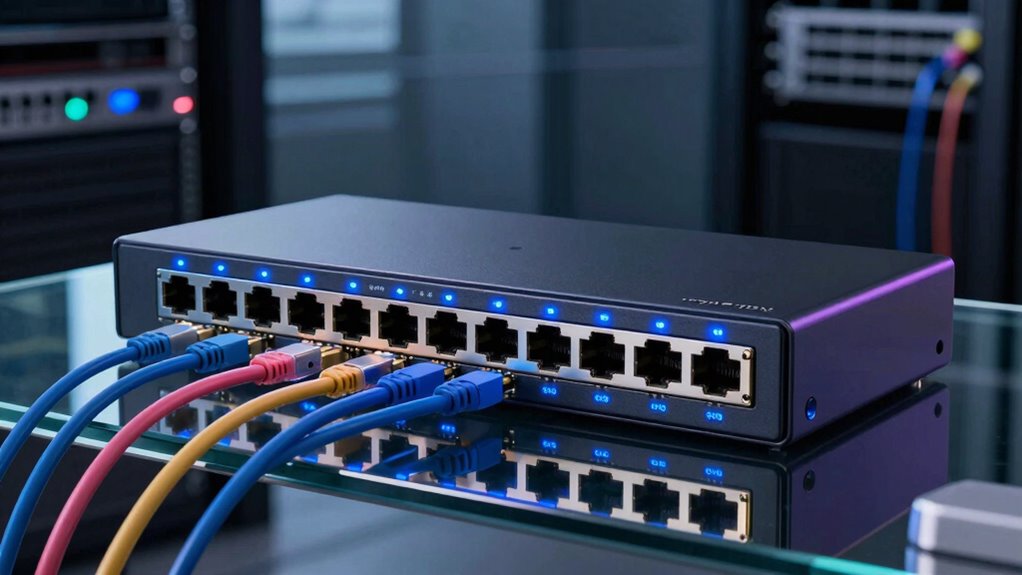

A 24-port PoE switch can power cameras, access points, and phones while carrying their network traffic over one cable per device. My best overall pick is the TP-Link Omada SG2428LP, which pairs managed network controls with Gigabit ports and extra uplink flexibility. For a simpler setup, the NETGEAR GS324P keeps configuration straightforward; for higher PoE capacity, the NETGEAR GS524UP is a stronger fit. The main tradeoffs are PoE budget, managed features, port speed, and whether you need dedicated uplinks. Read on for the full breakdown and guidance on matching a switch to your devices and network.

Get the latest gadgets delivered free with Prime
- Fast, free delivery on millions of items
- Prime Video, Amazon Music and more included
- Member-only deals all year
Complete the kit



Key Takeaways
- Managed features separate the most flexible picks. The TP-Link Omada SG2428LP and NETGEAR GS724TP offer more control than the unmanaged models, which better suit networks that need VLANs or traffic management.
- PoE budget matters more than the port count alone. A 24-port switch may not power 24 high-draw devices at once; match the published total budget to the combined needs of cameras, access points, and other powered equipment.
- Gigabit access ports are the safer default for modern endpoints. The TP-Link Omada SL2428P uses Fast Ethernet access ports, making it a more specialized fit than the Gigabit options for bandwidth-heavy devices.
- Extra uplinks can simplify network layout. Models such as the 24-Port Gigabit PoE+ switch with two RJ45 and two SFP ports provide dedicated paths for connecting to a router, core switch, or fiber run.
- Easy Smart and fully managed are different levels of control. The TL-SG1428PE and Omada options offer management beyond plug-and-play, while unmanaged models trade those controls for a simpler setup.
| NETGEAR GS324P 24-Port Gigabit Ethernet Unmanaged PoE+ Switch |  | Best for Quiet, Simple Networks | Ports: 24 Gigabit Ethernet | PoE+ ports: 16 | PoE power budget: 190 W | VIEW ON AMAZON | See Our Full Breakdown |
| Omada ES228GP 24-Port Gigabit Easy Managed PoE Switch |  | Best for Managed Surveillance Networks | Total ports: 26 | PoE+ ports: 24 | SFP slots: 2 | VIEW ON AMAZON | See Our Full Breakdown |
| 24-Port Gigabit PoE+ Unmanaged Network Switch with 2 Gigabit RJ45 and 2 SFP Ports |  | Best for High-Power Gigabit Deployments | PoE ports: 24 × 10/100/1000 Mbps | PoE standards: IEEE 802.3af/at | Maximum power per PoE port: 30 W | VIEW ON AMAZON | See Our Full Breakdown |
| NETGEAR GS524PP 24-Port Gigabit Ethernet PoE+ Unmanaged Switch |  | Best for All-Port PoE Simplicity | Ports: 24 Gigabit Ethernet | PoE+ ports: 24 | Total PoE power budget: 300 W | VIEW ON AMAZON | See Our Full Breakdown |
| YuanLey 26-Port PoE+ Network Switch with 2 Gigabit Uplinks, 400W, Rackmount |  | Best for Budget-Conscious Long-Run Installs | Total ports: 26: 24 PoE/PoE+ ports and 2 Gigabit uplinks | PoE port speed: 10/100 Mbps | PoE standards: IEEE 802.3af/at | VIEW ON AMAZON | See Our Full Breakdown |
| TP-Link Omada SL2428P 24-Port Fast Ethernet Smart Managed PoE+ Switch |  | Best for Omada-Based Networks | PoE+ ports: 24 × 10/100 Mbps RJ45 | PoE standards: IEEE 802.3af/at | Maximum PoE per port: 30 W | VIEW ON AMAZON | See Our Full Breakdown |
| MokerLink 24-Port PoE+ Unmanaged Switch with 2 Gigabit Uplink Ports | 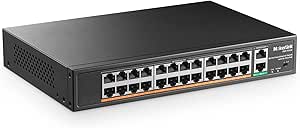 | Best for High-Power Plug-and-Play Builds | PoE ports: 24 × 10/100 Mbps | Uplink ports: 2 Gigabit (10/100/1000 Mbps) | PoE standards: IEEE 802.3af/at | VIEW ON AMAZON | See Our Full Breakdown |
| TP-Link TL-SG1428PE 28-Port Gigabit Easy Smart PoE+ Switch |  | Best Managed Gigabit Value | PoE+ ports: 24 Gigabit RJ45 | Additional ports: 2 Gigabit non-PoE RJ45 | SFP slots: 2 | VIEW ON AMAZON | See Our Full Breakdown |
| NETGEAR GS524UP 24-Port Gigabit Ethernet Unmanaged PoE Switch |  | Best for High-Power PoE++ Devices | Total ports: 24 Gigabit Ethernet | PoE port mix: 8 PoE+ and 16 Ultra60 PoE++ | Total PoE budget: 480 W | VIEW ON AMAZON | See Our Full Breakdown |
| NICGIGA 24-Port Gigabit PoE+ Unmanaged Switch with 300W Power Budget |  | Best for Gigabit PoE+ with Flexible Uplinks | PoE ports: 24 Gigabit PoE+ | Uplink ports: 2 Gigabit | SFP ports: 1 | VIEW ON AMAZON | See Our Full Breakdown |
| TP-Link Omada SG2428LP 28-Port Gigabit Managed PoE+ Switch |  | Best Quiet Managed Pick | Total ports: 28 | PoE+ ports: 16 | Non-PoE Ethernet ports: 8 Gigabit RJ45 | VIEW ON AMAZON | See Our Full Breakdown |
| NETGEAR GS724TP 26-Port Gigabit PoE+ Smart Managed Switch |  | Best for 24-Port PoE Coverage | Total ports: 26 | PoE+ Ethernet ports: 24 Gigabit | SFP ports: 2 × 1G | VIEW ON AMAZON | See Our Full Breakdown |
| port poe switch | Management | Total PoE budget | PoE+ ports | PoE standards |
|---|---|---|---|---|
| NETGEAR GS324P 24-Port Gigabit | — | — | 16 | — |
| Omada ES228GP 24-Port Gigabit | Managed; Omada cloud app | — | 24 | — |
| 24-Port Gigabit PoE+ Unmanaged | — | — | — | IEEE 802.3af/at |
| NETGEAR GS524PP 24-Port Gigabi | — | — | 24 | — |
| YuanLey 26-Port PoE+ Network S | — | — | — | IEEE 802.3af/at |
| TP-Link Omada SL2428P 24-Port | Omada SDN and cloud management | 250 W | 24 × 10/100 Mbps RJ45 | IEEE 802.3af/at |
| MokerLink 24-Port PoE+ Unmanag | Unmanaged, plug and play | 400 W | — | IEEE 802.3af/at |
| TP-Link TL-SG1428PE 28-Port Gi | Web-based Easy Smart | 250 W | 24 Gigabit RJ45 | IEEE 802.3af/at |
| NETGEAR GS524UP 24-Port Gigabi | Unmanaged | 480 W | — | — |
| NICGIGA 24-Port Gigabit PoE+ U | — | 300 W | — | IEEE 802.3af/at |
| TP-Link Omada SG2428LP 28-Port | Omada cloud, web GUI, CLI, SNMP, RMON | 150 W | 16 | — |
| NETGEAR GS724TP 26-Port Gigabi | Smart managed, SNMP support, NETGEAR Insight | 190 W | — | — |
More Details on Our Top Picks
NETGEAR GS324P 24-Port Gigabit Ethernet Unmanaged PoE+ Switch
I’d choose the GS324P for a straightforward installation where silent operation matters more than fine-grained control. Its 24 Gigabit ports provide room for non-PoE devices as well as powered endpoints, while 16 PoE+ ports and a 190W budget suit a moderate camera, phone, or access-point setup. The fanless design is a useful distinction from the YuanLey YS20242F-P, which has an industrial fan, and setup requires no configuration. The tradeoff is that only 16 of its ports supply PoE, and its power budget is lower than the 300W GS524PP or the 400W options in this group. I’d skip it if every endpoint needs PoE or if VLANs and traffic controls are part of the plan; its unmanaged design keeps operation simple but limits network management.
Pros:- 24 Gigabit Ethernet ports accommodate both powered and standard wired devices.
- 16 PoE+ ports share a 190W power budget for moderate deployments.
- Fanless construction supports quiet placement in offices or shared spaces.
- Plug-and-play setup and desktop or rack-mount options simplify installation.
Cons:- Only 16 of the 24 ports provide PoE+.
- The 190W budget is below the GS524PP’s 300W and several 400W alternatives.
- Unmanaged operation offers no configurable network features.
Best for: Small offices or quiet home networks needing Gigabit connectivity and PoE for a limited number of cameras, phones, or access points.
Not ideal for: Installations requiring PoE on all 24 ports, a larger shared power reserve, or managed features such as VLAN configuration.
- Ports:24 Gigabit Ethernet
- PoE+ ports:16
- PoE power budget:190 W
- Switch type:Unmanaged
- Data transfer rate:24 Gbps
- Mounting:Desktop or rack mount
- Dimensions:13 × 8.1 × 1.7 in
- Weight:5.4 lb
Our verdict“Choose the GS324P for quiet, uncomplicated Gigabit networking when 16 PoE+ ports and a 190W budget are enough.”
Omada ES228GP 24-Port Gigabit Easy Managed PoE Switch
The Omada ES228GP is the strongest fit here for a surveillance installation that needs more than plug-and-play switching. It supplies PoE+ on all 24 Gigabit ports, adds two SFP slots, and offers VLAN, QoS, IGMP snooping, cloud management, and remote camera reboot. Those controls can make a spread-out camera network easier to organize and maintain than the unmanaged NETGEAR GS524PP. Its 250W budget is a useful middle ground, but it falls short of the 400W budget on the 24-Port Gigabit PoE+ Unmanaged Network Switch if the deployment has many high-draw devices. Long-distance PoE support up to 250m is a specific advantage, not a substitute for checking cabling and device needs. I’d pass if you need routing or firewall functions; this is a Layer 2 switch.
Pros:- All 24 PoE+ ports support powered endpoints, with up to 30W per port.
- 250W total PoE budget suits many small-business camera and access-point installations.
- Omada management includes VLAN, QoS, IGMP snooping, and remote camera reboot.
- Two SFP slots and long-distance PoE support provide useful deployment flexibility.
Cons:- Layer 2 feature set does not provide advanced routing or firewall capabilities.
- Its 250W budget is lower than the 300W NETGEAR GS524PP and 400W alternatives.
- Managed features require more setup than a basic unmanaged switch.
Best for: Small-business IT teams and surveillance installers who want cloud-managed PoE, camera controls, VLANs, and SFP uplinks.
Not ideal for: Buyers needing advanced routing or firewall functions, or deployments whose combined PoE draw exceeds 250W.
- Total ports:26
- PoE+ ports:24
- SFP slots:2
- PoE budget:250 W
- Maximum power per port:30 W
- Management:Managed; Omada cloud app
- Long-distance PoE:Up to 250 m
- Dimensions:17.3 × 7.1 × 1.7 in
Our verdict“Pick the ES228GP when cloud-managed surveillance features and 24 PoE+ ports matter more than maximum power capacity.”
24-Port Gigabit PoE+ Unmanaged Network Switch with 2 Gigabit RJ45 and 2 SFP Ports
For a high-draw installation that still needs Gigabit access ports, this switch pairs 24 PoE+ ports with a 400W total budget and both RJ45 and SFP uplinks. That capacity is well above the NETGEAR GS324P’s 190W and the Omada ES228GP’s 250W, giving a buyer more room to power cameras or access points without moving to a managed switch. The metal, fanless construction may also suit spaces where fan noise is unwelcome. Its unusual extension mode reaches up to 600 ft, but the tradeoff is a reduction to 10 Mbps, so I’d reserve it for endpoints with modest bandwidth needs. The switch is unmanaged, and the 2K MAC address table is a practical limit to check against larger networks. Buyers needing VLAN controls should choose the Omada instead.
Pros:- 24 Gigabit PoE+ ports support IEEE 802.3af/at devices up to 30W per port.
- 400W total PoE budget exceeds the GS324P and ES228GP.
- Two Gigabit RJ45 and two Gigabit SFP ports offer flexible uplink choices.
- Fanless metal housing supports quiet operation and rack, desktop, or wall mounting.
Cons:- Extension mode cuts link speed to 10 Mbps, limiting suitable endpoint uses.
- Unmanaged design lacks VLAN and other configurable network controls.
- Does not support passive 24V PoE devices.
Best for: Small surveillance or wireless deployments needing Gigabit PoE+ access, a 400W power budget, and both copper and fiber uplink options.
Not ideal for: Networks requiring managed VLAN features, passive 24V PoE compatibility, or high-speed links over extended-mode distances.
- PoE ports:24 × 10/100/1000 Mbps
- PoE standards:IEEE 802.3af/at
- Maximum power per PoE port:30 W
- Total PoE power budget:400 W
- Uplink ports:2 Gigabit RJ45
- SFP ports:2 Gigabit SFP
- Switching capacity:56 Gbps
- Extension mode:Up to 600 ft at 10 Mbps
Our verdict“Choose this switch for a quiet, unmanaged Gigabit PoE+ network with a high power draw and flexible uplinks.”
NETGEAR GS524PP 24-Port Gigabit Ethernet PoE+ Unmanaged Switch
The GS524PP suits buyers who want PoE+ available on every port without taking on managed-switch setup. Compared with the GS324P, it gives up none of the 24-port count to non-PoE connections: all 24 Gigabit ports support PoE+, backed by a 300W budget. That makes it a more direct fit for offices or camera systems where nearly every connected device is powered over Ethernet. It stays plug-and-play and fanless, unlike the fan-cooled YuanLey YS20242F-P. The compromise is less capacity than that YuanLey and the other 400W model, while the Omada ES228GP adds management features this NETGEAR lacks. I’d choose it for predictable, low-noise deployment, but not for VLAN segmentation, traffic controls, or unusually high combined device draw.
Pros:- All 24 Gigabit Ethernet ports support PoE+.
- 300W total budget offers more capacity than the GS324P.
- Fanless metal case supports quiet operation.
- Desktop and rack-mount options suit different installation layouts.
Cons:- Unmanaged operation provides no configurable network management.
- Its 300W budget is lower than the 400W alternatives.
- Every port is PoE-capable, which may be unnecessary for networks with few powered endpoints.
Best for: Offices and camera installations needing 24 Gigabit PoE+ connections with quiet, configuration-free operation.
Not ideal for: Buyers needing managed features, more than 300W of PoE capacity, or a mix of PoE and non-PoE ports to maximize budget.
- Ports:24 Gigabit Ethernet
- PoE+ ports:24
- Total PoE power budget:300 W
- Switch type:Unmanaged
- Design:Fanless metal case
- Mounting:Desktop or rack mount
- Data transfer rate:24,000 Mbps
- Dimensions:15.4 in W × 1.7 in H
Our verdict“Pick the GS524PP for simple, quiet installations that need PoE+ on all 24 Gigabit ports but not managed controls.”
YuanLey 26-Port PoE+ Network Switch with 2 Gigabit Uplinks, 400W, Rackmount
The YuanLey’s appeal is its combination of a 400W PoE budget, two Gigabit uplinks, and port isolation features in a compact rack-mount design. For a basic camera installation with long cable runs, its extended mode can reach up to 250m, and VLAN isolation across ports 1–24 offers a way to separate endpoint traffic. But the 24 PoE ports are only 10/100 Mbps, unlike the all-Gigabit PoE ports on the 24-Port Gigabit PoE+ Unmanaged Network Switch. That makes the latter a better match for bandwidth-heavy cameras or access points, even though both offer 400W. Extended mode also drops speed to 10 Mbps, and the YuanLey includes an industrial fan, so it is less suited to quiet rooms than the fanless NETGEAR GS524PP. I’d favor it when capacity and reach outweigh port speed and silence.
Pros:- 400W total power budget supports a substantial PoE load.
- Two Gigabit uplinks provide faster connections to the wider network.
- VLAN isolation across ports 1–24 can separate connected endpoint traffic.
- Extended mode supports transmission up to 250m for suitable low-bandwidth devices.
Cons:- PoE access ports are 10/100 Mbps rather than Gigabit.
- Extended mode reduces speed to 10 Mbps.
- Industrial fan may be unsuitable for quiet office or home placement.
Best for: Budget-conscious surveillance installers who need a high PoE budget, basic port isolation, and long cable reach for modest-bandwidth endpoints.
Not ideal for: Buyers whose cameras or access points need Gigabit access speeds, passive PoE support, or fanless operation in a quiet space.
- Total ports:26: 24 PoE/PoE+ ports and 2 Gigabit uplinks
- PoE port speed:10/100 Mbps
- PoE standards:IEEE 802.3af/at
- Maximum PoE power budget:400 W
- Maximum power per port:30 W
- Switching bandwidth:16 Gbps
- Extended transmission range:Up to 250 m at 10 Mbps
- Dimensions:10.6 × 7.1 × 1.7 in
Our verdict“Choose the YuanLey for high-power, long-run installations where Fast Ethernet access speeds and fan noise are acceptable.”
TP-Link Omada SL2428P 24-Port Fast Ethernet Smart Managed PoE+ Switch
The SL2428P makes the most sense when central management and security controls matter more than Gigabit speed at every powered device. Its 24 PoE+ ports can serve access points, cameras, and phones, while VLANs, ACLs, 802.1X, and DHCP snooping give an administrator more control than the plug-and-play MokerLink MokerLink 24-Port PoE+ Unmanaged Switch. Omada SDN and cloud access can also make this a better fit for a compatible multi-device setup. The tradeoff is clear: those 24 PoE ports are Fast Ethernet, not Gigabit, so bandwidth-heavy cameras or access points may be better served by the TP-Link TL-SG1428PE, which provides 24 Gigabit PoE+ ports. Its four Gigabit non-PoE ports help with uplinks or other wired connections, but do not change the speed limit on powered ports.
Pros:- 24 PoE+ ports with a 250 W total power budget
- Omada SDN and cloud management with app-based access
- VLAN, ACL, 802.1X, and DHCP snooping security features
- Four Gigabit non-PoE ports and two combo SFP slots
Cons:- All 24 PoE+ ports are limited to 10/100 Mbps
- Omada SDN features depend on compatible devices and controllers
- More management complexity than an unmanaged switch for basic deployments
Best for: Small offices or multi-device Omada deployments that need VLAN and access controls for PoE cameras, phones, or access points without Gigabit throughput on every powered port.
Not ideal for: Buyers connecting high-bandwidth cameras or modern access points to the PoE ports, or anyone who does not need managed features and wants a simpler unmanaged switch.
- PoE+ ports:24 × 10/100 Mbps RJ45
- PoE standards:IEEE 802.3af/at
- Maximum PoE per port:30 W
- Total PoE budget:250 W
- Additional ports:4 Gigabit non-PoE ports
- SFP slots:2 combo SFP slots
- Management:Omada SDN and cloud management
- Security features:VLAN, ACL, 802.1X authentication, DHCP snooping
Our verdict“Choose the SL2428P when Omada management and network controls outweigh the need for Gigabit speeds on its PoE ports.”
MokerLink 24-Port PoE+ Unmanaged Switch with 2 Gigabit Uplink Ports
For a large installation where PoE capacity matters more than port speed, this MokerLink offers a substantial 400 W budget across 24 PoE+ ports and keeps setup simple with unmanaged, plug-and-play operation. That gives it more total PoE headroom than the 250 W TP-Link Omada SL2428P, though neither model delivers Gigabit speeds on its PoE ports. Two Gigabit uplinks provide faster connections back to the network, but they do not increase the 10/100 Mbps speed of devices attached to the powered ports. Extended mode can reach up to 250 meters, useful for distant devices, with a significant compromise: the link runs at 10 Mbps. Compared with the Gigabit TP-Link TL-SG1428PE, this is the better fit for simpler, power-hungry deployments—not bandwidth-intensive endpoints.
Pros:- 400 W shared PoE budget across 24 PoE+ ports
- Two Gigabit uplink ports
- Plug-and-play operation without configuration
- Extended mode supports cable runs up to 250 meters
Cons:- PoE ports are limited to 10/100 Mbps
- Extended mode reduces link speed to 10 Mbps
- Does not support passive 24 V PoE
Best for: Installers powering many standard PoE cameras or access points who want a high shared power budget, simple setup, and occasional long cable runs.
Not ideal for: Users who need Gigabit connections at their PoE devices, managed network controls, or full-speed performance over extended-mode cable runs.
- PoE ports:24 × 10/100 Mbps
- Uplink ports:2 Gigabit (10/100/1000 Mbps)
- PoE standards:IEEE 802.3af/at
- Maximum PoE per port:30 W
- Total PoE budget:400 W
- Extended mode:Up to 250 m at 10 Mbps
- Management:Unmanaged, plug and play
- Housing:Metal, rackmount design
Our verdict“Pick the MokerLink for straightforward, high-power PoE installations where 10/100 Mbps endpoint links are sufficient.”
TP-Link TL-SG1428PE 28-Port Gigabit Easy Smart PoE+ Switch
The TL-SG1428PE is a strong middle ground for buyers who want Gigabit PoE on all 24 powered ports without stepping up to a more involved managed platform. Its web-based Easy Smart controls include VLAN, QoS, IGMP, link aggregation, and configurable PoE auto recovery, adding useful oversight beyond the unmanaged NETGEAR GS524UP. The 250 W budget is shared across the ports, so it is not a promise of 30 W to every connected device at once; planning the combined load still matters. Compared with the TP-Link Omada SL2428P, this model gives PoE endpoints Gigabit links, while the SL2428P offers more advanced Omada-oriented security controls but only Fast Ethernet on its PoE ports. Auto recovery also needs configuration, so this is not quite a configure-nothing switch.
Pros:- 24 Gigabit PoE+ ports
- 250 W shared PoE budget with up to 30 W per port
- Two additional Gigabit RJ45 ports and two SFP slots
- Web management includes VLAN, QoS, IGMP, LAG, and PoE auto recovery
Cons:- PoE auto recovery requires configuration
- The 250 W total budget is shared across all powered ports
- Easy Smart management is less advanced than a full managed platform
Best for: Small businesses or installers who need 24 Gigabit PoE connections plus straightforward web controls for VLANs, traffic handling, and device recovery.
Not ideal for: Buyers who need a 400–480 W-class PoE budget, advanced centralized management, or a completely configuration-free setup.
- PoE+ ports:24 Gigabit RJ45
- Additional ports:2 Gigabit non-PoE RJ45
- SFP slots:2
- PoE standards:IEEE 802.3af/at
- Maximum PoE per port:30 W
- Total PoE budget:250 W
- Management:Web-based Easy Smart
- Features:VLAN, QoS, IGMP, LAG, configurable PoE auto recovery
Our verdict“Choose the TL-SG1428PE for a balanced 24-port Gigabit PoE setup with practical web management and a moderate power budget.”
NETGEAR GS524UP 24-Port Gigabit Ethernet Unmanaged PoE Switch
The GS524UP stands apart from ordinary PoE+ switches by assigning 16 ports to Ultra60 PoE++ and providing a 480 W shared power budget. That combination suits installations with power-hungry devices that a conventional 24-port PoE+ model may not accommodate as readily. All 24 ports are Gigabit, unlike the Fast Ethernet PoE ports on the MokerLink 24-Port PoE+ Unmanaged Switch, and the fanless, unmanaged design keeps operation and setup straightforward. The tradeoff is limited flexibility: there are no network configuration features, so VLANs and other managed controls need to come from elsewhere. Its PoE+ and PoE++ port mix is also more specialized than the uniform PoE+ layout of the NICGIGA 24-Port Gigabit PoE+ Unmanaged Switch.
Pros:- 24 Gigabit Ethernet ports
- 16 Ultra60 PoE++ ports and 8 PoE+ ports
- 480 W total PoE power budget
- Unmanaged, fanless design with desktop or rack mounting
Cons:- Unmanaged operation provides no network configuration features
- PoE output is split between PoE+ and PoE++ port types
- High total PoE capacity does not remove the need to plan the shared power load
Best for: Businesses or AV and surveillance installers powering a mix of Gigabit endpoints, including devices that benefit from PoE++ output, with no need for switch-level management.
Not ideal for: Network administrators who need VLANs or traffic controls on the switch, or buyers whose devices only need standard PoE+ and do not benefit from PoE++ ports.
- Total ports:24 Gigabit Ethernet
- PoE port mix:8 PoE+ and 16 Ultra60 PoE++
- Total PoE budget:480 W
- Management:Unmanaged
- Mounting:Desktop or rack mount
- Case material:Metal
- Weight:3.9 kg
- Warranty:NETGEAR limited lifetime hardware warranty
Our verdict“Choose the GS524UP when your 24-port switch needs Gigabit links and substantial PoE++ capacity without managed controls.”
NICGIGA 24-Port Gigabit PoE+ Unmanaged Switch with 300W Power Budget
NICGIGA targets installations that need Gigabit on all 24 PoE+ ports and more connection options than a basic switch, without requiring software setup. Two Gigabit uplinks and one SFP port give a network builder alternatives for connecting upstream equipment, while its 300 W budget sits above the TP-Link TL-SG1428PE’s 250 W allocation. It remains an unmanaged switch, though, so VLANs and traffic controls are not available here as they are on the TP-Link. The budget is shared, not 300 W for every port, which means a dense deployment of high-draw devices needs a power check. Its 4KV lightning protection and metal housing add practical installation details, but the one-year warranty is shorter than the limited lifetime warranty listed for the NETGEAR GS524UP.
Pros:- 24 Gigabit PoE+ ports
- 300 W shared PoE budget with up to 30 W per port
- Two Gigabit uplinks and one SFP port
- Plug-and-play operation with metal desktop or rack-mount housing
Cons:- Unmanaged design offers no software configuration
- The 300 W budget is shared across all PoE ports
- One-year warranty is shorter than the stated NETGEAR GS524UP warranty
Best for: Small offices and installers who need 24 Gigabit PoE+ connections, a moderate shared power budget, and both RJ45 uplinks and an SFP option without managed setup.
Not ideal for: Buyers who need VLAN or other switch-level controls, PoE++ support, or a longer stated warranty.
- PoE ports:24 Gigabit PoE+
- Uplink ports:2 Gigabit
- SFP ports:1
- PoE standards:IEEE 802.3af/at
- Maximum PoE per port:30 W
- Total PoE budget:300 W
- Backplane bandwidth:54 Gbps
- Warranty:1 year
Our verdict“Pick the NICGIGA for a straightforward 24-port Gigabit PoE+ network that benefits from an SFP option and more than a 250 W shared budget.”
TP-Link Omada SG2428LP 28-Port Gigabit Managed PoE+ Switch
I’d choose the Omada SG2428LP when quiet operation and flexible management matter more than powering every port. Its 16 PoE+ ports can serve cameras, access points, or phones, while eight additional non-PoE Ethernet ports and four SFP slots leave room for other wired devices and fiber links. Unlike the NETGEAR GS724TP, it does not offer PoE+ on all 24 RJ45 ports; its distinction is the fanless design and choice of Omada cloud or standalone administration. VLAN, security, and traffic controls suit a small office that needs more than plug-and-play switching. The main constraint is its 150 W shared PoE budget, which limits how many high-draw devices it can support at once. I’d also avoid placing it in a hot, poorly ventilated space, given its 40 °C operating ceiling.
Pros:- Fanless operation suits offices and other noise-sensitive spaces.
- Omada cloud and standalone management provide flexible administration options.
- Eight non-PoE Gigabit ports and four SFP slots add connectivity beyond its 16 PoE+ ports.
- Five-year warranty and VLAN, security, and traffic management features.
Cons:- The 150 W total PoE budget is modest for a 16-port PoE+ deployment.
- Only 16 of the 24 RJ45 ports provide PoE+.
- The specified maximum operating temperature is 40 °C.
Best for: Small offices or quieter workspaces that need managed network controls, a mix of powered and non-powered devices, and occasional fiber uplinks.
Not ideal for: Installers powering PoE devices across nearly all 24 RJ45 ports, or buyers with a high combined power draw; 16 PoE+ ports and a 150 W total budget may be limiting.
- Total ports:28
- PoE+ ports:16
- Non-PoE Ethernet ports:8 Gigabit RJ45
- SFP ports:4 Gigabit
- PoE standard and per-port maximum:802.3af/at; 30 W
- Total PoE budget:150 W
- Management:Omada cloud, web GUI, CLI, SNMP, RMON
- Design and warranty:Fanless metal casing; 5 years
Our verdict“Choose the SG2428LP for a quiet, managed network with a moderate PoE load, but pick the NETGEAR GS724TP if you need PoE+ on all 24 Ethernet ports.”
NETGEAR GS724TP 26-Port Gigabit PoE+ Smart Managed Switch
The NETGEAR GS724TP is the stronger fit when the priority is putting PoE+ on every one of 24 Gigabit Ethernet ports. It has two 1G SFP ports for fiber uplinks and supports desktop or rack installation, making it a straightforward option for offices with many access points, cameras, or phones. Compared with the TP-Link Omada SG2428LP, it offers eight more PoE+ ports and a larger 190 W budget, but gives up the TP-Link’s fanless design and four SFP slots. Smart management, SNMP support, and NETGEAR Insight add remote administration beyond the unmanaged GS324P. The tradeoff is that 190 W is shared across all 24 PoE+ ports; the port count does not mean every connected device can draw its maximum power simultaneously. Choose it for broad PoE coverage, not a high-power load on every port.
Pros:- All 24 Gigabit Ethernet ports support PoE+.
- The 190 W shared PoE budget exceeds the SG2428LP’s 150 W budget.
- Two 1G SFP ports support fiber connectivity.
- Desktop or rack mounting and NETGEAR Insight support flexible installation and remote administration.
Cons:- The 190 W budget is shared across 24 PoE+ ports and may constrain simultaneous high-power loads.
- Only two SFP ports are provided, compared with four on the Omada SG2428LP.
- The listed dimensions and weight may make installation planning important for compact spaces.
Best for: Small-business network admins who need PoE+ across 24 Gigabit devices, two fiber uplinks, and smart or remote management.
Not ideal for: Buyers whose connected devices need a high combined PoE draw, or those who want fanless operation or several fiber uplinks.
- Total ports:26
- PoE+ Ethernet ports:24 Gigabit
- SFP ports:2 × 1G
- Total PoE budget:190 W
- Management:Smart managed, SNMP support, NETGEAR Insight
- Mounting:Desktop or rack mount
- Data transfer rate:1000 Mbps
- Warranty:NETGEAR limited lifetime hardware warranty
Our verdict“Pick the GS724TP if you need PoE+ on all 24 Gigabit ports and can keep the combined device draw within its 190 W budget.”

How We Picked
I compared these switches on the factors that affect day-to-day fit: PoE power capacity, access-port speed, uplink options, management features, and installation needs. A full 24-port count is only useful when the switch can supply enough power for the devices connected, while Gigabit access ports and suitable uplinks help prevent the switch from becoming a network bottleneck. I also considered how much configuration each model asks of its owner, since a small camera setup has different needs from a network that relies on VLANs and traffic controls.
The ranking favors balanced capability and flexibility over any single headline specification. Managed models rank well when they add useful controls without sacrificing modern port speeds; simpler unmanaged models remain strong choices when ease of deployment matters more than configuration. Models with Fast Ethernet access ports, limited management, or an unclear fit for a particular workload rank lower for general use, though they may still suit specific networks. Confirm each model’s current PoE budget and feature set before buying, especially when powering a full rack of devices.
Factors to Consider When Choosing 24 Port Poe Switch
Choosing a 24-port PoE switch starts with the devices and network layout, not the port count on the box. These broader checks can help prevent overspending on controls you will not use—or buying a switch that cannot support the devices you already own.
Calculate the PoE budget for real device loads
Add up the maximum power draw of the devices you expect to run at the same time, then leave headroom for future additions and startup peaks. Do not assume that 24 PoE ports mean the switch can power 24 demanding devices simultaneously. Cameras with heaters or infrared lighting and newer access points can draw more than basic phones or sensors. Check both the switch’s total power budget and the per-port PoE standard or limit. A larger budget can reduce the need to split devices across switches, but it may be unnecessary for a lightly loaded office. Revisit the calculation if you plan to add equipment later.
Choose management based on how you troubleshoot
An unmanaged switch is easiest to deploy when every device belongs on the same network and you do not need port-level controls. Managed or smart-managed features can help isolate guest Wi-Fi, cameras, and office devices with VLANs, or make it easier to locate a faulty connection. Those controls also add setup work, so they are most useful when someone will maintain the configuration. Check which features are included rather than treating “smart” and “managed” as interchangeable labels. A modest managed switch can be a better long-term choice if the network is likely to grow. If no one will use the controls, plug-and-play may be the more practical fit.
Match access-port speed to the devices
Gigabit access ports are a sensible baseline for many cameras, computers, and wireless access points. Fast Ethernet can suit low-bandwidth endpoints, but it may cap throughput for an access point or camera that can send more data than a 100 Mbps link supports. Think about simultaneous traffic, not just the speed of one device: multiple streams can make port limits more noticeable. Also check whether the advertised port count includes uplinks or only device-facing ports. Paying for Gigabit across all access ports can help preserve flexibility as equipment changes. For an existing low-bandwidth installation, slower ports may still meet the actual workload.
Plan uplinks and fiber paths before installation
Uplinks connect the PoE switch to a router, another switch, or a more central network location. Dedicated Gigabit RJ45 or SFP uplinks can free device-facing ports and make fiber connections possible where copper runs are unsuitable. Confirm whether uplinks operate independently or share bandwidth with other ports, since product designs differ. If the switch will sit far from the network core, check the supported SFP modules, cable distance, and compatibility with the equipment at the other end. Do not buy SFP capability just because it sounds future-ready; it only helps if your network needs that connection. Map the rack and cable runs before deciding which uplink arrangement is useful.
Account for rack space, cooling, and noise
A 24-port switch can be a poor fit for a quiet room if its cooling system is audible, even when its networking features are right. Check mounting options and dimensions against the available rack or shelf, and leave room for cable bends and ventilation. Higher PoE loads can increase heat, so a tightly packed cabinet needs adequate airflow. Fanless designs may suit small offices, while rack installations may favor active cooling and rack ears. Verify whether mounting hardware is included rather than assuming every model is ready for a standard rack. Installation conditions affect reliability as much as the feature list.
Pay for capacity and controls you will actually use
A high PoE budget, managed features, and extra uplinks each solve different problems; buying all three without a use case adds complexity without improving the network. Prioritize power capacity when endpoint loads are high, management when separation or monitoring matters, and uplink flexibility when the wiring plan calls for it. Leave some room for growth, but estimate that growth from a device plan rather than an arbitrary port target. If your network is simple today but likely to add cameras or access points, a managed Gigabit model may preserve more options. For a fixed, basic installation, a straightforward unmanaged switch can be easier to maintain.
Frequently Asked Questions
Can a 24-port PoE switch power all 24 ports at once?
It can only do so if the combined power draw stays within the switch’s total PoE budget and each device stays within its per-port limit. Count the maximum draw of every endpoint rather than assuming all ports receive full power at the same time. Leave headroom for devices with variable draw and for future additions. If the budget is too low, the switch may prioritize or limit power depending on its design. Check the exact budget and PoE support for the model before planning a fully populated installation.
Should I choose managed or unmanaged for security cameras?
An unmanaged model can be enough when cameras sit on a simple, isolated network and you do not need to change port behavior. Managed features become useful when you want to separate cameras from office devices with VLANs, troubleshoot individual ports, or apply traffic controls. Those features require someone to configure and maintain them, so they are not automatically the better choice. Consider how the camera system connects to the recorder and whether network separation is part of your security plan. If that separation matters, look for explicit VLAN support rather than relying on a general “smart” label.
Is Fast Ethernet adequate for a 24-port PoE switch?
Fast Ethernet may be adequate for low-bandwidth devices and an established installation that already works within 100 Mbps links. It is less suitable as a general-purpose choice for newer access points, higher-resolution cameras, or several devices sending data at once. A port’s speed can cap an endpoint even if the rest of the network is faster. Check the maximum throughput needs of the devices you plan to connect, including likely upgrades. If those needs are uncertain, Gigabit access ports provide more room to change equipment later.
Do I need SFP uplink ports on a 24-port PoE switch?
You need SFP uplinks when the network design calls for fiber, a longer connection to another switch, or a dedicated uplink that keeps copper ports available for endpoints. They are not required for every small office or camera system; standard Ethernet uplinks may be sufficient. Confirm the SFP type and module compatibility with the equipment at the other end before choosing a model. Also check whether the uplink bandwidth fits the total traffic expected from the PoE devices. Buying SFP ports without a matching fiber plan does not add practical value by itself.
How much headroom should I leave in the PoE budget?
There is no single percentage that fits every deployment, because cameras and access points vary in draw and may consume more power during certain operations. Add the manufacturers’ maximum power figures for the devices you expect to run together, then allow extra capacity for planned additions and operating variation. Avoid sizing the switch exactly to today’s estimated average load. If the installation will grow, count the likely new devices now so you can compare a larger-budget switch with the cost and complexity of adding another unit later. Check both the total budget and port-level limits, since a generous total does not remove a per-port cap.
Conclusion
For most buyers, I would start with the TP-Link Omada SG2428LP as the best overall choice: it combines Gigabit connectivity with managed features and extra flexibility for a growing network. The NETGEAR GS324P is my best beginner-friendly pick when simple plug-and-play operation matters more than detailed controls, while the NICGIGA 24-Port Gigabit PoE+ switch is a value-oriented option for buyers whose needs fit its stated 300W budget. For a higher-power requirement, compare the NETGEAR GS524UP and the YuanLey 26-port model against your calculated device load. Buyers who need smart or managed controls should look at the Omada and NETGEAR managed options; those who need Fast Ethernet ports for an existing low-bandwidth setup may have a specific reason to choose the Omada SL2428P. Match the switch to power demand, port speed, and management needs before settling on a model.
Halloween Picks
halloween
As an affiliate, we earn on qualifying purchases.