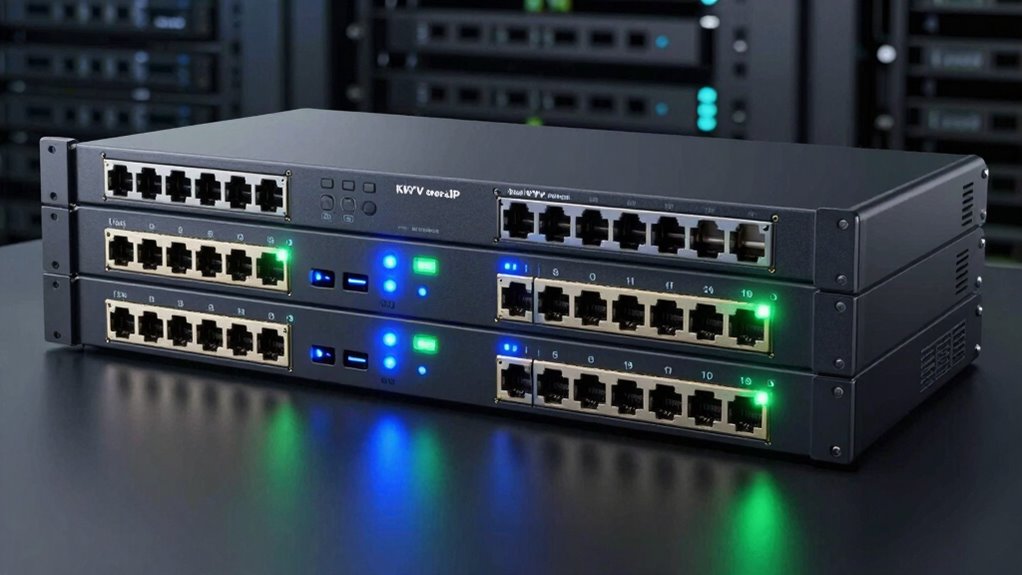

Finding the right 16 port KVM over IP switch can be challenging, as options vary widely in features, usability, and price. The MT-VIKI 16 Port IP KVM Switch stands out for its simple setup and affordability, making it ideal for small to medium setups. The Eaton 16-Port Rack KVM Over IP Switch offers a built-in LCD for quick local access, which benefits data centers needing fast troubleshooting. However, tradeoffs in these models often include limited advanced features or higher costs. Continue reading to see how these options compare and which one fits your needs best.

Get the latest gadgets delivered free — and shop member deals
- Fast, free delivery on millions of items
- Access to Prime Big Deal Days deals on October 6–7
- Prime Video, Amazon Music and more included
Complete the kit



Key Takeaways
- The top-ranking models balance ease of use with reliable remote access features, making them suitable for various environments.
- Built-in consoles like the Eaton switch add convenience but often come at a higher price point and may reduce scalability.
- Compatibility with different cabling standards (VGA, Cat5, Cat6) varies, affecting setup flexibility and future-proofing.
- Advanced features such as virtual media, multi-user support, and security options distinguish premium models from basic switches.
- Price often correlates with feature set—more expensive options generally offer better build quality, management, and security.
| MT-VIKI 16 Port IP KVM Switch Rackmount Console Over IP with 16 VGA Cables |  | Best Overall for High-Resolution and Flexible Control | Number of Ports: 16 | Resolution Support: 1920×1440 | Bandwidth: 350 MHz | VIEW ON AMAZON | See Our Full Breakdown |
| Tripp Lite 16-Port Cat5 KVM Switch Over IP with Virtual Media for 2 Users |  | Best for Multi-User Access with Remote Media Integration | Number of Ports: 16 | User Support: 2 users (1 local, 1 remote) | Virtual Media: Yes | VIEW ON AMAZON | See Our Full Breakdown |
| Eaton 16-Port Rack KVM Over IP Switch with 19-inch LCD Screen |  | Best for Local and Security-Focused Remote Management | Number of Ports: 16 | Display: 19-inch LCD | Rackmount Size: 1U | VIEW ON AMAZON | See Our Full Breakdown |
| Tripp Lite NetCommander 16-Port Cat5 KVM Over IP Switch |  | Best for Secure, High-Resolution Remote Management with Long-Distance Cabling | Number of Ports: 16 | Connection Type: Cat5 | Remote Users: 2 | VIEW ON AMAZON | See Our Full Breakdown |
| Raritan Dominion DKX3-116 KX 16-Port KVM Over IP Switch |  | Best for Extensive Remote Management with Focus on Security | VIEW ON AMAZON | See Our Full Breakdown | |||
| Tripp Lite NetDirector 16-Port IP KVM Switch |  | Best for Secure Multi-User Remote Management | Number of Ports: 16 | Remote Access: IP-based | Maximum Devices: 264 | VIEW ON AMAZON | See Our Full Breakdown |
| port kvm over ip switch | Number of Ports |
|---|---|
| MT-VIKI 16 Port IP KVM Switch | 16 |
| Tripp Lite 16-Port Cat5 KVM Sw | 16 |
| Eaton 16-Port Rack KVM Over IP | 16 |
| Tripp Lite NetCommander 16-Por | 16 |
| Raritan Dominion DKX3-116 KX 1 | — |
| Tripp Lite NetDirector 16-Port | 16 |
More Details on Our Top Picks
MT-VIKI 16 Port IP KVM Switch Rackmount Console Over IP with 16 VGA Cables
This model stands out for its comprehensive remote management capabilities, supporting BIOS-level control and resolutions up to 1920×1440. Unlike the Tripp Lite 16-Port Cat5 switch, which has a slightly lower resolution ceiling, the MT-VIKI offers multiple control methods including OSD, hotkeys, and IP, making it more versatile for different user preferences. The main tradeoff is its setup complexity; it needs client software for IP access and might intimidate less experienced users. However, its ability to support up to 256 daisy-chained computers makes it well-suited for larger server racks demanding detailed control and high display quality.
Pros:- Supports remote management and BIOS level control
- High-resolution support up to 1920×1440
- Multiple switching options including hotkey and OSD
Cons:- Requires client software for IP access, adding setup steps
- Complex configuration may challenge beginners
- Limited to 16 ports without expansion
Best for: System administrators managing multiple servers requiring high-resolution remote access with BIOS-level control
Not ideal for: Small businesses or users seeking a plug-and-play solution with minimal setup, due to its complex configuration process
- Number of Ports:16
- Resolution Support:1920×1440
- Bandwidth:350 MHz
- Control Methods:OSD, Button, Hotkey, IP
- Remote Access:Yes
- Daisy Chain Support:Up to 256 computers
Our verdict“This switch is ideal for large-scale environments where high resolution and BIOS access are priorities, despite its setup complexity.”
Tripp Lite 16-Port Cat5 KVM Switch Over IP with Virtual Media for 2 Users
Compared to the MT-VIKI, this Tripp Lite model emphasizes multi-user support, allowing one local and one remote user to control multiple servers simultaneously, with the added benefit of Virtual Media for remote storage access. While it supports only up to 16 ports, its dual redundant power supplies improve reliability in critical environments. The setup can be challenging for users unfamiliar with network configurations, but its focus on multi-user control makes it ideal for data centers or labs where concurrent access is necessary.
Pros:- Supports multiple users controlling many servers simultaneously
- Includes Virtual Media for remote device access
- Redundant power supplies enhance uptime
Cons:- Setup can be complex for non-technical users
- Limited to 16 ports, not suitable for very large setups
Best for: Data centers or IT teams needing simultaneous control of multiple servers with remote media access and high reliability
Not ideal for: Small offices or individual users who do not require multiple remote users or Virtual Media features, as it can be overly complex
- Number of Ports:16
- User Support:2 users (1 local, 1 remote)
- Virtual Media:Yes
- Power Supply:Dual redundant C14 inlets
- Compliance:TAA compliant
Our verdict“This switch is a strong choice for environments where multiple users need concurrent control and remote media features, despite its installation complexity.”
Eaton 16-Port Rack KVM Over IP Switch with 19-inch LCD Screen
Compared with the others, the Eaton switch integrates a 19-inch LCD screen, offering local management alongside remote access, which can be a major advantage for on-site troubleshooting. It supports advanced security protocols like SSL, LDAP, and RADIUS, making it suitable for federal or sensitive environments. However, its network setup requires more technical knowledge, and its 16-port limit means it may not fit larger server farms. Its TAA compliance and included warranty make it appealing for government or enterprise buyers needing secure, local, and remote control in one device.
Pros:- Supports remote access over IP with advanced security
- Includes a 19-inch LCD for local management
- TAA compliant for federal procurement
Cons:- Requires technical network setup
- Limited to 16 ports, not scalable for larger needs
Best for: Security-conscious organizations or federal agencies needing secure local and remote server access
Not ideal for: Small businesses or setups requiring more than 16 ports or simple plug-and-play operation
- Number of Ports:16
- Display:19-inch LCD
- Rackmount Size:1U
- Protocols Supported:IPv4, IPv6
- Security Features:Encryption, RADIUS, LDAP/S, SSL
- Warranty:1 Year
Our verdict“This switch is well-suited for secure environments needing local and remote server control with high security standards, despite setup complexity.”
Tripp Lite NetCommander 16-Port Cat5 KVM Over IP Switch
Compared to the MT-VIKI and Eaton options, the NetCommander emphasizes simplicity and security, supporting resolutions up to 1920×1080 and encryption with 128-bit AES over IP. Its support for multiple remote and local users and easy connection over long distances using inexpensive Cat5 cabling make it attractive for remote offices or distributed data centers. The downside is its reliance on Java-based applications, which can complicate setup and maintenance, especially in restricted network environments. Its 3-year warranty adds reassurance, but its resolution limit might be a constraint for high-end graphics tasks.
Pros:- Supports multiple remote and local users simultaneously
- High-resolution video up to 1920×1080
- Supports long-distance connections with inexpensive cabling
- Secure encryption and multi-level password protection
Cons:- Requires Cat5e/6 cabling and SIUs for connections
- Java app may require additional setup
Best for: Remote management of servers spread across multiple locations with a focus on security and ease of long-distance cabling
Not ideal for: High-resolution graphics or environments demanding resolutions beyond 1920×1080, due to its resolution limit
- Number of Ports:16
- Connection Type:Cat5
- Remote Users:2
- Local Users:1
- Video Resolution:1920 x 1080 at 60Hz
- Security:128-bit AES, HTTPS
Our verdict“This switch offers a reliable, secure, and economical solution for remote server management over long distances, with some resolution limitations.”
Raritan Dominion DKX3-116 KX 16-Port KVM Over IP Switch
Compared with the others, the Raritan Dominion offers a straightforward approach to remote server management, focusing on security and control for data centers. Its limited specifications mean it is more of a traditional solution for those who prioritize reliable, secure access over feature-rich interfaces like LCD screens or Virtual Media. The lack of detailed specs and the fact that it is a refurbished product could be considerations for buyers looking for brand-new equipment with comprehensive features. It is best suited for organizations that need proven remote access without requiring extra features.
Pros:- Enables remote server management
- Supports multiple ports for extensive control
Cons:- Lacks detailed specifications, limiting clarity on features
- Refurbished status may impact warranty or reliability
Best for: Large data centers or organizations prioritizing secure, reliable remote access over advanced local interfaces
Not ideal for: Small or medium setups needing extensive features or local management interfaces, as it offers fewer bells and whistles
Our verdict“This switch is suitable for large-scale, security-focused environments that require straightforward remote access without extra features.”
Tripp Lite NetDirector 16-Port IP KVM Switch
The Tripp Lite NetDirector 16-Port IP KVM Switch stands out for its robust security features and compatibility with all major operating systems, making it ideal for data centers needing secure multi-user access. Compared to the Raritan Dominion DKX3-116, it offers a slightly simpler setup but falls short in advanced interface options like built-in LCD screens. Its support for both USB and PS/2 connections broadens device compatibility, and remote access from anywhere in the world is seamless once the network is configured. However, it requires a dedicated network setup, which may be a hurdle for smaller teams or less tech-savvy users. The ability to manage up to 64 secure users and daisy-chain multiple units makes it highly scalable, but the local port count is limited to 16, which could be restrictive for very large setups.
Pros:- Remote access from anywhere in the world
- Compatible with all major operating systems
- Supports both USB and PS/2 connections
- Secure multi-user management
Cons:- Requires network configuration, which can be complex for novices
- Limited to 16 local ports, needing daisy-chaining for larger setups
Best for: IT administrators managing multiple servers who need secure, remote multi-user access from any location
Not ideal for: Small offices or environments with limited network expertise, as initial setup is complex and network-dependent
- Number of Ports:16
- Remote Access:IP-based
- Maximum Devices:264
- Secure Users:Up to 64
- Rack Mount:1U
- Warranty:3 years
Our verdict“This switch is best suited for security-conscious data centers needing scalable, remote multi-user control over multiple servers.”

How We Picked
These products were evaluated based on their core performance in remote management, build quality, ease of installation, and feature set. Practical considerations such as support for multiple users, virtual media capabilities, and network security features played a crucial role. Devices were also assessed for compatibility with typical server environments and the quality of their user interfaces. The ranking emphasizes value for money and the ability to meet both basic and advanced needs, ensuring options suit different budgets and technical requirements.Factors to Consider When Choosing 16 Port Kvm Over Ip Switch
Selecting the right 16 port KVM over IP switch involves understanding your specific environment and future needs. Different setups require varying levels of management, security, and connectivity features. Consider how the device integrates with your existing infrastructure, the number of users, and whether you need advanced features like virtual media or multi-platform support. A thoughtful approach helps avoid overspending on unnecessary features or ending up with a switch that can’t scale with your growth.Management Features and Usability
Look for switches that offer intuitive interfaces and management tools. Web-based interfaces are standard, but some models include dedicated consoles or LCD screens for quick local access. Consider whether the switch supports multi-user access or remote management via mobile devices, which can significantly improve flexibility. The more straightforward the management features, the easier it will be to troubleshoot and maintain your setup over time.
Compatibility and Cabling Options
Ensure the switch supports your existing cabling infrastructure, whether VGA, Cat5, or Cat6. Some models include built-in converters or support for multiple types, offering more flexibility. Compatibility with your server hardware and operating systems is also vital to prevent integration issues. Future-proofing your investment means considering switching to higher-quality cabling if you plan to upgrade later, so choose a switch that can adapt to those changes.
Security and Access Control
Security features like user authentication, encryption, and role-based access are essential if sensitive data is involved. Check whether the switch supports secure protocols such as HTTPS or SSH, and whether it logs access for audit purposes. Basic models may lack these features, which could pose risks in larger or more security-conscious environments. Investing in security capabilities reduces vulnerabilities and helps meet compliance standards.
Performance and Scalability
Performance factors include bandwidth capacity, refresh rates, and latency, which affect how smoothly remote sessions run. For larger setups, scalability becomes critical—look for switches that support expansion or daisy-chaining options. Remember that some models might limit the number of simultaneous users or sessions, impacting productivity. Prioritize switches that offer a balance of high performance and room to grow within your infrastructure.
Price and Overall Value
While cost is always a factor, focusing solely on the lowest price can lead to missing key features or durability. Evaluate whether the added expense of premium models results in tangible benefits like better build quality, enhanced security, or more comprehensive management tools. Remember, a more expensive switch might offer better long-term value if it reduces downtime and maintenance costs, especially in mission-critical environments.
Frequently Asked Questions
Can a 16 port KVM over IP switch support multiple users simultaneously?
Yes, many switches in this category support multiple concurrent users, but capabilities vary. Some models support two or more users with separate sessions, allowing remote technicians to troubleshoot without disrupting each other. Higher-end switches include multi-user management features and virtual media support, essential for collaborative environments. Always verify the maximum number of users supported before making a purchase, especially if your team needs real-time access for multiple locations.
Does a KVM over IP switch work with both Windows and Linux servers?
Most modern switches are designed to support a broad range of operating systems, including Windows, Linux, and even macOS. Compatibility depends more on the management software and virtual media features rather than the hardware itself. Check the product specifications to confirm support for your server OS versions. This flexibility ensures you won’t need separate KVM solutions for different environments, simplifying your IT management.
What security features should I look for in a 16 port KVM over IP switch?
Security is vital, especially in environments handling sensitive data. Look for switches offering encryption protocols like SSL/TLS, SSH access, and role-based user management. Features such as audit logs, IP filtering, and secure firmware updates add extra layers of protection. These capabilities help prevent unauthorized access and ensure compliance with industry standards, reducing potential vulnerabilities.
How difficult is it to set up a 16 port KVM over IP switch?
Setup complexity varies based on the model and features. Basic switches often require simple network connections and minimal configuration, ideal for small setups. More advanced models with features like virtual media or multi-user support may need additional configuration steps, including network security settings and user management. Many switches come with detailed manuals and web-based interfaces that simplify the process, but expecting some technical familiarity is reasonable for optimal setup.
Is it worth investing in a switch with an integrated LCD screen?
An integrated LCD provides quick local access for troubleshooting and configuration, which can save time during maintenance. This feature is especially valuable in data centers or environments where physical access is limited. However, these models typically cost more and may offer fewer advanced remote features compared to high-end models. Consider whether the convenience justifies the price increase based on your operational needs.
Conclusion
For most buyers, the MT-VIKI 16 Port IP KVM Switch offers an excellent balance of simplicity, affordability, and reliable remote management—making it the best overall choice. Those needing advanced security and multi-user support might prefer the Raritan Dominion DKX3-116 for its robust feature set. If budget is less of a concern and you want a built-in LCD for quick local access, the Eaton 16-Port Rack KVM is worth considering. Beginners should look for models with intuitive setup and management, while large data centers should prioritize scalability and security features. Ultimately, your choice depends on your specific environment and future expansion plans.
Halloween Picks
halloween
As an affiliate, we earn on qualifying purchases.