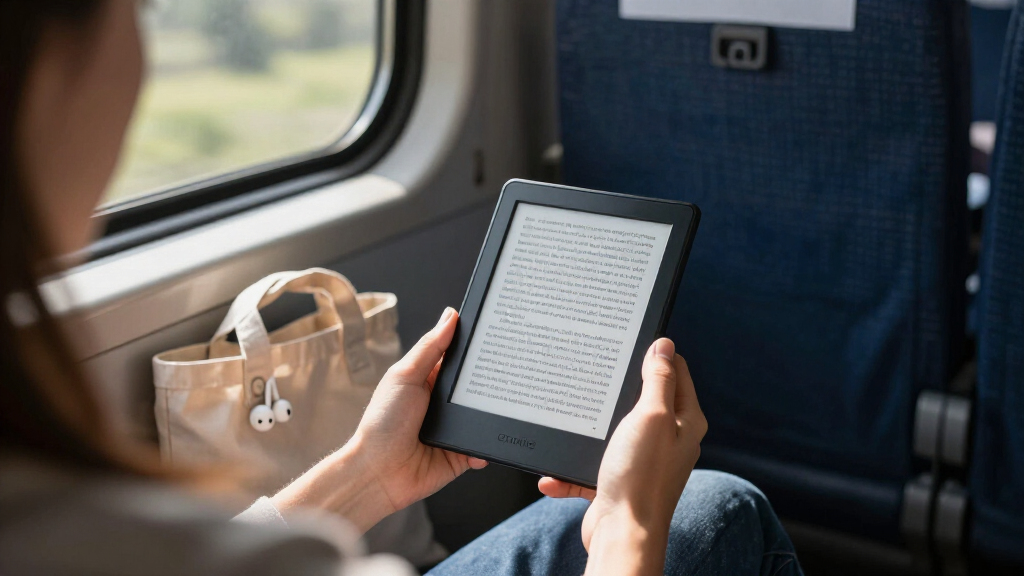

For most first-time Kindle buyers, I’d start with the 2024 Kindle Paperwhite: its larger screen and waterproof design make it a strong everyday reader without the extras of the premium models. The 2024 Kindle is the simpler, more compact choice, while the Kindle Paperwhite Kids adds a case and child-focused features for younger readers. The main tradeoff is whether you want a basic reading device, a more comfortable all-purpose screen, or specialized features that can add complexity. The Oasis and Scribe Colorsoft are capable devices, but their premium controls or writing and color tools may be more than a beginner needs. Read on for how all seven compare and which one fits your reading habits.

Get the latest gadgets delivered free with Prime
- Fast, free delivery on millions of items
- Prime Video, Amazon Music and more included
- Member-only deals all year
Complete the kit



Key Takeaways
- The 2024 amazon.com/dp/B0GVPYLX73?tag=digitechbytes.com-20&ascsubtag=dc-1146476″ target=”_blank” rel=”nofollow sponsored noopener”>amazon.com/dp/B0CFPHV9ZN?tag=digitechbytes.com-20&ascsubtag=dc-1146476″ target=”_blank” rel=”nofollow sponsored noopener”>amazon.com/dp/B0D9ZWBFWQ?tag=digitechbytes.com-20&ascsubtag=dc-1146476″ target=”_blank” rel=”nofollow sponsored noopener”>Kindle Paperwhite is the best starting point for most adults: it pairs a 7-inch screen with waterproofing, while the basic Kindle keeps things smaller and simpler.
- The basic 2024 Kindle is the clearest value-focused entry if a compact reader and straightforward page turning matter more than a larger screen or waterproofing.
- Paperwhite Signature Edition adds convenience, not a different reading experience; its extra storage and premium features suit buyers who want more room and fewer compromises.
- The Kids Paperwhite makes sense when the bundled case and child-oriented tools will be used; adults who do not need those extras may prefer the standard Paperwhite.
- The Scribe Colorsoft and older Oasis serve specific preferences—writing and color-oriented use for the Scribe, physical page-turn buttons for the Oasis—rather than the simplest first Kindle.
| Amazon Kindle Oasis 10th Generation (2019), 7-Inch Display with Page Turn Buttons |  | Best for Page-Turn Controls | Display: 7-inch Paperwhite e-ink, 300 ppi, 16-level grayscale | Dimensions: 6.3 × 5.6 × 0.13–0.33 inches | Weight: 6.6 oz (188 g) | VIEW ON AMAZON | See Our Full Breakdown |
| Amazon Kindle Scribe Colorsoft 64GB with Premium Pen |  | Best for Reading and Handwritten Notes | Display: 11-inch Colorsoft; 300 ppi black and white, 150 ppi color | Storage: 64 GB; 50 GB available to the user | Dimensions: 7.4 × 9.6 × 0.21 inches | VIEW ON AMAZON | See Our Full Breakdown |
| Amazon Kindle Paperwhite Signature Edition (2024), 32 GB, Metallic Raspberry |  | Best Premium Entry-Level Kindle | Display: 7-inch Paperwhite, 300 ppi, 16-level grayscale | Storage: 32 GB | Dimensions: 5 × 7 × 0.3 inches | VIEW ON AMAZON | See Our Full Breakdown |
| Kindle Essentials Bundle (2024) with Matcha Fabric Cover and Power Adapter |  | Best Ready-to-Read Bundle | Display: 6-inch glare-free display, 300 ppi, built-in adjustable light | Storage: 16 GB | Battery life: Up to 6 weeks per charge | VIEW ON AMAZON | See Our Full Breakdown |
| Amazon Kindle Paperwhite (2024, 16 GB) – 7-inch, Jade |  | Best Overall for Most Beginners | Display: 7-inch Paperwhite, 300 ppi, 16-level grayscale | Storage: 16 GB | Dimensions: 5 × 7 × 0.3 inches | VIEW ON AMAZON | See Our Full Breakdown |
| Amazon Kindle Paperwhite Kids (16 GB, 12th Generation, 2024) – Summer Edition |  | Best for Young Readers | Display: 7-inch Paperwhite display; 300 ppi; 16-level grayscale | Storage: 16 GB | Dimensions: 5.2 × 7 × 0.5 inches | VIEW ON AMAZON | See Our Full Breakdown |
| Amazon Kindle (2024, 16 GB) – 6-inch E-reader, Black |  | Best Compact Entry-Level Kindle | Display: 6-inch glare-free display; 300 ppi | Front light: Adjustable; up to 25% brighter at maximum setting than the previous model | Storage: 16 GB | VIEW ON AMAZON | See Our Full Breakdown |
| entry level kindles for | Display | Dimensions | Weight | Storage |
|---|---|---|---|---|
| Amazon Kindle Oasis 10th Gener | 7-inch Paperwhite e-ink, 300 ppi, 16-level grayscale | 6.3 × 5.6 × 0.13–0.33 inches | 6.6 oz (188 g) | 8 GB or 32 GB |
| Amazon Kindle Scribe Colorsoft | 11-inch Colorsoft; 300 ppi black and white, 150 ppi color | 7.4 × 9.6 × 0.21 inches | 400 g | 64 GB; 50 GB available to the user |
| Amazon Kindle Paperwhite Signa | 7-inch Paperwhite, 300 ppi, 16-level grayscale | 5 × 7 × 0.3 inches | 7.5 oz (214 g) | 32 GB |
| Kindle Essentials Bundle | 6-inch glare-free display, 300 ppi, built-in adjustable light | 6.2 × 4.3 × 0.32 inches | 5.56 oz (158 g) | 16 GB |
| Amazon Kindle Paperwhite | 7-inch Paperwhite, 300 ppi, 16-level grayscale | 5 × 7 × 0.3 inches | 7.4 oz (211 g) | 16 GB |
| Amazon Kindle Paperwhite Kids | 7-inch Paperwhite display; 300 ppi; 16-level grayscale | 5.2 × 7 × 0.5 inches | 11.6 oz (329 g) | 16 GB |
| Amazon Kindle | 6-inch glare-free display; 300 ppi | 6.2 × 4.3 × 0.32 inches | 5.56 oz (158 g) | 16 GB |
More Details on Our Top Picks
Amazon Kindle Oasis 10th Generation (2019), 7-Inch Display with Page Turn Buttons
The Kindle Oasis is the pick here for readers who want physical page-turn buttons and a contoured, lightweight grip. Its 7-inch, 300 ppi display matches the sharpness of the newer Paperwhite models, while adjustable warm light lets readers tune the screen for evening use. Compared with the 2024 Kindle Paperwhite, the Oasis adds dedicated buttons and a more pronounced ergonomic design, but it is an older model and its listed battery life is shorter. IPX8 water resistance makes it suitable for reading near a pool or in the bath, and Bluetooth audio adds audiobook support. The tradeoff is that wireless use, brighter lighting, and audiobook playback can reduce battery life; audiobook storage also depends on the chosen capacity. For a first Kindle, its extra controls may be more appealing than necessary.
Pros:- Sharp 7-inch, 300 ppi display with adjustable warm light
- Page-turn buttons and lightweight ergonomic design
- IPX8 water resistance for reading near water
- Bluetooth audio support for Audible
Cons:- Up to six weeks of battery life, shorter than the 2024 Paperwhite models’ stated maximum
- Wireless use, brighter lighting, and audiobook streaming can reduce battery life
- Audiobook storage capacity depends on whether the model has 8 GB or 32 GB
Best for: Readers who prefer physical page-turn buttons, want a lightweight one-handed grip, and plan to read near water.
Not ideal for: First-time buyers seeking a newer, simpler Kindle or readers who prioritize the longest stated battery life over physical controls.
- Display:7-inch Paperwhite e-ink, 300 ppi, 16-level grayscale
- Dimensions:6.3 × 5.6 × 0.13–0.33 inches
- Weight:6.6 oz (188 g)
- Storage:8 GB or 32 GB
- Waterproofing:IPX8; tested in 2 meters of fresh water for 60 minutes
- Battery life:Up to 6 weeks under stated usage conditions
- Connectivity:Wi-Fi 802.11b/g/n; Bluetooth audio
- Generation:10th Generation, 2019 release
Our verdict“Choose the Oasis if page-turn buttons and an ergonomic grip matter more to you than newer hardware and longer stated battery life.”
Amazon Kindle Scribe Colorsoft 64GB with Premium Pen
The Kindle Scribe Colorsoft is the most specialized option in this group: it combines an 11-inch color display with a notebook for handwriting and document markup. The included Premium Pen needs no charging, so annotating imported documents or keeping notes does not add another battery to manage. Compared with the 2024 Kindle Paperwhite, the Scribe gives you much more room to write and color content, but it is far less compact for everyday handheld reading. Its display renders black and white at 300 ppi and color at 150 ppi, a tradeoff that matters if crisp color detail is a priority. The 64 GB capacity provides room for books and documents, though 50 GB is available to the user. For an entry-level Kindle buyer focused on novels alone, the Paperwhite is a simpler fit; choose this when writing tools are part of the plan.
Pros:- Large 11-inch front-lit color display suited to reading and writing
- Included Premium Pen requires no charging
- Handwriting tools and document markup support
- Up to eight weeks of stated reading battery life
Cons:- Color resolution is 150 ppi, below the 300 ppi black-and-white resolution
- Larger and heavier than the handheld Kindle and Paperwhite models
- Only 50 GB of the 64 GB capacity is available to the user
Best for: Readers who want a large screen for books, handwritten notes, and marking up imported documents in one device.
Not ideal for: New Kindle buyers who mainly read novels on the go, or anyone who wants a compact, low-cost-in-features reading device without writing tools.
- Display:11-inch Colorsoft; 300 ppi black and white, 150 ppi color
- Storage:64 GB; 50 GB available to the user
- Dimensions:7.4 × 9.6 × 0.21 inches
- Weight:400 g
- Connectivity:Dual-band Wi-Fi, 2.4 GHz and 5.0 GHz
- Battery life:Up to 8 weeks for reading or 2 weeks for writing
- Included pen:Premium Pen; does not require charging
- Generation:1st Generation
Our verdict“Pick the Scribe Colorsoft if handwriting and document annotation are central to your reading, not if you just need a basic ebook reader.”
Amazon Kindle Paperwhite Signature Edition (2024), 32 GB, Metallic Raspberry
The Paperwhite Signature Edition brings the everyday strengths of a beginner-friendly Kindle together with useful convenience upgrades: automatic front-light adjustment, wireless charging, and 32 GB of storage. Its 7-inch, 300 ppi display is the same stated size and resolution as the standard 2024 Paperwhite, so the distinction is less about reading sharpness and more about reducing small hassles. Compared with the standard 2024 Kindle Paperwhite, this edition adds more storage and wireless charging; if you mostly borrow or buy text-based books, those extras may not change your reading much. The IPX8 rating and up to 12 weeks of stated battery life make it a capable travel companion. The wireless charging dock is sold separately, though, and the device costs you extra convenience only if you already value those upgrades.
Pros:- Glare-free 7-inch, 300 ppi display
- Automatic front-light adjustment
- 32 GB storage and wireless charging support
- IPX8 water resistance and up to 12 weeks of stated battery life
Cons:- Wireless charging dock is sold separately
- Extra storage may be unnecessary for readers with mostly text-based libraries
- Battery life varies with settings and audiobook streaming
Best for: Readers who want a first Kindle with automatic lighting, room for a large library, and the option to charge wirelessly.
Not ideal for: Budget-minded beginners who mainly read text and would be satisfied with the standard Paperwhite’s 16 GB storage and USB-C charging.
- Display:7-inch Paperwhite, 300 ppi, 16-level grayscale
- Storage:32 GB
- Dimensions:5 × 7 × 0.3 inches
- Weight:7.5 oz (214 g)
- Battery life:Up to 12 weeks
- Charging:USB-C; full charge in less than 2.5 hours with a 9 W adapter; wireless charging supported
- Water resistance:IPX8; tested in 2 m of fresh water for up to 60 minutes
- Generation:12th Generation, 2024 release
Our verdict“Choose the Signature Edition if you will use its automatic lighting, extra storage, or wireless charging rather than paying for upgrades you can skip.”
Kindle Essentials Bundle (2024) with Matcha Fabric Cover and Power Adapter
The Kindle Essentials Bundle pairs the 2024 Kindle with a matching fabric cover and a 9W power adapter, making it a straightforward starting point for someone who wants the basic accessories in the box. The reader itself has a 6-inch, 300 ppi glare-free display, adjustable front light, dark mode, and 16 GB of storage. Compared with the larger 2024 Kindle Paperwhite, this model is smaller and lighter, which can make it more comfortable to carry and hold for long sessions, but it lacks the Paperwhite’s listed IPX8 waterproofing and 7-inch screen. The bundle also contrasts with the standalone Kindle by including a cover and adapter, reducing the need to source those separately. Its stated battery life is up to six weeks, and VoiceView screen reader support is English-only—a limitation for readers who need that accessibility feature in another language.
Pros:- Compact 6-inch, 300 ppi glare-free display
- Adjustable front light and dark mode
- 16 GB storage for a substantial ebook library
- Includes matching fabric cover and 9W power adapter
Cons:- No waterproof rating is listed, unlike the 2024 Paperwhite
- Smaller screen than the 7-inch Paperwhite models
- VoiceView screen reader is available in English only
Best for: First-time Kindle buyers who want a compact reader with a protective cover and charging adapter included.
Not ideal for: Readers who need waterproofing, prefer a larger screen, or rely on VoiceView in a language other than English.
- Display:6-inch glare-free display, 300 ppi, built-in adjustable light
- Storage:16 GB
- Battery life:Up to 6 weeks per charge
- Dimensions:6.2 × 4.3 × 0.32 inches
- Weight:5.56 oz (158 g)
- Wi-Fi:2.4 GHz and 5.0 GHz
- Generation:11th Generation, 2024 release
- Included:Kindle, Matcha fabric cover, 9W power adapter, USB-C charging cable, Quick Start Guide
Our verdict“Choose this bundle for a portable first Kindle with its cover and adapter included, but pick the Paperwhite if water resistance or a larger screen matters more.”
Amazon Kindle Paperwhite (2024, 16 GB) – 7-inch, Jade
The 2024 Kindle Paperwhite is my most balanced pick for a new Kindle reader: it keeps the setup focused on reading while adding the 7-inch, 300 ppi display, adjustable warm lighting, and IPX8 waterproofing that make it versatile at home and away. Its stated battery life of up to 12 weeks is longer than the six-week maximum listed for the bundled basic Kindle and the older Oasis. Compared with the Paperwhite Signature Edition, this 16 GB model gives up wireless charging, automatic front-light adjustment, and extra storage, but keeps the core screen and water-resistant design. That makes it easier to recommend when you want a capable first e-reader without buying convenience upgrades you may not use. Bluetooth audiobook streaming is supported only in the Oasis specs provided here; the Paperwhite’s listed connectivity is Wi-Fi, and battery life varies with use.
Pros:- 7-inch, glare-free 300 ppi display with adjustable warm lighting
- IPX8 water resistance for reading near water
- Up to 12 weeks of stated battery life
- 16 GB storage for thousands of books
Cons:- Does not include the Signature Edition’s wireless charging or automatic front-light adjustment
- No physical page-turn buttons, unlike the Oasis
- Battery life varies with usage and settings
Best for: New readers who want a versatile, water-resistant Kindle with a large sharp screen and long stated battery life.
Not ideal for: Readers who want physical page-turn buttons, wireless charging, or the Signature Edition’s automatic front-light adjustment and 32 GB storage.
- Display:7-inch Paperwhite, 300 ppi, 16-level grayscale
- Storage:16 GB
- Dimensions:5 × 7 × 0.3 inches
- Weight:7.4 oz (211 g)
- Battery life:Up to 12 weeks per charge
- Charging:USB-C; fully charges in less than 2.5 hours with a 9 W adapter
- Waterproofing:IPX8; tested in 2 meters of fresh water for 60 minutes
- Connectivity:2.4 GHz and 5.0 GHz Wi-Fi
Our verdict“Choose the standard 2024 Paperwhite if you want the strongest all-around beginner fit without paying for the Signature Edition’s added conveniences.”
Amazon Kindle Paperwhite Kids (16 GB, 12th Generation, 2024) – Summer Edition
For a child who is ready for a dedicated e-reader, the Paperwhite Kids pairs a roomy 7-inch, 300 ppi screen with parental controls and a bundled kid-friendly cover. Its adjustable warm light can make evening reading more comfortable, while the waterproof build suits trips to the pool or beach. Compared with the standard 2024 Kindle, this model is larger and adds child-focused protections and a two-year worry-free guarantee, but it is also heavier and less convenient for small hands to carry. Six months of Amazon Kids+ provides a starting library; the subscription renews monthly afterward unless canceled. Choose this over the regular Paperwhite if child-specific controls and included protection matter more than a lighter, simpler reader.
Pros:- 7-inch, 300 ppi glare-free display with adjustable warm light
- IPX8 waterproofing for reading near water
- Parental controls and a kid-friendly cover are included
- Six months of Amazon Kids+ and a two-year worry-free guarantee
Cons:- Amazon Kids+ renews monthly after the included six-month period unless canceled
- At 11.6 oz, it is substantially heavier than the 5.56 oz standard Kindle
- Audible streaming can reduce battery life
Best for: Parents buying a first e-reader for a school-age child who want parental controls, a protective cover, and water resistance.
Not ideal for: Adults or older teens who do not need child-focused controls and would rather have a lighter, less specialized Kindle.
- Display:7-inch Paperwhite display; 300 ppi; 16-level grayscale
- Storage:16 GB
- Dimensions:5.2 × 7 × 0.5 inches
- Weight:11.6 oz (329 g)
- Battery life:Up to 12 weeks
- Charging:USB-C; less than 2.5 hours with a 9 W adapter
- Connectivity:Dual-band Wi-Fi (2.4 GHz and 5.0 GHz); Bluetooth for Audible
- Waterproofing:IPX8; tested in 2 meters of fresh water for 60 minutes
- Included:Kid-friendly cover, six months of Amazon Kids+, and a two-year worry-free guarantee
Our verdict“Choose the Paperwhite Kids for a child who benefits from parental controls and a protected, waterproof reader; skip it if a lightweight adult Kindle is the priority.”
Amazon Kindle (2024, 16 GB) – 6-inch E-reader, Black
The standard 2024 Kindle is the straightforward pick for readers who want a dedicated e-reader without the larger body of a Paperwhite. Its 6-inch, 300 ppi glare-free display, adjustable front light, and dark mode cover everyday reading, while its 5.56-ounce weight makes it easy to hold on a commute or tuck into a small bag. It keeps 16 GB of storage, matching the Paperwhite Kids, but leaves out that model’s waterproofing, warm light, kid-friendly cover, and parental controls. Battery life is rated for up to six weeks under specified conditions, shorter than the Kids model’s stated up-to-12-week figure. This Kindle makes the most sense for an adult beginner who values portability and simple reading over a larger screen or extra protection.
Pros:- Lightweight 5.56 oz design is easy to carry and hold
- 6-inch, 300 ppi glare-free screen with adjustable front lighting and dark mode
- 16 GB storage for a substantial ebook library
- USB-C charging and dual-band Wi-Fi
Cons:- No waterproofing, unlike the Paperwhite Kids
- Six-week battery-life estimate is shorter than the Paperwhite Kids’ stated estimate
- VoiceView screen reader is available in English only
Best for: Adult first-time Kindle buyers, commuters, and readers who want a light device for novels and everyday reading.
Not ideal for: Readers who need waterproofing, a larger screen, adjustable warm light, or child-focused controls; the Paperwhite Kids adds those features.
- Display:6-inch glare-free display; 300 ppi
- Front light:Adjustable; up to 25% brighter at maximum setting than the previous model
- Storage:16 GB
- Dimensions:6.2 × 4.3 × 0.32 inches
- Weight:5.56 oz (158 g)
- Battery life:Up to 6 weeks under specified usage conditions
- Connectivity:2.4 GHz and 5.0 GHz Wi-Fi
- Charging:USB-C; approximately 4 hours via computer or 2 hours with a 9 W adapter
- Accessibility:VoiceView screen reader over Bluetooth audio; adjustable text settings
Our verdict“Pick this Kindle for a portable, uncomplicated first e-reader, but choose a Paperwhite model if a larger screen or water resistance matters more.”

How We Picked
I ranked these Kindles around what tends to matter most to a first-time reader: a comfortable screen, simple setup and controls, practical portability, and features that are useful without making the device feel complicated. I also weighed what each model adds beyond basic e-reading, such as waterproofing, storage, a protective bundle, child-focused functions, page-turn buttons, or writing tools. The goal was not to reward the longest feature list, but to show when an extra feature changes the reading experience enough to make sense for a beginner.
The 2024 Paperwhite ranks first because it offers a balanced step up for everyday reading, while the standard 2024 Kindle is the more straightforward option for readers who want a smaller device. The Signature Edition follows when its added convenience is wanted; the Kids model earns a place for families. I placed the Scribe and Oasis lower for entry-level use because their distinctive features are less relevant to many new readers, and the bundled Kindle’s appeal depends on whether its included accessories suit the buyer.
| entry level kindles for | Battery life | Charging |
|---|---|---|
| Amazon Kindle Oasis 10th Gener | Up to 6 weeks under stated usage conditions | — |
| Amazon Kindle Scribe Colorsoft | Up to 8 weeks for reading or 2 weeks for writing | — |
| Amazon Kindle Paperwhite Signa | Up to 12 weeks | USB-C; full charge in less than 2.5 hours with a 9 W adapter; wireless charging supported |
| Kindle Essentials Bundle | Up to 6 weeks per charge | — |
| Amazon Kindle Paperwhite | Up to 12 weeks per charge | USB-C; fully charges in less than 2.5 hours with a 9 W adapter |
| Amazon Kindle Paperwhite Kids | Up to 12 weeks | USB-C; less than 2.5 hours with a 9 W adapter |
| Amazon Kindle | Up to 6 weeks under specified usage conditions | USB-C; approximately 4 hours via computer or 2 hours with a 9 W adapter |
Factors to Consider When Choosing 7 Best Entry Level Kindles For
For a first Kindle, I’d choose around reading habits rather than the number of features. These broader tradeoffs can help you decide whether a basic reader is enough or an upgrade will make a real difference.
Choose a Screen Size You Will Enjoy Carrying
A compact reader is easier to slip into a small bag and hold in one hand, but a larger display can make longer sessions and larger text feel more comfortable. Think about where you read most often: a commute favors portability, while a favorite chair makes screen area more noticeable. Do not assume a bigger screen is automatically better if you will carry the device every day. Also consider whether you read with larger fonts, since more screen space can mean fewer page turns. For many beginners, the best choice is the one they will bring along rather than leave at home. The standard Kindle and Paperwhite illustrate that portability-versus-room tradeoff particularly clearly.
Pay for Features You Will Actually Use
Waterproofing, page-turn buttons, writing tools, and added storage can all be useful, but they solve different problems. Waterproofing is most relevant if you read near a bath, pool, or beach; buttons matter if touch-only page turning is uncomfortable. A note-taking device is a different kind of purchase from a dedicated e-reader, so do not pay for writing features if your reading routine is limited to novels. Extra storage is most helpful if you keep a large library or use space-heavy content. A common mistake is treating every premium feature as an upgrade every reader needs. Decide which inconvenience you want to avoid before comparing feature lists.
Look Beyond the Device to the Complete Bundle
A cover or power adapter included with a bundle can save setup effort, but the bundle only helps if those accessories match your needs. Check whether you already own a compatible adapter and whether you prefer a different cover style before choosing a package. A protective case matters more for a device that travels in a packed bag or will be handled by a child than one that stays on a bedside table. Bundles can also make a good gift because the recipient can start using the reader with fewer separate decisions. The tradeoff is less freedom to choose each accessory yourself. Compare what is actually included, not just the word “bundle.”
Match the Kindle to the Reader, Not Just the Account
For a child, the right choice may depend as much on durability and reading controls as on the screen itself. A kids-focused model can make more sense when its case and age-oriented features will be part of daily use. For an adult who wants a device for personal reading, those extras may add little value. If the Kindle will be shared, consider whether profiles, parental controls, or a separate reading space matter to your household. Avoid buying a child-oriented model simply because it sounds more protective; check that its features fit the way the family plans to use it. The standard Paperwhite remains a better fit for many adults who do not need family-specific tools.
Treat Older and Specialized Models as Preference Picks
An older model can still appeal when it offers a control style you specifically want, but age makes feature comparisons more important. Check the exact generation and included capabilities rather than assuming an older premium name means it outperforms a current basic Kindle in every respect. Specialized models also ask you to choose a different kind of device: a Scribe is attractive to readers who want to write or annotate, not just turn pages. If your needs are uncertain, a straightforward current reader is usually easier to live with. Paying extra for a niche feature makes sense when you can name the task it will improve. Otherwise, that money and added complexity may not benefit your reading routine.
Frequently Asked Questions
Is the basic 2024 Kindle enough for someone buying their first e-reader?
Yes, it is a sensible first choice if you mainly want to read ebooks on a compact, uncomplicated device. Its smaller screen keeps the device easy to carry, though readers who prefer larger text or more room per page may like the Paperwhite better. Think about where you read and how often you travel with your device before choosing. If waterproofing is part of your routine, compare the standard Kindle with a Paperwhite rather than assuming the basic model covers that need. For a reader who wants to start simply, the basic Kindle avoids paying for features they may not use.
Should I choose the Paperwhite or the Paperwhite Signature Edition?
The standard Paperwhite is the better fit if you want a larger-screen everyday reader and do not need the Signature Edition’s added conveniences. The Signature model is more appealing if its extra storage and premium features solve a need you already have, such as keeping a larger library on the device. Both are Paperwhite options, so the decision is less about choosing a different type of reader and more about whether the additions matter to you. New readers with modest libraries may find the standard model easier to justify. Compare the feature list against your habits rather than treating the Signature name as a requirement for a good reading experience.
Is the Kindle Paperwhite Kids a good choice for an adult?
It can be, especially if you want the included protective case or expect the device to be shared with a child. Its child-oriented features may be unnecessary for an adult buying a personal reader, so compare the package with the standard Paperwhite before deciding. The bundled extras have value only if you will use them; a reader who wants a simple adult setup may prefer the regular model. For a family, the case and kid-focused tools can make the Kids option a more practical package. Focus on the intended user and the included features, not just the word “Kids.”
Should a beginner buy the Kindle Scribe Colorsoft or start with a regular Kindle?
Start with a regular Kindle if your main goal is reading books and you do not expect to write or annotate often. The Scribe Colorsoft is a more specialized choice for buyers who want its pen-based tools and color-oriented features alongside reading. Those capabilities may be worthwhile for notes, study materials, or other tasks, but they also make the decision less straightforward than choosing a dedicated reader. Consider whether you will use the writing functions frequently enough to justify choosing a device built for more than reading. If you are unsure, a basic Kindle or Paperwhite keeps the first purchase focused.
Does the older Kindle Oasis make more sense than a new entry-level Kindle?
The Oasis may suit someone who strongly prefers physical page-turn buttons, but that preference should be weighed against its older generation. A current entry-level Kindle is a more direct fit for a buyer who wants a simple device without seeking a particular control style. Before choosing the Oasis, verify the exact model and its condition, support, and included features. The buttons are a meaningful difference for some readers, but they do not automatically make an older device the better first Kindle. If you have no strong preference for physical controls, compare current options first.
Conclusion
For most new readers, my best overall pick is the 2024 Kindle Paperwhite, thanks to its balanced screen size and everyday flexibility. Choose the standard 2024 Kindle as the best value-focused and best beginner option if you want a compact, straightforward way to read. The Paperwhite Signature Edition is the best premium pick for buyers who will use its extra storage and added features, while the Paperwhite Kids is best for families who want its case and child-oriented tools. Pick the Scribe Colorsoft for writing and color-focused needs, or the Oasis if physical page-turn buttons are your priority. If none of those specific extras matter, a standard Kindle or Paperwhite is the clearest place to begin.
Halloween Picks
halloween
As an affiliate, we earn on qualifying purchases.