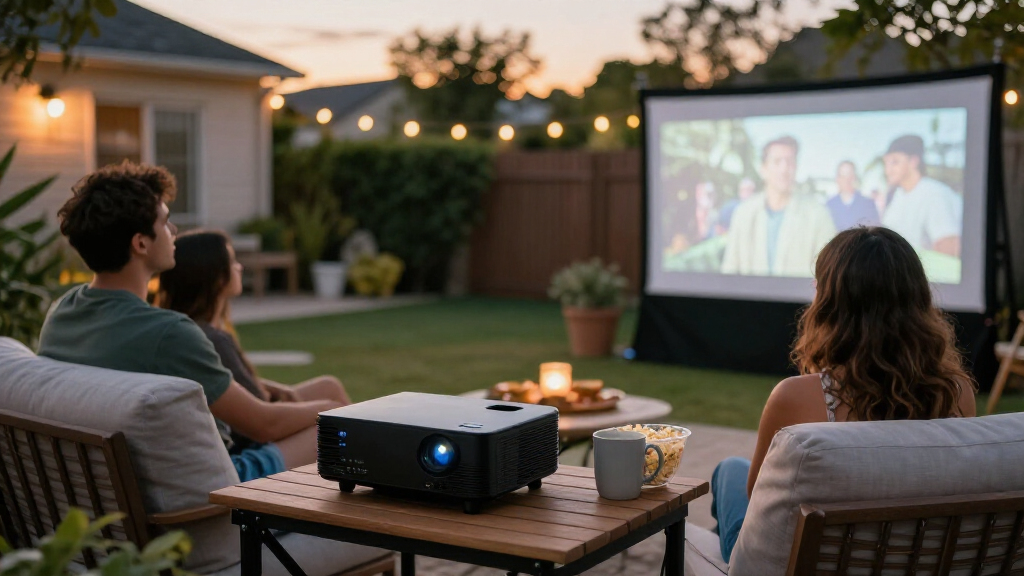
For Black Friday portable projectors, my best overall pick is the XGIMI Vibe One, which pairs native 1080p smart viewing with battery power for flexible placement. The TCL C1 stands out for its rotating gimbal and Google TV, while the Aurzen D1R Air suits shoppers who want Roku and USB-C power. The main tradeoffs are portability versus brightness, built-in streaming convenience versus connection flexibility, and a compact design versus easier setup. I compare all 15 models by who they suit and what you give up, so keep reading for the full breakdown.

Get the latest gadgets delivered free with Prime
- Fast, free delivery on millions of items
- Prime Video, Amazon Music and more included
- Member-only deals all year
Complete the kit



Key Takeaways
- The XGIMI Vibe One stands out for battery-powered 1080p viewing: among these picks, it is the clearest fit for buyers who want to move the projector between rooms or use it away from an outlet.
- Smart TV platforms separate the streaming-first choices: Roku models such as the Aurzen E1R and TCL C2R appeal to shoppers who want familiar app access, while Google TV options offer a different interface and app ecosystem.
- Flexible placement has more than one route: the TCL C1’s rotating gimbal aims to simplify pointing the image, while the Aurzen D1R Air’s USB-C power helps with setups where outlet access is awkward.
- Native 1080p matters more than a 4K-support label for source detail: several listed projectors specify native 1080p, while advertised 4K support does not mean the projector displays a native 4K image.
- Budget-friendly mini designs make practical compromises: compact options such as the KODAK Luma 150 may fit travel and casual use better than replacing a bright, fixed home theater setup.
| KODAK Luma 150 Mini Portable Projector |  | Best Pocket-Size Pick | Technology: DLP | Native resolution: 854 × 480 | Brightness: 60 ANSI lumens | VIEW LATEST PRICE | See Our Full Breakdown |
| Aurzen Roku TV E1R Portable Mini Projector |  | Best for Easy Streaming | Operating system: Roku TV | Native resolution: 1280 × 720 | Brightness: 160 lm | VIEW LATEST PRICE | See Our Full Breakdown |
| Aurzen D1R Air Portable Roku Projector with USB-C Power |  | Best Portable Roku Pick | Native resolution: 1080p | Brightness: 300 ANSI lumens | Power input: 65W+ USB-C PD; 20V/3.25A source required | VIEW LATEST PRICE | See Our Full Breakdown |
| Portable Smart Projector with Google TV, Native 1080p, 4K Support, HDR10, WiFi 6, and Bluetooth 5.3 |  | Best for Small-Room Setup | Operating system: Google TV 14.0 | Resolution: Native 1080p; supports 4K decoding | HDR: HDR10 | VIEW LATEST PRICE | See Our Full Breakdown |
| XGIMI Vibe One Battery-Powered 1080p Smart Portable Projector, Cloud Ash |  | Best Battery-Powered 1080p Pick | Display type: LCD | Native resolution: 1920 × 1080 | Brightness: 250 lm | VIEW LATEST PRICE | See Our Full Breakdown |
| ZDK Smart Mini Projector with Android 14, Wi-Fi 6, Bluetooth 5.4, 1080p Native Resolution, and 550 ANSI Lumens |  | Best for Flexible Placement | Native resolution: 1920 × 1080 | Brightness: 550 ANSI lumens | Operating system: Android 14 | VIEW LATEST PRICE | See Our Full Breakdown |
| HAPPRUN Roku Smart Mini Projector with Wi-Fi and Bluetooth |  | Best for Roku Simplicity | Display type: LCD | Maximum display resolution: HD | Maximum image size: 120 inches | VIEW LATEST PRICE | See Our Full Breakdown |
| BIGASUO Roku TV Smart Projector with Wi-Fi and Bluetooth |  | Best for Compact Roku Setups | Native resolution: 1280 × 720 | Brightness: 140 ANSI lumens | Projection size: 40–120 inches | VIEW LATEST PRICE | See Our Full Breakdown |
| YGSKK Mini Projector with Wi-Fi 6, Bluetooth 5.3, and Built-In Streaming Apps |  | Best for App-Based 1080p Viewing | Native resolution: 1080p | Brightness: 300 ANSI lumens | Screen size: 50–200 inches | VIEW LATEST PRICE | See Our Full Breakdown |
| Aurzen Roku TV D1R Smart Portable Projector |  | Best for Longer Throw Placement | Native resolution: 1920 × 1080 | Image size: 40–150 inches | Throw distance: 3.71–18.58 feet | VIEW LATEST PRICE | See Our Full Breakdown |
| TCL C1 Smart Google TV Projector with 285° Rotating Gimbal |  | Best for Flexible Google TV Setup | Native resolution: 1080p; supports 4K video input | HDR: HDR10 | Brightness: 230 ISO lumens | VIEW LATEST PRICE | See Our Full Breakdown |
| ONOAYO ONO3Pro 2.0 Portable Projector with Smart TV OS 3.0 |  | Best for Built-In Sound | Model: ONO3Pro 2.0 | Operating system: Smart TV OS 3.0 | Video: 4K decoding; HDR support | VIEW LATEST PRICE | See Our Full Breakdown |
| HAPPRUN H1 Native 1080p Portable Bluetooth Projector |  | Best for Straightforward 1080p | Native resolution: 1920 × 1080 | Display type: LCD | Brightness: 300 ANSI lumens | VIEW LATEST PRICE | See Our Full Breakdown |
| TMY V08 Native 1080p Mini Portable Projector with Two-Way Bluetooth and 80-Inch Screen |  | Best Starter Kit | Native resolution: 1920 × 1080 | Supported input: 4K | Brightness: Up to 300 ANSI lumens | VIEW LATEST PRICE | See Our Full Breakdown |
| TCL C2R Smart Projector with Roku TV, 1080p |  | Best for Roku and AirPlay | Native resolution: 1920 × 1080 | Display type: LCD | Brightness: 350 ISO lumens | VIEW LATEST PRICE | See Our Full Breakdown |
| Black Friday portable projector | Native resolution | Connectivity | Brightness |
|---|---|---|---|
| KODAK Luma 150 Mini Portable P | 854 × 480 | HDMI, USB, microSD, AirPlay, Miracast | 60 ANSI lumens |
| Aurzen Roku TV E1R Portable Mi | 1280 × 720 | Wi-Fi, Bluetooth 5.2, HDMI, USB | 160 lm |
| Aurzen D1R Air Portable Roku P | 1080p | — | 300 ANSI lumens |
| Portable Smart Projector with | — | — | — |
| XGIMI Vibe One Battery-Powered | 1920 × 1080 | Bluetooth, Wi-Fi, HDMI, USB | 250 lm |
| ZDK Smart Mini Projector with | 1920 × 1080 | Wi-Fi 6, Bluetooth 5.4, HDMI, USB | 550 ANSI lumens |
| HAPPRUN Roku Smart Mini Projec | — | Dual-band Wi-Fi, Bluetooth 5.2, HDMI with ARC, USB 2.0, 3.5 mm audio | — |
| BIGASUO Roku TV Smart Projecto | 1280 × 720 | Wi-Fi, Bluetooth, HDMI, USB, 3.5 mm audio | 140 ANSI lumens |
| YGSKK Mini Projector with Wi-F | 1080p | Wi-Fi 6, Bluetooth 5.3, HDMI, USB, 3.5 mm audio | 300 ANSI lumens |
| Aurzen Roku TV D1R Smart Porta | 1920 × 1080 | Wi-Fi, Bluetooth 5.2, HDMI, USB, audio | — |
| TCL C1 Smart Google TV Project | 1080p; supports 4K video input | 5G Wi-Fi, Bluetooth 5.1, HDMI 2.1, USB 2.0, 3.5 mm audio input | 230 ISO lumens |
| ONOAYO ONO3Pro 2.0 Portable Pr | — | — | — |
| HAPPRUN H1 Native 1080p Portab | 1920 × 1080 | HDMI, USB, 3.5 mm audio, Bluetooth 5.3, IR | 300 ANSI lumens |
| TMY V08 Native 1080p Mini Port | 1920 × 1080 | HDMI, USB, two-way Bluetooth | Up to 300 ANSI lumens |
| TCL C2R Smart Projector with R | 1920 × 1080 | Dual-band Wi-Fi, Bluetooth 5.2, HDMI, USB, 3.5 mm jack | 350 ISO lumens |
More Details on Our Top Picks
KODAK Luma 150 Mini Portable Projector
For a Black Friday projector that can slip into a small bag, the KODAK Luma 150 is the most compact choice here: it weighs just 7.75 ounces and measures under four inches across. Its rechargeable battery runs for up to 2.5 hours, giving it more unplugged viewing time than the XGIMI Vibe One’s stated 1.2 hours of video. That convenience comes with a clear image-quality tradeoff: native resolution is only 854 × 480, and 60 ANSI lumens calls for a dark room. It accepts HDMI, USB, microSD, AirPlay, and Miracast, but copyrighted streaming content may not mirror. I’d choose it for occasional travel or casual clips, not as the main screen for a movie night; the Roku-equipped Aurzen E1R offers simpler direct streaming, though it needs an outlet.
Pros:- At 7.75 ounces, it is the lightest and most pocketable option in this group.
- Battery provides up to 2.5 hours of use without a power outlet.
- Supports HDMI, USB, microSD, AirPlay, and Miracast connections.
- Can project an image up to 150 inches when conditions allow.
Cons:- 854 × 480 native resolution looks less detailed than the native 1080p XGIMI Vibe One.
- 60 ANSI lumens limits practical viewing to dark environments.
- Copyrighted streaming content cannot be mirrored or screencast.
Best for: Travelers who want a genuinely pocketable projector for short, dark-room viewing and value battery runtime over sharpness.
Not ideal for: Viewers who want native HD, bright-room use, or reliable mirroring of copyrighted streaming apps.
- Technology:DLP
- Native resolution:854 × 480
- Brightness:60 ANSI lumens
- Maximum image size:150 inches
- Connectivity:HDMI, USB, microSD, AirPlay, Miracast
- Battery life:Up to 2.5 hours
- Weight:7.75 oz
- Dimensions:3.9 × 3.9 × 0.89 inches
Our verdict“Choose the Luma 150 for maximum pocket portability and unplugged flexibility, not for crisp or bright movie viewing.”
Aurzen Roku TV E1R Portable Mini Projector
The Aurzen Roku TV E1R suits buyers who want streaming apps built into a small projector rather than juggling a phone, streaming stick, and cables. Its Roku TV interface and included remote make it a more direct route to shows than the KODAK Luma 150, which relies on connected devices or mirroring. The 180° rotating stand and automatic vertical keystone correction also help when a table or wall placement is awkward. At 1280 × 720, however, it falls short of the native 1080p Aurzen D1R Air and XGIMI Vibe One. Its biggest portable-use compromise is power: it weighs under a pound but has no built-in battery, requires the included DC cable, and cannot run from USB-C. I’d pick it for flexible rooms near an outlet, not camping or untethered viewing.
Pros:- Built-in Roku TV provides streaming apps without a separate streaming device.
- 180° rotating stand and automatic vertical keystone correction ease placement.
- Two-way Bluetooth 5.2 supports compatible headphones, speakers, and mobile audio.
- Weighs under 1 lb and includes a portable strap.
Cons:- No built-in battery, so viewing requires a wall outlet and included DC cable.
- USB-C power input is not supported.
- Native resolution is 1280 × 720, below the Aurzen D1R Air’s 1080p.
Best for: Apartment dwellers and casual streamers who want built-in Roku, simple positioning, and a lightweight projector used near an outlet.
Not ideal for: Campers or anyone who needs battery operation, USB-C power, or native 1080p resolution.
- Operating system:Roku TV
- Native resolution:1280 × 720
- Brightness:160 lm
- Projection size:40–120 inches
- Throw ratio:1.12:1
- Stand rotation:180°
- Connectivity:Wi-Fi, Bluetooth 5.2, HDMI, USB
- Power:Wall outlet via included DC cable; no built-in battery
Our verdict“Pick the E1R for lightweight, built-in Roku streaming in rooms with an outlet, but skip it for genuinely cordless projection.”
Aurzen D1R Air Portable Roku Projector with USB-C Power
The Aurzen D1R Air is the stronger Roku choice for buyers who want higher definition and more flexible power than the E1R. Its native 1080p image gives text and fine details a clearer presentation than the E1R’s 720p, while built-in Roku avoids the separate streaming device the KODAK Luma 150 may need. A rotating gimbal, TOF autofocus, and automatic keystone correction reduce setup fuss, and USB-C PD lets you place it away from a wall outlet when you have a suitable power source. That last point is not the same as having a battery: it needs a 65W-or-higher USB-C PD source, a 5A E-Marker cable, and a Roku account with internet for activation. At 300 ANSI lumens, it is still best in a dim room. Its blend of resolution, streaming, and power flexibility earns the Roku-focused slot, but not a claim to all-day cordless use.
Pros:- Native 1080p resolution is sharper than the 720p Aurzen E1R.
- Built-in Roku TV provides streaming without an extra streaming stick.
- Gimbal, TOF autofocus, and auto keystone help with flexible placement.
- USB-C PD input supports compatible external power sources.
Cons:- No built-in battery; a compatible 65W-or-higher USB-C PD source is required.
- 300 ANSI lumens is best suited to dark or low-light viewing.
- Roku activation requires an account and internet connection.
Best for: Roku users who want native 1080p, easy image setup, and the option to power a projector from a compatible USB-C PD source.
Not ideal for: Buyers seeking a self-powered projector, bright-room performance, or a setup that works without internet and Roku activation.
- Native resolution:1080p
- Brightness:300 ANSI lumens
- Power input:65W+ USB-C PD; 20V/3.25A source required
- Weight:2.60 lb
- Speakers:Dual 5W with Dolby Audio
- Wireless:Dual-band Wi-Fi and Bluetooth 5.2
- Ports:HDMI, USB, audio out, USB-C
- Setup features:TOF autofocus, auto keystone, rotating gimbal stand
- Fan noise:29–35 dB at 1 m, depending on mode
Our verdict“Choose the D1R Air if native 1080p Roku projection and compatible USB-C power matter more than having a built-in battery.”
Portable Smart Projector with Google TV, Native 1080p, 4K Support, HDR10, WiFi 6, and Bluetooth 5.3
This Google TV projector is the lineup’s small-room specialist. Its 0.8:1 throw ratio can produce a larger image from less distance than the 1.12:1 Aurzen E1R, which helps when a bedroom or apartment living room cannot spare much depth. Native 1080p resolution, HDR10, Google TV, and 32 GB of storage bring a more complete home-entertainment setup than the pocket-sized KODAK Luma 150. Automatic focus, keystone correction, screen fit, obstacle avoidance, and a rotatable stand further reduce manual adjustments. The 4K specification means decoding support, not native 4K display; the image remains 1080p, and clarity may soften at longer projection distances. The listed data also gives no battery runtime, so I would treat it as a compact room projector rather than a dependable cordless travel pick.
Pros:- 0.8:1 throw ratio suits smaller rooms where projector-to-wall distance is limited.
- Native 1080p resolution with HDR10 and Google TV built in.
- Autofocus, keystone correction, screen fit, and obstacle avoidance help simplify setup.
- Rotatable stand, WiFi 6, and Bluetooth 5.3 support flexible placement and connections.
Cons:- 4K content is decoded but displayed at native 1080p.
- Image clarity may soften at longer projection distances.
- No battery runtime is listed, limiting confidence for cordless travel use.
Best for: Apartment residents and bedroom viewers who need a large image at short distance and want Google TV with automatic setup aids.
Not ideal for: Buyers who require native 4K, specified battery-powered viewing, or consistently sharp images from farther away.
- Operating system:Google TV 14.0
- Resolution:Native 1080p; supports 4K decoding
- HDR:HDR10
- Throw ratio:0.8:1
- Screen size:60–120 inches
- Memory and storage:1 GB RAM + 32 GB
- Wireless connectivity:WiFi 6, Bluetooth 5.3
- Weight:2.6 lb (1.2 kg)
- Ports:HDMI ARC/CEC, USB
Our verdict“Choose this model for a compact, short-throw Google TV setup, not for native 4K or assured battery-powered viewing.”
XGIMI Vibe One Battery-Powered 1080p Smart Portable Projector, Cloud Ash
The XGIMI Vibe One is the clearest fit here for buyers who want native 1080p and a built-in battery in one package. Unlike the Aurzen D1R Air, which needs a compatible external USB-C PD source, the Vibe One can operate without an attached power supply; its automatic focus and keystone correction also help it settle into a usable image quickly. Google TV with licensed Netflix makes streaming more straightforward than the KODAK Luma 150’s reliance on connections or mirroring. The limitation is endurance: video playback lasts up to 1.2 hours, shorter than the Luma’s stated 2.5-hour battery life, so a full-length film may call for power nearby. At 250 lm, it is best in a darkened space, not daylight. The 160° stand doubles as a carry handle, but this is portable convenience rather than a long-running outdoor cinema.
Pros:- Native 1920 × 1080 resolution provides more detail than the KODAK Luma 150’s 854 × 480.
- Built-in battery supports video playback without a power supply.
- Google TV includes licensed Netflix, reducing reliance on casting.
- 160° adjustable stand doubles as a carry handle; autofocus and keystone correction ease setup.
Cons:- Video battery life is up to 1.2 hours, shorter than the KODAK Luma 150’s 2.5 hours.
- 250 lm brightness is better suited to darkened rooms.
- Battery runtime may not cover a full-length film without access to power.
Best for: Movie and streaming fans who want native 1080p, licensed Netflix, and battery-powered viewing for shorter sessions.
Not ideal for: Viewers who need more than 1.2 hours of video per charge, bright-room performance, or extended outdoor movie sessions.
- Display type:LCD
- Native resolution:1920 × 1080
- Brightness:250 lm
- Maximum image size:150 inches
- Battery life:Up to 1.2 hours of video or 4 hours of music
- Speakers:Dual 3W
- Stand adjustment:160°
- Connectivity:Bluetooth, Wi-Fi, HDMI, USB
- Built-in streaming:Google TV with licensed Netflix
Our verdict“Pick the Vibe One for cordless native-1080p streaming in short sessions, but choose another option if you need longer battery runtime.”
ZDK Smart Mini Projector with Android 14, Wi-Fi 6, Bluetooth 5.4, 1080p Native Resolution, and 550 ANSI Lumens
The ZDK stands out for combining native 1080p with a 150° rotating gimbal, letting me aim the image toward a wall or ceiling without relying on a separate adjustable mount. Android 14 and app downloads also make it a more self-contained streaming choice than the YGSKK, whose 4K playback requires an HDMI-connected device. Remote electric focus and automatic vertical keystone correction can cut down on setup fiddling, while Wi-Fi 6, AirPlay, and Miracast offer several ways to send content.
The tradeoff is brightness: 550 ANSI lumens is better suited to dim rooms or nighttime outdoor viewing than sunlit spaces. Its stated throw distance tops out at 10 feet, so it is less flexible across a deep room than the HAPPRUN Roku model, which lists a maximum throw distance of 17.43 feet. I’d choose the ZDK for adaptable positioning, not long-throw placement.
Pros:- Native 1920 × 1080 resolution gives it a clearer stated image than HD-only options such as the HAPPRUN Roku projector.
- Android 14 supports app downloads without requiring a separate streaming stick.
- The 150° gimbal, remote electric focus, and automatic vertical keystone correction support flexible, simpler setup.
- Wi-Fi 6, AirPlay, and Miracast provide multiple wireless viewing options.
Cons:- The 550 ANSI lumen rating makes dim-room use a better fit than daytime or brightly lit viewing.
- The maximum stated throw distance is 10 feet, limiting placement in larger rooms.
- The built-in speaker is rated at 5W, so viewers seeking more substantial sound may want external audio.
Best for: Viewers who want native 1080p, built-in Android apps, and ceiling-friendly placement in a dim bedroom or small viewing area.
Not ideal for: Buyers who need a bright image in a lit room or must project from more than 10 feet away.
- Native resolution:1920 × 1080
- Brightness:550 ANSI lumens
- Operating system:Android 14
- Projection size:40–240 inches
- Throw distance:3.3–10 feet
- Connectivity:Wi-Fi 6, Bluetooth 5.4, HDMI, USB
- Adjustment and rotation:Automatic vertical keystone correction, remote electric focus, 150° rotating gimbal
- Built-in speaker:5W
Our verdict“Choose the ZDK if you want a self-contained 1080p projector that can point toward a ceiling, and skip it if your room is bright or your seating area is far away.”
HAPPRUN Roku Smart Mini Projector with Wi-Fi and Bluetooth
The HAPPRUN is the straightforward pick for buyers who want Roku streaming built in rather than a separate stick or app-based setup. Its 270° rotating stand gives it more directional range than the BIGASUO’s 180° stand, which can help when projecting from a table toward a wall or ceiling. Dual-band Wi-Fi and voice control compatibility with Siri, Alexa, and Google Assistant add convenience, while Dolby Audio is included with its dual stereo speakers.
Its main compromise is image detail: the listing specifies HD maximum resolution, not the native 1080p found on the ZDK and Aurzen D1R. The maximum image size is also 120 inches, smaller than those models’ stated ceilings. Roku features are limited to the U.S., Canada, and Mexico, so this is a less suitable choice for buyers elsewhere. I’d favor it for easy Roku access and flexible aiming, not for maximum resolution or international use.
Pros:- Built-in Roku provides streaming access without a separate TV stick.
- The 270° rotating stand offers broader aiming flexibility than the BIGASUO’s 180° stand.
- Dual-band Wi-Fi, Bluetooth 5.2, and voice control compatibility support convenient connections.
- Dual stereo speakers include Dolby Audio.
Cons:- Maximum display resolution is listed as HD rather than native 1080p.
- The maximum image size is 120 inches, below the stated limits of the ZDK and Aurzen D1R.
- Roku smart features are available only in the U.S., Canada, and Mexico.
Best for: Roku users in the U.S., Canada, or Mexico who want a portable projector with flexible positioning and built-in streaming.
Not ideal for: Buyers outside those regions, or viewers who prioritize native 1080p detail or a projection size above 120 inches.
- Display type:LCD
- Maximum display resolution:HD
- Maximum image size:120 inches
- Throw distance:3.28–17.43 feet
- Connectivity:Dual-band Wi-Fi, Bluetooth 5.2, HDMI with ARC, USB 2.0, 3.5 mm audio
- Stand:270° rotatable
- Audio:Dual stereo speakers with Dolby Audio
- Roku availability:U.S., Canada, and Mexico
Our verdict“Pick the HAPPRUN for built-in Roku and wide-angle placement in supported countries, but choose a native 1080p alternative if image detail matters more.”
BIGASUO Roku TV Smart Projector with Wi-Fi and Bluetooth
The BIGASUO brings Roku TV built in to a compact, tabletop-oriented projector, making it a simple option for a bedroom or occasional movie setup. Wireless screen mirroring and voice-control support add ways to access content, while its 180° rotating stand can redirect the image toward a wall or ceiling. Compared with the HAPPRUN Roku projector, it has a narrower rotation range but includes automatic vertical keystone correction; both are limited to a maximum 120-inch image, while the Aurzen D1R reaches 150 inches.
The bigger compromise is picture output: this model is rated at 140 ANSI lumens and has a 1280 × 720 native resolution. That makes a dark room the sensible setting, and it gives up both brightness and detail compared with the ZDK’s 550 ANSI lumens and native 1080p. Its two 2W speakers are convenient for casual viewing, but they are modestly powered. I’d choose it for basic Roku viewing in a dim, compact space rather than as a versatile room-to-room projector.
Pros:- Roku TV is built in, so streaming does not require a separate device.
- The 180° rotating stand supports wall and ceiling aiming.
- Automatic vertical keystone correction helps adjust the image when placement is imperfect.
- Wi-Fi, Bluetooth, screen mirroring, and HDMI provide several content connections.
Cons:- The 140 ANSI lumen rating is suited to dark viewing spaces rather than bright rooms.
- Native resolution is 1280 × 720, below the 1080p ZDK and Aurzen D1R.
- Two 2W speakers may not provide enough volume or presence for larger gatherings.
Best for: Roku viewers who want a compact tabletop projector for occasional use in a dark bedroom or small room.
Not ideal for: Buyers who watch with ambient light, want native 1080p, or need a larger image than 120 inches.
- Native resolution:1280 × 720
- Brightness:140 ANSI lumens
- Projection size:40–120 inches
- Throw distance:3.35–10.04 feet
- Connectivity:Wi-Fi, Bluetooth, HDMI, USB, 3.5 mm audio
- Stand:180° rotating
- Image adjustment:Automatic vertical keystone correction, manual focus
- Built-in speakers:Two 2W speakers with Dolby Audio
Our verdict“Choose the BIGASUO for simple Roku viewing in a dark, compact setup, but move to a brighter 1080p model for more demanding use.”
YGSKK Mini Projector with Wi-Fi 6, Bluetooth 5.3, and Built-In Streaming Apps
The YGSKK pairs native 1080p with built-in streaming apps and an app store, so it can handle everyday viewing without a separate streaming device. Its electric focus and 210° rotating base make repositioning easier than on the BIGASUO, whose stand rotates 180°, and its stated 50–200-inch image range reaches beyond the HAPPRUN Roku projector’s 120-inch limit. Wi-Fi 6, HDMI, USB, and a three-year warranty round out a flexible portable setup.
At 300 ANSI lumens, it is best suited to rooms with controlled light; the ZDK’s 550 ANSI lumens give that model the stronger stated brightness. The YGSKK accepts 4K input only through HDMI, so its native output remains 1080p rather than 4K. Bluetooth works with audio devices but not smartphones, and Android phone mirroring requires an app. I’d pick this for app-based 1080p viewing and flexible positioning, not for bright-room use or effortless phone-to-projector connections.
Pros:- Native 1080p resolution and built-in streaming apps support standalone viewing.
- Electric focus and a 210° rotating base simplify image adjustment and placement.
- Wi-Fi 6, HDMI, USB, and 3.5 mm audio cover multiple connection needs.
- The listed three-year warranty is longer than the 24-month warranty listed for the HAPPRUN Roku projector.
Cons:- The 300 ANSI lumen rating favors dim rooms over bright spaces.
- 4K input requires a compatible HDMI-connected device; native resolution is 1080p.
- Bluetooth does not support smartphone connections, and Android mirroring requires an app.
Best for: Viewers seeking native 1080p, built-in streaming apps, and a rotating base for a dim or light-controlled room.
Not ideal for: People who need to watch in a bright room, mirror an Android phone without an app, or connect a phone over Bluetooth.
- Native resolution:1080p
- Brightness:300 ANSI lumens
- Screen size:50–200 inches
- Connectivity:Wi-Fi 6, Bluetooth 5.3, HDMI, USB, 3.5 mm audio
- Focus and base rotation:Electric focus; 210° rotating base
- Built-in features:Streaming apps, app store, stereo speakers, media player, digital keystone correction
- 4K input:Compatible through HDMI
- Warranty:Three years
Our verdict“Choose the YGSKK for self-contained 1080p app streaming and flexible positioning in a dim room, but not for bright viewing or friction-free phone connections.”
Aurzen Roku TV D1R Smart Portable Projector
The Aurzen D1R is the most flexible fit here when a projector needs to sit well back from the screen: its stated throw distance reaches 18.58 feet, farther than the HAPPRUN’s 17.43 feet and the ZDK’s 10 feet. It pairs that reach with native 1080p, built-in Roku, auto focus, and auto keystone correction, reducing the need to fine-tune the image after moving it. AirPlay, dual-band Wi-Fi, Bluetooth 5.2, HDMI, and USB give it a broad set of ways to bring in content.
The tradeoffs are practical rather than small: activation requires an internet connection and Roku account, and the cooling fan produces steady operating noise. At 2.1 kg, it is portable, but less suited to frequent carrying than a lighter mini projector. Its dual 5W speakers and Dolby Audio support casual use, though I’d consider external audio for a larger gathering. Compared with the Roku-based HAPPRUN, the D1R offers higher stated resolution and a larger maximum image, but is a heavier pick.
Pros:- Native 1080p resolution supports more image detail than the HD-only HAPPRUN Roku projector.
- The 3.71–18.58-foot throw range suits rooms with more placement distance.
- Auto focus and auto keystone correction simplify setup after repositioning.
- Built-in Roku, AirPlay, dual-band Wi-Fi, Bluetooth 5.2, HDMI, and USB offer varied content options.
Cons:- Activation requires an internet connection and Roku account.
- The cooling fan produces steady operating noise.
- At 2.1 kg, it is less convenient to carry frequently than a lighter mini projector.
Best for: Viewers who want Roku and native 1080p in a larger room where the projector needs to sit far from the screen.
Not ideal for: Buyers who want account-free activation, quiet operation, or the lightest projector for frequent travel.
- Native resolution:1920 × 1080
- Image size:40–150 inches
- Throw distance:3.71–18.58 feet
- Connectivity:Wi-Fi, Bluetooth 5.2, HDMI, USB, audio
- Speakers:Dual 5W with Dolby Audio
- Weight:2.1 kg
- Mounting options:Tabletop, foldable stand, floor stand, ceiling mount
- Power:60 watts
Our verdict“Pick the Aurzen D1R for native 1080p Roku viewing from a longer throw distance, but skip it if account-free setup or quiet operation is a priority.”
TCL C1 Smart Google TV Projector with 285° Rotating Gimbal
The TCL C1 suits buyers who want a streaming-ready projector that can point at more than a conventional wall. Its 285° rotating gimbal makes ceiling viewing or awkward room layouts easier to manage, while autofocus and automatic keystone correction reduce manual picture adjustments. Google TV and Google Assistant give it a more self-contained setup than the HAPPRUN H1, which relies on connected HDMI devices for streaming. The tradeoff is modest stated brightness: 230 ISO lumens favors a darkened room, not daytime viewing. Its image is native 1080p; 4K describes supported video input, not the projector’s display resolution. I’d choose it for flexible placement and built-in apps, but the Roku-equipped TCL C2R may fit buyers who prefer that platform and a higher stated brightness.
Pros:- Google TV apps and Google Assistant provide streaming and voice control without a separate streaming box.
- The 285° gimbal and automatic image adjustments make placement more forgiving.
- Bidirectional Bluetooth can connect headphones or speakers and accept audio from a phone.
- Sealed optical engine is designed to help protect against dust and humidity.
Cons:- The stated 230 ISO lumens make it better suited to dark rooms than bright spaces.
- Native display resolution is 1080p; 4K is supported video input.
- At 1.77 kg, it is portable but less suited to buyers seeking a very small travel projector.
Best for: Viewers who want Google TV built in and need to aim a projector at a wall or ceiling in a darkened room.
Not ideal for: Buyers who need a bright picture with room lights on, or who expect native 4K resolution.
- Native resolution:1080p; supports 4K video input
- HDR:HDR10
- Brightness:230 ISO lumens
- Image size:40–120 inches
- Projection distance:1.15–3.3 m
- Gimbal rotation:285°
- Audio:8W speaker with Dolby Audio
- Connectivity:5G Wi-Fi, Bluetooth 5.1, HDMI 2.1, USB 2.0, 3.5 mm audio input
- Weight:1.77 kg
Our verdict“Choose the TCL C1 if flexible gimbal positioning and Google TV matter more than bright-room performance or native 4K.”
ONOAYO ONO3Pro 2.0 Portable Projector with Smart TV OS 3.0
The ONOAYO ONO3Pro 2.0 puts unusual emphasis on sound for a portable projector, pairing dual 60W Dolby Audio speakers with HDMI eARC and CEC. That setup is more ambitious than the single 8W speaker in the TCL C1, so it may suit a room where adding a separate sound system is inconvenient. Licensed streaming apps and built-in Chromecast also reduce reliance on extra devices, while AI focus, keystone correction, and screen-fit functions help with quick placement. Its 2.4 lb weight and desktop, tripod, wall, or ceiling mounting options keep it flexible. The key compromise is missing display information: the supplied product data gives neither native resolution nor measured brightness. I’d favor it for its stated audio and smart features, but choose the TCL C2R if confirmed native 1080p and brightness figures matter more.
Pros:- Licensed streaming apps and built-in Chromecast support viewing without a separate streaming device.
- Dual 60W Dolby Audio speakers are a strong built-in sound feature compared with the lineup’s smaller specified speakers.
- AI focus, keystone correction, obstacle avoidance, and screen fit assist with setup.
- At 2.4 lb, it offers several mounting choices while remaining portable.
Cons:- The product data does not specify native display resolution.
- The product data does not provide a brightness figure, making room-light suitability hard to judge.
- Supplied durability and support details are incomplete.
Best for: Movie watchers who want built-in streaming and substantial onboard audio without planning for a separate speaker system.
Not ideal for: Buyers who need confirmed native resolution and brightness specifications before choosing a projector.
- Model:ONO3Pro 2.0
- Operating system:Smart TV OS 3.0
- Video:4K decoding; HDR support
- Audio:Dual 60W Dolby Audio speakers
- Wireless:Wi-Fi 6; Bluetooth 5.4
- Automatic adjustments:AI focus, keystone correction, obstacle avoidance, screen fit, ceiling-mount detection
- Zoom:50%–100%
- Weight:2.4 lb
- Streaming and casting:Licensed streaming apps; built-in Chromecast
Our verdict“Pick the ONO3Pro 2.0 if built-in streaming and its stated speaker setup lead your priorities, but not if you need clear resolution and brightness data.”
HAPPRUN H1 Native 1080p Portable Bluetooth Projector
The HAPPRUN H1 is the straightforward pick for buyers who want a clearly specified native 1080p picture and flexible image sizing without paying for built-in smart TV features they may not use. Its 40–200-inch range reaches beyond the TCL C1’s stated 120-inch maximum, while HDMI makes it practical with a laptop, console, or streaming stick. The tradeoff is that the streaming device is separate, and Bluetooth 5.3 carries audio only—it does not cast phone video. At 300 ANSI lumens, it is best treated as a dark-room projector rather than a daylight screen. Compared with the TMY V08, the H1 gives a clear native-resolution specification but does not include an 80-inch screen. I’d pick it for a simple, modular setup, not for all-in-one convenience.
Pros:- Native 1920 × 1080 resolution gives a clear display specification.
- Image size ranges from 40 to 200 inches for varied room setups.
- Bluetooth 5.3 supports audio connection to speakers or headphones.
- Desktop, tripod, and ceiling mounting provide placement options.
Cons:- A TV stick and phone-to-HDMI adapter are sold separately.
- Bluetooth supports audio only, not video casting.
- The stated 300 ANSI lumens favor darkened viewing conditions.
Best for: Buyers who already own an HDMI streaming stick or laptop and want a native 1080p projector with a large stated image range.
Not ideal for: People who want built-in streaming, phone video casting, or an included projection screen.
- Native resolution:1920 × 1080
- Display type:LCD
- Brightness:300 ANSI lumens
- Image size:40–200 inches
- Projection distance:1.2–7 m
- Contrast ratio:10,000:1
- Connectivity:HDMI, USB, 3.5 mm audio, Bluetooth 5.3, IR
- Installation:Desktop, tripod, or ceiling mount
- Light-source operating life:100,000 hours
Our verdict“Choose the HAPPRUN H1 if you have an HDMI source and want native 1080p with a wider stated image range than the TCL C1.”
TMY V08 Native 1080p Mini Portable Projector with Two-Way Bluetooth and 80-Inch Screen
The TMY V08 earns its place as a starter-kit option because it includes an 80-inch foldable screen, sparing buyers one piece of setup shopping. It also gives a native 1080p display and two-way Bluetooth for sending audio to headphones or speakers, or using the projector as a Bluetooth speaker. Its stated image range of 32–220 inches is broader than the HAPPRUN H1’s listed minimum, although a very large image still depends on room distance and viewing conditions. The limits are familiar for this simpler class: the stated brightness is up to 300 ANSI lumens, so a dark room is the sensible setting, and phone adapters are not included. Some protected streaming apps also require a connected device rather than phone mirroring. I’d choose it over the H1 when the included screen matters more than having a ready-made streaming setup.
Pros:- The included foldable 80-inch screen reduces the need to source a separate display.
- Native 1920 × 1080 resolution and support for 4K input are specified.
- Two-way Bluetooth supports audio output and Bluetooth speaker mode.
- HDMI and USB offer straightforward connections to external devices.
Cons:- Phone and tablet connections need adapters that are not included.
- Content protection can prevent some streaming apps from mirroring from a phone.
- Brightness is up to 300 ANSI lumens, limiting its suitability for lit rooms.
Best for: First-time projector buyers who want an included screen and plan to connect a laptop, streaming device, or other HDMI source.
Not ideal for: Phone-first viewers who expect direct wireless video mirroring or buyers who want streaming apps built into the projector.
- Native resolution:1920 × 1080
- Supported input:4K
- Brightness:Up to 300 ANSI lumens
- Included screen:80-inch foldable screen
- Image size:32–220 inches
- Projection distance:1.5–6 m
- Contrast ratio:10,000:1
- Connectivity:HDMI, USB, two-way Bluetooth
- Lamp life:10,000 hours
Our verdict“Choose the TMY V08 over the HAPPRUN H1 if the included screen is useful and you are comfortable supplying your own streaming source and adapters.”
TCL C2R Smart Projector with Roku TV, 1080p
The TCL C2R is the most appealing option here for buyers already invested in Roku or Apple devices: Roku TV and AirPlay are built in, alongside native 1080p resolution. Its 350 ISO lumens exceed the TCL C1’s stated 230 ISO lumens, though I’d still plan on indoor viewing or outdoor use after dark rather than a sunlit setting. Like the C1, it has a 285° gimbal and automatic focus, keystone correction, and obstacle avoidance, so placement can be less fussy than with the HAPPRUN H1. The tradeoffs are platform-specific setup—Wi-Fi and a free Roku account are required—and an image-size ceiling of 150 inches, below the H1’s stated 200-inch maximum. Its sealed optical engine and 10W Dolby Audio speaker round out a practical, self-contained setup.
Pros:- Roku TV and AirPlay are built in, reducing the need for a separate streaming device.
- Native 1080p resolution and a stated 350 ISO lumens provide clear baseline display specifications.
- The 285° gimbal and automatic image adjustments support flexible placement.
- IP5X-sealed optical engine is designed to help keep dust away from the optics.
Cons:- Initial setup requires Wi-Fi and a free Roku account.
- The stated brightness is best suited to indoor viewing or outdoor use after dark.
- Its 150-inch maximum image size is smaller than the HAPPRUN H1’s stated 200-inch maximum.
Best for: Roku households and Apple-device owners who want native 1080p, built-in streaming, and flexible gimbal positioning.
Not ideal for: Buyers who do not want a Roku account or Wi-Fi setup, or who need a projector for bright-room viewing.
- Native resolution:1920 × 1080
- Display type:LCD
- Brightness:350 ISO lumens
- Contrast ratio:1500:1
- Image size:40–150 inches
- Maximum throw distance:13.52 feet
- Audio:10W speaker with Dolby Audio
- Connectivity:Dual-band Wi-Fi, Bluetooth 5.2, HDMI, USB, 3.5 mm jack
- Gimbal and optical engine:285° gimbal; IP5X-sealed optical engine
Our verdict“Pick the TCL C2R if Roku TV, AirPlay, and an adjustable gimbal outweigh the need for a larger image or account-free setup.”
How We Picked
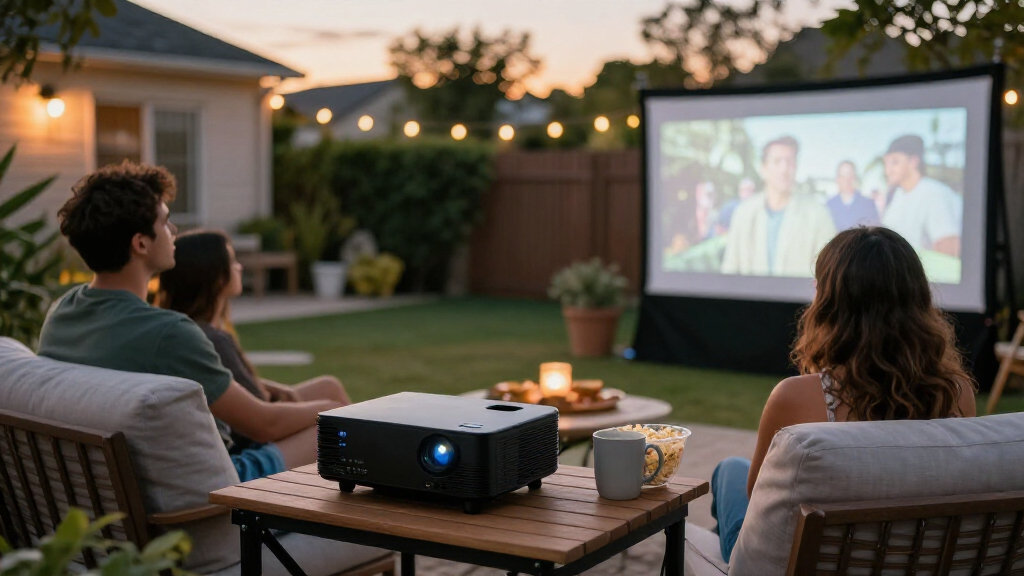
I ranked these projectors by how well their stated features answer real portable-viewing needs: image resolution, power options, built-in streaming, placement flexibility, connectivity, and ease of setup. I gave more weight to clearly described capabilities—such as native 1080p, battery operation, a rotating gimbal, or a named Roku or Google TV platform—than to broad claims like 4K support or “smart” functionality without equivalent detail.
The order reflects each model’s usefulness to the widest range of portable-projector shoppers, not a claim that one specification wins for everyone. Options with a distinctive benefit for a specific setup can rank well for that need, while compact or entry-level picks may suit occasional viewing but offer less flexibility. Product descriptions do not provide comparable brightness, battery runtime, or complete image-quality measurements for every model, so I avoid treating those specifications as directly proven or equivalent.
Factors to Consider When Choosing Black Friday Portable Projectors
Before choosing from this lineup, I would match the projector to the room, power source, and viewing habits—not just its advertised resolution. These broader checks can help avoid common Black Friday buying mistakes, especially when a small projector is expected to perform like a full-size home theater model.
Match Brightness to the Room You Actually Use
A projector’s picture depends heavily on ambient light, screen size, and viewing distance, so a bright-room promise should not be inferred from “portable” or “smart” branding. For clearer results, plan to watch after dark or use curtains, particularly with compact models whose brightness figures are absent or hard to compare. A larger image spreads the available light over more area, which can make the picture look dimmer than expected. If daytime viewing is a priority, look for independently comparable brightness specifications and accept that a brighter model may be larger or need wall power. Black Friday bundles can include accessories, but a screen does not compensate for a projector that is underpowered for the room.
Read Resolution Claims Carefully
Native resolution describes the image the projector can display, while a “supports 4K” label can refer to accepting a 4K input and converting it for a lower-resolution display. That distinction matters if you expect fine detail from films, sports graphics, or subtitles. In this lineup, several models explicitly list native 1080p, making that claim more useful for comparison than an unsupported 4K compatibility label. Still, resolution alone does not tell you how sharp the picture will look: focus accuracy, lens quality, screen size, and viewing distance also play a part. I would choose the resolution that suits your content and room rather than paying extra for a source format the projector cannot show natively.
Choose a Streaming Setup That Fits Your Habits
Built-in Roku or Google TV can reduce setup friction by putting familiar streaming apps on the projector without a separate device. That convenience can matter most for occasional movie nights or a room where you do not want extra cables. The tradeoff is that smart-platform support and app availability can change, and some viewers may prefer connecting their own streaming stick or laptop. Check whether the projector’s inputs, wireless features, and the devices you already own fit together before treating “smart” as a complete solution. If you subscribe to a niche service or rely on a particular casting method, verify compatibility rather than assuming every platform handles it the same way.
Plan for Power Before Buying a Portable Model
Portable describes ease of moving the unit, not necessarily the ability to run without an outlet. A battery-powered model offers more placement freedom, but runtime, battery charging, and brightness while unplugged can shape whether it works for a full film. USB-C power can make a setup more flexible when paired with a compatible power source, but the required power output and cable should be checked. Conventional plug-in projectors may be the better choice for long viewing sessions in a room with easy outlet access. Decide whether you need truly untethered playback or simply a projector that is easy to carry between rooms.
Check Placement, Throw Distance, and Image Adjustment
A projector needs enough space to form the image size you want, and furniture or room layout can limit where it can sit. Before ordering, check the manufacturer’s throw-distance guidance and compare it with the wall or screen location available at home. A rotating mount or gimbal can make aiming easier, but it does not remove the need to focus the image or place the projector at a workable distance. Digital image correction can help with positioning, yet heavy correction may affect usable resolution or picture quality. A simple measuring check can prevent the common mistake of buying a projector that cannot produce the desired screen size from the spot where it has to sit.
Treat Black Friday Bundles as a Fit Question, Not a Bargain Signal
Seasonal listings may pair a projector with a screen or other accessories, but a bundle is useful only if those items fit your room and viewing plan. Compare the included screen’s size and mounting options with the space you have, and check whether cables, a case, or a suitable power adapter are actually part of the package. Do not let a bundle distract from less visible needs such as quiet placement, audio output, or device compatibility. A built-in speaker can simplify casual viewing, while a larger room may call for external audio and the right connection. I would prioritize a projector that meets your core requirements over add-ons you may never use.
Frequently Asked Questions
Does “4K support” mean a portable projector displays a native 4K image?
No. “4K support” commonly means the projector can accept a 4K video signal, not that its imaging hardware displays all 4K detail. Check the listed native resolution when image detail matters; native 1080p is a clearer comparison point than input compatibility alone. Also think about your screen size and viewing distance, since those affect how much resolution difference you can see. For this roundup, I would not rank a model higher just because its listing mentions 4K support.
Should I choose a battery-powered projector or one that plugs into the wall?
Choose battery power when you expect to watch away from outlets or move the projector frequently, and check the stated runtime against the length of your usual viewing session. A plug-in model is often simpler for longer movie nights in a fixed room because you do not need to plan around recharging. USB-C power can offer another flexible option, but confirm that your power bank or adapter meets the projector’s requirements. Portability alone does not tell you whether a unit can run unplugged. The right choice depends on where you will watch more than how small the projector looks.
Is built-in Roku or Google TV worth choosing over a separate streaming stick?
Built-in Roku or Google TV is useful if you want fewer devices and a direct route to familiar streaming apps. A separate streaming device can be a better fit if you already own one, want to keep your interface consistent, or need an app that is unavailable on the projector’s platform. Either way, check the specific app and connection requirements you use rather than relying on a general “smart projector” label. Wireless networking and app access also depend on your home network and service availability. The platform is a convenience feature, not a substitute for checking the projector’s image and placement fit.
Can a mini projector replace my television for daytime viewing?
That depends on the room’s light and the projector’s brightness; many compact models are easier to enjoy in a dim space than in a bright living room. A television is usually the more predictable choice for daylight, quick viewing, and a consistently clear picture without adjusting curtains. Projectors make more sense when you value a large image, can control ambient light, and have a suitable wall or screen. Look for comparable brightness information before expecting a small projector to compete with a TV in an open, sunlit room. If your main use is daytime news or sports, weigh that limitation carefully.
What should I measure before ordering a portable projector?
Measure the distance from the planned projector position to the wall or screen, then check the model’s throw guidance to see whether that space can produce your target image size. Also measure the screen area and account for shelves, ceiling height, furniture, and where a power cable can reach. If you plan to use a rotating gimbal or place the unit off-center, check how image adjustment works and whether the placement remains practical. A large advertised maximum image size does not mean every room can achieve it with a clear picture. These checks can prevent an avoidable return after a seasonal purchase.
Conclusion
My best overall pick is the XGIMI Vibe One for shoppers who want portable 1080p viewing with battery power. For best value, compare the compact Roku and mini-projector options against the features you will actually use rather than choosing by bundle or listing claims. The TCL C1 is my best pick for flexible placement, thanks to its rotating gimbal and Google TV, while the Aurzen D1R Air suits Roku fans who need USB-C power. For beginners, a projector with a familiar built-in streaming platform can reduce setup steps; for travel or occasional use, the smaller KODAK Luma 150 is a more focused choice. I would pay more for a specific benefit—battery operation, easier aiming, or a platform you prefer—not for a feature label that does not match your room or viewing habits.
Black Friday Picks

Bose QuietComfort Headphones (2nd Gen), Wireless Over-Ear Noise-Cancelling Headphones, Black
As an affiliate, we earn on qualifying purchases.