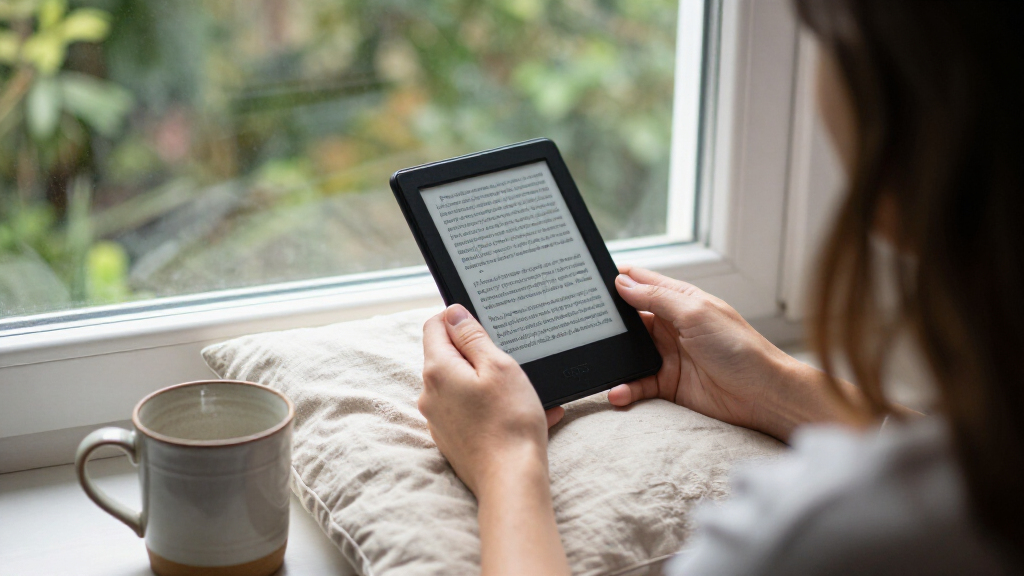

The best Kindle e-reader for most readers is the Amazon Kindle Paperwhite 16GB: its larger glare-free screen and waterproof design make it a strong everyday choice. The basic Kindle suits readers who want a smaller, lighter device, while the Kindle Scribe adds a roomy writing surface for notes and documents. The main tradeoffs are screen size, color, writing tools, and whether premium conveniences matter to you. This roundup compares 15 Kindle listings, including different colors, storage options, and refurbished versions. Read on for the full breakdown and help matching a model to the way you read.

Get the latest gadgets delivered free with Prime
- Fast, free delivery on millions of items
- Prime Video, Amazon Music and more included
- Member-only deals all year
Complete the kit


Key Takeaways
- Paperwhite is the lineup’s practical middle ground: its larger, glare-free screen and water resistance make it more adaptable than the compact basic Kindle.
- The basic Kindle’s advantage is portability: its 6-inch display is easier to carry, but readers who want more room for text may prefer a Paperwhite.
- Signature Edition adds convenience more than a different reading experience: wireless charging and automatic front light adjustment matter most to readers who value those extras.
- Colorsoft and Scribe Colorsoft serve different color needs: Colorsoft is a color e-reader, while Scribe Colorsoft pairs color with a much larger screen and pen input.
- Several listings are variants of the same device: Jade, Raspberry, and Black Paperwhites, for example, should be compared by features and condition rather than color alone.
| Kindle Paperwhite Signature Edition 32GB (2024) – Metallic Black |  | Best Overall | Display: 7-inch Paperwhite, 300 ppi, 16-level grayscale | Storage: 32GB | Dimensions: 5 x 7 x 0.3 in (127.6 x 176.7 x 7.8 mm) | VIEW LATEST PRICE | See Our Full Breakdown |
| Amazon Kindle Paperwhite 16GB (Newest Model) – Black |  | Best for Everyday Reading | Display: 7-inch glare-free, higher-contrast screen | Storage: 16GB | Page turns: 25% faster than the previous model | VIEW LATEST PRICE | See Our Full Breakdown |
| Amazon Kindle Paperwhite 16GB (12th Generation, 2024) – 7″ Glare-Free Display – Jade |  | Best Color Choice | Display: 7-inch Paperwhite, 300 ppi, 16-level grayscale | Storage: 16GB | Dimensions: 5 x 7 x 0.3 in (127.6 x 176.7 x 7.8 mm) | VIEW LATEST PRICE | See Our Full Breakdown |
| Amazon Kindle Paperwhite Signature Edition (32 GB, Metallic Jade) |  | Best Signature Edition Finish | Display: 7-inch glare-free Paperwhite display | Storage: 32GB | Front light: Auto-adjusting | VIEW LATEST PRICE | See Our Full Breakdown |
| Amazon Kindle Scribe 64GB (Newest Model) with Pen – Graphite, 11″ Display |  | Best for Reading and Handwriting | Display: 11-inch glare-free display with front light | Storage: 64GB | Thickness: 5.4mm | VIEW LATEST PRICE | See Our Full Breakdown |
| Amazon Kindle Paperwhite Signature Edition (32 GB), Metallic Raspberry |  | Best for Hands-Free Lighting | Display: 7-inch glare-free display | Storage: 32 GB | Front light: Auto-adjusting | VIEW LATEST PRICE | See Our Full Breakdown |
| Like-New Amazon Kindle 16 GB (Newest Model) – Matcha |  | Best Refurbished Compact Pick | Condition: Like-New / Certified Refurbished | Storage: 16 GB | Display: 6-inch glare-free display | VIEW LATEST PRICE | See Our Full Breakdown |
| Amazon Kindle (11th Generation, 2024), 16 GB, 6-inch Display, Matcha | | Best New Compact Kindle | Generation: 11th Generation (2024 release) | Display: 6-inch glare-free display, 300 ppi, 16-level grayscale | Storage: 16 GB | VIEW LATEST PRICE | See Our Full Breakdown |
| Amazon Kindle Scribe Colorsoft 64GB with Premium Pen |  | Best for Color Notes and Reading | Display: 11-inch Colorsoft display; 300 ppi black and white, 150 ppi color | Storage: 64 GB (50 GB available to user) | Device dimensions: 7.4 × 9.6 × 0.21 inches (189 × 245 × 5.4 mm), excluding feet | VIEW LATEST PRICE | See Our Full Breakdown |
| Amazon Kindle Colorsoft 16 GB E-reader |  | Best Color Kindle for Reading | Storage: 16 GB | Display: 7-inch Colorsoft color display | Battery life: Up to 8 weeks per charge | VIEW LATEST PRICE | See Our Full Breakdown |
| Amazon Kindle Scribe Colorsoft 64GB, 11-inch Paper-Like Color Display, Pen Included, Graphite |  | Best for Reading and Handwritten Notes | Display: 11-inch Colorsoft; 300 ppi black and white, 150 ppi color, 16-level grayscale | Lighting: Built-in front light | Storage: 64 GB (50 GB available to user) | VIEW LATEST PRICE | See Our Full Breakdown |
| Amazon Kindle (11th Generation, 2024) 16 GB, Black |  | Best Refurbished Compact Pick | Condition: Certified refurbished; tested and certified to look and work like new | Display: 6-inch glare-free display, 300 ppi | Lighting: Built-in adjustable front light and dark mode | VIEW LATEST PRICE | See Our Full Breakdown |
| Amazon Kindle Paperwhite 16GB (12th Generation, 2024) – Raspberry | 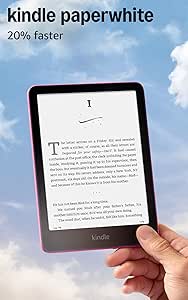 | Best Overall for Everyday Reading | Display: 7-inch Paperwhite display, 300 ppi, 16-level grayscale | Lighting: Built-in adjustable white-to-amber light | Storage: 16 GB | VIEW LATEST PRICE | See Our Full Breakdown |
| Amazon Kindle (11th Generation, 2024) 16 GB E-Reader, Black | | Best for Beginners | Display: 6-inch glare-free display, 300 ppi, 16-level grayscale | Lighting: Adjustable front light, 25% brighter at maximum setting | Storage: 16 GB | VIEW LATEST PRICE | See Our Full Breakdown |
| Amazon Kindle Colorsoft Signature Edition 32GB (Like-New, Refurbished) – Metallic Black |  | Best Refurbished Color Pick | Condition: Like-new refurbished; tested and certified | Display: 7-inch glare-free Colorsoft color display | Front light: Auto-adjusting | VIEW LATEST PRICE | See Our Full Breakdown |
| Kindle e-reader | Display | Storage | Battery life | Charging |
|---|---|---|---|---|
| Kindle Paperwhite Signature Ed | 7-inch Paperwhite, 300 ppi, 16-level grayscale | 32GB | Up to 12 weeks | USB-C; wireless charging compatible with separately sold dock |
| Amazon Kindle Paperwhite 16GB | 7-inch glare-free, higher-contrast screen | 16GB | Up to 12 weeks | USB-C |
| Amazon Kindle Paperwhite 16GB | 7-inch Paperwhite, 300 ppi, 16-level grayscale | 16GB | Up to 12 weeks under stated reading conditions | USB-C |
| Amazon Kindle Paperwhite Signa | 7-inch glare-free Paperwhite display | 32GB | Up to 12 weeks per charge | USB-C and wireless charging compatible |
| Amazon Kindle Scribe 64GB | 11-inch glare-free display with front light | 64GB | Weeks per charge | — |
| Amazon Kindle Paperwhite Signa | 7-inch glare-free display | 32 GB | Up to 12 weeks per charge | USB-C and wireless charging |
| Like-New Amazon Kindle 16 GB | 6-inch glare-free display | 16 GB | Up to 6 weeks on a single charge | — |
| Amazon Kindle | 6-inch glare-free display, 300 ppi, 16-level grayscale | 16 GB | Up to 6 weeks | — |
| Amazon Kindle Scribe Colorsoft | 11-inch Colorsoft display; 300 ppi black and white, 150 ppi color | 64 GB (50 GB available to user) | — | — |
| Amazon Kindle Colorsoft 16 GB | 7-inch Colorsoft color display | 16 GB | Up to 8 weeks per charge | USB-C |
| Amazon Kindle Scribe Colorsoft | 11-inch Colorsoft; 300 ppi black and white, 150 ppi color, 16-level grayscale | 64 GB (50 GB available to user) | — | — |
| Amazon Kindle | 6-inch glare-free display, 300 ppi | 16 GB | Up to 6 weeks under stated usage conditions | — |
| Amazon Kindle Paperwhite 16GB | 7-inch Paperwhite display, 300 ppi, 16-level grayscale | 16 GB | Up to 12 weeks per charge | USB-C; full charge in less than 2.5 hours with a 9W adapter |
| Amazon Kindle | 6-inch glare-free display, 300 ppi, 16-level grayscale | 16 GB | Up to 6 weeks | USB-C; approximately 4 hours via computer or 2 hours with a 9W adapter |
| Amazon Kindle Colorsoft Signat | 7-inch glare-free Colorsoft color display | 32 GB | Up to 8 weeks per charge | USB-C; wireless charging compatible with separately sold dock |
More Details on Our Top Picks
Kindle Paperwhite Signature Edition 32GB (2024) – Metallic Black
The Paperwhite Signature Edition is my strongest all-around pick for readers who want a capable Kindle without adding writing tools or color features. Its 7-inch, 300 ppi display gives text room to breathe, while the auto-adjusting front light adapts as you move between bright and dim settings. Compared with the standard Kindle Paperwhite 16GB, it doubles the storage and adds wireless charging compatibility, which suits readers with large libraries or frequent charging routines. The tradeoff is that the wireless charging dock is sold separately, and the standard Paperwhite already covers the main reading needs. IPX8 protection and long battery life make this a flexible choice for travel and water-side reading, though audiobook use can shorten time between charges.
Pros:- Auto-adjusting front light responds to changing room brightness
- 32GB storage accommodates a larger Kindle library
- IPX8 waterproofing suits bath, poolside, and travel reading
- USB-C and wireless charging compatibility offer charging flexibility
Cons:- Wireless charging dock is sold separately
- The standard Paperwhite offers a similar core reading experience with less storage
- Bluetooth audiobook use and lighting settings can reduce battery life
Best for: Frequent readers who want a waterproof, large-screen Kindle with extra storage and automatic lighting
Not ideal for: Readers who mainly borrow or keep a small collection and would rather avoid paying for Signature Edition extras
- Display:7-inch Paperwhite, 300 ppi, 16-level grayscale
- Storage:32GB
- Dimensions:5 x 7 x 0.3 in (127.6 x 176.7 x 7.8 mm)
- Weight:7.5 oz (214 g)
- Battery life:Up to 12 weeks
- Charging:USB-C; wireless charging compatible with separately sold dock
- Waterproofing:IPX8; tested to 2 meters of fresh water for 60 minutes
- Connectivity:Dual-band Wi-Fi
- Generation:12th Generation, 2024
Our verdict“Choose this Signature Edition if you want a well-rounded waterproof Kindle with automatic lighting, extra storage, and wireless charging support.”
Amazon Kindle Paperwhite 16GB (Newest Model) – Black
The standard Kindle Paperwhite 16GB covers the features most readers will notice day to day: a roomy 7-inch glare-free screen, adjustable white-to-amber front light, waterproofing, and long battery life. Its 25% faster page turns make browsing a book feel more immediate than on earlier Paperwhites. Compared with the Paperwhite Signature Edition 32GB, this model skips wireless charging and automatic light adjustment, but keeps the same basic appeal of a larger waterproof Kindle. That makes it a straightforward fit for readers who want a dedicated e-reader without storage or charging extras. The tradeoffs are the Kindle Store-centered content experience and the absence of general apps or notifications; this is built to keep reading simple, not to replace a tablet.
Pros:- 7-inch glare-free display provides a generous reading area
- Adjustable white-to-amber light suits varied lighting conditions
- Waterproof design supports reading near water
- Up to 12 weeks of battery life per charge
Cons:- No wireless charging support or auto-adjusting front light listed
- Kindle Store ecosystem shapes how readers access content
- Does not provide general apps or notifications
Best for: Readers who want a current, waterproof Kindle for novels and regular use, without Signature Edition extras
Not ideal for: Readers who want wireless charging, automatic brightness adjustment, or apps beyond an e-reader’s core functions
- Display:7-inch glare-free, higher-contrast screen
- Storage:16GB
- Page turns:25% faster than the previous model
- Battery life:Up to 12 weeks
- Charging:USB-C
- Front light:Adjustable white-to-amber light
- Waterproof:Yes
- Color:Black
Our verdict“Pick the standard Paperwhite for a large, waterproof screen and long battery life without the Signature Edition’s added features.”
Amazon Kindle Paperwhite 16GB (12th Generation, 2024) – 7″ Glare-Free Display – Jade
This Jade Paperwhite pairs the standard 16GB Paperwhite setup with a finish that stands out from the lineup’s black options. The core case for choosing it is practical: its 300 ppi display, adjustable warm light, IPX8 waterproofing, and stated battery life support comfortable reading in different places and conditions. Compared with the black Kindle Paperwhite 16GB, the supplied data points to the same central reading features, so the decision comes down mainly to color preference rather than a performance advantage. It also shares the standard model’s tradeoffs: no wireless charging or automatic front-light adjustment is specified, and the device keeps distractions low by leaving out general apps. Readers who want those added conveniences can look to the Signature Edition, which adds them along with more storage.
Pros:- Jade finish offers an alternative to black Paperwhite models
- 300 ppi glare-free display renders sharp text
- Adjustable warm light supports reading in different lighting
- IPX8 waterproofing and long stated battery life suit reading on the go
Cons:- 16GB storage is less than the Signature Edition’s 32GB
- Wireless charging and auto-adjusting light are not specified for this model
- Bluetooth audiobook streaming can reduce battery life
Best for: Readers who want the standard Paperwhite’s reading features in a Jade finish
Not ideal for: Readers who need more than 16GB, wireless charging, or automatic adjustment of the front light
- Display:7-inch Paperwhite, 300 ppi, 16-level grayscale
- Storage:16GB
- Dimensions:5 x 7 x 0.3 in (127.6 x 176.7 x 7.8 mm)
- Weight:7.4 oz (211 g)
- Battery life:Up to 12 weeks under stated reading conditions
- Charging:USB-C
- Waterproofing:IPX8; tested to 2 meters of fresh water for 60 minutes
- Wi-Fi:2.4 GHz and 5.0 GHz
- Color:Jade
Our verdict“Choose the Jade Paperwhite if you want the standard 2024 Paperwhite experience and prefer its distinctive color.”
Amazon Kindle Paperwhite Signature Edition (32 GB, Metallic Jade)
The Metallic Jade Signature Edition gives readers the Signature feature set in a less conventional finish. Its 32GB storage leaves more room for a large library than the standard Jade Paperwhite 16GB, while auto-adjusting front light and wireless charging compatibility add convenience to regular reading. Waterproofing and a stated battery life of up to 12 weeks round out a setup suited to carrying one e-reader between home and trips. The choice over the black Signature Edition is primarily aesthetic: the supplied specs describe the same broad extras, with Jade as the differentiator. That extra capacity and charging flexibility may be more than a modest library needs, and the wireless charging dock is sold separately. This is the pick for buyers who want Signature features and specifically prefer Metallic Jade.
Pros:- 32GB storage provides more capacity than the standard Paperwhite
- Auto-adjusting front light adapts to changing surroundings
- Supports both USB-C and wireless charging
- Waterproof design suits reading near water
Cons:- Wireless charging dock is sold separately
- Extra storage may not matter to readers with smaller libraries
- The standard Jade Paperwhite has the same stated 7-inch display size
Best for: Paperwhite readers who want 32GB, automatic lighting, wireless charging support, and a Metallic Jade finish
Not ideal for: Readers who are happy with 16GB and do not need the Signature Edition charging or lighting features
- Display:7-inch glare-free Paperwhite display
- Storage:32GB
- Front light:Auto-adjusting
- Charging:USB-C and wireless charging compatible
- Battery life:Up to 12 weeks per charge
- Waterproof:Yes
- Color:Metallic Jade
Our verdict“Get the Metallic Jade Signature Edition if you want Signature features and extra storage in this finish.”
Amazon Kindle Scribe 64GB (Newest Model) with Pen – Graphite, 11″ Display
The Kindle Scribe is the lineup’s outlier: it pairs an 11-inch glare-free screen with a pen for readers who also annotate, plan, or work through documents by hand. Its large display gives pages and notes more space than the 7-inch Paperwhite Signature Edition, while the included pen needs no charging and has an eraser and shortcut button. Cloud imports and handwriting tools extend its usefulness beyond a conventional e-reader. The tradeoff is size: at 400g, it is substantially larger and heavier than the Paperwhite models, making it less convenient for pocketable reading or one-handed use. It also remains a focused reading and writing device rather than a full tablet, and document work may require importing files from supported cloud services.
Pros:- 11-inch glare-free screen provides space for documents and handwritten notes
- Included pen has a built-in eraser and requires no charging
- AI tools support handwriting conversion, summaries, and search
- Cloud imports connect with Google Drive and Microsoft OneDrive
Cons:- At 400g, it is heavier and larger than the Paperwhite models
- Does not offer general apps or notifications
- Some document review requires importing files from cloud services
Best for: Readers, students, and professionals who want to read long documents and write or annotate by hand on the same device
Not ideal for: Commuters seeking a compact, light e-reader or buyers who need general tablet apps
- Display:11-inch glare-free display with front light
- Storage:64GB
- Thickness:5.4mm
- Weight:400g
- Pen:Included, no charging required; built-in eraser and shortcut button
- Writing and page-turn speed:40% faster than the previous model
- Cloud services:Google Drive, Microsoft OneDrive, Microsoft OneNote
- Battery life:Weeks per charge
Our verdict“Choose the Scribe if handwriting and document annotation matter as much as reading, and its larger format suits your routine.”
Amazon Kindle Paperwhite Signature Edition (32 GB), Metallic Raspberry
The Paperwhite Signature Edition suits readers who want a larger screen and fewer lighting adjustments as they move between rooms. Its 7-inch glare-free display gives text more room than the 6-inch Kindle, while the auto-adjusting front light responds to changing surroundings. That makes it a more comfortable all-day reader than the basic model, though the standard Paperwhite is the closer alternative if automatic brightness and wireless charging are not priorities. Waterproofing adds flexibility for poolside or bath reading, and the stated battery life reaches 12 weeks per USB-C charge. The tradeoff is that wireless charging requires a separate dock, so that convenience comes with another accessory. Its 32 GB capacity and Metallic Raspberry finish round out a premium-leaning pick.
Pros:- 7-inch glare-free display offers more reading area than the 6-inch Kindle
- Auto-adjusting front light adapts to changing room brightness
- Waterproof design suits poolside and bath reading
- Up to 12 weeks of battery life per USB-C charge
Cons:- Wireless charging dock is sold separately
- Larger body is less compact than the basic Kindle
Best for: Frequent readers who want automatic lighting, a roomy screen, and waterproofing for reading in varied settings
Not ideal for: Readers seeking the simplest compact Kindle or who do not want to buy a separate dock for wireless charging
- Display:7-inch glare-free display
- Storage:32 GB
- Front light:Auto-adjusting
- Charging:USB-C and wireless charging
- Battery life:Up to 12 weeks per charge
- Waterproof:Yes
- Color:Metallic Raspberry
Our verdict“Choose this Paperwhite if automatic lighting, a larger screen, and waterproof reading matter more than a smaller body or dock-free charging.”
Like-New Amazon Kindle 16 GB (Newest Model) – Matcha
This certified refurbished Kindle offers the small, light reading format of the current basic Kindle, with a 6-inch glare-free screen, adjustable front light, and dark mode. Its 16 GB storage is ample for a large library, and the stated battery life reaches six weeks. Compared with the new 2024 Kindle Matcha, the main distinction is its like-new refurbished condition, backed by the same limited warranty as a new device. That makes it a fit for buyers comfortable with refurbished hardware who want compact reading without stepping up to the larger Paperwhite Signature Edition. The smaller display is easier to carry but gives less room for text than that 7-inch Paperwhite. Buyers should also expect possible generic packaging; Kindle Unlimited access requires a separate subscription.
Pros:- Compact, lightweight design is easy to carry
- Adjustable front light and dark mode support different reading conditions
- 16 GB storage holds thousands of books
- Same limited warranty as a new device
Cons:- Certified refurbished condition may not suit buyers who want new hardware
- May arrive in generic Amazon-branded packaging
- Kindle Unlimited requires a separate subscription
Best for: Readers who prioritize a lightweight 6-inch Kindle and are comfortable choosing a certified refurbished device
Not ideal for: Buyers who require a brand-new device or want the larger, waterproof display of the Paperwhite Signature Edition
- Condition:Like-New / Certified Refurbished
- Storage:16 GB
- Display:6-inch glare-free display
- Front light:Adjustable; 25% brighter at maximum setting
- Battery life:Up to 6 weeks on a single charge
- Color:Matcha
- Warranty:Same limited warranty as a new device
Our verdict“Pick this like-new Kindle if portability matters and refurbished condition is acceptable; choose the new 2024 Matcha Kindle if you prefer a brand-new unit.”
Amazon Kindle (11th Generation, 2024), 16 GB, 6-inch Display, Matcha
For readers who want a straightforward new Kindle that travels easily, this 6-inch Matcha model keeps the essentials: a glare-free 300 ppi display, adjustable front light, dark mode, and 16 GB of storage. At 5.56 ounces, it is a lighter, smaller option than the Paperwhite Signature Edition, though it lacks that model’s larger screen, waterproofing, and auto-adjusting light. The compact screen works well for novels and everyday reading, while 16 grayscale levels give text and images tonal range. Battery life is listed at up to six weeks, but actual duration varies with use. Dual-band Wi-Fi supports book downloads, and USB-C is used for charging. Personal documents in some formats may need conversion, a potential friction point for readers who regularly load their own files.
Pros:- Light 5.56-ounce body is easy to carry
- 300 ppi glare-free display with adjustable front light and dark mode
- 16 GB storage for a large book library
- USB-C charging and dual-band Wi-Fi
Cons:- Six-inch display is smaller than the Paperwhite Signature Edition’s 7-inch screen
- Not listed as waterproof
- Some personal document formats require conversion
Best for: Commuters and casual readers who want a new, lightweight Kindle for novels and everyday reading
Not ideal for: Readers who want waterproofing, automatic brightness, or more screen space for documents and larger text
- Generation:11th Generation (2024 release)
- Display:6-inch glare-free display, 300 ppi, 16-level grayscale
- Storage:16 GB
- Dimensions:6.2 × 4.3 × 0.32 in (157.8 × 108.6 × 8.0 mm)
- Weight:5.56 oz (158 g)
- Battery life:Up to 6 weeks
- Connectivity:Dual-band Wi-Fi (2.4 GHz and 5.0 GHz)
- Charging port:USB-C
- Color:Matcha
Our verdict“Choose this new Matcha Kindle for portable everyday reading, and step up to the Paperwhite Signature Edition for waterproofing and a larger display.”
Amazon Kindle Scribe Colorsoft 64GB with Premium Pen
The Kindle Scribe Colorsoft combines an 11-inch color reading surface with note-taking tools, making it the most capable writing device in this group. Its included Premium Pen needs no charging and can be used in notebooks, books, and documents; built-in tools can search, summarize, and convert notes. Compared with the Kindle Colorsoft, the Scribe provides far more room for handwriting and document work, while the smaller Colorsoft is easier to hold as a dedicated e-reader. The large screen displays black-and-white content at 300 ppi, but color is 150 ppi, so color details look less sharp than monochrome text. At 400 g and nearly 10 inches tall, this is better suited to a desk or bag than one-handed reading. Its 64 GB capacity supports a broader mix of books and documents.
Pros:- Large 11-inch color display provides space for documents and handwriting
- Premium Pen is included and requires no charging
- AI tools can search, summarize, and convert handwritten notes
- 64 GB storage supports books and documents
Cons:- Color resolution is lower than black-and-white resolution
- At 400 g, it is less convenient for extended one-handed reading
- Color filter layer may affect screen texture or brightness
Best for: Readers, students, and professionals who want a large color e-reader for handwriting, document markup, and library reading
Not ideal for: One-handed readers and buyers who mainly read novels and prefer a smaller, lighter device
- Display:11-inch Colorsoft display; 300 ppi black and white, 150 ppi color
- Storage:64 GB (50 GB available to user)
- Device dimensions:7.4 × 9.6 × 0.21 inches (189 × 245 × 5.4 mm), excluding feet
- Device weight:400 g (14.1 oz)
- Pen:Premium Pen included; 17 g; no charging required
- Connectivity:Dual-band 2.4 GHz and 5.0 GHz Wi-Fi
- Supported formats:AZW3, AZW, TXT, PDF, MOBI, PRC, DOCX, DOC, HTML, EPUB, RTF, JPEG, GIF, PNG, BMP, AAX
- Warranty:1-year limited warranty
Our verdict“Choose the Scribe Colorsoft if you will use its large color screen and pen for notes or documents; choose the smaller Kindle Colorsoft for reading-first use.”
Amazon Kindle Colorsoft 16 GB E-reader
The Kindle Colorsoft 16 GB brings color to a reading-first Kindle in a more manageable format than the 11-inch Scribe Colorsoft. Its 7-inch display supports highlights in yellow, orange, blue, and pink, giving readers a way to distinguish passages without moving to a pen-equipped writing device. Adjustable white-to-amber lighting, dark mode, and waterproofing make it more versatile for everyday reading than the compact 2024 Kindle Matcha. The tradeoff is that the Colorsoft display differs from the Paperwhite’s screen, which is optimized for black-and-white reading; choose the Paperwhite if monochrome reading is your priority. With 16 GB of storage and up to eight weeks of battery life per USB-C charge, it stays focused on books rather than the larger Scribe’s note-taking role. Kindle Unlimited requires a separate subscription.
Pros:- 7-inch color display supports four highlight colors
- Adjustable white-to-amber lighting and dark mode
- Waterproof design suits reading near water
- Up to 8 weeks of battery life per USB-C charge
Cons:- Display differs from the Paperwhite screen optimized for black-and-white reading
- 16 GB offers less storage than the Scribe Colorsoft’s 64 GB
- Kindle Unlimited requires a separate subscription
Best for: Readers who want color covers and multicolor highlights on a waterproof Kindle sized for everyday reading
Not ideal for: Readers who prioritize a black-and-white reading display or need a large screen and pen for document markup
- Storage:16 GB
- Display:7-inch Colorsoft color display
- Battery life:Up to 8 weeks per charge
- Charging:USB-C
- Lighting:Adjustable white-to-amber
- Waterproof:Yes
- Dark Mode:Yes
- Highlight colors:Yellow, orange, blue, and pink
- Kindle Store selection:Over 15 million titles
Our verdict“Pick the Kindle Colorsoft for color highlights and waterproof everyday reading, or the Paperwhite if monochrome display performance matters more.”
Amazon Kindle Scribe Colorsoft 64GB, 11-inch Paper-Like Color Display, Pen Included, Graphite
The Scribe Colorsoft is the most capable choice here for readers who also want a dedicated writing surface. Its 11-inch color display gives documents, illustrated books, and handwritten notes more room than the 7-inch Kindle Colorsoft, while the included Premium Pen needs no charging and has a built-in eraser. The tradeoff is size: at 14.1 ounces, it is far less pocketable than the standard 6-inch Kindle. Color renders at 150 ppi, compared with 300 ppi for black and white, so readers focused on crisp text may prefer the smaller Kindle Paperwhite. AI note tools, cloud import and export, and 64GB of storage suit people who work with documents as well as books. Choose it for reading and writing in one distraction-free device; skip it if you want a simple, compact reader.
Pros:- Large 11-inch display provides room for documents, notebooks, and illustrated reading
- Included Premium Pen needs no charging and has an eraser and shortcut button
- 64GB storage supports a large collection of books and documents
- AI note tools and cloud import and export support a more flexible writing workflow
Cons:- Larger and heavier than the 6-inch Kindle and 7-inch Kindle Colorsoft
- Color resolution is lower than the black-and-white resolution
- Lacks the general-purpose apps and notifications of a tablet
Best for: Readers who annotate books, work with documents, and want a large writing surface without tablet apps
Not ideal for: Commuters who prioritize a pocketable reader or readers who mainly want a crisp black-and-white screen
- Display:11-inch Colorsoft; 300 ppi black and white, 150 ppi color, 16-level grayscale
- Lighting:Built-in front light
- Storage:64 GB (50 GB available to user)
- Device size:7.4 × 9.6 × 0.21 inches, excluding feet
- Device weight:14.1 oz (400 g)
- Pen:Premium Pen included; no charging required, with built-in eraser and shortcut button
- Connectivity:Dual-band 2.4 GHz and 5.0 GHz Wi-Fi
- Warranty:1-year limited warranty
Our verdict“Pick the Scribe Colorsoft if you want to read, annotate, and write on a large color screen, and accept its size and lower color resolution.”
Amazon Kindle (11th Generation, 2024) 16 GB, Black
This refurbished Kindle keeps the basics straightforward in a light, pocket-friendly format. Its 6-inch glare-free, 300 ppi screen and adjustable front light give text the same stated pixel density as the larger Kindle Paperwhite, while the smaller body is easier to carry one-handed. The Paperwhite adds a 7-inch screen, warm lighting, and waterproofing, so it is the better fit for beach or bath reading; this Kindle makes more sense for everyday portability. Certified refurbished means it has been tested and certified to look and work like new, with a one-year limited warranty, though packaging may be generic. Sixteen gigabytes holds a substantial book collection, and battery life is listed as up to six weeks under stated conditions. Its appeal is compact reading at home or on the move, with refurbishment and shorter battery life than the Paperwhite as the tradeoffs.
Pros:- Compact 5.56-ounce body is easy to carry and hold
- Glare-free 300 ppi display with adjustable front light and dark mode
- 16GB storage holds thousands of books
- One-year limited warranty is included with the certified refurbished device
Cons:- Refurbished devices may arrive in generic Amazon-branded packaging
- Lacks the Paperwhite’s waterproofing and adjustable white-to-amber lighting
- Battery life varies with use and settings
Best for: Readers who want a lightweight, basic Kindle and are comfortable choosing a certified refurbished device
Not ideal for: Readers who want a new device, waterproof protection, warm front lighting, or a larger screen
- Condition:Certified refurbished; tested and certified to look and work like new
- Display:6-inch glare-free display, 300 ppi
- Lighting:Built-in adjustable front light and dark mode
- Storage:16 GB
- Dimensions:6.2 × 4.3 × 0.32 inches
- Weight:5.56 oz (158 g)
- Battery life:Up to 6 weeks under stated usage conditions
- Connectivity:Dual-band 2.4 GHz and 5.0 GHz Wi-Fi
- Warranty:1-year limited warranty
Our verdict“Choose this refurbished Kindle for portable, high-resolution reading if you can forgo the Paperwhite’s larger waterproof screen.”
Amazon Kindle Paperwhite 16GB (12th Generation, 2024) – Raspberry
The Paperwhite is the most balanced everyday reader in this group. Its 7-inch, 300 ppi screen gives text more room than the standard 6-inch Kindle, and adjustable white-to-amber lighting lets readers tune the screen for different rooms and reading times. It also adds IPX8 water resistance and up to 12 weeks of stated battery life, advantages the compact Kindle and refurbished Colorsoft do not match on the supplied specifications. For color book covers and highlighting, the 7-inch Kindle Colorsoft serves a different purpose; the Paperwhite keeps its display grayscale and focuses on text. That makes it a strong fit for travel, bedtime reading, and daily use, though its 7.4-ounce body is less compact than the basic Kindle, and the charging adapter is sold separately.
Pros:- 7-inch glare-free display with crisp 300 ppi text
- Adjustable white-to-amber lighting suits varied reading environments
- IPX8 water resistance supports reading near water
- Up to 12 weeks of battery life per charge under stated conditions
Cons:- USB power adapter is not included
- Grayscale display cannot show color illustrations or highlights
- Larger and heavier than the standard 6-inch Kindle
Best for: Frequent readers who want a larger text-focused screen, warm lighting, long battery life, and water resistance
Not ideal for: Readers seeking color pages, a pen for notes, or the lightest and smallest Kindle body
- Display:7-inch Paperwhite display, 300 ppi, 16-level grayscale
- Lighting:Built-in adjustable white-to-amber light
- Storage:16 GB
- Dimensions:5 × 7 × 0.3 inches
- Weight:7.4 oz (211 g)
- Battery life:Up to 12 weeks per charge
- Water resistance:IPX8; tested to 2 meters of fresh water for 60 minutes
- Charging:USB-C; full charge in less than 2.5 hours with a 9W adapter
Our verdict“Choose the Paperwhite for a well-rounded, travel-ready reading experience with a larger screen, warm light, and water resistance.”
Amazon Kindle (11th Generation, 2024) 16 GB E-Reader, Black
This standard Kindle is the simplest entry point for readers who want a dedicated device for books. The 6-inch glare-free display, adjustable front light, and dark mode cover the essentials, while 16GB provides room for thousands of books without a computer-based transfer routine. Compared with the Kindle Paperwhite, it is lighter and more compact, but gives up the Paperwhite’s 7-inch screen, warm lighting, longer stated battery life, and IPX8 water resistance. The refurbished Kindle in this roundup shares the same core screen size and stated battery life, so this new-device listing is the better fit for a buyer who wants to avoid refurbished condition. Its small size and straightforward reading focus keep the choice uncomplicated; readers who want waterproofing or a larger display should step up to the Paperwhite.
Pros:- Light 5.56-ounce design is comfortable to carry and hold
- 300 ppi glare-free screen with adjustable front light and dark mode
- 16GB storage holds thousands of books
- USB-C charging and dual-band Wi-Fi simplify everyday setup
Cons:- No waterproof rating, unlike the Paperwhite
- Smaller 6-inch display offers less room than the Paperwhite’s 7-inch screen
- Battery life depends on usage and wireless settings
Best for: First-time e-reader buyers who want a new, compact device for novels and everyday reading
Not ideal for: Readers who want a waterproof Kindle, warm lighting, or a larger screen for PDFs and page layouts
- Display:6-inch glare-free display, 300 ppi, 16-level grayscale
- Lighting:Adjustable front light, 25% brighter at maximum setting
- Storage:16 GB
- Dimensions:6.2 × 4.3 × 0.32 inches
- Weight:5.56 oz (158 g)
- Battery life:Up to 6 weeks
- Connectivity:Dual-band 2.4 GHz and 5.0 GHz Wi-Fi
- Charging:USB-C; approximately 4 hours via computer or 2 hours with a 9W adapter
- Accessibility:VoiceView screen reader, text-to-speech, adjustable text settings, and inverted display
Our verdict“Pick this Kindle to start reading on a new, simple, lightweight e-reader, or choose the Paperwhite if you need a larger waterproof screen.”
Amazon Kindle Colorsoft Signature Edition 32GB (Like-New, Refurbished) – Metallic Black
The refurbished Colorsoft Signature Edition brings color to the familiar 7-inch Kindle format. Color covers and illustrations can make supported reading more engaging than on the grayscale Kindle Paperwhite, while its glare-free display, auto-adjusting front light, waterproof design, and stated battery life of up to eight weeks keep it suited to ordinary reading, too. The Paperwhite remains the more direct choice for readers focused on crisp black-and-white text; this Colorsoft’s display is optimized for color, so the grayscale-first buyer may prefer that simpler alternative. Like-new refurbished condition and a limited warranty matching a new device provide reassurance, but packaging may be generic. Wireless charging compatibility adds convenience if you already have a compatible dock, which is sold separately. Its 32GB storage offers more room than the 16GB models, though this version is refurbished.
Pros:- 7-inch glare-free color display shows color covers and illustrations
- 32GB storage provides more room than the 16GB Kindle and Paperwhite models
- Auto-adjusting front light and waterproof design support varied reading settings
- Certified refurbished device carries the same limited warranty as a new device
Cons:- Color-focused display may not suit readers who prioritize grayscale text
- Wireless charging dock is sold separately
- Refurbished unit may arrive in generic Amazon-branded packaging
Best for: Readers who want color covers and illustrations, extra storage, and a like-new refurbished Kindle
Not ideal for: Readers who prioritize black-and-white text above color, want a new device, or do not want a separate charging dock
- Condition:Like-new refurbished; tested and certified
- Display:7-inch glare-free Colorsoft color display
- Front light:Auto-adjusting
- Storage:32 GB
- Battery life:Up to 8 weeks per charge
- Charging:USB-C; wireless charging compatible with separately sold dock
- Waterproofing:Yes; IPX8
- Color:Metallic Black
- Warranty:Same limited warranty as a new device
Our verdict“Choose this Colorsoft if color and 32GB storage matter more to you than a new-device purchase or the Paperwhite’s text-first display.”

How We Picked
I compared the 15 listed Kindle e-readers by how well their features address distinct reading needs: everyday reading, portability, color content, and handwriting or document work. Screen size and readability, water resistance, storage, lighting, included writing tools, and the practical differences between standard and Signature versions shaped the comparisons. I also treated color variants as versions of the same core model, and separated new, like-new, and refurbished listings because condition affects what a buyer receives.
The ranking favors models that suit a broad range of reading habits without adding features most readers may not use. The Paperwhite leads for its balance of screen size and everyday flexibility; the basic Kindle ranks as a simpler portable choice. Color and Scribe models rank for more specific needs, since their distinctive displays or pen features matter most to readers who will use them. Signature and like-new options make sense when their added conveniences or condition fit the buyer’s priorities.
| Kindle e-reader | Charging |
|---|---|
| Kindle Paperwhite Signature Ed | USB-C; wireless charging compatible with separately sold dock |
| Amazon Kindle Paperwhite 16GB | USB-C |
| Amazon Kindle Paperwhite 16GB | USB-C |
| Amazon Kindle Paperwhite Signa | USB-C and wireless charging compatible |
| Amazon Kindle Scribe 64GB | — |
| Amazon Kindle Paperwhite Signa | USB-C and wireless charging |
| Like-New Amazon Kindle 16 GB | — |
| Amazon Kindle | — |
| Amazon Kindle Scribe Colorsoft | — |
| Amazon Kindle Colorsoft 16 GB | USB-C |
| Amazon Kindle Scribe Colorsoft | — |
| Amazon Kindle | — |
| Amazon Kindle Paperwhite 16GB | USB-C; full charge in less than 2.5 hours with a 9W adapter |
| Amazon Kindle | USB-C; approximately 4 hours via computer or 2 hours with a 9W adapter |
| Amazon Kindle Colorsoft Signat | USB-C; wireless charging compatible with separately sold dock |
Factors to Consider When Choosing Kindle E-readers
Before choosing a Kindle, decide what you want to do with it most often. A comfortable screen for novels, a device that slips into a small bag, and a large canvas for marking up documents call for different tradeoffs. These broader questions can help narrow the lineup beyond model names and color choices.
Choose Screen Size Around Your Reading Routine
A 6-inch screen keeps the basic Kindle compact, which can matter if you read during commutes or carry a device alongside a phone. A larger Paperwhite display shows more text at a time, so readers who increase font size may turn pages less often. Bigger screens also take up more space in a bag, so size is a comfort choice as much as a display choice. Think about where you read most: a small device is easy to carry, while a larger one can feel calmer for long sessions. Avoid choosing by screen size alone; weight, grip, and how much text fits at your preferred font size all affect comfort. If you often read PDFs or write notes, a Scribe’s 11-inch screen is built for a different job than ordinary book reading.
Decide Whether Color Changes What You Read
Color is useful when the content itself depends on it, such as illustrated books, graphic novels, or color-coded material. For mostly text-based novels, a black-and-white screen may be all you need, and moving to color may not change your daily reading. Consider how often you read color content, rather than choosing color only because it is a newer feature. Colorsoft targets readers who want color in a more conventional e-reader format; Scribe Colorsoft adds a much larger writing and document workspace. Those roles carry different size and use tradeoffs. If color is an occasional bonus, ask whether a larger or more portable device would improve your routine more.
Match Water Resistance to Where You Read
Water resistance can provide peace of mind near a pool, bath, or kitchen, but it does not mean a device is indestructible or suited to every kind of water exposure. If you mostly read at home or on a dry commute, that protection may have little effect on your choice. A buyer who reads outdoors or travels may value the extra reassurance more. Check the specific model’s stated protection and follow its care guidance; do not assume every Kindle has the same rating. A protective case can help with drops and scratches, but it does not replace water protection. The useful question is whether your reading settings make that feature relevant often enough to prioritize it.
Pay for Signature Extras Only If You Will Use Them
Signature Edition models add conveniences such as wireless charging and automatic front light adjustment, along with more storage in the listed Paperwhite options. These features can make ownership feel simpler for someone who charges frequently or moves between bright and dim settings. They do not change the basic purpose of the device, so many readers may be just as well served by a standard Paperwhite. More storage helps if you keep a large library or download substantial content, but typical text books take little space. Think about habits you already have instead of assuming premium features will change them. If you rarely adjust lighting and do not mind plugging in, prioritize the display and handling that suit you.
Treat Refurbished and Like-New Listings as a Condition Choice
A like-new or refurbished Kindle can be a sensible way to choose a particular model, but it is a condition decision as well as a model decision. Read the listing details for what is included, the stated device condition, and the applicable return or warranty terms. The phrase “like-new” does not by itself tell you about battery history, cosmetic marks, or packaging. Compare the device’s features with a new counterpart before deciding whether the condition tradeoff works for you. This matters especially when two listings share the same model name but differ in refurbishment status. Choose the option whose condition and support terms you can accept, rather than treating the label as a feature upgrade.
Frequently Asked Questions
Is the Paperwhite a better choice than the basic Kindle for a first e-reader?
It depends on where you expect to read and how much you value portability. The basic Kindle has a smaller 6-inch screen that is easy to carry, while the Paperwhite gives you a larger display and water resistance. For mostly home or commute reading, the basic model keeps things simple. If you read near water or want more room for text, the Paperwhite is the more flexible starting point. Pick based on your routine rather than assuming a first Kindle needs the most features.
Does Kindle Colorsoft make sense if I mostly read novels?
For novels that are almost entirely text, color may not change much about your reading experience. Color becomes more useful for illustrated content, comics, and books where diagrams or color cues matter. If those make up only a small part of your library, a standard Kindle or Paperwhite may better match your main use. Also consider whether portability or a larger screen matters more than color to you. Choose Colorsoft when color is something you expect to enjoy regularly, not just because it is available.
Should I choose a Kindle Scribe if I want to take notes in books?
A Scribe is aimed at readers who want a large writing surface for notes and documents, as well as a Kindle for reading. If you only make occasional reminders or highlight passages, a smaller e-reader may be easier to carry and use. Consider what kind of notes you take and whether you want to write directly on documents or use the pen features regularly. The large screen is an advantage for writing space, but it makes the device less compact than a basic Kindle or Paperwhite. Choose it when writing is part of the everyday job, not an occasional extra.
Is Paperwhite Signature Edition worth choosing over the standard Paperwhite?
The Signature Edition is most appealing when its added conveniences match habits you already have. Wireless charging and automatic front light adjustment can reduce small daily hassles, and the listed versions provide more storage. A standard Paperwhite still covers the core reading experience, so those extras may not matter to someone who charges by cable and adjusts the light manually. Think about whether you would use the features often, rather than paying attention to the Signature name alone. For many readers, the screen and water resistance are more consequential than the premium additions.
What should I check before choosing a like-new or refurbished Kindle?
Check the listing for the stated condition, included accessories, return window, and warranty or support terms. “Like-new” and “refurbished” describe listing condition, but they do not replace the seller’s details about cosmetic wear or what comes in the box. Confirm the exact model and storage so you are comparing the same device as its new counterpart. Battery condition may not be described in the same way across listings, so look for any specific information provided. Choose a refurbished option only when its condition terms suit your expectations.
Conclusion
For most readers, I recommend the standard Paperwhite as the best overall pick for its larger screen and useful everyday flexibility. The basic Kindle is my value and beginner choice for someone who wants a compact device for books without extra features. Choose a Paperwhite Signature Edition if wireless charging, automatic lighting, or added storage fits your routine; it is the premium reading option. For color books, the Kindle Colorsoft is the more focused choice, while Scribe or Scribe Colorsoft suits readers who need a large screen and pen input for notes or documents. If you are considering a like-new or refurbished listing, let its condition terms guide the final decision alongside the model features.