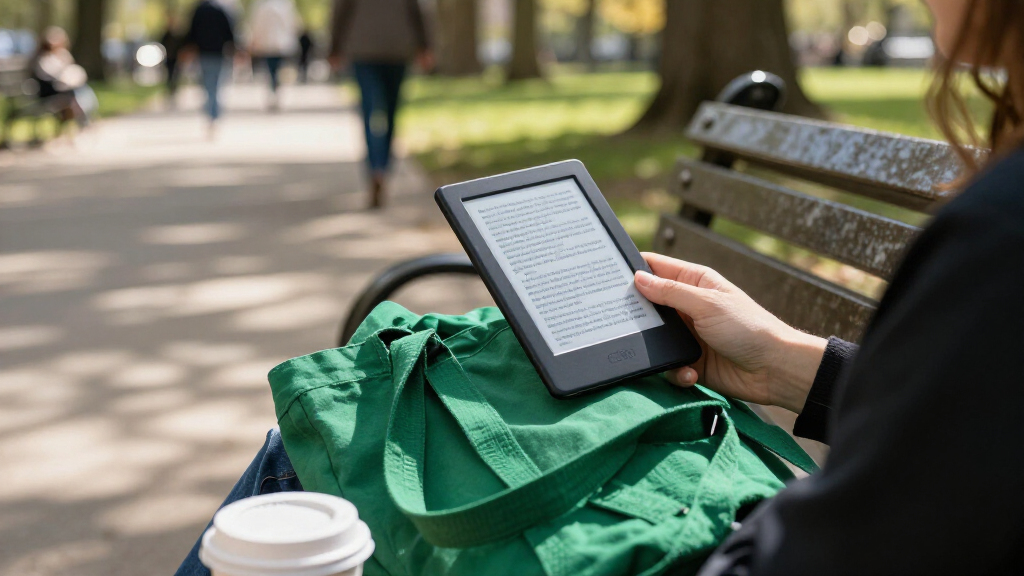

Choosing between Kindle e-readers in 2026 comes down to three questions: do you want color, do you want a big note-taking screen, and how much are you willing to pay for niceties like wireless charging? The Kindle Paperwhite Signature Edition stands out as my best overall pick, balancing the fast 7-inch glare-free display, auto-adjusting front light and 32GB of storage without the premium pricing of the Scribe line. If you read a lot of comics, cookbooks or manga, the Kindle Colorsoft Signature Edition is the stronger choice thanks to its color display, while the base Kindle (16 GB) remains the smartest budget entry point for text-first readers. The main tradeoff in this lineup is portability and price versus screen size and features — and duplicate listings of nearly identical models make comparison shopping trickier than it should be. Keep reading for the full breakdown of all fifteen models and which one fits your reading habits.
Complete the kit



Key Takeaways
- The Paperwhite Signature Edition won best overall because it hits the sweet spot: the same 7-inch, 20% faster display as the standard Paperwhite, plus wireless charging, an auto-adjusting front light and 32GB of storage for heavy library builders.
- Color Kindles split into two clear tiers — the Colorsoft 16GB for casual color reading and the Colorsoft Signature Edition 32GB for those who want the premium extras — while the Scribe Colorsoft pushes color onto an 11-inch canvas aimed at annotators, not commuters.
- The lineup contains multiple near-duplicate listings: two graphite Scribes, two Scribe Colorsofts, and several Paperwhite variants differing only in storage or color. Color choice and storage capacity, not performance, are what separate most of these models.
- The base 16GB Kindle is the only genuinely compact option left in the family, and its faster page turns and higher contrast ratio make it a legitimate pick rather than a compromise — but it lacks waterproofing and the larger 7-inch screen of every Paperwhite.
- Premium pens only ship with Scribe bundles; every other model in this roundup is a pure reading device with no stylus support, so note-takers should skip straight to the Scribe family and everyone else can save their money.
| Amazon Kindle Scribe (64GB) with Premium Pen |  | Best Premium Pick for Note-Takers | Display: 10.2-inch glare-free, 300 ppi front-lit | Storage: 64GB | Included accessory: Premium Pen (no charging required) | VIEW LATEST PRICE | See Our Full Breakdown |
| Amazon Kindle Colorsoft 16 GB E-Reader – Black, Ad-Free |  | Best for Color Reading | Display: 7-inch Colorsoft color display | Storage: 16 GB | Lighting: Adjustable white-to-amber; Dark Mode | VIEW LATEST PRICE | See Our Full Breakdown |
| Amazon Kindle Paperwhite 16GB (newest model) – Black |  | Best Overall | Display: 7-inch glare-free, higher contrast ratio | Storage: 16GB | Page turns: 25% faster than previous generation | VIEW LATEST PRICE | See Our Full Breakdown |
| Amazon Kindle 16 GB (newest model) – Matcha |  | Best for Beginners | Display: 6-inch glare-free, 300 ppi, 16-level grayscale | Storage: 16 GB | Battery life: Up to 6 weeks per charge | VIEW LATEST PRICE | See Our Full Breakdown |
| Amazon Kindle (16 GB) – Matcha |  | Best Gift Pick | Display: 6-inch glare-free | Storage: 16 GB | Front light: Adjustable; 25% brighter at maximum setting | VIEW LATEST PRICE | See Our Full Breakdown |
| Amazon Kindle Scribe Colorsoft, 64GB, 11-Inch Display with Premium Pen, Graphite |  | Best Premium Pick | Display: 11-inch Colorsoft, 300 ppi black and white, 150 ppi color, built-in light | Storage: 64 GB (50 GB available to user) | Dimensions: 7.4 × 9.6 × 0.21 inches, excluding feet | VIEW LATEST PRICE | See Our Full Breakdown |
| Amazon Kindle Paperwhite Signature Edition 32GB, Metallic Jade |  | Best Feature-Rich Paperwhite | Display: 7-inch glare-free Paperwhite display with higher contrast and 25% faster page turns | Storage: 32 GB | Charging: USB-C and wireless charging (dock sold separately) | VIEW LATEST PRICE | See Our Full Breakdown |
| Amazon Kindle Paperwhite (12th Generation, 2024), 16 GB, 7-inch Display, Raspberry |  | Best Value Full-Size Reader | Display: 7-inch, 300 ppi, 16-level grayscale, glare-free | Storage: 16 GB | Dimensions: 5 × 7 × 0.3 in (127.6 × 176.7 × 7.8 mm) | VIEW LATEST PRICE | See Our Full Breakdown |
| Amazon Kindle Scribe Colorsoft 64GB with Premium Pen |  | Best for Digital Notebooks and Annotation | Display: 11-inch Colorsoft with built-in light; 300 ppi black and white, 150 ppi color | Storage: 64 GB (50 GB available to user) | Dimensions: 189 × 245 × 5.4 mm, excluding feet | VIEW LATEST PRICE | See Our Full Breakdown |
| Amazon Kindle Scribe, 64GB, 11-Inch Display, Graphite |  | Best Black-and-White Writing Tablet | Display: 11-inch glare-free with adjustable front light and warmth | Storage: 64 GB | Thickness: 5.4 mm | VIEW LATEST PRICE | See Our Full Breakdown |
| Amazon Kindle (16 GB, 11th Generation, 2024) – Black |  | Best Budget Entry Point | Display: 6-inch glare-free, 300 ppi, 16-level grayscale | Storage: 16 GB | Weight: 5.56 oz (158 g) | VIEW LATEST PRICE | See Our Full Breakdown |
| Amazon Kindle Paperwhite Signature Edition 32GB – Metallic Black |  | Best Overall | Display: 7-inch Paperwhite, 300 ppi, higher contrast | Storage: 32 GB | Weight: 7.5 oz (214 g) | VIEW LATEST PRICE | See Our Full Breakdown |
| Amazon Kindle Paperwhite Signature Edition, 32 GB – Metallic Raspberry |  | Best Overall in Color | Display: 7-inch glare-free Paperwhite display, 300 ppi | Storage: 32 GB | Front light: Auto-adjusting | VIEW LATEST PRICE | See Our Full Breakdown |
| Amazon Kindle Colorsoft Signature Edition (32 GB) – 7-Inch, Metallic Black |  | Best for Color Content | Display: 7-inch Colorsoft; 300 ppi B&W, 150 ppi color | Storage: 32 GB | Weight: 7.7 oz (219 g) | VIEW LATEST PRICE | See Our Full Breakdown |
| Amazon Kindle Paperwhite 16GB – 7″ Glare-Free Display – Jade |  | Best Value | Display: 7-inch Paperwhite, 300 ppi, 16-level grayscale | Storage: 16 GB | Weight: 7.4 oz (211 g) | VIEW LATEST PRICE | See Our Full Breakdown |
| Kindle e-reader | Display | Storage | Battery life | Weight |
|---|---|---|---|---|
| Amazon Kindle Scribe | 10.2-inch glare-free, 300 ppi front-lit | 64GB | Months of reading; weeks of writing per charge | — |
| Amazon Kindle Colorsoft 16 GB | 7-inch Colorsoft color display | 16 GB | Up to 8 weeks per charge | — |
| Amazon Kindle Paperwhite 16GB | 7-inch glare-free, higher contrast ratio | 16GB | Up to 12 weeks per charge | — |
| Amazon Kindle 16 GB | 6-inch glare-free, 300 ppi, 16-level grayscale | 16 GB | Up to 6 weeks per charge | 5.56 oz (158 g) |
| Amazon Kindle | 6-inch glare-free | 16 GB | Up to 6 weeks per charge | — |
| Amazon Kindle Scribe Colorsoft | 11-inch Colorsoft, 300 ppi black and white, 150 ppi color, built-in light | 64 GB (50 GB available to user) | — | 14.1 oz (400 g) |
| Amazon Kindle Paperwhite Signa | 7-inch glare-free Paperwhite display with higher contrast and 25% faster page turns | 32 GB | Up to 12 weeks per charge | — |
| Amazon Kindle Paperwhite | 7-inch, 300 ppi, 16-level grayscale, glare-free | 16 GB | Up to 12 weeks under specified conditions | 7.4 oz (211 g) |
| Amazon Kindle Scribe Colorsoft | 11-inch Colorsoft with built-in light; 300 ppi black and white, 150 ppi color | 64 GB (50 GB available to user) | — | 400 g |
| Amazon Kindle Scribe | 11-inch glare-free with adjustable front light and warmth | 64 GB | Weeks of reading and writing per charge | 400 g |
| Amazon Kindle | 6-inch glare-free, 300 ppi, 16-level grayscale | 16 GB | Up to 6 weeks | 5.56 oz (158 g) |
| Amazon Kindle Paperwhite Signa | 7-inch Paperwhite, 300 ppi, higher contrast | 32 GB | Up to 12 weeks per USB-C charge | 7.5 oz (214 g) |
| Amazon Kindle Paperwhite Signa | 7-inch glare-free Paperwhite display, 300 ppi | 32 GB | Up to 12 weeks per USB-C charge | — |
| Amazon Kindle Colorsoft Signat | 7-inch Colorsoft; 300 ppi B&W, 150 ppi color | 32 GB | Up to 8 weeks | 7.7 oz (219 g) |
| Amazon Kindle Paperwhite 16GB | 7-inch Paperwhite, 300 ppi, 16-level grayscale | 16 GB | Up to 12 weeks per USB-C charge | 7.4 oz (211 g) |
More Details on Our Top Picks
Amazon Kindle Scribe (64GB) with Premium Pen
This option stands out for doing something no other Kindle in this lineup attempts: letting you write as well as read. The 10.2-inch, 300 ppi display gives it nearly double the screen area of the Kindle Paperwhite, which makes dense PDFs, sheet music, and journals feel workable rather than cramped. The included Premium Pen needs no charging or setup, and built-in AI tools can convert and summarize handwriting — a genuine advantage over the Kindle Colorsoft, which offers color but no note-taking at all.
The tradeoff is portability and focus. At tablet scale, it’s a poor fit for one-handed commute reading, and it costs far more than every standard e-reader here. Anyone who won’t annotate or mark up documents is paying for hardware they’ll never touch.
Pros:- Combines reading, writing, and document markup in one device
- Premium Pen requires no charging or setup
- 64GB storage easily handles large annotated libraries and PDFs
- Months of reading battery life on a single charge
Cons:- Too large and heavy for one-handed or on-the-go reading
- No notifications, apps, or media — it can’t replace a general-purpose tablet
- Highest cost in the lineup without adding value for pure readers
Best for: Students, professionals, and heavy annotators who want reading and handwritten notes on a single large-screen device
Not ideal for: Commuters and casual fiction readers who want a pocketable device — it’s bulky and over-featured for plain reading
- Display:10.2-inch glare-free, 300 ppi front-lit
- Storage:64GB
- Included accessory:Premium Pen (no charging required)
- Battery life:Months of reading; weeks of writing per charge
- AI tools:Handwriting conversion, summarization, tone and length adjustment
- Document support:Import and annotate PDFs and documents via Send to Kindle
Our verdict“Buy the Scribe only if handwriting and document markup are core to your workflow; pure readers should stick with the Paperwhite or Colorsoft.”
Amazon Kindle Colorsoft 16 GB E-Reader – Black, Ad-Free
The Colorsoft earns its spot by answering a question the black-and-white Kindles can’t: what about covers, comics, cookbooks, and illustrated guides? Its 7-inch color display matches the Paperwhite’s footprint while adding four highlight colors — a real quality-of-life upgrade if your notes are extensive. The adjustable white-to-amber lighting, waterproofing, and up to 8 weeks of battery keep it competitive with the Paperwhite as an everyday reader, and it ships ad-free.
Be realistic about the screen, though. Color e-ink is optimized differently than the Paperwhite’s monochrome panel, so text sharpness and contrast take a small step back. If you read almost entirely plain prose, the Colorsoft’s advantages largely disappear while its premium positioning remains.
Pros:- Color display renders covers, comics, and illustrated content faithfully
- Four highlight colors for organized note-taking
- Waterproof with USB-C and up to 8 weeks of battery
- Ships ad-free with Dark Mode support
Cons:- Color panel is optimized differently than the Paperwhite’s black-and-white display
- Premium positioning over the Paperwhite without benefit for text-only readers
Best for: Manga readers, cookbook users, and visual learners who want color covers, illustrations, and multi-color highlights
Not ideal for: Pure novel readers — text-focused buyers get better contrast and value from the standard Paperwhite
- Display:7-inch Colorsoft color display
- Storage:16 GB
- Lighting:Adjustable white-to-amber; Dark Mode
- Battery life:Up to 8 weeks per charge
- Charging:USB-C
- Waterproof:Yes
- Highlight colors:Yellow, orange, blue, pink
- Ads:None
Our verdict“The Colorsoft makes the most sense for readers whose libraries are visual; everyone else should default to the Paperwhite.”
Amazon Kindle Paperwhite 16GB (newest model) – Black
This is the pick I’d point most readers toward, because it nails the fundamentals better than anything else in the roundup. The 7-inch glare-free display is larger and higher-contrast than the base Kindle’s 6-inch panel, with 25% faster page turns that erase the hesitation e-ink was once known for. Its 12-week battery life is double what the base Kindle offers, and unlike that model it’s waterproof — a meaningful difference for bath, beach, and pool readers.
Compared with the Kindle Colorsoft, it trades color for sharper text rendering and a lower cost of entry. Against the Scribe, it gives up note-taking but gains genuine one-handed portability. The drawback is simple: it’s neither the cheapest nor the most feature-rich, and buyers wanting wireless charging or auto-adjusting light need the Paperwhite Signature Edition instead.
Pros:- Large 7-inch glare-free display with higher contrast ratio
- Up to 12 weeks of battery life per charge
- Waterproof design for reading near water
- 25% faster page turns feel instant
Cons:- No auto-adjusting front light or wireless charging — those are reserved for the Signature Edition
- Larger than the base Kindle, so less pocketable
Best for: Serious readers who want the best balance of screen size, contrast, battery life, and durability for the money
Not ideal for: Buyers who want handwriting or color — the Scribe and Colorsoft serve those needs — or minimalists happy with the smaller base Kindle
- Display:7-inch glare-free, higher contrast ratio
- Storage:16GB
- Page turns:25% faster than previous generation
- Battery life:Up to 12 weeks per charge
- Charging:USB-C
- Lighting:Adjustable white-to-amber front light
- Waterproof:Yes
- Design:Ultra-thin
Our verdict“For most readers, the Paperwhite is the Kindle that gets everything right without paying for features you won’t use.”
Amazon Kindle 16 GB (newest model) – Matcha
For a first e-reader, this base Kindle is the least intimidating entry point in the lineup, and the playful Matcha color gives it personality the black models lack. Despite the modest positioning, the hardware is genuinely capable: a 6-inch, 300 ppi glare-free display, a front light now 25% brighter at maximum, higher contrast, and faster page turns than the prior generation. At 5.56 oz it’s the lightest Kindle here, noticeably easier to hold one-handed than the Paperwhite.
Where it falls short of the Paperwhite: a smaller screen, roughly half the battery life at six weeks, and no waterproofing. That last one matters more than beginners expect — one poolside accident and the savings evaporate. Still, as a low-commitment way to test whether e-reading sticks, it’s the sensible choice.
Pros:- Lightest and most compact Kindle — easy one-handed reading
- 300 ppi display with brighter front light and dark mode
- 16 GB holds thousands of books
- Distraction-free design with no apps or notifications
Cons:- No waterproofing, unlike the Paperwhite and Colorsoft
- 6-inch screen and 6-week battery lag noticeably behind the Paperwhite
Best for: First-time e-reader buyers and casual readers who want to try Kindle without a big commitment
Not ideal for: Heavy daily readers and vacationers — the Paperwhite’s larger screen, longer battery, and waterproofing justify the step up
- Display:6-inch glare-free, 300 ppi, 16-level grayscale
- Storage:16 GB
- Battery life:Up to 6 weeks per charge
- Weight:5.56 oz (158 g)
- Size:6.2 x 4.3 x 0.32 inches
- Charging:USB-C; ~2 hours with 9W adapter
- Wi-Fi:2.4 GHz and 5.0 GHz support
- Materials:75% recycled plastics; 90% recycled magnesium
Our verdict“A smart, low-risk first Kindle — just know you’re giving up water resistance and battery headroom to get the friendly price.”
Amazon Kindle (16 GB) – Matcha
Functionally, this is the same capable hardware as the beginner Kindle above — the 6-inch glare-free display, adjustable front light, and six weeks of battery — but its role here is different: it’s the one I’d gift. The cheerful Matcha finish and the bundled three months of Kindle Unlimited make it feel like a present rather than a spec sheet, giving the recipient an instant library of millions of titles on day one. Compared with the Paperwhite, it’s more giftable because it’s affordable enough to give without agonizing, while still covering the reading basics well.
Read the fine print, though: that Kindle Unlimited subscription auto-renews, so an unwary recipient could face surprise charges unless they cancel. And the same limits apply — no waterproofing and a smaller screen than the mid-tier models.
Pros:- Includes three months of Kindle Unlimited out of the box
- Compact, lightweight design in an attractive color
- Adjustable front light and dark mode for any lighting
- 16 GB of storage holds thousands of titles
Cons:- Kindle Unlimited bundle auto-renews unless cancelled
- Not waterproof and smaller-screened than the Paperwhite
Best for: Gift-givers shopping for a book-loving friend or family member who doesn’t own an e-reader yet
Not ideal for: Deal-haters of fine print — the bundled Kindle Unlimited auto-renews, and serious readers will outgrow the 6-inch non-waterproof design
- Display:6-inch glare-free
- Storage:16 GB
- Front light:Adjustable; 25% brighter at maximum setting
- Battery life:Up to 6 weeks per charge
- Dark mode:Yes
- Color:Matcha
- Materials:75% recycled plastics; 90% recycled magnesium
- Subscription:3 months Kindle Unlimited (auto-renews)
Our verdict“The friendliest Kindle to give as a gift — just remind the recipient to manage the auto-renewing subscription.”
Amazon Kindle Scribe Colorsoft, 64GB, 11-Inch Display with Premium Pen, Graphite
For readers who want everything in one device — a big screen, color, and handwriting — this is the top of the lineup. The 11-inch Colorsoft panel renders text at a crisp 300 ppi in black and white, while color content hits 150 ppi, which matters if you read magazines, comics, or illustrated PDFs. Compared with the Kindle Paperwhite Signature Edition, the Scribe Colorsoft trades one-handed portability for a canvas large enough to annotate documents and write full pages of notes with the charge-free Premium Pen. AI tools that summarize and convert handwriting add real productivity value. The tradeoffs are real too: color content looks softer than monochrome text, the color layer subtly changes screen texture, and at 400 g it is a two-handed reader.
Pros:- Large 11-inch display with sharp 300 ppi black-and-white text
- Included Premium Pen writes and erases without ever needing a charge
- AI tools search, summarize, and convert handwritten notes
- Document import from Google Drive and OneDrive plus weeks of battery life
Cons:- Color resolution is half the black-and-white resolution, so images look softer
- The color filter layer can affect display texture and brightness
- Bulky and heavy compared with 7-inch Paperwhite models
Best for: Professionals and heavy readers who want a single device for large-format reading, document markup, and handwritten notes
Not ideal for: Commuters and anyone who reads one-handed — the 11-inch size and 400 g weight make it awkward for trains and crowded spaces
- Display:11-inch Colorsoft, 300 ppi black and white, 150 ppi color, built-in light
- Storage:64 GB (50 GB available to user)
- Dimensions:7.4 × 9.6 × 0.21 inches, excluding feet
- Weight:14.1 oz (400 g)
- Connectivity:Dual-band Wi-Fi (2.4 GHz and 5.0 GHz)
- Included:Premium Pen, USB-C cable, replacement tips
- Warranty:1-year limited warranty
Our verdict“Buy this if a big screen, color content, and pen input justify the size and cost — otherwise a Paperwhite covers the basics for far less.”
Amazon Kindle Paperwhite Signature Edition 32GB, Metallic Jade
The Signature Edition earns its name by stacking on the upgrades that matter in daily use: 32 GB of storage, an auto-adjusting front light, and wireless charging. Compared with the standard Kindle Paperwhite (12th Generation), the differences come down to convenience rather than fundamentals — the same 7-inch glare-free display and fast page turns, but no more manually tweaking brightness when moving from sunlit patios to dim bedrooms, and no cable hunting at night. For audiobook listeners or readers with large libraries, the storage jump from 16 GB removes the only real anxiety the base model creates. The catch: none of these extras change the reading experience itself, so budget-focused buyers who don’t mind plugging in and adjusting a light manually get nearly identical reading from the cheaper Paperwhite.
Pros:- Auto-adjusting front light removes brightness fiddling entirely
- 32 GB storage comfortably holds large libraries and audiobooks
- Wireless charging works with a dock (sold separately)
- Waterproof design with up to 12 weeks of battery life
Cons:- Wireless charging dock is sold separately, adding to total cost
- Upgrades are conveniences, not reading-quality improvements over the base Paperwhite
Best for: Avid readers who want the most convenient Paperwhite — lots of storage, self-adjusting lighting, and wireless top-ups
Not ideal for: Minimalist readers with small libraries who rarely read at night — the standard Paperwhite delivers the same core experience for less
- Display:7-inch glare-free Paperwhite display with higher contrast and 25% faster page turns
- Storage:32 GB
- Charging:USB-C and wireless charging (dock sold separately)
- Front light:Auto-adjusting
- Battery life:Up to 12 weeks per charge
- Waterproofing:Waterproof for pool and bath use
- Color:Metallic Jade
Our verdict“If you read nightly and want zero friction, the Signature Edition is the Paperwhite to get; casual readers should save money with the base model.”
Amazon Kindle Paperwhite (12th Generation, 2024), 16 GB, 7-inch Display, Raspberry
This is the sweet spot of the roundup: everything most readers actually need, nothing they don’t. You get the same 7-inch, 300 ppi glare-free display family as the pricier Paperwhite Signature Edition, IPX8 waterproofing, USB-C, and the same up-to-12-week battery — without paying for wireless charging or a light sensor. Compared with the Kindle Scribe Colorsoft, it lacks pen input, color, and screen real estate, but at 7.4 oz it is a device you can hold for hours or slide into a jacket pocket. The 16 GB capacity holds thousands of books, though heavy audiobook listeners will feel the pinch versus the Signature’s 32 GB. Manual light adjustment is the main daily compromise. For pure novel-reading value, this model makes the most sense.
Pros:- Sharp 300 ppi glare-free display with adjustable white-to-amber lighting
- IPX8 waterproofing survives baths and poolside reading
- Up to 12 weeks of battery life under typical conditions
- 16 GB holds thousands of books
Cons:- Front light must be adjusted manually, unlike the Signature Edition
- Battery life drops sharply when streaming audiobooks
Best for: Book lovers who want a sharp, waterproof, long-battery e-reader without paying for luxury extras
Not ideal for: Audiobook collectors and note-takers — storage caps out at 16 GB and there’s no pen or color support
- Display:7-inch, 300 ppi, 16-level grayscale, glare-free
- Storage:16 GB
- Dimensions:5 × 7 × 0.3 in (127.6 × 176.7 × 7.8 mm)
- Weight:7.4 oz (211 g)
- Battery life:Up to 12 weeks under specified conditions
- Waterproofing:IPX8; tested in 2 m of fresh water for 60 minutes
- Charging:USB-C; full charge in under 2.5 hours with 9 W adapter
- Generation:12th Generation, 2024 release
Our verdict“The best price-to-reading-experience ratio in the Paperwhite family — buy it unless wireless charging and extra storage matter to you.”
Amazon Kindle Scribe Colorsoft 64GB with Premium Pen
This Scribe Colorsoft configuration stands out as a note-taking machine first and a reader second. The 11-inch paper-like surface, paired with the charge-free Premium Pen, turns margin notes and meeting scribbles into something a 7-inch reader simply cannot do — compare it to the Kindle Paperwhite (12th Generation) and the difference in purpose is immediate: one is for novels, the other for thinking on the page. AI tools that search, clean up, and summarize handwriting make long notebooks genuinely usable later, and cloud imports mean PDFs and Word documents arrive directly on the big screen. The compromises mirror the color Scribe line generally: 150 ppi color is fine for diagrams but soft for photography, the color layer slightly alters screen feel, and 400 g is not a one-hand device.
Pros:- Large 11-inch front-lit color display with a paper-like writing feel
- Premium Pen requires no charging and never needs pairing
- AI tools search, convert, and summarize handwritten notes
- Cloud imports and weeks of battery life support long work sessions
Cons:- Color content renders at half the black-and-white resolution
- Color filter layer may affect texture and brightness
- Too large and heavy for casual handheld reading
Best for: Students, researchers, and meeting-heavy professionals who annotate documents and keep handwritten notebooks
Not ideal for: Fiction-first readers who never write on the page — they’d pay for pen hardware and a giant screen they don’t use
- Display:11-inch Colorsoft with built-in light; 300 ppi black and white, 150 ppi color
- Storage:64 GB (50 GB available to user)
- Dimensions:189 × 245 × 5.4 mm, excluding feet
- Weight:400 g
- Connectivity:Dual-band Wi-Fi (2.4 GHz and 5.0 GHz)
- Supported formats:AZW3, TXT, PDF, DOCX, EPUB, RTF, JPEG, PNG, BMP, AAX and more
- Included:Premium Pen, USB-C cable, replacement tips
- Warranty:1-year limited warranty
Our verdict“Choose this if handwriting and annotation are central to your workflow; skip it if you only read, because a Paperwhite does that better for less.”
Amazon Kindle Scribe, 64GB, 11-Inch Display, Graphite
For writers and annotators who don’t need color, this monochrome Scribe is arguably the more focused tool than the Scribe Colorsoft. Skipping the color filter means the 11-inch screen keeps a cleaner, more uniform paper feel for long note sessions — a real advantage if you write more than you view illustrations. The included pen adds an eraser and shortcut button, so correcting mistakes feels natural rather than menu-driven, and notebook AI can search and convert handwriting. Document round-trips through Google Drive, OneDrive, and OneNote make it a genuine replacement for a paper binder. Unlike the Paperwhite Signature Edition, this is not a distraction-free pocket reader; and unlike a general tablet, there are no third-party apps — it is built for reading and writing, full stop.
Pros:- Paper-like writing surface with a pen that never needs charging
- Built-in eraser and shortcut button on the pen for natural corrections
- AI notebook tools search, summarize, and convert handwriting
- Document sync with Google Drive, OneDrive, and OneNote
Cons:- No color display for illustrated or magazine content
- No general-purpose tablet apps — reading and writing only
- Charger not included in the box
Best for: Note-takers and document markup users who prioritize writing feel and battery over color content
Not ideal for: Anyone expecting tablet versatility — no apps, no video, no color — or readers who want a light, one-handed device
- Display:11-inch glare-free with adjustable front light and warmth
- Storage:64 GB
- Thickness:5.4 mm
- Weight:400 g
- Included accessory:Pen with built-in eraser and shortcut button
- Cloud services:Google Drive, Microsoft OneDrive, Microsoft OneNote
- Battery life:Weeks of reading and writing per charge
- Color:Graphite
Our verdict“The pick for serious handwriting fans who’d rather have a pristine monochrome writing surface than the Colorsoft’s softer color layer.”
Amazon Kindle (16 GB, 11th Generation, 2024) – Black
The base 2024 Kindle is the cheapest way into modern e-reading without giving up the essentials. You still get a 300 ppi glare-free display — the same sharpness as the Paperwhite — plus dark mode and 16 GB of storage, which is plenty for thousands of books. Where it falls behind the Kindle Paperwhite 16GB is screen size and durability: the 6-inch panel feels cramped next to the Paperwhite’s 7-inch display, and there’s no IPX8 waterproofing, so bath or pool reading is off the table. Battery life is rated up to six weeks versus the Paperwhite’s twelve. Still, at 5.56 oz it’s the lightest option here, and compared with the Paperwhite Signature Edition, you skip auto-adjusting light and wireless charging — features many casual readers never miss.
Pros:- Same 300 ppi sharpness as pricier models
- Lightest device in the lineup at 5.56 oz
- 16 GB holds thousands of books
- USB-C charging with adjustable front light and dark mode
Cons:- No waterproofing, unlike every Paperwhite model
- Smaller 6-inch screen and roughly half the Paperwhite’s battery life
Best for: Casual readers and first-time e-book buyers who want a sharp, portable reader for the lowest possible spend
Not ideal for: Commuters or vacationers who read near water, or anyone wanting a large screen — no waterproofing and only 6 inches of display
- Display:6-inch glare-free, 300 ppi, 16-level grayscale
- Storage:16 GB
- Weight:5.56 oz (158 g)
- Battery life:Up to 6 weeks
- Connectivity:2.4 GHz and 5.0 GHz Wi-Fi
- Waterproofing:None
Our verdict“A sensible pick if you read mostly at home and want core Kindle quality without paying for Paperwhite extras.”
Amazon Kindle Paperwhite Signature Edition 32GB – Metallic Black
This is the model I’d point most readers toward, because it nails the balance of features without veering into premium experiments. The 7-inch 300 ppi display is noticeably more comfortable than the base Kindle’s 6-inch screen, with a higher contrast ratio and 25% faster page turns. Compared with the standard Paperwhite 16GB, the Signature Edition justifies its step up with auto-adjusting front light, 32 GB of storage, and wireless charging — worthwhile if you read in shifting light or own a charging dock. Twelve weeks of battery life, IPX8 waterproofing, and no ads or apps make it a distraction-free travel companion. The tradeoffs are modest but real: it’s heavier than the base Kindle, the wireless dock costs extra, and audiobook streaming over Bluetooth drains the battery far faster than the headline figure.
Pros:- Larger 7-inch 300 ppi display with faster page turns
- Auto-adjusting front light adapts to any environment
- 32 GB storage plus wireless charging support
- IPX8 waterproof and ad-free out of the box
Cons:- Wireless charging dock sold separately
- Heavier than the base Kindle at 7.5 oz
- Bluetooth audiobook streaming sharply reduces battery life
Best for: Dedicated readers who want the most complete Paperwhite experience — big screen, waterproofing, and convenience features — in one device
Not ideal for: Buyers on a tight budget who don’t need wireless charging or auto-brightness — the standard Paperwhite covers the basics for less
- Display:7-inch Paperwhite, 300 ppi, higher contrast
- Storage:32 GB
- Weight:7.5 oz (214 g)
- Battery life:Up to 12 weeks per USB-C charge
- Charging:USB-C and wireless charging supported
- Waterproofing:IPX8 — 2 m fresh water for 60 minutes
- Colors:Metallic Black, Raspberry, Jade
Our verdict“If you want one Kindle that handles every reading scenario without compromise, this Signature Edition is the one to buy.”
Amazon Kindle Paperwhite Signature Edition, 32 GB – Metallic Raspberry
Feature for feature, this is the same device as the Paperwhite Signature Edition in Metallic Black — same 7-inch 300 ppi display, 32 GB storage, auto-adjusting front light, wireless charging, and IPX8 waterproofing. So why does it earn a separate slot? Because for some buyers, a distinctive finish genuinely matters: the Metallic Raspberry colorway stands out in a sea of black slabs and makes the device easier to spot in a bag. Judged against the Kindle Colorsoft Signature Edition, this model trades color display for sharper black-and-white text and longer battery life — the Colorsoft drops to 8 weeks and renders color at just 150 ppi. The raspberry finish shows fingerprints more readily than matte black, and the wireless dock is still an extra purchase, but nothing else about the ownership experience changes.
Pros:- Full Signature feature set: 7-inch display, 32 GB, auto light
- Wireless charging and IPX8 waterproofing
- Eye-catching Metallic Raspberry finish
- Up to 12 weeks of battery life
Cons:- Glossy metallic finish shows fingerprints more than black
- Wireless charging dock sold separately
Best for: Readers who want the full Signature Edition feature set and prefer a device with personality rather than another black rectangle
Not ideal for: Anyone indifferent to colorways — the identical Metallic Black model offers the same experience, and the Colorsoft suits those wanting a color screen
- Display:7-inch glare-free Paperwhite display, 300 ppi
- Storage:32 GB
- Front light:Auto-adjusting
- Battery life:Up to 12 weeks per USB-C charge
- Charging:USB-C and wireless charging
- Waterproofing:IPX8
- Color:Metallic Raspberry
Our verdict“The best overall Paperwhite, simply dressed for readers who like their gear to look as good as it reads.”
Amazon Kindle Colorsoft Signature Edition (32 GB) – 7-Inch, Metallic Black
The Colorsoft is the pick for readers whose libraries go beyond plain text. Its 7-inch color display makes book covers, illustrated guides, comics, and color highlights genuinely useful — something no Paperwhite can do. The compromises are the story here: color content renders at 150 ppi, half the 300 ppi sharpness of the black-and-white Paperwhite Signature Edition, so text-heavy readers get slightly softer results for more money. Battery life also drops from twelve weeks to eight, and heavy color use narrows that gap further. What you keep is the full Signature package — auto-adjusting front light, wireless charging, 32 GB, and IPX8 waterproofing — so it’s a premium device, not a novelty. If you mostly read novels, the Paperwhite is the smarter buy; if your library includes graphic novels, cookbooks, or manga, this is the one.
Pros:- Color display enables colored highlights and vivid covers
- Auto-adjusting front light and Dark Mode
- IPX8 waterproof with wireless charging support
- 32 GB storage for large graphic-heavy libraries
Cons:- Color resolution of 150 ppi is noticeably softer than black-and-white Kindles
- Battery life drops to about 8 weeks, less than the Paperwhite’s 12
- Wireless charging dock sold separately
Best for: Readers of comics, manga, illustrated books, and anyone who highlights and annotates in color
Not ideal for: Fiction-first readers who rarely see color on the page — the Paperwhite Signature delivers sharper text and longer battery life for less
- Display:7-inch Colorsoft; 300 ppi B&W, 150 ppi color
- Storage:32 GB
- Weight:7.7 oz (219 g)
- Battery life:Up to 8 weeks
- Charging:USB-C; wireless charging supported
- Waterproofing:IPX8 — 2 m fresh water for 60 minutes
- Connectivity:2.4/5.0 GHz Wi-Fi; Bluetooth audio
Our verdict“The right Kindle if color content is central to your reading — just know you’re trading sharpness and battery life for it.”
Amazon Kindle Paperwhite 16GB – 7″ Glare-Free Display – Jade
This standard Paperwhite hits the sweet spot in the lineup: you get the full 7-inch 300 ppi display, the same 25% faster page turns, IPX8 waterproofing, and twelve weeks of battery life as the Signature Edition — for noticeably less money. What you give up versus the Paperwhite Signature Edition 32GB is auto-adjusting brightness (you set the light manually), wireless charging, and half the storage — though 16 GB still holds thousands of books. Compared with the base Kindle (16 GB, 2024), the step up is easy to justify: a larger, higher-contrast screen and the freedom to read by the pool or in the bath. The adjustable warm light from white to amber handles both bright sun and late-night sessions. The Jade finish is a nice change from default black, though the ads-supported configuration is the one to check at checkout.
Pros:- Same 7-inch 300 ppi display and fast page turns as the Signature
- IPX8 waterproofing at a mid-tier price
- Adjustable warm light from white to amber
- Up to 12 weeks of battery life
Cons:- No auto-adjusting front light or wireless charging
- 16 GB storage is half the Signature Edition’s capacity
Best for: Value-focused readers who want a big, waterproof screen and long battery life without paying for Signature extras
Not ideal for: Gadget lovers who want wireless charging and auto-brightness — those conveniences only come with the Signature Edition
- Display:7-inch Paperwhite, 300 ppi, 16-level grayscale
- Storage:16 GB
- Weight:7.4 oz (211 g)
- Battery life:Up to 12 weeks per USB-C charge
- Lighting:Built-in front light, adjustable white to amber
- Waterproofing:IPX8 — 2 m fresh water for 60 minutes
- Colors:Black, Raspberry, Jade
Our verdict“The smartest price-to-feature ratio in the roundup — a full-size waterproof Paperwhite that skips only the luxuries.”

How We Picked
I evaluated these fifteen Kindle models against the factors that actually change the reading experience day to day: display size and quality, page-turn speed, storage capacity, battery life, and hardware extras like waterproofing, wireless charging and stylus support. Because Amazon’s lineup includes several near-identical variants, I treated storage tiers and colorways as differentiators only when they changed the value proposition — a 16GB versus 32GB gap matters for audiobook and comic library sizes, while a Jade versus Black casing does not. I also weighed which generation each model belongs to, since the newest Paperwhite and base Kindle gained measurable speed and contrast improvements over older 2024 stock.
The ranking logic is straightforward: models that deliver the most complete reading experience for the money sit highest, specialized devices like the Scribe family are positioned for note-takers and large-format readers, and the base Kindle earns its place as the value and portability pick. Where two listings are functionally the same device, I favored the configuration with broader appeal — more storage or bundled accessories — and flagged the duplicates so you don’t pay twice for the same thing.
Factors to Consider When Choosing Kindle E-readers
Before settling on a specific model, it helps to understand what actually separates Kindle tiers — and where buyers commonly overspend or buy the wrong tool for their habits.Color vs. Black-and-White: Who Actually Needs Colorsoft
Color e-ink sounds appealing, but it only pays off if your library justifies it. Color displays matter for manga, comics, cookbooks, illustrated guides and PDFs, where a grayscale screen flattens the experience. For plain novels, the standard e-ink displays actually look sharper and offer slightly better contrast, so paying a premium for Colorsoft to read fiction is wasted money. A common mistake is buying color “to be future-proof” — if 95% of your reading is text, that premium buys you nothing today and nothing later. Color screens also carry a small battery penalty and slightly different contrast characteristics under bright light. The honest test: open your current library and count how many titles have meaningful color content. If the answer is “a handful,” stick with a Paperwhite; if it’s a shelf’s worth, Colorsoft earns its price.
Screen Size, Weight and the One-Handed Reading Test
The Kindle family now spans from a compact base model to an 11-inch Scribe, and size is the tradeoff most buyers underestimate. A 6-inch base Kindle is the only option comfortable for long one-handed sessions, while the 7-inch Paperwhite splits the difference and the Scribe family genuinely requires two hands or a desk. Larger screens display more text per page, which reduces page turns and helps with large-print reading, but they also add weight you’ll notice in a jacket pocket or on a pillow in bed. If you commute on public transport or read lying down, prioritize the smaller formats. If you read at a table, in a stand, or want to mark up documents, the Scribe’s 11-inch canvas changes how you interact with text entirely. Try holding your current book or tablet in one hand for twenty minutes before choosing the big screen.
Storage: Why 16GB Is Usually Enough
Storage anxiety drives a lot of unnecessary spending in this category. E-books are tiny — a typical novel occupies 1–2MB, meaning a 16GB model holds thousands of titles with room to spare. The situations where 32GB genuinely matters are audiobooks (via Audible, which can run hundreds of megabytes each), large comic libraries, and PDF-heavy collections for Scribe users. Signature Editions bundle 32GB with other premium features, so storage alone rarely justifies the upgrade — judge those models on wireless charging and the auto-adjusting light instead. A useful rule: if you’ve never once run out of space on a previous e-reader, doubling storage is paying for peace of mind you won’t use. Note-takers are the exception, since notebooks and annotated PDFs accumulate faster than novels.
Signature Edition Extras: Which Premium Features Earn Their Keep
Signature Editions add wireless charging, an auto-adjusting front light and more storage, and the value of those extras depends on your routine. Wireless charging is genuinely convenient if you already use a Qi pad for your phone — drop the Kindle on the nightstand charger and forget about cables entirely. The auto-adjusting front light is the more quietly transformative feature for anyone who reads in varying light conditions, dimming smoothly as ambient light changes so you’re never blinded at night or squinting in the morning. If you read mostly in one consistent setting, a manually adjusted light on a standard Paperwhite does nearly the same job. The mistake to avoid is treating Signature as a tier of “better screen” — the display is the same as the standard Paperwhite. Pay for Signature because of how and where you charge and read, not because the name implies superiority.
Kindle Ecosystem Lock-In and What It Means Long-Term
Every model in this roundup ties you to Amazon’s bookstore, and that deserves honest acknowledgment before you buy. Kindles handle purchased Amazon titles seamlessly — syncing progress, downloads and highlights across devices — but side-loading EPUB files from other stores or libraries takes a few extra steps via Send to Kindle. If you borrow heavily from your local library through Libby, Kindle integration in supported regions is actually best-in-class. Buyers who own content across multiple stores might chafe at the ecosystem boundaries, but for anyone already invested in Amazon purchases, any model here will feel like coming home. The lock-in question affects all fifteen models equally, so it shouldn’t influence which Kindle you choose — only whether you choose one at all.
Avoiding the Duplicate-Listing Trap
This roundup alone contains multiple listings of functionally identical hardware: two graphite Scribes, two Scribe Colorsofts, and several Paperwhite variants that differ only in color or storage. Always compare the actual spec line — generation, storage, bundled accessories — rather than the product name, which Amazon reuses across configurations. A 12th-generation 2024 Paperwhite at one listing may be a different device than a “newest model” Paperwhite at another, even when the names look nearly the same. Check whether a Premium Pen is included with Scribe listings, since buying the stylus separately changes the total cost picture. And remember that colorway differences (Jade, Raspberry, Matcha, Metallic Black) are purely cosmetic — pick the one you like without paying attention to any perceived tier. The buyer who reads spec lines carefully can often find the identical device listed at different prices.
Frequently Asked Questions
Is the Kindle Colorsoft worth it if I mostly read regular novels?
For text-first readers, probably not. The Colorsoft’s color display adds real value for manga, comics, cookbooks and illustrated PDFs, but plain novel text renders slightly sharper on the standard black-and-white e-ink used in the Paperwhite line. You’d be paying a premium for a capability your library rarely exercises, and color panels carry a modest battery penalty. The better question is what percentage of your reading includes meaningful color — if it’s under a quarter of your library, a Paperwhite Signature Edition delivers a sharper text experience plus premium features for comparable or less money. Colorsoft makes sense when color content is central to how you read, not incidental.
What’s the real difference between the Paperwhite and the Paperwhite Signature Edition?
The display, speed and battery life are identical — the differences are entirely in the extras. The Signature Edition adds wireless charging, an auto-adjusting front light and 32GB of storage versus the standard model’s 16GB. Wireless charging matters if you already use Qi pads on a nightstand or desk; the auto-adjusting light is the feature owners tend to appreciate most, since it tunes brightness to ambient light automatically and makes nighttime reading noticeably gentler on the eyes. If you charge occasionally over USB and adjust your light manually without thinking about it, the standard Paperwhite delivers 95% of the experience for less. Choose the Signature when those two conveniences match your actual routine, not on spec-sheet appeal alone.
Can I take notes on any Kindle, or do I need a Scribe?
Only the Scribe family supports stylus input, and within this roundup that means the standard Scribe, the Scribe Colorsoft variants, and bundles that include the Premium Pen. Every other Kindle — base, Paperwhite, Colorsoft — is a pure reading device with no handwriting or annotation-with-stylus capability, though all Kindles let you highlight text and add typed notes in books. The Premium Pen matters more than it sounds: it includes an eraser on the end and a shortcut button, which makes notebook-style writing feel far more natural than the basic stylus. If your note-taking is occasional highlights and clippings, any Kindle works. If you keep a journal, annotate PDFs, or want a digital legal pad, the Scribe line is the only path here.
How long do Kindle batteries actually last in real use?
Amazon’s “weeks of battery life” claims hold up reasonably well for text reading at moderate brightness — most Paperwhite and base Kindle owners recharge every two to four weeks with daily reading sessions. The variables that drain battery fastest are the front light at high brightness, audiobook playback over Bluetooth, and constant Wi-Fi syncing. Colorsoft models and the 11-inch Scribes consume somewhat more power driving larger or color panels, so expect the shorter end of the range there. Putting the device in airplane mode when you’re mid-book extends runtime noticeably, since background sync is a quiet drain. In practice, battery anxiety is a phone problem, not a Kindle problem — even the heaviest configurations comfortably outlast a week of nightly reading.
Should I buy the base Kindle or spend more on a Paperwhite?
The base Kindle is the right call if you want a light, affordable reader for text, and the newest version’s faster page turns and improved contrast narrow the gap with its pricier sibling. What you give up is meaningful, though: the Paperwhite’s larger 7-inch display, waterproofing and bigger battery. That waterproofing isn’t a gimmick if you read in the bath, by a pool, or anywhere spills happen — the base Kindle has no water resistance at all. The larger screen also fits more words per page, which reduces the page-turn rhythm some readers find distracting. My rule of thumb: bath, beach and vacation readers should stretch to the Paperwhite; nightstand and commute readers who value pocketability will be perfectly happy — and save meaningful money — with the base model.
Conclusion
After comparing all fifteen models, the right Kindle comes down to who you are as a reader. For the best overall pick, the Paperwhite Signature Edition earns the top spot with its fast 7-inch display, wireless charging, auto-adjusting light and 32GB of storage — the most complete mainstream reading package here. The best value belongs to the base Kindle 16GB, which now offers faster page turns and better contrast in the family’s only genuinely pocketable body, perfect for text-first readers on a budget. Best premium goes to the Kindle Scribe Colorsoft, whose 11-inch color canvas and Premium Pen make it the choice for annotators, notebook keepers and anyone who reads documents rather than novels. Beginners should start with the standard Paperwhite 16GB — waterproof, comfortable and free of features you’d be paying for without using. For specific needs: comic and manga readers get the most from the Colorsoft Signature Edition, audiobook hoarders should lean toward any 32GB Signature model, and one-handed commuters will love the base Kindle’s featherweight frame. Whatever you pick, check the spec line against the duplicates in this lineup first — the cheapest identical configuration is usually the smartest buy of all.