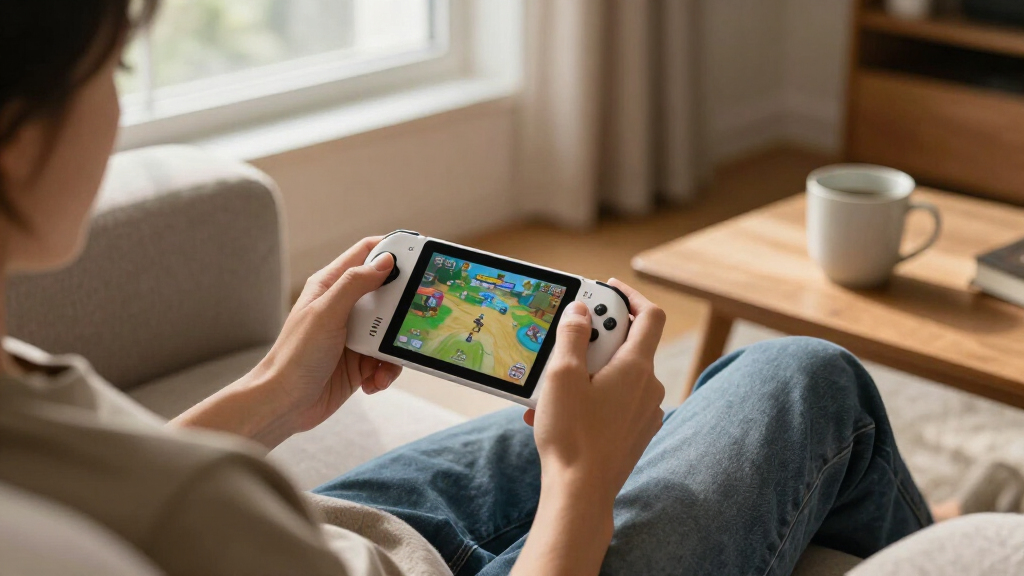
The best handheld gaming devices depend on what you want to play: my best overall pick is the ASUS ROG Xbox Ally for its Windows game access and 120Hz display, while the Retroid Pocket 5 is a more focused Android choice and the abxylute OnePro suits cloud gaming. These devices differ sharply in game compatibility, setup effort, screen quality, and whether games run locally or need an internet connection. Retro-focused models can be simpler and more compact, but their capabilities and game libraries are narrower. Read on for a comparison of all 15 picks, including who each suits and what you give up.

Get the latest gadgets delivered free with Prime
- Fast, free delivery on millions of items
- Prime Video, Amazon Music and more included
- Member-only deals all year
Complete the kit



Key Takeaways
- The ASUS ROG Xbox Ally is the broadest-fit pick here: its Windows platform and 120Hz screen suit players who want PC and Xbox ecosystem access, though it can require more setup than simpler retro devices.
- Android handhelds split into two kinds of value: the Retroid Pocket 5 is a compact, direct-play option, while the abxylute OnePro is built around streaming and depends much more on a reliable network.
- Screen size and portability pull in opposite directions: 7-inch models give games more room, but compact devices such as the 4-inch Anbernic RG40XX H are easier to carry.
- Retro devices vary more in usability than their game-count claims suggest: screen, controls, storage, and interface matter more day to day than a large built-in library number.
- The premium choice depends on play style: the Retroid Pocket Flip 2 adds a folding design and AMOLED screen, while the RG476H offers Android gaming in a smaller 4.7-inch format.






| handheld gaming device | Storage | Display | Battery | Operating system |
|---|---|---|---|---|
| ASUS ROG Xbox Ally Gaming Hand | 512GB SSD | 7-inch 1080p IPS touchscreen, 120Hz, 500 nits | 60Wh | Windows 11 Home |
| MANGMI Pocket Max Android Gami | 128GB UFS 3.1, expandable by microSD | 7-inch 1920 × 1080 AMOLED, 144Hz | 8,000mAh | Android 13 |
| Retroid Pocket 5 Android Handh | 128GB, expandable by microSD | 5.5-inch touchscreen, 1080p | 5,000mAh | Android 13 |
| My Arcade Atari Pocket Player | — | 2.75-inch high-resolution color LCD | — | — |
| RG56PRO Retro Handheld Game Co | 128GB TF card | 5.5-inch IPS LCD, 1280 × 720 | 5,000mAh lithium-ion polymer | Linux |
| RS36 Retro Handheld Game Conso | 64GB | — | 4,000mAh | Linux |
| WELLST·G P30S Handheld Game Co | 2GB | — | 860mAh rechargeable lithium-ion | — |
| R36MAX 2 Retro Handheld Gaming | 128GB; supports TF card expansion up to 256GB | 4.5-inch IPS, 1024 × 768 | 4,000mAh | Linux |
| Anbernic RG40XX H Retro Handhe | 64GB | 4-inch IPS LCD, 640 × 480 | 3,200mAh; rated up to 8 hours | Linux |
| Boltz Retro Handheld Game Cons | — | 3.75-inch IPS, 720 × 720 | 3,500mAh rechargeable | Linux |
| Retroid Pocket Flip 2 Retro Ga | 128GB UFS 3.1 | 5.5-inch 1080p AMOLED, 60Hz, 500 nits | 5000mAh with 27W fast charging | Android 13 |
| Anbernic RG476H Retro Handheld | 128GB UFS 2.2 | 4.7-inch LTPS In-Cell multi-touch, 1280 × 960, up to 120Hz | 5000mAh; listed for up to 6 hours | Android 13 |
| R36MAX Retro Handheld Game Con | 64GB TF card; expandable up to 256GB | 4.0-inch IPS OCA full-fit, 720 × 720 | 4000mAh; listed for up to 5 hours | Open-source Linux |
| JUNHETEK R36MAX Retro Handheld | 64GB | 4-inch IPS | 4000mAh rechargeable lithium-ion | — |
| abxylute OnePro Cloud Gaming H | 64GB | 7-inch 1080p touchscreen, 60Hz | — | — |
More Details on Our Top Picks
ASUS ROG Xbox Ally Gaming Handheld, 7-inch 120Hz, AMD Ryzen Z2 A, 16GB RAM, 512GB SSD
The ROG Xbox Ally is the strongest fit here for players who want a handheld Windows PC rather than a device built mainly around Android or retro games. Windows 11 gives it access to PC storefronts including Xbox, Steam, and Epic, while 16GB RAM and a 512GB SSD support a broader game library than the Android-based Retroid Pocket 5. Its 7-inch 1080p screen adds 120Hz refresh and FreeSync Premium, which can make compatible games look smoother than on the Retroid’s smaller display. That flexibility comes with a setup and storage tradeoff: Windows is less console-simple, and 512GB can fill quickly with large PC games. The listed weight also conflicts between the description and item details, so buyers should check the final listing before choosing it for long sessions.
Pros:- Windows 11 supports PC games from Xbox, Steam, Epic, and other storefronts.
- 7-inch 1080p touchscreen with 120Hz refresh and FreeSync Premium.
- 16GB LPDDR5 memory and a 512GB SSD provide a capable PC handheld foundation.
- 60Wh battery supports fast charging, and contoured grips are designed for comfortable play.
Cons:- Windows handheld setup and game management can feel less straightforward than on a dedicated retro console.
- The 512GB SSD may be restrictive for a large collection of modern PC games.
- The product information gives conflicting weights.
Best for: PC players who want access to Xbox, Steam, and Epic libraries in one Windows handheld, and are comfortable managing a PC-style interface.
Not ideal for: Buyers who want a simple, low-maintenance retro or Android device, or who need ample built-in space for a large installed PC library.
- Processor:AMD Ryzen Z2 A
- Memory:16GB LPDDR5 6400MHz
- Storage:512GB SSD
- Display:7-inch 1080p IPS touchscreen, 120Hz, 500 nits
- Graphics:AMD RDNA 2
- Operating system:Windows 11 Home
- Battery:60Wh
- Wireless connectivity:Wi-Fi 6E and Bluetooth 5.4
Our verdict“Choose the ROG Xbox Ally if broad Windows game-library access matters more than a simpler interface or generous built-in storage.”
MANGMI Pocket Max Android Gaming Handheld, 7-Inch 144Hz AMOLED, Snapdragon 865, 8GB RAM, 128GB Storage
The MANGMI Pocket Max prioritizes a large, high-refresh display for Android games, emulation, and streamed play. Its 7-inch 1080p AMOLED panel at 144Hz offers more screen space and a faster refresh specification than the Retroid Pocket 5’s 5.5-inch touchscreen, making this the more appealing pick for players who value visual scale over a smaller carry footprint. The Snapdragon 865 also supports Android gaming and streaming, while TMR joysticks and Hall-effect triggers provide a more feature-rich control setup than a basic retro handheld. Compared with the Windows-based ROG Xbox Ally, though, the Pocket Max is not the same route to native PC storefronts; its strength is Android and streamed gaming. Its plastic construction and 128GB storage are the main compromises, particularly for buyers who want a more premium-feeling shell or a large local collection.
Pros:- 7-inch 1080p AMOLED display with a 144Hz refresh rate.
- TMR joysticks, Hall-effect triggers, and a 6-axis gyroscope.
- Supports Android games, emulation, cloud gaming, and PC game streaming.
- 8,000mAh battery, 27W charging, and microSD expansion.
Cons:- Android and streaming focus does not replace the native PC storefront access of the ROG Xbox Ally.
- Plastic construction may feel less premium than buyers expect from a large handheld.
- 128GB built-in storage can limit locally installed games without a microSD card.
Best for: Android gamers and cloud-streaming players who want a roomy AMOLED screen, advanced controls, and expandable storage.
Not ideal for: Buyers seeking native Windows PC game access, a metal-bodied device, or a large built-in game library without adding a microSD card.
- Processor:Snapdragon 865
- GPU:Adreno 650
- Memory:8GB LPDDR4X
- Storage:128GB UFS 3.1, expandable by microSD
- Display:7-inch 1920 × 1080 AMOLED, 144Hz
- Operating system:Android 13
- Battery:8,000mAh
- Connectivity:Wi-Fi 6, Bluetooth 5.1, USB-C video output, 3.5mm audio
Our verdict“Pick the Pocket Max if a large, fast AMOLED screen and Android or streamed gaming matter more than native Windows PC access.”
Retroid Pocket 5 Android Handheld Game Console, 128 GB, 5.5-Inch 1080p Touchscreen, Black
The Retroid Pocket 5 makes a stronger case for portability than the larger MANGMI Pocket Max: its 5.5-inch 1080p touchscreen takes up less room while keeping the same Snapdragon 865 and Adreno 650 pairing described for that Android rival. That makes it a sensible choice for players who want Android apps, emulation, and cloud gaming in a more compact format, rather than a large-screen streaming device. Its 128GB storage with microSD expansion leaves room to grow a collection, though games are not preloaded, so buyers will need to supply and set up their own content. The smaller 5,000mAh battery also contrasts with the Pocket Max’s 8,000mAh capacity. Product information warns that a unit whose battery has entered protection mode may need an extended initial charge, a practical caveat absent from the plug-and-play Atari Pocket Player Pro.
Pros:- Compact 5.5-inch touchscreen with 1080p resolution.
- Snapdragon 865 and Adreno 650 support Android apps, emulators, and cloud gaming.
- 128GB storage with microSD expansion.
- Wi-Fi 6 and Bluetooth 5.1 support wireless connectivity.
Cons:- No games are preloaded, so setup and game sourcing are up to the buyer.
- The 5,000mAh battery is smaller than the MANGMI Pocket Max’s 8,000mAh unit.
- The product information warns that an inactive or protected battery may need at least eight hours of charging before use.
Best for: Portable-focused Android and emulation players who want a 1080p touchscreen and are comfortable installing their own apps and games.
Not ideal for: Buyers who want games ready to play out of the box, a large screen for streaming, or a handheld with no possibility of extended first charging.
- Model:RP5
- Processor:Snapdragon 865
- GPU:Adreno 650
- Memory:8GB
- Storage:128GB, expandable by microSD
- Display:5.5-inch touchscreen, 1080p
- Operating system:Android 13
- Battery:5,000mAh
Our verdict“Choose the Retroid Pocket 5 if you want a more compact Android gaming handheld and do not mind setting up your own games.”
My Arcade Atari Pocket Player Pro Console with 100 Games
The Atari Pocket Player Pro is the simplest pick in this group: it comes with 100 built-in games, including 80 Atari 2600 titles and 20 bonus retro games, so there is no app setup or library management. That sharply separates it from the Retroid Pocket 5, which supports Android and emulation but arrives without games preloaded. The Atari’s 2.75-inch color display and four-ounce body also make it a lightweight option for short sessions or casual gifting, not a substitute for the larger screens on the MANGMI Pocket Max or ROG Xbox Ally. Its fixed, single-player game selection and button controls limit flexibility, and the power options involve tradeoffs: four AA batteries are not included, while the package also omits a USB-C cable. Choose it for familiar classics and straightforward operation, not a broad modern gaming library.
Pros:- Includes 100 games, with 80 Atari 2600 titles and 20 bonus retro games.
- Lightweight four-ounce design for easy carrying.
- Runs on AA batteries or USB-C power.
- 3.5mm headphone jack allows private listening.
Cons:- The 2.75-inch display is much smaller than the screens on the Android and Windows handhelds here.
- Four AA batteries and a USB-C cable are not included.
- Single-player controls and a fixed game selection offer little flexibility compared with the Retroid Pocket 5.
Best for: Atari fans, casual players, and gift buyers who want a lightweight handheld with classic games ready to play.
Not ideal for: Players who want modern Android or PC games, a large display, analog sticks, multiplayer features, or a rechargeable battery included.
- Platform:Atari 2600
- Included games:100
- Display:2.75-inch high-resolution color LCD
- Power:Four AA batteries (not included) or USB-C
- Weight:4 ounces
- Dimensions:5.8 × 1.5 × 2.8 inches
- Audio:3.5mm headphone jack
- Warranty:120-day manufacturer defect warranty
Our verdict“Get the Atari Pocket Player Pro for a lightweight, ready-to-play collection of Atari-era games, not for a flexible all-purpose handheld.”
RG56PRO Retro Handheld Game Console with EVA Hard Case, 128GB, Black
The RG56PRO sits between the Atari Pocket Player Pro’s fixed, preloaded simplicity and the Retroid Pocket 5’s Android flexibility. Its 5.5-inch 720p IPS screen, dual joysticks, and Hall-effect shoulder controls give it a more versatile control layout than the Atari, while Linux and Wi-Fi support broaden its use beyond that console’s fixed game list. The listing includes a 128GB TF card and an EVA hard case, plus HDMI output for play on an external display. Its Rockchip RK3562 processor and Linux platform make it a different proposition from the Snapdragon-based Android models: buyers should not assume the same app ecosystem or PC storefront access as the Retroid or ROG Xbox Ally. Battery claims range from up to eight hours to an average of six, and charging guidance limits the recommended power source to 5V.
Pros:- 5.5-inch 1280 × 720 IPS display with an anti-glare finish.
- Dual 3D joysticks and Hall-effect shoulder controls.
- HDMI output, Wi-Fi, and USB Type-C connectivity.
- Includes a 128GB TF card and EVA hard case.
Cons:- Linux and the Rockchip RK3562 do not offer the same storefront access as the ROG Xbox Ally or Android handhelds.
- Battery runtime is variable, with product information listing up to eight hours and an average of six.
- Charging guidance limits the power source to 5V.
Best for: Retro players who want dual joysticks, a supplied storage card and case, and the option to connect the handheld to a TV.
Not ideal for: Buyers who need Windows or Android game storefronts, consistent long battery sessions, or a clearly stated game library and compatibility list.
- Processor:Rockchip RK3562 quad-core, up to 2.0GHz
- Operating system:Linux
- Display:5.5-inch IPS LCD, 1280 × 720
- Storage:128GB TF card
- Controls:Dual 3D joysticks and Hall-effect L1/L2/R1/R2 controls
- Connectivity:Wi-Fi, HDMI, USB Type-C
- Battery:5,000mAh lithium-ion polymer
- Included accessory:EVA hard case
Our verdict“Choose the RG56PRO if you want a retro-oriented handheld with twin joysticks, HDMI output, and a case, and can accept Linux’s narrower game ecosystem.”
RS36 Retro Handheld Game Console, 4.0-Inch IPS Screen, 64GB Storage
The RS36 suits players who want a large built-in retro library ready without Wi-Fi, downloads, or a subscription. Its 20,000+ preloaded games, 12 emulators, and 4-inch IPS screen give it a broader-feeling out-of-box package than the WELLST·G P30S, which has a smaller display and 220 games. The 64GB storage also leaves room for saves and favorites. This is a straightforward, single-player choice rather than a connected or shared gaming system: the listing specifies button controls and Linux, but no wireless connectivity. Its listed 8 × 2 × 10-inch dimensions also make it less pocket-friendly than the compact P30S. I’d choose it for offline variety, not for portability or a more modern connected experience.
Pros:- Includes 20,000+ preloaded games and 12 built-in emulators
- 4-inch IPS display offers a larger viewing area than the WELLST·G P30S
- 64GB storage for game saves and favorites
- Can play without downloads, subscriptions, or Wi-Fi
Cons:- Designed for one player
- Listed 8 × 2 × 10-inch dimensions may limit pocket portability
- No Wi-Fi or Bluetooth connectivity is specified
Best for: Players who want a broad selection of preloaded classic games for offline, single-player sessions.
Not ideal for: Commuters seeking a pocket-sized device or players who want multiplayer and connectivity features.
- Screen:4-inch IPS
- Storage:64GB
- Operating system:Linux
- Built-in emulators:12
- Preloaded games:20,000+
- Battery:4,000mAh
- Players:1
- Dimensions:8 × 2 × 10 inches
Our verdict“Choose the RS36 for a sizable offline retro library and skip it if compact carry or connected play matters more.”
WELLST·G P30S Handheld Game Console for Kids, 220 Retro Games, 3-Inch LCD, Rechargeable
The P30S is the simplest pick here for a child who wants a small, self-contained game device rather than a sprawling retro library. It has 220 built-in games across several genres, physical button controls, and a rechargeable battery rated for up to 6 hours. Its compact 5.9 × 2.8 × 0.7-inch body is easier to carry than the RS36, though that larger model offers a 4-inch IPS screen and far more games. The P30S’s 3-inch LCD keeps the device small but gives games less screen space, and the listing identifies it as a single-player console. I’d favor it for younger players who value simple, portable play; older retro fans may quickly want the bigger display and wider library of the Boltz.
Pros:- 220 preloaded games cover entertainment, sports, and adventure
- Rechargeable battery is rated for up to 6 hours
- Compact body measures 5.9 × 2.8 × 0.7 inches
- Button controls and built-in speaker make for a straightforward setup
Cons:- 3-inch LCD is smaller than the displays on the RS36 and Boltz
- Only 220 games, far fewer than the larger preloaded libraries in this lineup
- Designed for one player
Best for: Parents seeking a lightweight, rechargeable first handheld for a child who prefers simple single-player games.
Not ideal for: Older players who want a larger screen, a large retro collection, or multiplayer and advanced features.
- Games:220 preloaded
- Screen:3-inch LCD
- Battery:860mAh rechargeable lithium-ion
- Storage:2GB
- Material:ABS
- Players:1
- Dimensions:5.9 × 2.8 × 0.7 inches
Our verdict“Pick the P30S as a compact first handheld for a child, but choose the RS36 or Boltz for a larger screen and much broader game selection.”
R36MAX 2 Retro Handheld Gaming Console, 4.5-Inch IPS Display, Detachable Grip, 128GB
The R36MAX 2 puts screen size and hand comfort ahead of the simplest grab-and-go design. Its 4.5-inch, 1024 × 768 IPS display is larger and sharper on paper than the 4-inch screen on the Anbernic RG40XX H, while the detachable grip and Hall-effect joysticks offer a more substantial control setup than button-only picks like the RS36. A 128GB card and over 20,000 preloaded games make it a strong fit for players who want a roomy retro library. The tradeoff is bulk: its listed 5 × 4 × 1-inch dimensions are less trim than the RG40XX H’s, and Linux may not suit buyers expecting a familiar mobile interface. Battery-life claims also differ between six and seven hours, so I wouldn’t count on a precise runtime.
Pros:- 4.5-inch IPS display with 1024 × 768 resolution
- Detachable ergonomic grip and Hall-effect 3D joysticks
- 128GB storage with over 20,000 preloaded games
- USB-C charging and support for TF card expansion
Cons:- Listed dimensions are bulkier than the Anbernic RG40XX H
- Battery runtime is reported inconsistently as up to 6 or 7 hours
- Linux-based setup may be less familiar to buyers used to mobile operating systems
Best for: Retro players who value a larger, higher-resolution screen, joystick controls, and generous included storage.
Not ideal for: Buyers prioritizing a slim pocket carry, a predictable battery estimate, or a familiar smartphone-style operating system.
- Display:4.5-inch IPS, 1024 × 768
- Processor:RK3326 64-bit quad-core Cortex-A35, up to 1.5GHz
- Graphics:Mali-G31MP2
- Operating system:Linux
- Storage:128GB; supports TF card expansion up to 256GB
- Controls:Hall-effect 3D joysticks
- Battery:4,000mAh
- Charging:USB-C; approximately 2 hours
- Dimensions:5 × 4 × 1 inches
Our verdict“Choose the R36MAX 2 for a larger retro screen and joystick-focused controls, but favor the RG40XX H if compactness matters more.”
Anbernic RG40XX H Retro Handheld Game Console, 4-Inch IPS Screen, 64GB, Black
The RG40XX H is the most connection-ready retro option in this group. Alongside its 4-inch, 640 × 480 IPS display and 64GB storage, it lists Wi-Fi, Bluetooth, HD output, and support for wired or 2.4G wireless controllers. That makes it more flexible around a TV or compatible controllers than the offline-focused RS36, while its 7.2-ounce weight gives it a clearer portability case than the larger R36MAX 2. Its battery is rated for up to eight hours, though actual playtime can vary. The limits are its 1GB of RAM and single-player handheld design; it’s a retro-focused Linux device, not a substitute for the more powerful Windows or Android handhelds elsewhere in the roundup. Pick it for portable classics with extra connection options, not modern high-end gaming.
Pros:- Compact 7.2-ounce design
- 4-inch IPS display with 640 × 480 resolution
- Wi-Fi, Bluetooth, and HD output add flexibility beyond the RS36
- Supports wired and 2.4G wireless controllers
Cons:- 1GB of RAM is modest compared with more powerful handhelds in the roundup
- Designed for one player in handheld use
- Linux and retro-focused hardware are not aimed at modern high-end gaming
Best for: Retro players who want a lightweight handheld with Wi-Fi, Bluetooth, TV output, and external controller support.
Not ideal for: Buyers seeking high-end modern games, more memory, or a device designed for multiplayer play on its own.
- Display:4-inch IPS LCD, 640 × 480
- Processor:Quad-core ARM Cortex-A53
- Graphics:PowerVR SGX544MP
- Memory:1GB RAM
- Storage:64GB
- Operating system:Linux
- Battery:3,200mAh; rated up to 8 hours
- Connectivity and output:Wi-Fi, Bluetooth, HD output
- Weight:7.2 ounces
Our verdict“Choose the RG40XX H for a light retro handheld with TV and controller options, but look to a more powerful platform for modern games.”
Boltz Retro Handheld Game Console with 20,503 Built-in Games
The Boltz balances a broad ready-to-play library with controls suited to more than directional-pad games. It combines 20,503 preloaded games with dual analog joysticks, a D-pad, and shoulder triggers, giving it a more versatile control layout than the RS36’s button-focused setup. Its 3.75-inch, 720 × 720 IPS display is smaller than the R36MAX 2’s 4.5-inch panel, but the square resolution sets it apart from the lineup’s more conventional screens. USB-C charging and play-while-plugged-in support help when the battery runs low. The main compromise is endurance: its stated runtime is up to 5 hours, shorter than the RG40XX H’s listed eight. The fixed game library and Linux-based customization may also frustrate players who want to curate or extensively alter their setup.
Pros:- 20,503 preloaded games require no downloads or internet
- Dual analog joysticks, D-pad, shoulder triggers, and action buttons
- 3.75-inch IPS display with 720 × 720 resolution
- USB-C charging and supports play while plugged in
Cons:- Battery is rated for up to 5 hours, less than the RG40XX H’s listed runtime
- Fixed game library may not include a player’s preferred titles
- Advanced Linux customization may require technical knowledge
Best for: Retro players who want a large preloaded library and dual analog controls in a self-contained Linux handheld.
Not ideal for: Players who need longer untethered sessions, a larger display, or a highly customizable game library without technical setup.
- Processor:RK3326 quad-core Cortex-A35
- Display:3.75-inch IPS, 720 × 720
- Operating system:Linux
- Preloaded games:20,503
- Battery:3,500mAh rechargeable
- Controls:Dual analog joysticks, D-pad, shoulder triggers, action buttons
- Connectivity:USB-C charging; 3.5mm headphone jack
- Audio:Built-in speakers
Our verdict“Pick the Boltz for a broad built-in library and fuller joystick controls, but choose the RG40XX H if longer stated battery life is the priority.”
Retroid Pocket Flip 2 Retro Game Console – 5.5″ AMOLED, Android 13, Snapdragon 865, 8GB RAM/128GB Storage (Black)
The Retroid Pocket Flip 2 pairs a protective clamshell body with performance-focused Android hardware, making it a strong fit for players who want a compact device that can handle demanding emulation and Android games. Its 5.5-inch 1080p AMOLED screen gives games richer contrast than the simpler IPS displays on the R36MAX models, while the Snapdragon 865 and active cooling are better suited to heavier play than those Linux-based options. Hall-effect sticks also reduce the worry of stick drift over time.
The tradeoff is setup: no games come preloaded, so buyers need to source and organize their own library. The clamshell protects the screen in a bag, but the 10.72-ounce weight and Android interface are less pocket-simple than a small plug-and-play retro device. I’d choose it over the Anbernic RG476H for the folding design, not for a guaranteed longer software-support window, which is unspecified.
Pros:- Clamshell design shields the display during transport
- 1080p AMOLED screen offers vivid contrast and high brightness
- Snapdragon 865, 8GB RAM, and active cooling support demanding play
- Hall-effect sticks help guard against stick drift
Cons:- No games are preloaded, so library setup is up to the buyer
- Software update support duration is unspecified
- Android setup and game sourcing are less straightforward than on a plug-and-play retro handheld
Best for: Android handheld players who want a screen-protecting clamshell, a vivid display, and stronger emulation hardware than entry-level retro devices.
Not ideal for: Buyers who want a ready-to-play collection included or who prefer a simple Linux interface with little setup.
- Display:5.5-inch 1080p AMOLED, 60Hz, 500 nits
- Processor:Qualcomm Snapdragon 865
- Memory:8GB LPDDR4x RAM
- Storage:128GB UFS 3.1
- Operating system:Android 13
- Battery:5000mAh with 27W fast charging
- Connectivity:Wi-Fi 6, Bluetooth 5.1, USB-C with DisplayPort, 3.5mm audio
- Controls:Gamepad with Hall-effect analog sticks
- Weight:10.72 ounces
Our verdict“Choose the Flip 2 if you want capable Android gaming in a screen-protecting clamshell and are comfortable setting up your own games.”
Anbernic RG476H Retro Handheld Game Console, 4.7-Inch Screen, Android 13, 128GB, Black
The Anbernic RG476H is the more compact Android alternative for players who want modern controls and a high-refresh display without moving up to a larger 5.5-inch handheld such as the Retroid Pocket Flip 2. Its 4.7-inch, 120Hz touchscreen combines a 1280 × 960 resolution with a tall aspect ratio, giving supported games room to breathe while keeping the device relatively manageable in the hands. The Unisoc T820, 8GB RAM, and active cooling offer a capable foundation for Android games and emulation.
Hall-effect sticks and triggers, vibration, and a six-axis gyroscope make it more control-rich than the preloaded R36MAX options, but that flexibility comes with setup work: no game card or games are included. The listed battery life is up to six hours, so extended sessions may call for charging sooner than the abxylute OnePro’s advertised runtime. I’d pick the RG476H for local Android play, not for streaming-first use or a ready-made retro library.
Pros:- 120Hz multi-touch display in a compact 4.7-inch format
- 8GB RAM and 128GB UFS storage provide room for apps and games
- Hall-effect sticks and triggers plus a six-axis gyroscope
- Active cooling helps manage heat during longer play
Cons:- No game card or pre-installed games are included
- Battery life is listed at up to six hours
- UFS 2.2 storage is a less advanced standard than the Flip 2’s UFS 3.1
Best for: Players seeking a compact Android handheld with a fast touchscreen, advanced controls, and room to install their own games.
Not ideal for: Beginners who want included games, or cloud-streaming players who would rather have the abxylute OnePro’s larger 7-inch screen.
- Display:4.7-inch LTPS In-Cell multi-touch, 1280 × 960, up to 120Hz
- Processor:Unisoc T820
- GPU:Quad-core Mali-G57, 850MHz
- Memory:8GB LPDDR4X RAM
- Storage:128GB UFS 2.2
- Operating system:Android 13
- Battery:5000mAh; listed for up to 6 hours
- Controls and sensors:Hall-effect joystick and triggers, six-axis gyroscope
- Connectivity:Wi-Fi, Bluetooth, USB Type-C, 3.5mm headphone jack
Our verdict“Pick the RG476H if compact Android gaming and responsive controls matter more to you than included games or a larger streaming screen.”
R36MAX Retro Handheld Game Console with 20,000+ Built-in Games, 4.0″ IPS Screen, Blue
The blue R36MAX is the easiest pick here for buyers who want a retro handheld with games ready to browse rather than an Android device that needs a library assembled. Its included 64GB TF card is advertised with more than 20,000 games across 20-plus emulators, while the Linux system keeps the focus on classic play instead of app-store setup. The 4-inch IPS screen and 720 × 720 resolution make it a straightforward portable option, and its listed emulation range includes systems such as PS1, GBA, and PSP.
That convenience comes with less flexibility than the Android-based Retroid Pocket Flip 2 or Anbernic RG476H: the RK3326 hardware is aimed at retro emulation, not the same broad Android gaming use. Battery life is listed at about five hours, and expanded libraries may require manual file and format management. Its built-in collection is the main draw, but buyers should check that the included games suit their needs rather than assuming the catalog is fully customizable.
Pros:- Includes a 64GB TF card advertised with more than 20,000 games
- Supports more than 20 emulators, including PS1, GBA, and PSP
- IPS display with OCA full lamination and wide viewing angles
- Type-C charging and support for external controllers through OTG
Cons:- Battery life is listed at approximately five hours
- Managing expanded game libraries and file formats can take manual work
- Basic 1W speaker audio may make headphones preferable
Best for: Retro-game newcomers who want an included collection and a simple handheld for portable play without building an Android library.
Not ideal for: Players seeking modern Android games, more demanding emulation, or a longer listed battery runtime than the abxylute OnePro advertises.
- Processor:1.5GHz 64-bit RK3326
- GPU:Mali-G31 MP2, 520MHz
- Operating system:Open-source Linux
- Display:4.0-inch IPS OCA full-fit, 720 × 720
- Storage:64GB TF card; expandable up to 256GB
- Battery:4000mAh; listed for up to 5 hours
- Charging:USB Type-C
- Supported emulators:PSP, PS1, GBA, SFC, FC, MD, CPS1, CPS2, CPS3, NEOGEO, and more
- Dimensions:4.49 × 3.12 × 0.7 inches
Our verdict“Choose this R36MAX for a ready-to-browse retro collection, but look to an Android model for broader app support and more demanding games.”
JUNHETEK R36MAX Retro Handheld Game Console, 4-Inch IPS, 64GB, Black
The JUNHETEK R36MAX keeps the appeal of a small Linux retro handheld but makes fewer claims about a bundled game library than the blue R36MAX, which is specifically advertised with more than 20,000 built-in games. Its 4-inch IPS screen, 64GB of storage, and full set of handheld controls provide the basics for a single-player retro device, including dual analog sticks and shoulder triggers. The transparent back panel gives this black version a different look from the blue model, but the practical distinction is that its product details focus on emulator support rather than a named preloaded collection.
For shoppers who want predictable setup and a stated runtime, the Anbernic RG476H offers Android 13, more memory, and a specified battery estimate, though it also requires users to supply their own games. Here, battery life is unspecified, and the single-player listing rules out shared play as a selling point. This makes most sense as a basic retro option, not as a performance-focused or streaming handheld.
Pros:- 4-inch IPS display in a compact handheld format
- 64GB of storage for a personal game collection
- Supports more than 30 emulators
- Dual analog sticks, D-pad, face buttons, and shoulder triggers
Cons:- Battery runtime is not specified
- No pre-installed games or game card are listed
- Listed for one player only
Best for: Single-player retro fans who want a compact device with a full control layout and storage for a personal game collection.
Not ideal for: Buyers who need a stated battery runtime, included games, multiplayer support, or Android apps and streaming services.
- Display:4-inch IPS
- Storage:64GB
- Supported emulators:30+
- Battery:4000mAh rechargeable lithium-ion
- Controls:Dual analog sticks, D-pad, X/Y/A/B buttons, L1/L2/R1/R2 triggers
- Players:1
- Dimensions:5.5 × 3.2 × 1 inches
- Weight:8.8 ounces
- Color:Black with transparent back panel
Our verdict“Choose the JUNHETEK for a basic, single-player retro handheld if you are comfortable supplying your own games and accepting an unspecified runtime.”
abxylute OnePro Cloud Gaming Handheld, 7-Inch 1080p Touchscreen, 64GB, Black Transparent
The abxylute OnePro is the clear choice in this group for players whose games already live on streaming services, a console, or a PC. Its 7-inch 1080p touchscreen gives remote-play sessions more screen space than the Retroid Pocket Flip 2 or Anbernic RG476H, while Hall-effect joysticks and an ergonomic grip suit longer sessions. It is designed around access to services and devices such as Xbox, GeForce NOW, PlayStation, and PC, rather than serving as a high-powered local gaming machine.
The main tradeoff is dependence on a reliable Wi-Fi connection: weak or inconsistent network service can undermine the experience in a way that does not affect the offline-focused R36MAX devices. The advertised battery life of over eight hours is a strength, but the stated software update support date is unknown. I’d choose it over the Android retro handhelds for a large streaming screen, not for buyers who want an included offline game library.
Pros:- Large 7-inch 1080p touchscreen suits streaming and remote play
- Supports cloud gaming and remote play across several services and devices
- Hall-effect joysticks and ergonomic grip support comfortable control
- Advertised battery life exceeds eight hours; carrying case is included
Cons:- Streaming performance depends on a reliable Wi-Fi connection
- Software update support date is unknown
- 64GB storage is less suited to building a large local game library
Best for: Players with dependable Wi-Fi who want one handheld screen for cloud services and remote play from a console or PC.
Not ideal for: Travelers who often play offline or buyers who want included retro games and local play to be the device’s main focus.
- Platform:Android
- Display:7-inch 1080p touchscreen, 60Hz
- Storage:64GB
- Battery life:Advertised at over 8 hours
- Weight:430g
- Connectivity:Wi-Fi, USB, HDMI
- Controls:Hall-effect joysticks, ABXY buttons, gamepad
- Compatible resolution:1080p and 4K
- Included accessories:Carrying case and cable
Our verdict“Choose the OnePro if you have reliable Wi-Fi and want a large dedicated screen for cloud gaming and remote play.”
How We Picked
I ranked these devices by how well their platform and hardware match a clear handheld gaming use case. The main factors were game access, screen and control suitability, portability, storage, setup demands, and whether play depends on a strong internet connection. A device with broad compatibility can serve more players, but only if its interface and setup demands fit the buyer; a focused retro console can rank well for convenience without being a substitute for a Windows or Android handheld.
The order reflects versatility first, then the strength of each device for its intended audience. That puts the ASUS ROG Xbox Ally ahead for buyers seeking broad PC access, with Android models following for players who prefer mobile apps, emulation, or a specialized design. Retro and children’s consoles rank lower for general-purpose gaming because they offer narrower platforms, while cloud-focused and entry-level options make more sense for specific needs than as one-device answers. I did not treat advertised game counts as proof of game quality or compatibility.
| handheld gaming device | Operating system |
|---|---|
| ASUS ROG Xbox Ally Gaming Hand | Windows 11 Home |
| MANGMI Pocket Max Android Gami | Android 13 |
| Retroid Pocket 5 Android Handh | Android 13 |
| My Arcade Atari Pocket Player | — |
| RG56PRO Retro Handheld Game Co | Linux |
| RS36 Retro Handheld Game Conso | Linux |
| WELLST·G P30S Handheld Game Co | — |
| R36MAX 2 Retro Handheld Gaming | Linux |
| Anbernic RG40XX H Retro Handhe | Linux |
| Boltz Retro Handheld Game Cons | Linux |
| Retroid Pocket Flip 2 Retro Ga | Android 13 |
| Anbernic RG476H Retro Handheld | Android 13 |
| R36MAX Retro Handheld Game Con | Open-source Linux |
| JUNHETEK R36MAX Retro Handheld | — |
| abxylute OnePro Cloud Gaming H | — |
Factors to Consider When Choosing Best Handheld Gaming Devices
Before choosing, decide what kind of gaming you want the device to make easy. A handheld can run games locally, rely on Android apps, stream games from another device, or focus on a built-in retro interface; those differences affect setup, connectivity, and what happens when you travel. These broader checks can prevent buying a capable device that does not match your library or routine.
Match the platform to the games you already own
Start with your game library rather than the device’s headline specifications. Windows handhelds offer access to PC storefronts, but launching games and changing settings can feel closer to managing a compact computer than using a console. Android models suit mobile games, streaming apps, and compatible emulation software, while retro-focused devices are designed around a narrower style of play. Cloud devices can connect you to games running elsewhere, but they do not replace local performance. Check each game’s platform and controller support before buying, especially if you expect to use one handheld for several libraries.
Decide whether you need local play or streaming
A streaming handheld can be lighter on local processing needs, but its play quality depends on network speed, latency, and coverage. At home, a well-configured Wi-Fi network may make streaming feel convenient; on a commute or trip, interruptions can turn that same device into a poor fit. Locally installed games are generally the safer choice for flights, weak connections, or places without reliable internet. Some buyers assume a touchscreen handheld can run any game without a host device, so verify whether a model plays games natively or streams them. If you want both options, favor a device whose software and controls support each route clearly.
Choose screen size for your sessions, not just your desk
Larger displays give small text, maps, and detailed game scenes more room, which helps during longer sessions. They also make a handheld take up more space in a bag and can be harder to use one-handed. Compact screens suit quick play and travel, but menus and fine details may feel cramped. Refresh rate and display type matter most when the games you play can benefit from smoother motion or richer contrast; they matter less for many older titles. Think about where you will play and how long you will hold the device before prioritizing screen specifications.
Be realistic about setup and software maintenance
Devices built on Windows or Android can offer more flexibility, but that flexibility may require account setup, app installation, updates, and occasional troubleshooting. Simple retro consoles can be easier to start using, though their software and library options are usually more limited. Before buying, check how the device handles game organization, controller mapping, updates, and storage expansion. Do not treat a large advertised game count as a guarantee that the titles you want are included, licensed, or easy to find. A straightforward interface can matter more than extra power if the handheld is for a child or a less technical player.
Balance comfort, controls, and portability
Weight and grip shape become more noticeable during long sessions than a product photo suggests. A larger body or detachable grip may feel more stable for some players, while a compact or folding model can be easier to pack away. Consider whether the controls match your games: action titles, platformers, and strategy games place different demands on sticks, buttons, and triggers. If possible, compare the device dimensions with a handheld you already find comfortable. A powerful device that strains your hands or is inconvenient to carry may get less use than a simpler, better-fitting option.
Pay for features you will actually use
Extra display capability, broader software access, and premium designs are worthwhile only when they improve your regular play. A premium Android handheld may be a better fit than a Windows device if your routine centers on Android games, while a basic retro model can serve casual play without the complexity of a full gaming platform. Factor in storage needs, since installed games and media can fill limited internal space. Also check what is included, such as a case, and whether a protective accessory is practical for your travel habits. The best value is the device that fits your library and routine, not the one with the longest feature list.
Frequently Asked Questions
Which type of handheld is best if I want to play PC games?
Choose a Windows handheld if you want direct access to PC storefronts and games that run on the device itself. The ASUS ROG Xbox Ally is the clearest fit in this lineup for that goal, but a PC-style interface may involve more setup than a dedicated console. Check the compatibility of your specific games and whether their controls work well on a handheld screen. If you mainly want to stream games from a home PC or service, a cloud-focused option may suit you better, provided your connection is reliable.
Should I buy an Android handheld or a retro handheld?
An Android handheld is the more flexible choice if you want mobile apps, streaming, and access to compatible emulation software. A retro-focused model is generally a better match when you prefer a simpler device built around classic-style games and do not need a broad app ecosystem. Android can bring extra setup and configuration, while retro devices can limit your choice of games and software. Compare the platform against the titles you actually plan to play, and check how each device handles controls and library organization.
Is a cloud gaming handheld a good choice for travel?
It can be, but only when you have dependable internet where you plan to play. Cloud streaming relies on a network connection and can be affected by weak Wi-Fi, latency, or service availability, so it is less predictable than playing locally installed games. For flights, remote areas, or long trips without stable access, a device that runs games locally is a safer choice. If you mostly play at home on a strong network, a streaming-focused handheld can make sense without needing the same local game library.
Are built-in game counts a reliable way to compare retro handhelds?
No. A large advertised number does not tell you whether the games are ones you want, whether the library is organized well, or how easily the device handles them. Screen clarity, button layout, storage, and interface quality affect everyday play more directly. Check the included library details and any applicable licensing information rather than assuming every title is available or suitable. If you already own games, confirm what formats and transfer methods the device supports before relying on a built-in collection.
Which handheld is the better fit for a child or first-time player?
A simpler retro console can be easier for a first-time player because it avoids many of the setup steps associated with Windows and Android devices. The WELLST·G P30S is the most explicitly child-oriented option in this group, while other compact retro models may suit adults seeking straightforward play. Check the controls, screen size, durability, and the actual included games rather than choosing only by age labeling. If the player wants modern mobile or PC games later, a more capable platform may offer a longer path forward but will likely need more setup.
Conclusion
For the widest range of PC-style play, I recommend the ASUS ROG Xbox Ally as best overall. My best value for focused Android gaming is the Retroid Pocket 5, while the best premium pick for a distinctive folding design is the Retroid Pocket Flip 2. Beginners and children are better served by the straightforward WELLST·G P30S or a simple retro handheld; players who want more polished retro play can look at the Anbernic RG40XX H. For specific needs, choose the abxylute OnePro for cloud streaming only if your network is dependable, and pick a larger-screen model when display space matters more than compact carry. Match the device to your games and where you play, and the choice becomes much clearer.