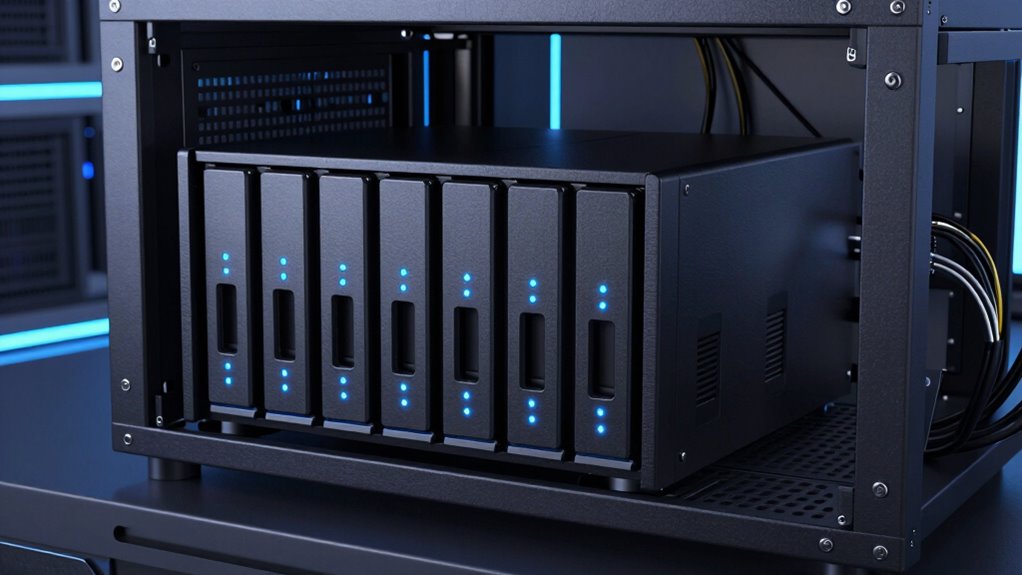

A rackmount NAS saves rack space while centralizing files, backups, and shared storage, but the right model depends on capacity, network speed, and how much hardware you need to manage. I rank the Synology RS1221+ bundle as the best overall choice for its eight-bay design, included storage, and DSM software. The QNAP TS-435XeU and Synology RS4021xs+ stand out for different needs: short-depth installation and large-scale, higher-performance storage. The main tradeoff is between a compact, simpler system and a larger platform with more capacity, networking, and infrastructure demands. Read on for how these six options compare and which one fits your rack and workload.

Get the latest gadgets delivered free with Prime
- Fast, free delivery on millions of items
- Prime Video, Amazon Music and more included
- Member-only deals all year
Complete the kit



Key Takeaways
- The RS1221+ bundle is the strongest all-rounder: it combines eight bays, 32GB memory, four 1GbE ports, included drives, and a rail kit, while the diskless RS1221+ leaves drive selection to you.
- Short-depth QNAP models answer a specific space problem: the TS-435XeU and TS-464eU-8G-US suit racks where standard-depth chassis are a poor fit, but their four-bay layouts limit drive-based growth compared with the eight-bay Synology options.
- The RS4021xs+ is the capacity and infrastructure pick: 16 bays, ECC memory, dual 10GbE, and redundant power suit demanding shared-storage environments, at the cost of greater rack, power, and administration requirements.
- Bundled and diskless configurations are not direct equivalents: bundled systems reduce parts selection and setup work, while diskless models let buyers choose drive capacity and models but require a separate storage budget and compatibility checks.
- Bay count alone does not determine fit: rack depth, network infrastructure, expansion plans, and the number of people managing the NAS can matter more than the headline storage capacity.
| Synology RackStation RS1221+ NAS Server with Ryzen 2.2GHz CPU, 32GB Memory, 80TB HDD Storage, 4 x 1GbE LAN Ports, DSM Operating System Bundle with Rail kit |  | Best Ready-to-Configure 8-Bay Bundle | Model: Synology RackStation RS1221+ | Drive bays: 8 | Processor: AMD Ryzen V1500B, 4-core, 2.2GHz | VIEW ON AMAZON | See Our Full Breakdown |
| QNAP TS-435XeU 4-Bay Short-Depth Rackmount NAS |  | Best for Fast Networking in a Short Rack | Drive bays: 4 | Processor: Marvell OCTEON TX2 CN9131, ARMv8 Cortex-A72 quad-core, 2.2GHz | Memory: 4GB DDR4, upgradeable to 32GB | VIEW ON AMAZON | See Our Full Breakdown |
| Synology RackStation RS4021xs+ 16-Bay NAS Server, Xeon D-1541, 64GB ECC Memory, 320TB HDD Storage, Dual 10GbE, Redundant Power, Rail Kit |  | Best for High-Capacity Business Storage | Model: Synology RackStation RS4021xs+ | Drive bays: 16 | Processor: Xeon D-1541, 8-core, 2.1GHz; up to 2.7GHz turbo | VIEW ON AMAZON | See Our Full Breakdown |
| QNAP TS-464eU-8G-US 4-Bay Short-Depth Rackmount NAS |  | Best Compact NAS for Media and Small Offices | Drive bays: 4 | Form factor: 1U short-depth rackmount | Processor: Intel Celeron N5095 quad-core, up to 2.9GHz | VIEW ON AMAZON | See Our Full Breakdown |
| Synology RackStation RS1221+ 8-Bay NAS (Diskless) |  | Best for Building a Custom Synology Rack NAS | Model: Synology RackStation RS1221+ | Drive bays: 8 | Form factor: 2U rackmount | VIEW ON AMAZON | See Our Full Breakdown |
| Synology 4-Bay Rackmount NAS RackStation RS422+ (Diskless), Black |  | Best Compact Rackmount NAS | Form factor: 1U rackmount | Drive bays: 4 | Drive configuration: Diskless | VIEW ON AMAZON | See Our Full Breakdown |
| rackmount na | Drive bays | Processor | Memory | Network |
|---|---|---|---|---|
| Synology RackStation RS1221+ N | 8 | AMD Ryzen V1500B, 4-core, 2.2GHz | 32GB DDR4 ECC SODIMM; supplied separately for installation | 4 × 1GbE RJ-45 with link aggregation and failover |
| QNAP TS-435XeU 4-Bay Short-Dep | 4 | Marvell OCTEON TX2 CN9131, ARMv8 Cortex-A72 quad-core, 2.2GHz | 4GB DDR4, upgradeable to 32GB | 2 × 2.5GbE and 2 × 10GbE |
| Synology RackStation RS4021xs+ | 16 | Xeon D-1541, 8-core, 2.1GHz; up to 2.7GHz turbo | 64GB DDR4 ECC UDIMM; supplied separately for installation | 4 × 1GbE RJ-45 and 2 × 10GbE RJ-45 |
| QNAP TS-464eU-8G-US 4-Bay Shor | 4 | Intel Celeron N5095 quad-core, up to 2.9GHz | 4GB DDR4, expandable to 16GB | 2 × 2.5GbE |
| Synology RackStation RS1221+ 8 | 8 | — | — | — |
| Synology 4-Bay Rackmount NAS R | 4 | — | — | — |
More Details on Our Top Picks
Synology RackStation RS1221+ NAS Server with Ryzen 2.2GHz CPU, 32GB Memory, 80TB HDD Storage, 4 x 1GbE LAN Ports, DSM Operating System Bundle with Rail kit
This RS1221+ bundle pairs an eight-bay chassis with 80TB of HDD capacity, 32GB of ECC memory, and Synology DSM, making it a practical fit for a small business that wants a substantial shared-storage and backup platform. Its four 1GbE ports support link aggregation and failover, but they are a slower network foundation than the dual 10GbE links on the RS4021xs+. The included rail kit helps with rack installation; the drives and memory, however, arrive separately and need to be installed, so this is not a fully assembled, ready-to-power-on bundle. Compared with the diskless RS1221+, this listing supplies the specified drives and memory, while retaining the same modest 1GbE networking. I would choose it for capacity and DSM features, not for high-throughput workloads.
Pros:- Eight 10TB drives provide a stated 80TB of HDD capacity.
- 32GB of ECC memory suits multiple storage and DSM services.
- DSM includes Btrfs, backup, virtualization, and high-availability features.
- Rail kit and four 1GbE ports with link aggregation and failover support rack deployment.
Cons:- Four 1GbE ports offer less raw network bandwidth than the RS4021xs+ with dual 10GbE.
- Drives and memory are supplied separately and must be installed.
- Single power supply lacks the power redundancy listed for the RS4021xs+.
Best for: Small-business IT teams that want an eight-bay DSM system with substantial HDD capacity for backups, shared files, and several server roles.
Not ideal for: Teams moving large files over a fast LAN or buyers who need a ready-installed system; the four network ports are 1GbE, and the included drives and memory require installation.
- Model:Synology RackStation RS1221+
- Drive bays:8
- Processor:AMD Ryzen V1500B, 4-core, 2.2GHz
- Memory:32GB DDR4 ECC SODIMM; supplied separately for installation
- Included storage:80TB, 8 × 10TB SATA 3.5-inch HDDs; supplied separately for installation
- Network:4 × 1GbE RJ-45 with link aggregation and failover
- Other ports:2 × USB 3.2; 1 × eSATA
- File systems and OS:Synology DSM; EXT4 and Btrfs
- Mounting:Rackmount; rail kit included
Our verdict“Choose this RS1221+ bundle for a feature-rich eight-bay Synology platform with supplied drives and memory, provided 1GbE networking meets your needs.”
QNAP TS-435XeU 4-Bay Short-Depth Rackmount NAS
The TS-435XeU is the lineup’s networking specialist: its dual 10GbE and dual 2.5GbE ports offer more connectivity options than either RS1221+ configuration, while its short-depth rack design can suit shallow cabinets. That speed comes with a smaller four-bay ceiling, so it is a better match for a compact office or fast shared-workflow storage than the 16-bay RS4021xs+. The two NVMe slots can serve as cache or storage pools, and memory can expand from 4GB to 32GB as workloads grow. Its ARM-based Marvell processor and lower base memory make it less compelling for buyers expecting a powerful virtualization host straight out of the box. I’d shortlist it when rack depth and network throughput matter more than maximum drive count.
Pros:- Dual 10GbE and dual 2.5GbE ports provide flexible, high-bandwidth networking.
- Short-depth rack form factor fits installations where standard-depth servers are awkward.
- Two PCIe Gen 3 x1 NVMe slots support cache or storage pools.
- Memory is upgradeable from 4GB to 32GB.
Cons:- Four bays provide less expansion capacity than the eight-bay RS1221+ or 16-bay RS4021xs+.
- The ARM-based processor and 4GB base memory may limit heavier applications until upgraded.
- The supplied product data does not specify included drives, so buyers should confirm the storage configuration.
Best for: Small offices with shallow racks that need 10GbE file transfers, several network connections, and room to expand memory.
Not ideal for: Organizations consolidating very large HDD libraries or running demanding virtual machines; it has four bays, an ARM processor, and only 4GB of base memory.
- Drive bays:4
- Processor:Marvell OCTEON TX2 CN9131, ARMv8 Cortex-A72 quad-core, 2.2GHz
- Memory:4GB DDR4, upgradeable to 32GB
- Network:2 × 2.5GbE and 2 × 10GbE
- M.2 slots:2 × PCIe Gen 3 x1 NVMe
- Storage interface:SATA 6Gb/s
- Mounting:Short-depth rackmount
- Warranty:3 years
Our verdict“Pick the TS-435XeU when a shallow rack and fast multi-speed networking matter more than drive-bay count or workstation-class expansion.”
Synology RackStation RS4021xs+ 16-Bay NAS Server, Xeon D-1541, 64GB ECC Memory, 320TB HDD Storage, Dual 10GbE, Redundant Power, Rail Kit
With 16 bays and a listed 320TB HDD configuration, the RS4021xs+ is the clear capacity leader here. Its eight-core Xeon, 64GB of ECC memory, Btrfs support, and DSM virtualization tools make it better suited to a busy office or consolidated server environment than the four-bay QNAP TS-435XeU. The dual 10GbE ports and redundant power supplies also address throughput and service continuity in ways the RS1221+ bundle’s 1GbE ports and single power supply do not. The tradeoff is scale: this is a substantial rack server, and the drives and memory arrive separately for installation despite the stated configuration. I’d rank it highest for larger deployments, but it is more system than a small team needs if eight bays will be enough.
Pros:- Sixteen bays and the stated 320TB HDD configuration support large centralized storage deployments.
- Dual 10GbE ports offer substantially faster networking than the RS1221+ models’ 1GbE ports.
- 64GB ECC memory and Btrfs support suit business storage and DSM workloads.
- Redundant power supplies and a rail kit support rack deployment and power continuity.
Cons:- The 16-bay rackmount enclosure demands more rack capacity than the four-bay QNAP models.
- Hard drives and memory are supplied separately and require installation.
- Its scale and features may exceed the needs of a small team that can use an eight-bay system.
Best for: Growing businesses and IT teams consolidating large datasets, backups, and virtualization workloads in a rack with room for a 16-bay system.
Not ideal for: Small offices with limited rack space, modest storage needs, or no capacity to install supplied drives and memory.
- Model:Synology RackStation RS4021xs+
- Drive bays:16
- Processor:Xeon D-1541, 8-core, 2.1GHz; up to 2.7GHz turbo
- Memory:64GB DDR4 ECC UDIMM; supplied separately for installation
- Included storage:320TB, 16 × 20TB SATA 3.5-inch HDDs; supplied separately for installation
- Network:4 × 1GbE RJ-45 and 2 × 10GbE RJ-45
- Other ports:2 × USB 3.2; 2 × expansion ports
- Power and file systems:Redundant power supplies; EXT4 and Btrfs
- Mounting and OS:Rackmount with rail kit; Synology DSM
Our verdict“Choose the RS4021xs+ when a business needs high-capacity rack storage, dual 10GbE, and redundant power in one Synology platform.”
QNAP TS-464eU-8G-US 4-Bay Short-Depth Rackmount NAS
The TS-464eU offers a short-depth 1U chassis and a useful mix of office-storage and media connections: dual 2.5GbE, two NVMe slots, USB 3.2 Gen 2, and HDMI output. That makes it more appealing for a compact rack that also handles local playback or transcoding than the TS-435XeU, whose standout advantage is its dual 10GbE networking. The Intel Celeron N5095 and expandable memory up to 16GB suit lighter workloads, but the base memory is only 4GB and the unit is diskless. Unlike the RS1221+ bundle, it does not arrive with a stated HDD capacity, so drive selection and installation are part of the setup. I’d favor this model for a small office or media-focused rack, not a high-capacity or heavily virtualized server role.
Pros:- Short-depth 1U design can fit compact rack installations.
- Dual 2.5GbE ports and two NVMe slots add network and storage flexibility.
- HDMI 1.4b supports 4K output and the listed playback and transcoding functions.
- Memory can expand from 4GB to 16GB.
Cons:- Diskless configuration requires buyers to source and install drives.
- Four bays and a 16GB memory ceiling offer less headroom than the RS4021xs+.
- Its dual 2.5GbE ports lack the TS-435XeU’s dual 10GbE connectivity.
Best for: Small offices or media setups needing a shallow 1U rack NAS with 2.5GbE, NVMe options, and HDMI output.
Not ideal for: Businesses needing large capacity, 10GbE networking, or substantial memory for heavier applications; it has four bays, ships diskless, and tops out at 16GB RAM.
- Drive bays:4
- Form factor:1U short-depth rackmount
- Processor:Intel Celeron N5095 quad-core, up to 2.9GHz
- Memory:4GB DDR4, expandable to 16GB
- Network:2 × 2.5GbE
- M.2 slots:2 × PCIe Gen 3 x1 NVMe
- Video output:HDMI 1.4b, up to 4K at 30Hz
- USB:Multiple USB 3.2 Gen 2 Type-A ports, up to 10Gb/s
- Included storage and warranty:Diskless; 3-year warranty
Our verdict“Choose the TS-464eU for a shallow, media-capable rack NAS with 2.5GbE, as long as four bays and diskless setup fit your plan.”
Synology RackStation RS1221+ 8-Bay NAS (Diskless)
This diskless RS1221+ is the more flexible entry into Synology’s eight-bay rackmount platform: you choose the drives rather than inheriting the 80TB HDD configuration in the other RS1221+ bundle. That can suit teams with existing disks or a defined storage plan, and the listed compact 298mm enclosure depth helps when rack clearance is tight. Synology also specifies high read and write throughput and support for network upgrades and high-availability pairing. Compared with the QNAP TS-435XeU, it offers twice the bays but does not list built-in 10GbE; compared with the bundled RS1221+, it leaves drive and memory selection to the buyer. The main drawback is that the supplied details do not specify processor, memory, or included network ports, so I’d verify the exact configuration before matching it to a demanding workload.
Pros:- Eight bays provide more room for storage growth than either four-bay QNAP model.
- Diskless configuration lets buyers select their own drives.
- Listed 298mm enclosure depth can help with rack-clearance constraints.
- Supports network upgrades and high-availability pairing.
Cons:- No drives are included, unlike the 80TB RS1221+ bundle.
- The supplied specifications do not identify processor, memory, or onboard network-port configuration.
- Rackmount design is less suited to buyers without rack space.
Best for: Small-business teams with compatible drives or a planned disk configuration that want an eight-bay Synology chassis and DSM-based storage management.
Not ideal for: Buyers who want a known, installed storage configuration or need specified high-speed networking and memory without confirming the exact hardware.
- Model:Synology RackStation RS1221+
- Drive bays:8
- Form factor:2U rackmount
- Enclosure depth:298mm
- Included drives:None; diskless
- Maximum read speed:Up to 2,315MB/s
- Maximum write speed:Up to 1,147MB/s
- Weight:Minimum 20.6lb
- Warranty:3 years
Our verdict“Pick the diskless RS1221+ if you want an eight-bay Synology system and prefer to supply your own drives, after verifying its exact hardware configuration.”
Synology 4-Bay Rackmount NAS RackStation RS422+ (Diskless), Black
The RackStation RS422+ earns its place for buyers who need a rack-mounted Synology system without giving up much rack depth. Its 1U chassis measures just 327.5 mm deep with the server handles installed, making it a more practical fit for shallow racks than a larger-capacity unit such as the RS1221+. The four drive bays suit a small office or home lab that needs shared storage and backup through Synology’s DSM software, while the listed sequential throughput of up to 601 MB/s read and 516 MB/s write gives a useful reference for data transfers.
Its limits are clear: the unit is diskless, and the two 1GbE ports are less suited to demanding multi-user or high-throughput work than faster networking options. Plug-and-play modules allow an upgrade to 10GbE RJ-45, but that means adding hardware. I’d choose this over a larger-bay Synology when compact rack fit matters more than expansion capacity.
Pros:- Compact 1U chassis with a listed depth of 327.5 mm when server handles are installed.
- Four bays provide a straightforward storage setup for smaller offices and home labs.
- DSM supports data sharing, synchronization, and backup tasks.
- Dual 1GbE ports support network failover and load balancing, with an upgrade path to 10GbE RJ-45.
Cons:- Diskless configuration requires buyers to source and install drives separately.
- Dual 1GbE connectivity may constrain demanding workloads until upgraded.
- Four bays offer less capacity and expansion room than the eight-bay RS1221+.
Best for: Small-business teams and home-lab owners with a shallow rack who want a compact four-bay Synology NAS for file sharing, synchronization, and backups.
Not ideal for: Organizations that need many drive bays, included storage, or fast network connectivity out of the box; the RS422+ ships diskless with dual 1GbE ports.
- Form factor:1U rackmount
- Drive bays:4
- Drive configuration:Diskless
- Sequential read throughput:Up to 601 MB/s
- Sequential write throughput:Up to 516 MB/s
- Network ports:2 × 1GbE
- Network upgrade:Plug-and-play modules for 10GbE RJ-45
- Depth:327.5 mm with server handles installed
Our verdict“Choose the RS422+ if shallow-rack fit and Synology DSM matter more than included drives, higher native network speeds, or extra bays.”

How We Picked
I ranked these systems by how well their rack format, bay count, networking, memory, and included hardware match common storage needs. I gave weight to practical setup factors too: whether the system includes drives or a rail kit, whether its short-depth chassis solves a real installation constraint, and whether its software and hardware profile suit a small office or a larger storage environment.
The ranking favors useful balance over maximum specifications. The RS1221+ bundle leads because its eight bays and bundled components offer a straightforward starting point; the diskless version remains a flexible alternative. The QNAP short-depth models follow for space-constrained racks, while the RS4021xs+ ranks as the premium choice for buyers who can use its larger capacity and enterprise-oriented features. I treat bundled configurations and diskless chassis as different purchasing paths, not as interchangeable systems.
| rackmount na | Model | Processor |
|---|---|---|
| Synology RackStation RS1221+ N | Synology RackStation RS1221+ | AMD Ryzen V1500B, 4-core, 2.2GHz |
| QNAP TS-435XeU 4-Bay Short-Dep | — | Marvell OCTEON TX2 CN9131, ARMv8 Cortex-A72 quad-core, 2.2GHz |
| Synology RackStation RS4021xs+ | Synology RackStation RS4021xs+ | Xeon D-1541, 8-core, 2.1GHz; up to 2.7GHz turbo |
| QNAP TS-464eU-8G-US 4-Bay Shor | — | Intel Celeron N5095 quad-core, up to 2.9GHz |
| Synology RackStation RS1221+ 8 | Synology RackStation RS1221+ | — |
| Synology 4-Bay Rackmount NAS R | — | — |
Factors to Consider When Choosing Rackmount Nas
Before choosing a rackmount NAS, I would match the chassis and storage plan to the room, network, and people who will maintain it. These broader decisions can prevent a system that looks capable on paper from becoming awkward or expensive to operate.
Measure usable rack depth, not just rack size
A rack advertised as standard depth can still have limited usable space once you account for doors, rails, cable bends, and equipment mounted behind the NAS. Short-depth models can solve this in wall cabinets, shallow closets, or racks shared with other equipment. Check the chassis dimensions against the rack’s usable depth and the clearance needed for power and network cables. Also confirm the rail kit fits your rack type; a compatible chassis does not automatically mean the included rails suit every cabinet. Choosing by bay count alone can leave you with a unit that does not fit or cannot be serviced comfortably.
Plan usable capacity around redundancy and growth
The number of bays is not the amount of storage you will have available for files: redundancy, filesystem choices, and spare-drive planning all affect usable capacity. Four bays may be enough for a small team with a settled storage requirement, but an eight- or 16-bay chassis gives more room to add drives without replacing the whole array. Think about expected data growth over several years and how disruptive a rebuild or migration would be. Avoid filling every bay immediately if you expect to expand soon, but do not assume an empty bay can replace a tested backup. RAID can help maintain access after some drive failures; it is not a substitute for a separate backup copy.
Match network ports to the network you actually own
Faster NAS networking only helps when switches, cabling, client adapters, and storage workloads can use it. A system with multiple 1GbE ports may support useful connection flexibility, but link aggregation does not usually make one ordinary file transfer run at the combined speed. Dual 10GbE can benefit teams moving large files or serving many clients, yet may call for new switch ports and compatible network cards. Estimate how many users will access the system at once and whether they move large media or backup sets. If the existing network is 1GbE, budget for the surrounding upgrades before paying for faster NAS ports.
Choose between a bundled system and a diskless chassis
A drive bundle can simplify purchasing and help a buyer get to a configured system with fewer separate decisions. It also narrows drive choice, so check the included capacity, drive type, compatibility, and replacement plan before committing. A diskless NAS lets you select drives around your workload and preferred capacity, but you must account for the drives, installation, and any drive-compatibility requirements. Avoid comparing bundle and diskless listings as though their total storage and setup effort were equal. For an organization with a standard drive fleet, diskless may fit existing procurement; for a first rack deployment, a clearly specified bundle can reduce assembly work.
Budget for maintenance, power, and failure recovery
A rackmount NAS is part of a larger operating setup: it needs cooling, suitable power, reachable cabling, and a plan for replacing failed drives. Redundant power supplies can reduce the risk of a single power-supply failure interrupting service, but only if they connect to appropriately independent power sources. Larger systems can also require more rack space and more attention from an administrator. Before buying, decide who will monitor alerts, apply software updates, test restores, and keep replacement drives available. A lower-bay-count model may be a better fit than a larger enterprise chassis if your team cannot support the extra infrastructure.
Buy for workload and support needs, not the largest spec sheet
Small offices, studios, and backup targets often benefit more from an easy-to-manage platform than from maximum memory or drive count. Larger teams should weigh concurrent access, virtualization or application needs, memory capacity, and network throughput against their actual workload. Check the vendor’s current compatibility and support documentation for the exact chassis and configuration, especially when a listing bundles third-party memory or storage. Leave room in the decision for software administration and recovery workflows, not just hardware. Paying for high-end features makes sense when they remove a real bottleneck or reduce operational risk; otherwise, a balanced eight-bay model can be easier to deploy and maintain.
Frequently Asked Questions
Should I choose the bundled RS1221+ or the diskless RS1221+?
I would choose the bundled RS1221+ when the included storage and rail kit match the intended deployment and I want fewer components to source. The diskless version makes more sense when I already have a preferred drive model, need a different capacity plan, or want to use an approved drive fleet. Compare the full configuration rather than just the chassis: included memory, drive details, rails, and warranty terms can vary by listing. Either way, check the manufacturer’s compatibility guidance and plan a separate backup before moving important data onto the NAS.
Is a short-depth rackmount NAS a better choice for a home lab or small office?
A short-depth unit is a better fit when rack clearance is limited, such as in a shallow cabinet or a compact office rack. The QNAP TS-435XeU and TS-464eU-8G-US are worth comparing for that installation constraint, but both are four-bay systems rather than eight- or 16-bay platforms. If your rack has room for a deeper chassis, bay count and expansion options may matter more than short depth. Measure clearance with rails, doors, and cable bends included before choosing. Also check that the chassis can be cooled adequately in its intended location.
Do I need dual 10GbE for a rackmount NAS?
I would prioritize dual 10GbE when multiple users regularly move large files, when the NAS serves demanding workloads, or when the network already supports those connections. A faster NAS port will not speed up every client if the switch, cabling, or computer adapters remain slower. For modest office file sharing and routine backups, 1GbE connectivity may be adequate, especially if the main bottleneck is storage or internet access. The RS4021xs+ is the clear option in this group for buyers seeking dual 10GbE, but its network features make most sense as part of a capable network plan. Include switch and adapter costs in the decision.
When is a 16-bay NAS worth choosing over an eight-bay model?
A 16-bay system makes sense when a large storage pool, many simultaneous users, or room to grow without frequent drive replacement matters more than compact size and simpler operation. The RS4021xs+ also brings ECC memory, redundant power, and dual 10GbE, making it a stronger fit for demanding environments with staff to manage it. An eight-bay system is usually easier to place and may be a better match for a small office, studio, or backup target. Do not pay for a large chassis just to gain theoretical capacity: estimate your growth, recovery needs, power, and cooling first. Check that the organization can support the added hardware and network requirements.
Can a four-bay rackmount NAS serve as my only backup destination?
A four-bay NAS can be a useful backup destination, but I would not make any single device the only copy of important data. Drive redundancy may keep the NAS available after some drive failures, yet it does not protect against every cause of data loss, such as accidental deletion, theft, or damage to the rack location. Keep another copy on separate storage or in a remote location, and test that files can be restored. A four-bay model may suit a smaller backup set, while a larger system can offer more room as data grows. Capacity should reflect retention needs and backup versions, not just the current size of your files.
Conclusion
For most buyers seeking a balanced rackmount NAS, I recommend the Synology RS1221+ bundle as best overall, particularly when its included drives and rail kit fit the deployment. The QNAP TS-435XeU is my best value-oriented pick for a shallow rack, while the TS-464eU-8G-US is another short-depth option for buyers comparing QNAP’s four-bay configurations. Choose the RS4021xs+ as the best premium system when you need 16 bays, dual 10GbE, ECC memory, and redundant power—and have the infrastructure to support them. For beginners, the bundled RS1221+ offers a more direct path than a diskless build; the diskless RS1221+ is better for buyers who want drive choice. For compact installations, pick one of the short-depth QNAP models; for a smaller four-bay Synology option, consider the RS422+. The right choice comes down to rack clearance, expansion plans, network capability, and how much setup and maintenance your team can take on.
Halloween Picks

Gemmy 6.4 ft Beetlejuice Animatronic Halloween Decoration with Spinning Head

Gemmy 5.4 ft The Nun Animatronic Halloween Decoration

Vexalify 11-Inch Halloween Pumpkin Fog Machine with 12-Color Lights
As an affiliate, we earn on qualifying purchases.