For gaming monitors for sports viewing, I rank the Samsung 32-Inch Odyssey G5 G50F as the best overall because its QHD Fast IPS panel, 180Hz refresh rate, and adjustable stand offer the strongest mix of detail, motion clarity, and everyday usability. The Acer 27-Inch Full HD IPS Monitor is my value pick for viewers who want smooth 120Hz action without paying for gaming speed they may never use. For a wider, more cinematic presentation, the ViewSonic VX3418C-2K combines UWQHD resolution with 180Hz performance, though standard 16:9 broadcasts may leave unused space. The main choices are QHD versus Full HD, flat versus curved, and sensible 120–180Hz performance versus costlier 240–280Hz speed. Continue reading for the full breakdown of which monitor fits each viewing setup and budget.

Get the latest gadgets delivered free with Prime
- Fast, free delivery on millions of items
- Prime Video, Amazon Music and more included
- Member-only deals all year
Complete the kit



Key Takeaways
- The Samsung Odyssey G5 G50F leads this roundup because its 32-inch QHD Fast IPS panel balances sharp sports broadcasts, wide viewing angles, and 180Hz gaming better than the Full HD and VA-based alternatives.
- The Acer 27-Inch 120Hz IPS model offers the strongest value; its refresh rate is already fast enough for most streamed sports, while its IPS panel is better suited to shared viewing than many inexpensive curved VA screens.
- QHD matters more as screen size grows: the 32-inch Full HD KTC and SANSUI models prioritize extreme refresh rates, but the Samsung 32-inch QHD options produce a cleaner image for scores, field markings, and broadcast graphics.
- Ultrawide monitors are specialized choices, not automatic upgrades for sports. The ViewSonic, Sceptre, and SANSUI 34-inch models provide an expansive gaming canvas, but most live broadcasts remain 16:9 and may appear with side bars.
- Refresh rates above 180Hz mainly benefit competitive gaming. The 240Hz and 280Hz KTC and SANSUI models make sense for buyers splitting time between esports and sports broadcasts, not viewers focused mainly on TV coverage.
| Acer KB272 27-Inch Full HD IPS Monitor |  | Best Budget Pick | Screen size: 27 inches | Resolution: 1920 × 1080 Full HD | Refresh rate: Up to 120Hz | VIEW LATEST PRICE | See Our Full Breakdown |
| Samsung 27-Inch Odyssey G5 G53F QHD Gaming Monitor |  | Best Overall | Screen size: 27 inches | Resolution: 2560 × 1440 QHD | Refresh rate: 200Hz | VIEW LATEST PRICE | See Our Full Breakdown |
| KTC 32-Inch Curved 280Hz Full HD Gaming Monitor |  | Best for Esports Speed | Screen size: 32 inches | Resolution: 1920 × 1080 Full HD | Refresh rate: 280Hz | VIEW LATEST PRICE | See Our Full Breakdown |
| Sceptre 34-Inch Curved Ultrawide WQHD Monitor |  | Best for Split-Screen Viewing | Screen size: 34 inches | Resolution: 3440 × 1440 WQHD | Refresh rate: Up to 180Hz | VIEW LATEST PRICE | See Our Full Breakdown |
| SANSUI 34-Inch Curved 200Hz UWQHD Gaming Monitor |  | Best Premium Ultrawide | Screen size: 34 inches | Resolution: 3440 × 1440 UWQHD | Refresh rate: 200Hz | VIEW LATEST PRICE | See Our Full Breakdown |
| ViewSonic VX3418C-2K 34-Inch Ultrawide Curved Gaming Monitor |  | Best Ultrawide for Sports and Stats | Display Size: 34 inches | Resolution: 3440×1440 WQHD | Aspect Ratio: 21:9 | VIEW LATEST PRICE | See Our Full Breakdown |
| KTC 32-Inch 240Hz Curved Gaming Monitor |  | Best for Competitive Sports Games | Display Size: 32 inches | Resolution: 1920×1080 FHD | Refresh Rate: 240Hz | VIEW LATEST PRICE | See Our Full Breakdown |
| Samsung 32-Inch Odyssey G55C QHD Curved Gaming Monitor |  | Best Overall | Display Size: 32 inches | Resolution: 2560×1440 QHD | Refresh Rate: 165Hz | VIEW LATEST PRICE | See Our Full Breakdown |
| Acer Nitro KG241Y Sbiip 23.8-Inch Full HD Gaming Monitor |  | Best Compact Pick | Display Size: 23.8 inches | Resolution: 1920×1080 FHD | Panel Type: VA | VIEW LATEST PRICE | See Our Full Breakdown |
| Samsung 27-Inch Essential S3 S36GD Curved Monitor |  | Best for Casual Sports Streaming | Display Size: 27 inches | Resolution: Full HD | Refresh Rate: 100Hz | VIEW LATEST PRICE | See Our Full Breakdown |
| SANSUI 24-Inch Curved Gaming Monitor |  | Best Compact Pick | Screen Size: 24 inches | Resolution: 1920 x 1080 (FHD) | Refresh Rate: 160Hz | VIEW LATEST PRICE | See Our Full Breakdown |
| Sceptre 24-Inch Curved Gaming Monitor |  | Best Budget Pick | Screen Size: 24 inches | Resolution: 1920 x 1080 (FHD) | Refresh Rate: 75Hz | VIEW LATEST PRICE | See Our Full Breakdown |
| SANSUI 32-Inch Curved Gaming Monitor |  | Best for High-Refresh Sports | Screen Size: 32 inches | Resolution: 1920 x 1080 (FHD) | Refresh Rate: 240Hz | VIEW LATEST PRICE | See Our Full Breakdown |
| Samsung 27-Inch Odyssey G3 G30D |  | Best Ergonomic Pick | Screen Size: 27 inches | Resolution: 1920 x 1080 (FHD) | Refresh Rate: 180Hz | VIEW LATEST PRICE | See Our Full Breakdown |
| Samsung 32-Inch Odyssey G5 G50F |  | Best Premium Pick | Screen Size: 32 inches | Resolution: 2560 x 1440 (QHD) | Refresh Rate: 180Hz | VIEW LATEST PRICE | See Our Full Breakdown |
| gaming monitors for sports viewing | Resolution | Refresh rate | Response time | Screen size |
|---|---|---|---|---|
| Acer KB272 27-Inch Full HD IPS | 1920 × 1080 Full HD | Up to 120Hz | 1ms VRB | 27 inches |
| Samsung 27-Inch Odyssey G5 G53 | 2560 × 1440 QHD | 200Hz | 1ms MPRT | 27 inches |
| KTC 32-Inch Curved 280Hz Full | 1920 × 1080 Full HD | 280Hz | — | 32 inches |
| Sceptre 34-Inch Curved Ultrawi | 3440 × 1440 WQHD | Up to 180Hz | 1ms | 34 inches |
| SANSUI 34-Inch Curved 200Hz UW | 3440 × 1440 UWQHD | 200Hz | 1ms | 34 inches |
| ViewSonic VX3418C-2K 34-Inch U | 3440×1440 WQHD | 180Hz | 1ms MPRT | — |
| KTC 32-Inch 240Hz Curved Gamin | 1920×1080 FHD | 240Hz | 1ms | — |
| Samsung 32-Inch Odyssey G55C Q | 2560×1440 QHD | 165Hz | 1ms MPRT | — |
| Acer Nitro KG241Y Sbiip 23.8-I | 1920×1080 FHD | 165Hz | 1ms VRB | — |
| Samsung 27-Inch Essential S3 S | Full HD | 100Hz | — | — |
| SANSUI 24-Inch Curved Gaming M | 1920 x 1080 (FHD) | 160Hz | 1ms | 24 inches |
| Sceptre 24-Inch Curved Gaming | 1920 x 1080 (FHD) | 75Hz | — | 24 inches |
| SANSUI 32-Inch Curved Gaming M | 1920 x 1080 (FHD) | 240Hz | 1ms MPRT | 32 inches |
| Samsung 27-Inch Odyssey G3 G30 | 1920 x 1080 (FHD) | 180Hz | 1ms | 27 inches |
| Samsung 32-Inch Odyssey G5 G50 | 2560 x 1440 (QHD) | 180Hz | 1ms GtG | 32 inches |
More Details on Our Top Picks
Acer KB272 27-Inch Full HD IPS Monitor
I see the Acer KB272 as the affordable route into smoother sports viewing and gaming. Its 120Hz IPS panel provides fluid scrolling, responsive play, and clean camera movement when the video source supports higher frame rates. Compared with the Samsung Odyssey G5 G53F, the Acer costs less by giving up QHD detail, HDR10, and 200Hz performance. That makes it less convincing for close viewing, since 1080p is relatively coarse across 27 inches. The 99% sRGB coverage is useful for natural-looking uniforms and fields, but the 250-nit brightness suits controlled lighting better than a sunlit room. I would pick it for a modest desk setup, while buyers dividing their time evenly between sports and demanding games should favor the sharper Samsung.
Pros:- 120Hz refresh rate supports smoother motion than basic 60Hz or 75Hz displays
- IPS panel offers consistent color across wider seating angles
- 99% sRGB coverage supports balanced, natural-looking sports colors
- FreeSync-compatible Adaptive-Sync reduces tearing during gaming
Cons:- Full HD resolution looks less detailed than the Samsung Odyssey G5 G53F at the same size
- 250-nit brightness can struggle against strong ambient light
- HDMI and VGA connectivity is restrictive for buyers who need DisplayPort
Best for: Budget-conscious viewers who watch sports at a desk and play casual or midrange PC games
Not ideal for: Viewers sitting close to the screen or using a bright room, where the 1080p image and 250-nit output become limiting
- Screen size:27 inches
- Resolution:1920 × 1080 Full HD
- Refresh rate:Up to 120Hz
- Response time:1ms VRB
- Panel type:IPS
- Brightness:250 nits
- Color coverage:99% sRGB
- Ports:HDMI and VGA
Our verdict“I recommend the Acer KB272 for inexpensive desk-based sports viewing, provided sharp QHD detail and high brightness are not priorities.”
Samsung 27-Inch Odyssey G5 G53F QHD Gaming Monitor
I place the Samsung Odyssey G5 G53F first because it offers the most balanced mix of sports clarity, gaming speed, and practical screen size. Its QHD IPS display renders score graphics and crowd detail more cleanly than the 1080p Acer KB272 or KTC 32-inch monitor. The 200Hz ceiling will not add frames that a broadcast does not provide, but it gives competitive games ample refresh headroom between matches. FreeSync Premium also helps control tearing when game frame rates fluctuate. Compared with the 34-inch SANSUI, Samsung sacrifices ultrawide workspace and physical scale for easier desk placement and native compatibility with 16:9 sports video. HDR10 support adds format compatibility, although no peak-brightness or local-dimming specification is supplied. Its main compromises are the smaller view and a likely price premium over basic Full HD choices.
Pros:- QHD resolution provides sharper scoreboards, text, and crowd detail than 27-inch Full HD models
- 200Hz refresh rate and 1ms MPRT response suit fast competitive gaming
- IPS panel supports consistent color and broad viewing angles
- FreeSync Premium helps reduce tearing and uneven motion during gameplay
Cons:- 27-inch size is less cinematic than the 32-inch and 34-inch alternatives
- Likely costs more than the Acer KB272 and other Full HD choices
- HDR capability is hard to judge without stated brightness or local-dimming data
Best for: PC gamers who want sharp sports streams, fast competitive play, and a screen that fits a standard desk
Not ideal for: Living-room-style viewers who want a large communal screen or an ultrawide layout for statistics beside the broadcast
- Screen size:27 inches
- Resolution:2560 × 1440 QHD
- Refresh rate:200Hz
- Response time:1ms MPRT
- Panel type:IPS
- HDR:HDR10
- Adaptive sync:AMD FreeSync Premium
Our verdict“I would choose the Odyssey G5 G53F as the strongest all-round option for buyers who value both detailed sports coverage and high-speed gaming.”
KTC 32-Inch Curved 280Hz Full HD Gaming Monitor
The KTC 32-inch curved monitor earns its place for buyers who watch sports but put competitive gaming speed ahead of image density. Its 280Hz refresh rate exceeds every other model in this batch, including the 200Hz Samsung Odyssey G5 G53F and SANSUI ultrawide. That extra capacity matters far more in high-frame-rate games than in ordinary sports streams, which cannot use all 280Hz. A 3500:1 contrast ratio should give dark scenes more separation, while the 16:9 shape fills the screen with standard broadcasts rather than leaving the side bars common on ultrawides. The compromise is substantial: 1080p across 32 inches looks softer than Samsung’s QHD image and both 34-inch UWQHD options. I also see the 1500R curve as better for one centered viewer than a group spread across a room.
Pros:- 280Hz refresh rate provides the highest competitive-gaming ceiling in this group
- 16:9 format fits standard sports broadcasts without ultrawide side bars
- 3500:1 contrast ratio supports stronger separation between bright and dark areas
- Dual HDMI, DisplayPort, and VESA support allow flexible installation
Cons:- Full HD resolution is visibly coarse on a 32-inch panel at desk distance
- The 1500R curve favors a centered viewer over a wide group
- No built-in speakers are specified
Best for: Competitive PC gamers who also watch sports alone from a moderate distance and prioritize maximum refresh rate
Not ideal for: Families watching from several seats or buyers wanting crisp text and broadcast detail at close range
- Screen size:32 inches
- Resolution:1920 × 1080 Full HD
- Refresh rate:280Hz
- Curvature:1500R
- Color gamut:128% sRGB
- Contrast ratio:3500:1
- HDR:HDR10
- Connectivity:2 × HDMI 2.0, DisplayPort 1.4, headphone jack
- Mounting:VESA compatible
Our verdict“I would reserve this KTC for speed-focused gamers who accept reduced sharpness when the match moves from a game to a broadcast.”
Sceptre 34-Inch Curved Ultrawide WQHD Monitor
I favor the Sceptre 34-inch ultrawide for viewers who want a game on one side and statistics, chat, or a second window on the other. Its 3440 × 1440 workspace is much more flexible than the 16:9 Samsung Odyssey G5 G53F, while 180Hz and a 1ms response time retain serious gaming ability. Compared with the SANSUI 34-inch model, Sceptre has a lower refresh ceiling and narrower stated color coverage, but it adds built-in 3W speakers and a second DisplayPort connection. Those speakers simplify a compact setup, though dedicated audio will sound fuller. The main sports-viewing catch is the 21:9 shape: most broadcasts are 16:9, so a single unmodified feed will usually leave side bars. I rank it behind SANSUI for raw performance but ahead for multi-source flexibility and integrated sound.
Pros:- Ultrawide WQHD resolution provides generous room for a broadcast and companion content
- 180Hz refresh rate and 1ms response time also suit fast gaming
- Two DisplayPort and two HDMI inputs support several connected devices
- Built-in speakers reduce the need for separate desktop audio
Cons:- Standard 16:9 sports feeds usually leave unused space at the sides
- 180Hz trails the SANSUI ultrawide and Samsung Odyssey G5 G53F
- Built-in 3W speakers cannot replace a capable soundbar or speaker system
Best for: Sports fans who keep statistics, fantasy tools, chat, or another video window beside the main feed
Not ideal for: Buyers who want one standard 16:9 broadcast to fill the entire panel or expect room-filling sound from the monitor
- Screen size:34 inches
- Resolution:3440 × 1440 WQHD
- Refresh rate:Up to 180Hz
- Response time:1ms
- Display technology:VA
- Curvature:1500R
- Color gamut:99% sRGB
- Inputs:2 × DisplayPort and 2 × HDMI
- Built-in speakers:Yes, 3W
Our verdict“I recommend the Sceptre when an ultrawide sports dashboard and easy device switching matter more than filling every inch with one broadcast.”
SANSUI 34-Inch Curved 200Hz UWQHD Gaming Monitor
The SANSUI 34-inch UWQHD is my premium ultrawide choice because it combines a broad viewing canvas with the strongest ultrawide specifications in this batch. Its 200Hz refresh rate beats the Sceptre’s 180Hz, while 130% sRGB and 97% DCI-P3 coverage give it greater stated color range for vivid team kits and gaming worlds. HDMI 2.1 inputs also make it more accommodating for newer source devices. I would still choose the Samsung Odyssey G5 G53F for a conventional 16:9 desk display; many sports broadcasts will leave side bars on this 21:9 screen. SANSUI’s 300-nit brightness is adequate for typical indoor lighting but does not promise dramatic HDR highlights. It also omits speakers, unlike Sceptre, and reaching the full 200Hz requires suitable graphics hardware. This is the specialist choice for mixed viewing, gaming, and multitasking.
Pros:- 3440 × 1440 ultrawide resolution balances a broad workspace with useful image detail
- 200Hz refresh rate leads the ultrawide options in this batch
- Wide stated sRGB and DCI-P3 coverage supports rich color reproduction
- Two HDMI 2.1 inputs and DisplayPort 1.4 accommodate modern gaming hardware
Cons:- Most 16:9 sports broadcasts will not fill the ultrawide panel
- No built-in speakers are provided
- Full 200Hz operation requires compatible graphics hardware and connection settings
Best for: Enthusiast PC gamers who want sports, live statistics, and other apps arranged across one high-refresh ultrawide screen
Not ideal for: Console-centered viewers or sports fans who want built-in audio and a standard broadcast to occupy the full display
- Screen size:34 inches
- Resolution:3440 × 1440 UWQHD
- Refresh rate:200Hz
- Response time:1ms
- Curvature:1500R
- Brightness:300 nits
- Color coverage:130% sRGB and 97% DCI-P3
- Inputs:2 × HDMI 2.1 and DisplayPort 1.4
- Stand and mounting:-5° to 15° tilt; VESA compatible
Our verdict“I would buy the SANSUI for a premium PC-centered sports and gaming station where ultrawide multitasking outweighs native 16:9 presentation.”
ViewSonic VX3418C-2K 34-Inch Ultrawide Curved Gaming Monitor
I rank the ViewSonic VX3418C-2K as the strongest multitasking choice because its 34-inch 21:9 canvas can hold a game stream beside scores, fantasy dashboards, or chat. Its 3440×1440 resolution also preserves more detail than the 32-inch FHD KTC, while 180Hz and FreeSync Premium suit fast sports games between broadcasts. Compared with the Samsung Odyssey G55C, the ViewSonic supplies more horizontal workspace but occupies more desk width and is less natural for standard 16:9 television feeds, which may appear with side bars. The 250-nit brightness also limits HDR impact in a bright room. I place it above cheaper ultrawides when multitasking matters, but buyers focused on conventional full-screen broadcasts may prefer the Samsung’s 16:9 QHD panel.
Pros:- Ultrawide WQHD workspace accommodates a sports stream and supporting apps
- 180Hz refresh rate provides fluid motion in high-frame-rate sports games
- FreeSync Premium reduces tearing during variable-frame-rate gameplay
- High 4000:1 contrast supports richer dark scenes than many IPS alternatives
Cons:- Standard 16:9 sports broadcasts do not fill the ultrawide screen without cropping or stretching
- 250-nit brightness weakens the effect of HDR10 in well-lit rooms
- Maximum 180Hz operation requires DisplayPort
Best for: Fantasy-sports players and multitaskers who want a live game, statistics, and chat visible on one wide screen
Not ideal for: Viewers who mainly watch 16:9 broadcasts full-screen or have a narrow desk, since the ultrawide format adds side bars and considerable width
- Display Size:34 inches
- Resolution:3440×1440 WQHD
- Aspect Ratio:21:9
- Refresh Rate:180Hz
- Response Time:1ms MPRT
- Brightness:250 nits
- Contrast Ratio:4000:1
- Adaptive Sync:AMD FreeSync Premium
- Connectivity:HDMI 2.0 and DisplayPort 1.4
Our verdict“Choose this ViewSonic when side-by-side sports content matters more than filling the entire screen with a standard broadcast.”
KTC 32-Inch 240Hz Curved Gaming Monitor
The KTC 32-inch 240Hz monitor earns its place for buyers who play football, basketball, or racing titles at very high frame rates and also watch games at the same desk. Its 240Hz ceiling and 1ms response time give it more competitive headroom than the 165Hz Samsung Odyssey G55C. That advantage depends on a capable PC and does little for ordinary 50Hz or 60Hz broadcasts. Resolution is the larger compromise: stretching 1920×1080 across 32 inches produces visibly softer text, score graphics, and streaming video than Samsung’s QHD panel. The 1500R curve supports a centered player, yet it is less friendly to friends watching from the side. I rank this as a specialist gaming pick rather than an all-purpose sports display because speed takes priority over image density.
Pros:- 240Hz refresh rate offers substantial headroom for competitive sports games
- 1ms response time helps keep rapid player and camera movement clear
- 1500R curvature creates an enveloping view for a centered user
- HDMI, DisplayPort, and USB connectivity support varied desk setups
Cons:- FHD resolution has low pixel density at 32 inches
- Broadcast sports cannot make meaningful use of the 240Hz ceiling
- Tilt-only stand lacks height and swivel adjustment
Best for: Competitive sports-game players with a high-frame-rate PC who also stream matches from a centered desk position
Not ideal for: Viewers who prioritize crisp broadcast graphics or regularly watch with friends, because 32-inch FHD looks soft and the curve favors one central seat
- Display Size:32 inches
- Resolution:1920×1080 FHD
- Refresh Rate:240Hz
- Response Time:1ms
- Curvature:1500R
- Contrast Ratio:3500:1
- HDR:Supported
- Connectivity:2 x HDMI 2.0, DisplayPort 1.4, USB 2.0
- VESA Mount:100x100mm
Our verdict“Pick the KTC for high-frame-rate sports gaming, but choose a QHD rival if broadcast sharpness carries equal weight.”
Samsung 32-Inch Odyssey G55C QHD Curved Gaming Monitor
I put the Samsung Odyssey G55C first for the most balanced mix of sports viewing and gaming. Its 32-inch QHD panel renders scoreboards, jerseys, and interface text more cleanly than the 32-inch FHD KTC, while 165Hz is already ample for fluid sports games. HDR10 and the VA-style deep-black presentation can add weight to night events, though the supplied data does not promise the brightness needed for premium television-class HDR. The aggressive 1000R curve draws a solo viewer into the action more than the flatter Samsung Essential S3, but it narrows the appeal for a group watching from different seats. It also lacks the ViewSonic VX3418C-2K’s side-by-side ultrawide workspace. The best balance of size, clarity, and speed gives it the broadest appeal in this group.
Pros:- QHD resolution keeps sports graphics and game details crisp at 32 inches
- 165Hz refresh rate balances smooth gaming with reasonable hardware demands
- 1000R curve creates strong immersion for a centered viewer
- FreeSync helps control tearing in variable-frame-rate games
Cons:- Strong curvature is less suitable for off-axis group viewing
- HDR10 support alone does not establish high-impact HDR brightness
- Offers less multitasking width than a 34-inch ultrawide
Best for: Solo viewers who split their time between QHD sports games and full-screen 16:9 match streaming
Not ideal for: Families or groups watching from scattered seats, since the pronounced 1000R curve is designed around a central viewing position
- Display Size:32 inches
- Resolution:2560×1440 QHD
- Refresh Rate:165Hz
- Response Time:1ms MPRT
- Curvature:1000R
- HDR:HDR10
- Adaptive Sync:AMD Radeon FreeSync
- Eye Care:Supported
Our verdict“The Odyssey G55C is my broadest recommendation for a solo buyer who wants crisp sports streams and fast gaming without adopting an ultrawide format.”
Acer Nitro KG241Y Sbiip 23.8-Inch Full HD Gaming Monitor
The Acer Nitro KG241Y is my compact choice for a bedroom, dorm, or shallow desk where a 32-inch screen would dominate the setup. Full HD looks cleaner at 23.8 inches than it does on the larger KTC 32-inch model, so channel guides and score overlays remain reasonably defined at close range. Its 165Hz refresh rate with FreeSync Premium also makes it far more capable for sports games than the 100Hz Samsung Essential S3. Screen size is the defining tradeoff: live matches feel less cinematic, and several people cannot gather around it as comfortably as they can around the Samsung Odyssey G55C. The stand only tilts, although 100x100mm VESA support provides an upgrade path. I rank it for space efficiency and close-range clarity, not for a living-room-style spectacle.
Pros:- Compact footprint fits small desks and close viewing distances
- Full HD appears sharper here than on the 32-inch FHD KTC
- 165Hz and FreeSync Premium support smooth sports gaming
- VESA compatibility allows a more flexible mounting setup
Cons:- Small screen delivers less impact for full-match viewing
- Stand provides tilt adjustment without height or swivel control
- HDR-ready designation does not establish full HDR performance
Best for: Dorm residents, bedroom viewers, and desk gamers sitting close to the screen with limited available space
Not ideal for: Groups and viewers seeking a television-like presentation, because the 23.8-inch panel lacks the scale of the 32-inch options
- Display Size:23.8 inches
- Resolution:1920×1080 FHD
- Panel Type:VA
- Refresh Rate:165Hz
- Response Time:1ms VRB
- Color Coverage:72% NTSC
- Adaptive Sync:AMD FreeSync Premium
- Ports:1 x DisplayPort 1.2, 2 x HDMI 2.0
- VESA Mount:100x100mm
Our verdict“Buy the Acer Nitro when desk space and responsive sports gaming matter more than large-screen match-day atmosphere.”
Samsung 27-Inch Essential S3 S36GD Curved Monitor
I see the Samsung Essential S3 as the sensible choice for casual viewers who stream sports, handle everyday computer tasks, and only play games occasionally. Its 27-inch 1800R curved screen is less aggressive than the Odyssey G55C’s 1000R curve, making it easier to live with for general viewing. The 100Hz refresh rate gives desktop motion and compatible video a smoother character than a basic 60Hz or 75Hz display, but it falls well behind the Acer Nitro KG241Y’s 165Hz gaming performance. Full HD is acceptable at a normal desk distance, though score text and fine field detail will not look as crisp as QHD. Game Mode and eye-comfort features add convenience, while the absence of listed adaptive sync limits its gaming case. Its strength is accessible everyday versatility, not competitive speed or premium HDR.
Pros:- Gentle 1800R curve suits everyday desk use and centered sports viewing
- 100Hz refresh rate is smoother than entry-level 60Hz and 75Hz displays
- Eye-comfort features support long viewing sessions
- HDMI and D-sub accept both current and older video sources
Cons:- Full HD resolution is less detailed than the Odyssey G55C’s QHD image
- 100Hz refresh rate trails dedicated gaming models in the lineup
- No adaptive-sync support is listed
Best for: Casual sports streamers who want a moderately sized curved monitor for everyday computing and occasional gaming
Not ideal for: Competitive players and detail-focused viewers who need adaptive sync, QHD sharpness, or refresh rates above 100Hz
- Display Size:27 inches
- Resolution:Full HD
- Refresh Rate:100Hz
- Curvature:1800R
- Gaming Feature:Game Mode
- Eye Comfort:Supported
- Ports:HDMI and D-sub
- Model Year:2024
Our verdict“Choose the Essential S3 for relaxed sports streaming and daily computer use, not for demanding competitive play.”
SANSUI 24-Inch Curved Gaming Monitor
I rank the SANSUI 24-Inch Curved Gaming Monitor as the compact choice for viewers who watch sports from a desk. Its 160Hz refresh rate and 1ms response time can keep rapid camera pans and ball movement cleaner than the Sceptre 24-inch Curved Gaming Monitor’s 75Hz display. The 300-nit VA panel also brings stronger contrast than many entry-level screens, helping uniforms and score graphics stand apart. Its 1500R curve feels more focused at close range, though it is less useful when several people watch from different angles. Compared with the Samsung Odyssey G3, this model saves space but gives up a fully adjustable stand. I would also factor in the lack of built-in speakers, which makes external audio necessary for broadcasts.
Pros:- 160Hz refresh rate supports clear motion during fast sports and gaming
- 3000:1 contrast ratio gives dark scenes and graphics added depth
- Compact 24-inch size works well on smaller desks
- HDMI 2.0 and DisplayPort 1.4 support modern source connections
Cons:- VA panel and curved shape are less accommodating for off-center group viewing
- Stand only supports tilt, with no height or swivel adjustment
- No built-in speakers for broadcast audio
Best for: Desk-based sports viewers who want smooth motion, strong contrast, and a compact screen for solo watching
Not ideal for: Groups watching from varied angles or buyers who need integrated audio and full stand adjustment
- Screen Size:24 inches
- Resolution:1920 x 1080 (FHD)
- Refresh Rate:160Hz
- Response Time:1ms
- Panel Type:VA
- Curvature:1500R
- Brightness:300 nits
- Ports:1 x HDMI 2.0, 1 x DisplayPort 1.4, audio jack
Our verdict“I recommend this model for solo viewers who value motion clarity more than screen size, wide viewing angles, or integrated sound.”
Sceptre 24-Inch Curved Gaming Monitor
I place the Sceptre 24-Inch Curved Gaming Monitor in the budget slot because it covers basic sports viewing without demanding separate speakers or modern-only connections. The built-in speakers and HDMI/VGA inputs suit a spare room, dorm, or older cable-box setup. Its 1800R curve is gentler than the SANSUI 24-Inch model’s 1500R curve, but neither small curved screen is ideal for a wide sofa arrangement. The main compromise is motion: 75Hz looks smoother than standard 60Hz, yet it falls far behind the SANSUI’s 160Hz and the Samsung Odyssey G3’s 180Hz during hockey, racing, or quick camera sweeps. Brightness is also limited to 250 cd/m². I see this as a practical, low-cost display rather than a high-performance sports screen.
Pros:- Built-in speakers reduce the need for extra desk equipment
- HDMI and VGA connections support both newer and older sources
- 75Hz refresh rate is a modest improvement over standard 60Hz displays
- VESA compatibility allows wall or arm mounting
Cons:- 75Hz motion performance trails every high-refresh option in this batch
- 250 cd/m² brightness can look subdued in a sunlit room
- Small curved screen is poorly suited to group viewing from a sofa
Best for: Budget buyers furnishing a dorm, bedroom, or secondary viewing area who want built-in audio and legacy VGA support
Not ideal for: Fans of hockey, motorsport, or other fast broadcasts who want the clearest possible motion
- Screen Size:24 inches
- Resolution:1920 x 1080 (FHD)
- Refresh Rate:75Hz
- Curvature:1800R
- Brightness:250 cd/m²
- Inputs:HDMI and VGA
- Speakers:Built in
- VESA Compatibility:Supported
Our verdict“I would choose this Sceptre for an inexpensive secondary setup, but not for premium motion clarity or group viewing.”
SANSUI 32-Inch Curved Gaming Monitor
For viewers who prioritize speed, I give the SANSUI 32-Inch Curved Gaming Monitor the high-refresh role. Its 240Hz panel and 1ms MPRT offer more headroom than the 180Hz Samsung Odyssey G3, making it well matched to racing, hockey, and sports games driven by a capable PC. The 32-inch screen also feels more expansive than either 24-inch model in this batch. Size exposes its biggest weakness, though: 1080p is relatively coarse across 32 inches, so score tickers and fine text will not look as crisp as they do on the QHD Samsung Odyssey G5 G50F. A 1500R VA panel supplies strong 3500:1 contrast, yet group viewing angles are less forgiving than IPS. I would reserve this speed-first option for a centered viewer who sits several feet back.
Pros:- 240Hz refresh rate provides the highest motion ceiling in this batch
- 32-inch curved screen creates a broad view for a centered user
- 3500:1 contrast ratio supports deep blacks and strong image separation
- DisplayPort 1.4 connection and included DP cable simplify a high-refresh PC setup
Cons:- 1080p resolution looks less crisp when stretched across 32 inches
- VA viewing angles are less suitable for groups than the Odyssey G5 G50F’s IPS panel
- No built-in speakers or USB ports
Best for: PC sports-game players and solo fans who sit centered and favor very high refresh rates over fine image detail
Not ideal for: Close-range viewers who notice pixel density or households that watch together from several seating positions
- Screen Size:32 inches
- Resolution:1920 x 1080 (FHD)
- Refresh Rate:240Hz
- Response Time:1ms MPRT
- Curvature:1500R
- Brightness:300 nits
- Contrast Ratio:3500:1
- Interfaces:HDMI, DisplayPort 1.4, earphone jack
Our verdict“I favor this SANSUI for speed-focused solo viewing, provided the softer 32-inch 1080p image is an acceptable tradeoff.”
Samsung 27-Inch Odyssey G3 G30D
I rank the Samsung Odyssey G3 G30D as the best ergonomic choice because its stand adjusts for height, tilt, swivel, and pivot. That flexibility helps a viewer align the screen for a desk chair or reposition it when sharing a match. Its 180Hz refresh rate, 1ms response time, and FreeSync also place it above the 75Hz Sceptre for fast camera movement, while the 27-inch size offers more viewing area than either 24-inch option. It cannot match the Samsung Odyssey G5 G50F’s QHD sharpness or 32-inch scale, and the FHD resolution limits fine detail in scoreboards and studio graphics. There are no stated built-in speakers, either. Still, I find its mix of smooth motion and stand flexibility more balanced than the less adjustable SANSUI models.
Pros:- Fully adjustable stand supports height, swivel, tilt, and pivot changes
- 180Hz refresh rate and 1ms response time handle rapid action well
- AMD FreeSync reduces tearing with compatible hardware
- Eye Saver Mode and flicker-free operation support long viewing sessions
Cons:- 1080p resolution provides less detail than QHD alternatives
- No built-in speakers are specified
- 27-inch screen is less cinematic than the 32-inch Odyssey G5 G50F
Best for: Desk users who split time between sports broadcasts and gaming and need extensive stand adjustment
Not ideal for: Buyers seeking QHD detail, a large shared-viewing screen, or built-in broadcast audio
- Screen Size:27 inches
- Resolution:1920 x 1080 (FHD)
- Refresh Rate:180Hz
- Response Time:1ms
- Adaptive Sync:AMD FreeSync
- Stand Adjustments:Height, swivel, tilt, and pivot
- Visibility Features:Black Equalizer and Virtual Aim Point
- Eye Comfort:Eye Saver Mode and flicker-free
Our verdict“I recommend the Odyssey G3 to desk viewers who want easy positioning and strong motion performance without paying for QHD.”
Samsung 32-Inch Odyssey G5 G50F
I put the Samsung Odyssey G5 G50F first for buyers willing to pay for the strongest sports-viewing balance in this batch. Its 32-inch QHD Fast IPS panel renders scoreboards, uniforms, and field detail more cleanly than the 32-inch 1080p SANSUI, while wider viewing angles make it friendlier for two or three viewers. The 180Hz refresh rate and 1ms GtG response also keep it competitive with the Samsung Odyssey G3 for rapid play, though the SANSUI 32-Inch model reaches a higher 240Hz ceiling. HDR10 support adds format compatibility, but the supplied data does not promise the brightness or local dimming associated with stronger HDR displays. It also costs more and needs a capable GPU to make full use of QHD at 180Hz. For mixed sports, gaming, and shared viewing, I find its detail-to-speed balance the most convincing.
Pros:- QHD resolution provides sharper score graphics and field detail than 32-inch FHD rivals
- Fast IPS panel offers wide viewing angles for shared sports watching
- 180Hz refresh rate and 1ms GtG response support fluid action
- Height, pivot, tilt, and swivel adjustments provide flexible placement
Cons:- Higher price can be hard to justify for casual or secondary-room viewing
- QHD gaming at 180Hz demands a relatively capable graphics card
- HDR10 support alone does not establish premium HDR brightness or contrast
Best for: Sports fans and PC gamers who want a large, sharp screen with wide viewing angles and enough speed for competitive play
Not ideal for: Budget buyers or users whose graphics hardware cannot drive games at 2560 x 1440 and high refresh rates
- Screen Size:32 inches
- Resolution:2560 x 1440 (QHD)
- Refresh Rate:180Hz
- Response Time:1ms GtG
- Panel Type:Fast IPS
- HDR:HDR10
- Adaptive Sync:G-Sync Compatible and AMD FreeSync
- Stand Adjustments:Height, pivot, tilt, and swivel
Our verdict“I would pick the Odyssey G5 G50F for the best blend of size, sharpness, viewing angles, and motion in this five-model group.”
How We Picked
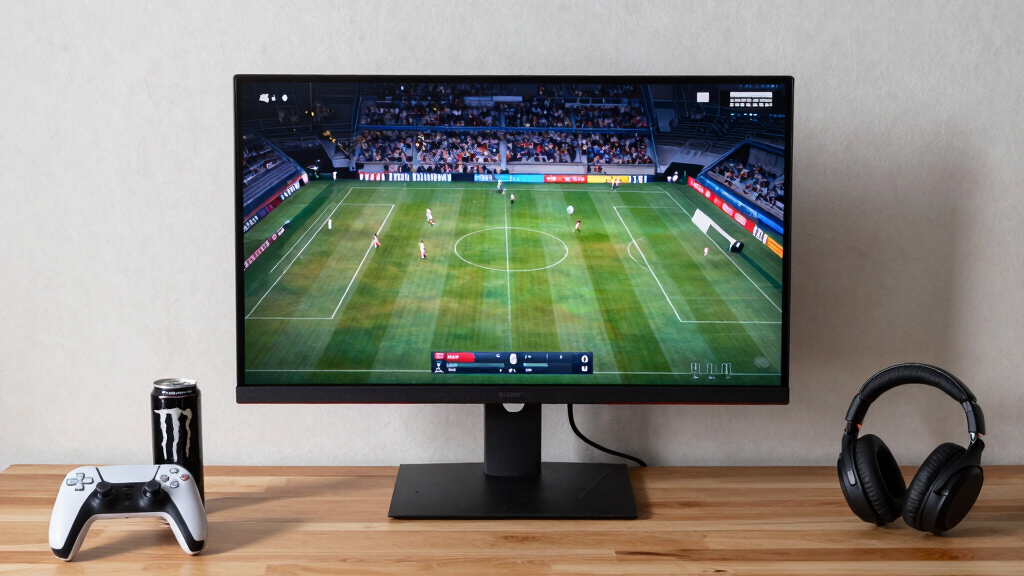
I ranked these monitors by how well their specifications serve both fast sports broadcasts and gaming. My highest weighting went to resolution at the stated screen size, panel type, refresh rate, response behavior, adaptive-sync support, viewing angles, and stand flexibility. I favored QHD IPS models for their balance of image detail and off-center consistency, while treating 240Hz and 280Hz claims as specialist gaming benefits rather than major gains for televised sports.
I also compared each model with the closest alternatives in the lineup instead of rewarding specifications in isolation. A larger display moved up only when its resolution remained suitable for its size, and an ultrawide earned credit only when its gaming benefits justified the limitations of 16:9 sports feeds. HDR labels received modest weight because entry-level HDR support rarely matches the brightness and local-dimming performance associated with a strong television. Price-position fit, connection flexibility, speakers, mounting support, and ergonomic adjustments shaped the final order, with balanced everyday performance ranked above headline speed alone.
Factors to Consider When Choosing Gaming Monitors For Sports Viewing
I would choose a sports-friendly gaming monitor by matching its size, resolution, panel behavior, and refresh rate to the viewing distance and the games being played. The highest specification is rarely the best purchase; the right balance depends on whether the screen will host live broadcasts, competitive games, shared viewing, or all three.
Match Resolution to Screen Size
Pixel density affects sports more than headline size because scoreboards, player outlines, and field markings can expose a soft image. Full HD remains sensible at 24 inches and can work at 27 inches when viewed from farther away. At 32 inches, I prefer QHD unless low price or very high competitive-gaming frame rates take priority. A 32-inch Full HD screen uses larger pixels, which can make compressed streams appear rougher from a desk. QHD also provides more workspace between events without demanding the graphics power of 4K. For the models in this roundup, 32-inch QHD is the clearest all-purpose pairing, while 24-inch Full HD is the safer compact choice.
Buy the Refresh Rate Your Sources Can Use
Sports streams rarely exploit 240Hz or 280Hz panels, since broadcasts commonly arrive at much lower frame rates. Higher refresh still improves cursor movement, interface response, and supported games, but it cannot create missing detail in the source feed. I see 120Hz as a useful entry point for a monitor shared between sports and general gaming. A 165Hz or 180Hz model gives more headroom for competitive play without making speed the sole reason for the purchase. The 240Hz and 280Hz options fit players who regularly run esports titles at very high frame rates. Buyers focused mainly on matches and occasional gaming can put the saved money toward QHD resolution or a better panel.
Choose Panel Type for the Viewing Arrangement
IPS panels suit shared viewing because color and brightness generally remain more consistent when friends sit away from the center. VA panels often deliver deeper dark scenes and are common in curved monitors, yet some can show smearing around fast-moving dark objects. That behavior may become visible in night games, racing titles, or rapid camera pans. A viewer sitting directly in front of the display may prefer VA contrast, especially in a dim room. For a sofa, kitchen counter, or multi-person setup, I place more value on stable off-axis presentation. This is why the Fast IPS Samsung G50F ranks above several faster curved VA models.
Treat Ultrawide Screens as a Gaming-First Choice
Most sports broadcasts use a 16:9 frame, while 34-inch ultrawide monitors use a wider 21:9 shape. Unless a service or application supports a wider presentation, the monitor may display vertical bars or enlarge and crop the feed. Stretching the image fills the panel but distorts players and field geometry, so I would avoid that setting. Ultrawide still makes sense when gaming occupies equal or greater time, or when the extra desktop width replaces a second monitor. It can also leave room for live statistics, chat, or fantasy-sports tools beside a video window. I would pay for an ultrawide because of multitasking and compatible games, not because every match will fill the screen.
Check Ergonomics and Connections Before Paying for HDR
Stand adjustment has daily value because height and tilt affect comfort during long matches and gaming sessions. A fixed stand can be workable with a VESA arm, but that adds expense and requires a compatible desk. Buyers connecting a console, computer, and streaming device should also count HDMI and DisplayPort inputs instead of assuming one cable can serve everything. Built-in speakers are convenient for news and casual viewing, though they rarely replace even a modest soundbar or desktop speaker set. An HDR10 label alone says little about brightness, contrast control, or color volume, so I would not make it the deciding feature among these models. For this lineup, adjustability and connection flexibility offer more dependable benefits than basic HDR compatibility.
Frequently Asked Questions
Is 120Hz enough for watching sports and playing games?
Yes, 120Hz is enough for most mixed-use buyers. Many sports streams and broadcasts run well below 120 frames per second, so a faster panel cannot display motion detail absent from the source. The higher ceiling still supports smoother compatible games and more responsive desktop movement than a 60Hz or 75Hz screen. I would move to 165Hz or 180Hz for frequent competitive gaming, while 240Hz and above suits players whose computers can sustain very high frame rates. For sports-first use, panel quality and resolution usually deserve more budget than extreme refresh speed.
Should I choose a 32-inch QHD monitor over a 32-inch Full HD model?
I would choose QHD at 32 inches for a desk or close viewing position. The extra pixels make broadcast graphics, text, player edges, and game interfaces appear cleaner. Full HD can still make sense when the monitor sits farther away or when a gaming computer needs lower rendering demands to reach 240Hz. It is also a way to obtain a large screen at a lower price, but image softness becomes easier to see up close. In this roundup, the Samsung 32-inch QHD models are more balanced for sports than the 32-inch Full HD speed-focused alternatives.
Will live sports fill a 34-inch ultrawide gaming monitor?
Usually not without side bars or cropping. Most live sports feeds use a 16:9 aspect ratio, while these 34-inch ultrawides use a 21:9 canvas. Some streaming apps may handle windowed viewing well, letting the spare width hold scores, chat, or other information. Stretching a broadcast across the full screen changes its proportions, and zooming can remove parts of the image. I recommend an ultrawide when compatible gaming and multitasking matter as much as full-screen sports.
Is a curved monitor better for sports viewing?
A curve helps most when one person sits centered near a large or ultrawide display. It can make the outer edges feel more evenly positioned and support immersion in games. For several viewers sitting at different angles, the curve offers less benefit and may make the image feel uneven from the sides. Panel type and viewing-angle consistency have a greater effect on group viewing than curvature alone. I would choose a curved model for a personal desk setup and a flat IPS screen for flexible seating.
Does HDR10 make these monitors better for watching sports?
HDR10 compatibility does not guarantee strong HDR. A monitor also needs high brightness, wide color capability, and effective contrast control to produce convincing highlights and shadow detail. Many affordable gaming monitors accept an HDR signal but deliver only a modest change from standard content. Sports can still benefit from good native color, clean motion, and a bright room-friendly image without HDR being the headline feature. Among these choices, I would prioritize QHD sharpness, IPS viewing angles, and stand adjustment before basic HDR support.
Conclusion
For the widest range of buyers, I recommend the Samsung 32-Inch Odyssey G5 G50F as the best overall choice because QHD, Fast IPS, 180Hz performance, and an adjustable stand address both sports viewing and serious gaming. The Acer 27-Inch Full HD IPS 120Hz is my best-value recommendation, offering sensible smoothness and group-friendly viewing angles without charging for extreme speed. Beginners who want an uncomplicated, affordable screen should start with the Samsung 27-Inch Essential S3, though its 100Hz ceiling and Full HD resolution leave less gaming headroom. For a premium ultrawide setup, I would choose the ViewSonic VX3418C-2K for its UWQHD detail and 180Hz FreeSync Premium support, provided 16:9 side bars are acceptable. Competitive players seeking maximum refresh should choose the KTC 32-Inch 280Hz, while compact-desk buyers are better served by the Acer Nitro KG241Y. My final choice comes down to viewing habits: QHD IPS for the best balance, ultrawide for gaming and multitasking, or Full HD high refresh for speed at a lower cost.
Halloween Picks
halloween
As an affiliate, we earn on qualifying purchases.