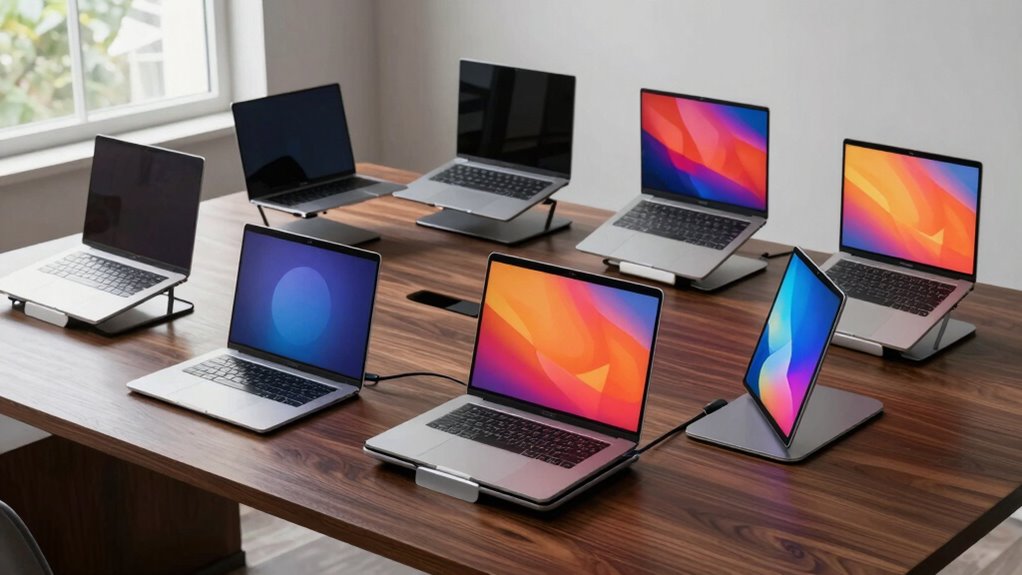

Finding the right laptop stand and dock combo can dramatically improve your productivity and comfort. The best options balance robust docking features with ergonomic stands, but compromises often exist—such as bulkiness or limited compatibility. The M91 Laptop Docking Station stands out as the overall top pick for its versatile 9-in-1 design, while the BENFEI USB C Docking Station offers excellent value with its feature set. The ADAM ELEMENTS Hub Stand Ultra is a solid choice for those prioritizing portability and design. Keep reading for a detailed breakdown of these options and how to choose the right setup for your needs.
Complete the kit



Key Takeaways
- Top picks balance docking port variety with ergonomic stand design, avoiding overly bulky setups.
- Compatibility with a wide range of laptops is a key factor, especially for USB-C and Thunderbolt 3/4 devices.
- Port selection, including 4K HDMI, USB-A, SD card slots, and Ethernet, differentiates high-end options from basic ones.
- Build quality and stability are critical—cheaper models often wobble or feel flimsy when used as stands.
- Portability varies widely; some combos are designed for travel, while others suit fixed desk setups.


| laptop stand and dock combo | USB Ports |
|---|---|
| M91 Laptop Docking Station Dua | 2 USB 3.0, 1 USB-C |
| BENFEI Laptop Stand with USB C | — |
| Mukiya USB C Laptop Docking St | — |
| QUUGE USB C Docking Station Du | 2 USB 3.0 |
| BENFEI Laptop Stand with USB C | 1 USB C 3.2, 2 USB A 3.2 |
| Laptop Stand with Docking Stat | — |
| BENFEI Laptop Stand with USB C | 4 USB 3.0 |
| ADAM ELEMENTS Hub Stand Ultra | — |
| Mukiya USB C Docking Station D | 4 |
More Details on Our Top Picks
M91 Laptop Docking Station Dual Monitor Stand, 9-in-1 USB C Hub with 2 HDMI 4K@60Hz, Portable Laptop Stand with USB Ports for MacBook Pro/Air
The M91 Laptop Docking Station stands out for integrating a fully functional USB-C hub with a portable adjustable stand, making it a strong choice for those who need both connectivity and ergonomics on the go. Compared with the BENFEI stand, it offers dual 4K@60Hz HDMI outputs, which is ideal for multi-monitor setups, but this extra capability means it’s slightly more complex to set up. Its lightweight design (under 1 pound) makes it perfect for frequent travelers, yet it requires a USB-C port with DisplayPort Alt-mode to unlock its full potential. Power delivery maxes out at 85W, which suits most laptops but may fall short for power-hungry devices. While setup might be intimidating for some, this combo provides a comprehensive solution for flexible workspace needs without sacrificing portability.
Pros:- Supports dual 4K@60Hz HDMI for high-quality visuals
- Includes multiple USB ports and SD/TF card slots for versatile connectivity
- Adjustable ergonomic stand reduces neck and eye strain
- Lightweight and portable for travel
Cons:- Requires laptop USB-C with DisplayPort Alt-mode for full functionality
- Power delivery limited to 85W, may be insufficient for some high-power laptops
Best for: Travelers and remote workers who need a lightweight, all-in-one dock and stand combo
Not ideal for: Heavy users with high-power devices or desktops, due to limited power delivery and portability constraints
- HDMI Output:2 ports, 4K@60Hz
- USB Ports:2 USB 3.0, 1 USB-C
- Power Delivery:Up to 85W
- SD/TF Card Slots:Yes
- Laptop Stand Height Adjustment:6 levels
- Weight:0.9 lbs
Our verdict“This is an excellent choice for mobile professionals needing a compact, feature-rich dock with a portable stand.”
BENFEI Laptop Stand with USB C 6-in-1 Docking Station, HDMI 4K@60Hz, Gigabit Ethernet, 100W Power Delivery, 10Gbps USB C and USB A Ports
The BENFEI stand excels in offering adjustable height with a robust aluminum build, making it suitable for office setups that prioritize comfort and reliable wired connections. Unlike the QUUGE dock, which emphasizes dual monitor support and high refresh rates, BENFEI focuses on a balanced mix of 4K HDMI, Ethernet, and fast charging, ideal for users working primarily at a desk. Its heavier weight (around 4.5 kg) limits portability but enhances stability, and it requires an external power source for full functionality. While setup is straightforward, compatibility is best with laptops that support Thunderbolt or USB-C video output. Overall, this model makes the most sense for professionals who value ergonomic adjustments and a tidy workspace over portability.
Pros:- Adjustable height from 68mm to 178mm for ergonomic comfort
- Supports 4K HDMI output with vivid detail
- Sturdy aluminum construction with anti-skid features
- Includes gigabit Ethernet and multiple USB ports
Cons:- Relatively heavy and less portable
- Requires external power for full features
Best for: Office workers and professionals seeking ergonomic adjustment and stable wired connections
Not ideal for: Frequent travelers or those needing ultra-lightweight gear, due to weight and reliance on external power
- Height Adjustment:68mm to 178mm
- Material:Aluminum alloy
- Dimensions:250*240*53.3mm
- Maximum Power Delivery:85W
- HDMI Output:4K@60Hz
- Ports:1 USB C 3.2, 2 USB A 3.2
Our verdict“Ideal for office-based users who prioritize comfort, stability, and wired connectivity over portability.”
Mukiya USB C Laptop Docking Station Stand, 8-in-1 Hub with 4K HDMI
The Mukiya combo offers a sleek design that combines a stand and hub in a compact form, making it suitable for users who want a straightforward setup with essential features. Its single HDMI port supports 4K UHD output, but lacks the dual high-refresh-rate monitor support that QUUGE offers. With 5 USB ports and support for 90W power delivery, it balances data transfer and charging needs effectively. However, it requires a compatible USB-C port that supports video output, limiting universal compatibility. This product is ideal for those who prefer simplicity and a space-efficient design, but it may not satisfy power users or multi-monitor enthusiasts.
Pros:- Combines a laptop stand with a multiport hub
- Supports 4K UHD HDMI output
- Fast data transfer and 90W charging
- Compact and space-saving design
Cons:- Limited to laptops with compatible USB-C video output
- No support for dual high-refresh-rate monitors
Best for: Professionals needing a simple, space-efficient hub with decent display and charging capabilities
Not ideal for: Power users or multi-monitor setups that require high refresh rates or multiple HDMI outputs
- Hardware Interface:USB 3.2 Gen 2
- HDMI Ports:1, 4K@60Hz
- Wattage:85W
- Weight:11.2 ounces
- Color:Black
Our verdict“A good choice for users seeking simplicity and space efficiency in a combined stand and hub solution.”
QUUGE USB C Docking Station Dual Monitor with Stand, 2 HDMI 4K@120Hz, 2 USB3.0, 100W PD, Ethernet, Universal Laptop Stand
The QUUGE dock elevates multi-monitor productivity with dual 4K@120Hz HDMI outputs, making it the top pick for demanding creative or gaming setups. Its sturdy stand supports laptops up to 2 cm thick, and the 100W power delivery ensures fast charging while connected. Compared with the BENFEI model, QUUGE’s dual high-refresh-rate outputs deliver smoother visuals, but the slightly bulkier design and the need for specific cable compatibility might complicate setup. Its high-performance features come with a price of increased setup complexity and weight, but this is offset by its superior display capabilities for users who need high refresh rates and dual screens in a single device.
Pros:- Supports dual 4K@120Hz HDMI for ultra-smooth visuals
- Provides 100W charging and high-speed data transfer
- Sturdy metal construction with a universal stand
- Includes gigabit Ethernet for wired networking
Cons:- Requires compatible Thunderbolt 3/4 or USB-C cable
- Vertical placement limited for laptops over 2 cm thick
Best for: Creative professionals and gamers demanding high-refresh dual monitors with fast charging
Not ideal for: Casual users or those with limited desk space, due to its size and higher complexity
- Monitor Output:2 HDMI, dual 4K@120Hz
- USB Ports:2 USB 3.0
- Power Delivery:100W
- Ethernet:1Gbps
- Material:Metal with silicone contact pads
- Supported Laptop Thickness:Up to 2 cm
Our verdict“Best suited for users who need high-refresh dual monitors and fast charging in a versatile, stand-equipped dock.”
BENFEI Laptop Stand with USB C 7-in-1 Docking Station, 4K HDMI, SD/Micro SD, 100W Power Delivery, USB C & USB A Ports
The BENFEI 7-in-1 Docking Station features an ergonomic, adjustable aluminum stand paired with a comprehensive port selection, making it ideal for users who need high-speed data transfer and media support. Unlike the Mukiya model, which emphasizes simplicity, BENFEI offers more ports, including SD and Micro SD readers, along with 4K HDMI and 100W Power Delivery. Its weight of 4.5 kg makes it less portable but provides a stable platform for daily use. Compatibility may be limited with older laptops lacking USB-C video output support, but for modern machines, it delivers a reliable, all-in-one workstation upgrade.
Pros:- Adjustable height for ergonomic comfort
- Supports 4K HDMI output and fast data transfer
- Includes SD and Micro SD card readers
- High 100W power delivery for fast charging
Cons:- Relatively heavy at 4.5 kg
- Requires external power for full operation
Best for: Office professionals and creative users needing fast data transfer and media ports
Not ideal for: Frequent travelers or users with older laptops lacking USB-C video support
- Height Adjustment:68mm to 178mm
- Material:Aluminum alloy
- Dimensions:250*240*53.3mm
- Maximum Power Delivery:100W
- HDMI Output:4K@60Hz
- USB Ports:1 USB C 3.2, 2 USB A 3.2
Our verdict“Ideal for users wanting a robust, port-rich dock with adjustable ergonomics for daily workstations.”
Laptop Stand with Docking Station, 8-in-1 USB-C Hub with HDMI, Portable & Adjustable
This portable stand excels in versatility, combining an 8-in-1 docking station with a foldable, adjustable stand that’s perfect for those frequently on the move. Unlike the BENFEI 6-in-1, which offers more ports but is heavier and less portable, this model prioritizes mobility with its lightweight design and foldable form. It supports 4K HDMI output, but requires a USB-C port with DisplayPort Alt Mode—meaning some ultraportables without this feature won’t achieve full functionality. Power delivery is capped at 85W, suitable for most laptops but limiting for high-demand devices. The airflow promotion and non-slip silicone pads help maintain thermal stability during travel.
Pros:- Lightweight and foldable for easy portability
- Supports 4K HDMI for high-quality visuals
- Adjustable height for ergonomic comfort
Cons:- Requires specific USB-C ports with DisplayPort Alt Mode
- Limited external hard drive support during data transfer
- Power delivery may not accommodate high-power peripherals
Best for: Travelers or remote workers needing a lightweight, multi-port solution on the go
Not ideal for: Heavy workstation setups or users with high-power external drives needing full external hard drive support
- Ports:HDMI, USB-A, USB-C, SD/TF card slots
- HDMI Resolution:4K@30Hz
- Power Delivery:85W
- Compatibility:Laptops 10-17 inches, MacBook Pro/Air, Dell XPS, HP, ASUS, Google Pixelbook, Lenovo ThinkPad, Acer, Chromebook, Microsoft Surface
- Weight:0.9 lbs
- Dimensions:10.5 x 2.2 x 0.9 inches
Our verdict“This stand and dock combo suits mobile users prioritizing portability and quick setup over extensive port support.”
BENFEI Laptop Stand with USB C 6-in-1 Docking Station, HDMI 4K@60Hz, 4 USB 3.0, 100W Power Delivery, Compatible with MacBook Pro/Air, iPad Pro, XPS, ThinkPad
The BENFEI 6-in-1 offers a sturdy, ergonomic design built from durable aluminum, making it ideal for users who want a reliable, long-term desktop setup. Compared to the more portable Product 6, this model is heavier at 4.5 kg but provides a more stable platform with a wide array of ports, including 4 USB 3.0 and 100W Power Delivery—great for powering multiple devices simultaneously. Its adjustable height and tilt help achieve ergonomic comfort, although the weight and size could be a drawback for those who move their workspace regularly. It’s best suited for users who prioritize stability and extensive port options over portability.
Pros:- Sturdy aluminum construction for durability
- Multiple ports including 4 USB 3.0 and 100W Power Delivery
- Adjustable height for ergonomic comfort
Cons:- Relatively heavy and less portable
- Requires external power source for full functionality
- Bulkier footprint might clutter small desks
Best for: Office workers or home users seeking a permanent, stable docking station with ergonomic support
Not ideal for: Travelers or remote workers needing lightweight, portable solutions
- Height Adjustment:68mm to 178mm
- Material:Aluminum alloy
- Dimensions:252*260*56mm
- HDMI Output:4K@60Hz
- USB Ports:4 USB 3.0
- Power Delivery:100W
Our verdict“This dock is perfect for those who need a reliable, stable station for a dedicated workspace with extensive connectivity options.”
ADAM ELEMENTS Hub Stand Ultra – 6-in-1 Magnetic Detachable USB-C Hub & Ergonomic Laptop Stand for MacBook, iPad, and 17″ Laptops
This combo stands out with its highly adjustable, magnetic detachable hub and ergonomic stand design, making it a versatile choice for on-the-fly setups. Its 4K HDMI output and support for laptops up to 17 inches make it comparable to the Product 7, but with a unique magnetic modular approach that allows easy detachment and reconfiguration. The premium aluminum build ensures heat and stability management, yet its weight of 3.4 pounds makes it less ideal for frequent travel. The adjustable height and angle are excellent for ergonomic comfort, especially for long work sessions at a desk, but the size and limited color options might be less appealing for minimalists or those with limited desk space.
Pros:- Magnetic detachable hub offers flexible port access
- Highly adjustable for ergonomic positioning
- Premium aluminum ensures heat dissipation and stability
Cons:- Relatively heavy for portable use
- Limited color options and larger footprint
- Requires desk space for full adjustment range
Best for: Home or office users who want a flexible, ergonomic stand with a detachable hub for varied device use
Not ideal for: Travelers or users with strict space constraints seeking ultra-lightweight solutions
- Form Factor:Foldable ergonomic stand with integrated USB-C dock
- Compatible Devices:MacBook, USB-C laptops, iPad, iPhone
- Support Capacity:Up to 17 inches and 6kg (13.2 lbs)
- Item Dimensions:2 x 11 x 9.8 inches
- Item Weight:3.4 pounds
- Special Features:360° rotating base, ergonomic adjustment, magnetic detachable hub
Our verdict“Ideal for users who value ergonomic flexibility and modular connectivity in a semi-permanent setup.”
Mukiya USB C Docking Station Dual Monitor, 9-in-1 Laptop Stand with 2 HDMI
This lightweight, foldable dock combines dual 4K HDMI outputs with an adjustable stand, making it a strong choice for multi-monitor setups in a portable form factor. While the Product 9 excels in supporting dual 4K displays—perfect for multitasking—it has limitations on macOS, where it only supports mirror mode, unlike the extended desktop capability on Windows. Its 9 ports include USB-C PD, SD, and TF slots, but compatibility depends on the laptop’s port capabilities, especially for full dual monitor support. Its foldable design and included carrying bag make it a practical choice for those who need mobility without sacrificing dual display support.
Pros:- Supports dual 4K HDMI for enhanced multitasking
- Foldable and lightweight for portability
- Adjustable height for ergonomic comfort
Cons:- Limited to mirror mode on macOS, reducing flexibility
- Requires full-featured USB-C port with PD and DP Alt Mode
- Compatibility varies depending on laptop ports
Best for: Mobile professionals requiring dual 4K display support and portability
Not ideal for: MacBook users who need extended desktop mode in macOS or desktops with limited port support
- Hardware Interface:USB Type C
- Compatible Devices:USB-C laptops, MacBook Pro, Surface, Dell XPS, ThinkPad
- Total HDMI Ports:2
- USB Ports:4
- Total Ports:9
- Color:Silver
Our verdict“This dock is well-suited for users who need dual 4K displays in a portable and ergonomic stand, with some limitations on Mac compatibility.”

How We Picked
Products were evaluated based on their versatility, build quality, compatibility, and value. The primary goal was to identify combos that seamlessly integrate a reliable laptop stand with a comprehensive docking station, enhancing workspace efficiency. We prioritized models that offer a balance of performance and ease of use, avoiding overly complex or limited options. The ranking reflects how well each combo supports daily productivity, considering factors like port variety, ergonomic design, and portability. Cost-effectiveness was also a key criterion, ensuring each product offers fair value for its feature set.Factors to Consider When Choosing Laptop Stand And Dock Combo
Choosing the right laptop stand and dock combo involves considering several practical factors. Beyond just ports and design, it’s important to match the setup with your laptop model, workspace needs, and mobility requirements. Getting these details right ensures you don’t end up with an underwhelming or incompatible product that hampers your workflow.Compatibility and Laptop Size
Ensure the combo supports your specific laptop model, especially if you own a larger or ultrawide device. Some docks are optimized for MacBooks, while others cater to Windows Ultrabooks or gaming laptops. Compatibility with your port types (USB-C, Thunderbolt, or USB-A) and power delivery capabilities are equally important to prevent connection issues or power shortages.
Port Selection and Future-Proofing
Look for a variety of ports that match your workflow—4K HDMI for high-resolution displays, multiple USB-A or USB-C ports for peripherals, SD card slots for media, and Ethernet for wired internet. Consider whether the dock offers future-proof features like Thunderbolt 4 or higher, which support faster data transfer and broader compatibility, avoiding the need for frequent upgrades.
Ergonomics and Build Quality
Since these combos double as stands, their design should promote good posture—prefer adjustable height and tilt options. Sturdiness is key: cheap materials can lead to wobbling or tipping, which compromises safety and usability. A well-built, stable stand ensures your laptop remains secure, reducing strain during prolonged use.
Portability vs. Fixed Setup
If you travel frequently, prioritize lightweight, compact designs that are easy to pack. Conversely, if your workspace is permanent, a larger, more feature-rich dock can provide better connectivity and stability. Consider your typical working environment and choose accordingly to avoid unnecessary bulk or missing features.
Price and Value
High-end combos often come with premium features like Thunderbolt support and multiple 4K outputs, but they also command higher prices. Balance your budget with your needs—sometimes a mid-range model provides most of the benefits without overspending. Beware of very cheap options that might lack durability or essential ports, leading to frustration over time.
Frequently Asked Questions
Can I use a laptop stand and dock combo with any laptop?
Most combos are designed around common connection types like USB-C or Thunderbolt, so compatibility depends on your laptop’s ports and power requirements. Check the product specifications to ensure your laptop supports the necessary connections and power delivery features. Some models are more versatile, supporting a wide range of devices, while others are tailored for specific brands or laptops.
Is it better to buy a dedicated docking station or a combo with a stand?
Dedicated docking stations often offer more ports and higher performance, but they can be bulkier and less ergonomic. Combo options integrate a stand, promoting better posture and workspace organization, but may have fewer ports or lower throughput. Your choice depends on whether you prioritize connectivity or ergonomic efficiency, or need both in a single compact solution.
Do I need a separate monitor to use these combos effectively?
While many combos include multiple HDMI or DisplayPort outputs, the number of supported monitors varies. If you frequently use multiple screens, ensure the dock supports dual or even triple monitor setups at your desired resolution. Some combos are optimized for dual 4K displays, while others support only a single monitor, so check specifications carefully.
Are portable combos reliable enough for daily use?
Portable models, such as those with magnetic or lightweight stands, are designed for mobility but may compromise on durability or port variety. For daily, intensive use, look for sturdy construction and reliable connections. If portability is secondary, investing in a more robust, fixed setup can ensure long-term stability and performance.
How do I know if a combo supports my power needs?
Power delivery (PD) support varies among models; some provide up to 100W or more, suitable for charging high-power laptops, while others offer less. Confirm your laptop’s charging requirements and match them with the dock’s PD output. Using a dock with insufficient power can lead to slow charging or drain on your laptop during use.
Conclusion
The ideal laptop stand and dock combo depends heavily on your specific needs. If you want the best overall performance for a versatile workspace, the M91 Laptop Docking Station offers a comprehensive set of features. Budget-conscious users seeking reliable connectivity should consider the BENFEI USB C Docking Station for its strong value. For those prioritizing portability and sleek design, the ADAM ELEMENTS Hub Stand Ultra makes a compelling choice. Beginners or infrequent users might prefer simpler, more affordable models, while power users needing multiple displays and extensive port options should look at premium, high-capacity solutions. Tailor your selection to balance your workspace needs, budget, and portability preferences.