
Complete the kit




Get the latest gadgets delivered free with Prime
- Fast, free delivery on millions of items
- Prime Video, Amazon Music and more included
- Member-only deals all year
Key Takeaways
- The MegaTank series (G3270, G620, G3290) reduces ink costs by over 80% compared to traditional cartridge-based models, making them the only viable choice for high-volume users.
- Photo quality is not uniform; models with 6+ ink cartridges (like the TS9521Ca and PRO-200S) deliver significantly better skin tones and gradients than 4-color office models.
- Wireless connectivity stability varies, with TS7720 and TR8620a showing more reliable Wi-Fi handshakes than older budget models like the TR4720.
- Physical size is a critical constraint; the TS4320 is the most compact option, while the PRO-200S requires a dedicated desk due to its 13-inch paper width.
- Duplex printing is standard on mid-range models (TS7720, TR7820) but absent on entry-level units (TS4320, TR4720), impacting paper waste and convenience.
| Canon PIXMA TS7720 Wireless All-in-One Color Inkjet Printer |  | Best Overall for Everyday Home Printing | Functions: Print, copy, scan | Print speed: Up to 15 black-and-white / 10 color images per minute | Print resolution: Up to 1200 × 1200 dpi | VIEW LATEST PRICE | See Our Full Breakdown |
| Canon PIXMA TR4720 Wireless All-in-One Inkjet Printer with Auto Document Feeder and Fax |  | Best for Home Offices on a Budget | Functions: Print, copy, scan, fax | Connectivity: Wi-Fi | Mobile printing: Canon PRINT app; Android-compatible | VIEW LATEST PRICE | See Our Full Breakdown |
| Canon PIXMA PRO-200S Wireless Professional 13-Inch Inkjet Photo Printer |  | Best for Large, Vibrant Photo Prints | Printer type: Inkjet photo printer | Ink system: Eight-color dye-based ink | Maximum borderless print size: 13 × 19 inches | VIEW LATEST PRICE | See Our Full Breakdown |
| Canon PIXMA TS9521Ca Wireless All-in-One Inkjet Printer |  | Best for Tabloid Printing and Flexible Media | Functions: Print, copy, scan | Maximum media size: 11 × 17 inches | Print speed: Approximately 15 black / 10 color images per minute | VIEW LATEST PRICE | See Our Full Breakdown |
| Canon PIXMA TS4320 Wireless Color Inkjet All-in-One Printer |  | Best Compact Pick for Light Home Use | Functions: Print, copy, scan | Ink system: Two-cartridge hybrid system | Wireless connectivity: Dual-band Wi-Fi, 2.4 GHz or 5 GHz | VIEW LATEST PRICE | See Our Full Breakdown |
| Canon PIXMA iX6820 Wireless Inkjet Business Printer |  | Best for Wide-Format Printing | Printer type: Wireless inkjet | Maximum paper size: 13 × 19 inches | Paper input capacity: 150 sheets | VIEW LATEST PRICE | See Our Full Breakdown |
| Canon PIXMA TS9520a Wireless All-in-One Inkjet Printer |  | Best for Versatile Home Projects | Functions: Print, copy, scan | Print speed: Approximately 15 black and 10 color images per minute | Display: 4.3-inch touch LCD | VIEW LATEST PRICE | See Our Full Breakdown |
| Canon PIXMA G620 Wireless MegaTank Photo All-in-One Printer |  | Best for High-Volume Photo Printing | Functions: Print, copy, scan | Ink system: Six-color dye-based | Ink colors: Black, color, red, and gray inks | VIEW LATEST PRICE | See Our Full Breakdown |
| Canon PIXMA TR7820 Wireless All-in-One Inkjet Printer |  | Best for Multi-Page Home Office Tasks | Functions: Print, copy, scan | Automatic document feeder: 35 sheets | Paper capacity: Up to 100 sheets in cassette and 100 sheets in rear tray | VIEW LATEST PRICE | See Our Full Breakdown |
| Canon PIXMA TS6520 Wireless Color Inkjet All-in-One Printer with 1.42-Inch OLED Display, White |  | Best Compact Pick for Basic Home Printing | Functions: Print, scan, copy | Ink system: Two-cartridge hybrid ink system | Display: 1.42-inch monochrome OLED | VIEW LATEST PRICE | See Our Full Breakdown |
| Canon PIXMA TS9521Ca Wireless All-in-One Inkjet Printer, White |  | Best for Large-Format Crafts | Printer Type: Wireless all-in-one inkjet | Functions: Print, scan, copy | Max Print Resolution: 4800 x 1200 dpi | VIEW LATEST PRICE | See Our Full Breakdown |
| Canon PIXMA MegaTank G3270 Wireless All-in-One Color Inkjet Printer |  | Best Entry-Level MegaTank | Model: PIXMA G3270 BK | Ink System: Refillable MegaTank | Functions: Print, copy, scan | VIEW LATEST PRICE | See Our Full Breakdown |
| Canon PIXMA G3290 MegaTank Wireless All-in-One Inkjet Printer |  | Best High-Yield Value | Printer Type: Inkjet supertank | Duplex Printing: Automatic | Display: 2.7-inch color LCD touchscreen | VIEW LATEST PRICE | See Our Full Breakdown |
| Canon PIXMA TS8820 Wireless All-in-One Inkjet Printer, White |  | Best for Photo Quality | Model: PIXMA TS8820 | Ink System: Six individual inks | Display: 4.3-inch color touchscreen | VIEW LATEST PRICE | See Our Full Breakdown |
| Canon PIXMA TR8620a Wireless All-in-One Inkjet Printer |  | Best for Home Office Productivity | Model: PIXMA TR8620a | Functions: Print, copy, scan, fax | ADF Capacity: 20 sheets | VIEW LATEST PRICE | See Our Full Breakdown |
| Canon Pixma printer | Functions | Ink system | Display | Connectivity |
|---|---|---|---|---|
| Canon PIXMA TS7720 Wireless Al | Print, copy, scan | — | 2.7-inch LCD touchscreen | Wi-Fi and high-speed USB |
| Canon PIXMA TR4720 Wireless Al | Print, copy, scan, fax | — | — | Wi-Fi |
| Canon PIXMA PRO-200S Wireless | — | Eight-color dye-based ink | 3-inch color LCD | Wi-Fi, Ethernet, and USB |
| Canon PIXMA TS9521Ca Wireless | Print, copy, scan | Five individual ink cartridges | 4.3-inch touchscreen LCD | — |
| Canon PIXMA TS4320 Wireless Co | Print, copy, scan | Two-cartridge hybrid system | — | — |
| Canon PIXMA iX6820 Wireless In | — | Five individual ink tanks | — | — |
| Canon PIXMA TS9520a Wireless A | Print, copy, scan | Five individual ink cartridges | 4.3-inch touch LCD | Wi-Fi, USB, Ethernet |
| Canon PIXMA G620 Wireless Mega | Print, copy, scan | Six-color dye-based | — | Wi-Fi, USB |
| Canon PIXMA TR7820 Wireless Al | Print, copy, scan | Two-cartridge FINE hybrid system | 2.7-inch LCD touchscreen | USB, Wi-Fi |
| Canon PIXMA TS6520 Wireless Co | Print, scan, copy | Two-cartridge hybrid ink system | 1.42-inch monochrome OLED | Dual-band Wi-Fi (2.4 GHz or 5 GHz), USB |
| Canon PIXMA TS9521Ca Wireless | Print, scan, copy | — | — | — |
| Canon PIXMA MegaTank G3270 Wir | Print, copy, scan | Refillable MegaTank | 1.35-inch LCD | Wi-Fi, USB |
| Canon PIXMA G3290 MegaTank Wir | — | — | 2.7-inch color LCD touchscreen | Wireless, high-speed USB |
| Canon PIXMA TS8820 Wireless Al | Print, copy, scan | Six individual inks | 4.3-inch color touchscreen | — |
| Canon PIXMA TR8620a Wireless A | Print, copy, scan, fax | — | — | — |
More Details on Our Top Picks
Canon PIXMA TS7720 Wireless All-in-One Color Inkjet Printer
The PIXMA TS7720 earns my everyday-use pick by balancing document and photo printing with scanning and copying in a compact body. Its automatic duplex printing saves manual page turning, while two trays hold up to 200 sheets—twice the capacity listed for the TS4320. That extra room is useful if you switch between plain paper and photo stock, or simply want to reload less often. The 2.7-inch touchscreen also gives it a more direct control panel than the screen-free TS4320. The tradeoff is its two-cartridge ink setup, which is less flexible than the TS9521Ca’s five individual cartridges. It is also not built for oversized output: the TS9521Ca handles media up to 11 × 17 inches, while this model is aimed at standard home formats.
Pros:- Prints, copies, and scans in one compact device.
- Automatic duplex printing reduces manual page handling.
- Two trays provide up to 200 sheets of combined capacity.
- Touchscreen controls and support for glossy photo paper and other media.
Cons:- Two-cartridge ink system offers less color-by-color replacement flexibility than the TS9521Ca.
- Listed print resolution is lower than the TS9521Ca’s maximum resolution.
- Does not offer the TS9521Ca’s 11 × 17-inch media support or automatic document feeder.
Best for: Households that want one compact printer for regular documents, occasional photos, scanning, and copying, with less frequent paper reloading.
Not ideal for: Photographers who need prints larger than standard home formats or buyers who want separate cartridges for each ink color.
- Functions:Print, copy, scan
- Print speed:Up to 15 black-and-white / 10 color images per minute
- Print resolution:Up to 1200 × 1200 dpi
- Display:2.7-inch LCD touchscreen
- Duplex printing:Automatic
- Connectivity:Wi-Fi and high-speed USB
- Paper capacity:Up to 100 sheets in the cassette and 100 in the rear tray
- Dimensions and weight:13.8 × 14.8 × 6.7 inches; 13.8 pounds
Our verdict“Choose the TS7720 for a compact, well-rounded home printer with a useful touchscreen and more paper capacity than the TS4320.”
Canon PIXMA TR4720 Wireless All-in-One Inkjet Printer with Auto Document Feeder and Fax
The PIXMA TR4720 is the functional choice for a small home office that still needs faxing. It combines print, copy, scan, and fax with an automatic document feeder, making it better suited than the TS4320 for handling multipage originals without placing each sheet on the scanner glass. Automatic duplexing also helps with two-sided paperwork, and Wi-Fi plus Canon PRINT app support gives it a straightforward mobile workflow. Its main compromise is capacity: the 100-sheet limit is half the combined capacity of the TS7720 and TS9521Ca. The LCD is more basic than those models’ touchscreens, too. I’d choose this over the TS4320 when fax and feeder functions matter; for frequent printing or broader media handling, the TS7720 or TS9521Ca is a stronger fit.
Pros:- Combines printing, copying, scanning, and faxing.
- Automatic document feeder helps process multipage originals.
- Automatic duplex printing supports two-sided documents.
- Wi-Fi and Canon PRINT app support wireless and mobile printing.
Cons:- Maximum sheet capacity is 100 sheets, compared with 200 on the TS7720 and TS9521Ca.
- Basic LCD is less capable for direct operation than the TS7720 touchscreen.
- Uses PG-275 black and CL-276 color cartridges.
Best for: Home-office users who need a fax machine, an automatic document feeder, and wireless printing in one device.
Not ideal for: Households with frequent or high-volume printing, or buyers who want a larger paper supply and more advanced touchscreen controls.
- Functions:Print, copy, scan, fax
- Connectivity:Wi-Fi
- Mobile printing:Canon PRINT app; Android-compatible
- Automatic document feeder:Yes
- Duplex printing:Automatic
- Print resolution:Up to 4800 × 1200 dpi
- Maximum sheet capacity:100 sheets
- Included starter ink:PG-275 black and CL-276 color
Our verdict“Pick the TR4720 if faxing and an automatic document feeder matter more to your home office than extra paper capacity.”
Canon PIXMA PRO-200S Wireless Professional 13-Inch Inkjet Photo Printer
The PIXMA PRO-200S serves a different purpose from the all-in-one PIXMAs here: it is a dedicated photo printer for people who want large, color-rich output. Its eight-color dye-based ink system and support for borderless prints up to 13 × 19 inches give photographers room to make display-worthy prints, while custom media can extend to 13 × 39 inches. Wi-Fi, Ethernet, and USB offer more connection choices than the TS7720, but the PRO-200S does not copy or scan at all. It also weighs 32 pounds and has a 100-sheet maximum capacity, so it is neither a compact home-office hub nor a high-capacity document machine. Compared with the TS9521Ca, this is the clear choice for larger photo output; the TS9521Ca makes more sense for everyday documents and scanning.
Pros:- Eight-color dye ink system is designed for vibrant color prints.
- Borderless printing supports sizes up to 13 × 19 inches.
- Custom media support extends up to 13 × 39 inches.
- Wi-Fi, Ethernet, USB, and a 3-inch color LCD provide flexible setup and control.
Cons:- Print-only design omits copying and scanning available on the TS9521Ca.
- At 32 pounds, it is much heavier than the compact TS7720.
- Maximum sheet capacity is 100 sheets.
Best for: Photographers and printmakers who need vibrant borderless output up to 13 × 19 inches or custom panoramic prints.
Not ideal for: Buyers who need copying, scanning, faxing, or a small all-in-one printer for everyday household paperwork.
- Printer type:Inkjet photo printer
- Ink system:Eight-color dye-based ink
- Maximum borderless print size:13 × 19 inches
- Maximum custom media size:Up to 13 × 39 inches
- Print resolution:4800 × 2400 dpi
- Display:3-inch color LCD
- Connectivity:Wi-Fi, Ethernet, and USB
- Dimensions and weight:28.7 × 18.6 × 14.04 inches; 32 pounds
Our verdict“Choose the PRO-200S when large, vivid photo prints are the priority and you already have another device for scanning and copying.”
Canon PIXMA TS9521Ca Wireless All-in-One Inkjet Printer
The PIXMA TS9521Ca is the versatile all-in-one to choose when standard letter-size printing feels limiting. It handles media up to 11 × 17 inches, takes paper from two trays with 200 sheets combined, and includes a 20-sheet automatic document feeder for multipage scans and copies. Its five individual ink cartridges also give it a different advantage from the TS7720’s two-cartridge system: you can replace colors separately. The 4.3-inch touchscreen is the largest listed among these all-in-ones. The tradeoffs are footprint and feeder size—the TS9521Ca measures 18.5 × 14.5 inches, and its ADF holds only 20 sheets. Unlike the PRO-200S, it is not designed for 13 × 19-inch photo output, but it is far more useful for mixed home and office tasks.
Pros:- Supports media up to 11 × 17 inches for larger documents and creative projects.
- 20-sheet automatic document feeder assists with multipage scanning and copying.
- Two trays hold up to 200 sheets combined.
- Five individual ink cartridges allow separate color replacement.
Cons:- The 20-sheet feeder may require frequent reloading for larger document batches.
- Larger footprint than the compact TS7720 and TS4320.
- Does not match the PRO-200S’s support for borderless 13 × 19-inch photo prints.
Best for: Crafters, small offices, and households that need 11 × 17-inch printing, an automatic document feeder, and scanning or copying.
Not ideal for: Buyers with limited desk space or photographers who need borderless prints larger than 11 × 17 inches.
- Functions:Print, copy, scan
- Maximum media size:11 × 17 inches
- Print speed:Approximately 15 black / 10 color images per minute
- Print resolution:Up to 4800 × 1200 dpi
- Ink system:Five individual ink cartridges
- Automatic document feeder:20 sheets
- Paper capacity:200 sheets total: 100-sheet cassette and 100-sheet rear tray
- Display:4.3-inch touchscreen LCD
- Dimensions:18.5 × 14.5 × 7.6 inches
Our verdict“Choose the TS9521Ca if you need an all-in-one that can print up to 11 × 17 inches and handle occasional multipage scanning.”
Canon PIXMA TS4320 Wireless Color Inkjet All-in-One Printer
The PIXMA TS4320 is the simplest fit here for light home printing: it prints, copies, and scans, adds automatic duplexing, and supports wireless jobs from the Canon PRINT app, Apple AirPrint, and Mopria. Its dual-band Wi-Fi gives it flexibility across common home networks, while its compact 14.8 × 14-inch footprint is easier to place than the larger TS9521Ca. The tradeoffs are clear: there is no display and no automatic document feeder, so controls and multipage scanning are less convenient than on the TS7720 or TR4720. Its 100-sheet capacity also trails the TS7720’s 200 sheets. With a two-cartridge hybrid ink system and letter-size maximum media, it is best for occasional everyday jobs, not heavy workloads or oversized creative projects.
Pros:- Compact design combines printing, copying, and scanning.
- Automatic duplex printing helps reduce manual page handling.
- Dual-band Wi-Fi and support for Canon PRINT, AirPrint, and Mopria.
- Supports plain paper, envelopes, labels, card stock, and glossy photo paper.
Cons:- No display screen or automatic document feeder.
- 100-sheet capacity is lower than the TS7720’s 200-sheet capacity.
- Two-cartridge ink system is less flexible than the TS9521Ca’s individual cartridges.
Best for: Space-conscious households and students who print occasional documents and photos, and want scanning, copying, and duplexing without a larger office-style unit.
Not ideal for: People who regularly scan multipage documents, print in high volumes, or need an onboard display or media larger than letter size.
- Functions:Print, copy, scan
- Ink system:Two-cartridge hybrid system
- Wireless connectivity:Dual-band Wi-Fi, 2.4 GHz or 5 GHz
- Mobile printing:Canon PRINT app, Apple AirPrint, and Mopria Print Service
- Maximum media size:Letter, 8.5 × 11 inches
- Automatic duplex printing:Yes
- Maximum paper capacity:100 sheets
- Maximum print resolution:1200 × 1200 dpi for color and black-and-white
- Dimensions and weight:14.8 × 14 × 6.7 inches; 15.5 pounds
Our verdict“Pick the TS4320 for occasional letter-size home printing when compact placement matters more than a touchscreen, feeder, or larger paper supply.”
Canon PIXMA iX6820 Wireless Inkjet Business Printer
I’d choose the PIXMA iX6820 when the job is printing large, detailed sheets rather than scanning or copying paperwork. Its support for media up to 13 × 19 inches gives it a clear size advantage over the TS9520a, whose listed maximum is smaller and whose feature set adds all-in-one functions the iX6820 lacks. The five individual ink tanks let you replace a depleted color without swapping a combined color cartridge, while Wi-Fi, AirPrint, and Google Cloud Print support flexible printing from compatible devices. The tradeoff is a single-purpose design: there’s no scanner, copier, or automatic document feeder, and its 150-sheet input capacity is modest for frequent office batches. I’d skip it for everyday paperwork-heavy home offices.
Pros:- Supports media from 4 × 6 inches up to 13 × 19 inches.
- Five individual ink tanks allow color-by-color replacement.
- Wi-Fi, AirPrint, and Google Cloud Print support compatible wireless workflows.
- Quiet Mode and Auto Power On add convenience for occasional print jobs.
Cons:- Print-only design omits scanning and copying.
- 150-sheet input capacity can require frequent reloading for larger jobs.
- Wireless printing depends on compatible devices or software.
Best for: Home studios and small offices that need wireless printing on large sheets up to 13 × 19 inches.
Not ideal for: Buyers who need scanning, copying, document feeding, or paper sizes larger than 13 × 19 inches.
- Printer type:Wireless inkjet
- Maximum paper size:13 × 19 inches
- Paper input capacity:150 sheets
- Maximum color resolution:9600 × 2400 dpi
- Ink system:Five individual ink tanks
- Print speed:14.5 ipm black; 10.4 ipm color
- Wireless printing:Wi-Fi, AirPrint, Google Cloud Print, PIXMA Printing Solutions
- Dimensions:23.0 × 12.3 × 6.3 inches
Our verdict“Choose the iX6820 for wide-format wireless printing; pick an all-in-one like the TS9520a if document scanning and copying matter more.”
Canon PIXMA TS9520a Wireless All-in-One Inkjet Printer
The PIXMA TS9520a is the most flexible pick here for households that mix paperwork with creative printing. Unlike the print-only iX6820, it adds copying, scanning, automatic duplexing, and a 20-sheet document feeder, so multi-page tasks take less hands-on work. It also offers Wi-Fi, USB, and Ethernet, plus a 4.3-inch touchscreen. The listed media details conflict: one part of the product information claims support up to 11 × 17 inches, while another gives a smaller maximum, and the stated paper capacity also differs between 100 and 200 sheets. I’d verify the supported size before buying for large-format work. Its five-cartridge system and larger footprint make it less appealing for buyers seeking a compact, simple printer like the TS6520.
Pros:- Print, copy, and scan functions cover common home-office tasks.
- Automatic duplex printing and a 20-sheet document feeder reduce manual handling.
- Wi-Fi, USB, and Ethernet provide several connection options.
- Supports varied media, including photo paper, business cards, and banners.
Cons:- Product information gives conflicting maximum media sizes.
- Paper capacity is also inconsistent across the supplied specifications.
- Its all-in-one feature set and 21.3-pound weight are more than a print-only buyer may need.
Best for: Families and home creators who want one printer for routine documents, multi-page scanning, photos, and varied media.
Not ideal for: Buyers who need a confirmed large-format specification, a compact footprint, or a straightforward print-only machine.
- Functions:Print, copy, scan
- Print speed:Approximately 15 black and 10 color images per minute
- Display:4.3-inch touch LCD
- Duplex printing:Automatic
- Automatic document feeder:20 sheets
- Connectivity:Wi-Fi, USB, Ethernet
- Ink system:Five individual ink cartridges
- Dimensions:18.5 × 14.5 × 7.6 inches
Our verdict“Pick the TS9520a for broad home and creative functionality, but confirm its maximum media size if large sheets are a deciding factor.”
Canon PIXMA G620 Wireless MegaTank Photo All-in-One Printer
For buyers who print lots of color photos, the PIXMA G620 stands apart through its six-color dye-based ink system, including red and gray, and a stated yield of up to 3,800 4 × 6-inch photos per full ink set. That makes it a more photo-focused choice than the TS7820, whose two-cartridge system is geared toward mixed home printing rather than extended photo runs. The G620 also scans and copies, with Wi-Fi and USB for computer and mobile printing. Its main compromise is convenience for general paperwork: the 50-sheet capacity means frequent reloading, and black-and-white copying is listed at just 3.9 pages per minute. I’d choose it for photo volume and color flexibility, not for fast document handling or a large paper tray.
Pros:- Six-color dye ink includes red and gray for photo-focused color reproduction.
- A full ink set is rated for up to 3,800 4 × 6-inch color photos.
- Print, copy, and scan functions add everyday versatility.
- Wi-Fi and USB support printing from computers and mobile devices.
Cons:- 50-sheet maximum capacity calls for frequent paper reloading.
- Black-and-white copy speed is listed at 3.9 pages per minute.
- Its photo-oriented ink system is less tailored to buyers focused on document throughput.
Best for: Photo hobbyists and households that regularly print batches of 4 × 6-inch color photos and want scanning and copying too.
Not ideal for: Users who print mostly multi-page office documents, need fast monochrome copying, or want a high-capacity paper tray.
- Functions:Print, copy, scan
- Ink system:Six-color dye-based
- Ink colors:Black, color, red, and gray inks
- Photo yield:Up to 3,800 4 × 6-inch color photos per full ink set
- Connectivity:Wi-Fi, USB
- Maximum print resolution:4800 × 1200 dpi
- Maximum media size:8.5 × 14 inches
- Maximum sheet capacity:50 sheets
Our verdict“Choose the G620 for frequent photo printing and high stated photo yield; choose the TS7820 for more document-centered home use.”
Canon PIXMA TR7820 Wireless All-in-One Inkjet Printer
The PIXMA TR7820 earns its place as a practical home-office pick because its 35-sheet automatic document feeder handles longer scan and copy batches than the TS9520a’s 20-sheet feeder. It also combines printing, copying, scanning, automatic duplexing, and a 200-sheet total capacity across two trays. That makes it better suited to recurring paperwork than the photo-oriented G620, though the G620’s six-color system has a stronger photo focus. The TR7820 uses a two-cartridge hybrid ink system, which keeps the setup simple but offers less individual-color replacement than models with separate tanks. Its 2.7-inch touchscreen is smaller than the TS9520a’s, and USB and Wi-Fi are the listed connection choices, without Ethernet.
Pros:- 35-sheet automatic document feeder supports larger scan and copy batches.
- Automatic duplex printing reduces manual page turning.
- Two trays provide up to 200 sheets of paper capacity.
- Print, copy, and scan functions suit mixed home-office use.
Cons:- Two-cartridge ink system does not offer individual replacement for each color.
- Connectivity is limited to USB and Wi-Fi in the listed specifications.
- The 2.7-inch touchscreen is smaller than the TS9520a’s 4.3-inch display.
Best for: Home workers and families who frequently copy or scan multi-page documents and want automatic two-sided printing.
Not ideal for: Photo enthusiasts seeking a multi-ink photo system, or offices that require Ethernet connectivity.
- Functions:Print, copy, scan
- Automatic document feeder:35 sheets
- Paper capacity:Up to 100 sheets in cassette and 100 sheets in rear tray
- Duplex printing:Automatic
- Display:2.7-inch LCD touchscreen
- Ink system:Two-cartridge FINE hybrid system
- Connectivity:USB, Wi-Fi
- Dimensions:13.8 × 14.8 × 8.2 inches
Our verdict“Choose the TR7820 for frequent multi-page home-office handling; the TS9520a is the better fit if a larger touchscreen and broader connectivity matter more.”
Canon PIXMA TS6520 Wireless Color Inkjet All-in-One Printer with 1.42-Inch OLED Display, White
The PIXMA TS6520 suits a smaller, simpler setup: it prints, scans, and copies, adds automatic two-sided printing, and connects over dual-band Wi-Fi or USB. Its compact 14.8 × 14 × 6.7-inch body takes less room than the TR7820, while its letter-size limit keeps it focused on standard household and hybrid-work documents. Unlike the TR7820, it has no automatic document feeder, so scanning or copying multi-page paperwork means placing pages one at a time. The two-cartridge hybrid system is straightforward, but it does not provide separate color-by-color replacement like the iX6820. The small monochrome OLED handles status and settings, though it offers less screen space than the TS9520a’s touchscreen.
Pros:- Compact all-in-one design includes printing, scanning, and copying.
- Automatic duplex printing helps reduce manual page turning.
- Dual-band Wi-Fi supports 2.4 GHz and 5 GHz networks.
- Borderless printing is supported on compatible media.
Cons:- No automatic document feeder for multi-page scanning or copying.
- Maximum media size is letter (8.5 × 11 inches).
- Two-cartridge ink system lacks individual color tanks.
Best for: Apartment dwellers and hybrid workers who need letter-size printing, scanning, and copying in a compact, wireless all-in-one.
Not ideal for: People who routinely process multi-page documents, need media larger than letter size, or want individual ink tanks.
- Functions:Print, scan, copy
- Ink system:Two-cartridge hybrid ink system
- Display:1.42-inch monochrome OLED
- Connectivity:Dual-band Wi-Fi (2.4 GHz or 5 GHz), USB
- Duplex printing:Automatic
- Maximum media size:Letter (8.5 × 11 inches)
- Weight:15.4 pounds
- Dimensions:14.8 × 14 × 6.7 inches (D × W × H)
Our verdict“Choose the TS6520 for compact, letter-size home printing with scanning and copying, but pick the TR7820 if an automatic document feeder is a regular need.”
Canon PIXMA TS9521Ca Wireless All-in-One Inkjet Printer, White
This model stands out for its ability to handle media sizes that most home printers ignore. While the Canon PIXMA TS8820 excels at standard document tasks, the TS9521Ca is built for scrapbookers and crafters who need 12 x 12-inch borderless prints and 11 x 17-inch posters. The inclusion of three paper feeds allows for seamless switching between cardstock and photo paper without manual intervention. However, this versatility comes with a significant physical footprint; at 26.1 pounds, it is far less portable than the compact G-series models. It is a specialized tool rather than a general-purpose office machine, making it ideal for creative workflows but overkill for simple text documents.Pros:- Supports large-format media up to 11 x 17 inches and 12 x 12-inch borderless prints.
- Includes three paper feeds for efficient switching between media types.
- Bundle includes ink, photo paper, and accessories for immediate use.
Cons:- Heavy and bulky at 26.1 pounds, making relocation difficult.
- Lacks fax capabilities, limiting its utility for small businesses.
Best for: Crafters and photographers who regularly print square layouts or large posters up to 11 x 17 inches.
Not ideal for: Home offices with limited desk space or users who only print standard letter-sized documents.
- Printer Type:Wireless all-in-one inkjet
- Functions:Print, scan, copy
- Max Print Resolution:4800 x 1200 dpi
- Max Media Size:11 x 17 inches
- Borderless Print:Up to 12 x 12 inches
- Weight:26.1 lbs
- Paper Feeds:3
Our verdict“Choose this if your creative projects require large-format output that standard home printers cannot handle.”
Canon PIXMA MegaTank G3270 Wireless All-in-One Color Inkjet Printer
The G3270 offers the lowest barrier to entry for Canon’s refillable ink system. Compared to the Canon PIXMA G3290, it lacks automatic duplex printing and a touchscreen interface, but it delivers the same core benefit: significantly lower cost-per-page via refillable MegaTank bottles. This is a pragmatic choice for students or households that print occasionally but want to avoid the sticker shock of cartridge replacements. The 1.35-inch LCD is basic, requiring more button presses for setup, but the wireless connectivity remains robust. It is a streamlined device that prioritizes ink economy over advanced features like two-sided printing or high-volume capacities.Pros:- Refillable MegaTank system drastically reduces long-term ink costs.
- Compact footprint compared to large-format Pixma models.
- Supports a wide range of media including envelopes and cardstock.
Cons:- No automatic duplex printing, requiring manual page flipping.
- Small 1.35-inch display limits on-device navigation and troubleshooting.
Best for: Students or light users who want low-cost printing without the need for duplexing or advanced controls.
Not ideal for: Professionals who frequently print double-sided documents or require high-speed output.
- Model:PIXMA G3270 BK
- Ink System:Refillable MegaTank
- Functions:Print, copy, scan
- Display:1.35-inch LCD
- Connectivity:Wi-Fi, USB
- Weight:13.2 pounds
- Max Media Size:8.5 x 14 inches
Our verdict“This is the most affordable way to access Canon’s high-yield ink system for basic home needs.”
Canon PIXMA G3290 MegaTank Wireless All-in-One Inkjet Printer
This model refines the MegaTank concept by adding automatic duplex printing, a feature absent in the G3270. The estimated yield of 6,000 black pages makes it exceptionally efficient for home offices that print contracts or reports. While it shares the same tank architecture as its sibling, the 2.7-inch color touchscreen provides a much smoother user experience for navigating settings. It strikes a balance between the economical simplicity of the G-series and the convenience of modern interfaces. However, users needing to print large batches without interruption may find the 100-sheet paper capacity restrictive compared to the dual-tray TS8820.Pros:- Automatic duplex printing saves paper and reduces manual effort.
- High page yield of up to 7,700 color pages per ink set.
- Larger 2.7-inch touchscreen improves usability over smaller displays.
Cons:- Paper capacity is limited to 100 sheets, requiring frequent refills.
- Lacks the six-color ink system found in higher-end photo printers.
Best for: Home office users who print double-sided documents regularly and want low maintenance costs.
Not ideal for: Users who print large volumes of single-sided documents without time to refill the tray.
- Printer Type:Inkjet supertank
- Duplex Printing:Automatic
- Display:2.7-inch color LCD touchscreen
- Estimated Yield:Up to 6,000 black pages
- Max Media Size:8.5 x 47.2 inches
- Weight:14.2 lbs
- Connectivity:Wireless, high-speed USB
Our verdict“The ideal choice for eco-conscious home offices that need duplexing and low running costs.”
Canon PIXMA TS8820 Wireless All-in-One Inkjet Printer, White
The TS8820 distinguishes itself with a six-ink system (including photo black and gray), which produces smoother gradients and more accurate colors than the four-ink MegaTank models like the G3290. This makes it superior for printing family photos and creative projects where color fidelity matters. The 4.3-inch touchscreen is the most intuitive interface in this lineup, allowing for easy editing and printing directly from the device. While it uses traditional cartridges, the 200-sheet capacity and automatic duplexing make it a strong contender for mixed-use households. It trades the extreme low cost-per-page of the G-series for significantly better image quality.Pros:- Six-ink system delivers superior photo quality and color depth.
- Large 4.3-inch touchscreen offers the best on-device control.
- High 200-sheet paper capacity with two dedicated trays.
Cons:- Cartridge-based system has higher ongoing costs than MegaTank models.
- Primarily designed for home use, not high-volume business printing.
Best for: Families and hobbyists who prioritize photo quality and color accuracy over ink economy.
Not ideal for: Heavy text-doc users who want the absolute lowest cost-per-page via refillable tanks.
- Model:PIXMA TS8820
- Ink System:Six individual inks
- Display:4.3-inch color touchscreen
- Paper Capacity:200 sheets
- Duplex Printing:Automatic
- Print Speed:Up to 15 ppm black
- Functions:Print, copy, scan
Our verdict“Pick this if you print more photos than text and value a premium user interface.”
Canon PIXMA TR8620a Wireless All-in-One Inkjet Printer
This is the only model in this group that includes a 20-sheet automatic document feeder (ADF) and fax capabilities, features missing from the TS8820 and G-series. For users who need to scan multi-page contracts or send faxes, this is the definitive choice. The ADF also enables efficient multi-page copying and scanning without lifting the lid repeatedly. While it uses five ink tanks rather than the six in the photo-focused TS8820, its speed and automation features make it a productivity powerhouse. The integration with Alexa for ink monitoring adds a layer of convenience for smart-home users, though the lack of a touchscreen means relying on button navigation.Pros:- Includes a 20-sheet ADF for efficient multi-page scanning and copying.
- Supports faxing, making it suitable for traditional business needs.
- Fast print speeds of 15 ipm black and 10 ipm color.
Cons:- ADF capacity is modest at 20 sheets, requiring breaks for large jobs.
- No touchscreen interface, relying on physical buttons for navigation.
Best for: Home office professionals who need faxing, multi-page scanning, and high-speed copying.
Not ideal for: Photographers or crafters who need large-format printing or six-color photo output.
- Model:PIXMA TR8620a
- Functions:Print, copy, scan, fax
- ADF Capacity:20 sheets
- Duplex Printing:Automatic
- Print Speed:15 ipm black; 10 ipm color
- Paper Capacity:200 sheets
- Compatibility:PC, smartphones, Alexa
Our verdict“The best option for home offices that require faxing and automated multi-page document handling.”
How We Picked
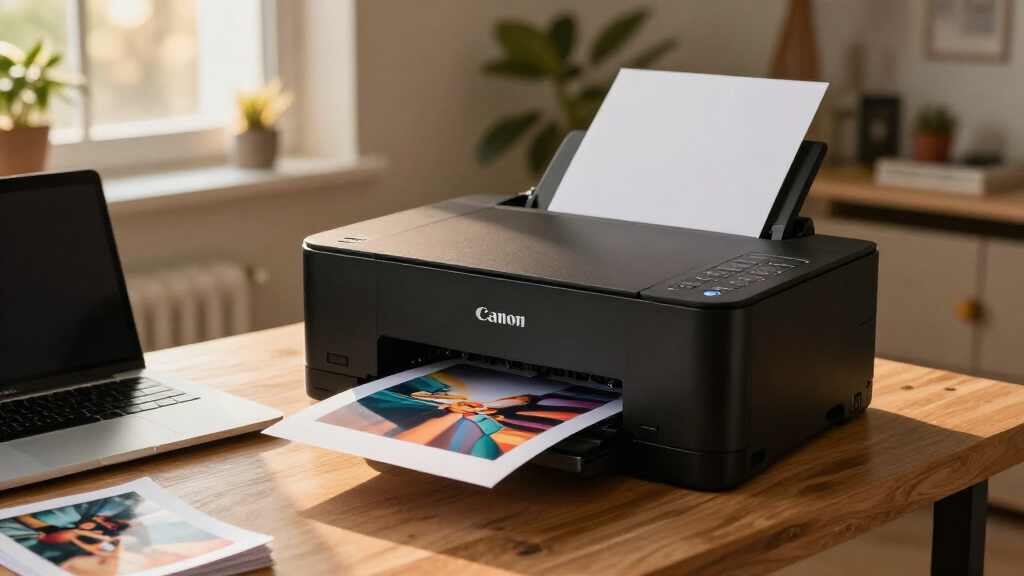
I evaluated these 15 Canon Pixma models by analyzing their primary function against the actual cost of ownership. Many buyers focus on sticker price, but I prioritized the cost-per-page metric, distinguishing between cartridge-based models where ink can cost more than the printer itself and MegaTank models where bulk ink makes high-volume printing affordable. I also assessed ease of setup and wireless reliability, as connectivity issues are a common source of frustration for home users. Photo quality was judged on color gamut and black-and-white grayscale performance, separating true photo printers from generalists. Finally, I considered physical footprint, because a printer that cannot fit on a standard home desk is useless, regardless of its features.| Canon Pixma printer | Functions |
|---|---|
| Canon PIXMA TS7720 Wireless Al | Print, copy, scan |
| Canon PIXMA TR4720 Wireless Al | Print, copy, scan, fax |
| Canon PIXMA PRO-200S Wireless | — |
| Canon PIXMA TS9521Ca Wireless | Print, copy, scan |
| Canon PIXMA TS4320 Wireless Co | Print, copy, scan |
| Canon PIXMA iX6820 Wireless In | — |
| Canon PIXMA TS9520a Wireless A | Print, copy, scan |
| Canon PIXMA G620 Wireless Mega | Print, copy, scan |
| Canon PIXMA TR7820 Wireless Al | Print, copy, scan |
| Canon PIXMA TS6520 Wireless Co | Print, scan, copy |
| Canon PIXMA TS9521Ca Wireless | Print, scan, copy |
| Canon PIXMA MegaTank G3270 Wir | Print, copy, scan |
| Canon PIXMA G3290 MegaTank Wir | — |
| Canon PIXMA TS8820 Wireless Al | Print, copy, scan |
| Canon PIXMA TR8620a Wireless A | Print, copy, scan, fax |
Factors to Consider When Choosing Best Canon Pixma Printers
Selecting the right printer requires looking beyond the initial price tag. Here are the critical factors that determine long-term satisfaction and cost efficiency.Ink Cost vs. Hardware Price
The most common mistake buyers make is ignoring the total cost of ownership. Traditional Canon Pixma printers use small cartridges that dry out if not used weekly, leading to frequent replacements that can cost more than the printer itself. In contrast, MegaTank models use large refillable bottles that last for thousands of pages. If you print more than 50 pages a month, the higher upfront cost of a MegaTank model pays for itself within a year. If you print rarely, a cheaper cartridge model like the TS4320 is more sensible, despite the higher per-page cost, because you avoid the risk of ink clogging in unused nozzles.
Photo Quality Requirements
Not all ‘color’ printers are equal. Standard 4-color models (CMYK) struggle with smooth gradients and accurate skin tones, often producing visible banding in skies or shadows. If you print photos for framing or professional use, you need a model with 6 or more ink cartridges, such as the TS9521Ca or PRO-200S, which include light cyan and light magenta inks. For casual snapshots and school projects, a 4-color model is sufficient and more cost-effective. Do not pay for 6-color capability if you only print text documents and occasional web images.
Connectivity and Mobile Workflow
Modern workflows rely on printing from smartphones and tablets without a computer. All models listed support Wi-Fi, but the ease of connection differs. Newer models like the TR8620a and TS7720 feature improved Bluetooth setup and dedicated apps that handle driver installation seamlessly. Older models may require more manual IP address configuration or suffer from dropped connections. If you plan to print from multiple devices in different rooms, prioritize models with Ethernet ports (like the TR7820) for a more stable connection than Wi-Fi alone can provide.
Paper Handling and Size Limits
Consider what you actually print. Most home printers max out at 8.5 x 11 inches (Letter size). If you need to print legal documents, envelopes, or 13×19-inch posters, you must choose a model with a wider tray, such as the TS9521Ca or PRO-200S. Additionally, check for automatic duplexing (double-sided printing). Models without this feature require manual flipping, which is tedious for multi-page reports. For office environments, a printer without automatic duplexing increases paper waste and user friction, making it a poor choice for document-heavy tasks.
Frequently Asked Questions
Are Canon MegaTank printers better than standard cartridge printers?
They are better for volume, but not for everyone. MegaTank printers have a higher upfront cost but drastically lower ink costs per page. They are ideal if you print over 100 pages a month. However, if you print only a few pages a week, the ink in MegaTank models can settle or clog if not used regularly, and the initial investment takes too long to recoup. For low-volume users, standard cartridge models remain the more practical financial choice.Which Canon Pixma printer is best for printing photos?
The Canon PIXMA PRO-200S is the standout for professional-grade results due to its 8-color ink system and ability to print up to 13 inches wide. For a more consumer-friendly option with excellent quality, the TS9521Ca offers 6-color printing and larger media support. If you are on a budget and only print 4×6 photos occasionally, the TS4320 is acceptable, but do not expect gallery-quality color accuracy from its 4-ink setup.Do I really need an automatic document feeder (ADF)?
You need an ADF if you frequently scan or copy multi-page documents. Without an ADF, you must place each page on the glass manually, which is slow and frustrating for long contracts or reports. Models like the TR4720 and TR8620a include an ADF, making them superior for home offices or students. If you only scan single receipts or photos, the flatbed glass is sufficient, and you can save money by skipping ADF-equipped models.How long do Canon Pixma printer heads last?
The lifespan depends heavily on usage. If you print weekly, the printheads can last the life of the printer. However, if you let the printer sit idle for months, the ink dries in the nozzles, causing clogs that degrade print quality. Most modern Pixma models have replaceable printheads (like the PRO-200S), while others have integrated cartridge-head units. Regular weekly printing is the best maintenance strategy to prevent premature failure.Can I use third-party ink with Canon Pixma printers?
Technically, yes, but it is not recommended for long-term reliability. Third-party cartridges often lack the smart chips that track ink levels, leading to inaccurate low-ink warnings or printing stops. Furthermore, non-genuine inks can dry differently, causing clogs that void the warranty. If you want lower ink costs, the MegaTank series is the official, safe, and cost-effective alternative provided by Canon, rather than risking damage with aftermarket cartridges.Conclusion
To choose the best Canon Pixma printer for your specific situation, match your printing habits to the model’s strengths. For the average home user who needs a balance of photo quality and document handling, the Canon PIXMA TS7720 is the most versatile choice. If you print high volumes of text and want to minimize ongoing costs, the MegaTank G3270 is the clear winner despite its bulkier design. Photographers should look no further than the PRO-200S for its superior color fidelity, while those with limited space and low volume needs will appreciate the compact TS4320. By aligning the printer’s capabilities with your actual usage patterns, you avoid paying for features you will never use.Black Friday Picks

Bose QuietComfort Headphones (2nd Gen), Wireless Over-Ear Noise-Cancelling Headphones, Black
As an affiliate, we earn on qualifying purchases.