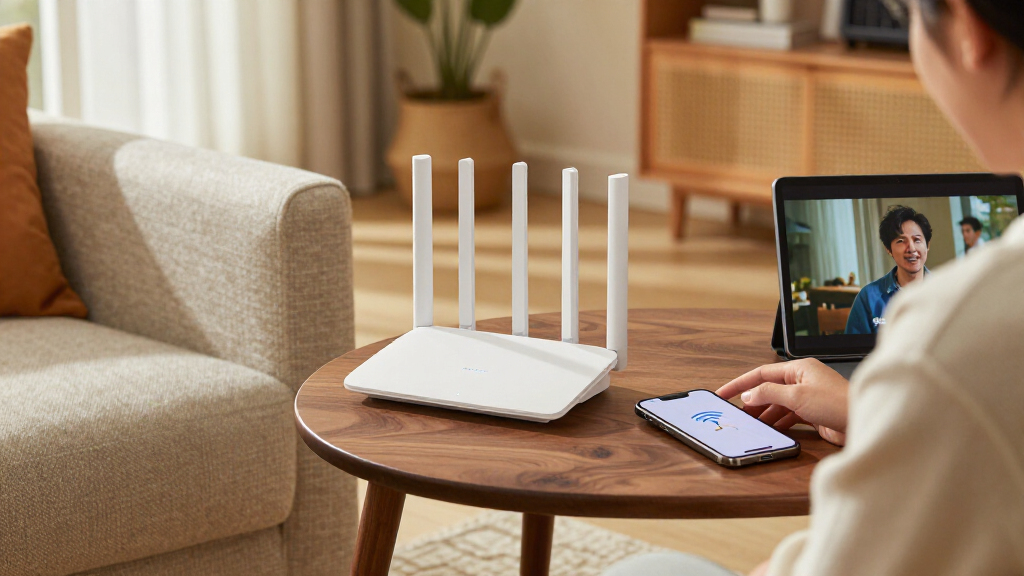

Wi-Fi 7 mesh routers can extend a faster wireless network across a home, but the right choice depends on coverage needs, backhaul, and how many devices will use it. I’d make the eero Pro 7 3-pack my best overall pick for buyers who want tri-band capacity, while the TP-Link Deco BE23 3-pack stands out as a straightforward dual-band option and the NETGEAR Orbi 770 3-pack suits shoppers seeking a higher-tier system. The main tradeoff is that dual-band kits can be simpler, while tri-band systems have more capacity for busy homes and may cost more. Pack size matters too: a one- or two-unit kit can fit a smaller layout, but may leave dead zones in a larger or multi-story home. Read on for the full breakdown and a guide to matching a Wi-Fi 7 mesh system to your space and devices.

Get the latest gadgets delivered free with Prime
- Fast, free delivery on millions of items
- Prime Video, Amazon Music and more included
- Member-only deals all year
Complete the kit



Key Takeaways
- Tri-band separates the premium choices: the amazon.com/dp/B0C6R9P664?tag=digitechbytes.com-20&ascsubtag=dc-1161005″ target=”_blank” rel=”nofollow sponsored noopener”>eero Pro 7 and amazon.com/dp/B0DQP4DNNJ?tag=digitechbytes.com-20&ascsubtag=dc-1161005″ target=”_blank” rel=”nofollow sponsored noopener”>TP-Link Deco BE10000 and BE63 models offer a different capacity tier from the dual-band eero 7, Deco BE23, Deco BE25, and Deco BE5000 kits.
- Pack size changes the use case: the eero 7 appears as a one-, two-, and three-pack, while Orbi 370 and Deco BE25 also offer multiple pack sizes, letting buyers match node count to floor plan rather than choosing by model name alone.
- Orbi 370 gives buyers a two- or three-node route: these options share a series but differ in included node count, so coverage needs should drive the choice between them.
- Deco’s lineup spans more than one tier: the BE23 and BE25 are dual-band options, while the Deco 7 Pro BE10000 and BE63 move into tri-band territory for buyers comparing capacity as well as coverage.
- There is no single best pack for every home: a compact layout may not need three nodes, while walls, floors, and device density can make a larger kit more useful than headline Wi-Fi generation alone.
| Amazon eero 7 Dual-Band Mesh Wi-Fi 7 Router, 2-Pack |  | Best for Smart-Home Households | Wi-Fi standard: Wi-Fi 7 (IEEE 802.11a/b/g/n/ac/ax/be) | Pack size: 2 routers | Bands: Dual-band, 2.4 GHz and 5 GHz | VIEW LATEST PRICE | See Our Full Breakdown |
| NETGEAR Orbi 370 Series WiFi 7 Mesh System, 3-Pack, Up to 6,000 sq. ft. |  | Best for Large Homes | Wi-Fi generation: Wi-Fi 7 (802.11be) | Pack contents: 1 router and 2 satellites | Bands: Dual-band | VIEW LATEST PRICE | See Our Full Breakdown |
| TP-Link Deco BE23 Wi-Fi 7 Dual-Band Mesh System, 3-Pack |  | Best for High Device Counts | Wi-Fi standard: Wi-Fi 7 | Pack size: 3 units | Bands: Dual-band | VIEW LATEST PRICE | See Our Full Breakdown |
| TP-Link Deco 7 BE5000 Wi-Fi 7 Dual-Band Mesh System, 3-Pack |  | Best for Faster Advertised Speeds | Wi-Fi standard: Wi-Fi 7 (802.11be) | Pack size: 3 units | Bands: Dual-band | VIEW LATEST PRICE | See Our Full Breakdown |
| Amazon eero 7 Dual-Band Wi-Fi 7 Mesh Router, 3-Pack |  | Best for Simple Whole-Home Setup | Wi-Fi standard: Wi-Fi 7 (IEEE 802.11a/b/g/n/ac/ax/be) | Pack size: 3 routers | Bands: Dual-band, 2.4 GHz and 5 GHz | VIEW LATEST PRICE | See Our Full Breakdown |
| NETGEAR Orbi 360 Series WiFi 7 Mesh System, 3-Pack | | Best for Large Homes on a 2.5 Gbps Plan | Wi-Fi generation: Wi-Fi 7 | Frequency band: Dual-band | Maximum data transfer rate: Up to 5 Gbps | VIEW LATEST PRICE | See Our Full Breakdown |
| eero Pro 7 Tri-Band Wi-Fi 7 Mesh Router, 3-Pack |  | Best for High Device Counts | Wi-Fi standard: Wi-Fi 7 | Bands: Tri-band | Pack size: 3 routers | VIEW LATEST PRICE | See Our Full Breakdown |
| TP-Link Deco BE25 Wi-Fi 7 Dual-Band Mesh System, BE5000, 2-Pack |  | Best Compact Two-Unit Pick | Wi-Fi standard: Wi-Fi 7 (802.11be) | Frequency bands: Dual-band | Maximum data rate: Up to 5 Gbps | VIEW LATEST PRICE | See Our Full Breakdown |
| NETGEAR Orbi 770 Series WiFi 7 Mesh System, 3-Pack |  | Best for Maximum Coverage | Wi-Fi generation: Wi-Fi 7 | Frequency band: Tri-band | Maximum data transfer rate: 11 Gbps | VIEW LATEST PRICE | See Our Full Breakdown |
| TP-Link Deco 7 Pro BE10000 Tri-Band Wi-Fi 7 Whole-Home Mesh System, 3-Pack |  | Best for Wired Flexibility | Wi-Fi standard: Wi-Fi 7 (802.11be) | Frequency bands: Tri-band: 6 GHz, 5 GHz, and 2.4 GHz | Maximum combined speed: Up to 10 Gbps | VIEW LATEST PRICE | See Our Full Breakdown |
| Amazon eero 7 Dual-Band Mesh Wi-Fi 7 Router, 1-Pack |  | Best for Adding Wi-Fi 7 to an Existing eero Network | Wi-Fi standard: Wi-Fi 7 | Bands: Dual-band, 2.4 GHz and 5 GHz | Coverage: Up to 2,000 sq. ft. | VIEW LATEST PRICE | See Our Full Breakdown |
| TP-Link Deco 7 Pro BE63 Tri-Band Wi-Fi 7 Mesh System |  | Best for Large, Device-Heavy Homes | Wi-Fi standard: Wi-Fi 7 (802.11be) | Frequency bands: Tri-band: 6 GHz, 5 GHz, and 2.4 GHz | Maximum combined speed: Up to 10,000 Mbps | VIEW LATEST PRICE | See Our Full Breakdown |
| NETGEAR Orbi 370 Series WiFi 7 Mesh System, 2-Pack |  | Best for Straightforward Two-Node Coverage | Wi-Fi generation: Wi-Fi 7 | Frequency band: Dual-band | Maximum data transfer rate: Up to 5 Gbps | VIEW LATEST PRICE | See Our Full Breakdown |
| TP-Link Deco BE25 Wi-Fi 7 Dual-Band Mesh System, BE5000 |  | Best Value for a Smaller Wi-Fi 7 Mesh | Wi-Fi standard: Wi-Fi 7 (802.11be) | Frequency bands: Dual-band, 2.4 GHz and 5 GHz | Maximum advertised speed: Up to 5 Gbps | VIEW LATEST PRICE | See Our Full Breakdown |
| Wi-Fi 7 mesh router | Wi-Fi standard | Device capacity | Coverage | Bands |
|---|---|---|---|---|
| Amazon eero 7 Dual-Band Mesh W | Wi-Fi 7 (IEEE 802.11a/b/g/n/ac/ax/be) | 120+ devices | Up to 4,000 sq. ft. | Dual-band, 2.4 GHz and 5 GHz |
| NETGEAR Orbi 370 Series WiFi 7 | — | — | Up to 6,000 sq. ft. | Dual-band |
| TP-Link Deco BE23 Wi-Fi 7 Dual | Wi-Fi 7 | Over 150 devices | Up to 6,500 sq. ft. | Dual-band |
| TP-Link Deco 7 BE5000 Wi-Fi 7 | Wi-Fi 7 (802.11be) | Over 150 devices | Up to 6,600 sq. ft. | Dual-band |
| Amazon eero 7 Dual-Band Wi-Fi | Wi-Fi 7 (IEEE 802.11a/b/g/n/ac/ax/be) | 120+ devices | Up to 6,000 sq. ft. | Dual-band, 2.4 GHz and 5 GHz |
| NETGEAR Orbi 360 Series WiFi 7 | — | — | — | — |
| eero Pro 7 Tri-Band Wi-Fi 7 Me | Wi-Fi 7 | More than 600 devices | — | Tri-band |
| TP-Link Deco BE25 Wi-Fi 7 Dual | Wi-Fi 7 (802.11be) | Over 150 devices | — | — |
| NETGEAR Orbi 770 Series WiFi 7 | — | — | — | — |
| TP-Link Deco 7 Pro BE10000 Tri | Wi-Fi 7 (802.11be) | Over 200 devices | — | — |
| Amazon eero 7 Dual-Band Mesh W | Wi-Fi 7 | More than 120 devices | Up to 2,000 sq. ft. | Dual-band, 2.4 GHz and 5 GHz |
| TP-Link Deco 7 Pro BE63 Tri-Ba | Wi-Fi 7 (802.11be) | More than 200 devices | Up to 5,800 sq. ft. | — |
| NETGEAR Orbi 370 Series WiFi 7 | — | — | Up to 4,000 sq. ft. | — |
| TP-Link Deco BE25 Wi-Fi 7 Dual | Wi-Fi 7 (802.11be) | More than 150 devices | Up to 2,600 sq. ft. | — |
More Details on Our Top Picks
Amazon eero 7 Dual-Band Mesh Wi-Fi 7 Router, 2-Pack
The eero 7 two-pack suits buyers who want Wi-Fi 7 mesh coverage and smart-home hub features without filling a home with three units. Its stated 4,000-square-foot coverage and two 2.5 GbE ports on each router offer useful room to grow, while built-in Thread, Zigbee, and Matter support can simplify connections for compatible devices. Compared with the eero 7 three-pack, this set costs you a node and some coverage, but keeps the same listed wireless speed and smart-home support. The dual-band design is less suited to homes where a dedicated wireless backhaul band is a priority, and setup requires the app and an internet connection. I’d pick it for a moderately sized smart home, not for buyers who need maximum whole-home reach.
Pros:- Two routers cover up to 4,000 sq. ft. according to the product data.
- Each router has two 2.5 GbE ports for wired devices or faster internet connections.
- Thread, Zigbee, and Matter support can connect compatible smart-home devices.
- Rated to support more than 120 devices.
Cons:- Dual-band Wi-Fi lacks a dedicated wireless backhaul band.
- Setup requires a supported iOS or Android device and an internet connection.
- Advanced eero security and other eero Plus features require an optional subscription.
Best for: People with a moderately sized home who want Wi-Fi 7 mesh coverage plus built-in Thread, Zigbee, and Matter support.
Not ideal for: Owners of large or multi-level homes who need the extra node and broader stated coverage of a three-pack, or shoppers who want to configure the system without an app and internet connection.
- Wi-Fi standard:Wi-Fi 7 (IEEE 802.11a/b/g/n/ac/ax/be)
- Pack size:2 routers
- Bands:Dual-band, 2.4 GHz and 5 GHz
- Coverage:Up to 4,000 sq. ft.
- Wireless speed:Up to 1.8 Gbps
- Supported internet plan speed:Up to 2.5 Gbps
- Ethernet:2 auto-sensing 2.5 GbE ports per router
- Device capacity:120+ devices
- Smart-home connectivity:Thread, Zigbee, Matter, and Bluetooth Low Energy 5.0
Our verdict“Choose the eero 7 two-pack for a mid-sized smart home that values built-in device connectivity more than the wider coverage of a three-node system.”
NETGEAR Orbi 370 Series WiFi 7 Mesh System, 3-Pack, Up to 6,000 sq. ft.
The Orbi 370 three-pack is the coverage-focused choice here: its router and two satellites are rated for up to 6,000 sq. ft., making it a better fit for a spread-out home than the two-node eero 7. NETGEAR lists speeds up to 5 Gbps and support for up to 70 devices, with the Orbi app handling setup, guest Wi-Fi, and device management. That makes this set appealing when you want three coordinated units and straightforward app control, rather than the eero’s Thread, Zigbee, and Matter smart-home features. Its dual-band layout does not provide a dedicated wireless backhaul band, and actual coverage depends on the home and unit placement. The system also supports internet plans up to 2.5 Gbps, so the advertised maximum system speed should not be mistaken for a supported plan above that limit.
Pros:- Router and two satellites are rated to cover up to 6,000 sq. ft.
- Listed maximum data transfer rate is up to 5 Gbps.
- Orbi app includes setup, device management, and guest Wi-Fi controls.
- Can be expanded with an additional satellite.
Cons:- Supports up to 70 devices, fewer than the stated capacity of the TP-Link Deco BE23.
- NETGEAR Armor requires a separate subscription after its 30-day trial.
- Product is made for use in the US only.
Best for: Households with a large floor plan that want a router-and-two-satellite kit, app-guided management, and support for cable or fiber equipment.
Not ideal for: Buyers outside the US, homes with more than 70 connected devices, or shoppers seeking built-in Thread, Zigbee, or Matter support.
- Wi-Fi generation:Wi-Fi 7 (802.11be)
- Pack contents:1 router and 2 satellites
- Bands:Dual-band
- Coverage:Up to 6,000 sq. ft.
- Maximum data transfer rate:Up to 5 Gbps
- Supported devices:Up to 70
- LAN port bandwidth:2.5 Gbps
- Internet compatibility:Cable and fiber; plans up to 2.5 Gbps
- Expansion:Additional satellite adds up to 2,000 sq. ft.
Our verdict“Pick the Orbi 370 three-pack when broad stated coverage and three included units matter more than smart-home hub features or higher device capacity.”
TP-Link Deco BE23 Wi-Fi 7 Dual-Band Mesh System, 3-Pack
For a busy household with many connected devices, the Deco BE23 three-pack stands out with support for over 150 devices and stated coverage up to 6,500 sq. ft. Each unit has two 2.5 Gbps WAN/LAN ports, and wired backhaul gives you an option to link units by Ethernet rather than relying entirely on wireless connections. That flexibility, along with VPN support and a separate IoT network, makes it more configurable than the app-focused NETGEAR Orbi 370, which lists a lower device limit. The BE23’s advertised wireless speed tops out at 3.6 Gbps, below the 5 Gbps figures listed for the Orbi 370 and Deco 7 BE5000. It is also dual-band, so buyers should not expect a dedicated wireless backhaul band. A modem is required for most providers.
Pros:- Supports over 150 devices according to the product data.
- Three-pack is rated for coverage up to 6,500 sq. ft.
- Two 2.5 Gbps WAN/LAN ports per unit support fast wired connections.
- Offers wired and wireless backhaul, VPN support, and a separate IoT network.
Cons:- Dual-band design has no dedicated band for wireless backhaul.
- Advertised wireless speed is up to 3.6 Gbps, below the listed maximum for the Deco 7 BE5000.
- A modem is required for most internet providers.
Best for: Households with many phones, computers, smart devices, or IoT gear that want three mesh units and the option of wired backhaul.
Not ideal for: Buyers who prioritize the higher advertised speed figures of the Deco 7 BE5000 or want a system that replaces their modem.
- Wi-Fi standard:Wi-Fi 7
- Pack size:3 units
- Bands:Dual-band
- Maximum wireless speed:Up to 3.6 Gbps
- 5 GHz speed:Up to 2,882 Mbps
- 2.4 GHz speed:Up to 688 Mbps
- Coverage:Up to 6,500 sq. ft.
- Device capacity:Over 150 devices
- Ports and backhaul:Two 2.5 Gbps WAN/LAN ports per unit; wired and wireless backhaul
Our verdict“Choose the Deco BE23 if your priority is connecting a large number of devices across a broad home, especially if you can use wired backhaul.”
TP-Link Deco 7 BE5000 Wi-Fi 7 Dual-Band Mesh System, 3-Pack
The Deco 7 BE5000 three-pack pairs broad stated coverage with a higher advertised speed ceiling than the Deco BE23: TP-Link lists up to 5 Gbps and coverage up to 6,600 sq. ft. It also supports over 150 devices, and two 2.5 Gbps WAN/LAN ports on every unit give wired equipment more options than a single-port design. Features such as Multi-Link Operation, AI-assisted roaming, and VPN support add flexibility for households that want more than basic mesh coverage. The tradeoff is that it remains dual-band, so those speed figures do not mean it has a dedicated wireless backhaul band. You’ll also need a separate modem. Compared with the BE23, the BE5000 favors a higher advertised speed and slightly broader coverage; the BE23 explicitly lists wired and wireless backhaul support.
Pros:- Three units are rated to cover up to 6,600 sq. ft.
- Advertised maximum data rate is up to 5 Gbps.
- Supports over 150 connected devices.
- Each unit has two 2.5 Gbps WAN/LAN ports, with MLO, AI roaming, and VPN features.
Cons:- Dual-band rather than tri-band, with no dedicated wireless backhaul band.
- A separate modem is required.
- The listed backhaul details do not specify wired and wireless support as clearly as the Deco BE23 does.
Best for: Large households with many devices that want three Wi-Fi 7 units, a higher advertised speed ceiling, VPN tools, and multiple fast Ethernet ports.
Not ideal for: Buyers who need a modem included or who specifically want the BE23’s stated wired-and-wireless backhaul support.
- Wi-Fi standard:Wi-Fi 7 (802.11be)
- Pack size:3 units
- Bands:Dual-band
- Maximum data rate:Up to 5 Gbps
- 5 GHz speed:Up to 4,324 Mbps
- 2.4 GHz speed:Up to 688 Mbps
- Coverage:Up to 6,600 sq. ft.
- Device capacity:Over 150 devices
- Ethernet:Two 2.5 Gbps WAN/LAN ports per unit
Our verdict“Choose the Deco 7 BE5000 for broad coverage and a higher advertised speed ceiling, provided you already have or plan to buy a separate modem.”
Amazon eero 7 Dual-Band Wi-Fi 7 Mesh Router, 3-Pack
The eero 7 three-pack makes the most sense for buyers who want one consistent setup across a larger home and value eero’s smart-home features as much as Wi-Fi coverage. The set is rated for up to 6,000 sq. ft., supports more than 120 devices, and gives each router two 2.5 GbE ports. Thread, Zigbee, Matter, and Alexa support can reduce the number of separate hubs needed for compatible devices. Compared with the TP-Link Deco 7 BE5000, eero lists a lower wireless speed ceiling, but its smart-home connectivity is a more prominent part of the package. It is still dual-band, and the listed internet plan limit is 2.5 Gbps. App-based setup requires a supported phone and an internet connection; advanced eero features may require a subscription.
Pros:- Three routers are rated to cover up to 6,000 sq. ft.
- Two 2.5 GbE ports on each router support wired connections.
- Thread, Zigbee, Matter, and Alexa support suit compatible smart-home setups.
- Includes a three-year limited warranty.
Cons:- Advertised wireless speed is up to 1.8 Gbps, below the Deco 7 BE5000’s listed maximum.
- Supports internet plans up to 2.5 Gbps.
- Setup requires a supported iOS or Android device and an internet connection; advanced features may require an optional subscription.
Best for: People with a larger home who want a three-node Wi-Fi 7 mesh system and built-in support for popular smart-home standards.
Not ideal for: Buyers focused on the highest advertised wireless speed, those who prefer not to use a setup app, or households wanting advanced eero security without a subscription.
- Wi-Fi standard:Wi-Fi 7 (IEEE 802.11a/b/g/n/ac/ax/be)
- Pack size:3 routers
- Bands:Dual-band, 2.4 GHz and 5 GHz
- Coverage:Up to 6,000 sq. ft.
- Wireless speed:Up to 1.8 Gbps
- Supported internet plan speed:Up to 2.5 Gbps
- Device capacity:120+ devices
- Ethernet:Two auto-sensing 2.5 GbE ports per router
- Smart-home support:Thread, Zigbee, Matter, and Alexa
Our verdict“Pick the eero 7 three-pack for a larger smart home that values simple app-based management and integrated device connectivity over a higher advertised speed ceiling.”
NETGEAR Orbi 360 Series WiFi 7 Mesh System, 3-Pack
The Orbi 360’s strongest case is its three-unit coverage package: the router and two satellites are rated for up to 6,000 sq. ft., giving it a wider intended footprint than the two-unit TP-Link Deco BE25. Its dual-band design and stated speeds of up to 5 Gbps suit households seeking Wi-Fi 7 across a large home without stepping up to a tri-band system. It supports up to 70 devices, and the Orbi app provides guided setup and management. The tradeoff is capacity: the Orbi 770 is a better match for homes needing tri-band operation, up to 8,000 sq. ft. of rated coverage, and support for up to 100 devices. Armor security also moves to a separate subscription after its 30-day trial, and this system is for US use only.
Pros:- Router and two satellites are rated for coverage up to 6,000 sq. ft.
- Supports up to 70 devices and works with Wi-Fi 6 and Wi-Fi 5 devices.
- 2,500 Mbps LAN port bandwidth suits plans up to 2.5 Gbps.
- App-guided setup and built-in security features simplify management.
Cons:- Dual-band design offers less band capacity than the tri-band Orbi 770.
- NETGEAR Armor requires a separate subscription after the 30-day trial.
- US-only regional compatibility limits where it can be used.
Best for: US households with a large floor plan, up to 70 connected devices, and cable or fiber service at up to 2.5 Gbps.
Not ideal for: Buyers who need tri-band Wi-Fi, more than 70-device capacity, service beyond 2.5 Gbps, or a system usable outside the US.
- Wi-Fi generation:Wi-Fi 7
- Frequency band:Dual-band
- Maximum data transfer rate:Up to 5 Gbps
- Maximum connected devices:Up to 70
- Included components:Router and two satellites
- LAN port bandwidth:2,500 Mbps
- Security protocols:WPA2, WPA3
- Internet compatibility:Cable or fiber; plans up to 2.5 Gbps
Our verdict“Choose the Orbi 360 if you want a three-unit Wi-Fi 7 system for a large US home and do not need the Orbi 770’s tri-band capacity.”
eero Pro 7 Tri-Band Wi-Fi 7 Mesh Router, 3-Pack
Where many mesh systems emphasize speed or square footage, the eero Pro 7 is aimed at homes with an unusually dense mix of connected gear: its stated capacity is more than 600 devices, far above the Orbi 770’s limit of 100. The three-router package is rated for up to 6,000 sq. ft., and tri-band Wi-Fi 7 with multi-link operation gives it a stronger fit for busy networks than dual-band options such as the TP-Link Deco BE25. Each router has two auto-sensing 5 GbE ports, useful for fast wired devices or connections. Its wireless speed is listed at up to 3.9 Gbps, so the high device count should not be confused with the highest stated throughput in this group. Some security and network features also require an optional eero Plus subscription.
Pros:- Rated to support more than 600 devices.
- Tri-band Wi-Fi 7 includes multi-link operation.
- Two auto-sensing 5 GbE ports on each router support fast wired links.
- Three-year warranty and compatibility with previous eero generations.
Cons:- Stated wireless speed is up to 3.9 Gbps, below the 11 Gbps listed for the Orbi 770.
- Some security and network features require an optional eero Plus subscription.
- Coverage is rated at 6,000 sq. ft., less than the Orbi 770’s stated 8,000 sq. ft.
Best for: Large, device-dense households or small offices with many smart-home devices, several fast wired connections, and an internet plan up to 5 Gbps.
Not ideal for: Buyers focused on maximum stated wireless throughput or those who want all security and network features without an optional subscription.
- Wi-Fi standard:Wi-Fi 7
- Bands:Tri-band
- Pack size:3 routers
- Maximum supported internet plan:Up to 5 Gbps
- Wireless speed:Up to 3.9 Gbps
- Ethernet ports:Two auto-sensing 5 GbE ports per router
- Device capacity:More than 600 devices
- Warranty:Three years
Our verdict“Pick the eero Pro 7 if your priority is supporting a very large number of devices across a 6,000 sq. ft. home.”
TP-Link Deco BE25 Wi-Fi 7 Dual-Band Mesh System, BE5000, 2-Pack
The Deco BE25 makes sense when you want Wi-Fi 7 in a two-unit setup rather than a three-node system. Its rated coverage of up to 4,600 sq. ft. is less than the Orbi 360’s 6,000 sq. ft., but the smaller package can suit a more compact home or one where a third node is unnecessary. Each unit has two 2.5 Gbps WAN/LAN ports, giving wired devices or a fast broadband connection useful headroom. It supports more than 150 devices and includes AI-assisted roaming and app-based management. The main compromise is dual-band operation; the tri-band TP-Link Deco 7 Pro is a stronger fit when extra band capacity and broader rated coverage matter. You’ll also need a separate modem, and mesh backhaul requires at least two Deco units.
Pros:- Two-unit Wi-Fi 7 system is rated for coverage up to 4,600 sq. ft.
- Supports more than 150 devices.
- Two 2.5 Gbps WAN/LAN ports per unit provide flexible wired connections.
- AI-assisted roaming and app-based setup and management are included.
Cons:- Dual-band design has less band capacity than the tri-band Deco 7 Pro.
- A separate modem is required.
- Wired or wireless backhaul requires at least two Deco units.
Best for: Households with a medium-to-large home, a modem already in place, and a preference for two mesh units with multi-gig Ethernet.
Not ideal for: Buyers needing tri-band Wi-Fi, coverage beyond 4,600 sq. ft., or a single Deco unit for mesh backhaul.
- Wi-Fi standard:Wi-Fi 7 (802.11be)
- Frequency bands:Dual-band
- Maximum data rate:Up to 5 Gbps
- 5 GHz speed:Up to 4,324 Mbps
- 2.4 GHz speed:Up to 688 Mbps
- Device capacity:Over 150 devices
- Ethernet:Two 2.5 Gbps WAN/LAN ports per unit
- Package size:2-pack
Our verdict“Choose the Deco BE25 if two Wi-Fi 7 nodes and 2.5 Gbps Ethernet fit your home better than a larger tri-band system.”
NETGEAR Orbi 770 Series WiFi 7 Mesh System, 3-Pack
The Orbi 770 is the strongest fit here for a home that needs a wide three-node footprint: its router and two satellites are rated for up to 8,000 sq. ft., more than the Orbi 360’s 6,000 sq. ft. Tri-band Wi-Fi 7 and a stated maximum data rate of 11 Gbps make it the more capable Orbi option for households with several active users, while support for up to 100 devices gives it room to grow beyond the Orbi 360’s 70-device limit. It also works with Wi-Fi 6 and Wi-Fi 5 devices and is managed through the Orbi app. Its ports and internet compatibility cap the practical fit: it supports plans up to 2.5 Gbps, and its 2,500 Mbps LAN bandwidth will not make a faster broadband plan worthwhile. Armor needs a paid subscription after its trial.
Pros:- Three-unit system is rated for coverage up to 8,000 sq. ft.
- Tri-band Wi-Fi 7 has a stated maximum data rate of 11 Gbps.
- Supports up to 100 devices and older Wi-Fi 6 and Wi-Fi 5 devices.
- Seven ports and Orbi app management support wired connections and setup.
Cons:- Internet compatibility is listed for plans up to 2.5 Gbps.
- NETGEAR Armor requires a separate subscription after the 30-day trial.
- Regional compatibility is limited to the US.
Best for: US households with broad floor plans, up to 100 devices, and cable or fiber service at up to 2.5 Gbps.
Not ideal for: Homes with internet service above 2.5 Gbps, buyers who do not want a paid security subscription, or users outside the US.
- Wi-Fi generation:Wi-Fi 7
- Frequency band:Tri-band
- Maximum data transfer rate:11 Gbps
- Supported devices:Up to 100
- Included units:Router and two satellites
- Number of ports:7
- LAN port bandwidth:2,500 Mbps
- Internet compatibility:Cable or fiber; plans up to 2.5 Gbps
Our verdict“Choose the Orbi 770 when broad rated coverage and tri-band Wi-Fi matter more than support for internet plans above 2.5 Gbps.”
TP-Link Deco 7 Pro BE10000 Tri-Band Wi-Fi 7 Whole-Home Mesh System, 3-Pack
The Deco 7 Pro pairs broad rated coverage with unusually flexible wired hardware: the three-pack is rated for up to 7,600 sq. ft., supports more than 200 devices, and provides four 2.5 Gbps WAN/LAN ports plus USB 3.0. That makes it a more natural fit for homes with multiple wired devices than the Orbi 770, whose product data lists seven ports across the system but does not specify the same four-port-per-unit arrangement. Its tri-band Wi-Fi 7 includes 6 GHz, 5 GHz, and 2.4 GHz, while VPN support and app management add useful network controls. The Orbi 770 claims greater coverage and a higher stated maximum rate, so it may suit buyers focused on those figures instead. The Deco requires a separate modem, and real Wi-Fi performance varies with layout and obstacles.
Pros:- Three-unit system is rated for coverage up to 7,600 sq. ft.
- Supports more than 200 devices across tri-band Wi-Fi 7.
- Four 2.5 Gbps WAN/LAN ports provide substantial wired flexibility.
- Includes USB 3.0, VPN client and server support, and app-based management.
Cons:- Requires a separate modem.
- Rated coverage is below the Orbi 770’s 8,000 sq. ft.
- Actual wireless performance can vary with distance, obstacles, and conditions.
Best for: Large households with many connected devices, several wired devices, and an interest in VPN features and app-managed network controls.
Not ideal for: Buyers who need a router-modem combination, a simpler system with fewer controls, or the largest stated coverage figure in this group.
- Wi-Fi standard:Wi-Fi 7 (802.11be)
- Frequency bands:Tri-band: 6 GHz, 5 GHz, and 2.4 GHz
- Maximum combined speed:Up to 10 Gbps
- Device capacity:Over 200 devices
- Ethernet ports:Four 2.5 Gbps WAN/LAN ports
- USB port:USB 3.0
- System size:3-pack
- Additional features:VPN client and server, HomeShield, AI roaming, access point mode, guest mode, QoS, remote access, WPS
Our verdict“Pick the Deco 7 Pro if you want a large tri-band mesh system with multiple multi-gig ports and VPN features.”
Amazon eero 7 Dual-Band Mesh Wi-Fi 7 Router, 1-Pack
The single-unit eero 7 is a straightforward way to bring Wi-Fi 7 and faster wired connections to a modest home or an existing eero setup. Its coverage claim reaches up to 2,000 sq. ft., while two 2.5 GbE ports give a fast internet connection or wired device room to connect without a separate switch. Compatibility with previous eero generations also makes it a practical expansion choice rather than a forced whole-home replacement.
It is less suited to building a new mesh across a large house: this is a one-pack router, and its dual-band design lacks the dedicated 6 GHz band found on the tri-band Deco 7 Pro BE63. Setup also requires an iOS or Android device and internet service. I’d choose it for simplicity and eero compatibility, not for maximum mesh capacity or wireless throughput.
Pros:- Works with previous eero generations, making gradual network upgrades easier.
- Two 2.5 GbE ports support faster wired connections and internet plans up to 2.5 Gbps.
- Supports more than 120 devices and covers up to 2,000 sq. ft. according to the supplied specifications.
- Thread, Zigbee, Matter, and Alexa compatibility add smart-home options.
Cons:- A single router is a limited fit for homes that need multi-node mesh coverage.
- Dual-band Wi-Fi does not provide the dedicated 6 GHz band available on the TP-Link Deco 7 Pro BE63.
- Setup requires an iOS or Android device and an active internet connection.
Best for: People with a small-to-medium home who want a Wi-Fi 7 router or an easy addition to an existing eero network.
Not ideal for: Households that need several mesh nodes, a dedicated 6 GHz band, or app-free setup.
- Wi-Fi standard:Wi-Fi 7
- Bands:Dual-band, 2.4 GHz and 5 GHz
- Coverage:Up to 2,000 sq. ft.
- Wireless speed:Up to 1.8 Gbps
- Supported internet plans:Up to 2.5 Gbps
- Device capacity:More than 120 devices
- Ethernet ports:Two auto-sensing 2.5 GbE ports
- Smart home features:Thread, Zigbee, Bluetooth Low Energy 5.0, Matter, and Alexa compatibility
Our verdict“Choose this eero for a compact Wi-Fi 7 upgrade or an existing eero network, but pick a multi-unit system for broad whole-home coverage.”
TP-Link Deco 7 Pro BE63 Tri-Band Wi-Fi 7 Mesh System
Among these four picks, the two-unit Deco 7 Pro BE63 is the strongest fit for a large home with many simultaneous connections. Its stated coverage reaches up to 5,800 sq. ft., and its capacity exceeds 200 devices; those figures give it more headroom than the NETGEAR Orbi 370 two-pack, which is rated for 4,000 sq. ft. and up to 70 devices. Tri-band Wi-Fi, including 6 GHz, also gives compatible devices another band to use, while four 2.5 Gbps ports and USB 3.0 offer unusually flexible wired and peripheral connections.
The tradeoff is that its speed and coverage claims depend on home layout and placement, and a modem is required for most internet services. Some HomeShield features may also require a premium service. Compared with the simpler Deco BE25, the BE63 is the better choice for capacity and band flexibility, but may be more system than a smaller household needs.
Pros:- Two units are rated to cover up to 5,800 sq. ft. and support more than 200 devices.
- Tri-band Wi-Fi includes 6 GHz, unlike the dual-band eero 7 and Deco BE25.
- Four 2.5 Gbps WAN/LAN ports and USB 3.0 provide versatile wired connectivity.
- Includes app-based management, seamless roaming, VPN support, and HomeShield security.
Cons:- A separate modem is required for most internet providers.
- Some HomeShield features may require a premium service.
- Actual coverage and performance vary with distance, obstacles, and placement.
Best for: Families in large homes with many connected devices who want tri-band Wi-Fi 7, multiple multi-gigabit ports, and app-based management.
Not ideal for: Small households seeking a basic dual-band setup, or buyers who do not want to supply a separate modem or may rely on paid HomeShield features.
- Wi-Fi standard:Wi-Fi 7 (802.11be)
- Frequency bands:Tri-band: 6 GHz, 5 GHz, and 2.4 GHz
- Maximum combined speed:Up to 10,000 Mbps
- Coverage:Up to 5,800 sq. ft.
- Device capacity:More than 200 devices
- Pack size:2 units
- Ethernet ports:Four 2.5 Gbps WAN/LAN ports
- USB port:USB 3.0
- Security:TP-Link HomeShield
Our verdict“Pick the Deco 7 Pro BE63 when broad coverage, high device capacity, and tri-band flexibility matter more than keeping the system simple.”
NETGEAR Orbi 370 Series WiFi 7 Mesh System, 2-Pack
The Orbi 370 two-pack pairs a router with a satellite, making it a practical choice for buyers who need to spread Wi-Fi beyond one room without assembling a larger system. Its stated 4,000 sq. ft. coverage is greater than the single-unit eero 7’s 2,000 sq. ft., and the claimed 5 Gbps Wi-Fi speed gives it a clear step up in advertised throughput. It also supports Wi-Fi 6 and Wi-Fi 5 devices, so older phones, laptops, and smart-home gear can remain on the network.
This is a dual-band system, not the tri-band alternative offered by the Deco 7 Pro BE63, and its capacity is capped at 70 devices—far below that Deco’s stated 200-plus. NETGEAR Armor includes only a 30-day trial before a separate subscription is needed, and the system is specified for US use only. I’d favor it for a conventional two-node setup, not a dense device environment or international use.
Pros:- Router and satellite are rated for coverage up to 4,000 sq. ft.
- Advertised Wi-Fi speed reaches up to 5 Gbps.
- Supports Wi-Fi 6 and Wi-Fi 5 devices as well as Wi-Fi 7.
- NETGEAR Orbi app handles setup and network management.
Cons:- Dual-band rather than tri-band, unlike the TP-Link Deco 7 Pro BE63.
- Supports up to 70 devices, fewer than the BE63’s stated capacity.
- NETGEAR Armor requires a separate subscription after its 30-day trial, and the system is made for US use only.
Best for: US households that want a router-and-satellite Wi-Fi 7 system for extending coverage across a medium-to-large home.
Not ideal for: Homes with more than 70 connected devices, buyers seeking tri-band Wi-Fi, or people who need a system intended for use outside the US.
- Wi-Fi generation:Wi-Fi 7
- Frequency band:Dual-band
- Maximum data transfer rate:Up to 5 Gbps
- Coverage:Up to 4,000 sq. ft.
- Supported devices:Up to 70
- Internet plan compatibility:Up to 2.5 Gbps
- Included components:Router and satellite
- Security protocols:WPA2-PSK and WPA3
- App control:NETGEAR Orbi app
Our verdict“Choose the Orbi 370 two-pack for uncomplicated two-node coverage in a US home, but look to the Deco 7 Pro BE63 for more device capacity and a 6 GHz band.”
TP-Link Deco BE25 Wi-Fi 7 Dual-Band Mesh System, BE5000
The Deco BE25 brings Wi-Fi 7 mesh features to a more restrained coverage class: up to 2,600 sq. ft. and support for over 150 devices. That makes it a better match for a typical smaller home than the two-unit Deco 7 Pro BE63, whose 5,800 sq. ft. coverage and tri-band design target larger, busier spaces. Two 2.5 Gbps WAN/LAN ports per unit give the BE25 useful wired flexibility, while AI-assisted roaming is intended to help devices move between Deco units as people move around the home.
Its dual-band layout omits the 6 GHz band, so buyers wanting tri-band operation should step up to the BE63. Coverage also depends on placement, and the supplied data notes that wired or wireless backhaul requires at least two Deco units. A separate modem is required, too. I’d choose this system for a modest mesh with multi-gigabit ports, not as a one-unit purchase or a substitute for a larger tri-band setup.
Pros:- Coverage is rated up to 2,600 sq. ft. with support for more than 150 devices.
- Each unit has two 2.5 Gbps WAN/LAN ports.
- AI-assisted roaming, VPN support, parental controls, and guest mode add network-management options.
- Deco app provides setup and management.
Cons:- Dual-band operation lacks the 6 GHz band included with the Deco 7 Pro BE63.
- A separate modem is required.
- At least two Deco units are required for wired or wireless backhaul, and real coverage varies with home conditions.
Best for: Households wanting a compact dual-band Wi-Fi 7 mesh with multi-gigabit ports, app management, and support for many connected devices.
Not ideal for: Buyers who need 6 GHz tri-band Wi-Fi, broad coverage from a small number of units, or a system that includes a modem.
- Wi-Fi standard:Wi-Fi 7 (802.11be)
- Frequency bands:Dual-band, 2.4 GHz and 5 GHz
- Maximum advertised speed:Up to 5 Gbps
- Coverage:Up to 2,600 sq. ft.
- Device capacity:More than 150 devices
- Ports:Two 2.5 Gbps WAN/LAN ports per unit
- Channel width:240 MHz
- Security protocols:WPA-Personal, WPA2-Personal, and WPA3-Personal
- Management:Deco app; separate modem required
Our verdict“Choose the Deco BE25 for a smaller dual-band Wi-Fi 7 mesh with strong port options, but select the BE63 if you need tri-band coverage for a larger home.”
How We Picked
I compared these 14 systems around the decisions that matter when buying Wi-Fi 7 mesh routers: band configuration, stated coverage where provided, number of included nodes, and the range of kit sizes available. I treated tri-band designs as a stronger fit for households with heavy simultaneous traffic or buyers who want more capacity, while recognizing that dual-band systems may be a more practical match for ordinary device loads. Pack size also shaped the rankings: options available in several sizes offer more flexibility, but a bigger kit is not automatically better for every floor plan.
The order reflects fit and versatility, not a claim that every household will get the same wireless performance. I placed systems with a useful balance of capacity and broad appeal ahead of narrower options, then separated models by whether they suit a smaller home, a larger coverage target, or a buyer seeking a premium feature tier. Product names and configurations supplied for this roundup do not establish performance measurements, app features, wired-port details, or service requirements, so I avoid ranking on claims that are not provided here. Readers should verify current specifications and compatibility before buying.
| Wi-Fi 7 mesh router | Wi-Fi standard | Bands |
|---|---|---|
| Amazon eero 7 Dual-Band Mesh W | Wi-Fi 7 (IEEE 802.11a/b/g/n/ac/ax/be) | Dual-band, 2.4 GHz and 5 GHz |
| NETGEAR Orbi 370 Series WiFi 7 | — | Dual-band |
| TP-Link Deco BE23 Wi-Fi 7 Dual | Wi-Fi 7 | Dual-band |
| TP-Link Deco 7 BE5000 Wi-Fi 7 | Wi-Fi 7 (802.11be) | Dual-band |
| Amazon eero 7 Dual-Band Wi-Fi | Wi-Fi 7 (IEEE 802.11a/b/g/n/ac/ax/be) | Dual-band, 2.4 GHz and 5 GHz |
| NETGEAR Orbi 360 Series WiFi 7 | — | — |
| eero Pro 7 Tri-Band Wi-Fi 7 Me | Wi-Fi 7 | Tri-band |
| TP-Link Deco BE25 Wi-Fi 7 Dual | Wi-Fi 7 (802.11be) | — |
| NETGEAR Orbi 770 Series WiFi 7 | — | — |
| TP-Link Deco 7 Pro BE10000 Tri | Wi-Fi 7 (802.11be) | — |
| Amazon eero 7 Dual-Band Mesh W | Wi-Fi 7 | Dual-band, 2.4 GHz and 5 GHz |
| TP-Link Deco 7 Pro BE63 Tri-Ba | Wi-Fi 7 (802.11be) | — |
| NETGEAR Orbi 370 Series WiFi 7 | — | — |
| TP-Link Deco BE25 Wi-Fi 7 Dual | Wi-Fi 7 (802.11be) | — |
Factors to Consider When Choosing Wi-Fi 7 Mesh Routers
Wi-Fi 7 is only one part of a mesh purchase. I’d start with the home’s layout and the way the network will be used, then compare node count, bands, and setup needs. These choices often matter more than selecting the model with the biggest number in its name.
Match node count to the floor plan
Mesh systems work by placing multiple nodes around a home, so the number of units should follow the layout rather than a blanket rule about square footage. Open rooms allow a signal to travel more freely than thick walls, dense construction, or multiple floors. A two-pack can be a sensible starting point for a smaller home, while a three-pack gives more placement options across a larger layout. More nodes are not always better: units placed too close together can add complexity without filling a genuine coverage gap. Before choosing a pack, mark where the router can sit and where a weak signal is most likely to matter. If possible, choose a system with pack-size options so you can avoid buying nodes you do not need.
Choose dual-band or tri-band for the traffic you have
Dual-band systems can suit households with everyday browsing, streaming, and a moderate number of connected devices. Tri-band options are worth a closer look when many people use the network at once or when several demanding devices operate far from the main router. A mesh node must communicate with the rest of the system as well as serve client devices, so network capacity can affect how the whole system feels under load. The extra band does not fix poor node placement or a slow internet connection, and it may not produce a visible gain for light use. Think about simultaneous activity, not just the total device count listed on a phone or smart-home app. Paying for tri-band makes the most sense when your household can use the added capacity.
Check how the mesh connects between nodes
Wireless backhaul is convenient because it avoids running cable between nodes, but its performance depends on signal quality and placement. Ethernet backhaul can be a useful option in homes with network cabling or a willingness to run cable, since it gives nodes a wired path to communicate. Do not assume that every Wi-Fi 7 system supports the same wired setup or port configuration; check the manufacturer’s specifications before buying. A common mistake is to place a satellite in the room with the weakest signal, where it may struggle to reach the main unit. Instead, position it partway between the router and the trouble spot so it can maintain a healthy link while extending coverage. If a home has challenging walls or floors, placement and backhaul deserve as much attention as the Wi-Fi generation.
Buy for your actual internet plan and devices
A newer wireless standard cannot make an internet plan faster than the connection coming into the home. The benefit can still show up in local network traffic and communication among compatible devices, but older phones, laptops, and smart-home equipment will not gain every Wi-Fi 7 feature. Check which devices you expect to replace soon and whether they support the capabilities you want to use. Also compare the system’s wired ports with your needs for a computer, console, network storage, or wired backhaul. Buying a premium mesh kit before upgrading compatible client devices may leave much of its capacity unused. A balanced system is usually a better match than a spec-heavy one when most household equipment is older or has modest network demands.
Compare the whole ownership experience
Mesh systems can differ in setup tools, account requirements, security controls, parental features, and ongoing service options. Those details can affect daily use more than a small difference in wireless specifications. Before settling on a brand, check whether the controls you want are included or tied to a subscription, and read the current privacy and support policies. Consider whether you need separate guest access, device scheduling, or simple troubleshooting tools for other household members. A system that is easy to manage can save time when someone changes a password or adds a new device. Do not treat the first successful setup as the whole experience; firmware updates and long-term control access matter too.
Spend on capacity only when the home can use it
Higher-tier and tri-band kits can be a sensible step for large homes, busy households, or people with demanding local network use. A smaller household with a modest broadband plan may get more value from a simpler dual-band kit and careful node placement. Likewise, an extra node is useful only if it reaches a location that needs coverage and can maintain a connection to the rest of the mesh. Compare the exact kit configuration rather than assuming two products in the same series include the same hardware. Check current manufacturer information for coverage claims and supported features, since model names alone do not tell the full story. The best purchase is the least complex system that reliably covers the home and supports the devices you plan to keep.
Frequently Asked Questions
Should I choose a two-pack or a three-pack Wi-Fi 7 mesh system?
I’d choose based on the number of areas that need reliable coverage, not simply the home’s total size. A two-pack can suit a compact layout or a home where the main router already reaches most rooms. A three-pack gives more placement flexibility for long, multi-story, or obstacle-heavy layouts, but each node still needs a good link to the mesh. If you are choosing between the Orbi 370 two- and three-packs or the different eero 7 pack sizes, map likely node locations before deciding. Confirm the manufacturer’s coverage guidance for your building type rather than treating a coverage figure as a guarantee.
Is a tri-band Wi-Fi 7 mesh system worth choosing over a dual-band one?
Tri-band is most compelling when many devices are active at once or when you expect demanding traffic across several rooms. In this lineup, the eero Pro 7 and TP-Link Deco 7 Pro models are tri-band alternatives to the dual-band eero 7 and Deco BE23 or BE25 options. That difference points to a capacity choice, not a promise that every device will be faster. For light browsing and streaming, dual-band may be enough, especially if your internet plan and client devices are the main limits. Check how the system handles backhaul and whether your devices can use its newer capabilities before paying for a higher tier.
Will Wi-Fi 7 mesh improve service for older phones and laptops?
Older devices can connect to a newer mesh system, but they cannot use Wi-Fi 7 features they do not support. They may still benefit from better placement and more consistent coverage if the existing network has dead zones. The largest gains from newer wireless capabilities are more likely when both the router and client device support them. I’d check the wireless specifications of the devices you use most, especially work computers, newer phones, and streaming equipment. If most devices are older, a well-placed, appropriately sized mesh may matter more than buying the highest-tier system.
Can I add more mesh nodes later if coverage is not enough?
Sometimes, but compatibility is usually tied to the system family and manufacturer, so do not assume a node from a different series will join the network. Check the maker’s current compatibility list and confirm whether added units can be bought separately. Adding nodes can help fill a genuine coverage gap, but a badly placed extra unit may not improve the connection. First try moving the existing nodes to positions where they have a stronger path to one another. If you expect to expand later, favor a product family with clear expansion guidance and matching units.
Do I need Ethernet backhaul for a Wi-Fi 7 mesh system?
No; many mesh buyers use wireless links between nodes, and a wired connection is not a requirement for every home. Ethernet backhaul can help when the house already has network cabling or when a node’s wireless connection is weakened by walls or distance. It also frees the wireless system from carrying some node-to-node traffic, though the practical benefit depends on the network and devices. Check that the specific kit supports the ports and configuration you need, since the product names here do not specify all port details. If you cannot run cable, careful node placement remains the first step.
Conclusion
For the broadest mix of capacity and household flexibility, I’d choose the eero Pro 7 3-pack as best overall. The TP-Link Deco BE23 3-pack is my best value-style pick for buyers seeking a dual-band, three-node system, while the Deco 7 Pro BE10000 is the best premium choice among the listed tri-band options. For beginners, the eero 7 is a sensible starting point because buyers can choose a one-, two-, or three-pack to match the home. If your priority is a larger coverage-oriented kit, compare the Orbi 370 3-pack and Orbi 770 3-pack against your floor plan and the manufacturer’s specifications. Whichever system you choose, node placement, compatible devices, and the exact kit configuration will matter as much as the Wi-Fi 7 label.
Halloween Picks

6-Foot Jason Voorhees Animatronic Halloween Decoration

8.5 Foot Halloween Inflatable Haunted House Castle with Skeleton, Ghost & Skulls

Gemmy 5.4 ft The Nun Animatronic Halloween Decoration
As an affiliate, we earn on qualifying purchases.