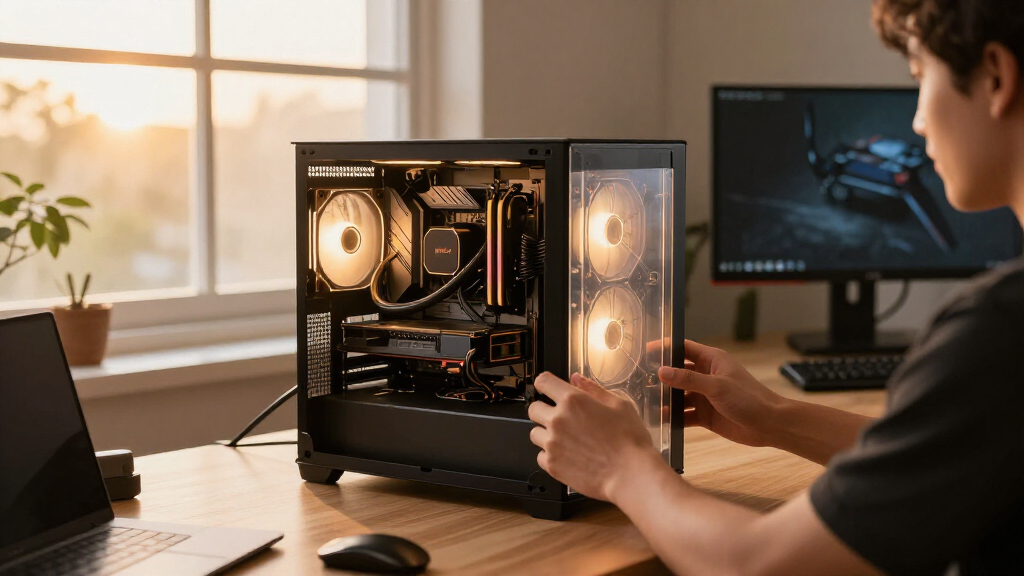
The ARCTIC Liquid Freezer III Pro 360 is my best overall pick for builders who put cooling performance ahead of display features, while the Thermalright Aqua Elite 360 V3 stands out as a value-focused alternative and the NZXT Kraken Elite 360 RGB suits buyers who want a prominent LCD. The main tradeoffs are cooling and noise, case and socket fit, and whether premium screens or lighting are worth the extra complexity. A 360 mm radiator can be a poor match for a case that cannot mount it comfortably, so fit matters as much as the cooler itself. My comparison weighs practical build needs alongside the appeal of extra features. Continue reading for the full breakdown and help choosing among these 14 systems.

Get the latest gadgets delivered free with Prime
- Fast, free delivery on millions of items
- Prime Video, Amazon Music and more included
- Member-only deals all year
Complete the kit



Key Takeaways
- Cooling-first buyers have a clear direction: the ARCTIC Liquid Freezer III Pro 360 models put performance ahead of LCD features, while the ASUS, MSI, and NZXT options make displays a central part of the pitch.
- Thermalright’s Aqua Elite entries form the value cluster: the black V3, V5, and white V3 offer 360 mm radiators and ARGB fans, with color and model variation helping match a build.
- Premium ASUS and NZXT models trade simplicity for presentation: LCDs and added features can personalize a build, but add software and setup considerations beyond basic cooling.
- White builds have several dedicated choices: ASUS ROG Ryujin III ARGB Extreme White and Thermalright Aqua Elite 360 White V3 address different feature and value priorities.
- One roundup cannot establish that every 360 mm AIO fits every system: radiator clearance, socket support, memory access, and tubing layout should be checked against the specific case and motherboard.
| ASUS ROG Ryuo IV 360 ARGB Liquid CPU Cooler | 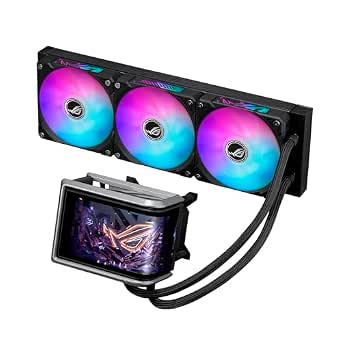 | Best for a Large Customizable Display | Cooler type: 360 mm all-in-one liquid CPU cooler | Pump: Asetek Emma Gen8 V2 | Display: Curved 6.67-inch AMOLED, 2240 × 1080, 60 Hz | VIEW LATEST PRICE | See Our Full Breakdown |
| ASUS ROG Strix LC III 360 ARGB LCD All-in-One CPU Liquid Cooler | 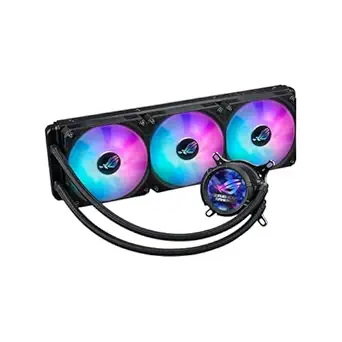 | Best for ROG Builds with a Compact LCD | Cooler type: 360 mm all-in-one liquid CPU cooler | Pump: Asetek Gen7 V2 | Display: 2.1-inch IPS LCD, 480 × 480, 60 Hz | VIEW LATEST PRICE | See Our Full Breakdown |
| MSI MPG CORELIQUID P13 360 AIO ARGB Liquid CPU Cooler with 2.1-inch LCD |  | Best for a Clean, Cable-Concealed Build | Radiator size: 360 mm | Fans: 3 × 120 mm CycloBlade 9 ARGB PWM | Maximum fan speed: 2050 rpm | VIEW LATEST PRICE | See Our Full Breakdown |
| ASUS ROG Ryujin III ARGB Extreme 360mm Liquid CPU Cooler |  | Best for Added Motherboard VRM Cooling | Cooler type: 360 mm all-in-one liquid cooler | Pump: Asetek Gen8 V2, 3-phase motor | Fans: Magnetic ARGB fans | VIEW LATEST PRICE | See Our Full Breakdown |
| Thermalright Aqua Elite 360 V5 ARGB Black CPU Liquid Cooler |  | Best for a Straightforward ARGB Setup | Cooler type: All-in-one liquid CPU cooler | Fan speed: 2000 rpm ±10% | Fan dimensions: 120 × 120 × 25 mm | VIEW LATEST PRICE | See Our Full Breakdown |
| Minorsonic 360mm AIO CPU Cooler with Ceramic Bearing Pump and 3 ARGB Fans | 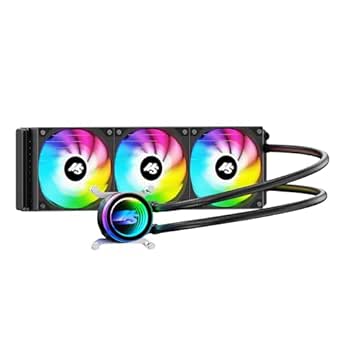 | Best for Simple Cable Management | Radiator size: 360mm | Pump speed: 3000 RPM | Fans: 3 × 120mm PWM ARGB | VIEW LATEST PRICE | See Our Full Breakdown |
| Thermalright Aqua Elite 360 V3 AIO CPU Cooler |  | Best for Quiet ARGB Builds | Fan size: 120 × 120 × 25mm | Fan speed: 1500 RPM ± 10% | Airflow: 66.17 CFM | VIEW LATEST PRICE | See Our Full Breakdown |
| ARCTIC Liquid Freezer III Pro 360 AIO CPU Cooler |  | Best for CPU and VRM Cooling | Radiator fan size: 3 × 120mm | Maximum rotational speed: 3000 rpm | Airflow: 77 cfm | VIEW LATEST PRICE | See Our Full Breakdown |
| Thermalright Aqua Elite 360 White V3 Water Cooling CPU Cooler |  | Best White ARGB Pick | Radiator: 360mm aluminum | Pump speed: 2800 RPM ± 10% | Pump life: 40,000 hours | VIEW LATEST PRICE | See Our Full Breakdown |
| ARCTIC Liquid Freezer III Pro 360 A-RGB Liquid CPU Cooler | 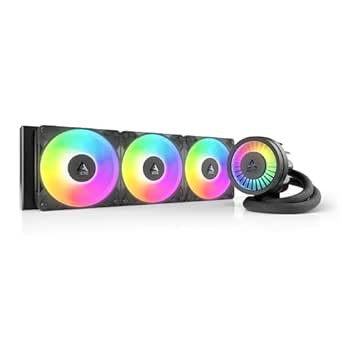 | Best for ARGB With VRM Cooling | Cooling method: Liquid | Maximum rotational speed: 3000 rpm | Airflow: 77 CFM | VIEW LATEST PRICE | See Our Full Breakdown |
| ASUS ROG Ryujin III ARGB Extreme White 360mm Liquid CPU Cooler |  | Best for Display-Heavy Builds | Pump: Asetek Emma Gen8 V2 | Radiator size: 360 mm | Display: 3.5-inch LCD, 640×480 resolution | VIEW LATEST PRICE | See Our Full Breakdown |
| Noctua NL-LC1-36 High-Performance 360mm AIO CPU Cooler |  | Best for Quiet Builds | Cooling platform: Asetek Emma V2 | Radiator size: 360 mm | Fans: 3 x Noctua NF-A12x25 G2 PWM, 120 mm | VIEW LATEST PRICE | See Our Full Breakdown |
| CORSAIR Nautilus 360 RS ARGB Liquid CPU Cooler |  | Best for Straightforward ARGB Setup | Cooler type: All-in-one liquid CPU cooler | Radiator size: 360 mm | Fans included: 3 RS120 ARGB fans | VIEW LATEST PRICE | See Our Full Breakdown |
| NZXT Kraken Elite 360 RGB – 360mm AIO CPU Cooler with LCD Display |  | Best for Customizable LCD Builds | Radiator size: 360 mm | Display: 2.72-inch IPS LCD | Power connector: 8-pin | VIEW LATEST PRICE | See Our Full Breakdown |
| PC liquid cooling system | Compatible sockets | Airflow |
|---|---|---|
| ASUS ROG Ryuo IV 360 ARGB Liqu | — | 56.66 cfm |
| ASUS ROG Strix LC III 360 ARGB | — | — |
| MSI MPG CORELIQUID P13 360 AIO | Intel LGA 1851; AMD AM5 | 64.9 cfm |
| ASUS ROG Ryujin III ARGB Extre | Intel LGA 1700, 1851; AMD AM4, AM5 | — |
| Thermalright Aqua Elite 360 V5 | — | Up to 68.9 cfm |
| Minorsonic 360mm AIO CPU Coole | Intel LGA1851/1700; AMD AM5/AM4 | — |
| Thermalright Aqua Elite 360 V3 | Intel LGA1150/1200/2011/1700/1851; AMD AM4/AM5 | 66.17 CFM |
| ARCTIC Liquid Freezer III Pro | Intel LGA1851/LGA1700; AMD AM4/AM5 | 77 cfm |
| Thermalright Aqua Elite 360 Wh | AMD AM4/AM5; Intel LGA1150/1151/1200/2011/1700/1851 | 66.17 CFM |
| ARCTIC Liquid Freezer III Pro | Intel LGA1851/LGA1700; AMD AM4/AM5 | 77 CFM |
| ASUS ROG Ryujin III ARGB Extre | — | — |
| Noctua NL-LC1-36 High-Performa | AMD AM5, Intel LGA1851 | — |
| CORSAIR Nautilus 360 RS ARGB L | — | — |
| NZXT Kraken Elite 360 RGB | — | — |
More Details on Our Top Picks
ASUS ROG Ryuo IV 360 ARGB Liquid CPU Cooler
The curved 6.67-inch AMOLED display gives this Ryuo IV a very different role from the ASUS ROG Strix LC III 360, whose screen is much smaller. It can show system information or customized visuals, so it suits a showcase build where the cooler is meant to be a focal point. Its Asetek Emma Gen8 V2 pump, pre-assembled parts, and daisy-chained fans also help pair the display with a cleaner installation. The tradeoff is physical: this is still a 360 mm radiator that needs room in the case, and its display and lighting add software setup. Compared with the more cooling-focused ASUS ROG Ryujin III ARGB Extreme, the Ryuo IV prioritizes screen size over extras such as an embedded VRM fan.
Pros:- Large curved 6.67-inch AMOLED display supports system information and customized visuals.
- Pre-installed daisy-chained fans reduce cable clutter during installation.
- Pre-assembled components are designed to simplify setup.
- Supports several Intel and AMD socket generations.
Cons:- Requires case space for a 360 mm radiator.
- Display and ARGB customization may require additional software setup.
Best for: Showcase PC builders with a 360 mm radiator mount who want a large screen for system information or custom visuals.
Not ideal for: Builders with compact cases or anyone who prefers a simpler cooler without display and lighting software.
- Cooler type:360 mm all-in-one liquid CPU cooler
- Pump:Asetek Emma Gen8 V2
- Display:Curved 6.67-inch AMOLED, 2240 × 1080, 60 Hz
- Maximum fan speed:Up to 2000 rpm
- Airflow:56.66 cfm
- Tube length:400 mm
- Supported sockets:Intel LGA 1851, 1700, 1200, 115X; AMD AM5, AM4
- Warranty:2 years for display; 6 years for AIO cooler
Our verdict“Choose the Ryuo IV if a large, customizable display is central to your showcase build and your case can fit a 360 mm radiator.”
ASUS ROG Strix LC III 360 ARGB LCD All-in-One CPU Liquid Cooler
The 2.1-inch IPS LCD gives the Strix LC III a visual feature without taking over the look of the build. It can show system stats, custom art, or the time, while the Asetek Gen7 V2 pump and new cold plate are aimed at cooling performance. Compared with the ASUS ROG Ryuo IV 360, its screen is far smaller, but that makes it a more restrained choice for builders who want a display accent rather than a prominent panel. Its ROG styling and ARGB fans make the most sense alongside a coordinated ROG system. The costs are complexity and space: installation may take more effort, and a 360 mm radiator still needs a suitable case mount. Buyers who do not value the LCD may be better served by a simpler AIO.
Pros:- 2.1-inch, 480 × 480 IPS LCD supports system stats, custom art, or a clock display.
- Asetek Gen7 V2 pump and new cold plate are designed for high-performance cooling.
- ROG styling and ARGB fans suit coordinated ASUS builds.
- Reinforced sleeved tubing adds a durable finish.
Cons:- Installation may be complex for some builders.
- The LCD and other advanced features add setup and system integration work.
Best for: ROG motherboard owners building a coordinated system who want a modest LCD for stats or custom art.
Not ideal for: Compact-case builders or buyers who want straightforward installation and have little use for a customizable screen.
- Cooler type:360 mm all-in-one liquid CPU cooler
- Pump:Asetek Gen7 V2
- Display:2.1-inch IPS LCD, 480 × 480, 60 Hz
- Fans:ROG ARGB fans
- Compatible Intel sockets:LGA 1700, 1200, 115X
- Compatible AMD sockets:AM4, AM5
- Warranty:6 years
Our verdict“Pick the Strix LC III for a coordinated ROG build that benefits from a small customizable screen without the Ryuo IV’s oversized display.”
MSI MPG CORELIQUID P13 360 AIO ARGB Liquid CPU Cooler with 2.1-inch LCD
The MPG CORELIQUID P13 stands out for sleeved tubing that conceals pump power and display signal cables, giving its 360 mm setup a tidier look than an exposed-cable layout. Its 2.1-inch LCD handles system monitoring and custom visuals, while three CycloBlade 9 fans provide up to 64.9 cfm of airflow. Compared with the ASUS ROG Strix LC III 360, the P13 lists a higher maximum fan speed and airflow, but its compatibility is narrower: the supplied data names only Intel LGA 1851 and AMD AM5. That makes checking the exact socket a key part of the decision. The 360 mm radiator also rules it out for smaller cases, and the display features may take extra setup.
Pros:- Sleeved tubing conceals pump power and display signal cables.
- 2.1-inch LCD supports system monitoring and personalized visuals.
- Three 120 mm ARGB PWM fans deliver up to 64.9 cfm airflow.
- Five-year warranty is specified.
Cons:- Listed socket compatibility is limited to Intel LGA 1851 and AMD AM5.
- Requires space for a 360 mm radiator.
- LCD customization and monitoring may require extra setup.
Best for: Builders using an Intel LGA 1851 or AMD AM5 system who want a tidy-looking 360 mm AIO with an LCD and concealed cables.
Not ideal for: Owners of other CPU sockets or compact cases without room for a 360 mm radiator.
- Radiator size:360 mm
- Fans:3 × 120 mm CycloBlade 9 ARGB PWM
- Maximum fan speed:2050 rpm
- Airflow:64.9 cfm
- Display:2.1-inch LCD
- Compatible sockets:Intel LGA 1851; AMD AM5
- Dimensions:17.92 × 8.31 × 5.63 in
- Warranty:5 years
Our verdict“Choose the P13 for a cable-conscious AM5 or LGA 1851 build, provided your case has room for its 360 mm radiator.”
ASUS ROG Ryujin III ARGB Extreme 360mm Liquid CPU Cooler
The Ryujin III ARGB Extreme combines its Asetek Gen8 V2 pump and 360 mm radiator with an embedded fan intended to cool motherboard VRMs. That extra airflow is its clearest distinction from the ASUS ROG Strix LC III 360, which focuses on the pump, radiator, and ARGB fans without a listed VRM fan. A 3.5-inch LCD supports live system monitoring and custom GIFs, while magnetic fans are designed to streamline installation. This is a feature-heavy pick for a high-end build, though the extra cooling and display controls bring software dependence. Compared with the Ryuo IV, its screen is smaller, but the Ryujin adds a motherboard-cooling feature the Ryuo does not list. Check socket support and case radiator clearance before buying.
Pros:- Embedded fan helps direct cooling toward motherboard VRMs.
- 3.5-inch LCD supports custom GIFs and live system monitoring.
- Magnetic ARGB fans are designed for streamlined installation.
- Six-year warranty is specified.
Cons:- Requires a compatible Intel or AMD socket and room for a 360 mm radiator.
- LCD and fan controls rely on software features.
Best for: High-end system builders who want a 360 mm AIO with an embedded fan aimed at motherboard VRM cooling and a sizable LCD.
Not ideal for: Builders seeking a basic AIO, a smaller radiator, or minimal software involvement for display and fan control.
- Cooler type:360 mm all-in-one liquid cooler
- Pump:Asetek Gen8 V2, 3-phase motor
- Fans:Magnetic ARGB fans
- Display:3.5-inch LCD, 640 × 480, 60 Hz
- Additional cooling:Embedded VRM fan
- Compatible sockets:Intel LGA 1700, 1851; AMD AM4, AM5
- Noise level:16 dB
- Warranty:6 years
Our verdict“Choose the Ryujin III ARGB Extreme if you want VRM airflow and an integrated monitoring screen in a high-end 360 mm liquid-cooling setup.”
Thermalright Aqua Elite 360 V5 ARGB Black CPU Liquid Cooler
The Aqua Elite 360 V5 keeps its pitch simple: a 360 mm AIO with three pre-installed PWM ARGB fans, broad listed socket support, and no LCD to configure. Its fans are rated for up to 68.9 cfm airflow, higher than the 64.9 cfm listed for the MSI MPG CORELIQUID P13, though those figures alone do not establish which cooler will run quieter or cool better in a particular build. Compared with the display-equipped ASUS ROG Strix LC III 360, the Thermalright gives up screen features in favor of a simpler feature set. It still needs a 360 mm radiator mount, and ARGB effects depend on a compatible motherboard header. The product data also notes possible pump vibration if mounting is poor, so careful installation matters.
Pros:- Three pre-installed PWM fans simplify initial assembly.
- Fan airflow is rated up to 68.9 cfm.
- Supports a broad range of listed AMD and Intel sockets.
- 5V three-pin ARGB supports motherboard lighting synchronization.
Cons:- Requires case space for a 360 mm radiator.
- Lighting effects require a compatible motherboard ARGB header.
- Pump vibration may occur if the cooler is not mounted properly.
Best for: Builders who want a 360 mm liquid cooler with pre-installed ARGB PWM fans and broad listed socket support, without paying attention to an LCD.
Not ideal for: Compact-case owners or buyers who lack a 5V three-pin ARGB header and want synchronized lighting.
- Cooler type:All-in-one liquid CPU cooler
- Fan speed:2000 rpm ±10%
- Fan dimensions:120 × 120 × 25 mm
- Fan noise:≤28.2 dBA
- Airflow:Up to 68.9 cfm
- Pump speed:2800 rpm ±10%
- Lighting:5V, 3-pin ARGB
- Compatibility:AMD AM4/AM5; Intel LGA 1150/1151/1155/1156/1200/1851/1700
Our verdict“Pick the Aqua Elite 360 V5 for a straightforward ARGB 360 mm setup with broad socket coverage, if your case and motherboard support it.”
Minorsonic 360mm AIO CPU Cooler with Ceramic Bearing Pump and 3 ARGB Fans
The Minorsonic makes its case with a 360mm radiator and three PWM fans, while its daisy-chain connections help keep the build tidier. That setup is useful for buyers who want a large radiator without adding as many separate fan cables to the motherboard area. Its 3000 RPM ceramic bearing pump and 12-path radiator are specified for liquid cooling, though the available data gives less detail on airflow than the Thermalright Aqua Elite 360 V3, which lists a 66.17 CFM figure. The tradeoff is physical fit: a 360mm radiator needs a case with suitable mounting space, and socket support is limited to the listed Intel and AMD generations. I’d choose it for a clean-looking, current-socket build where cable routing matters more than broad compatibility.
Pros:- Three PWM fans can adjust speed with system temperature
- Daisy-chain fan connections help reduce cable clutter
- Pump is specified at 3000 RPM with a ceramic bearing
- Supports listed current Intel and AMD sockets
Cons:- Requires space for a 360mm radiator
- Socket support is limited to the listed generations
- Airflow capacity is not specified in the supplied product data
Best for: Builders with an Intel LGA1851/LGA1700 or AMD AM4/AM5 system who want a 360mm AIO with fewer fan cables to route
Not ideal for: Owners of cases without 360mm radiator clearance or systems using sockets outside the listed compatibility
- Radiator size:360mm
- Pump speed:3000 RPM
- Fans:3 × 120mm PWM ARGB
- Maximum fan speed:1600 RPM
- Noise level:30 dB
- Radiator design:12-path water-cooled radiator
- Compatible sockets:Intel LGA1851/1700; AMD AM5/AM4
Our verdict“Choose the Minorsonic if your case fits a 360mm radiator and simpler fan wiring is a priority.”
Thermalright Aqua Elite 360 V3 AIO CPU Cooler
For a buyer who wants lighting and a quieter listed fan profile, the Aqua Elite 360 V3 pairs synchronized ARGB with three 120mm PWM fans rated at up to 66.17 CFM and no more than 23 dBA. That airflow figure gives a clearer basis for comparing fan capacity than the Minorsonic, whose supplied specs do not include airflow. The included fan hub and pre-installed fans can also simplify assembly, although the product description flags installation as complex for some users. Its lighting depends on a compatible motherboard, and this model’s broad socket list includes older Intel platforms as well as LGA1851 and AMD AM4/AM5. Compared with the ARCTIC Liquid Freezer III Pro 360, it puts more emphasis on coordinated lighting and listed compatibility than on extras such as an integrated VRM fan.
Pros:- Three PWM fans list 66.17 CFM airflow
- Specified noise level is no more than 23 dBA
- ARGB can synchronize with a compatible motherboard
- Pre-installed fans and an integrated hub can simplify fan wiring
Cons:- Installation may be complex for some users
- Lighting synchronization requires a compatible motherboard
- Requires case clearance for a 360mm radiator
Best for: Builders planning a motherboard-synchronized ARGB system who want a 360mm radiator and listed low-noise fan operation
Not ideal for: First-time builders who want a particularly straightforward installation or buyers without a compatible 5V ARGB setup
- Fan size:120 × 120 × 25mm
- Fan speed:1500 RPM ± 10%
- Airflow:66.17 CFM
- Noise level:≤ 23 dBA
- Lighting:ARGB PWM synchronization
- Compatible sockets:Intel LGA1150/1200/2011/1700/1851; AMD AM4/AM5
Our verdict“Pick this Aqua Elite if synchronized ARGB and a low listed noise level matter more than extra VRM cooling features.”
ARCTIC Liquid Freezer III Pro 360 AIO CPU Cooler
The Liquid Freezer III Pro 360 stands apart from the Thermalright Aqua Elite 360 V3 by adding an integrated VRM fan alongside its three radiator fans. That extra airflow targets the voltage converters around the CPU socket, a useful distinction for builders who want the cooler to address more than processor heat alone. ARCTIC also uses offset mounting to position the cold plate toward the CPU hotspot, and routes fan cables through the hose sheathing for a less cluttered view. The listed 77 CFM airflow and six-year warranty strengthen its spec sheet, while the included Intel contact frame is specified for LGA1851 and LGA1700 only. It remains a substantial 360mm unit, so case clearance is a real constraint; choose it for its cooling features, not a compact build.
Pros:- Offset mounting targets the CPU hotspot
- Integrated PWM-controlled fan cools voltage converters
- Fan cables route through the hose sheathing
- Includes an Intel contact frame and a six-year warranty
Cons:- Requires clearance for a 360mm radiator
- Included Intel contact frame is specified only for LGA1851 and LGA1700
- At 2020 g, it is a substantial cooler to handle during installation
Best for: Enthusiasts with a 360mm-compatible case who want CPU hotspot mounting and added airflow around the motherboard VRMs
Not ideal for: Small-case builders or buyers who need the included Intel contact frame for a socket outside LGA1851 and LGA1700
- Radiator fan size:3 × 120mm
- Maximum rotational speed:3000 rpm
- Airflow:77 cfm
- Compatible sockets:Intel LGA1851/LGA1700; AMD AM4/AM5
- Dimensions:15.7 × 4.7 × 2.9 in
- Weight:2020 g
- Warranty:6 years
Our verdict“Choose the ARCTIC if you have room for a 360mm radiator and want VRM airflow as well as CPU cooling features.”
Thermalright Aqua Elite 360 White V3 Water Cooling CPU Cooler
The white Aqua Elite 360 V3 brings a coordinated look to a build while retaining the same core fan figures listed for the black Aqua Elite 360 V3: 66.17 CFM airflow, 1500 RPM ± 10% fan speed, and noise up to 23 dBA. Its white finish gives it a distinct role for builders matching a light-colored case, while the ARCTIC Liquid Freezer III Pro 360 offers a different priority with an integrated VRM fan and offset mounting. This Thermalright lists a 2800 RPM ± 10% pump and a 40,000-hour pump life, but the supplied data does not specify a warranty. ARGB effects require a compatible 5V 3-pin connection, and a 360mm radiator calls for a spacious case. It suits a white, lighting-focused system better than a build where VRM airflow or compact fit leads the decision.
Pros:- White design suits light-colored PC builds
- Three PWM fans list 66.17 CFM airflow
- Specified fan noise is no more than 23 dBA
- Pump life is listed at 40,000 hours
Cons:- ARGB lighting requires a compatible 5V 3-pin connection
- Installation may be complex for beginners
- Requires case clearance for a 360mm radiator
Best for: Builders creating a white-themed PC with a compatible 5V 3-pin ARGB header and room for a 360mm radiator
Not ideal for: Buyers prioritizing integrated VRM cooling, compact case fit, or lighting without a compatible motherboard header
- Radiator:360mm aluminum
- Pump speed:2800 RPM ± 10%
- Pump life:40,000 hours
- Fan size:120 × 120 × 25mm
- Fan speed:1500 RPM ± 10%
- Airflow:66.17 CFM
- Compatible sockets:AMD AM4/AM5; Intel LGA1150/1151/1200/2011/1700/1851
Our verdict“Choose this model when a white finish and synchronized ARGB are central to your build and your case fits a 360mm radiator.”
ARCTIC Liquid Freezer III Pro 360 A-RGB Liquid CPU Cooler
This ARCTIC model combines the Liquid Freezer III Pro’s offset cold plate and PWM-controlled VRM fan with A-RGB lighting. Compared with the non-RGB Liquid Freezer III Pro 360, the added lighting gives builders a way to coordinate the cooler with a lit system while keeping the same listed 77 CFM airflow and 3000 rpm maximum speed. Integrated fan wiring and the Intel contact frame also carry over, though that frame is specified for LGA1851 and LGA1700; the cooler itself lists AMD AM4 and AM5 support too. The large 360mm dimensions remain the main fit hurdle, and the product data does not identify a separate RGB controller or compatibility requirements. I’d favor it over the non-RGB version when lighting matters, while choosing the latter for a simpler, unlit build.
Pros:- Offset copper cold plate targets the CPU hotspot
- PWM-controlled VRM fan cools voltage converters
- Fan cables are integrated into the hose sheathing
- Includes an Intel contact frame and lists a six-year warranty
Cons:- Requires space for a 360mm radiator
- Included contact frame is specified for Intel LGA1851 and LGA1700
- Supplied data does not specify the ARGB connection requirements
Best for: Builders with a 360mm-compatible case who want ARGB alongside CPU hotspot mounting and VRM airflow
Not ideal for: Compact-PC builders or buyers who want the Intel contact frame for an AMD socket
- Cooling method:Liquid
- Maximum rotational speed:3000 rpm
- Airflow:77 CFM
- Compatible sockets:Intel LGA1851/LGA1700; AMD AM4/AM5
- Dimensions:15.7 × 4.7 × 2.9 in
- Weight:2020 g
- Warranty:6 years
Our verdict“Pick the A-RGB version over the non-RGB ARCTIC if you want coordinated lighting without giving up its VRM fan and offset mounting.”
ASUS ROG Ryujin III ARGB Extreme White 360mm Liquid CPU Cooler
The Ryujin III ARGB Extreme White pairs an Asetek Emma Gen8 V2 pump with a high-resolution 3.5-inch LCD, making it a fit for builders who want cooling hardware to be a visible part of the system. Its screen offers more room for monitoring and custom visuals than the NZXT Kraken Elite 360 RGB display, while the 360 mm radiator and thick ARGB fans target demanding CPUs. That combination brings extra setup and noise considerations: installation may take more care than a simpler AIO, and the high-performance fans can be audible under load. I’d choose it for a showcase build where the larger screen and white finish matter; buyers focused on quiet operation should compare it with the Noctua NL-LC1-36.
Pros:- Asetek Emma Gen8 V2 pump is designed for high cooling performance
- 3.5-inch 640×480 LCD supports system monitoring and custom visuals
- 360 mm radiator with ARGB fans combines airflow with coordinated lighting
- White finish suits light-themed showcase builds
Cons:- Installation may be challenging for beginners
- High-performance fans may produce noticeable noise
- LCD and premium-focused design add complexity for buyers seeking a basic cooler
Best for: Builders creating a white, high-end gaming PC who want a large customizable screen alongside 360 mm liquid cooling.
Not ideal for: First-time builders or noise-sensitive users who prefer a simpler installation or prioritize quiet fans over display features.
- Pump:Asetek Emma Gen8 V2
- Radiator size:360 mm
- Display:3.5-inch LCD, 640×480 resolution
- Lighting:ARGB
- Compatibility:AMD and Intel
- Color:White
Our verdict“Choose this for a white showcase PC where a large LCD and high-performance cooling matter more than simple setup and quiet operation.”
Noctua NL-LC1-36 High-Performance 360mm AIO CPU Cooler
The Noctua NL-LC1-36 puts low-noise operation ahead of display features and lighting, with three NF-A12x25 G2 PWM fans and a noise-absorbing pump. That makes it a more natural fit for a quiet workstation or gaming PC than the screen-focused ASUS ROG Ryujin III ARGB Extreme White, whose high-performance fans may be more audible. The large 360 mm radiator gives this cooler room to handle demanding CPUs, but buyers need a case that can fit it. Its SecuFirm2 mounting system and included NT-H2 paste and guard support a straightforward installation across the listed sockets. I’d pick it when acoustics and practical cooling matter more than RGB or a customizable display; those visual features are the tradeoff.
Pros:- Three NF-A12x25 G2 PWM fans are specified for quiet operation
- Noise-absorbing pump supports a low-noise system
- SecuFirm2 mounting system supports straightforward installation
- Includes NT-H2 thermal paste and a thermal paste guard
Cons:- 360 mm radiator needs substantial case space
- No LCD or ARGB lighting is listed
- Socket compatibility listed for AM5 and LGA1851 only
Best for: PC builders who want a quiet 360 mm AIO for a compatible AM5 or LGA1851 gaming system or workstation.
Not ideal for: Compact-case builders or buyers who want an LCD and ARGB lighting as central parts of their build.
- Cooling platform:Asetek Emma V2
- Radiator size:360 mm
- Fans:3 x Noctua NF-A12x25 G2 PWM, 120 mm
- Mounting system:SecuFirm2 multi-socket
- Compatible sockets:AMD AM5, Intel LGA1851
- Included thermal paste:Noctua NT-H2 with thermal paste guard
Our verdict“Choose the Noctua for a spacious build where quiet cooling takes priority over screen effects and RGB.”
CORSAIR Nautilus 360 RS ARGB Liquid CPU Cooler
The CORSAIR Nautilus 360 RS ARGB keeps the feature set practical: three motherboard-controlled RS120 ARGB fans, daisy-chainable connections and pre-applied thermal paste. Those choices can simplify wiring and installation compared with display-equipped models such as the NZXT Kraken Elite 360 RGB, which adds an LCD for monitoring and personalization. A listed 20 dBA pump noise figure points to a quiet pump, though it does not describe total system noise from the fans. The 360 mm radiator still needs a compatible case, and fan and lighting control depend on having the right motherboard headers. I’d choose this for a clean, conventional ARGB build; buyers who want an integrated screen or rely on CORSAIR’s iCUE controller should account for those separate requirements.
Pros:- Three RS120 ARGB fans support motherboard control
- Daisy-chainable fan connections can reduce cable clutter
- Pre-applied thermal paste speeds installation
- Pump noise is listed at 20 dBA
Cons:- Requires compatible motherboard fan and ARGB headers
- Optional iCUE controller is sold separately
- 360 mm radiator requires a suitably sized case
Best for: Builders who want a 360 mm ARGB AIO with motherboard-based control and simpler fan wiring.
Not ideal for: Users without compatible fan and ARGB headers, or buyers who want an LCD or an included iCUE controller.
- Cooler type:All-in-one liquid CPU cooler
- Radiator size:360 mm
- Fans included:3 RS120 ARGB fans
- Pump noise:20 dBA
- Power connector:4-pin
- Voltage:12 V
- Intel socket compatibility:LGA1851, LGA1700
- AMD socket compatibility:AM5, AM4
- Color:Black
Our verdict“Choose the Nautilus for a straightforward motherboard-controlled ARGB build that does not need an LCD.”
NZXT Kraken Elite 360 RGB – 360mm AIO CPU Cooler with LCD Display
The NZXT Kraken Elite 360 RGB suits builders who want a 360 mm AIO with a bright visual centerpiece: its 2.72-inch IPS LCD supports system monitoring and personalization, alongside customizable RGB lighting. The screen is smaller than the 3.5-inch panel on the ASUS ROG Ryujin III ARGB Extreme White, so buyers who value display area may prefer that model. NZXT lists a maximum rotational speed of 2800 rpm and a noise level of 33.88 dB, details that make noise tolerance worth weighing against the display and cooling focus. Pre-applied thermal paste and tool-free mounting help simplify setup, but this cooler still needs room for a 360 mm radiator and compatible CPU mounting. I’d shortlist it for a high-end desktop where the screen is part of the build’s appeal.
Pros:- 2.72-inch IPS LCD supports monitoring and personalization
- Customizable RGB lighting adds visual coordination
- Pre-applied thermal paste and tool-free mounting ease setup
- Maximum rotational speed is specified at 2800 rpm
Cons:- Listed noise level of 33.88 dB may not suit quiet-focused builds
- 360 mm radiator needs a compatible case with enough space
- LCD features add complexity for buyers seeking basic liquid cooling
Best for: Desktop builders who want an integrated IPS screen for system monitoring and customizable visuals in a 360 mm cooling setup.
Not ideal for: Noise-sensitive users, compact-case builders, or anyone who does not want to allocate space and power for display features.
- Radiator size:360 mm
- Display:2.72-inch IPS LCD
- Power connector:8-pin
- Voltage:12 V DC
- Wattage:28.44 W
- Noise level:33.88 dB
- Maximum rotational speed:2800 rpm
- Dimensions:15.79 x 4.72 x 1.06 in
- Cooling method:Water
Our verdict“Choose the Kraken Elite for a high-end desktop where an integrated LCD and RGB matter more than quiet operation or a smaller radiator.”
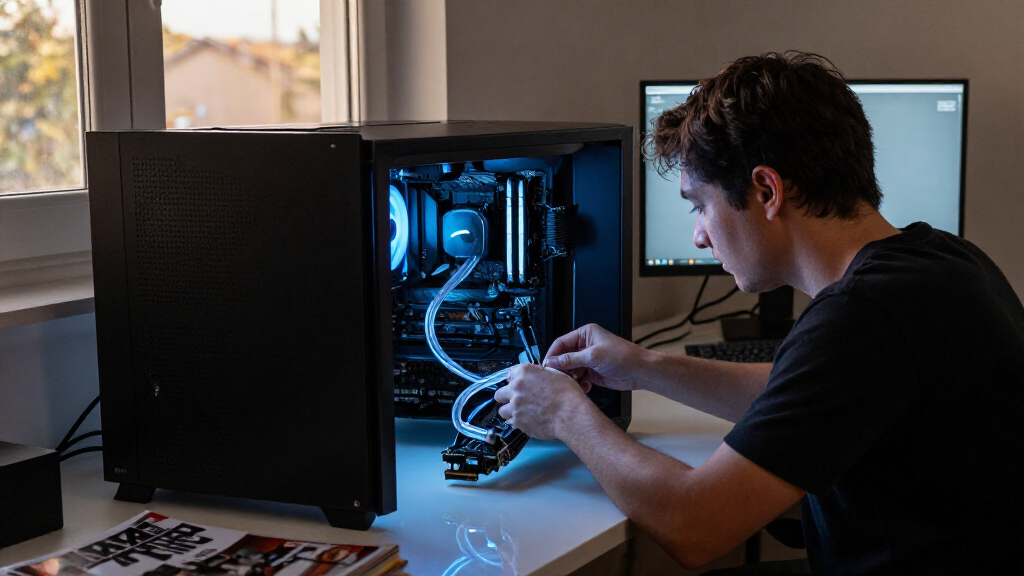
How We Picked
I ranked these 14 systems by how well their stated design and feature set serve real PC liquid-cooling needs: sustained CPU heat handling, fan and pump control, expected installation demands, build compatibility, and the value of extras such as LCDs and ARGB. I gave more weight to practical cooling and broad usefulness than to screens or lighting, since those features do not by themselves improve heat transfer.
That puts the ARCTIC Liquid Freezer III Pro 360 at the top as the cooling-focused choice, with the Thermalright Aqua Elite models grouped as accessible alternatives and display-heavy ASUS, MSI, and NZXT coolers positioned for buyers who prioritize presentation. The two ARCTIC variants and multiple Thermalright colors are treated as distinct purchase options, but their shared family traits matter: verify the exact SKU, socket support, included fans, radiator dimensions, and software needs before ordering.
Factors to Consider When Choosing Best PC Liquid Cooling Systems
Choosing a liquid cooler starts with the build around it. I would check the case and socket first, then decide how much cooling headroom and visual customization the system actually needs.
Check radiator clearance in the case
A 360 mm label describes radiator length, but it does not tell you whether the radiator will fit beside your motherboard, memory, or graphics card. Check the case manual for supported radiator positions and thickness, including the space taken by fans. A top mount may conflict with tall memory or motherboard heatsinks, while a front mount can reduce graphics card clearance. Measure the full radiator and fan stack, not only the radiator. Builders with limited space should favor a cooler that fits cleanly over a larger model that forces awkward placement. The many 360 mm options in this roundup make this check especially relevant.
Match cooling capacity to the CPU and workload
Cooling needs depend on the processor’s power limits and the work it does, not only its core count. Long rendering or compiling sessions can hold a CPU near its thermal limit far longer than short gaming bursts. A larger radiator can help manage sustained heat, but it cannot compensate for poor case airflow or an unsuitable fan curve. Check independent thermal testing for the exact CPU and noise level you expect, since product names alone do not establish relative performance. If the CPU runs moderate workloads, spending more for an elaborate cooler may add little practical value. Save premium cooling capacity for a CPU that can use it.
Treat noise as a whole-system choice
Noise comes from both fans and the pump, and the loudest part can change as the CPU load rises. Fan curves that ramp sharply can make temperature swings more noticeable, even when average temperatures are acceptable. Look for independent noise measurements and note the conditions they used; comparing results from different test setups can mislead. A quiet case fan setup and clear airflow path may let a cooler run at lower speeds. Do not assume an LCD or premium tier means quieter operation. Buyers sensitive to sound should prioritize measured noise behavior over appearance.
Decide whether an LCD earns its complexity
An LCD can show system information or custom graphics, but it adds setup steps and often relies on background software. Ask whether the display will be visible after the cooler is installed and whether you want another app managing hardware effects. If a screen is a main reason to choose a model such as the NZXT Kraken Elite, review its software and display controls before buying. A simpler cooler may be easier to configure and maintain if you only want dependable CPU cooling. ARGB also needs compatible headers or a controller, so check what your motherboard provides. Choose visual features for a real use you value, not as a substitute for cooling evidence.
Verify socket support and installation details
Socket compatibility can vary by exact model and revision, so confirm the current manufacturer list for your CPU platform. Check whether the required mounting hardware is included and whether installation requires access behind the motherboard. Radiator placement also affects tubing reach and the direction hoses can bend without pressure. Integrated fan wiring may simplify cable management, while display and lighting features can add connections. Read the installation guide before purchase if this is your first AIO build. A cooler that is easy to mount correctly can be a better choice than one with more features and a frustrating fit.
Weigh maintenance and warranty support
Most sealed AIOs are designed to operate as closed systems, but the radiator still collects dust and the pump and fans remain mechanical parts. Check the warranty length, what it covers, and how the manufacturer handles a leak or pump failure. Keep the invoice and record the exact model, since similar names can refer to different versions. Make sure the radiator can be reached for cleaning without dismantling the entire build. Consider whether the brand offers replacement fans or clear support documentation. Long-term ownership support can matter more than a small feature difference at purchase.
Frequently Asked Questions
Is a 360 mm AIO necessary for a gaming PC?
No. Many gaming CPUs work well with smaller air coolers or AIOs, depending on their power limits and case airflow. A 360 mm system makes more sense when the processor produces sustained heat or when you want additional thermal headroom at lower fan speeds. It also takes more room and can make installation harder. Compare measured results for your CPU rather than treating radiator size as a performance guarantee. If your games do not keep the CPU heavily loaded, a smaller cooler may be the more practical choice.
Should I choose an LCD cooler or a cooling-focused model?
Choose an LCD model if the screen will be visible and you will use its monitoring or customization features. A display does not inherently improve cooling, so compare thermal and noise measurements separately from the screen. The NZXT Kraken Elite and several ASUS and MSI options emphasize presentation, while the ARCTIC models are more directly aimed at cooling. LCD management may require software running in the background. If your priority is simple operation, favor the cooler whose performance and installation suit your build without paying for a screen you will rarely notice.
Will a 360 mm liquid cooler fit my case?
Check the case maker’s radiator support chart for the exact mounting position you plan to use. Account for the combined radiator and fan thickness, plus nearby memory, motherboard heatsinks, and graphics card length. Top mounting can have different restrictions from front mounting. Also check tube reach and whether the hoses can route without a sharp bend. Product names in this roundup share a nominal radiator size, but dimensions and fit details can differ. Confirm the measurements for the exact cooler SKU before buying.
Are the Thermalright Aqua Elite models interchangeable?
They share the Aqua Elite name and 360 mm format, but the listed options differ by version and color, and should not be assumed identical in every detail. Compare the exact listing for socket support, included fans, lighting, pump specifications, and radiator dimensions. The black V3, V5, and white V3 provide different choices for matching a system and feature needs. Confirm the seller’s model number against the manufacturer’s documentation. If a particular socket or feature matters, rely on the exact model details rather than the family name.
What should I check before replacing my current CPU cooler with an AIO?
First confirm that your case supports the radiator position and size, then verify the cooler supports your CPU socket. Review the installation steps, including how the pump connects and where the radiator fans plug in. Check whether your motherboard has the headers needed for lighting and whether display features require separate software or USB connections. Plan for the radiator to affect airflow and component clearance. Finally, compare real-world CPU temperatures and noise against your current cooler; changing to liquid cooling does not guarantee a noticeable improvement for every workload.
Conclusion
For most cooling-first builds, my best overall choice is the ARCTIC Liquid Freezer III Pro 360; the ARGB version suits buyers who want lighting alongside that cooling focus. For best value, I would start with the Thermalright Aqua Elite 360 V3, choosing the black or white variant to suit the build. The ASUS ROG Ryujin III ARGB Extreme and NZXT Kraken Elite are my premium picks for builders who want a more feature-rich, display-forward centerpiece. Beginners should favor the model with the clearest installation support and the fewest extra connections, after checking socket and case fit. For a white system, compare the ASUS Ryujin III White with the Thermalright Aqua Elite White based on whether advanced presentation or a simpler value-oriented approach matters more.