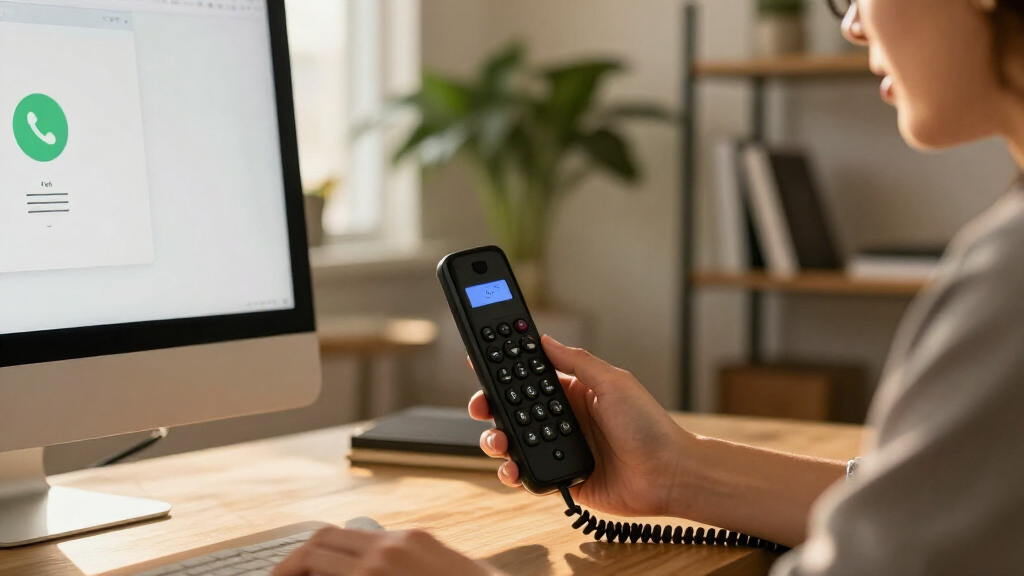

The best VoIP phone system overall in this roundup is the Yealink W73P, which pairs a cordless handset with a base suited to flexible office calling. For home service, the Ooma Telo with an HD3 handset offers a simpler path, while the Grandstream GXP2170 is a stronger fit for busy desks handling multiple lines. The main choice is between a complete home phone service, a cordless system, and a desk phone that depends on a compatible VoIP provider. Line capacity, network setup, and how many handsets you need matter more than display size alone. Read on for all 13 picks and a guide to matching the system to your calling needs.

Get the latest gadgets delivered free with Prime
- Fast, free delivery on millions of items
- Prime Video, Amazon Music and more included
- Member-only deals all year
Complete the kit



Key Takeaways
- The Yealink W73P is the most balanced business pick: its DECT cordless format suits people who need room to move, unlike the fixed-desk Grandstream and Poly phones.
- Ooma’s Telo models prioritize home simplicity: they pair an adapter with Ooma phone service, while most desk phones in the list need a separate compatible VoIP provider.
- Grandstream’s models serve different desk-phone needs: the GXP2170 favors heavier call handling, while the GRP2612W is a more focused choice for users who value Wi-Fi and PoE options.
- Handset count changes the home-phone decision: the Ooma Telo bundle with three HD3 handsets can suit multiple rooms better than a single-handset package.
- More lines do not automatically mean a better fit: the Poly VVX 411 and several Grandstream models suit call-heavy desks, but home users and basic office setups may prefer simpler equipment.
| Yealink W73P DECT Cordless IP Phone System |  | Best for Growing Teams Needing Cordless Coverage | Maximum simultaneous calls: 20 | Maximum DECT handsets: 10 | Maximum SIP accounts: 10 | VIEW LATEST PRICE | See Our Full Breakdown |
| Ooma Telo VoIP Home Phone Service with HD3 Handset |  | Best for Home Phone Service Simplicity | Telephone type: Cordless | Included handset: HD3 with 2-inch color display and full-duplex speakerphone | Ports: RJ-45 Ethernet LAN, RJ-45 Ethernet WAN, RJ-11 phone out, USB 2.0 | VIEW LATEST PRICE | See Our Full Breakdown |
| Grandstream GXP2135 IP Phone, 8 Lines and 4 SIP Accounts |  | Best for Busy Desks with Moderate Line Needs | Lines: 8 | SIP accounts: 4 | Display: 2.8-inch color LCD | VIEW LATEST PRICE | See Our Full Breakdown |
| Grandstream GXP2170 Enterprise VoIP Phone |  | Best Premium Desk Phone for High Call Volume | Line appearances: Up to 12 | SIP accounts: 6 | Display: 4.3-inch color LCD, 480 × 272 | VIEW LATEST PRICE | See Our Full Breakdown |
| Grandstream GRP2613 Carrier-Grade IP Phone |  | Best for Secure, Straightforward Business Deployments | SIP accounts: 4 | Multipurpose line keys: 6 | Display: 2.8-inch color | VIEW LATEST PRICE | See Our Full Breakdown |
| Poly VVX 411 12-Line VoIP Business Phone |  | Best for High-Call-Volume Desks | Phone type: Corded VoIP business phone | Line keys: 12 | Display: 3.5-inch backlit color | VIEW LATEST PRICE | See Our Full Breakdown |
| magicJack VoIP Phone Adapter with Mobile App |  | Best for Low-Complexity Home Calling | Model: C528 | Compatible devices: Cellular phones; also supports cordless or landline phones and computers | Connectors: Micro USB and USB Type-C | VIEW LATEST PRICE | See Our Full Breakdown |
| Grandstream GRP2612W 4-Line IP Phone with Wi-Fi and PoE |  | Best for Wi-Fi Desk Placement | SIP accounts: 4 | Line keys: 4 multi-purpose | Display: 2.4-inch color | VIEW LATEST PRICE | See Our Full Breakdown |
| Yealink SIP-T33G IP Phone with 2.4-Inch Color Display |  | Best for Small Teams That Conference Locally | SIP accounts: Up to 4 | Display: 2.4-inch, 320 × 240 color display with backlight | Conference calling: 5-way | VIEW LATEST PRICE | See Our Full Breakdown |
| Ooma Telo VoIP Home Phone System with Three HD3 Handsets |  | Best Cordless Home Bundle | Phone type: Cordless VoIP phone system | Handsets included: 3 HD3 handsets | Answering system: Digital | VIEW LATEST PRICE | See Our Full Breakdown |
| Yealink T46U VoIP IP Phone with 4.3-Inch Color Display |  | Best for Multi-Line Business Use | VoIP accounts: 16 | Display: 4.3-inch color TFT | USB: 2 USB 2.0 ports | VIEW LATEST PRICE | See Our Full Breakdown |
| Ooma Telo VoIP Home Phone Service, White |  | Best for a Simple Home Phone Setup | Connection: High-speed internet | Calling features: Voicemail, caller ID, call waiting, and 911 calling | Voice: HD voice | VIEW LATEST PRICE | See Our Full Breakdown |
| Ooma Telo Air VoIP Home Phone Service with HD3 Handset |  | Best Home Bundle with Included Handset | Phone type: Cordless VoIP phone | Included handset: 1 HD3 handset with 2-inch color screen | Calling region: United States | VIEW LATEST PRICE | See Our Full Breakdown |
| VoIP phone system | Display | Warranty |
|---|---|---|
| Yealink W73P DECT Cordless IP | 1.8-inch, 128 × 160 TFT color screen | — |
| Ooma Telo VoIP Home Phone Serv | — | — |
| Grandstream GXP2135 IP Phone | 2.8-inch color LCD | — |
| Grandstream GXP2170 Enterprise | 4.3-inch color LCD, 480 × 272 | — |
| Grandstream GRP2613 Carrier-Gr | 2.8-inch color | 1 year manufacturer warranty |
| Poly VVX 411 12-Line VoIP Busi | 3.5-inch backlit color | 1 year manufacturer |
| magicJack VoIP Phone Adapter w | — | 1 year |
| Grandstream GRP2612W 4-Line IP | 2.4-inch color | — |
| Yealink SIP-T33G IP Phone with | 2.4-inch, 320 × 240 color display with backlight | 1 year |
| Ooma Telo VoIP Home Phone Syst | — | 1-year limited |
| Yealink T46U VoIP IP Phone wit | 4.3-inch color TFT | 1 year manufacturer warranty |
| Ooma Telo VoIP Home Phone Serv | — | 30-day money-back guarantee; extendable 1-year warranty |
| Ooma Telo Air VoIP Home Phone | — | 1 year |
More Details on Our Top Picks
Yealink W73P DECT Cordless IP Phone System
The Yealink W73P is my pick for offices that need several people to share a VoIP system without being tied to desks. Its base supports up to 10 handsets, 10 SIP accounts, and 20 simultaneous calls, giving it more room for cordless team use than the single-desk Grandstream GXP2135. Opus audio and noise reduction are aimed at clearer conversations, while the stated battery life can reduce the need to return the handset to its cradle during a busy day. The tradeoff is infrastructure: this is a SIP system, and the base requires PoE power. Its battery figures are specified under ideal conditions, so I wouldn’t treat them as guaranteed workplace runtimes. Choose it for flexible handset placement, not as a plug-and-play home phone service.
Pros:- Supports up to 10 DECT handsets and 10 SIP accounts
- Handles up to 20 simultaneous calls
- Opus codec and noise reduction support clearer conversations
- Long stated talk and standby times offer less frequent charging
Cons:- Requires a compatible SIP service and PoE power for the base
- Talk and standby figures apply under ideal conditions
Best for: Small and midsize businesses that want cordless handsets shared across work areas and have a SIP provider and PoE-ready network.
Not ideal for: Home users seeking an all-in-one calling service, or offices without PoE or someone to configure SIP accounts.
- Maximum simultaneous calls:20
- Maximum DECT handsets:10
- Maximum SIP accounts:10
- Display:1.8-inch, 128 × 160 TFT color screen
- Talk time:Up to 35 hours
- Standby time:Up to 400 hours
- Audio codec:Opus
- Power:Power over Ethernet (PoE)
Our verdict“Choose the W73P if your business needs scalable cordless SIP calling; skip it if you want a simple home phone service without network setup.”
Ooma Telo VoIP Home Phone Service with HD3 Handset
Unlike the business-focused Yealink W73P and Grandstream phones, the Ooma Telo pairs an internet-connected base with a cordless handset for household calling. It includes nationwide calling, voicemail, caller ID, call waiting, and 911 service, so buyers don’t need to assemble a separate SIP phone setup. The HD3 handset adds a 2-inch color display and full-duplex speakerphone, while mobile-app and smart-device support can extend access beyond the handset. Its tradeoffs are clear: service is limited to the United States, depends on high-speed internet, and monthly taxes and fees still apply. Businesses that need multiple SIP accounts or heavy concurrent calling will be better served by a system such as the Yealink W73P; this Ooma package is tailored to home use.
Pros:- Includes voicemail, caller ID, call waiting, and 911 service
- HD3 handset has a color display and full-duplex speakerphone
- Works with the Ooma mobile app and smart-device integration
- Combines the service adapter and cordless handset in one package
Cons:- Service is available only in the United States
- Requires high-speed internet and monthly taxes and fees apply
- Not designed for the multiple SIP accounts and concurrent calls supported by business systems
Best for: U.S. households replacing or supplementing a landline that want a cordless handset and familiar calling features through an internet connection.
Not ideal for: Businesses needing multi-line SIP management, international availability, or a service that works without high-speed internet.
- Telephone type:Cordless
- Included handset:HD3 with 2-inch color display and full-duplex speakerphone
- Ports:RJ-45 Ethernet LAN, RJ-45 Ethernet WAN, RJ-11 phone out, USB 2.0
- Standby time:150 hours
- Talk time:150 hours
- Recording capacity:17 minutes
- Power source:Corded electric
- Service availability:United States only
Our verdict“Choose this Ooma package for straightforward U.S. home calling with a cordless handset, rather than for a configurable business phone system.”
Grandstream GXP2135 IP Phone, 8 Lines and 4 SIP Accounts
The Grandstream GXP2135 fits business users who handle several calls at a desk but don’t need the GXP2170’s larger display and 12 line appearances. It offers eight lines, four SIP accounts, and up to 32 programmable BLF and speed-dial keys, giving reception or sales staff quick access to colleagues and frequent contacts. Dual Gigabit Ethernet ports with integrated PoE help keep a workstation’s network connection tidy, and built-in Bluetooth supports compatible headsets or mobile devices. Compared with the more expandable GXP2170, this model takes less of a high-capacity approach; in return, it avoids a larger screen and expansion-module ecosystem. It still requires a SIP-compatible phone system, so it is not a standalone service for a home user plugging into an ordinary phone line.
Pros:- Eight lines and four SIP accounts support varied call handling
- Up to 32 programmable BLF and speed-dial keys
- Dual switched Gigabit Ethernet ports with integrated PoE
- Built-in Bluetooth and HD handset and speakerphone audio
Cons:- Requires a SIP-compatible phone system or provider
- Offers fewer line appearances and less expansion capacity than the GXP2170
Best for: Receptionists, sales staff, and other office users who manage several active calls and benefit from programmable contact keys.
Not ideal for: Home users seeking a bundled calling service, or enterprise operators who need more line appearances and expansion options than this desk phone provides.
- Lines:8
- SIP accounts:4
- Display:2.8-inch color LCD
- Network ports:Dual switched, auto-sensing Gigabit Ethernet
- Power over Ethernet:Integrated PoE
- Programmable keys:Up to 32 BLF/speed-dial keys
- Bluetooth:Built-in
- Audio:HD handset and full-duplex speakerphone
Our verdict“Pick the GXP2135 for a feature-rich business desk phone with many contact keys, but choose the GXP2170 if you need more lines and room to expand.”
Grandstream GXP2170 Enterprise VoIP Phone
For a desk that handles many lines and frequent transfers, the Grandstream GXP2170 is the most expansive option here. It supports 12 line appearances and six SIP accounts, compared with the GXP2135’s eight lines and four accounts, and its 4.3-inch color display presents up to 48 on-screen speed-dial or BLF keys. That extra capacity suits busy operators who need to monitor colleagues and manage calls without relying on a cordless handset like the Yealink W73P. Bluetooth, HD audio, dual Gigabit Ethernet, and five-way conferencing round out its desk-phone focus. The tradeoff is complexity: this is more phone than a small office or occasional caller may need. Accessing additional contacts also means adding separately purchased expansion modules.
Pros:- Supports up to 12 line appearances and six SIP accounts
- Large 4.3-inch color display with up to 48 on-screen keys
- Bluetooth, HD audio, dual Gigabit Ethernet, and five-way conferencing
- Supports up to four GXP2200EXT expansion modules
Cons:- Greater setup and feature complexity than a basic desk phone
- Expansion modules are needed for contact capacity beyond the on-screen keys
- Requires a compatible SIP phone system
Best for: Enterprise receptionists, call coordinators, and power users who manage many lines, monitor extensions, and want room to add expansion modules.
Not ideal for: Small offices wanting a simple phone, or users who need cordless mobility or a bundled home calling service.
- Line appearances:Up to 12
- SIP accounts:6
- Display:4.3-inch color LCD, 480 × 272
- Speed-dial/BLF keys:Up to 48 on-screen keys
- Conference calling:5-way
- Ethernet:Dual Gigabit ports
- Bluetooth:Built-in
- Expansion modules:Supports up to four GXP2200EXT modules
Our verdict“Choose the GXP2170 for high-volume desk work and expandable call control; the GXP2135 is a better fit when fewer lines will do.”
Grandstream GRP2613 Carrier-Grade IP Phone
The Grandstream GRP2613 is a practical choice for businesses that want a capable wired SIP phone without the GXP2170’s larger screen, extra line capacity, and expansion focus. It has four SIP accounts and six multipurpose line keys, enough for many office desks, plus dual-port Gigabit Ethernet and integrated PoE to simplify installation on a compatible network. HD audio supports both G.722 and Opus, with noise-shield technology intended to help calls stay clear in busy work areas. Its security features, including secure boot and encrypted data storage, give IT teams relevant protections for managed deployments. The tradeoff is a more modest call-control setup: conference calling is basic, and Bluetooth and Wi-Fi 6 belong to the separate GRP2613W model, not this one. For more lines and contacts, the GXP2135 or GXP2170 is a better match.
Pros:- Four SIP accounts and six multipurpose line keys cover common desk-phone needs
- Integrated PoE and dual-port Gigabit Ethernet simplify network installation
- HD audio supports G.722 and Opus with noise-shield technology
- Secure boot and encrypted data storage support managed business deployments
Cons:- Conference calling capability is basic
- Bluetooth and Wi-Fi 6 are listed for the GRP2613W variant, not this model
- Fewer line appearances and expansion options than the Grandstream GXP2170
Best for: Small and midsize businesses standardizing wired SIP desk phones with PoE, Gigabit networking, and enterprise security features.
Not ideal for: Users who need built-in Wi-Fi or Bluetooth, extensive conference features, or a high-capacity line interface like the GXP2170.
- SIP accounts:4
- Multipurpose line keys:6
- Display:2.8-inch color
- Ethernet:Dual-port Gigabit
- Power:Integrated PoE (IEEE 802.3af Class 2) or 5V, 0.5A adapter
- Audio:HD audio; supports G.722 and Opus
- Weight:554 g
- Warranty:1 year manufacturer warranty
Our verdict“Choose the GRP2613 for a secure, wired business desk phone with core SIP features, but look to the GXP2170 for heavier call handling or expansion.”
Poly VVX 411 12-Line VoIP Business Phone
The Poly VVX 411 is the strongest fit here for a busy business desk where several lines need to stay visible. Its 12 line keys give receptionists and call handlers more room to monitor and manage calls than the four-account Yealink SIP-T33G or Grandstream GRP2612W. HD voice, a full-duplex speakerphone, and three-way conferencing suit routine office conversations, while the dual Gigabit Ethernet ports can connect the phone and a nearby computer through one network outlet. The tradeoff is that this is a desk phone, not a flexible home-phone bundle like the Ooma Telo with Three HD3 Handsets. PoE can simplify cabling, but a power supply is not included, and users who need a headset must source one separately.
Pros:- 12 line keys accommodate a busy desk with multiple calls to manage.
- HD voice and a full-duplex speakerphone support clearer hands-free conversations.
- Dual Gigabit Ethernet ports provide a pass-through connection for a computer.
- PoE can power the phone without a separate adapter when the network supports it.
Cons:- Power supply is not included, which can complicate setup without PoE.
- Headset is sold separately.
- Corded design is less suited to users who need to move around during calls.
Best for: Receptionists, administrative staff, and small-office call handlers who need to keep many business lines available at one desk.
Not ideal for: Home users or teams that want cordless handsets, and buyers without PoE who need a power adapter included.
- Phone type:Corded VoIP business phone
- Line keys:12
- Display:3.5-inch backlit color
- Ethernet:Two 10/100/1000 ports with integrated switch
- USB:Yes
- Power:Power over Ethernet; power supply not included
- Conference calling:3-way
- Warranty:1 year manufacturer
Our verdict“Choose the Poly VVX 411 if your office needs many visible lines and business-desk call handling, not a cordless home-phone setup.”
magicJack VoIP Phone Adapter with Mobile App
The magicJack C528 is the simplest route in this group for keeping a familiar landline or cordless phone while adding app-based calling. It connects a compatible phone to high-speed internet and also offers an app for calling and texting U.S. numbers, unlike desk-focused business models such as the Poly VVX 411 and Yealink SIP-T33G. The included 12 months of calling covers the U.S., Canada, Puerto Rico, and the U.S. Virgin Islands, with voicemail, caller ID, call waiting, and forwarding listed as service features. That makes it a practical choice for a household that wants basic calling without buying multiple IP desk phones. The limitation is its service model: the included calling period is specified as 12 months, and number porting carries a one-time fee. It also depends on high-speed internet, so it is not a standalone phone service.
Pros:- Works with compatible cordless or landline phones rather than requiring a dedicated IP desk phone.
- Includes 12 months of calling to the U.S., Canada, Puerto Rico, and the U.S. Virgin Islands.
- Mobile app supports calls and texts to U.S. numbers.
- Lists voicemail, caller ID, call waiting, and call forwarding among its features.
Cons:- Requires high-speed internet for calling.
- The included calling plan is specified for 12 months, so buyers should check service terms after that period.
- Porting an existing number carries a one-time $19.95 fee.
Best for: Households that already own a compatible landline or cordless phone and want internet calling plus a smartphone app for U.S. calls and texts.
Not ideal for: Businesses needing multi-line desk phones or buyers who want a clearly specified ongoing calling plan without a limited included service period.
- Model:C528
- Compatible devices:Cellular phones; also supports cordless or landline phones and computers
- Connectors:Micro USB and USB Type-C
- Number of ports:2
- Input voltage:12 volts
- Included calling period:12 months
- Warranty:1 year
Our verdict“Pick magicJack if you want to connect an existing home phone and use an app, rather than equip a business desk with an IP phone.”
Grandstream GRP2612W 4-Line IP Phone with Wi-Fi and PoE
The Grandstream GRP2612W stands apart from wired-only office picks such as the Poly VVX 411 by building dual-band Wi-Fi into a compact four-line IP phone. That can help when a desk is awkwardly placed for network cabling, though the product notes that the Ethernet cord must be disconnected to use Wi-Fi. Its four SIP accounts and four multi-purpose keys suit a smaller call load than the Poly’s 12-line layout, while up to 16 digital BLF keys add a way to monitor colleagues’ extensions. HD audio codecs and three-way conferencing cover everyday business calls. Centralized management through Grandstream Device Management System may also appeal to organizations with multiple compatible phones. The key tradeoff is capacity and setup flexibility: this is not the choice for a high-volume operator, and its 10/100 Ethernet ports are slower than the Gigabit ports on the Poly and Yealink SIP-T33G.
Pros:- Built-in dual-band Wi-Fi supports placement away from a convenient Ethernet connection.
- Four SIP accounts and multi-purpose line keys fit a modest business call load.
- Supports up to 16 digital BLF keys for monitoring other extensions.
- HD codecs and PoE support suit a managed office phone setup.
Cons:- Ethernet must be disconnected to use Wi-Fi.
- Dual switched Ethernet ports are 10/100 Mbps, unlike the Gigabit ports on the Poly VVX 411 and Yealink SIP-T33G.
- Four line keys offer less call visibility than the 12-line Poly VVX 411.
Best for: Small offices that need a four-account IP phone with Wi-Fi for a desk where running Ethernet is inconvenient.
Not ideal for: High-call-volume reception desks or buyers who need Gigabit Ethernet and a wired connection while using Wi-Fi.
- SIP accounts:4
- Line keys:4 multi-purpose
- Display:2.4-inch color
- Wi-Fi:Dual-band, 2.4 GHz and 5 GHz
- Ethernet:Dual switched auto-sensing 10/100 Mbps ports
- Power:PoE; 5V power adapter included
- Digital BLF keys:Up to 16
- Conference calling:3-way
Our verdict“Choose the GRP2612W for a smaller office desk that benefits from built-in Wi-Fi and extension monitoring, rather than maximum line capacity.”
Yealink SIP-T33G IP Phone with 2.4-Inch Color Display
The Yealink SIP-T33G is a sensible fit for a small team that values local group calls more than a long row of line keys. It supports five-way conferencing, exceeding the three-way conference limit listed for the Poly VVX 411 and Grandstream GRP2612W. Four SIP accounts make it suitable for a modest set of business lines, and its dual-port Gigabit Ethernet with PoE support gives it a stronger wired network specification than the GRP2612W’s 10/100 ports. The backlit color display is a useful step up from a basic monochrome interface, but this remains a corded desk phone rather than a cordless home system like the Ooma Telo with Three HD3 Handsets. One setup detail to plan around: a power adapter is not included, so the buyer needs PoE or a separate compatible adapter.
Pros:- Five-way local conferencing accommodates more participants than the three-way options in this batch.
- Supports up to four SIP accounts for a small set of business lines.
- Dual-port Gigabit Ethernet with PoE support suits a wired office network.
- Backlit color display makes call information easier to read than a basic monochrome screen.
Cons:- Power adapter is not included.
- No built-in Wi-Fi is listed, so it depends on a wired network connection.
- Four SIP accounts provide less line capacity than the Poly VVX 411’s 12 line keys.
Best for: Small teams that need a straightforward wired IP phone with four SIP accounts and room for five-way local conference calls.
Not ideal for: Users who need Wi-Fi, cordless handsets, or a supplied power adapter for a desk without PoE.
- SIP accounts:Up to 4
- Display:2.4-inch, 320 × 240 color display with backlight
- Conference calling:5-way
- Ethernet:Dual-port Gigabit
- Power:802.3af PoE support
- Power adapter:Not included
- Warranty:1 year
Our verdict“Choose the Yealink SIP-T33G if five-way conferencing and Gigabit wired networking matter more than Wi-Fi or high line capacity.”
Ooma Telo VoIP Home Phone System with Three HD3 Handsets
The Ooma Telo with Three HD3 Handsets is the clearest home-phone choice in this set: it arrives with three cordless handsets, while business models such as the Yealink SIP-T33G and Poly VVX 411 are single corded desk phones. The Telo connects to high-speed internet and offers nationwide calling alongside voicemail, caller ID, call waiting, and 911 service. Three handsets make it easier to place phones in different rooms without adding separate desk units, and the listed 22-minute recording capacity covers basic answering needs. Its tradeoffs are meaningful: monthly taxes and fees apply, internet access is required, and two-way conferencing is more limited than the Yealink’s five-way local conference feature. Optional Premier features add call blocking and other functions, but buyers should treat those as optional rather than included basics.
Pros:- Includes three HD3 cordless handsets for phone access in multiple rooms.
- Provides nationwide calling over a high-speed internet connection.
- Includes voicemail, caller ID, call waiting, and 911 service.
- Optional Premier features include call blocking, a second line, and voicemail-to-email.
Cons:- Monthly taxes and fees apply.
- Requires high-speed internet for calling.
- Two-way conference capability is more limited than the five-way Yealink SIP-T33G.
Best for: Households replacing a traditional home-phone setup that want three cordless handsets and core calling features across multiple rooms.
Not ideal for: Businesses seeking SIP desk phones or households that need multi-party conferencing beyond two-way calls.
- Phone type:Cordless VoIP phone system
- Handsets included:3 HD3 handsets
- Answering system:Digital
- Conference call capability:2-way
- Phone standby time:150 hours
- Recording capacity:22 minutes
- Power source:Corded electric
- Warranty:1-year limited
Our verdict“Choose the Ooma Telo bundle for a multi-room home phone setup with three handsets, not a business SIP phone or larger conference-call system.”
Yealink T46U VoIP IP Phone with 4.3-Inch Color Display
The Yealink T46U is the strongest fit here for a desk that needs to manage many business lines: it supports 16 VoIP accounts, more than a home-oriented system such as the Ooma Telo. Its 4.3-inch color display gives users more room to handle call information, while Optima HD voice and Opus support are aimed at clear conversations. Two USB ports add flexibility for compatible headsets, Bluetooth or Wi-Fi adapters, and recording devices; dual-port Gigabit Ethernet also suits a connected office desk. The tradeoff is that this is a business IP phone, not a ready-to-use home service bundle: you need compatible VoIP service and network setup. It supports PoE, but the power adapter is not included, so check your installation before choosing it over a simpler cordless setup.
Pros:- Supports up to 16 VoIP accounts for users handling multiple business lines
- Optima HD voice and Opus codec support target clear calls
- Two USB 2.0 ports support compatible peripherals and recording devices
- Dual-port Gigabit Ethernet and 802.3af PoE suit office network installations
Cons:- Power adapter is not included
- Requires compatible VoIP service and business network configuration
- Desk-phone design is less suitable for users who want cordless mobility
Best for: Small and midsize businesses or reception desks that need many VoIP accounts, wired Gigabit networking, and USB peripheral options.
Not ideal for: Households seeking a simple phone-service bundle, or buyers without compatible VoIP service and a PoE connection or separate power adapter.
- VoIP accounts:16
- Display:4.3-inch color TFT
- USB:2 USB 2.0 ports
- Ethernet:Dual-port Gigabit
- Power over Ethernet:802.3af PoE
- Conference calling:8-way
- Talk time:24 hours
- Warranty:1 year manufacturer warranty
Our verdict“Choose the T46U for a business desk that needs extensive line capacity and flexible connectivity, but not for a plug-and-play home phone setup.”
Ooma Telo VoIP Home Phone Service, White
The Ooma Telo is the straightforward home-phone pick: connect it to high-speed internet and an existing phone, then use features such as voicemail, caller ID, call waiting, and 911 calling. Unlike the Yealink T46U, it is designed around household calling rather than managing a large set of business VoIP accounts, and its mobile app adds a way to access the service beyond the base station. The unit also works with Ooma Home Security sensors, which may appeal to households already using that ecosystem. Its main tradeoff is that this is a service-dependent system, not a stand-alone phone; high-speed internet is required, and monthly taxes and fees apply. It also does not include a handset, so buyers need a compatible home phone to use it as their primary setup.
Pros:- Provides voicemail, caller ID, call waiting, and 911 calling
- HD voice support for home calls
- Mobile app access extends use beyond the base station
- Compatible with Ooma Home Security sensors
Cons:- Requires high-speed internet
- Monthly taxes and fees apply
- A compatible home phone is needed; a handset is not listed among the included items
Best for: Households with high-speed internet and an existing home phone that want app access and familiar calling features through Ooma.
Not ideal for: Business users needing multiple configurable VoIP lines, or households that want a cordless handset included in the box.
- Connection:High-speed internet
- Calling features:Voicemail, caller ID, call waiting, and 911 calling
- Voice:HD voice
- Mobile access:Ooma mobile app
- Compatible devices:Smartphone and tablet
- Power source:AC adapter
- Included items:Ethernet cable, power adapter, Quick Start Guide, Telo base station, and User Manual
- Warranty:30-day money-back guarantee; extendable 1-year warranty
Our verdict“Pick the Ooma Telo if you want to adapt an existing home phone for internet-based calling and accept the ongoing service fees.”
Ooma Telo Air VoIP Home Phone Service with HD3 Handset
The Telo Air is the more complete home-phone bundle compared with the Ooma Telo: it includes an HD3 cordless handset, so buyers do not need to supply a separate phone. Wireless connectivity gives the Telo device more placement flexibility than a setup tied to a wired network connection, while the handset adds voicemail, caller ID, call waiting, 911 calling, and text alerts. App access is another way to use the service, though the included handset makes this a more self-contained home option than the base-only Telo. The compromises are its United States-only calling region and applicable monthly taxes and fees. Handset battery figures—up to 150 hours standby and 10 hours talk time—also mean it is a cordless home phone, not a substitute for a business desk system like the Yealink T46U.
Pros:- Includes one HD3 cordless handset with a 2-inch color screen
- Wireless connectivity allows flexible placement of the Telo device
- Includes voicemail, caller ID, call waiting, 911 calling, and text alerts
- Offers mobile app access alongside the handset
Cons:- Calling region is limited to the United States
- Monthly taxes and fees apply
- Handset talk time is listed at 10 hours, limiting extended use away from its charger
Best for: U.S. households that want an Ooma home phone service bundle with a cordless handset included and flexible placement for the base.
Not ideal for: International callers, businesses needing numerous VoIP accounts, or buyers who want to avoid monthly taxes and fees.
- Phone type:Cordless VoIP phone
- Included handset:1 HD3 handset with 2-inch color screen
- Calling region:United States
- Phone features:Voicemail, caller ID, call waiting, 911 calling, and text alerts
- Handset standby time:150 hours
- Handset talk time:10 hours
- Batteries:2 AAA batteries included
- Warranty:1 year
Our verdict“Choose the Telo Air if you want an Ooma home-phone bundle with its own cordless handset, and do not need service outside the United States.”
How We Picked
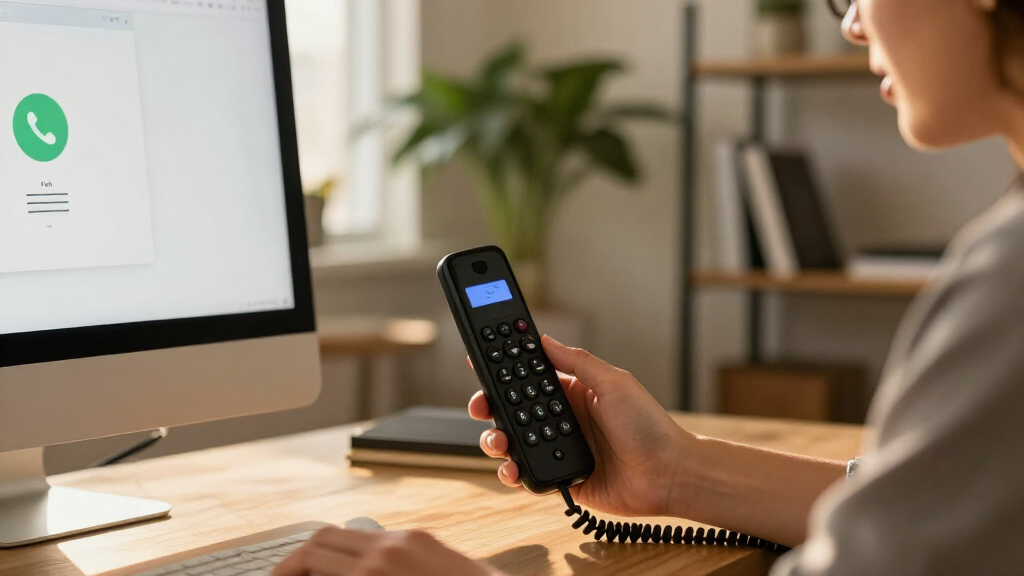
I ranked these systems by how well their format and setup match common calling needs: home phone service, cordless office use, and multi-line desk calling. I gave weight to practical usability, handset and line capacity, network flexibility, and whether a product is presented as a service-ready package or a phone that needs a separate VoIP provider. I also looked at how clearly each option fits a distinct buyer, since a phone with many line keys is not automatically a better choice for a household.
The order favors versatility and a clear use case over feature count alone. The Yealink W73P leads as a balanced cordless business system; Ooma’s Telo packages rank well for home users seeking a bundled service path; and higher-capacity desk phones rise for busy offices rather than general buyers. Adapter-based options and narrower models sit lower when their appeal depends on a particular network, service, or single-use scenario. Buyers should confirm provider compatibility and service terms before choosing any standalone SIP phone or adapter.
Factors to Consider When Choosing Best VoIP Phone Systems
Before choosing from the best VoIP phone systems, decide what the system needs to do in your space. The biggest source of mismatch is buying a desk phone when you need a home service bundle, or buying a service adapter when your workplace needs multiple SIP lines and desk controls.
Choose a service bundle or a standalone SIP phone
A phone that uses SIP is hardware, not necessarily a complete phone service. Standalone models usually need an account with a VoIP provider, and compatibility can depend on the provider’s supported devices and configuration. Ooma Telo packages take a more bundled route, which can reduce setup work for a household but ties the experience to that service. Before purchase, check what is included, whether a provider subscription is required, and whether number transfer is supported. Avoid assuming that an included handset means calls are ready to place without service activation. If you may change providers later, ask how easily the hardware can be reconfigured.
Match the phone format to where calls happen
A cordless DECT kit and a desk phone solve different problems, even if both connect to VoIP. Cordless handsets suit shared rooms, reception areas, and people who move around during calls; desk phones give a fixed workspace dedicated controls and a stable place for frequent calling. An adapter such as magicJack can make a traditional phone part of a VoIP setup, but it does not provide the same desk interface as a multi-line IP phone. Think about where callers actually take calls, not just where the router sits. For larger homes or offices, confirm cordless range and handset expansion limits with the manufacturer. A convenient form factor can matter more day to day than extra lines.
Buy for the call load you have, not a headline line count
Line capacity is useful when one person handles several numbers or a team needs to manage simultaneous calls, but it adds little for a household with one main number. Separate SIP accounts, line appearances, and concurrent calls are not interchangeable, so check what each specification means for the intended provider setup. A receptionist may benefit from a phone built for frequent call handling, while a small office can find a simpler model easier to manage. Consider who will answer, transfer, or park calls and whether those tasks are part of the daily routine. Paying for a high-capacity phone only makes sense when the call workflow will use it. For growth, confirm that your VoIP plan also supports the needed users and call paths.
Check network and power before choosing Wi-Fi or PoE
VoIP reliability depends on the local network, so connection options should match the wiring and coverage you already have. Ethernet with Power over Ethernet can reduce cable clutter when the switch supplies compatible power, but it will not help if the network hardware lacks PoE. Wi-Fi can simplify placement, yet signal congestion and weak coverage may affect call quality. A cordless phone’s link to its base is a separate connection from the base’s connection to the internet. Check router location, wired ports, power outlets, and network security policies before selecting a model. If calls are business-critical, prioritize a stable wired path over placing the phone wherever it is most convenient.
Plan handset count and shared access
Households and small offices often underestimate how much handset placement affects convenience. A single handset may be enough for one workspace, while multiple rooms or shared staff coverage can call for more handsets or a system designed to expand. Bundles with several handsets can simplify room coverage, but compare the included base and expansion limits rather than counting handsets alone. Ask whether calls can be transferred between handsets and whether each handset shares the same line or has its own extension. In an office, a cordless setup can improve mobility but may be less suited to employees who need dedicated desk controls. Choose the number and type of handsets around who answers calls and where they need to answer them.
Compare total ownership and support needs
The purchase is only one part of a VoIP system’s ongoing commitment. Service plans, taxes, emergency-calling capabilities, number portability, and optional features can differ by provider and location, so verify these before settling on a bundled service. Standalone business phones may offer more provider flexibility, but setup and troubleshooting can fall to the buyer or IT support. Firmware updates and provider provisioning also matter when a phone serves a team. For home use, a managed service may be easier to maintain; for an office, control over accounts and device settings may be more valuable. Decide who will handle configuration and support before choosing between convenience and flexibility.
Frequently Asked Questions
Can I use a standalone VoIP desk phone without buying a phone service?
Usually, a standalone SIP desk phone needs a VoIP account from a service provider to place and receive calls. The phone is the endpoint; the provider supplies the calling service and may need to provision the device or share account settings. Check the provider’s compatibility list before buying, since not every model works with every service. Some systems also require network configuration by the buyer or an administrator. If you want a more guided home setup, compare a bundled service package with a standalone business phone.
Should I choose a cordless VoIP system or a desk phone?
Choose cordless when callers need to move between rooms or share access to a base, and choose a desk phone when calls happen at a fixed workstation. Cordless systems trade dedicated desk controls for mobility and may depend on range between handset and base. Desk phones can better suit reception and call-heavy roles that use line keys and frequent transfers. Also check how each option connects to the internet; a cordless handset does not remove the base’s need for a reliable network connection. The right choice follows the call location and workflow, not simply the number of listed features.
How many lines do I need on a VoIP phone?
For a household or a user with one main business number, a low line count is often enough. More lines can help receptionists and staff who manage several numbers or multiple active calls, but line keys alone do not create extra phone service or users. Confirm whether a model’s line capacity refers to SIP accounts, call appearances, or another configuration, then check that your provider plan supports the same setup. If calls are shared across a team, extensions and call routing may matter more than the number of lines on one handset. Avoid paying for capacity that your workflow and service plan cannot use.
What should I check before choosing an Ooma Telo package?
Check which handset or handsets are included, what service activation involves, and which calling features depend on a plan or add-on. A single-handset package may suit a smaller home, while a multi-handset bundle can offer more convenient coverage across rooms. Review emergency-calling arrangements and number-transfer rules for your address before relying on the system as a primary home phone. Also confirm that your internet connection and router location suit the Telo device. The bundled approach can simplify setup, but it offers a different kind of provider flexibility than a standalone SIP phone.
Will Wi-Fi make a VoIP phone more reliable than Ethernet?
Not by itself. Wi-Fi can make placement easier, but call quality depends on signal strength, interference, network traffic, and router performance. Ethernet is often the steadier choice for a fixed business phone, especially when the network can supply Power over Ethernet and avoid a separate power adapter. A Wi-Fi model can still be a sensible fit where running cable is impractical, provided coverage is strong where calls happen. Test the connection in the actual phone location and consider whether other household or office traffic could compete for bandwidth.
Conclusion
For the best overall balance, I’d start with the Yealink W73P if cordless business calling fits your setup. The best value in simplicity is an Ooma Telo package for home users who want a service-oriented route; choose the three-handset bundle when calls need to reach multiple rooms. For a premium, call-heavy desk, the Grandstream GXP2170 is the stronger match, while the Yealink SIP-T33G is a more approachable desk-phone option for buyers who do not need a high line count. Beginners should lean toward a bundled Ooma system, after checking service terms, while buyers with specific needs can choose the Poly VVX 411 for a multi-line workflow, the GRP2612W for Wi-Fi and PoE flexibility, or magicJack when an adapter-based setup suits their existing phone. Match the device to your provider, network, and call pattern before deciding.
Halloween Picks
halloween
As an affiliate, we earn on qualifying purchases.