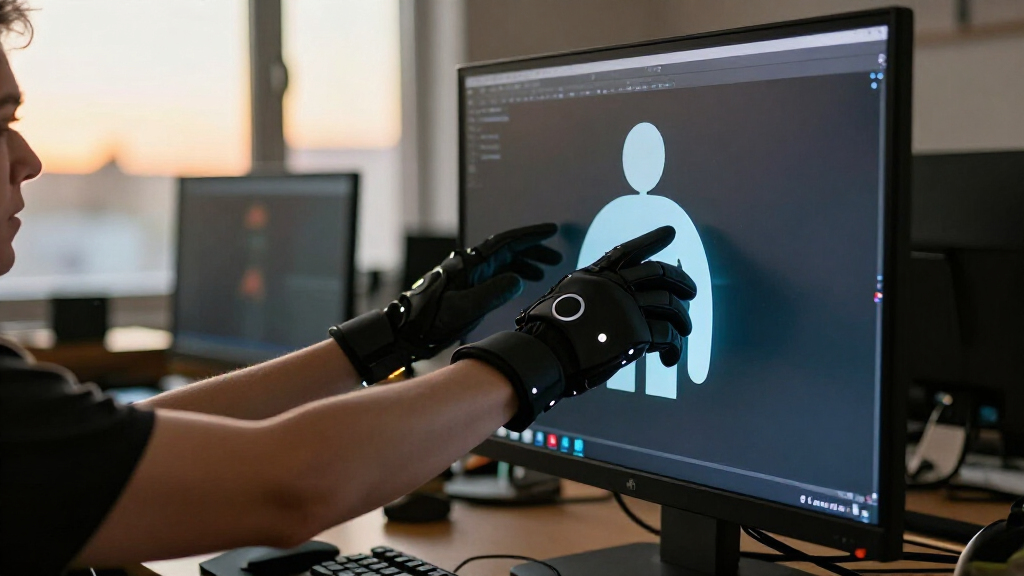

The Inertia VR Motion Capture Gloves, Size S are sensor-equipped gloves for capturing hand movement in VR and interactive projects. Their 12-sensor layout and included mobile editing and playback software give them a more complete starting point than a bare sensor component. The catch is that the listing leaves compatibility and configuration details unclear, and it also describes versions that may not include sensors. The early verdict: this is a plausible fit for a small-handed creator whose tracking setup is already compatible, but it is a harder purchase to justify without confirming exactly what is in the box.

Get the latest gadgets delivered free with Prime
- Fast, free delivery on millions of items
- Prime Video, Amazon Music and more included
- Member-only deals all year

Inertia VR Motion Capture Gloves
- ✔ Sensor layout: 12 sensors covering key nodes
- ✔ Tracking: Supports mainstream optical positioning and tracking
- ✔ Software: Mobile capture software with data editing and playback
Why This Product Stands Out
The Inertia gloves stand out by combining multiple motion sensors with software for editing and playback. That pairing matters because it gives creators a way to capture a gesture and then check whether the recorded movement is useful before bringing it into a project. The mobile tools may save time for solo creators who want to review clips without building a separate desktop workflow. The product is therefore more compelling as a capture kit than as a simple accessory, provided the included app supports the buyer’s devices and export needs.
The 12-sensor layout is intended to represent key hand movements, which could give animators and interactive-media developers more gesture detail to work with than a basic controller input. The listing does not say how accurately the sensors capture motion or map them across the hand, so the count alone cannot establish the quality of the resulting animation. Optical tracking support may help place that hand movement within a larger VR setup, but its value depends on whether the buyer’s specific hardware and software are supported. That makes the concept credible for creators who already have a compatible system, while first-time buyers have less information to judge whether it will work.
Compared with separate components such as the Wuden flex sensors, a glove kit can reduce the work of assembling and arranging sensors, while adding a capture and playback workflow. That convenience only has value if the advertised version includes the sensors and connects to the buyer’s tools. A Walfront motor controller serves a different purpose: it is a component for haptic feedback, not a substitute for a hand-motion capture glove. The Roto VR chair is also a different kind of product, aimed at seated motion gaming and haptics rather than recording hand gestures.
Key Features and What They Mean
Twelve sensors cover key hand nodes, according to the description. For an animator or interactive-media creator, sensing several parts of the hand can make gestures more expressive than a single sensor or basic controller input. That added movement data may help a creator record finger and hand poses for animation or interaction, giving users a more natural range of gestures to work with. The listing does not provide a sensor map, motion range, or accuracy figure, so buyers cannot tell how much detail the recordings will preserve. The sensor count suggests a capture-oriented design, but it does not by itself guarantee usable or precise animation.
The gloves support mainstream optical positioning and tracking. In a compatible setup, optical tracking can locate hand movement in relation to the wider VR environment, helping developers connect a captured gesture to an avatar or interactive scene. This is most useful for creators who already own optical tracking equipment and want hand capture to fit into that workflow. The listing does not identify supported devices or integrations, however, so buyers should confirm that their hardware and software can use the gloves before purchase. The feature can extend an existing setup, but the general compatibility claim does not establish that it will work with any particular system.
The included mobile software for editing and playback gives creators a way to inspect a take and make adjustments. Playback can help catch a missed or awkward gesture soon after recording, while editing may make it easier to refine motion without first moving to a separate tool. That could save time for hobbyists and small teams who need a quick review loop. The listing says nothing about file formats, export options, supported phones, or account requirements. Buyers with a production pipeline should check those details to know whether edits can reach their next tool; for casual capture, in-app review may still be a useful convenience.
The product is described as built for quick setup and extended use. If setup is straightforward, creators recording many gestures may spend less session time preparing equipment and more time capturing takes. Comfort and fit also matter during long sessions: a properly fitting glove may make repeated hand poses easier, while a poor fit can distract the wearer and affect movement. The listing provides no setup time, battery specification, charging method, comfort detail, or sizing chart, and offers Size S only. Buyers should confirm that the size fits before relying on the gloves for sustained capture.
Performance and Real-World Use
The likely day-to-day appeal is the possibility of moving from wearing the gloves to capturing, reviewing, and editing motion within one connected workflow. The mobile playback and editing tools may help individual creators or small teams inspect a gesture without first setting up a separate desktop process. That convenience depends on the app working with the buyer’s device and the captured data being usable in their intended project. The product description supplies no file-format or export information, so those details deserve a check before purchase.
Setup and tracking are the main practical unknowns. The gloves are described as supporting optical positioning and mainstream tracking, but the listing does not name compatible systems or explain calibration. For an owner with a known, supported setup, confirming those points could make the gloves a sensible way to add hand capture. For a first-time buyer, unclear integration details could mean extra research and possible troubleshooting. The listing also does not provide measured latency or accuracy, which matters if the motion needs to feel responsive or meet a production standard.
Comfort and long-session use are relevant because the gloves are presented for extended sessions, but no materials, adjustment range, or sizing chart are included in the supplied details. Size S may suit some buyers and exclude others; fit should not be inferred from the product title alone. Nor does the available description establish battery life, cleaning guidance, or long-term durability. The product has a promising capture concept, while important aspects of its everyday usability remain undocumented.
Who Should Buy This
These gloves make the most sense for a small-handed VR developer, animator, or interactive-media creator who specifically needs hand-motion capture, already uses a compatible optical tracking setup, and can confirm that the selected listing version includes all 12 sensors. They may also suit a hobbyist who values an included mobile tool for reviewing and editing movement and is comfortable checking software and export requirements before ordering. In either case, the buyer should have a clear capture goal; the gloves are a specialized tool, not a general VR upgrade.
Who Should Skip This
Skip this listing if you need documented compatibility before purchase, a guaranteed plug-and-play path, a size other than S, or detailed performance specifications for professional capture. It is also a poor match if you are seeking haptic feedback rather than motion recording: a haptic motor controller or a motion gaming chair serves a different purpose. Buyers who want to experiment with individual bend sensors and build their own electronics may prefer the Wuden flex sensors, provided they are prepared to assemble and integrate a custom setup.
Value for Money
The value case rests on whether the included glove sensors and software save the buyer time compared with assembling a capture setup from separate parts. A 12-sensor layout plus editing and playback could be worthwhile for someone who needs those pieces and can use them with existing equipment. The listing does not provide enough detail to compare precision, compatibility, or long-term operating costs with better-documented capture systems. Its value is therefore conditional rather than broadly compelling: it makes sense when fit, sensor inclusion, and software support are confirmed, but uncertainty weakens the case for buyers who cannot verify those basics. For haptic feedback or seated motion gaming, the named alternatives address those needs more directly, though they are not direct glove substitutes.
Inertia VR Motion Capture Gloves
The Inertia gloves stand out by combining multiple motion sensors with software for editing and playback. That pairing matters because it gives creators a way to capture a gesture and then check whether the recorded movement is useful before bringing it into a project.
Pros:
- The 12-sensor layout is intended to capture key hand movements, which can provide more useful gesture data than a single sensor or a basic controller input.
- Included mobile capture software with editing and playback may let creators review and adjust recorded motion without assembling a separate software workflow.
- Support for mainstream optical positioning and tracking may suit projects that already rely on optical tracking equipment, subject to platform compatibility.
- The gloves are described as designed for quick setup and extended use, a practical aim for repeated capture sessions rather than occasional demonstrations.
- As a glove-based system, the product offers a direct route to capturing hand movement for VR and interactive applications without building a sensor arrangement from separate components.
Cons:
- The listing does not identify specific headsets, tracking systems, operating systems, or software integrations, so buyers cannot judge fit from the description alone.
- Several versions appear in the listing, including options without sensors; the name and photos may not be enough to confirm which configuration is being sold.
- The product is presented in Size S only, which rules it out for buyers who need another fit and makes sizing confirmation important before ordering.
- The description gives no measured tracking accuracy, latency, battery life, or durability details, leaving real-world performance hard to compare with established capture systems.
Best for: Small-handed VR and interactive-media creators who need glove-based hand-motion capture and can confirm compatibility with their existing tracking setup.
Not ideal for: Buyers who need a clearly documented plug-and-play system, multiple size options, or confirmation that a particular software and tracking platform will work.
Bottom line: The Inertia VR Motion Capture Gloves are worth considering for a narrow, well-matched use case : a Size S buyer who needs hand-motion capture, has compatible optical tracking, and confirms the sensor-equipped version and app workflow before
Frequently Asked Questions
Do the Inertia gloves work with my VR headset or optical tracking system?
The supplied description says they support mainstream optical positioning and tracking, but it does not name specific headsets, trackers, or software. Check compatibility with your exact setup before buying; the general claim alone cannot confirm that the gloves will connect to it.
Does this listing definitely include all 12 sensors?
The product description describes a 12-sensor glove layout, while also referring to versions that may be sold without sensors. Confirm the selected configuration and package contents with the seller before ordering so you know whether the sensor-equipped gloves are included.
Is the mobile software enough for a production workflow?
The software is described as supporting editing and playback, which can help with review and basic adjustments. The listing does not specify export formats, integrations, or device requirements, so confirm that it can move data into your intended animation or interactive-media workflow.
What should I choose if I want haptic feedback instead of motion capture?
These gloves are described as motion capture equipment, not a haptic feedback system. A motor controller is a component for building haptic effects, while the Roto VR chair targets motion gaming and seated haptics. Choose according to the function you need; neither is a direct replacement for glove-based hand tracking.
Final Thoughts
The Inertia VR Motion Capture Gloves are worth considering for a narrow, well-matched use case: a Size S buyer who needs hand-motion capture, has compatible optical tracking, and confirms the sensor-equipped version and app workflow before ordering. The 12 sensors and mobile editing and playback are the strongest reasons to choose them. For anyone who needs clear platform support, other sizes, or dependable performance details up front, the listing does not provide enough evidence to recommend a confident purchase. Buy only after checking fit, package contents, and compatibility; otherwise, choose a better-documented system or a component designed for the specific task.