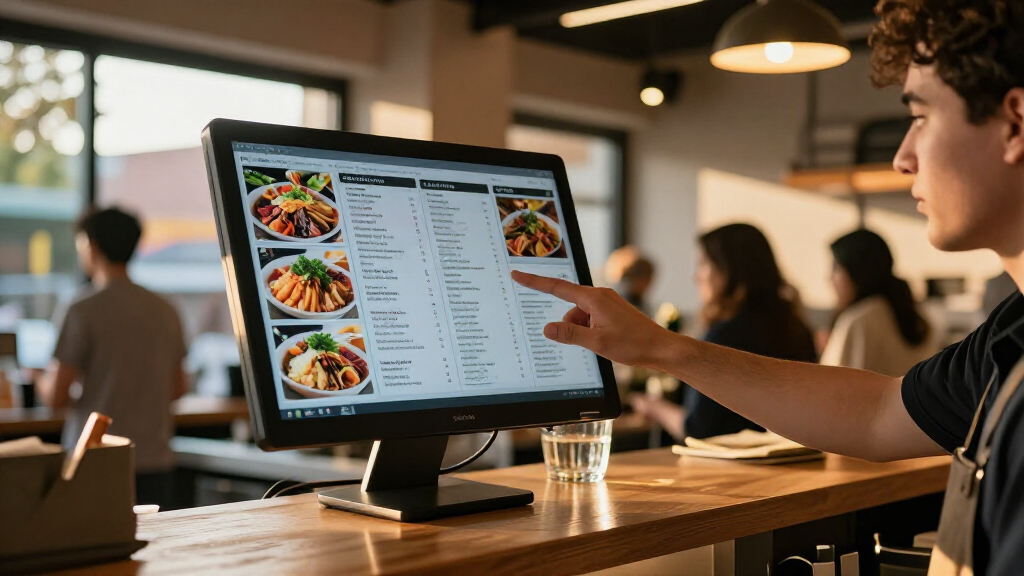

The best digital signage displays balance visibility, dependable playback, and an installation that fits the space. My best overall pick is the 50-inch 1000-nit 4K commercial screen, which pairs high brightness with sharp resolution for window-facing and well-lit locations. The Samsung QM55R stands out as a brand-backed 4K option, while the LG 32SM5J-B suits buyers who want a compact screen with webOS. The main tradeoffs are brightness versus indoor comfort, touchscreen interactivity versus simpler playback, and commercial software support versus a lower-complexity setup. Read on for the full breakdown and a guide to matching the display to your venue.

Get the latest gadgets delivered free — and shop member deals
- Fast, free delivery on millions of items
- Access to Prime Big Deal Days deals on October 6–7
- Prime Video, Amazon Music and more included
Complete the kit



Key Takeaways
- Brightness changes the shortlist: the 1000-nit 50-inch and 43-inch options are better candidates for bright storefronts than the Samsung QET’s 300-nit rating.
- Screen size alone does not make a kiosk: the 55-inch and 65-inch floor-standing models are built for freestanding presentation, while standard commercial screens suit wall or fixture mounting.
- Touch adds a different job, not just another feature: touchscreen models fit menus, directories, and self-guided browsing, but passive advertising usually does not need interactive hardware.
- Software and playback vary widely: Samsung’s MagicInfo Lite, LG’s webOS, Android-based models, and built-in media players call for different levels of setup and ongoing content management.
- Compact displays solve placement problems: the 18.5-inch high-brightness model and Samsung’s 24-inch commercial screen can fit counters or tight spaces where a 43-inch display would dominate.




| digital signage display | Resolution | Display size | Brightness | Viewing angle |
|---|---|---|---|---|
| 50" Digital Signage Display 10 | 3840 x 2160 (4K UHD) | 50 inches | 1000 nits | 170 degrees |
| 65 inch Indoor Digital Signage | 3840 x 2160 (4K UHD) | 65 inches | 500 cd/m² | 178 degrees |
| 55-inch Touch Digital Signage | 3840 x 2160 (4K UHD) | 55 inches | 700 nits | 178 degrees |
| 32/43/55/65 Inch Digital Signa | 1920 x 1200 | — | 600 nits | 178 degrees |
| Samsung 43" QET Series LFD Dis | 3840 x 2160 (4K UHD) | 43 inches | 300 cd/m² | 178 degrees |
| MWE 65 Inch 4K Digital Signage | 4K | 65 inches | — | 178° |
| Samsung QM55R 55-Inch 4K UHD C | 3840 x 2160 (4K UHD) | 55 inches | 500 nits | — |
| 18.5-inch Digital Signage Disp | 1366 x 768 | 18.5 inches | 700 nits | 178° |
| MWE 32 Inch Indoor Digital Sig | 1920 x 1080 (FHD) | 32 inches | — | 178° |
| Samsung 24” Commercial UHD LED | Full HD | 24 inches | — | — |
| MWE 43 Inch Indoor Digital Sig | — | — | 1000 nits | — |
| 43 Inch Digital Signage Displa | 3840 × 2160 (4K UHD) | 43 inches | 800 nits | 178 degrees |
| LG 32” 32SM5J-B Full HD Standa | 1920 × 1080 (Full HD) | 32 inches | 400 cd/m² | — |
More Details on Our Top Picks
50″ Digital Signage Display 1000-Nit 4K UHD Commercial Screen
For shops and restaurants where ambient light can wash out a screen, this 50-inch, 1000-nit display has a clear advantage over the 65-inch touchscreen model, which is rated at 500 nits. Its 4K resolution and multi-zone playback suit promotional layouts that need to show several messages at once, while Android, 32GB of storage, and remote content control support day-to-day updates. The slim profile and narrow bezels also make it a cleaner wall-mounted choice than the wheeled 55-inch kiosk. The tradeoff is installation: at 20 kg, it needs a secure mount, and its glossy finish may reflect nearby lights. I’d choose it for bright indoor locations, not for interactive use or motion-heavy video.
Pros:- 1000-nit brightness is suited to bright indoor environments.
- 4K resolution and multi-zone display support detailed, simultaneous content.
- Android, 32GB storage, and remote content control support flexible updates.
- Narrow bezels and a slim profile suit clean wall installations.
Cons:- At 20 kg, it requires a sturdy mount and careful installation.
- Glossy screen finish can reflect ambient light.
- 60 Hz refresh rate is less suited to fast-moving video.
Best for: Retailers and restaurant operators who need bright, wall-mounted 4K promotions in well-lit indoor spaces.
Not ideal for: Buyers seeking a touchscreen kiosk, a lightweight screen for frequent repositioning, or a matte display for reflection-prone locations.
- Display size:50 inches
- Resolution:3840 x 2160 (4K UHD)
- Brightness:1000 nits
- Contrast ratio:2000:1
- Viewing angle:170 degrees
- Operating system:Android
- Built-in storage and RAM:32GB storage, 4GB RAM
- Lifespan:50,000 hours
Our verdict“Choose this 50-inch model for bright indoor advertising where screen visibility matters more than touch interaction or easy relocation.”
65 inch Indoor Digital Signage 4K Touchscreen with CMS Software and Android OS
The strongest reason to choose this model is its 65-inch touchscreen: it gives customers room to browse menus, directories, or product information directly on the display. Its 178-degree viewing angle helps keep the image visible from the sides, though the 500-nit brightness is well below the 1000-nit 50-inch commercial screen, making this a better fit for controlled indoor lighting than bright storefront windows. Compared with the wheeled 55-inch kiosk, it offers a larger panel, but the listed 60 kg weight points toward a fixed installation rather than easy repositioning. The listing also leaves CMS capabilities and software update details unclear. I’d favor it when screen size and touch matter more than portability or transparent software support.
Pros:- 65-inch 4K touchscreen provides a generous interactive area.
- 178-degree viewing angle suits shared public spaces.
- Android supports multimedia playback and remote management.
- Built-in 2 x 5W speakers can provide basic audio without separate speakers.
Cons:- The listed 60 kg weight calls for sturdy installation and makes relocation difficult.
- 500-nit brightness is lower than the 50-inch 1000-nit display and may be less effective in bright areas.
- CMS features and software update support are not clearly detailed.
Best for: Businesses installing a large indoor touchscreen for customer-facing directories, product browsing, or interactive promotions.
Not ideal for: Bright-window retailers, teams that regularly move displays, or buyers who need clearly documented CMS and update support.
- Display size:65 inches
- Resolution:3840 x 2160 (4K UHD)
- Brightness:500 cd/m²
- Viewing angle:178 degrees
- Touchscreen:Available in touch and non-touch versions
- Operating system:Android
- Connectivity:Wi-Fi, HDMI, USB
- Weight:60 kg
Our verdict“Pick this model when a large indoor touch surface is the priority and you can provide a secure, mostly fixed installation.”
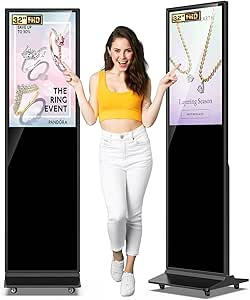
55-inch Touch Digital Signage Display Kiosk Floor Stand Advertising
This kiosk combines a 55-inch 4K touchscreen with four wheels, giving it a practical advantage over the 65-inch touchscreen display, which is listed at 60 kg and is better treated as a fixed installation. The wheels make it easier to reposition the kiosk for changing promotions or events, although its own 60-pound weight still makes frequent moves a two-person task. At 700 nits, it sits between that 65-inch model and the 1000-nit 50-inch screen for brightness, with a wide 178-degree viewing angle for audiences approaching from different directions. Android 14, Wi-Fi, Bluetooth, and CMS support add playback flexibility. The listing gives limited detail on touch sensitivity and software updates, so I’d confirm those points before relying on it for complex interactive use.
Pros:- 55-inch 4K touchscreen supports detailed, interactive content.
- Wheels allow repositioning between indoor locations.
- 700-nit brightness and 178-degree viewing angle suit many public-facing spaces.
- Android 14, Wi-Fi, Bluetooth, and CMS support offer multiple playback options.
Cons:- At 60 pounds, moving it often may require assistance despite the wheels.
- Designed primarily for indoor use and not specified for outdoor conditions.
- Touch performance and software update details are limited.
Best for: Retail teams, venues, and event organizers who need a freestanding 4K display that can be repositioned indoors.
Not ideal for: Outdoor installations, buyers needing a lightweight unit for solo moves, or operators requiring detailed documentation on touch and software support.
- Display size:55 inches
- Resolution:3840 x 2160 (4K UHD)
- Display technology:IPS LCD
- Brightness:700 nits
- Viewing angle:178 degrees
- Operating system:Android 14.0
- Connectivity:HDMI, Wi-Fi, Bluetooth
- Weight:60 pounds
- Life expectancy:Over 50,000 hours
Our verdict“Choose this kiosk for indoor promotions that benefit from a movable floor stand and interactive 4K screen.”
32/43/55/65 Inch Digital Signage Display LCD Screen Advertising Kiosk with Touch, Android OS, USB/HDMI/WiFi
Its most distinctive advantage is the stated three-year warranty, which gives this freestanding touchscreen a clearer support commitment than the one-year warranty listed for the 55-inch wheeled kiosk. The 600-nit IPS panel, 178-degree viewing angle, Android platform, and split-screen function are suited to public information and advertising where viewers may approach from different angles. Multiple size options also let buyers match the installation to the space, although the supplied dimensions are unusually large and should be checked against the chosen configuration before ordering. One tradeoff is resolution: the listed 1920 x 1200 falls short of the 4K panels on the Samsung 43-inch QET and the other touch displays here. I’d shortlist it for durable, interactive installations, but confirm the exact size, dimensions, and software capabilities first.
Pros:- Touch panel and split-screen functionality support interactive, multi-message use.
- 600-nit brightness and 178-degree viewing angle suit public-facing indoor spaces.
- Android and Wi-Fi, HDMI, and USB provide several content input options.
- Three-year warranty is longer than the one-year coverage listed for the 55-inch wheeled kiosk.
Cons:- Listed 1920 x 1200 resolution is below the 4K displays in this roundup.
- Freestanding format and listed dimensions may require substantial floor space.
- Software customization details and size-specific measurements are unclear.
Best for: Organizations fitting a fixed, high-traffic indoor location that want touchscreen interaction and a stated three-year warranty.
Not ideal for: Buyers prioritizing 4K image detail, a compact footprint, or fully specified software and configuration details.
- Available display sizes:32, 43, 55, and 65 inches
- Resolution:1920 x 1200
- Brightness:600 nits
- Viewing angle:178 degrees
- Contrast ratio:2000:1
- Touch panel:Yes
- Operating system:Android
- Connectivity:Wi-Fi, HDMI, USB
- Warranty:3 years
Our verdict“Consider this for a fixed, high-traffic touchscreen installation if its resolution and exact configuration meet your needs.”
Samsung 43″ QET Series LFD Display with MagicInfo Lite Player, 4K UHD, 8ms Response, 300 nits, Built-in Speakers
The Samsung QET is a more restrained choice than the Android kiosks: its 43-inch 4K screen and integrated MagicInfo Lite Player suit scheduled business content without the floor-standing footprint or touch features of the 55-inch kiosk. Samsung lists 16/7 operation and a three-year onsite warranty, which make it a credible fit for displays that run through most business hours. Its main compromise is 300-nit brightness, lower than every other display in this group with a listed brightness figure, so it belongs indoors away from strong daylight. It also lacks listed Wi-Fi, leaving fewer documented connectivity options than the Android models. I’d choose it for a familiar, fixed signage setup with modest ambient light, not a bright storefront or interactive customer station.
Pros:- 4K UHD resolution provides detailed text and promotional imagery.
- Integrated MagicInfo Lite Player supports content playback without a separate player.
- Designed for 16/7 operation and includes a three-year onsite warranty.
- 43-inch format is more compact than the 55- and 65-inch kiosk displays.
Cons:- 300-nit brightness is lower than the other listed brightness figures in this group.
- Wi-Fi is not listed, limiting documented wireless connectivity.
- 43-inch size and non-touch design are less suited to large or interactive installations.
Best for: Small businesses and offices needing a fixed 4K screen for scheduled indoor messaging during business hours.
Not ideal for: Bright storefronts, buyers needing touch interaction or listed Wi-Fi, and installations requiring a larger screen.
- Display size:43 inches
- Resolution:3840 x 2160 (4K UHD)
- Brightness:300 cd/m²
- Contrast ratio:4000:1
- Viewing angle:178 degrees
- Content player:MagicInfo Lite Player
- HDMI and USB ports:2 HDMI, 1 USB
- Warranty:3-year onsite warranty
Our verdict“Choose the Samsung for scheduled, non-interactive 4K signage in a moderate-light indoor setting where its built-in player and support coverage fit the job.”
MWE 65 Inch 4K Digital Signage Display Kiosk, Indoor Floor Standing Advertising Poster, Android System
The MWE 65-inch kiosk is the floor-standing choice for venues that need a large, self-contained screen for promotions or wayfinding. Its 4K IPS panel and 178-degree viewing angle help keep content legible from different positions, while Android playback and remote management offer more flexibility than a display that depends on a separate media player. Compared with the Samsung QM55R, this MWE is larger and designed as a freestanding kiosk, but the Samsung has stated 24/7 operation, higher specified contrast, and an anti-glare panel. The MWE’s glossy finish may be less forgiving under strong lighting, and its 81-inch height and broad footprint call for careful placement. I’d choose it for indoor venues prioritizing screen scale and integrated playback, not for tight spaces or demanding conditions where durability details matter.
Pros:- 65-inch 4K IPS screen provides detailed content on a large format
- 178-degree viewing angle supports visibility from varied positions
- Android system and remote management support flexible content playback
- Three-year warranty is specified
Cons:- Large floor-standing footprint needs substantial placement space
- Glossy screen can reflect bright indoor lighting
- Durability in harsh or high-traffic environments is not detailed
Best for: Retailers, hotel lobbies, and event venues that need a large freestanding screen for indoor advertising or wayfinding.
Not ideal for: Small shops or buyers needing a specified 24/7 commercial rating, outdoor suitability, or an anti-glare screen.
- Display size:65 inches
- Resolution:4K
- Display technology:LCD IPS
- Contrast ratio:1200:1
- Viewing angle:178°
- Refresh rate:60 Hz
- Screen finish:Glossy
- Dimensions:33.23″D x 17.72″W x 81.1″H
- Warranty:3 years
Our verdict“Choose this MWE for a large indoor freestanding display with Android playback, provided you have room for its kiosk footprint.”
Samsung QM55R 55-Inch 4K UHD Commercial LED Display with HDMI, Wi-Fi, 3-Year Warranty
The Samsung QM55R is the strongest fit here for businesses that need a wall-mounted display specified for 24/7 commercial use. Its 500-nit brightness and non-glare panel make it a more practical choice for continuously running messages in lit interiors than the glossy MWE 65-inch kiosk. The 55-inch 4K screen is smaller and less visually imposing than that floor-standing model, but its 4000:1 contrast ratio, Wi-Fi, Bluetooth, and embedded media player support a more conventional installed signage setup. Samsung’s MagicInfo platform adds a content-management route, though setup may take more effort than a simple USB playback arrangement. I’d favor this over the compact Samsung 24-inch display when visibility across a larger room and continuous operation matter; it is less suited to buyers seeking a portable kiosk or a small counter screen.
Pros:- Specified for 24/7 commercial operation
- 500-nit brightness and non-glare panel suit lit indoor environments
- Built-in Wi-Fi, Bluetooth, and embedded media player support flexible content delivery
- 4K UHD resolution and 4000:1 contrast ratio
Cons:- Setup and MagicInfo configuration may take more effort than basic USB playback
- Fixed-display format is less portable than the MWE 32-inch kiosk
- No touch functionality is specified
Best for: Businesses installing a fixed screen in a lobby, retail space, or control area that needs to run signage around the clock.
Not ideal for: Buyers who need a freestanding kiosk, a compact counter display, or a screen with touch capabilities.
- Display size:55 inches
- Resolution:3840 x 2160 (4K UHD)
- Brightness:500 nits
- Contrast ratio:4000:1
- Connectivity:HDMI, Wi-Fi, Bluetooth, DisplayPort
- VESA mount:200 x 200 mm
- Weight:39.9 pounds
- Warranty:3 years
Our verdict“Pick the QM55R for a fixed commercial installation that needs 24/7 operation and a non-glare 4K screen.”
18.5-inch Digital Signage Display with 700 Nits Brightness and Built-in CMS
This 18.5-inch screen is the compact pick for counters, reception desks, and other spots where a full-size kiosk would crowd the space. Its 700-nit brightness is a notable advantage over the Samsung QM55R’s 500 nits on paper, but the much smaller 1366 x 768 panel is intended for short messages and simple promotional graphics rather than detailed, large-format content. Android 12, cloud CMS, and USB playback give staff several ways to update material; the portrait and landscape stand also makes it easier to adapt the screen to a counter layout. Compared with the Samsung 24-inch commercial display, this model offers higher stated brightness and explicit CMS support, while Samsung specifies an IP5X rating. The lower resolution and lack of built-in speakers limit its appeal for richer presentations.
Pros:- 700-nit brightness supports visibility in bright indoor settings
- Cloud CMS and USB playback provide flexible content updates
- Portrait and landscape placement suit different counter layouts
- HDMI, USB, TF card, and LAN connections
Cons:- 1366 x 768 resolution is limited for detailed content
- Small screen is not suited to viewing from across a large space
- Built-in speakers are not included
Best for: Cafes, reception desks, and small retailers that need a bright, remotely managed display for close-range messaging.
Not ideal for: Buyers displaying fine text, detailed graphics, or video intended to be seen across a large room.
- Display size:18.5 inches
- Brightness:700 nits
- Resolution:1366 x 768
- Contrast ratio:1500:1
- Viewing angle:178°
- Operating system:Android 12
- Ports:1 HDMI, 3 USB 2.0, 1 USB 3.0, TF card, LAN, DC
- Power consumption:55 watts
- Warranty:3 years
Our verdict“Choose this compact display for bright, close-range counter messaging with remote CMS, not for detailed or room-wide signage.”
MWE 32 Inch Indoor Digital Signage Display Monitor, LCD Kiosk with Auto Media Player, HDMI/USB
The MWE 32-inch kiosk is a practical middle ground for businesses that want a larger, freestanding sign without the footprint of the 65-inch MWE model. Its Full HD IPS display and 178-degree viewing angle suit menus, announcements, and promotional graphics viewed from several directions. HDMI and USB inputs keep local playback straightforward, while remote CMS updates add flexibility for changing content. The listed foldable design and wheels make relocation possible, but at 21.55 kg, moving it is not effortless and setup may call for help. Compared with the 18.5-inch CMS display, this MWE gives content more screen area and a more visible floor-standing format; the smaller model is easier to place on a counter and lists higher brightness. The MWE’s 1080p resolution also falls short of the 4K Samsung QM55R.
Pros:- 32-inch Full HD IPS panel offers a larger viewing area than countertop signage
- 178-degree viewing angle supports visibility from multiple positions
- HDMI and USB inputs support familiar playback options
- Foldable design and wheels aid relocation
Cons:- At 21.55 kg, it is heavy to move and set up
- Full HD resolution lacks the detail of the Samsung QM55R’s 4K panel
- Built-in speakers are not specified
Best for: Retailers, schools, and event teams that need a movable floor-standing display for Full HD announcements or promotions.
Not ideal for: Buyers who need 4K detail, lightweight portability, or documented built-in audio.
- Display size:32 inches
- Resolution:1920 x 1080 (FHD)
- Display technology:LCD
- Viewing angle:178°
- Refresh rate:60 Hz
- Response time:5 ms
- Ports:1 HDMI, 2 USB
- Weight:21.55 kg
- Warranty:3 years
Our verdict“Choose the MWE 32-inch kiosk when you need a movable floor-standing Full HD screen and can manage its weight.”
Samsung 24” Commercial UHD LED LCD Display Sign, Full HD Resolution, Compact Design, Home UI, LH24QBCEBGCXZA
The Samsung 24-inch display suits businesses that need a tidy, fixed screen for short messages in a constrained or dusty location. Its Full HD resolution, wall-mount design, and built-in Wi-Fi provide a straightforward signage setup, while the stated IP5X rating gives it a durability detail not listed for the 18.5-inch CMS display or the MWE kiosks. Samsung’s Home UI is intended to simplify on-screen use, though the product information does not spell out a specific CMS platform or remote-management workflow beyond Wi-Fi. It is a more compact installation than the Samsung QM55R, but the smaller 24-inch screen cannot provide the same room-wide visibility. I’d shortlist it for dusty back-office areas or small retail spaces; buyers needing a large image, portrait orientation, or touch interaction should choose another format.
Pros:- Compact 24-inch size fits space-limited installations
- Full HD resolution supports clear text and graphics
- Built-in Wi-Fi supports network connectivity
- IP5X rating is specified for dusty environments
Cons:- Small screen is less visible across a large room than the Samsung QM55R
- Remote content-management details are limited
- Touch capability is not specified and orientation is listed as landscape
Best for: Small retailers, clinics, and back-office teams needing a wall-mounted Full HD sign in a space where dust resistance matters.
Not ideal for: Venues that need a large screen, portrait placement, confirmed touch interaction, or detailed CMS specifications.
- Model number:LH24QBCEBGCXZA
- Display size:24 inches
- Resolution:Full HD
- Connectivity:Built-in Wi-Fi
- Durability:IP5X rating
- Mounting type:Wall mount
- Orientation:Landscape
- Dimensions:16″L x 24″W
Our verdict“Choose this Samsung for compact, wall-mounted Full HD messaging where its stated IP5X rating is useful.”
MWE 43 Inch Indoor Digital Signage Display, 1000 Nits Window Advertising Kiosk, Custom Logo, Support Floor Standing or Ceiling Mount
The MWE 43-inch display is the clearest fit here for shops where daylight or strong overhead lighting can wash out a standard screen. Its 1000-nit brightness exceeds the 800 nits listed for the Android 4K 43-inch model, though the MWE’s supplied specs do not state a resolution. Content can be loaded by app, USB, or internal memory, and split-screen playback gives retailers room to combine promotions with secondary information. The choice of floor-standing or ceiling-mounted installation also suits spaces where a conventional screen location will not work. The tradeoff is a more demanding setup and indoor-only positioning; unlike the LG 32SM5J-B, it has no stated 24/7 rating. I’d pick it for visibility and placement flexibility, not for a documented commercial operating schedule.
Pros:- 1000-nit brightness is suited to strongly lit indoor retail areas.
- Content can be supplied through a mobile app, USB, or built-in memory.
- Split-screen and multi-format playback support varied promotional layouts.
- Floor-standing and ceiling-mounted installation options suit different store layouts.
Cons:- Specified for indoor use, with no stated weather resistance for outdoor placement.
- Resolution and operating-hour rating are not provided in the supplied specifications.
- Technical setup may take more effort than a display with a clearly specified operating platform.
Best for: Retailers placing signage in bright indoor storefronts who need either floor-standing or ceiling-mounted installation and flexible playback sources.
Not ideal for: Businesses needing outdoor-rated signage, confirmed 24/7 operation, or a display with clearly specified resolution and platform details.
- Screen size:43 inches
- Brightness:1000 nits
- Installation:Floor standing or ceiling mounted
- Content management:Mobile app, USB, or built-in memory
- Playback:Split-screen and multi-format playback
- Included components:Digital signage, accessories, installation tools, and USB flash disk
- Warranty:2 years
Our verdict“Choose the MWE when bright indoor visibility and flexible mounting matter more than a documented resolution or 24/7 rating.”
43 Inch Digital Signage Display with Android OS, Auto Ad Player, WiFi, HDMI, USB
This 43-inch Android display offers the most explicitly detailed image and connectivity specs among these three picks: 4K UHD resolution, an IPS panel, Wi-Fi, and HDMI. That resolution helps fine text, product details, and high-resolution creative stay crisp, while the mobile app and timer support remote control and scheduled ads. Its 800-nit brightness is substantial, but falls short of the MWE’s 1000 nits, making the MWE a stronger candidate for particularly bright indoor locations. Compared with the LG 32SM5J-B, this model gives you a larger screen and higher resolution, but the LG lists LAN and RS232C connections and a 24/7 operating rating. The supplied information gives limited detail on scheduling and does not mention speakers, so I’d choose it for app-managed visual campaigns rather than audio-led or round-the-clock installations.
Pros:- 4K UHD resolution supports sharp text and detailed promotional imagery.
- IPS panel and 178-degree viewing angle help content remain viewable from varied positions.
- Android, mobile app control, and a built-in timer support remote operation and scheduled ads.
- Wi-Fi and HDMI provide wireless and wired connection options.
Cons:- At 800 nits, it is less bright than the MWE 43-inch model’s stated 1000 nits.
- The product details do not specify built-in speakers or provide much detail on scheduling functions.
- Wi-Fi features depend on an internet connection.
Best for: Retail and event teams seeking a 43-inch 4K screen with app-based control, Wi-Fi, and timer-supported advertising schedules.
Not ideal for: Businesses needing the highest stated brightness, wired LAN or RS232C connectivity, built-in audio, or confirmed 24/7 operation.
- Display size:43 inches
- Resolution:3840 × 2160 (4K UHD)
- Brightness:800 nits
- Display technology:IPS
- Viewing angle:178 degrees
- Connectivity:Wi-Fi and HDMI
- Operating system:Android
- Weight:14 kg
- Warranty:3 years
Our verdict“Pick this model for app-managed 4K campaigns, but favor the brighter MWE for strong ambient light or the LG for stated 24/7 operation.”
LG 32” 32SM5J-B Full HD Standard Signage Display with webOS 6.0
The LG 32SM5J-B stands apart from the two 43-inch options by prioritizing ongoing commercial operation and wired integration over size and brightness. Its stated 24/7 operating support, webOS 6.0, and connections including three HDMI ports, USB, LAN, and RS232C make it better suited to a permanent installation than a screen that may be repositioned for occasional campaigns. The IPS panel and Full HD resolution fit menus, notices, and standard promotional content, but this is not the pick for fine-detail 4K creative. At 400 cd/m², it is also much dimmer than either the MWE 43-inch or Android 43-inch display, so bright storefronts favor those larger alternatives. I’d select LG for a smaller, continuously running signage setup; the supplied details omit warranty and mounting information.
Pros:- Rated for 24/7 operation, making it a strong fit for continuously running signage.
- webOS 6.0 provides a smart signage platform.
- Three HDMI ports, USB, LAN, and RS232C support varied commercial connections.
- IPS panel and Full HD resolution suit menus and standard promotional content.
Cons:- 400 cd/m² brightness is substantially lower than the MWE and Android 43-inch models.
- Full HD resolution is below the 4K specification of the Android 43-inch display.
- The supplied product data does not specify a warranty or mounting options.
Best for: Businesses needing a 32-inch commercial screen for continuous operation, with wired control connections for a fixed installation.
Not ideal for: Retailers needing high brightness for sunlit areas, a 4K image, or a specified mounting method and warranty.
- Display size:32 inches
- Resolution:1920 × 1080 (Full HD)
- Panel type:IPS
- Brightness:400 cd/m²
- Operating hours:24/7
- Operating system:webOS 6.0
- Connectivity:3 × HDMI, USB, RS232C, LAN (RJ45), IR IN, audio out
- Internal memory:8 GB
- Power consumption:40 watts
Our verdict“Choose the LG for a fixed 24/7 signage installation with extensive wired connectivity, not for bright storefronts or 4K content.”
How We Picked
I ranked these displays by how well their stated features match real signage jobs: holding attention at the intended viewing distance, remaining legible in the expected light, playing content reliably, and fitting the installation. Brightness and resolution mattered, but I weighed them against purpose: a 1000-nit screen has a clearer use case near a bright window than a 300-nit screen, while a 4K panel may add little value for small text viewed from across a lobby. I also compared touch capability, built-in operating systems or players, connectivity, mounting format, warranty information, and the likely effort of managing content.
The order favors displays with a persuasive combination of visibility, practical playback, and flexible placement, rather than treating the largest screen or longest feature list as automatically best. Brand-specific platforms and stated warranty coverage help distinguish commercial models, while kiosk stands and touchscreens earn their place when interactivity or freestanding use is the point. Several listings provide limited detail about panel duty cycle, software licensing, or service support; I treat those as questions buyers should verify, not as proven advantages. A lower-ranked model may still be the better match when its size, brightness, or form factor closely fits a specific venue.
| digital signage display | Operating system |
|---|---|
| 50" Digital Signage Display 10 | Android |
| 65 inch Indoor Digital Signage | Android |
| 55-inch Touch Digital Signage | Android 14.0 |
| 32/43/55/65 Inch Digital Signa | Android |
| Samsung 43" QET Series LFD Dis | — |
| MWE 65 Inch 4K Digital Signage | — |
| Samsung QM55R 55-Inch 4K UHD C | — |
| 18.5-inch Digital Signage Disp | Android 12 |
| MWE 32 Inch Indoor Digital Sig | — |
| Samsung 24” Commercial UHD LED | — |
| MWE 43 Inch Indoor Digital Sig | — |
| 43 Inch Digital Signage Displa | Android |
| LG 32” 32SM5J-B Full HD Standa | webOS 6.0 |
Factors to Consider When Choosing Best Digital Signage Displays
Before choosing a screen, I would define the job it needs to do and the conditions it will face. The display, content workflow, mounting plan, and service expectations all affect whether a setup remains useful after installation. These factors help avoid paying for capabilities that do not improve the viewer’s experience.
Match Brightness to the Light Around the Screen
Brightness needs depend on daylight, glare, viewing angle, and distance—not just whether a display is described as commercial. A screen beside a sunlit window may need far more output than one in a shaded corridor, but excessive brightness in a dark room can feel harsh and draw attention away from the message. Ask where the brightest light will fall during business hours, and check whether the screen can be adjusted to suit changing conditions. Window placement can also create reflections that brightness alone will not fix. A common mistake is to buy for average room lighting when direct sunlight reaches the panel for part of the day. If the display faces outdoors through glass, confirm the intended use and placement with the manufacturer rather than assuming an indoor signage screen is suitable for outdoor exposure.
Choose Resolution for Viewing Distance and Content
Resolution matters most when the content contains small text, fine product detail, or close-up imagery. At longer viewing distances, layout, contrast, and font size may affect readability more than the difference between Full HD and 4K. Think about the closest typical viewer as well as the farthest: a menu board above a counter has different demands from a lobby announcement viewed across the room. Match the source content to the panel’s native resolution where possible, since poor scaling can soften text or introduce awkward borders. Do not assume a larger 4K screen will make crowded designs readable; simplifying the message often helps more. If you expect to change screen size or reuse creative across locations, plan templates around the aspect ratio and resolution of the whole display fleet.
Decide Whether Touch Supports a Real Task
Touch is most useful when viewers need to make choices: browsing a directory, customizing an order, or finding information at their own pace. For a looping promotion or wayfinding message, touch can add cost, cleaning needs, and software work without helping the main task. Interactive installations need a clear interface, accessible controls, and a plan for resetting the screen after each visitor. Consider whether people can comfortably reach the panel and whether the location invites them to stop and interact. A freestanding kiosk also needs stable placement and enough surrounding room for queues or wheelchair access. Before buying, confirm that the touchscreen works with the intended operating system and content application; a touch panel by itself does not provide an interactive experience.
Check the Content Workflow Before Choosing an Operating System
A built-in player or operating system can reduce the number of external devices, but it also shapes how content is loaded, scheduled, and updated. USB playback may suit a single screen with infrequent changes, while a managed content platform is more practical when several displays need coordinated updates. Confirm whether the listed software is included, whether any features require a subscription, and how updates are handled. Ask what happens after a power interruption: does playback resume automatically, and does the display return to its scheduled content? Test the file formats and codecs your team actually uses rather than relying on a general claim of media compatibility. For multiple sites, account for network access, user permissions, and remote troubleshooting before settling on a platform.
Plan Mounting, Cables, and Service Access Together
Screen size is only one part of installation fit. A floor-standing kiosk takes up floor area and needs a safe route for power and network cables, whereas a wall-mounted screen depends on a suitable surface and an accessible service point. Measure the full installation, including the stand, bezel, cable bend, and space required to open doors or reach ports. Confirm the mounting pattern and weight limits rather than assuming a bracket will fit. In public areas, cable security, ventilation, and resistance to accidental bumps may matter as much as image quality. Also check how the unit is serviced and whether replacement parts or support are available; a screen that is difficult to reach can turn a minor fault into a longer interruption.
Compare Total Operating Effort, Not Just the Screen
The work of keeping signage current can outweigh the initial setup effort, especially when displays are spread across locations. Include content creation, scheduling, network administration, cleaning, software updates, and troubleshooting in your planning. A simple USB player can be easy to manage for static notices but cumbersome when content changes daily; a connected platform may save staff time but bring account management and licensing questions. Ask who will own the system and what happens when that person is unavailable. Commercial branding or a stated warranty can help, but neither replaces clear support terms or confirmation of the intended duty cycle. Choose the least complex setup that still meets your update schedule and uptime needs.
Frequently Asked Questions
Can I use a regular TV instead of a commercial signage display?
A regular TV can work for short daily schedules in a controlled indoor space, but it may not be designed for long operating hours, public installations, or the same mounting and service demands. Check the manufacturer’s permitted operating schedule and warranty terms before using one for business signage. Commercial models may offer dedicated playback tools, business-focused support, or features for fixed installation. The difference matters most when the screen needs to run throughout the workday or is difficult to access for replacement. If the display is a key source of customer information, compare the cost of downtime as well as the screen itself.
Is a 1000-nit display necessary for a storefront window?
Not in every storefront, since window direction, shade, glass, and viewing distance all affect readability. A high-brightness model is a stronger candidate when sunlight reaches the screen or the display competes with a bright exterior. In a shaded window or an interior position, a less bright screen may be sufficient and more comfortable to view. Visit the installation site at the brightest time of day and check for glare before selecting a brightness level. Also confirm whether the model is intended for the planned placement, since high brightness alone does not make an indoor display weatherproof.
Should I choose Android, webOS, MagicInfo, or USB playback?
Choose based on how content will be prepared and maintained, not on the operating-system name alone. USB playback can be straightforward for one screen with occasional updates, while a built-in platform may simplify playback without an external media box. Managed systems can help coordinate multiple displays, but buyers should verify included features, licensing, scheduling, and remote administration. Check that your content formats are supported and that playback restarts as needed after power loss. If your team already uses a content management service, confirm compatibility before purchasing any display.
When is a touchscreen kiosk worth the extra setup?
A touchscreen is worthwhile when visitors need to make choices or retrieve information that cannot fit on a passive screen. Examples include product lookup, ordering, appointment check-in, and interactive directories. It is less useful for a short advertisement that viewers are expected to read while walking past. Plan for interface design, accessibility, cleaning, and a way to return the kiosk to its starting screen between users. Confirm that the software and operating system support the intended touch experience, rather than treating touch hardware as a complete solution.
What should I verify before installing signage across several locations?
Confirm that every site can support the screen’s mounting, power, network access, and operating conditions. Standardize content dimensions and playback methods where possible, but check whether each location has different brightness or installation needs. Ask how devices are monitored, updated, and recovered if playback stops, and identify who handles support requests. Verify software licensing and warranty coverage for the number of screens and their intended operating hours. A small pilot at one representative location can expose connectivity, visibility, or workflow problems before a wider rollout.
Conclusion
For the broadest mix of visibility and sharp 4K playback, my best overall pick is the 50-inch 1000-nit commercial screen; choose it when a bright setting makes legibility a priority. For a more established commercial display option, the Samsung QM55R is my best premium recommendation, while the Samsung QET is a better fit for standard indoor signage where its lower stated brightness is adequate. The best value depends on the job: the 43-inch Android model with auto ad playback keeps the setup straightforward, while the LG 32SM5J-B offers a compact branded platform. For beginners managing a single screen, a model with an auto media player or a familiar built-in platform may be easier to run than a full kiosk setup. Choose the best specific-use option by installation: the 55-inch touch floor stand for interactive browsing, the 43-inch 1000-nit kiosk for bright window advertising, or the 18.5-inch screen for tight counter space. Before ordering, verify software terms, operating schedule, mounting, and service support for your site.
Halloween Picks
halloween
As an affiliate, we earn on qualifying purchases.