To spot a bad cable early, check for visible damage like fraying, cracks, or corrosion near connectors. Make sure connectors fit snugly without wobbling, and avoid flimsy-feeling cables that may break easily. Perform functional tests like wiggling connectors to see if signals cut out, and look for signs of internal issues like inconsistent data transfer or charging. Staying vigilant saves you time and prevents connection hassles—keep exploring for detailed tips to catch problems early.
Key Takeaways
- Inspect for visible damage like fraying, cracking, or corrosion on connectors and along the cable.
- Ensure connectors fit snugly without wiggling or excessive force.
- Test the cable’s functionality with devices to check for intermittent signals or slow performance.
- Check build quality—avoid flimsy cables that feel cheap or poorly constructed.
- Look for signs of internal damage, such as consistent connection issues or difficulty plugging in.
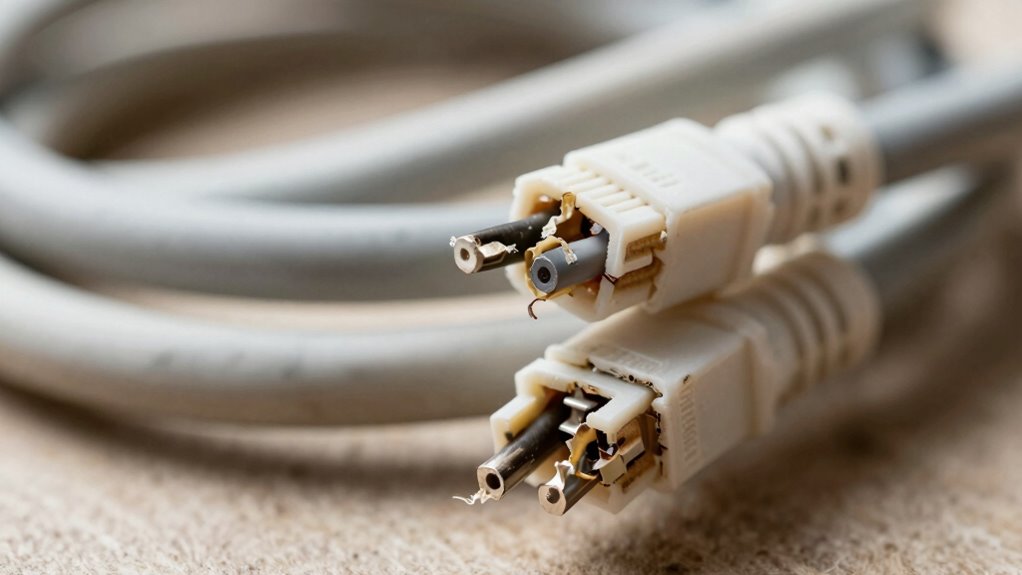
Cables are vital for connecting devices, but a bad cable can cause frustration and connectivity issues. When you’re trying to transfer data, charge your device, or connect to peripherals, the last thing you want is a cable that keeps failing. Recognizing the signs of a poor-quality cable before it wastes your time can save you headaches and prevent damage to your devices. One of the best ways to identify a bad cable is to examine its cable durability and connector integrity.
Cable durability refers to how well the cable holds up under regular use. A high-quality cable is built with sturdy materials that resist bending, twisting, and daily wear and tear. When inspecting a cable, look for signs of fraying or cracking near the connectors or along the length of the cable. A cable that feels thin or flimsy is more likely to break or fail prematurely. Also, check the strain relief — the rubber or plastic part at the junction where the cable meets the connector. This area is often the first to wear out if the cable isn’t robust, leading to internal wire damage that’s not always visible but can cause intermittent connectivity. Additionally, paying attention to the build quality can give you clues about its longevity and performance.
Connector integrity is equally vital. The connectors should fit snugly into their ports without excessive force. Loose or wobbly connectors often indicate poor manufacturing quality or internal damage. When you plug in a cable, ensure that it seats firmly and doesn’t wiggle or slip out easily. A bad connector can cause inconsistent connections, data transfer failures, or charging problems. Inspect the metal contacts inside the connector; they should be clean, free of corrosion, and properly aligned. Damage or corrosion on the connectors compromises the electrical connection and signals, making the cable unreliable. Furthermore, using cables with poor color accuracy or inconsistent shielding can negatively impact the quality of the data transfer or image quality when used with projectors or displays. Regularly testing cables for connectivity issues can help identify problems early before they escalate. Remember that internal wiring issues are often hidden but can significantly affect performance, so a thorough visual and functional check is essential.
As an affiliate, we earn on qualifying purchases.
Frequently Asked Questions
Can a Cable Look Fine but Still Be Faulty?
Yes, a cable can look fine but still be faulty. You should perform a visual inspection to check for any signs of wear, damage, or manufacturing defects that aren’t immediately obvious. Sometimes, internal issues like broken wires or poor connections happen despite an intact exterior. These hidden problems can cause malfunctions, so don’t rely solely on appearance—testing the cable with proper tools guarantees it’s working correctly.
How Long Should a Good Cable Last?
A good cable typically lasts between one to three years, depending on cable durability and usage frequency. Heavy or rough handling, exposure to extreme temperatures, and frequent bending can shorten its lifespan. To maximize your cable’s lifespan, avoid unnecessary stress, keep it protected from damage, and replace it when signs of wear appear. Regularly inspecting your cables helps guarantee you don’t face sudden failures or connectivity issues.
Are Cheaper Cables More Likely to Be Bad?
You get what you pay for. Cheaper cables are more likely to be bad because cable manufacturing often sacrifices quality for lower prices. When considering price versus quality, lower-cost options may lack durable materials and proper shielding, leading to connection issues or failures. Investing a bit more typically guarantees better construction, longevity, and reliable performance, saving you time and frustration in the long run. Don’t let a cheap cable be your weakest link.
What Tools Can Test Cable Quality?
You can test cable quality with tools like a fiber optic tester and a cable tester or multimeter. These tools check shielding integrity and signal strength, helping you identify issues like breaks or interference. A fiber optic tester guarantees your fiber cables transmit data correctly, while a cable tester verifies continuity and shielding. Using these tools saves time and prevents future connection problems by catching bad cables early.
Does Cable Color Indicate Quality?
Cable color doesn’t indicate quality because brands often use different colors for aesthetics or branding. Instead, focus on cable branding and material durability. Reliable brands prioritize high-quality materials that resist wear and tear, ensuring longer-lasting performance. Look for certifications like UL or HDMI standards, and check reviews. These factors matter more than color, helping you choose a cable that’s durable and capable of delivering consistent, high-quality signals.
Conclusion
Now that you know what to look for, don’t let a bad cable be the thorn in your side. Keep an eye out for frayed wires, loose connectors, or unusual bends, and trust your instincts. Remember, a cable that looks shady probably is. It’s better to be safe than sorry—don’t let a faulty cable turn your project into a wild goose chase. Stay vigilant, and your tech will thank you for it.