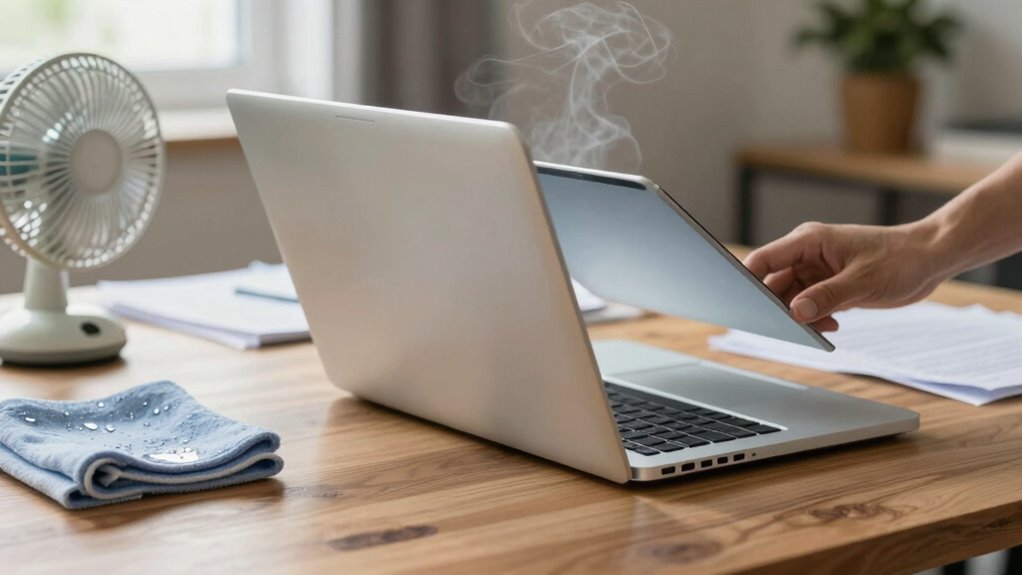

If your device overheats, act quickly by closing background apps, enabling battery-saving modes, and shutting down or restarting to cool things down. Remove cases, move it to a cooler environment, and avoid direct sunlight. Check that vents and fans are clean and functioning properly. Consider using cooling pads or adjusting performance settings to limit heat. Regular maintenance and mindful usage help prevent future issues. For detailed steps, you’ll find helpful tips to keep your device running smoothly.

Get the latest gadgets delivered free with Prime
- Fast, free delivery on millions of items
- Prime Video, Amazon Music and more included
- Member-only deals all year
Key Takeaways
- Act quickly to close background apps and enable battery-saving modes to reduce heat generation.
- Move the device to a cooler environment and remove any cases or covers for better airflow.
- Shut down or restart the device to allow it to cool down and reset processes.
- Clean vents and fans regularly to ensure proper ventilation and prevent dust buildup.
- Monitor device temperature and adjust performance settings or use thermal throttling if available.

When your device starts overheating, it’s vital to act quickly to prevent damage and guarantee continued performance. Overheating can lead to hardware failure, data loss, or reduced lifespan, so addressing it promptly is essential. First, you should try to identify the cause. Often, poor battery management contributes to overheating, especially if your device’s battery is aging or if you’re running intensive applications. Limiting background processes, closing unnecessary apps, and avoiding high-power activities can greatly reduce the load on your device. If your device has settings for battery conservation, enable them to decrease energy drain, which, in turn, helps keep the temperature in check.
Act quickly to prevent damage by managing background apps and enabling battery-saving settings.
Next, consider applying cooling solutions to help regulate the temperature. If you’re using a laptop or a smartphone, removing any cases or covers can improve airflow and facilitate heat dissipation. Placing the device in a cooler environment, away from direct sunlight or heat sources, also helps in reducing its temperature. For laptops, using a cooling pad equipped with fans can provide additional airflow, preventing internal components from overheating. Desktop computers benefit from making sure that internal fans are functioning properly and that vents aren’t blocked by dust or debris. Regularly cleaning dust from vents and fans guarantees the best airflow and prevents overheating caused by poor ventilation. Additionally, ensuring proper ventilation can significantly impact your device’s thermal performance. Incorporating regular maintenance routines can further help prevent overheating issues over time.
While managing the battery and applying cooling solutions, it’s prudent to shut down or restart the device if it continues to overheat. This gives the hardware a chance to cool down and resets processes that might be causing excessive heat. Avoid using the device during this cool-down period to prevent further heating. If overheating persists, check your device’s thermal management settings—some devices allow you to adjust performance modes or enable thermal throttling, which limits the processor speed to prevent overheating. Use these options if available, but remember they may temporarily reduce performance. Additionally, understanding the thermal management features of your device can help you optimize its operation and prevent future overheating issues.
In the long run, consider upgrading your device’s components or replacing aging batteries, as these are common causes of overheating. Proper battery management, such as avoiding overcharging and not letting the battery drain completely, can extend its lifespan and reduce heat generation. It’s also beneficial to monitor the device’s hardware performance to identify components that may be contributing to excessive heat. Furthermore, maintaining good airflow and reducing clutter around your device can help sustain optimal operating temperatures. Finally, keep your device’s software updated, since manufacturers often release patches that improve thermal performance and overall efficiency. By combining effective battery management, cooling solutions, and mindful usage, you can prevent overheating episodes and sustain your device’s longevity and smooth operation.
As an affiliate, we earn on qualifying purchases.
Frequently Asked Questions
Can Overheating Damage My Device Permanently?
Overheating can cause permanent damage to your device, including battery degradation and internal component harm. When your device overheats, it may experience thermal throttling, reducing performance to prevent further damage. Continuous overheating accelerates battery wear and may even lead to hardware failure. To protect your device, avoid prolonged heat exposure, use cooling methods, and guarantee proper ventilation. Addressing overheating early helps maintain your device’s longevity and peak performance.
How Can I Prevent Overheating in the Future?
Did you know that overheating causes up to 30% of device failures? To prevent this, you should use cooling accessories like fans or heat sinks. Also, focus on battery management—avoid leaving your device in hot environments and close unused apps to reduce heat. Regularly clean vents and guarantee proper airflow. These steps help keep your device cool, extending its lifespan and improving performance.
Is It Safe to Continue Using an Overheated Device?
It’s not safe to continue using an overheated device because it risks battery safety and potential damage. Overheating can cause batteries to swell or even leak, posing fire hazards. To protect yourself, turn off the device and apply cooling solutions like a fan or cooling pad. Allow it to cool completely before resuming use. Avoid using it on soft surfaces that trap heat, and consider getting professional repairs if overheating persists.
Do Specific Apps Cause More Device Overheating?
Certain apps can definitely cause more device overheating by increasing app stress and running numerous background processes. Games, video editing tools, and streaming apps demand high performance, generating more heat. Social media and messaging apps may also contribute if they constantly refresh in the background. You should monitor which apps consume the most resources, close unnecessary background processes, and limit high-intensity activities to prevent overheating and preserve your device’s health.
When Should I Consider Professional Repair?
You should consider professional repair if your device continues overheating despite using cooling accessories or after a battery replacement. Persistent overheating might indicate internal issues like damaged components or battery problems that require expert attention. Don’t ignore the signs—overheating can damage your device further. Getting it checked by a professional guarantees proper diagnosis and repairs, helping to extend your device’s lifespan and maintain safe operation.
Conclusion
Think of your device as a delicate garden that needs careful tending. When it overheats, you’re like a gardener gently pruning away the excess, giving it space to breathe and recover. By following these steps, you’re nurturing your device back to health, ensuring it doesn’t burn out prematurely. Remember, patience and gentle care are your best tools—like tending a fragile bloom, your device will flourish again with the right attention.
Halloween Picks
halloween
As an affiliate, we earn on qualifying purchases.