TL;DR
Wireless gaming headsets free you from a cable, but the connection type, platform support, fit, microphone, and real battery life determine whether one works well for you. For timing-sensitive games, a compatible low-latency 2.4 GHz connection is often a better choice than Bluetooth; check the exact headset and platform before buying.
A cable snagging your mouse arm is a tiny annoyance until it happens in the middle of a match. Wireless gaming headsets remove that tether, but “wireless” can mean several different connections, with different trade-offs in delay, device support, and convenience.

Get the latest gadgets delivered free with Prime
- Fast, free delivery on millions of items
- Prime Video, Amazon Music and more included
- Member-only deals all year
This guide breaks down what to check before you buy: connection type, platform compatibility, sound, microphone, comfort, and battery life. You’ll also get a practical way to compare models, so you can spend on features you’ll actually use.
Check the exact headset model’s support for every console, computer, or phone you plan to use; a USB dongle does not guarantee compatibility.
For timing-sensitive games, look for a supported low-latency 2.4 GHz connection; Bluetooth can suit casual play and mobile listening.
Judge sound by listening to real samples and trying spatial audio against stereo; driver size and frequency range cannot settle sound quality.
Compare microphone samples, fit reviews, real-world battery tests, and charging behavior alongside headline specifications.
Spend on features you will use, such as simultaneous phone and game audio, rather than assuming a higher price guarantees a better fit.
What a wireless gaming headset actually connects to
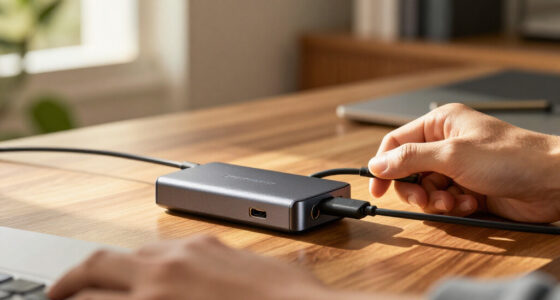
A wireless gaming headset combines headphones and a microphone with a radio connection to your gaming device, letting you play without a cable running to the console, computer, or phone. That connection may use a USB dongle, Bluetooth, a console-specific protocol, or more than one option. The label alone does not tell you which devices it supports, because each device has to recognize the headset’s particular connection.
Think of the connection as a road between your game and your ears. A headset might have several roads, but your console still needs an entrance that matches. For instance, a dongle that works on a PC does not automatically work on an Xbox. If a device cannot recognize the connection, the headset may provide no audio; if it recognizes only basic audio, chat or headset controls may still be missing.
Some newer models pair a 2.4 GHz dongle with Bluetooth, so you can hear game audio and take a phone call at once. That can be handy when you’re waiting in a lobby, though the way the headset mixes both sources varies by model. Separate volume controls matter because a loud call can cover game cues, while a call that is too quiet defeats the point. Check whether you can control the balance before relying on the feature.
Products Worth Considering

Kindle Paperwhite Signature Edition 32GB E-Reader, 7-Inch Display, Seaglass Green

LG UltraGear 32-inch Curved QHD Gaming Monitor (2560×1440, 180Hz, 1ms, 1000R, HDR10)

Apple Watch Series 12 GPS 42mm Smartwatch
As an affiliate, we earn on qualifying purchases.
Choose the connection that fits your games
Wireless gaming headsets with a compatible 2.4 GHz connection are often a better fit for timing-sensitive play than standard Bluetooth. The actual delay depends on the headset, device, and settings, so no connection label promises the same experience everywhere. Bluetooth may be perfectly comfortable for a casual mobile game or a podcast between matches.
In a rhythm game or a competitive shooter, even a small audio delay can make a shot or beat feel out of step with what you see. That mismatch can make timing feel less dependable, even if the sound itself is clear. A low-latency dongle connection is designed to keep that gap small, but it uses a USB port and only helps when the device supports the headset. Treat Bluetooth as a flexible option, then try the headset’s gaming mode if precise timing matters.
Here’s a quick comparison before you shop:
| Connection | Good fit for | What to check |
|---|---|---|
| 2.4 GHz dongle | PC and supported consoles; timing-sensitive play | Exact platform support and available USB port |
| Bluetooth | Phones, casual games, and everyday listening | Device support and possible audio delay |
| Dual wireless | Gaming while hearing calls or notifications | Whether both sources can play together and be balanced |
Wireless headsets are popular because they clear desk clutter and give you room to stretch or grab a drink. A connection for playing games without a cable running to your device is useful only when that link stays stable and the headset supports your setup. If the signal drops or the dongle occupies a port you need, the freedom from a cable may not be worth the inconvenience.
Check console support before you spend
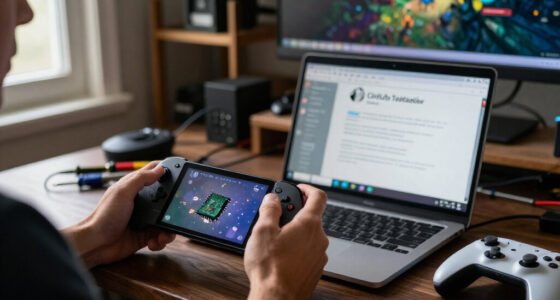
Wireless gaming headsets do not work identically across PlayStation, Xbox, Nintendo Switch, PC, and mobile. Support depends on the exact headset and connection method; some Xbox models need specific licensing or a compatible connection. Read the manufacturer’s platform list for the model name you plan to buy, since a product family can include versions built for different systems.
Picture a headset listing that says “USB wireless” and a console with an open USB port. That sounds like a match, but it may not be: the console still needs to recognize the headset. Audio might work while app settings, chat controls, or other features do not. That can matter more than it seems: a headset that plays game sound but cannot handle voice chat may not suit someone who plays in a team.
Before checkout, confirm three things: the platform is listed, the connection method works on that platform, and the features you care about—especially microphone chat and game/chat balance—are supported there. If you switch between a gaming PC and console, check support for both rather than assuming compatibility carries over. Otherwise, a headset that seems versatile on its box can leave you needing a second device or giving up controls you expected to use.
Test sound and microphone claims in context
Sound quality comes from driver design, tuning, and processing together, so a large driver or impressive frequency range cannot tell you by itself whether a headset will sound good. Virtual surround is software that reshapes stereo sound; it is not several physical speakers packed into each ear cup. Some players find spatial processing helps them judge direction, while others prefer ordinary stereo. The practical difference depends on the game and your ears: processing may make positional cues stand out, but it can also change how voices and effects sound.
Try the same scene with spatial audio on and off. In a quiet game, processing might make distant footsteps easier to place; in another, it may make voices or effects sound hollow. Your ears and your game decide which setting works. Checking both modes helps you tell whether the added sense of space is useful enough to accept any change in tone.
For team chat, focus on a clear, stable microphone, a mute button you can reach, and sidetone—the faint return of your own voice. Sidetone can help you avoid raising your voice in a closed headset, while an awkward mute control can slow you down when the room gets noisy. For instance, sample recordings can reveal a muffled or heavily processed mic that product copy glosses over. Noise reduction can help in a busy room, but strong processing may make your voice sound unnatural, so compare samples in conditions like your own.
Make comfort and battery life part of the deal
Comfort and real battery runtime matter more over a three-hour session than a feature you rarely touch. Headset weight, clamping force, ear-cup shape, and materials all affect fit, and comfort is personal. A small pressure point can become distracting over time, so a quick first impression may not predict how the headset feels after a long session. If possible, check fit reviews and the return policy before committing.
Imagine playing through a long Saturday tournament: tight cups can press on your glasses, while warm ear pads can turn a quiet room stuffy. Small differences feel bigger with time. A lighter headset may suit long sessions, but weight alone cannot tell you whether the cups fit your ears. A softer or more breathable material might help one person and feel less secure to another, which is why reviews from players with similar needs can be useful.
Battery figures from manufacturers are estimates, and volume, lighting, noise cancellation, and other features can change runtime. If a headset runs out before your usual session ends, you may have to stop and charge or play tethered. Compare independent test results when available, then check charging time, quick-charge support, and whether the headset works while charging. Some models allow it; others stop working when the battery runs down.
Use this five-step checklist before buying
Choose a headset by matching it to your actual setup and routine, then check the details that a headline specification cannot settle. A simple checklist can keep you from paying extra for features you never use, while also catching limits that could make a headset frustrating day to day.
- Name your devices. Write down every platform you want to use and verify the exact model supports each one. This prevents a port or product-family label from standing in for actual compatibility.
- Pick your main connection. For competitive timing, check for a compatible low-latency 2.4 GHz mode; for phone use, look at Bluetooth. Choose based on what you play most, since convenience on a phone may not meet the timing needs of a competitive game.
- Check fit and mic evidence. Read comfort reviews and listen to sample recordings rather than relying on marketing terms. These clues help predict whether you can wear the headset for your usual session and be understood in chat.
- Compare everyday controls. Look for easy mute, volume, game/chat balance, and sidetone if you use voice chat. Controls you can reach without pausing make a difference during a match, but are less valuable if you play solo.
- Match features to your budget. Pay more for things you will use, such as simultaneous connections or replaceable batteries, not a long list of extras. A feature adds value when it solves a real problem in your routine; otherwise, comfort and reliable basics may be a better use of the budget.
For instance, if you play on Xbox and take calls from your phone, prioritize verified Xbox support and simultaneous 2.4 GHz plus Bluetooth. If you play solo on a PC, you may value a comfortable fit and clear sound more than call mixing or console licensing. The same headset feature can be essential in one setup and wasted in another.
Know what you trade for the freedom of wireless
Wireless gaming headsets can perform very well, especially when they use a reliable, compatible low-latency link. A wired headset avoids charging and may cost less, while a wireless model lets you stand up without taking the headset off or pulling a cable across your desk. That freedom comes with a battery and a connection to manage, so which one suits you depends on your setup, budget, and priorities.
Software extras also vary. Companion apps may offer equalizer presets, firmware updates, or microphone controls, but features can differ by platform. An app can help tailor sound or fix a software issue, yet it adds another layer to manage and may offer less control on console. A setting you adjust on PC may not be available on console, so check how much control you’ll have where you play.
Products and firmware change over time, and a recent feature claim may apply only to a particular model or software version. Treat promotional battery figures and sound claims as vendor statements unless independent testing backs them up. Since model support can change, check current specifications and test results when you shop; that gives you a better basis for weighing promised convenience against the practical limits of your setup.
Frequently Asked Questions
Are wireless gaming headsets as good as wired ones?
Many wireless models offer excellent gaming performance, especially over a compatible low-latency 2.4 GHz connection. Wired headsets skip battery charging and may cost less; wireless models give you more freedom to move. Your platform, budget, and priorities decide which fits better.
Is Bluetooth good enough for gaming?
Bluetooth can work well for casual games and phone listening, but delay depends on both the headset and the device. For competitive or timing-sensitive games, try a compatible 2.4 GHz gaming mode if the headset offers one.
Will one wireless headset work with every console?
No. Support varies by exact model, console, and connection method, and some features may be limited even when audio works. Check the manufacturer’s compatibility list for each platform you plan to use.
How long does a wireless gaming headset battery last?
Runtime varies with volume and enabled features such as lighting or noise cancellation. Manufacturer figures are estimates, so compare independent tests when available and check charging time and whether you can use the headset while it charges.
Can I hear my console and phone at the same time?
Some dual-wireless headsets connect to a game system over 2.4 GHz and a phone over Bluetooth at once. Check whether the model can mix both sources and adjust their volume separately.
Conclusion
Before you buy, match the headset to your platform, try to judge its fit and microphone from real reviews, and treat battery claims as estimates. The right pair should disappear during a match—leaving you with clear team chat, reliable sound, and no cable tugging at your elbow.