

To set up focus modes that fit real life, customize settings based on your routines and needs. Choose which notifications, apps, and contacts remain accessible during different activities like work, relaxation, or chores. Link your calendar and apps for automatic activation, and use location or time triggers for added convenience. Continuously refine your setup by adjusting rules and preferences to improve your focus. Keep exploring how to make your focus modes more effective and better suited to your daily life.

Get the latest gadgets delivered free with Prime
- Fast, free delivery on millions of items
- Prime Video, Amazon Music and more included
- Member-only deals all year
Key Takeaways
- Customize focus mode settings to match specific activities like work, relaxation, or chores.
- Use automation and app integrations to activate focus modes based on schedules, locations, or routines.
- Define clear goals for each focus mode, such as blocking social media or enabling essential notifications.
- Set location and time-based triggers for seamless, real-life relevant activation of focus modes.
- Regularly review and refine focus modes to adapt to changing routines and minimize distractions.

Have you ever wished you could minimize distractions and stay focused on your tasks? Setting up focus modes is a powerful way to do that, and customizing them to fit your lifestyle makes the process even more effective. When you start creating your focus modes, you’ll notice that personalization options are key. These allow you to tailor the settings to match your specific needs—whether you’re working, relaxing, or doing chores. You can choose which notifications to allow, which contacts can reach you, and even what apps remain accessible. This level of customization guarantees you’re not completely cut off but still have control over what’s essential.
Personalize your focus modes by selecting notifications, contacts, and apps to stay in control of what matters most.
Another vital aspect of setting up focus modes is leveraging app integrations. Many devices and apps sync seamlessly, so your focus mode can automatically activate based on your schedule or location. For example, you can link your calendar to turn on a work focus mode during meetings or set your fitness app to activate a relaxation mode when you start your workout. App integrations also let you customize notifications from specific apps, so only the most important alerts come through, reducing the noise. This automation saves you from manually toggling settings every time your routine shifts, allowing you to stay in the moment and focus on what matters most. Additionally, understanding the importance of emerging trends in digital publishing can help you stay ahead with innovative tools and strategies. Incorporating enterprise governance principles like security controls can further ensure your focus modes are used safely within managed environments.
To begin, decide what your main goal is with each focus mode. Is it to block social media distractions, enhance productivity, or encourage relaxation? Once you know the purpose, explore the personalization options available. Many systems let you choose different home screens, change notification sounds, or set specific rules for when the mode activates. For instance, during a deep work session, you might disable all social media apps and only allow email notifications from trusted contacts. During relaxation, you could enable calming notifications or mute work-related alerts altogether. These choices guarantee your focus mode aligns perfectly with your current activity and mental state.
Incorporating app integrations into your setup makes the process even smarter. Use location-based triggers to activate focus modes when you arrive at work or home, or set time-based schedules for regular routines. Some devices allow voice commands to toggle focus modes quickly, further streamlining your experience. As you fine-tune these settings, you’ll discover that the more personalized and integrated your focus modes are, the easier it becomes to stay attentive and reduce unnecessary interruptions. This is similar to landscaping techniques used in backyard transformations, which can create a more harmonious and functional environment that supports your routines. Recognizing the role of feedback loops in continuously improving your focus strategies can help you adapt and refine your setup over time. Moreover, staying mindful of digital distractions and actively managing them will contribute significantly to maintaining your focus and productivity. Over time, these customizations become second nature, helping you maintain clarity and productivity without feeling isolated or overwhelmed.
Products Worth Considering
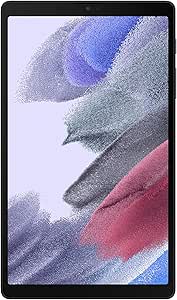
Samsung Galaxy Tab A7 Lite 8.7 32GB Wi‑Fi Android Tablet – Long‑Lasting Battery, Compact Slim Design, Sturdy Metal Frame (US Version)

Bose QuietComfort Ultra Earbuds (2nd Gen), Wireless Noise-Cancelling Earbuds, Black

Sony WH-1000XM4C (M4 2nd Gen) Wireless Noise-Cancelling Headphones, Black
As an affiliate, we earn on qualifying purchases.
Frequently Asked Questions
Can I Customize Notification Settings Within Each Focus Mode?
Yes, you can customize notification settings within each focus mode. You’ll find options for notification customization, allowing you to choose which alerts come through during specific modes. Additionally, app-specific settings let you decide if certain apps send notifications or stay silent. This setup helps you stay focused without missing important alerts, giving you control over your notifications tailored to your current activity or environment.
How Do I Schedule Focus Modes to Activate Automatically?
You can schedule your focus modes to activate automatically using the automation settings and scheduling options on your device. Simply open your Focus settings, select the focus mode you want to schedule, and tap on the scheduling options. From there, you can set specific times, days, or location-based triggers to activate your focus mode automatically, helping you stay focused without manual intervention.
Are Focus Modes Available Across All Device Types?
Focus modes are available on many device types, but device compatibility varies. For example, iOS and Android devices support focus modes with customizable options to tailor your experience. However, some features might be limited on certain devices or operating systems. To guarantee you get the most out of focus modes, check your device’s settings and available customization options. This way, you can personalize your focus experience across compatible devices effectively.
Can I Share Focus Modes With Family or Colleagues?
Yes, you can share focus modes with family or colleagues, but sharing restrictions apply. For example, in a team project, you might enable collaborative control, allowing everyone to activate a focus mode during meetings. This way, team members stay focused without distractions. Just remember, sharing restrictions may limit who can customize or activate these modes, ensuring everyone stays aligned without overstepping boundaries.
How Do I Troubleshoot Issues With Focus Mode Activation?
To troubleshoot focus mode activation issues, first check for background distractions that might be interrupting your focus. Make sure all relevant app permissions are granted so your device can properly manage notifications and app restrictions. If focus mode still won’t activate, restart your device or update your operating system. Resetting focus settings or reinstalling the app can also help resolve persistent problems, guaranteeing you stay focused with minimal interruptions.
Conclusion
By customizing your focus modes, you’re crafting a personal symphony that echoes your life’s rhythm, much like a maestro directing a complex orchestra. Remember, the key is flexibility—adapting each mode to the moment, just as a river carves its path through varying landscapes. Embrace these tools, and you’ll find your days more harmonious, your mind clearer. In doing so, you’re not just managing time—you’re shaping your own narrative, much like a master sculptor revealing the form within the marble.