
TL;DR

Get the latest gadgets delivered free — and shop member deals
- Fast, free delivery on millions of items
- Access to Prime Big Deal Days deals on October 6–7
- Prime Video, Amazon Music and more included
Building an AI workstation used to be cheaper, but recent component shortages and price spikes flipped that script. Prebuilts save time, offer validated thermals, and come with support—making them a smart choice for many. Your decision depends on whether you prioritize control and customization or speed and simplicity.
Imagine turning on your AI workstation and having it churn through massive datasets without a hitch. No fiddling, no troubleshooting, just seamless performance from day one. That’s what a prebuilt system promises. But is it worth paying a premium for the convenience? Or does building your own still make sense? In 2026, the game has shifted. The old rule—build cheaper, buy faster—no longer holds true across the board. This isn’t just about saving a few bucks. It’s about understanding what’s really at stake: time, control, reliability, and long-term upgrades. Whether you’re a researcher, developer, or hobbyist, knowing the latest trends can help you make the smartest choice.
Here’s what you’ll learn: when a prebuilt might save your sanity, when DIY gives you the edge, and how recent market shifts influence your decision. Ready? Let’s go.
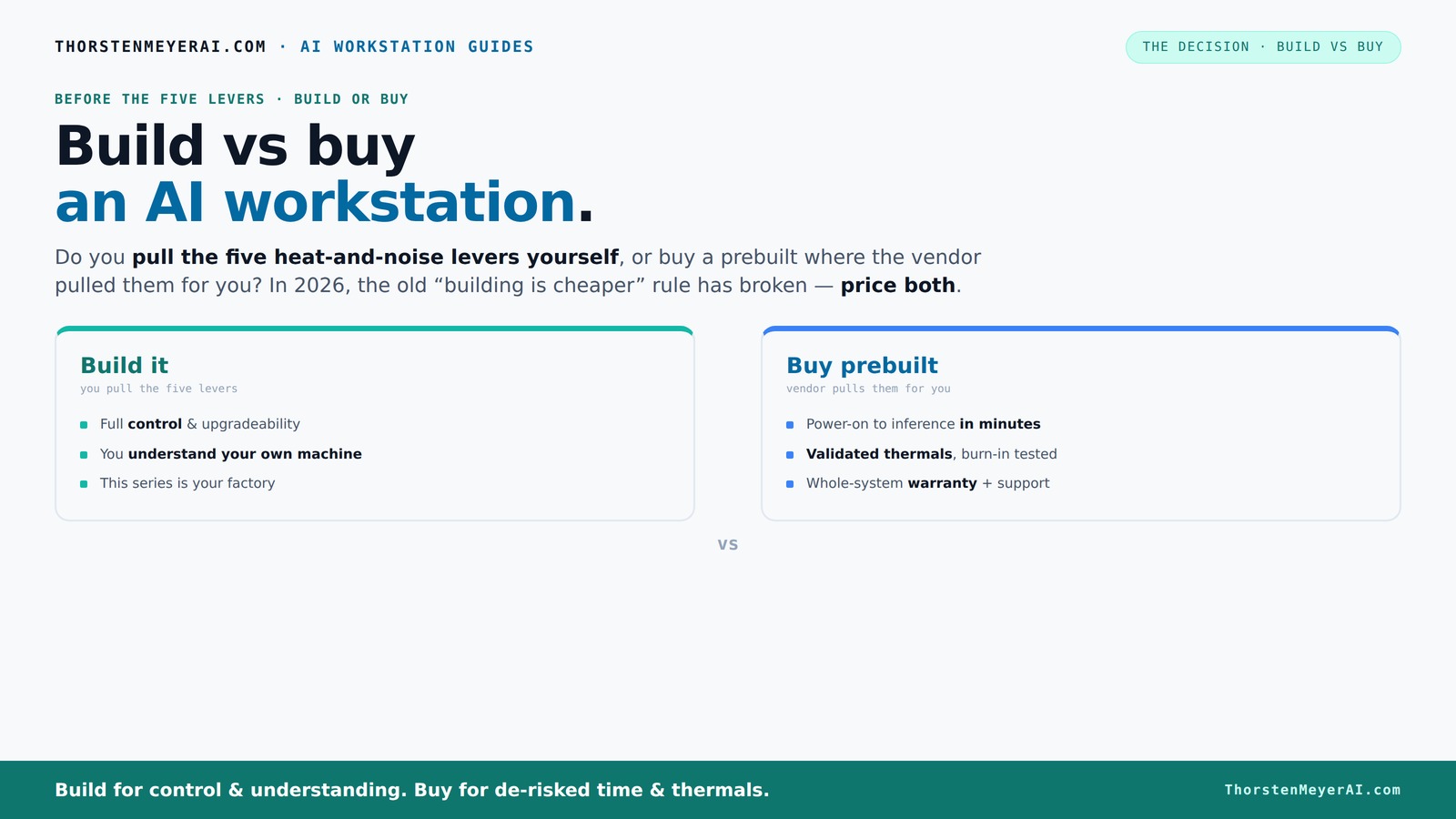
Build vs buy
an AI workstation.
The real question behind this whole series: do you pull the five heat-and-noise levers yourself, or buy a prebuilt where the vendor pulled them for you? And in 2026, the old “building is cheaper” rule has broken. Match your situation in Part 3.
Key Takeaways
- Component shortages in 2026 often make prebuilt AI workstations as affordable as DIY builds, especially with bulk vendor discounts.
- Prebuilts save time, reduce troubleshooting, and include validated thermals, making them ideal for fast deployment and professional use.
- Building your own system offers maximum control, customization, and learning opportunity — perfect for enthusiasts or specialized workloads.
- Support and warranty are clearer and more reliable with prebuilt systems, while DIY support can be fragmented and complex.
- Recent AI hardware and software trends make prebuilt systems more future-proof and ready to leverage hardware offloads like NPUs.
As an affiliate, we earn on qualifying purchases.
Why 2026 Changes the Build-vs-Buy Rule for AI Workstations
In 2026, building your own AI workstation is no longer automatically cheaper. The reason? Component shortages and price spikes. DDR5 RAM, high-end GPUs, and SSDs have all soared in cost. A rig that once cost under $1,000 now easily hits $1,250 or more even before adding software and OS. Meanwhile, big vendors bought components in bulk before prices spiked, enabling them to offer systems at prices that are tough to beat—sometimes even cheaper than DIY, especially when you factor in time and troubleshooting.
So, the old rule—"build cheaper, buy faster"—needs a fresh look. Now, it’s about weighing cost against time, support, and peace of mind. Prices are just one part of the story.
The 5 Levers of a High-Performance AI Workstation—and Who Controls Them
Think of your AI workstation as a furnace that needs precise control. The five levers? Undervolt the GPU, match the cooler, optimize airflow, tune fans, and position the machine for best cooling. When you buy a prebuilt, the vendor pulls these levers — they tune and validate everything before shipping. This process ensures the system operates at peak thermal efficiency, minimizing heat buildup and noise, which directly impacts performance stability and longevity. For example, vendors often test thermals under simulated workloads, ensuring that the system maintains safe temperatures even during prolonged AI training sessions. This validation reduces the risk of thermal throttling and hardware failure, which can be costly and disruptive.
Building it yourself means you pull all those levers. You select a quiet GPU, undervolt it, pick a cooler, and tweak the case and fans. While this gives you total control—allowing you to customize for specific workloads or noise preferences—it also demands a solid understanding of thermal dynamics. Poor tuning can lead to overheating, system crashes, or excessive noise, which hampers productivity and hardware lifespan. The choice hinges on whether you want to invest the time and expertise in fine-tuning or prefer a system that’s ready to perform reliably out of the box.
When a Prebuilt AI Workstation Saves You Time and Headaches
If your priority is getting started fast, a prebuilt is hard to beat. Think about it: you power it on, install your AI tools, and start training models within minutes. No hunting down components, no BIOS tuning, no troubleshooting hardware conflicts. Reputable vendors test their systems under heavy load, ensuring the machines won’t throttle or overheat. Many include pre-installed software stacks like CUDA, PyTorch, and Docker, so you’re ready to go—right out of the box. This streamlined process minimizes setup errors and configuration mismatches, which are common pitfalls in DIY builds, especially for those less experienced. It also means fewer surprises and immediate productivity, which is crucial when deadlines loom or when scaling up projects rapidly.
For example, a professional data scientist working on a tight deadline may prefer a Puget Systems or Lambda machine. They get a machine optimized for AI workloads, with a warranty and support plan that can save hours or even days of frustration. This support network and pre-validated hardware can be the difference between meeting a project deadline and falling behind due to hardware issues. Learn more about building vs buying AI workstations.
Building Your Own AI Workstation: When It Still Pays Off
Building your own AI workstation makes sense if you want full control over every component. Say you’re a researcher wanting maximum VRAM on your GPU, or you have a tight budget and want to swap in a cheaper CPU. You can pick specific parts—like a quiet, low-noise cooler or a case tailored for airflow. This flexibility allows you to optimize for the specific demands of your workload, whether that’s maximizing memory bandwidth, reducing noise, or fitting into a compact case. Additionally, by choosing components yourself, you gain a deeper understanding of how each part interacts, which can be invaluable for troubleshooting or future upgrades. This knowledge can save money long-term by avoiding proprietary or incompatible parts and allows you to adapt your system as your needs evolve.
For instance, a hobbyist tinkering with a limited budget might source a quiet GPU from a previous generation, undervolt it, and assemble a machine that’s perfectly tuned—saving money while gaining expertise. This approach can also be more cost-effective over time if you plan to upgrade incrementally, as you can select compatible parts and avoid vendor lock-in. The process of building enhances your technical skills, making it easier to diagnose issues or improve performance in future iterations. For more insights, visit artificialintelligencemax.com.
The Comparison Table: Build vs Buy an AI Workstation in 2026
| Feature | Build Your Own | Buy Prebuilt |
|---|---|---|
| Cost | Potentially cheaper if you shop smart, but recent shortages push prices up. Over time, DIY can be more economical if you upgrade gradually and leverage existing parts. Check out Build vs Buy a Prebuilt AI Workstation for detailed comparisons. | Often competitive or better due to bulk buying and vendor discounts, especially when factoring in time saved and warranty support—sometimes offering better value for immediate deployment. |
| Time to Deploy | Hours to days — sourcing parts, a build vs buy decision guide can help streamline your process.ssembly, testing. The process can be unpredictable, especially during shortages or if you encounter compatibility issues. | Minutes to hours — plug in, configure, start. Pre-assembly reduces setup time and minimizes errors, enabling faster project starts. |
| Support & Warranty | Fragmented; depends on individual vendors for each part, which can complicate troubleshooting and prolong resolution times. | Unified support; warranty covers entire system, providing peace of mind and quicker service for hardware failures. |
| Reliability & Validation | Depends on your skill; risk of compatibility issues, thermal mismanagement, or unstable overclocks, which can lead to system crashes or hardware damage. | Validated at the factory; tested under heavy loads, with thermal and noise optimization, resulting in more consistent performance and fewer failures. |
| Customization | Maximum control over components, cooling, acoustics, and aesthetics—ideal for tailored setups or experimental configurations. | Limited to vendor options; often proprietary parts and configurations restrict deep customization but ensure compatibility. |
| Upgradeability | Usually easier; standard parts and open designs facilitate incremental upgrades, extending system lifespan. | Varies; some systems use proprietary connectors or cases, which can limit future upgrades and increase upgrade costs. |
| Thermal Tuning | Up to you — requires expertise in thermal management, which can be a learning curve but offers maximum control. | Pre-optimized, tested for thermals and noise, ensuring stable operation without additional tuning efforts. |
Key Factors to Consider Before Making Your Choice
- Price vs Support: Are you willing to pay a premium for support, or do you prefer tinkering to save money? Consider that support can reduce downtime and troubleshooting time, which is valuable in professional settings.
- Time to Get Running: Do you need your workstation immediately, or can you afford the setup time? Prebuilts offer rapid deployment, critical for meeting tight project deadlines or scaling quickly.
- Long-Term Upgrades: Will you want to upgrade GPU, RAM, or cooling later? Check the upgrade paths and compatibility—building allows more flexibility, but some prebuilts may lock you into specific components.
- Workload Specifics: Large datasets and multi-GPU tasks often benefit from vendor-validated systems because they minimize performance bottlenecks and compatibility issues that can arise with DIY setups.
- Control & Customization: Do you want to fine-tune every detail, or is a ready-to-go system enough? Your choice impacts the level of involvement, potential performance optimization, and future flexibility.
Recent Trends and Why They Matter
AI PCs are now more than gaming machines. Companies like Dell and ASUS are optimizing hardware for AI workloads, making prebuilt solutions increasingly attractive. Software offload to NPUs and hardware accelerators is reducing power use and latency. Community discussions in 2025–2026 highlight how prebuilts can sometimes access higher-end GPUs via OEM channels, avoiding shortages and waiting times. This trend means that prebuilt systems are not only more accessible but also more capable of handling cutting-edge AI models without extensive customization.
Plus, AI-specific hardware like NPUs (Neural Processing Units) is becoming a standard feature, especially for deepfake detection, background effects, and edge AI. These specialized accelerators can significantly boost performance for targeted tasks, often outperforming general-purpose GPUs in specific applications. For many users, prebuilts offer a convenient platform to immediately leverage these advanced hardware features, avoiding the complexities of sourcing and integrating them individually. This shift enhances productivity and opens up new possibilities for AI research and deployment.
Frequently Asked Questions
Is it cheaper to build or buy a prebuilt AI workstation?
In 2026, component shortages and bulk buying have leveled the playing field. Sometimes prebuilts cost the same or less than DIY, especially when you factor in time, troubleshooting, and warranty support. Always price both options for your specific setup before deciding.
Which option performs better for AI workloads: DIY or prebuilt?
Performance depends on how well each system is tuned. Prebuilts often come with validated thermals and optimized cooling, which can mean more consistent performance during sustained workloads. Building your own allows you to fine-tune for your specific needs but requires expertise.
Are prebuilt AI PCs reliable enough for professional use?
Yes. Reputable vendors extensively test their systems under heavy load, and many offer multi-year warranties. For critical workloads, this reliability and support can be worth the extra cost compared to DIY setups.
Do AI PCs actually improve performance, or is it mostly marketing?
They often include hardware offloads like NPUs, optimized drivers, and validated thermals, which can improve real-world AI performance and power efficiency. While some marketing hype exists, many systems deliver tangible benefits, especially for demanding workloads.
Can I upgrade a prebuilt later, or are parts proprietary?
It varies. Many prebuilts use standard components, but some rely on proprietary connectors or custom cases that limit upgrades. Check the vendor’s specifications if future expandability matters to you.
Conclusion
Ultimately, the choice hinges on your priorities. If speed, support, and reliability top your list, a prebuilt AI workstation can be a game-changer. But if you crave control, customization, and the thrill of building, DIY remains a rewarding option—just watch out for the recent market price shifts.
In 2026, the smartest move is to weigh the tradeoffs carefully, then pick the path that aligns best with your goals. Either way, the right machine will power your AI journey—ready to handle the workloads of tomorrow.
Fall Picks
fall essentials
As an affiliate, we earn on qualifying purchases.