Desktop laser engravers open up exciting creative possibilities by allowing you to effortlessly personalize a wide range of materials like wood, acrylic, and metal. They enable precise, detailed designs for customizing jewelry, signage, or artwork with ease. By understanding material compatibility and safety precautions, you can explore diverse projects safely and effectively. To discover more about maximizing your creativity and staying safe, keep exploring how these versatile tools can transform your ideas into real masterpieces.

Get the latest gadgets delivered free — and shop member deals
- Fast, free delivery on millions of items
- Access to Prime Big Deal Days deals on October 6–7
- Prime Video, Amazon Music and more included
Key Takeaways
- Desktop laser engravers enable personalized and intricate designs across various materials, expanding creative options.
- They allow for precise customization in jewelry, signage, and artwork, enhancing artistic expression.
- These devices support a wide range of materials, opening new avenues for innovative projects.
- Advances in laser technology improve safety, efficiency, and detail in creative applications.
- Staying updated on safety standards ensures responsible and sustainable use of laser engraving tools.
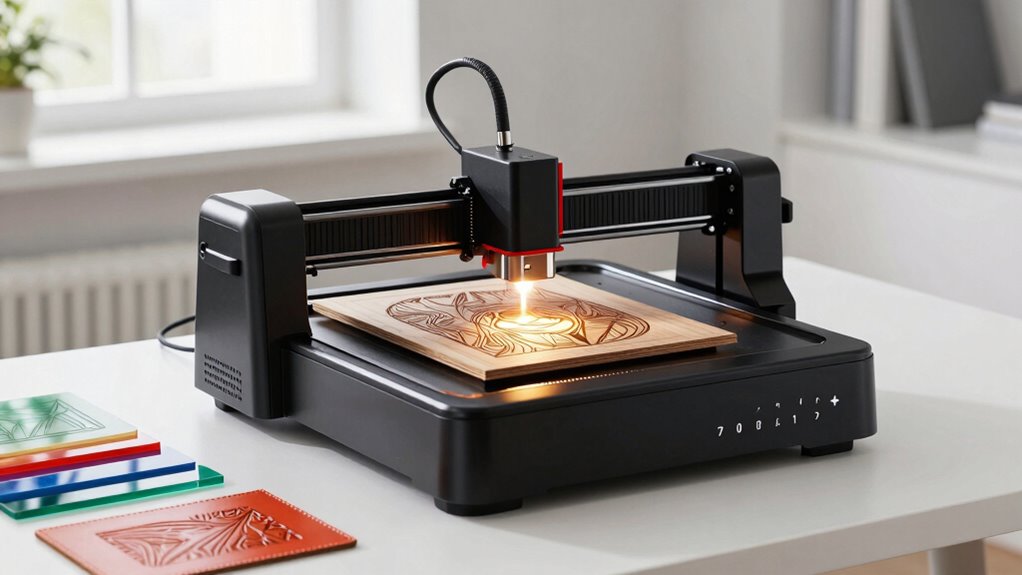
Laser safety should be your top priority. These devices pack a focused laser beam capable of cutting through or engraving materials with precision, but they also pose risks if mishandled. Always wear proper eye protection designed for laser exposure, and never leave the machine unattended while it’s operating. Make certain your workspace is well-ventilated, as fumes from certain materials can be harmful. It’s also wise to use the machine’s safety features, such as emergency stop buttons and protective covers, to prevent accidental exposure to the laser beam. Proper maintenance and calibration not only ensure quality results but also keep your equipment safe to use over time. Understanding material compatibility is essential, as it guides your choice of suitable materials and helps you prevent hazards. Knowing what materials are compatible also helps you expand your creative possibilities. You can personalize jewelry, create custom signage, or craft detailed artwork on various surfaces, all with a single device. When selecting materials, consider their thickness and composition, as these factors influence the laser’s power and speed settings. Using incompatible materials can result in poor engravings, damage to your machine, or hazardous fumes, so always prioritize safety and material safety protocols. Additionally, being aware of laser technology advancements can help you choose the most efficient and safe equipment for your projects. Staying informed about the latest laser safety standards can further enhance your understanding and ensure compliance with safety regulations. Regularly reviewing environmental impact considerations can also help you minimize your craft’s ecological footprint.
As an affiliate, we earn on qualifying purchases.
Frequently Asked Questions
How Safe Are Desktop Laser Engravers for Home Use?
Desktop laser engravers can be quite safe for home use if you follow safety precautions and undergo proper user training. Always wear protective eyewear, guarantee proper ventilation, and keep a safe distance during operation. Familiarize yourself with the device’s safety guidelines, and never leave it unattended while in use. By taking these steps, you minimize risks and enjoy your creative projects confidently and safely.
Can I Engrave on All Types of Materials?
You can’t engrave on all materials with a desktop laser engraver, but most common ones like wood, acrylic, leather, and glass work well. Material compatibility varies, and some surfaces may have engraving limitations, especially with metals or reflective materials. Imagine creating personalized jewelry or custom signs—your options expand with the right settings. Always check your machine’s specifications and test first to guarantee quality and safety when working with different materials.
What Maintenance Is Required for These Devices?
You need to regularly clean your laser focal to guarantee precise engraving and check the ventilation system for dust buildup or blockages. Keep the lens and mirrors free of debris, and replace filters in the ventilation system as needed to maintain safe operation. Additionally, inspect for loose connections and ensure cooling fans work properly. Proper maintenance keeps your device running efficiently and prolongs its lifespan, allowing you to explore new creative possibilities confidently.
How Much Space Do They Typically Require?
Most desktop laser engravers need about 2 to 3 square feet of workspace, making them perfect for small studios or home setups. You’ll want to take into account workspace dimensions that allow easy equipment placement and comfortable operation. An interesting fact is that compact models can fit on a desk, saving space, while larger units may require a dedicated corner. Proper equipment placement ensures safety and efficiency in your creative process.
Are There Any Environmental Concerns With Their Use?
Yes, there are environmental concerns with desktop laser engravers. They can have a notable environmental impact due to their energy consumption, which varies depending on the model and usage. While some models are energy-efficient, prolonged use still contributes to energy use and emissions. Additionally, the materials engraved may release fumes or particles, so proper ventilation and safety measures are essential to minimize environmental and health impacts during operation.
Conclusion
With a desktop laser engraver, you hold the power to transform ordinary materials into extraordinary masterpieces. As you explore its endless possibilities, you’ll find your creativity unleashed like never before—turning ideas into reality at the speed of thought. Imagine the doors it opens; it’s as if your imagination becomes a universe of its own. Embrace this tool, and watch your artistic potential skyrocket beyond even your wildest dreams. The future of your creativity starts now.
Fall Picks
fall essentials
As an affiliate, we earn on qualifying purchases.