
📊 Full opportunity report: Build vs Buy a Prebuilt AI Workstation on ThorstenMeyerAI.com — validation score, market gap, and execution plan.

Get the latest gadgets delivered free with Prime
- Fast, free delivery on millions of items
- Prime Video, Amazon Music and more included
- Member-only deals all year
TL;DR
The cost gap between building and buying prebuilt AI workstations has narrowed or reversed in 2026 due to component shortages and price spikes. Buyers now need to consider cost, time, thermal management, and control in their decision.
In 2026, the longstanding cost advantage of building your own AI workstation has diminished or disappeared, as component shortages and price increases make prebuilt systems more competitively priced. This shift affects both hobbyists and professionals deciding how to acquire high-performance AI hardware.
Component shortages and price spikes for DDR5 RAM, GPUs, and SSDs have increased the cost of DIY AI workstations, often surpassing or matching prebuilt options. Major prebuilt vendors like Lambda, Puget Systems, and BIZON have secured bulk purchasing and validated thermals, enabling them to offer systems with tested cooling and warranties at prices previously associated with DIY builds.
Traditionally, building an AI workstation was cheaper because individuals sourced parts and assembled them, tuning thermal and noise performance themselves. However, in 2026, the economic calculus has shifted, with prebuilt systems sometimes costing less than DIY configurations, especially for multi-GPU setups requiring complex thermal management. Vendors now perform extensive testing, including burn-in and noise reduction, which adds value and reduces risk for buyers.
Choosing between build and buy now involves weighing cost, time, thermal control, and support. Building offers customization and learning, while buying provides validated thermals, warranties, and immediate setup. The decision is no longer purely about savings but about matching the approach to the user’s needs and resources.
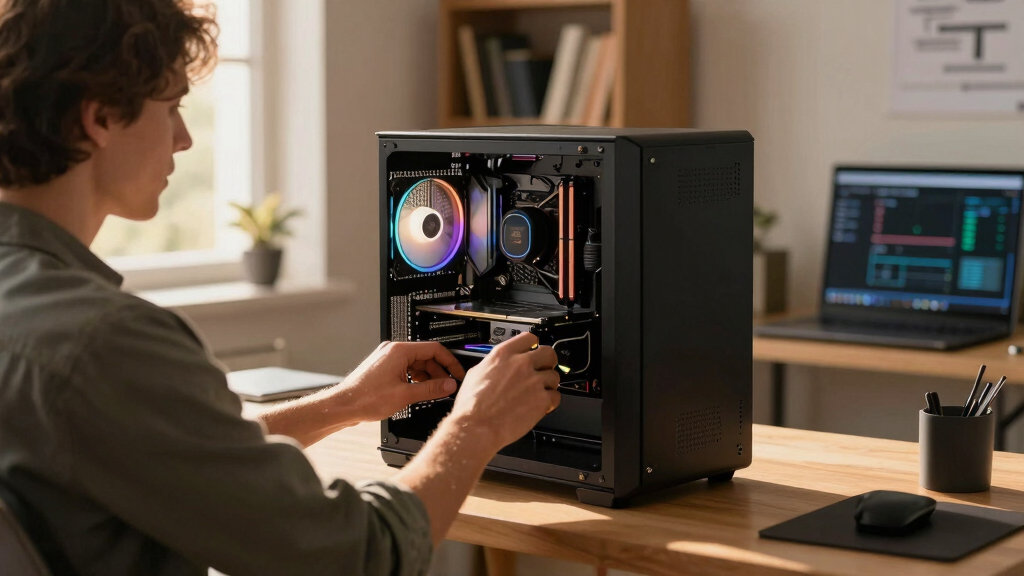
Build vs buy
an AI workstation.
The real question behind this whole series: do you pull the five heat-and-noise levers yourself, or buy a prebuilt where the vendor pulled them for you? And in 2026, the old “building is cheaper” rule has broken. Match your situation in Part 3.
Why Market Changes Impact AI Hardware Decisions
This shift alters the traditional DIY advantage, making prebuilt systems more attractive for many users in 2026. It influences purchasing strategies for professionals and hobbyists, potentially reducing the cost barrier for high-performance AI workstations. It also emphasizes the importance of thermal validation, warranty, and support, which are now more reliably provided by vendors than DIY efforts.
As component prices remain volatile, understanding the new economics of building versus buying is crucial for anyone investing in AI hardware this year. The decision now involves balancing cost, time, thermal tuning expertise, and support services, rather than defaulting to DIY as the cheaper option.
Products Worth Considering

Jackery Explorer 300 Portable Power Station, 292Wh

Amazon Kindle Paperwhite Signature Edition (12th Generation, 2024), 32 GB, Metallic Black

Bose QuietComfort Wireless Noise-Cancelling Over-Ear Headphones, Black
As an affiliate, we earn on qualifying purchases.
2026 Market Dynamics and Component Shortages
Over the past year, supply chain disruptions and increased demand for AI hardware components have driven up prices for DDR5 RAM, GPUs, and SSDs. Large vendors like Lambda and Puget Systems secured bulk orders early, allowing them to offer prebuilt systems at prices that are difficult for individuals to match today. Meanwhile, the traditional DIY rule — that building is always cheaper — has been challenged due to these market conditions.
Additionally, the rise of high-performance AI workloads has increased the complexity of thermal management, especially in multi-GPU setups. Vendors now validate thermals and noise levels through extensive testing, providing a level of assurance that DIY builders typically cannot match without significant effort and expertise.
"In 2026, the economic advantage of building your own AI workstation has largely evaporated due to component shortages and price spikes, making prebuilt systems a more viable option for many."
— Thorsten Meyer, AI hardware expert
Unresolved Questions About Long-Term Cost and Performance
It remains unclear how ongoing market fluctuations will influence prices in the coming months, especially as component shortages and demand for AI hardware persist. The long-term cost-effectiveness of prebuilt versus DIY systems in 2026 is still evolving, depending on future supply chain stability and technological developments.
Additionally, the degree to which DIY builders can optimize thermal performance cost-effectively remains uncertain, especially for complex multi-GPU setups. Support and warranty differences also continue to be a point of debate among users.
Next Steps for Buyers and Builders in 2026
Buyers should now compare specific configurations, factoring in component prices, vendor offerings, and thermal validation. As the market stabilizes or shifts, prices may fluctuate, so ongoing price comparisons are essential.
For DIY enthusiasts, focusing on thermal tuning and component selection remains critical. Meanwhile, vendors are likely to continue refining their validated systems, offering more options with extended warranties and improved noise/thermal performance. Monitoring these developments will help users make the most informed choice between building and buying.
Key Questions
Is building a DIY AI workstation still cheaper in 2026?
Not necessarily. Due to component shortages and price increases, prebuilt systems from major vendors can now be comparable or even less expensive than DIY setups, especially for high-end configurations.
What are the main advantages of buying a prebuilt AI workstation?
Prebuilts offer validated thermal and noise performance, warranties, and ready-to-use setups with software preinstalled, saving time and reducing risk.
Can I upgrade a prebuilt AI workstation later?
It depends on the system design. Many high-end prebuilts allow upgrades, but some components may be limited or proprietary. Building your own provides maximum upgradeability and control.
How do component shortages affect AI workstation prices?
Shortages have driven up prices for key components like GPUs and RAM, making DIY builds more expensive and less predictable than in previous years.
What should I consider when choosing between build and buy?
Assess your budget, time, thermal management skills, need for support, and whether you prefer a plug-and-play solution or customization and learning opportunity.
Source: ThorstenMeyerAI.com