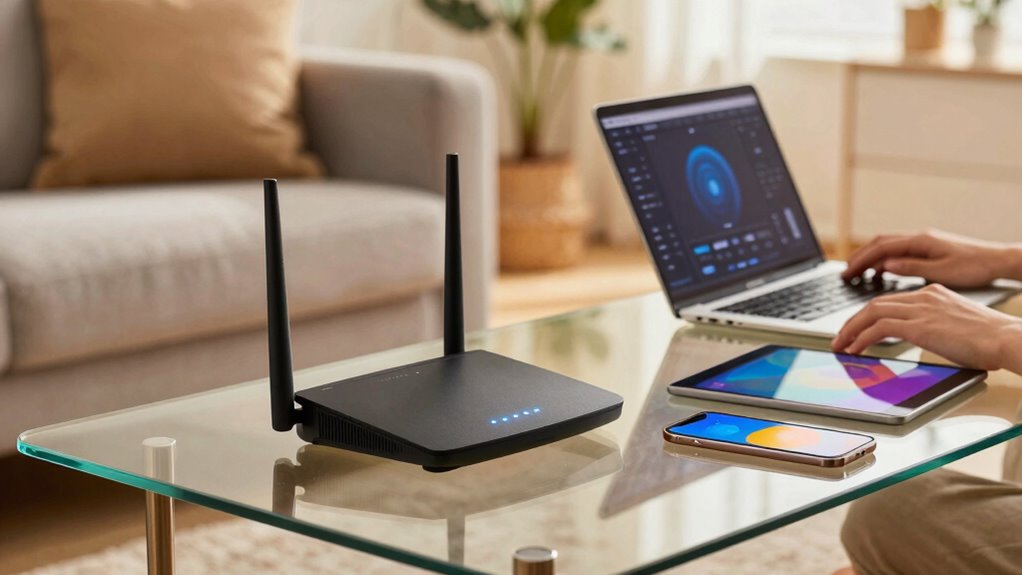

Parental controls on routers can be quite helpful in managing your child’s online activities. They allow you to block certain websites, limit internet use during specific hours, and monitor data consumption. While they are effective for basic filtering and controlling multiple devices, tech-savvy children may find ways around them. To truly keep your kids safe, you’ll want to combine these controls with ongoing supervision and open conversations. Keep going to discover more about making online safety work for your family.

Get the latest gadgets delivered free with Prime
- Fast, free delivery on millions of items
- Prime Video, Amazon Music and more included
- Member-only deals all year
Key Takeaways
- Router-based controls can block certain websites and limit internet access during specific times.
- They help monitor usage and alert parents to unusual activity or high data consumption.
- Basic controls may be bypassed by tech-savvy children using VPNs or encryption.
- Parental controls are most effective when combined with supervision, communication, and additional tools.
- They provide a helpful layer of protection but are not a foolproof, standalone solution.
Have you ever wondered how to better manage your child’s internet access at home? If so, you’re not alone. As technology becomes more ingrained in daily life, parents increasingly look for ways to guarantee digital safety and control screen time. Parental controls on routers promise an easy solution, but do they really deliver on those promises? It’s vital to understand what these controls can do and where they might fall short, so you can make informed decisions about your child’s online experience.
Router-based parental controls are designed to give you a way to block certain websites, limit internet access during specific hours, and monitor usage. They can be effective tools for setting boundaries, especially if you want to manage multiple devices from a central point. By restricting access to inappropriate content and reducing excessive screen time, you help create a safer digital environment for your child. These controls can also alert you to unusual activity or high data usage, which can signal potential issues or misuse. However, it’s important to recognize that many router controls are basic and might not cover all the sites or apps your child uses, especially when encrypted traffic can sometimes bypass filtering. Additionally, tech-savvy kids may find ways around restrictions, making it essential to combine technical solutions with ongoing supervision. Relying solely on router controls might give a false sense of security, leading you to overlook other essential aspects of digital safety. Open communication about internet use, online risks, and responsible behavior remains vital. Parental controls are tools to support your efforts, not replacements for ongoing guidance.
In addition, managing screen time isn’t just about blocking content; it’s also about setting healthy habits. While router controls can limit internet access during homework or bedtime, they don’t necessarily address the quality of online activities or encourage offline interactions. You’ll want to combine technical solutions with discussions about responsible internet use, encouraging your child to develop self-regulation skills. Using a combination of tools—like device-specific controls, app restrictions, and open dialogue—can be more effective than relying on routers alone. Moreover, understanding how content filtering works can help you choose the right tools for your family’s needs and expectations. It’s also helpful to stay informed about potential bypassing methods, such as encryption and VPNs, which can sometimes circumvent filtering and compromise your controls. Recognizing that encryption and VPNs can sometimes bypass filtering underscores the need for ongoing supervision and education. Additionally, staying updated on emerging technologies and tactics used by children can further support your efforts in maintaining a safe online environment.
Ultimately, parental controls on routers can be a helpful part of your strategy for digital safety and managing screen time, but they aren’t foolproof. They work best when integrated into a broader approach that includes education, supervision, and fostering trust. When used thoughtfully, these controls can give you peace of mind, knowing you’re taking steps to protect your child online while helping them build healthy digital habits.
As an affiliate, we earn on qualifying purchases.
Frequently Asked Questions
Can Parental Controls Be Bypassed by Tech-Savvy Kids?
Tech-savvy kids can often bypass parental controls on routers if they know enough about network settings and hacking techniques. They might use VPNs, proxy servers, or modify device settings to get around restrictions. To prevent this, you should combine router-based parental controls with device-level restrictions and open communication. Staying aware of their online activity and updating security measures regularly helps guarantee your controls remain effective against tech-savvy kids.
Do All Routers Support Parental Control Features?
Not all routers support parental control features. To guarantee you get the controls you want, check the router’s specifications beforehand. Many modern routers include built-in parental controls, but they may require recent firmware updates to function effectively. Additionally, consider how network encryption impacts security; stronger encryption helps protect your network, making parental controls more efficient. Always keep firmware updated to maintain security and access to the latest parental control features.
How Effective Are Parental Controls Against VPN Usage?
Parental controls on routers are limited against VPN usage because VPN detection is challenging, and encryption bypass can often evade these filters. When your child uses a VPN, they can bypass parental controls by masking their activity, making it harder to monitor or restrict content. While some advanced routers offer VPN detection, most are ineffective against encryption bypass, so they’re not fully reliable for blocking VPNs.
Can Parental Controls Monitor or Block Specific Apps?
Ever wonder if parental controls can truly monitor or block specific apps? Yes, they often can, especially with features like content filtering and app restrictions. You can set rules to limit access to certain applications or websites directly through your router. However, tech-savvy users might find ways around this, so it’s essential to combine router controls with device-specific parental settings for thorough protection.
Are Parental Controls Customizable for Different Age Groups?
Yes, parental controls offer customizable options for different age groups. You can set content customization and age-specific settings to match your child’s maturity level. These controls allow you to block inappropriate websites, filter content, and limit screen time based on age. By tailoring these settings, you guarantee your children access suitable content while giving you peace of mind, making parental controls a flexible tool for managing internet safety effectively.
Conclusion
So, do parental controls on routers really help? Absolutely! They’re like having a superhero guard dog at your Wi-Fi door, ready to block the worst of the internet’s chaos before it even gets inside. Without them, your kids could be surfing a digital jungle full of dangers—dangerous content, endless distractions, and online predators. With parental controls, you’re practically wielding a magic shield, turning your home Wi-Fi into a fortress of safety that’s almost invincible.
Halloween Picks
halloween
As an affiliate, we earn on qualifying purchases.