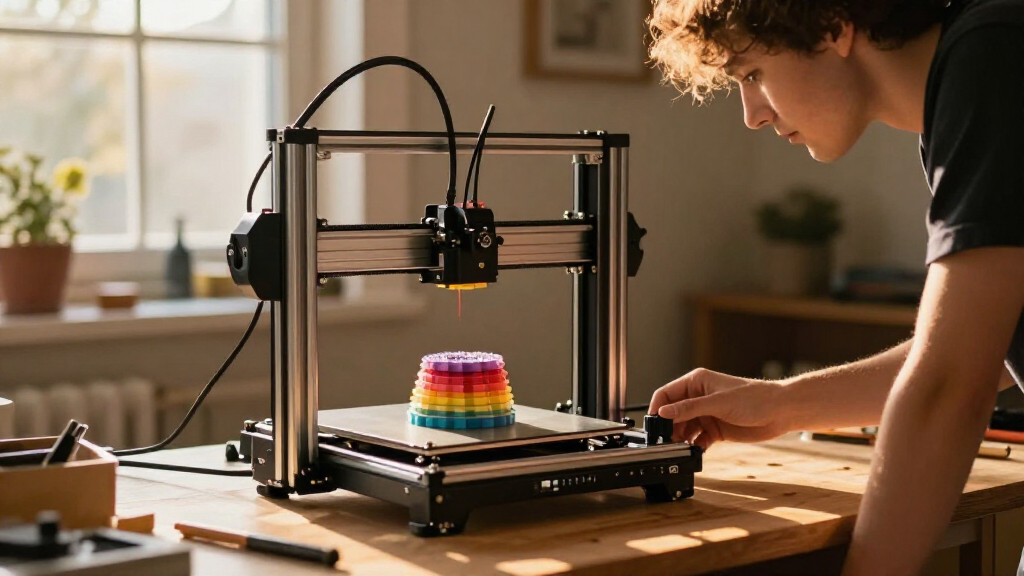

The best 3D printer for most people in this roundup is the Bambu Lab P2S Combo with AMS 2 Pro, a strong all-around choice for buyers who want an enclosed printer and multicolor capability in one setup. The Creality Ender 3 V3 SE is a simpler starting point for those who want to learn with fewer bundled systems, while the Snapmaker U1 stands out for its four-toolhead approach to changing colors or materials. The main tradeoffs are ease of use versus hands-on control, and whether multicolor convenience is worth extra hardware, setup, and filament handling. Enclosed models also suit a wider range of materials but take up more space than compact open-frame printers. Continue reading for the full breakdown of all 15 options and how to match a printer to your projects.

Get the latest gadgets delivered free with Prime
- Fast, free delivery on millions of items
- Prime Video, Amazon Music and more included
- Member-only deals all year
Complete the kit


Key Takeaways
Enclosed versatility separates the all-rounders: the Bambu Lab P2S Combo and Bambu Lab P1S are more suitable for buyers who want a covered build area, while open-frame options such as the Ender 3 V3 SE prioritize a simpler setup.
Multicolor printing comes in several forms: bundled filament systems, native four-color setups, and the Snapmaker U1’s four toolheads each bring different tradeoffs in filament changes, waste, and workflow.
The list spans very different experience levels: the Ender 3 V3 SE and Bambu Lab A1 Mini are approachable picks, while the Creator 5 Pro Industrial and larger Creality K2 models are better matched to buyers with specific capacity or production needs.
Compactness can matter more than maximum capability: the A1 Mini offers a smaller-footprint path into multicolor printing, while full-size enclosed machines need more dedicated workspace.
Closely named models are not automatically interchangeable: the K2, K2 Pro, and K2 Plus families, along with the two Kobra X listings and Creator 5 variants, should be compared by exact configuration and included accessories before choosing.
| FLASHFORGE Creator 5 3D Printer |  | Best for Fast Multi-Material Tool Changes | Toolheads: 4 independent toolheads | Tool change time: About 7 seconds | Maximum print speed: Up to 600 mm/s | VIEW LATEST PRICE | See Our Full Breakdown |
| Creality K2 Pro Combo 3D Printer with CFS |  | Best for Enclosed Engineering-Material Printing | Build volume: 300 × 300 × 300 mm | Maximum print speed: Up to 600 mm/s | Maximum acceleration: 20,000 mm/s² | VIEW LATEST PRICE | See Our Full Breakdown |
| Anycubic Kobra X Multicolor 3D Printer |  | Best for Expandable Color Printing | Printing technology: FDM | Native colors: 4 | Expandable color capacity: Up to 19 with 4 ACE 2 Pro units | VIEW LATEST PRICE | See Our Full Breakdown |
| Creality K2 Plus Combo Multi-Color 3D Printer |  | Best for Large-Format Multi-Color Printing | Build volume: 350 × 350 × 350 mm | Maximum printing speed: Up to 600 mm/s | Maximum acceleration: 30,000 mm/s² | VIEW LATEST PRICE | See Our Full Breakdown |
| ANYCUBIC Kobra X FDM 3D Printer with Native 4-Color Printing |  | Best Compact Multicolor Pick | Printing technology: FDM | Native color printing: 4 colors | Expandable color printing: Up to 19 colors with 4 ACE 2 Pro units | VIEW LATEST PRICE | See Our Full Breakdown |
| Flashforge Creator 5 Pro Industrial 3D Printer |  | Best for Engineering Materials | Chamber temperature: Up to 65°C | Filtration: HEPA13 | Extruders: 4 independent toolheads | VIEW LATEST PRICE | See Our Full Breakdown |
| Bambu Lab P2S 3D Printer Combo with AMS 2 Pro |  | Best for Filament Management | Printer type: FDM | Maximum print speed: 600 mm/s | Included system: AMS 2 Pro | VIEW LATEST PRICE | See Our Full Breakdown |
| Creality Ender 3 V3 SE 3D Printer |  | Best Entry-Level Open-Frame Pick | Maximum print speed: 250 mm/s | Acceleration: 2,500 mm/s² | Build volume: 8.66 × 8.66 × 9.84 inches | VIEW LATEST PRICE | See Our Full Breakdown |
| Bambu Lab P1S Enclosed FDM 3D Printer |  | Best Enclosed All-Rounder | Printer type and design: FDM; enclosed CoreXY | Maximum print speed: 500 mm/s | Acceleration: 20,000 mm/s² | VIEW LATEST PRICE | See Our Full Breakdown |
| FLASHFORGE Adventurer 5M Pro 3D Printer |  | Best Compact Enclosed Speed Pick | Print volume: 220 × 220 × 220 mm | Maximum print speed: 600 mm/s | Acceleration: 20,000 mm/s² | VIEW LATEST PRICE | See Our Full Breakdown |
| Creality K2 Combo 3D Printer with CFS Multicolor System |  | Best for Expandable Multicolor Printing | Build volume: 260 × 260 × 260 mm | Maximum printing speed: 600 mm/s | Multicolor system: One CFS unit included; supports up to four CFS units and 16 colors | VIEW LATEST PRICE | See Our Full Breakdown |
| Creality K2 Combo (A) 3D Printer, Multicolor Printing with CFS | 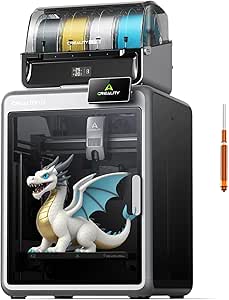 | Best for Filament Handling and Monitoring | Build volume: 260 × 260 × 260 mm | Maximum printing speed: 600 mm/s | Acceleration: 20,000 mm/s² | VIEW LATEST PRICE | See Our Full Breakdown |
| Snapmaker U1 3D Printer with Four Toolheads and 5-Second Tool Changer |  | Best for Multi-Material Printing with Less Purge Waste | Toolheads: Four independent toolheads | Tool change time: About 5 seconds | Maximum print speed: 500 mm/s | VIEW LATEST PRICE | See Our Full Breakdown |
| Bambu Lab A1 Mini 3D Printer Combo with AMS lite |  | Best Compact Multicolor Pick | Included multicolor system: AMS lite | Acceleration: 10,000 mm/s² | Noise level: ≤48 dB | VIEW LATEST PRICE | See Our Full Breakdown |
| Bambu Lab A1 FDM 3D Printer |  | Best for Straightforward Single-Color Printing | Printing technology: FDM | Acceleration: 10,000 mm/s² | Multi-color printing: Requires AMS lite, sold separately or with A1 Combo | VIEW LATEST PRICE | See Our Full Breakdown |
| 3D printer | Build volume | Maximum print speed | Weight |
|---|---|---|---|
| FLASHFORGE Creator 5 3D Printe | — | Up to 600 mm/s | 30.8 pounds |
| Creality K2 Pro Combo 3D Print | 300 × 300 × 300 mm | Up to 600 mm/s | 61.6 pounds |
| Anycubic Kobra X Multicolor 3D | 260 × 260 × 260 mm | — | — |
| Creality K2 Plus Combo Multi-C | 350 × 350 × 350 mm | — | 70.4 pounds |
| ANYCUBIC Kobra X FDM 3D Printe | 260 × 260 × 260 mm | — | — |
| Flashforge Creator 5 Pro Indus | 256 mm³ as listed; specification is unclear | 600 mm/s | — |
| Bambu Lab P2S 3D Printer Combo | — | 600 mm/s | 46.3 pounds |
| Creality Ender 3 V3 SE 3D Prin | 8.66 × 8.66 × 9.84 inches | 250 mm/s | — |
| Bambu Lab P1S Enclosed FDM 3D | — | 500 mm/s | — |
| FLASHFORGE Adventurer 5M Pro 3 | — | 600 mm/s | — |
| Creality K2 Combo 3D Printer w | 260 × 260 × 260 mm | — | 65.9 pounds |
| Creality K2 Combo | 260 × 260 × 260 mm | — | — |
| Snapmaker U1 3D Printer with F | 270 × 270 × 270 mm | 500 mm/s | 57.9 pounds |
| Bambu Lab A1 Mini 3D Printer C | — | — | 22 pounds |
| Bambu Lab A1 FDM 3D Printer | — | — | 22 pounds |
More Details on Our Top Picks
FLASHFORGE Creator 5 3D Printer
The FLASHFORGE Creator 5 is the specialist pick for buyers who want multiple materials without relying on a single nozzle to switch between them. Its four independent toolheads reduce color mixing and purge waste, while background preheating brings tool changes to about seven seconds. Compared with the Creality K2 Pro Combo, which offers a larger build volume and a CFS system for extensive color combinations, the Creator 5 prioritizes separate toolheads and a more compact footprint. Its CoreXY motion system, automatic calibration, and vibration compensation are designed to support speeds up to 600 mm/s, though that maximum depends on the print and setup. The tradeoff is a narrower build volume than the Creality options and a substantial 30.8-pound frame that still needs dedicated space.
Pros:- Four independent toolheads help limit color contamination and purge waste.
- Background preheating supports tool changes in about seven seconds.
- Supports PLA, PETG, TPU, PETG-CF, and dedicated support materials.
- Automatic calibration and vibration compensation help manage high-speed printing.
Cons:- The listed 16 × 14 × 18-inch dimensions require dedicated workspace.
- The 600 mm/s maximum is conditional on print setup and conditions.
- Its build volume is not specified here, making it harder to compare capacity with the K2 Pro Combo.
Best for: Makers who regularly combine different colors or support materials and want independent toolheads without stepping up to a larger Creality printer.
Not ideal for: Buyers making oversized parts or seeking a printer they can easily move between work areas; its listed dimensions and 30.8-pound weight call for a dedicated spot.
- Toolheads:4 independent toolheads
- Tool change time:About 7 seconds
- Maximum print speed:Up to 600 mm/s
- Motion system:CoreXY
- Supported materials:PLA, PETG, TPU, PETG-CF, and support materials
- Calibration:Automatic calibration, vibration compensation, and flow calibration
- Dimensions:16 × 14 × 18 inches
- Weight:30.8 pounds
Our verdict“Choose the Creator 5 if independent toolheads and quick material changes matter more than a clearly specified large build volume.”
Creality K2 Pro Combo 3D Printer with CFS
The Creality K2 Pro Combo suits buyers who need a substantial build area and materials that benefit from a heated chamber. Its 300 × 300 × 300 mm volume accommodates larger prototypes than the Anycubic Kobra X, while active chamber heating up to 60°C supports materials such as ASA and PPA. The included CFS adds up to 16-color and multi-material capability, and dual AI cameras can monitor prints and support adjustments. Compared with the Creality K2 Plus Combo, the K2 Pro has a smaller build volume and lower stated acceleration, so it is the more space-conscious option rather than the choice for the largest parts. Its 61.6-pound weight makes placement a commitment, and the 300 mm limit still rules out prints that exceed its cubic workspace.
Pros:- 300 × 300 × 300 mm build volume suits larger prototypes and batch jobs.
- Active chamber heating up to 60°C supports materials including ASA and PPA.
- CFS supports up to 16 colors and multi-material printing.
- Dual AI cameras, Wi-Fi, and LAN provide monitoring and connectivity options.
Cons:- At 61.6 pounds, it is difficult to move after setup.
- The build volume still caps each print at 300 mm per axis.
- Its stated 600 mm/s maximum speed does not by itself indicate typical print speed.
Best for: Prototype builders and small workshops that need a heated chamber, a sizable build area, and CFS multi-color printing in one setup.
Not ideal for: Makers who need the largest possible parts or frequently relocate their printer; the K2 Plus offers a larger build volume, and this model weighs 61.6 pounds.
- Build volume:300 × 300 × 300 mm
- Maximum print speed:Up to 600 mm/s
- Maximum acceleration:20,000 mm/s²
- Maximum chamber temperature:60°C
- Maximum extruder flow:40 mm³/s
- Supported materials:PLA, ABS, ASA, PPA, PPA-CF, PET-CF, and carbon-fiber composites
- Filament system:CFS; supports up to 16 colors and multi-material printing
- Cameras:Chamber AI camera and nozzle AI camera
- Weight:61.6 pounds
Our verdict“Pick the K2 Pro Combo for chamber-heated materials and a roomy build area, but choose the K2 Plus Combo if you need more capacity.”
Anycubic Kobra X Multicolor 3D Printer
The Anycubic Kobra X offers a measured entry into multicolor printing: it handles four colors natively and can expand to as many as 19 with four compatible ACE 2 Pro units. That makes it more modular than the FLASHFORGE Creator 5, whose four independent toolheads are part of the printer itself rather than an expansion path. The Kobra X also brings a 260 mm cubic build volume, 49-point automatic bed leveling, and app monitoring with spaghetti and foreign-object detection. Its support for TPU and PVA broadens the kinds of flexible and support-material jobs it can handle. The compromises are that filament is not included and expansion depends on additional compatible hardware; ACE 2 Pro units are not interchangeable with ACE Pro. The larger Creality K2 Pro Combo is a better fit for bigger parts or heated-chamber materials.
Pros:- Four native colors with an expansion path up to 19 using four ACE 2 Pro units.
- 49-point automatic bed leveling reduces manual setup work.
- Supports PLA, PETG, TPU, PVA, and ASA.
- App monitoring includes spaghetti and foreign-object detection.
Cons:- Filament is sold separately.
- Expansion requires compatible ACE 2 Pro units; ACE Pro units are incompatible.
- The 260 × 260 × 260 mm build volume is smaller than the Creality K2 Pro Combo’s.
Best for: Makers who want to start with four-color FDM printing and keep open the option of expanding their color setup later.
Not ideal for: Buyers who want a complete multicolor setup in the box, need a build volume above 260 mm cubed, or expect to use ACE Pro hardware.
- Printing technology:FDM
- Native colors:4
- Expandable color capacity:Up to 19 with 4 ACE 2 Pro units
- Build volume:260 × 260 × 260 mm
- Maximum printing speed:Up to 600 mm/s
- Nozzle:Hardened steel; maximum temperature 300°C
- Bed leveling:LeviQ 3.0, 49-point automatic calibration
- Supported filaments:PLA, PETG, TPU, PVA, and ASA
- Connectivity and monitoring:Dual-band 2.4/5 GHz Wi-Fi, LAN, app monitoring, spaghetti and foreign-object detection
Our verdict“Choose the Kobra X if you want four-color printing now with a defined expansion route, and skip it if you need more build space or included filament.”
Creality K2 Plus Combo Multi-Color 3D Printer
For buyers who need both a large work envelope and multi-color capability, the Creality K2 Plus Combo makes the strongest case in this group. Its 350 × 350 × 350 mm build volume exceeds the K2 Pro Combo’s 300 mm cube, giving larger prototypes and batch prints more room. Four connected CFS units support up to 16 colors, while a nozzle temperature up to 350°C and chamber heating up to 60°C suit a broader set of demanding materials than the Anycubic Kobra X is specified for. Automatic leveling and dual AI cameras add monitoring help, but they do not remove the setup demands of a large printer. At 70.4 pounds, this is the heaviest option here, and reaching 16 colors requires all four CFS units.
Pros:- 350 × 350 × 350 mm build volume is larger than the K2 Pro Combo’s.
- Up to 16-color printing with four connected CFS units.
- 350°C nozzle and 60°C chamber specifications support demanding material workflows.
- Automatic leveling, dual AI cameras, and filament monitoring support print management.
Cons:- At 70.4 pounds, it is a difficult printer to relocate.
- The full 16-color capacity requires four connected CFS units.
- Its size and feature set may be excessive for small, mostly single-color prints.
Best for: Workshops and advanced makers producing large prototypes, batches, or multi-color parts that benefit from a heated chamber and high-temperature nozzle.
Not ideal for: Small workspaces, users who need a portable printer, or buyers who only need a few colors and do not want to connect multiple CFS units.
- Build volume:350 × 350 × 350 mm
- Maximum printing speed:Up to 600 mm/s
- Maximum acceleration:30,000 mm/s²
- Maximum nozzle temperature:350°C
- Maximum chamber temperature:60°C
- Maximum color capacity:16 colors with four CFS units
- Print flow rate:40 mm³/s
- Frame material:Aerospace-grade aluminum alloy
- Weight:70.4 pounds
Our verdict“Choose the K2 Plus Combo when large-format, multi-color capacity matters more than portability or a simpler setup.”
ANYCUBIC Kobra X FDM 3D Printer with Native 4-Color Printing
This Kobra X configuration is the more workspace-aware multicolor option: its top-mounted spool design keeps the filament arrangement above the printer, while the listed dimensions are smaller than the other Anycubic Kobra X listing. It retains four-color printing and can expand to 19 colors with four ACE 2 Pro units, so it offers a similar growth path to the multicolor Kobra X while adding a stated 720p camera and AI monitoring. Compared with the Creality K2 Pro Combo, it gives up build volume and heated-chamber capability, but it weighs far less at 20.9 pounds. The 260 mm cubic build space suits everyday parts, not large prototypes, and the larger color count depends on added hardware. Its compact layout is useful, though the spool position still needs overhead clearance.
Pros:- Top-mounted spool design helps conserve workbench footprint.
- Native four-color printing can expand to 19 colors with four ACE 2 Pro units.
- 49-point LeviQ 3.0 leveling reduces manual bed adjustment.
- 720p camera includes AI spaghetti and object detection.
Cons:- The 260 × 260 × 260 mm build volume is smaller than the Creality K2 Pro Combo’s.
- Printing beyond four colors requires four ACE 2 Pro units.
- Top-mounted spool placement needs overhead clearance.
Best for: Home makers with limited bench space who want native four-color printing, remote camera monitoring, and a lightweight printer for medium-sized parts.
Not ideal for: Users printing large prototypes or chamber-dependent engineering materials, or anyone who wants more than four colors without adding ACE 2 Pro units.
- Printing technology:FDM
- Native color printing:4 colors
- Expandable color printing:Up to 19 colors with 4 ACE 2 Pro units
- Build volume:260 × 260 × 260 mm
- Maximum printing speed:Up to 600 mm/s
- Auto-leveling:49-point LeviQ 3.0 mesh
- Camera:720p with AI spaghetti and object detection
- Connectivity and management:Anycubic App
- Dimensions and weight:17.93 × 17.53 × 18.16 inches; 20.9 pounds
Our verdict“Pick this Kobra X when a compact multicolor setup and camera monitoring matter more than large parts or heated-chamber materials.”
Flashforge Creator 5 Pro Industrial 3D Printer
The Creator 5 Pro is the specialist pick here: its 65°C heated chamber and sealed, HEPA13-filtered enclosure are aimed at jobs using ABS, ASA, PC, or Nylon, where temperature stability and emissions control matter. Four independent extruders also allow multi-color or multi-material work without the shared-nozzle purging associated with systems such as the Bambu Lab P1S plus AMS. The P1S is a simpler fit for general enclosed printing, while this Flashforge is better equipped for chamber-sensitive materials. Its 600 mm/s maximum speed is competitive, but speed alone does not make it the best choice for every buyer. The listed build volume, “256 mm³,” is unclear and should be verified before buying; the enclosure also makes this a larger, heavier machine than an open-frame option.
Pros:- 65°C heated chamber supports a broader range of engineering materials.
- Four independent extruders enable multi-material and multi-color prints without shared-nozzle purging.
- Sealed enclosure with HEPA13 filtration helps manage particles and odors.
- Automatic leveling, filament monitoring, and flexible magnetic PEI plate simplify routine operation.
Cons:- The listed 256 mm³ build-volume figure is ambiguous and needs clarification.
- Enclosure and filtration add substantial size and weight.
- Its specialized chamber and toolhead setup may be more than general-purpose hobby printing requires.
Best for: Makers and small engineering teams printing chamber-sensitive materials who also need independent toolheads for multi-material projects.
Not ideal for: First-time buyers seeking a compact, straightforward PLA printer, or anyone who needs a confirmed large build volume before purchase.
- Chamber temperature:Up to 65°C
- Filtration:HEPA13
- Extruders:4 independent toolheads
- Maximum print speed:600 mm/s
- Acceleration:30,000 mm/s²
- Build volume:256 mm³ as listed; specification is unclear
- Frame and build plate:All-metal CoreXY; flexible magnetic PEI
- Dimensions and weight:18.9 × 16.06 × 17.17 inches; 30.9 pounds
Our verdict“Choose the Creator 5 Pro for heated-chamber material work and independent toolheads, but confirm its build volume before committing.”
Bambu Lab P2S 3D Printer Combo with AMS 2 Pro
This Combo makes the most sense for buyers who want multi-color printing and filament drying in one package. The included AMS 2 Pro handles multiple materials or colors and dries filament at up to 65°C, a useful pairing for moisture-sensitive spools. Like the FLASHFORGE Adventurer 5M Pro, the P2S reaches a listed 600 mm/s, but its AI failure detection and automatic calibration put more emphasis on assisted operation than the Flashforge’s camera and dual-filtration setup. Adaptive airflow helps balance cooling with chamber heat, though the chamber reaches only 50°C, so this is less suited to some demanding materials than the Creator 5 Pro. Multi-color printing depends on buying this Combo configuration; the printer alone does not provide that capability.
Pros:- Included AMS 2 Pro supports multi-color and multi-material printing.
- Filament drying reaches up to 65°C.
- Automatic calibration and AI failure detection add hands-off assistance.
- Quick-swap nozzles make nozzle changes more convenient.
Cons:- Multi-color printing requires the Combo configuration with AMS 2 Pro.
- The 50°C chamber may be limiting for some engineering materials.
- At 46.3 pounds, it is a substantial machine to move or reposition.
Best for: Makers who regularly switch colors or materials and want an integrated filament-drying system with automated print checks.
Not ideal for: Users focused on high-temperature engineering plastics, or buyers who want a multi-color printer without the included AMS 2 Pro setup.
- Printer type:FDM
- Maximum print speed:600 mm/s
- Included system:AMS 2 Pro
- Filament drying temperature:Up to 65°C
- Chamber temperature:Up to 50°C
- Dimensions:18 × 22 × 18 inches
- Weight:46.3 pounds
- Model number:PF004-U+SA007-AU
Our verdict“Pick the P2S Combo if integrated color handling and filament drying matter more than a hotter chamber.”
Creality Ender 3 V3 SE 3D Printer
The Ender 3 V3 SE is the accessible open-frame choice for buyers who want a capable first printer without stepping up to an enclosed, multi-color system. Its CR Touch auto leveling and strain-sensor Z-offset reduce bed setup work, while the direct-drive Sprite dual-gear extruder handles flexible TPU as well as PLA and PETG. That makes it more approachable for basic material variety than a bare-bones starter machine. Compared with the enclosed Bambu Lab P1S, it has a lower 250 mm/s listed maximum speed and no enclosure for materials such as ABS or ASA; its strengths are simpler access and a lighter footprint. The 8.66 × 8.66 × 9.84-inch build space also limits larger projects, and some assembly is still required.
Pros:- Direct-drive extruder supports PLA, TPU, and PETG.
- CR Touch leveling and strain-sensor Z-offset reduce manual bed adjustments.
- Dual Z-axis and steel Y-axis linear shafts support stable motion.
- Automatic filament loading and unloading eases spool changes.
Cons:- Build volume is modest compared with enclosed machines such as the Bambu Lab P1S.
- Maximum listed speed is lower than the 500–600 mm/s options in this lineup.
- Requires three-step assembly before printing.
Best for: First-time hobbyists who want automatic bed setup, direct-drive flexibility, and an open frame for PLA, PETG, and TPU projects.
Not ideal for: Makers who need an enclosure for ABS or ASA, faster production, or room for large models.
- Maximum print speed:250 mm/s
- Acceleration:2,500 mm/s²
- Build volume:8.66 × 8.66 × 9.84 inches
- Extruder:Sprite full-metal dual-gear direct extruder
- Auto leveling and Z-offset:CR Touch; strain sensor
- Motion system:Dual Z-axis; Y-axis with two 8 mm steel linear shafts
- Supported filaments:PLA, TPU, PETG
- Dimensions and weight:13.9 × 13.9 × 18.9 inches; 15.66 pounds
- Assembly:Preassembled; 3-step assembly
Our verdict“Choose the Ender 3 V3 SE for an approachable open-frame start with TPU support, not for enclosed or high-speed production.”
Bambu Lab P1S Enclosed FDM 3D Printer
The P1S is the balanced enclosed option for buyers who want broad filament support and fast printing without the P2S Combo’s included filament-management system. It lists speeds up to 500 mm/s, automatic bed leveling, and an enclosed CoreXY design; setup is listed at about 15 minutes. PLA, PETG, TPU, PVA, PET, ABS, and ASA are among its stated ideal filaments, giving it more general-purpose range than the open-frame Ender 3 V3 SE. For multi-color work, it can reach up to 16 colors or materials with a compatible AMS, but that system is separate. The Creator 5 Pro is the stronger fit when a heated chamber and independent toolheads are the priority; the P1S trades those specialist features for a more straightforward enclosed setup. Carbon- and glass-fiber-reinforced polymers are not recommended.
Pros:- Enclosed CoreXY design supports a wide range of everyday and engineering filaments.
- Automatic bed leveling reduces manual setup.
- Print speed reaches up to 500 mm/s.
- Compatible AMS can extend printing to as many as 16 colors or materials.
Cons:- A compatible AMS is required for multi-color or multi-material printing.
- Carbon- and glass-fiber-reinforced polymers are not recommended.
- Its listed maximum speed is below the 600 mm/s P2S Combo and Adventurer 5M Pro.
Best for: Hobbyists and small workshops seeking an enclosed printer for varied everyday materials, with the option to add AMS for multi-color work.
Not ideal for: Buyers who need multi-color printing out of the box, a heated chamber, or recommended support for carbon- or glass-fiber-reinforced filament.
- Printer type and design:FDM; enclosed CoreXY
- Maximum print speed:500 mm/s
- Acceleration:20,000 mm/s²
- Multicolor capability:Up to 16 colors or materials with compatible Bambu Lab AMS
- Bed leveling:Automatic
- Ideal filaments:PLA, PETG, TPU, PVA, PET, ABS, ASA
- Capable filaments:PA, PC
- Dimensions and weight:15.31 × 18.03 × 15.31 inches; 38.9 pounds
Our verdict“Choose the P1S for an enclosed, versatile single-printer setup, adding AMS only if multi-color work is a real need.”
FLASHFORGE Adventurer 5M Pro 3D Printer
The Adventurer 5M Pro suits buyers who want a fast enclosed printer without the heavier footprint of the Bambu Lab P2S Combo. It lists speeds up to 600 mm/s, automatic leveling, vibration compensation, and a 220 mm cube build space. Its 280°C nozzle and 110°C bed support materials including PLA, PETG, ABS, ASA, and PETG-CF, while dual filtration and a built-in camera add practical monitoring and emissions management. Compared with the P1S, it offers a higher listed maximum speed and quick-release nozzle options, but the P1S supports a larger multicolor setup when paired with AMS. The 5M Pro’s build volume is adequate for many functional parts, not oversized prints, and its enclosure takes more room than an open-frame Ender 3 V3 SE.
Pros:- Listed maximum speed of 600 mm/s with vibration compensation.
- Automatic bed leveling and quick-release nozzle system simplify setup and nozzle changes.
- 280°C nozzle and 110°C bed support several functional-printing materials.
- Dual filtration and built-in camera add emissions management and print monitoring.
Cons:- The 220 × 220 × 220 mm build volume limits large-part printing.
- Enclosed design requires more room than an open-frame printer such as the Ender 3 V3 SE.
- Multi-color printing is not listed as a built-in capability.
Best for: Makers who want an enclosed, high-speed printer with a camera and broad material options for parts that fit within a 220 mm cube.
Not ideal for: Users printing large models, seeking built-in multi-color capability, or lacking space for an enclosed machine.
- Print volume:220 × 220 × 220 mm
- Maximum print speed:600 mm/s
- Acceleration:20,000 mm/s²
- Nozzle and bed temperatures:Nozzle: 280°C; heated bed: 110°C
- Nozzle sizes:0.25, 0.4, 0.6, 0.8 mm
- Frame and filtration:All-metal CoreXY; dual filtration system
- Display and noise:4.3-inch touchscreen; under 50 dB
- Dimensions and weight:16 × 14 × 18 inches; 22 pounds
- Model number:AD5MP-US1
Our verdict“Pick the Adventurer 5M Pro for enclosed speed and monitoring in a compact build area, but choose another model for large or multicolor jobs.”
Creality K2 Combo 3D Printer with CFS Multicolor System
The K2 Combo suits makers who want a roomy build area and a path from four-color printing to larger multicolor setups. Its 260 × 260 × 260 mm volume gives it more space than the Bambu Lab A1 Mini Combo, while the included CFS handles filament switching and can be expanded to support up to 16 colors. Target-area auto leveling and an AI camera add convenience by reducing setup work and helping watch for print failures. It arrives mostly assembled, though it still needs some setup after unpacking.
The main tradeoff is that the 16-color capacity is an upgrade path, not what comes in the box: this package includes one CFS unit. At 65.9 pounds, it is also less convenient to relocate than the smaller A1 Mini Combo. I’d choose it for larger multicolor projects, but not if portability or turnkey access to every advertised color is the priority.
Pros:- 260 mm cubic build volume accommodates larger prints than the Bambu Lab A1 Mini Combo
- Included CFS enables multicolor printing and the system can expand to 16 colors
- Target-area auto leveling reduces manual bed setup
- AI camera can monitor prints for issues such as spaghetti failure
Cons:- Only one CFS unit is included; additional units are needed for expanded color capacity
- At 65.9 pounds, it is cumbersome to move
- The supplied information does not give a specific enclosure or heated-chamber detail for assessing demanding material use
Best for: Makers who want a larger build area, included multicolor printing, and the option to expand their filament setup over time
Not ideal for: People who need a lightweight printer or expect 16-color printing from the included CFS unit alone
- Build volume:260 × 260 × 260 mm
- Maximum printing speed:600 mm/s
- Multicolor system:One CFS unit included; supports up to four CFS units and 16 colors
- Supported materials:PLA, PETG, ABS, PLA-CF, PET
- Auto leveling:Target print area
- Monitoring:AI camera
- Dimensions:16.93 × 16.54 × 21.06 inches
- Weight:65.9 pounds
Our verdict“Choose the K2 Combo if you want a large-format multicolor printer with room to expand, and skip it if you need a light, fully equipped 16-color setup out of the box.”
Creality K2 Combo (A) 3D Printer, Multicolor Printing with CFS
This K2 Combo listing is a better fit for buyers who value filament management and monitoring alongside multicolor capability. Like the other Creality K2 Combo in this roundup, it pairs a 260 mm cubic build area with one CFS unit and a stated path to 16 colors using additional units. Its listing adds RFID filament identification, moisture-proof storage, and automatic filament relay, which can reduce routine handling when rotating materials. The AI chamber camera adds failure detection and time-lapse recording, while the built-in air purifier is a feature absent from the supplied description of the other K2 Combo.
Those extras do not change the core limitation: the package includes only one CFS unit, so expanded color capacity requires more hardware. It is also a heavy machine, and the detailed specifications for this listing are sparse compared with the other K2 entry. I’d favor this version when its described filament and air-management features matter; the other K2 listing is easier to compare on listed specs.
Pros:- RFID filament identification and automatic relay simplify filament changes
- Airtight CFS storage with desiccants helps keep loaded filament dry
- AI chamber camera supports failure detection and time-lapse recording
- Built-in air purifier is an added feature not listed for the other K2 Combo
Cons:- Only one CFS unit is included; extra units are needed to reach the stated 16-color capacity
- The listing provides few independent technical specifications beyond the shared K2 details
- The printer is described as a substantial machine, making it a poor fit for buyers who need easy portability
Best for: Makers who want multicolor printing plus automated filament identification, moisture-conscious storage, and camera-based print monitoring
Not ideal for: Buyers who need clearly documented specifications or want a multi-unit, high-color CFS setup included from the start
- Build volume:260 × 260 × 260 mm
- Maximum printing speed:600 mm/s
- Acceleration:20,000 mm/s²
- Multicolor system:One CFS unit included; supports up to four CFS units and 16 colors
- Hotend:High-flow hotend, 40 mm³/s
- Nozzle:Hardened steel, up to 300 °C
- Filament features:RFID identification, automatic relay, moisture-proof storage
- Monitoring and air management:AI chamber camera and built-in air purifier
Our verdict“Pick this K2 listing if its filament-management and monitoring features are priorities, but compare the supplied specifications carefully before choosing it over the other K2 Combo.”
Snapmaker U1 3D Printer with Four Toolheads and 5-Second Tool Changer
The Snapmaker U1 takes a different route from the Creality K2 Combo: instead of routing several colors through a single filament system, it uses four independent toolheads. Switching tools in about five seconds can cut the waiting and filament purging associated with color changes, making this a strong choice for prints that mix colors or materials. Its broad stated material range, including TPU, ABS, and PC, also makes it more flexible for material combinations than the Bambu Lab A1 Mini Combo, whose supplied details focus on convenience rather than a broad compatibility list.
The tradeoff is that four toolheads do not remove the limits of a 270 mm cubic build volume; oversized objects still need to be split. The U1 is also a 57.9-pound machine, so it is not an easy move-around option. I’d put it ahead of the K2 Combo for buyers focused on tool-to-tool material changes, but not for those seeking a smaller or lighter printer.
Pros:- Four independent toolheads support multi-color and multi-material jobs
- Approximately five-second tool changes can reduce wait time and filament waste
- Automatic calibration and filament management reduce manual setup
- Supports a broad range of listed materials, including TPU, ABS, and PC
Cons:- The 270 × 270 × 270 mm build volume limits single-piece print size
- At 57.9 pounds, it is not convenient to reposition
- Four toolheads may be more capability than needed for buyers who mainly print single-material parts
Best for: Makers printing multi-color or multi-material parts who want fast tool changes and reduced filament purging
Not ideal for: People who need to print objects larger than a 270 mm cube or regularly move their printer
- Toolheads:Four independent toolheads
- Tool change time:About 5 seconds
- Maximum print speed:500 mm/s
- Build volume:270 × 270 × 270 mm
- Compatible materials:PLA, PVA, TPU, PETG, PCTG, ABS, ASA, PA, PC, and more
- Display:3.5-inch touchscreen
- Dimensions:22.6 × 13 × 14.2 inches
- Weight:57.9 pounds
Our verdict“Choose the U1 when multi-material work and reduced purge waste matter more than portability or a larger single-piece build area.”
Bambu Lab A1 Mini 3D Printer Combo with AMS lite
The A1 Mini Combo is the accessible, lower-footprint multicolor option in this group. It arrives pre-assembled, includes the AMS lite, and automates Z-offset and bed leveling, so setup is less involved than on the larger Creality K2 Combo. Motor noise cancellation at 48 dB or less is another useful distinction for a shared workspace. The AMS lite gives it multicolor capability without requiring a separate system purchase, though its compact positioning should not be mistaken for a tiny overall footprint: the listed dimensions still take up meaningful desk space.
Compared with the K2 Combo and Snapmaker U1, the A1 Mini is the easier fit for buyers who value straightforward setup over a larger build area or broader material ambitions. Its supplied details do not state a build volume or supported-material list, so I would not select it for size-critical projects based on this information alone. Multicolor printing also depends on the included AMS lite.
Pros:- Pre-assembled setup and automatic calibration reduce initial setup work
- AMS lite is included for multicolor printing
- Active motor noise cancellation keeps listed noise at or below 48 dB
- Quick-swap nozzle can simplify nozzle maintenance
Cons:- Multicolor printing depends on the AMS lite system
- The listed dimensions take up a notable amount of space for a model called Mini
- The supplied product data does not state its build volume or material compatibility
Best for: First-time makers and home users who want a pre-assembled printer with included multicolor capability and quieter operation
Not ideal for: Buyers planning large prints or seeking a smaller desk footprint than the listed dimensions provide
- Included multicolor system:AMS lite
- Acceleration:10,000 mm/s²
- Noise level:≤48 dB
- Calibration:Automatic Z-offset and bed leveling
- Nozzle:1-Clip quick-swap
- Dimensions:16.77 × 14.82 × 19.5 inches
- Weight:22 pounds
Our verdict“Choose the A1 Mini Combo for convenient, quieter multicolor printing at home, but look to the larger Creality K2 Combo or Snapmaker U1 if print size is your priority.”
Bambu Lab A1 FDM 3D Printer
The Bambu Lab A1 is the straightforward pick for buyers who want automated setup and consistent extrusion without paying for a multicolor system they may not use. Automatic Z-offset and bed leveling reduce calibration chores, while active flow-rate compensation helps manage extrusion consistency. The 1-Clip quick-swap nozzle is handy for routine changes, and motor noise cancellation keeps stated noise at or below 48 dB. Against the A1 Mini Combo, this is the cleaner choice when the AMS lite is unnecessary; the Mini Combo makes more sense when multicolor printing is part of the plan from day one.
The key limitation is clear: multicolor printing requires an AMS lite, sold separately or with the A1 Combo. The supplied details also omit build volume and supported materials, making it harder to judge fit for large or specialized jobs. I’d choose the A1 for routine single-color printing and its automated workflow, not for buyers who want multicolor capability included or need a documented print capacity.
Pros:- Automatic Z-offset and bed leveling reduce setup adjustments
- Active flow-rate compensation supports consistent extrusion
- 1-Clip quick-swap nozzle makes nozzle changes simpler
- Active motor noise cancellation supports noise levels at or below 48 dB
Cons:- AMS lite is required for multicolor printing and is not included with this listing
- The supplied product data does not state build volume or compatible materials
- Buyers seeking multicolor capability in the box are better matched to the A1 Mini Combo
Best for: Home makers who mainly print single-color parts and want automatic calibration, quieter operation, and easy nozzle changes
Not ideal for: Buyers who want multicolor printing included, need a stated build volume, or plan specialized material work
- Printing technology:FDM
- Acceleration:10,000 mm/s²
- Multi-color printing:Requires AMS lite, sold separately or with A1 Combo
- Calibration:Automatic Z-offset and bed leveling
- Nozzle:1-Clip quick-swap
- Noise level:≤48 dB
- Dimensions:21.76 × 20.83 × 12.87 inches
- Weight:22 pounds
Our verdict“Choose the A1 for automated single-color printing and add an AMS lite only if multicolor capability becomes a real need.”
How We Picked
I compared these 15 printers around the decisions buyers actually face: how much setup and upkeep a machine asks of them, what types of projects its format suits, and whether its enclosure or material system adds useful flexibility. I also weighed the practical value of bundled multicolor hardware against added complexity, filament management, and workspace demands. A feature matters here only when it changes what a buyer can reasonably print or how much attention the printer requires.
The ranking gives priority to balanced capability and broad usefulness, then recognizes models that make a clearer trade: lower barriers for beginners, compact size, larger or more specialized workflows, or multiple toolheads. Because several listings have similar names and may vary by bundle, I treat exact configuration as part of the buying decision rather than assuming every package includes the same accessories. The reviews should be read as role-based recommendations, not as a claim that one machine suits every maker.
Factors to Consider When Choosing Best 3D Printers
Before choosing among these printers, I would start with the work you expect to do most often, not the longest feature list. These factors help separate a useful capability from one that adds cost, space, or maintenance without improving your projects.
Match the printer to the parts you plan to make
Think about the largest object you expect to print, including supports and any room needed to remove it from the build plate. A printer with a larger build area can handle bigger parts, but it also claims more desk or bench space and may be unnecessary for miniatures, organizers, or small replacement pieces. Measure your workspace and the printer’s full footprint, not just its stated build volume. If a project can be split into joined sections, a smaller machine may still serve you well. Buyers often pay for capacity they rarely use, then discover that enclosure access and storage are awkward. Choose the size that fits your regular prints, with some room for occasional growth.
Choose multicolor hardware with its workflow in mind
Multicolor printing can mean feeding several filaments through an automated system or using separate toolheads, and those methods do not create the same workflow. Automated filament systems can simplify color changes, but swaps may add print time and purge material, especially when many colors repeat across a model. Multiple toolheads can reduce some filament-change steps, yet they introduce their own hardware and setup demands. Before paying for a multicolor bundle, check whether its system is included in the exact package and whether it supports the materials you expect to use. For occasional color accents, painting or assembling separate printed parts may be less wasteful. Frequent, complex color work makes a dedicated system easier to justify.
Treat an enclosure as a material and workspace choice
An enclosed printer can help manage drafts and keep the print area separated from pets, dust, or casual contact. It is especially useful when your material choices benefit from a more stable printing environment, though an enclosure does not make every material simple or remove ventilation needs. Open-frame printers are easier to access and can suit common, lower-temperature projects, but they leave the print more exposed. Check the machine’s placement, door or lid clearance, and room airflow before deciding. A common mistake is selecting an enclosure for a hoped-for future material without checking whether the printer and room suit that material. Pay for an enclosure when your actual projects or surroundings make it useful.
Budget for the whole setup, not just the printer
A printer is only one part of a working setup: filament, build-plate care, spare nozzles, tools, and storage can all add to the effort and expense. Bundles may include valuable accessories, but a larger package is not automatically better if you will not use its multicolor system or extras. Check exactly what comes in the box, since similar model names can refer to different configurations. Also consider where filament will be stored and how often you want to change materials. Buyers who value a low-friction start may prefer a simpler package over a more elaborate system with features to configure. Compare the recurring costs and upkeep implied by the workflow, not only the headline specifications.
Decide how much hands-on learning you want
Some buyers want a printer that asks for little setup after assembly; others enjoy tuning, troubleshooting, and learning how print settings affect results. Automated setup features can shorten the path to a first successful print, but they do not remove the need to understand bed adhesion, supports, or material settings. A more hands-on machine can teach useful skills and offer control, yet may frustrate someone who mainly wants finished parts. Consider who will operate the printer and how much time they can spend maintaining it. For a family or classroom, predictable routines may matter more than customization. For a hobbyist who likes problem-solving, the learning curve may be part of the appeal.
Check support, maintenance, and replacement parts
Printers need routine attention, and a convenient feature is less useful if its consumables or replacement components are difficult to source. Look into nozzle availability, build-surface compatibility, cleaning requirements, and the steps needed to clear a failed print. A multicolor unit can add feed paths and components that need maintenance beyond a basic single-filament machine. Before buying, read the manufacturer’s documentation for common service tasks and confirm that replacement parts match the exact model. New owners often focus on print speed but overlook how a clogged nozzle or damaged surface affects downtime. A manageable maintenance routine can matter more over months of use than a small difference in advertised speed.
Frequently Asked Questions
Should I buy a multicolor printer if I mostly print single-color parts?
Usually, not unless you expect to use multicolor printing regularly or value the included system for another reason. A multicolor setup adds hardware, filament management, and possible purge waste, even when most jobs use one color. You can often create color accents by printing separate pieces and assembling them, or by finishing a single-color print afterward. Think about the kinds of models you already want to make rather than buying for a project you may never start. If multicolor is occasional, a simpler printer can leave more room in your budget for filament and tools.
Is an enclosed 3D printer the right choice for a first printer?
An enclosure can be useful for a first printer if you want to work with materials or projects that benefit from a more controlled print area. It also adds physical bulk and can make access less direct than on an open-frame machine. An enclosure is not a substitute for suitable room ventilation or correct material handling. If your plans center on common beginner projects, an open model may be easier to place and maintain. Choose the enclosure based on your materials, room, and safety needs rather than assuming every new owner needs one.
How do I choose between the Bambu Lab A1 Mini and a full-size printer?
Start by measuring the objects you expect to print and the room available for the machine. The A1 Mini’s compact format can suit smaller parts and crowded workspaces, while a full-size printer leaves more room for larger single-piece models. A smaller build area can be limiting for props, housings, or parts that cannot be split cleanly. On the other hand, a bigger printer occupies more space even when you mostly print small objects. If you are unsure, sketch your three most likely projects and check whether each fits the printer’s build area with clearance.
Do I need a bundled multicolor system, or can I add one later?
That depends on whether the printer supports a compatible add-on and whether the bundled system is part of the exact listing you are buying. Bundles can reduce compatibility guesswork, but they may include hardware you do not need right away. An add-on can make sense if you want to start with single-color printing and expand after learning the basics. Before deciding, check the model’s supported accessories, installation steps, and any limits on materials or color changes. Do not assume that two packages with similar product names contain identical components.
What should I prioritize if I want a printer for a shared home or classroom?
Prioritize a predictable setup, clear operating instructions, accessible maintenance, and a location where the machine can run without being bumped or obstructed. An enclosure may help separate the print area from casual contact, but the printer still needs appropriate supervision and ventilation for the materials used. Consider whether the people sharing it can manage filament changes and basic recovery after a failed print. A simpler workflow may be more valuable than multiple advanced features that only one person knows how to operate. Plan for filament storage and a small set of shared tools before choosing a model.
Conclusion
For the broadest mix of enclosed printing and multicolor capability, I recommend the Bambu Lab P2S Combo with AMS 2 Pro as the best overall. Buyers seeking a more accessible entry point should look at the Creality Ender 3 V3 SE, while the Bambu Lab A1 Mini Combo makes more sense when compact size and multicolor printing are the priority. For a more specialized multicolor workflow, the Snapmaker U1 is the standout pick; buyers who need an industrial-style setup should compare the Flashforge Creator 5 Pro Industrial with the larger Creality K2 options and verify the exact configuration. I would call the Creator 5 Pro Industrial the best premium-leaning choice for buyers whose projects justify its specialized format, not a default upgrade for every home maker. The best value depends on what you will actually use: choose a simpler printer if multicolor and enclosure features would sit idle, and pay for a bundled system only when its workflow matches your regular projects.