
TL;DR
Researcher Xusheng Li says a Windows 11 component records whether named coding agents and developer tools have been observed, then includes bit flags in a Windows Diagnostics report. Li found the feature enabled in a tested Windows 11 virtual machine and says data is uploaded to Microsoft when optional diagnostic data is enabled; the report appears to record tool presence, not prompts or source code.
Reverse engineer Xusheng Li reports that a Windows 11 component records whether specified coding agents and developer tools have been observed, then sends category indicators in a Windows Diagnostics report. Li says the feature was enabled in a Windows 11 virtual machine he examined and that the data is uploaded to Microsoft when optional diagnostic data is enabled, a setting he says is on by default.

Get the latest gadgets delivered free with Prime
- Fast, free delivery on millions of items
- Prime Video, Amazon Music and more included
- Member-only deals all year
Li found executable-name checks in MissionControlAggregator.dll, a Windows component loaded by AggregatorHost.exe. The checks include command-line agents such as Codex, Claude, Copilot and Agy, and desktop tools including Claude, Codex, Cursor, GitHub and Antigravity. The component also checks for developer tools such as Python, Node.js, .NET, GCC, Clang, GDB, Java, Visual Studio and Visual Studio Code.
According to Li’s analysis, the component does not need to scan a list of running processes directly. It subscribes to Windows application-state and interactivity events, and to execution events from the Windows Subsystem for Linux. A successful match sets a slot in its state. The component later reports bit flags indicating which categories or named agents were observed during a collection window.
Li identified the report as a self-describing Event Tracing for Windows event named Segments.SubCohorts. He says its fields represent 12 broader tool categories, four command-line agents and five desktop agents. The underlying events can contain details such as runtime and resource usage, but his analysis indicates this reporting path retains only an indicator of whether a listed tool was observed. The report’s timestamps identify the collection window, not how long a tool was used.
What Tool-Use Telemetry Reveals
The finding matters because a list of software someone uses can reveal aspects of their work habits and development environment, even if it does not include the contents of their work. A record showing that a person used a particular AI coding assistant, programming language or compiler may be sensitive for some users and organisations.
The reported format appears narrower than recording prompts or source code: Li says he found no such content in this report, and describes it as a bitmap of observed tools. But a presence indicator still creates a record of which products were detected. The distinction between tool-use metadata and user-generated content is relevant, but it does not remove the privacy implications of collecting and transmitting the metadata.
For readers, the immediate practical point is that the behaviour is tied to Windows diagnostic reporting, rather than being described as a separate application feature. Li says the upload depends on the optional diagnostic-data setting. His analysis does not establish what Microsoft does with the information after it is received.
Products Worth Considering
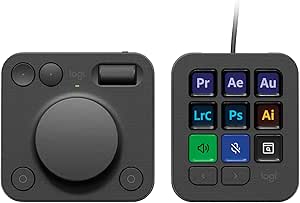
Logitech MX Creative Console with 9 Customizable Keys, Graphite

Apple Watch Series 12 GPS 42mm Smartwatch

Samsung Galaxy Tab A11+ Tablet (6GB RAM, 128GB Storage, Gray)
As an affiliate, we earn on qualifying purchases.
How the Windows Component Works
Li began investigating after finding executable names in a recent Windows binary. Following references in the DLL led him to name-matching functions and a feature flag called CLICodingAgentUsage, with feature ID 62580080. He then traced how Windows events feed those checks and how matches are saved and included in a later report.
To check whether the code was active in a running system, Li examined a Windows 11 ARM64 virtual machine in Parallels, running build 26200.9974. He reported that its MissionControlAggregator.dll was version 10.0.26100.9818, that the feature was enabled as a service experiment, and that DiagTrack, the Connected User Experiences and Telemetry service, was running automatically. Those observations describe his test environment and do not establish the configuration of every Windows 11 device.
“The feature guarding the new agent checks has a particularly direct name: CLICodingAgentUsage, feature ID 62580080.”
— Xusheng Li, in his reverse-engineering report
What the Investigation Cannot Establish
Li’s findings come from reverse engineering a Windows binary and examining one virtual machine. The source material does not establish how widely the feature is enabled across Windows 11 installations, whether its configuration varies by edition, region or update, or whether all the listed checks are active on every device.
The report describes the data Li observed being assembled and the diagnostic service present in his test system. It does not show Microsoft’s subsequent handling, retention period, access controls or use of the information. Li says the upload depends on optional diagnostic data being enabled; the source does not provide an independent account of transmission or Microsoft’s response to the finding.
Further Checks on Telemetry Scope
The next questions are whether the feature appears in other Windows builds and configurations, what data is transmitted under different diagnostic settings, and how Microsoft uses or retains the resulting indicators. The source material provides no announced Microsoft response, change to the feature or planned release addressing the finding.
Users concerned about this collection can review their Windows diagnostic-data settings. Li’s report links the upload to optional diagnostic data, but the material here does not establish whether changing that setting affects every part of the local collection or reporting process.
Key Questions
Which coding agents does Windows 11 check for?
Li found checks for command-line agent names including Copilot, Claude, Codex and Agy. He also found desktop-agent checks for GitHub, Claude, Codex, Cursor and Antigravity.
Does the report include prompts or source code?
Li says he found no prompt text or source code in the report he analyzed. He describes it as bit flags indicating which listed tools were observed during a collection window.
Is the feature active on every Windows 11 computer?
The investigation does not establish that. Li found the feature enabled in one Windows 11 ARM64 virtual machine; its prevalence across other devices and configurations remains unclear.
When does the information go to Microsoft?
Li says the data is uploaded when optional diagnostic data is enabled, which he reports is enabled by default. His report does not independently document Microsoft’s handling of the data after receipt.
Source: xusheng.dev