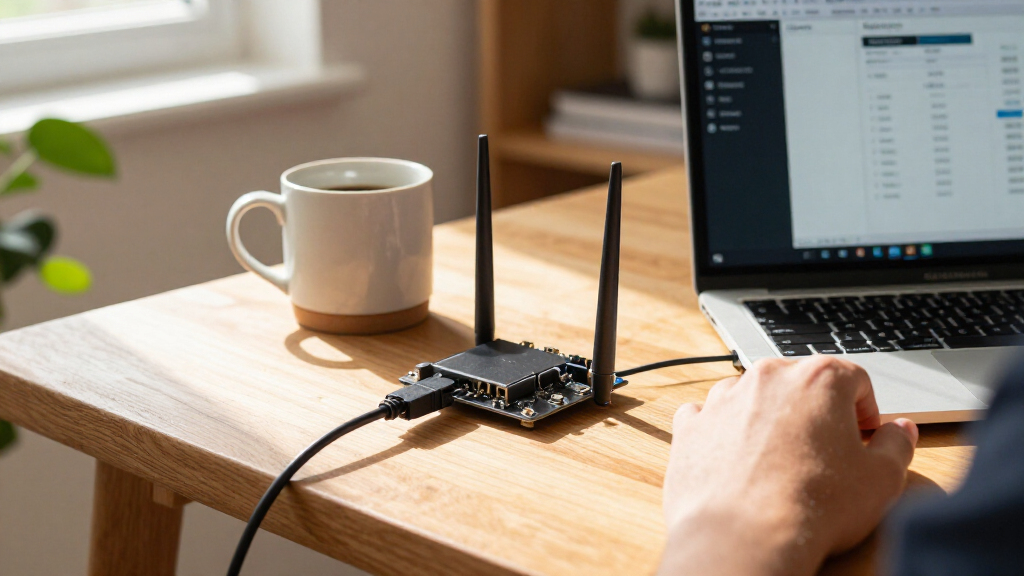

The WayPonDEV Banana Pi is a DIY OpenWrt router board built around a MediaTek Filogic 820 processor, dual-band WiFi 6, and a 2.5GbE WAN port. Its mix of networking and expansion interfaces gives tinkerers room to build and adapt a home gateway. The catch is that it is a board for people prepared to handle setup, power, and storage details themselves, rather than a ready-to-use consumer router. It is worth considering for OpenWrt developers and hands-on network builders; buyers who want simple installation or turnkey support should look elsewhere.

Get the latest gadgets delivered free — and shop member deals
- Fast, free delivery on millions of items
- Access to Prime Big Deal Days deals on October 6–7
- Prime Video, Amazon Music and more included

WayPonDEV Banana Pi WiFi 6 OpenWrt Router Board with Dual Ba
- ✔ Processor: MediaTek MT7981B (Filogic 820)
- ✔ RAM: 1GB DDR4
- ✔ WiFi: Dual Band WiFi 6
Why This Product Stands Out
The Banana Pi stands out as a compelling DIY OpenWrt platform because it combines WiFi 6, 2.5GbE WAN, and developer connections on one board. That mix gives builders practical networking capability alongside room to connect peripherals and experiment. Its strongest case is for a custom gateway, network lab, or IoT project where access to UART, GPIO, mikroBUS, and M.2 has real value. For that audience, it does more than a basic router board; for ordinary home use, those interfaces add little benefit.
The hardware is a solid foundation: a dual-core Cortex-A53 at 1.3 GHz, 1GB of DDR4, wireless networking, and faster-than-gigabit WAN. The shortfall is that the specifications do not establish real-world throughput, range, or performance with particular OpenWrt workloads. Buyers also take on power, storage, software, and configuration decisions. That is a fair trade for a hands-on project, but a poor one for anyone expecting the convenience and predictable setup of a finished router. Overall, it is attractive within the DIY segment, though its value depends on actually using the flexibility it offers.
It also sits among products that serve different priorities. The youyeetoo Banana Pi OpenWrt One is a direct comparison for shoppers focused on a similar MediaTek WiFi 6 platform, so details such as board revision, included accessories, and documentation may decide between them. A GL.iNet Flint 3e or Slate 7 makes more sense for buyers who would rather get a finished WiFi 7 router with VPN features and multiple Ethernet ports than assemble a board-based setup. The WayPonDEV is most distinctive when OpenWrt access and hardware tinkering matter more than appliance convenience.
Key Features and What They Mean
WiFi 6 dual-band wireless gives compatible phones, laptops, and IoT clients access to a current generation of WiFi. In practice, actual coverage and throughput depend on the environment, client devices, and configuration; the specification alone does not guarantee a particular speed. For a development router or a WiFi 6 home network, it is a meaningful baseline rather than an unusual premium feature.
The 2.5GbE WAN port is the most useful differentiator for users with a faster internet connection or an upstream network that exceeds gigabit speeds. It can prevent the WAN link itself from being the immediate bottleneck, though the listed Gigabit LAN port remains a limit for an individual wired client connected there. Buyers should map their intended topology before purchase: WAN speed helps only when the modem, service, switch, and other links support the same use.
The MediaTek MT7981B Filogic 820 pairs two 1.3GHz Cortex-A53 cores with 1GB DDR4. That gives the board a defined hardware base for routing and customization, but the supplied specifications do not establish performance for every OpenWrt package or workload. It is more relevant to builders who want a configurable platform than to shoppers looking for a router rated around a simple household speed target.
Storage is split between 256 MiB NAND and 16 MiB NOR, with an M.2 SSD interface for expansion. The onboard storage can suit a lean router configuration, while an SSD may help projects that need additional space for packages or data. M.2 capability is optional flexibility, not a reason by itself to expect storage to be included; check drive compatibility and account for the extra setup.
USB 2.0 Type-A, mikroBUS, GPIO, and UART give the board its developer character. These ports can support peripheral connections, hardware debugging, and experiments that a sealed consumer router would not invite. They are useful only if the project calls for them, and the product description does not specify accessories or modules in the box.
Performance and Real-World Use
Day-to-day performance will depend heavily on how the board is configured and what role it serves. As an OpenWrt router, it offers WiFi 6 plus a 2.5GbE uplink for a capable network foundation. Yet no throughput, range, or workload benchmark is provided here, so buyers should not treat the port and radio labels as a guarantee of a particular whole-home experience. Placement, antenna design, client support, software configuration, and the rest of the network all matter.
The main usability challenge is likely to come before regular use: this is a router board rather than a finished consumer appliance. A buyer may need to install or configure software, set up WAN and LAN behavior, choose storage, and source a compatible power supply. That process can be rewarding for someone learning OpenWrt or developing a network device, but it creates more opportunities for troubleshooting than connecting a packaged router and using its guided app.
Expansion makes the board adaptable over time, though it also adds maintenance choices. More storage or attached hardware can serve a specific project, but each addition needs compatibility checks and configuration. Buyers seeking a stable household connection with minimal upkeep may find that flexibility unnecessary overhead. Those comfortable maintaining their own network gear will be better placed to make use of the interfaces.
Who Should Buy This
Buy this board if you already use or want to learn OpenWrt, can configure a router without relying on a guided consumer app, and have a concrete reason to use features such as 2.5GbE WAN, M.2 expansion, UART, or GPIO. It is a strong candidate for a network lab, IoT prototype, or custom gateway where access to the hardware matters. Before ordering, verify your power-supply needs, storage plan, and whether the single listed Gigabit LAN connection fits your layout.
Who Should Skip This
Skip it if you want a complete, low-maintenance home router that can be installed with a few app prompts, or if you need included power and accessories. It is also a poor match if you expect WiFi 7, several Ethernet ports, or well-defined speed and coverage guarantees from the available product details. For a ready-made WiFi 7 setup with VPN features and multiple Ethernet ports, compare the GL.iNet Flint 3e; for a portable travel router, the GL.iNet Slate 7 fits that use case more directly.
Value for Money
At its mid-range price tier, the Banana Pi is worth the money for DIY OpenWrt users who will use its 2.5GbE WAN, WiFi 6, and expansion interfaces. Those capabilities make it a flexible base for a network lab or custom gateway, and the exposed hardware can justify the cost for a project that needs it. For buyers who only want dependable home WiFi, it is not good value: setup takes more work, the onboard storage is limited, and a power supply is not included. Added storage or accessories can raise the cost further. Compare the exact board configuration and included items with the similar youyeetoo Banana Pi OpenWrt One. If your priority is a router you can install and forget, a finished GL.iNet WiFi 7 model is likely a better use of your budget.
WayPonDEV Banana Pi WiFi 6 OpenWrt Router Board with Dual Ba
The Banana Pi stands out as a compelling DIY OpenWrt platform because it combines WiFi 6, 2.5GbE WAN, and developer connections on one board. That mix gives builders practical networking capability alongside room to connect peripherals and experiment.
Pros:
- Dual-band WiFi 6 provides a current wireless standard for compatible client devices, making the board useful for a modern home or development network.
- The 2.5GbE WAN connection supports faster-than-gigabit internet service or a high-speed upstream link, provided the rest of the network can use that capacity.
- Gigabit Ethernet LAN gives wired devices a practical connection for desktops, switches, or access points.
- M.2 SSD support and onboard NAND and NOR offer storage and expansion options for projects that need more room than a minimal router setup.
- USB, mikroBUS, GPIO, and UART connections give developers ways to attach peripherals, test hardware, and adapt the board to IoT or networking work.
Cons:
- OpenWrt installation and router configuration may demand command-line or networking knowledge, so setup can be a substantial hurdle for first-time users.
- The 256 MiB NAND and 16 MiB NOR leave limited onboard space for some use cases; expanding storage through M.2 adds another component and compatibility step.
- No power supply or accessories are included, so the board may require additional sourcing before it can be put to work.
- The listed port mix is specialized rather than a complete home-router package, and buyers should check their required port count and network layout before choosing it.
Best for: OpenWrt users, IoT developers, and DIY network builders comfortable configuring a router board and sourcing compatible accessories.
Not ideal for: Households seeking a plug-and-play router, a complete accessory bundle, or a straightforward path to newer WiFi 7 hardware.
Bottom line: The WayPonDEV Banana Pi WiFi 6 OpenWrt board is worth buying for technically capable DIY users who want a configurable router platform with a 2.5GbE WAN connection and useful development interfaces.
Frequently Asked Questions
Is this board suitable for someone new to OpenWrt?
It can be a learning platform, but it is not the easiest starting point if you need a working home network immediately. Expect to handle software and network configuration, and be prepared to troubleshoot setup questions. A finished consumer router is a safer choice when guided installation matters.
Does the 2.5GbE WAN mean every wired device gets 2.5Gbps?
No. The board lists a 2.5GbE WAN and Gigabit LAN, so the WAN connection can support a faster upstream link while the listed LAN connection is gigabit. The rest of the network must also support the speeds you want to use.
Is storage included for installing extra software?
The specifications list 256 MiB NAND and 16 MiB NOR, plus an M.2 SSD interface. They do not say an SSD is included. If your project needs more room, confirm drive compatibility and budget for the additional storage and setup.
Should I choose this or a GL.iNet WiFi 7 router?
Choose the Banana Pi when you want OpenWrt customization and exposed development interfaces. Choose a GL.iNet Flint 3e for a ready-made WiFi 7 router with VPN features and multiple Ethernet ports, or a Slate 7 if portability is central to your use.
Final Thoughts
The WayPonDEV Banana Pi WiFi 6 OpenWrt board is worth buying for technically capable DIY users who want a configurable router platform with a 2.5GbE WAN connection and useful development interfaces. Its hardware mix is appealing in that role, but setup, limited onboard storage, and separately sourced power make it a less convincing household-router purchase. Choose it when you have a clear OpenWrt or hardware project; choose a finished router when convenience, multiple ready-to-use ports, or WiFi 7 matter more.
Fall Picks
fall essentials
As an affiliate, we earn on qualifying purchases.


![IKEA Made A Mod For Skyrim [Video]](https://digitechbytes.com/wp-content/uploads/2026/09/ikea-made-a-mod-for-skyrim-video-featured-560x300.jpg)