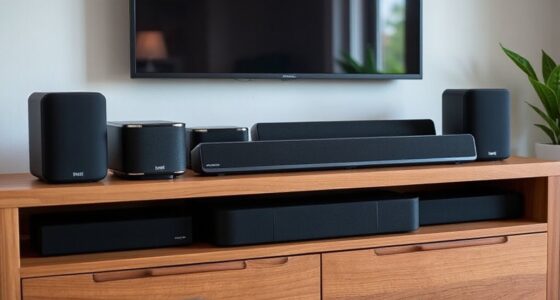
If you’re shopping for the best WiFi 7 routers in 2026, the decision mostly comes down to three things: how big your home is, how many devices you connect, and whether you actually need tri-band hardware. The NETGEAR Nighthawk RS700S stands out as the best overall single-router pick thanks to its tri-band BE11000 throughput and strong long-range coverage, while the TP-Link Deco 7 Pro (3-Pack) is the smarter choice for larger multi-story homes that a single unit can’t cover. Budget shoppers get a genuine entry point with the TP-Link Archer BE230, which brings WiFi 7 features like Multi-Link Operation down to an accessible price — as long as expectations stay modest. The main tradeoff in this category is price versus future-proofing: quad-band and tri-band models cost far more, and most homes won’t use their full bandwidth for years. Keep reading for the full breakdown of all 15 routers and mesh systems.

Get the latest gadgets delivered free with Prime
- Fast, free delivery on millions of items
- Prime Video, Amazon Music and more included
- Member-only deals all year
Complete the kit



Key Takeaways
- Single-router flagships like the Nighthawk RS700S and ASUS GT-BE98 Pro deliver the highest raw throughput, but for homes over 2,500 sq ft, a mesh system such as the Deco 7 Pro or Orbi 370 outperforms them where it matters: consistent coverage in far rooms.
- Dual-band WiFi 7 routers (Archer BE230, amazon.com/dp/B0C6RBS846?tag=digitechbytes.com-20&ascsubtag=dc-1116264″ target=”_blank” rel=”nofollow sponsored noopener”>eero 7, Nighthawk RS140) are the value story of 2026 — real WiFi 7 benefits at half the price of tri-band, provided you don’t have a crowded wireless environment.
- This lineup skews heavily toward amazon.com/dp/B0DW27FNG3?tag=digitechbytes.com-20&ascsubtag=dc-1116264″ target=”_blank” rel=”nofollow sponsored noopener”>NETGEAR and TP-Link, and the two brands split the market cleanly: NETGEAR wins on raw performance and wired ports, TP-Link wins on price-to-feature ratio and mesh value.
- The ASUS ROG Rapture GT-BE98 Pro is the only quad-band option here, and its extra band is genuinely useful only for gamers and multi-Gig households — everyone else is paying for headroom they’ll never touch.
- Multi-Gig wired ports remain the biggest differentiator within WiFi 7: several cheaper routers cap at 1G or 2.5G Ethernet, which quietly bottlenecks their wireless speeds regardless of the WiFi 7 badge.
| NETGEAR Nighthawk RS90 WiFi 7 Router |  | Best Budget Entry Into WiFi 7 | WiFi standard: WiFi 7 | Bands: Dual-band (2.4 GHz, 5 GHz) | Maximum speed: Up to 3.6 Gbps | VIEW LATEST PRICE | See Our Full Breakdown |
| Amazon eero 7 Dual-Band Wi-Fi 7 Mesh Router, 2-Pack |  | Best Mesh Value | WiFi standard: Wi-Fi 7 | Bands: Dual-band | Pack size: 2 routers | VIEW LATEST PRICE | See Our Full Breakdown |
| NETGEAR Nighthawk BE9300 Tri-Band WiFi 7 Router |  | Best Overall Standalone | WiFi standard: WiFi 7 | Bands: Tri-band (2.4 GHz, 5 GHz, 6 GHz) | Maximum speed: Up to 9.3 Gbps | VIEW LATEST PRICE | See Our Full Breakdown |
| NETGEAR Nighthawk RS140 Dual-Band WiFi 7 Router |  | Best for Mid-Size Homes | WiFi standard: WiFi 7 | Bands: Dual-band (2.4 GHz, 5 GHz) | Maximum speed: Up to 5 Gbps | VIEW LATEST PRICE | See Our Full Breakdown |
| NETGEAR Orbi 370 Series WiFi 7 Mesh System, 3-Pack |  | Best for Large Homes | WiFi standard: WiFi 7 | Configuration: Router + 2 satellites | Coverage: Up to 6,000 sq. ft. (add 2,000 sq. ft. per extra satellite) | VIEW LATEST PRICE | See Our Full Breakdown |
| TP-Link Archer BE230 BE3600 Dual-Band Wi-Fi 7 Router |  | Best Budget Entry into Wi-Fi 7 | Wi-Fi standard: Wi-Fi 7 | Bands: Dual-band (2.4 GHz / 5 GHz), no 6 GHz | Maximum speed: Up to 2,882 Mbps (5 GHz) + 688 Mbps (2.4 GHz) | VIEW LATEST PRICE | See Our Full Breakdown |
| eero Pro 7 Tri-Band Mesh Wi-Fi 7 Router, 1-Pack |  | Best for Multi-Gig Plans and Simplicity | Wi-Fi standard: Wi-Fi 7 | Bands: Tri-band | Coverage: Up to 2,000 sq. ft. per unit | VIEW LATEST PRICE | See Our Full Breakdown |
| TP-Link Archer BE550 Tri-Band Wi-Fi 7 Router (BE9300) |  | Best Port Selection for Wired Homes | Wi-Fi standard: Wi-Fi 7 (BE9300) | Bands: Tri-band: 2.4 GHz, 5 GHz, 6 GHz | Advertised combined speed: Up to 9.2 Gbps | VIEW LATEST PRICE | See Our Full Breakdown |
| Amazon eero 7 Dual-Band Mesh Wi-Fi 7 Router, 1-Pack |  | Best for Ecosystem Simplicity | Wi-Fi standard: Wi-Fi 7 | Bands: Dual-band | Coverage: Up to 2,000 sq. ft. per unit | VIEW LATEST PRICE | See Our Full Breakdown |
| TP-Link Deco 7 Pro Tri-Band Wi-Fi 7 Mesh System, BE10000, 3-Pack |  | Best Whole-Home Mesh Coverage | Wi-Fi standard: Wi-Fi 7 (BE10000) | Bands: Tri-band | Coverage: Up to 7,600 sq. ft. | VIEW LATEST PRICE | See Our Full Breakdown |
| NETGEAR Nighthawk RS700S Tri-Band WiFi 7 Router |  | Best for Large Smart Homes | WiFi standard: WiFi 7 | Bands: Tri-band: 2.4 GHz, 5 GHz, 6 GHz | Maximum speed: Up to 19 Gbps | VIEW LATEST PRICE | See Our Full Breakdown |
| TP-Link Deco 7 BE5000 Dual-Band Wi-Fi 7 Mesh System |  | Best Whole-Home Coverage | Wi-Fi standard: Wi-Fi 7 | Bands: Dual-band: 2.4 GHz and 5 GHz | Advertised speed: Up to 5,000 Mbps total (4,324 Mbps on 5 GHz) | VIEW LATEST PRICE | See Our Full Breakdown |
| TP-Link Archer BE400 BE6500 Dual-Band Wi-Fi 7 Router |  | Best Budget Entry to WiFi 7 | Wi-Fi standard: Wi-Fi 7 | Bands: Dual-band: 2.4 GHz and 5 GHz | Maximum combined bandwidth: 6.5 Gbps | VIEW LATEST PRICE | See Our Full Breakdown |
| ASUS ROG Rapture GT-BE98 Pro Quad-Band WiFi 7 Gaming Router |  | Best Premium Gaming Router | WiFi standard: WiFi 7 (802.11be) | Frequency bands: Quad-band, including dual 6 GHz bands | Maximum data rate: 30 Gbps | VIEW LATEST PRICE | See Our Full Breakdown |
| TP-Link Archer BE600 Tri-Band Wi-Fi 7 Router |  | Best Balanced Tri-Band Value | Wi-Fi standard: Wi-Fi 7 | Bands: Tri-band: 6 GHz, 5 GHz, 2.4 GHz | Maximum combined bandwidth: 9.7 Gbps | VIEW LATEST PRICE | See Our Full Breakdown |
| WiFi 7 router | Bands | Coverage | Device capacity | Ports |
|---|---|---|---|---|
| NETGEAR Nighthawk RS90 WiFi 7 | Dual-band (2.4 GHz, 5 GHz) | Up to 2,000 sq. ft. | Up to 50 devices | 1 × 2.5 Gig WAN, 4 × Gigabit LAN |
| Amazon eero 7 Dual-Band Wi-Fi | Dual-band | Up to 4,000 sq. ft. | 120+ devices | 2 × auto-sensing 2.5 GbE per router |
| NETGEAR Nighthawk BE9300 Tri-B | Tri-band (2.4 GHz, 5 GHz, 6 GHz) | Up to 2,500 sq. ft. | Up to 100 devices | 1 × 2.5 Gig WAN, 2 × 2.5 Gig LAN, 2 × Gigabit LAN, USB 3.0 |
| NETGEAR Nighthawk RS140 Dual-B | Dual-band (2.4 GHz, 5 GHz) | Up to 2,250 sq. ft. | Up to 80 devices | 1 × 2.5 Gig WAN, 3 × Gigabit LAN |
| NETGEAR Orbi 370 Series WiFi 7 | Dual-band | Up to 6,000 sq. ft. (add 2,000 sq. ft. per extra satellite) | Up to 70 devices | — |
| TP-Link Archer BE230 BE3600 Du | Dual-band (2.4 GHz / 5 GHz), no 6 GHz | Up to 2,000 sq. ft. | Up to 60 devices | 1 × 2.5 Gbps WAN/LAN, 1 × 2.5 Gbps LAN, 3 × 1 Gbps LAN |
| eero Pro 7 Tri-Band Mesh Wi-Fi | Tri-band | Up to 2,000 sq. ft. per unit | 200+ devices | — |
| TP-Link Archer BE550 Tri-Band | Tri-band: 2.4 GHz, 5 GHz, 6 GHz | — | — | 1 × 2.5G WAN, 4 × 2.5G LAN |
| Amazon eero 7 Dual-Band Mesh W | Dual-band | Up to 2,000 sq. ft. per unit | More than 120 devices | — |
| TP-Link Deco 7 Pro Tri-Band Wi | Tri-band | Up to 7,600 sq. ft. | 200+ devices | — |
| NETGEAR Nighthawk RS700S Tri-B | Tri-band: 2.4 GHz, 5 GHz, 6 GHz | Up to 3,500 sq. ft. | Up to 200 devices | 1 × 10 Gig WAN, 1 × 10 Gig LAN, 4 × 1 Gig LAN |
| TP-Link Deco 7 BE5000 Dual-Ban | Dual-band: 2.4 GHz and 5 GHz | Up to 6,600 sq. ft. | Over 150 devices | — |
| TP-Link Archer BE400 BE6500 Du | Dual-band: 2.4 GHz and 5 GHz | Up to 2,400 sq. ft. | Up to 90 devices | 1 × 2.5 Gbps WAN/LAN, 1 × 2.5 Gbps LAN, 3 × 1 Gbps LAN |
| ASUS ROG Rapture GT-BE98 Pro Q | — | — | — | Dual 10 Gbps, four 2.5 Gbps |
| TP-Link Archer BE600 Tri-Band | Tri-band: 6 GHz, 5 GHz, 2.4 GHz | Up to 2,600 sq. ft. | Up to 120 devices | 1 × 10 Gbps WAN/LAN, 1 × 2.5 Gbps WAN/LAN, 3 × 2.5 Gbps LAN, 1 × USB 3.0 |
More Details on Our Top Picks
NETGEAR Nighthawk RS90 WiFi 7 Router
Of all the standalone routers in this lineup, the RS90 is the simplest way to step into WiFi 7 without overbuying. Its 3.6 Gbps ceiling matches what most households actually receive from their internet plans, and the 2.5 Gig WAN port means it won’t bottleneck a fast fiber connection. Compared with the Nighthawk RS140, it trades roughly 1.4 Gbps of headroom and a smaller device ceiling (50 vs. 80) for a lower barrier to entry, which makes sense for apartments and smaller homes. The catch is the spec sheet: without a 6 GHz band, WiFi 7 features like Multi-Link Operation have less room to shine, and gigabit-only LAN ports cap wired speeds. Pair that with the subscription-required Armor security after 30 days, and the true cost of ownership creeps up.
Pros:- Affordable path into the WiFi 7 standard
- 2.5 Gig WAN port handles fast fiber plans
- App-based setup keeps installation painless
- Built-in router protection and automatic firmware updates out of the box
Cons:- Dual-band design with no 6 GHz band limits WiFi 7’s signature benefits
- All four LAN ports are gigabit only — no multi-gig wired backhaul or clients
Best for: Apartment dwellers and small households with gigabit-or-faster plans who want WiFi 7 hardware at the lowest commitment
Not ideal for: Homes with many simultaneous devices or multi-gig wired setups — the 50-device ceiling and gigabit LAN ports will feel limiting
- WiFi standard:WiFi 7
- Bands:Dual-band (2.4 GHz, 5 GHz)
- Maximum speed:Up to 3.6 Gbps
- Coverage:Up to 2,000 sq. ft.
- Device capacity:Up to 50 devices
- Ports:1 × 2.5 Gig WAN, 4 × Gigabit LAN
- Security:Advanced Router Protection; NETGEAR Armor trial (subscription required)
- Setup:Nighthawk app (iOS/Android)
Our verdict“A sensible first WiFi 7 router for smaller homes, as long as you accept gigabit-only wired ports and a subscription upsell for full security.”
Amazon eero 7 Dual-Band Wi-Fi 7 Mesh Router, 2-Pack
The eero 7 two-pack stands out for whole-home coverage without the complexity of a traditional router-and-extender setup. Two nodes blanket up to 4,000 sq. ft., and TrueMesh plus TrueRoam keep devices handed off cleanly between units — something the standalone Nighthawk RS90 simply can’t match in a multi-floor home. Each unit carries two auto-sensing 2.5 GbE ports, a genuine surprise at this tier, giving you multi-gig wired backhaul or client connections in any room. The tradeoff is raw throughput: 1.8 Gbps wireless is modest next to the tri-band Nighthawk BE9300’s 9.3 Gbps rating, and the best features — advanced security, parental controls — sit behind an optional eero Plus subscription. Backward compatibility with older eero units is a real plus if you’re expanding an existing network gradually.
Pros:- Covers up to 4,000 sq. ft. with seamless TrueMesh roaming
- Two auto-sensing 2.5 GbE ports on every node
- Backward compatible with previous eero generations for gradual expansion
- Three-year warranty beats typical router coverage
Cons:- Advanced security and parental controls require an optional eero Plus subscription
- 1.8 Gbps wireless ceiling trails tri-band rivals in this roundup
Best for: Owners of multi-floor or awkward-layout homes who want seamless roaming and can expand node by node over time
Not ideal for: Enthusiasts chasing maximum wireless throughput or USB features — 1.8 Gbps wireless and no USB port leave performance on the table
- WiFi standard:Wi-Fi 7
- Bands:Dual-band
- Pack size:2 routers
- Coverage:Up to 4,000 sq. ft.
- Wireless speed:Up to 1.8 Gbps
- Ports:2 × auto-sensing 2.5 GbE per router
- Device capacity:120+ devices
- Warranty:Three years
Our verdict“The smartest pick for coverage-first buyers who value roaming and expandability over headline speeds.”
NETGEAR Nighthawk BE9300 Tri-Band WiFi 7 Router
If one router has to carry a busy household, the BE9300 is the strongest all-around standalone in this batch. Its tri-band design with a dedicated 6 GHz band gives WiFi 7 devices a clean lane away from crowded 5 GHz traffic, and the 9.3 Gbps aggregate rating translates into real headroom for 4K streams, video calls, and large downloads running at once. Compared with the dual-band RS140, the port selection is the real differentiator: two 2.5 Gig LAN ports plus a USB 3.0 port mean wired power users and NAS owners are properly served. The quad-core 2.0 GHz processor keeps up to 100 devices flowing. Tradeoffs remain — it still needs a separate modem, NETGEAR Armor becomes a paid subscription after 30 days, and a single unit can’t beat a mesh system like the eero 7 two-pack across a sprawling multi-floor home.
Pros:- Tri-band design with dedicated 6 GHz band for WiFi 7 clients
- Two 2.5 Gig LAN ports plus USB 3.0 for storage sharing
- Handles up to 100 devices across 2,500 sq. ft.
- Quad-core 2.0 GHz processor keeps heavy traffic stable
Cons:- NETGEAR Armor requires a subscription after the 30-day trial
- Requires a separate modem or gateway
- Real-world speeds drop with walls, interference, and plan limits
Best for: Tech-savvy households with gigabit-plus plans, many devices, and wired needs like NAS storage or multi-gig desktops
Not ideal for: Large multi-floor homes with dead zones — a single router, however capable, loses to mesh in coverage
- WiFi standard:WiFi 7
- Bands:Tri-band (2.4 GHz, 5 GHz, 6 GHz)
- Maximum speed:Up to 9.3 Gbps
- Coverage:Up to 2,500 sq. ft.
- Device capacity:Up to 100 devices
- Processor:Quad-core 2.0 GHz
- Ports:1 × 2.5 Gig WAN, 2 × 2.5 Gig LAN, 2 × Gigabit LAN, USB 3.0
- Compatibility:Cable, fiber, DSL, satellite; backward compatible with WiFi 6 and earlier
Our verdict“The most complete standalone router here — buy it if you want speed, ports, and capacity without mesh complexity.”
NETGEAR Nighthawk RS140 Dual-Band WiFi 7 Router
The RS140 slots neatly between the cheaper RS90 and the flagship BE9300. Its 5 Gbps rating and 80-device ceiling cover the demands of a typical family home with smart devices, streaming, and remote work, while the 2,250 sq. ft. claim suits most two-story houses. Compared directly with the RS90, you gain 30 more supported devices and extra throughput headroom for roughly the same footprint; compared with the BE9300, you give up the 6 GHz band and 2.5 Gig LAN ports. That middle position is its strength and its ceiling — the three gigabit LAN ports mean wired clients max out at 1 Gbps, and heavy multi-device households may eventually wish they’d sprung for tri-band. Security works out of the box, but as with every Nighthawk here, full Armor protection becomes a paid subscription after the trial.
Pros:- 5 Gbps rating comfortably exceeds most household internet plans
- Supports 80 devices — generous for a dual-band router
- 2.5 Gig WAN port future-proofs faster fiber tiers
- Security enabled out of the box with automatic firmware updates
Cons:- No 6 GHz band, so WiFi 7’s biggest advantages are muted
- Gigabit-only LAN ports cap wired speeds below the WAN port’s capability
Best for: Families in average-sized homes with 40-70 connected devices who want more headroom than an entry router offers
Not ideal for: Multi-gig wired users and early adopters with WiFi 7 laptops — no 6 GHz band and gigabit-only LAN ports limit both
- WiFi standard:WiFi 7
- Bands:Dual-band (2.4 GHz, 5 GHz)
- Maximum speed:Up to 5 Gbps
- Coverage:Up to 2,250 sq. ft.
- Device capacity:Up to 80 devices
- Ports:1 × 2.5 Gig WAN, 3 × Gigabit LAN
- Setup:Nighthawk app (iOS/Android)
- Security:Built-in protection; 30-day NETGEAR Armor trial (subscription required)
Our verdict“A well-judged middle pick for device-heavy family homes that don’t need tri-band hardware or multi-gig LAN.”
NETGEAR Orbi 370 Series WiFi 7 Mesh System, 3-Pack
When coverage is the problem, the Orbi 370 three-pack is the answer hiding in this lineup. A router plus two satellites blankets up to 6,000 sq. ft. — half again more than the eero 7 two-pack and far beyond any standalone unit here, including the Nighthawk BE9300. That makes it the clear choice for sprawling single-story homes, properties with detached offices, or layouts thick with walls. Additional satellites can extend coverage another 2,000 sq. ft. each, so the system grows with your property. The compromises are real, though: 5 Gbps is shared across a dual-band design with no dedicated wireless backhaul band, so far-flung satellites may deliver less than the headline number. It’s US-only, capped at 2.5 Gbps plans, and Armor follows the familiar subscription-after-trial pattern.
Pros:- 6,000 sq. ft. coverage from a single three-pack
- Expandable with additional satellites for 2,000 sq. ft. each
- Works with existing WiFi 6 and WiFi 5 devices without friction
- App-guided setup simplifies placing and managing satellites
Cons:- No dedicated backhaul band — distant satellites lose throughput
- Limited to internet plans up to 2.5 Gbps
- US-only regional compatibility
Best for: Owners of large or irregularly shaped homes — including guest houses and detached offices — who need coverage above all else
Not ideal for: Buyers outside the US or those on multi-gig plans above 2.5 Gbps — regional restrictions and plan caps make it a poor fit
- WiFi standard:WiFi 7
- Configuration:Router + 2 satellites
- Coverage:Up to 6,000 sq. ft. (add 2,000 sq. ft. per extra satellite)
- Maximum speed:Up to 5 Gbps
- Device capacity:Up to 70 devices
- Bands:Dual-band
- Internet compatibility:Cable or fiber; plans up to 2.5 Gbps
- Region:United States only
Our verdict“Buy it for square footage, not speed — the coverage champion of this roundup for big properties, provided you’re in the US.”
TP-Link Archer BE230 BE3600 Dual-Band Wi-Fi 7 Router
This option stands out as the most affordable path into Wi-Fi 7, and that framing matters more than any spec sheet. Compared with the Archer BE550, the BE230 skips the 6 GHz band entirely, which means you get Wi-Fi 7 niceties like Multi-Link Operation and 4K-QAM but not the fresh spectrum that makes the standard exciting. What you do get is a surprisingly generous port layout: two 2.5 Gbps ports plus three gigabit LAN ports, something budget routers at this tier rarely offer. This pick makes the most sense for buyers on sub-gigabit plans who want to future-proof their hardware without paying for bandwidth they can’t use. EasyMesh support means it can grow into a whole-home system later, which softens the coverage limitation.
Pros:- Two 2.5 Gbps ports and three 1 Gbps LAN ports at an entry-level price
- Multi-Link Operation and 4K-QAM bring genuine Wi-Fi 7 benefits
- EasyMesh support allows expansion into a whole-home system
- Handles up to 60 devices, enough for a typical apartment or small home
Cons:- No 6 GHz band, so it never unlocks Wi-Fi 7’s fastest speeds
- Dual-band design means more congestion on crowded 5 GHz channels
Best for: Buyers on internet plans under 1 Gbps who want Wi-Fi 7 features and 2.5G ports without paying tri-band prices
Not ideal for: Anyone with multi-gig internet or a house full of Wi-Fi 7 laptops — the missing 6 GHz band caps real-world speeds well below what the standard can deliver
- Wi-Fi standard:Wi-Fi 7
- Bands:Dual-band (2.4 GHz / 5 GHz), no 6 GHz
- Maximum speed:Up to 2,882 Mbps (5 GHz) + 688 Mbps (2.4 GHz)
- Ports:1 × 2.5 Gbps WAN/LAN, 1 × 2.5 Gbps LAN, 3 × 1 Gbps LAN
- Processor:2.0 GHz quad-core
- Coverage:Up to 2,000 sq. ft.
- Device capacity:Up to 60 devices
- Mesh compatibility:TP-Link EasyMesh
Our verdict“A sensible budget on-ramp to Wi-Fi 7 for modest plans, as long as you accept that the 6 GHz band is the price you pay.”
eero Pro 7 Tri-Band Mesh Wi-Fi 7 Router, 1-Pack
Where the Archer BE230 compromises on spectrum, the eero Pro 7 goes the other direction: tri-band Wi-Fi 7 with full 6 GHz support, two auto-sensing 5 GbE ports, and a stated ceiling of 5 Gbps internet plans. That port spec is the standout here — compared with the Archer BE550, which tops out at 2.5G wired connectivity, the Pro 7 is one of the few single-unit options ready for fiber subscribers whose ISP hands them a 3 or 5 Gbps connection. It also claims support for more than 200 connected devices, and its backward compatibility with older eero units means an existing network can be upgraded node by node. The tradeoff is control: eero’s app-driven approach offers far less granular settings than TP-Link’s Tether interface, which will frustrate tinkerers.
Pros:- Two auto-sensing 5 GbE ports support multi-gig wired speeds
- Handles internet plans up to 5 Gbps
- 200+ device capacity suits smart-home-heavy households
- Backward compatible with previous eero generations for incremental upgrades
Cons:- Minimal advanced settings compared with TP-Link or NETGEAR rivals
- Higher cost per unit than similarly specced single routers
Best for: Fiber subscribers with 2–5 Gbps plans who value plug-and-play simplicity and may want to expand into a mesh later
Not ideal for: Power users who want deep manual configuration, VPN client/server options, or USB features — eero keeps its interface deliberately simple
- Wi-Fi standard:Wi-Fi 7
- Bands:Tri-band
- Coverage:Up to 2,000 sq. ft. per unit
- Internet plan support:Up to 5 Gbps
- Wireless speed:Up to 3.9 Gbps
- Ethernet ports:2 × auto-sensing 5 GbE
- Device capacity:200+ devices
- Warranty:Three years
Our verdict“The easiest way to put true multi-gig Wi-Fi 7 in a home that prizes simplicity over tweakability.”
TP-Link Archer BE550 Tri-Band Wi-Fi 7 Router (BE9300)
This model is better suited to buyers whose networks live and die by Ethernet. With five 2.5G ports (one WAN, four LAN), nothing else in this lineup matches its wired density at its price — the eero Pro 7 has faster 5 GbE ports but only two of them, and the Archer BE230 can’t touch it for tri-band performance. The BE550 delivers the full Wi-Fi 7 toolkit — 320 MHz channels, 4K-QAM, and the 6 GHz band at up to 5,760 Mbps — so wireless clients aren’t shortchanged either. HomeShield security and built-in VPN client/server support give it a feature depth that eero simply doesn’t offer. The honest caveat: advertised combined speeds of 9.2 Gbps are a marketing sum, and real throughput depends heavily on your plan, modem, and layout.
Pros:- Five 2.5G ports — the most wired connectivity in this batch
- Full tri-band Wi-Fi 7 with 6 GHz at up to 5,760 Mbps
- HomeShield security, WPA3, and a private IoT network built in
- VPN client and server support plus EasyMesh expandability
Cons:- Requires a separate modem for most providers
- Real-world speeds fall well short of the 9.2 Gbps combined figure
Best for: Households with multiple wired devices — consoles, NAS drives, desktops — that want 2.5G Ethernet everywhere plus a private IoT network
Not ideal for: Very large homes needing 3,000+ sq. ft. of single-unit coverage — one router and six antennas can only reach so far without a mesh node
- Wi-Fi standard:Wi-Fi 7 (BE9300)
- Bands:Tri-band: 2.4 GHz, 5 GHz, 6 GHz
- Advertised combined speed:Up to 9.2 Gbps
- Ports:1 × 2.5G WAN, 4 × 2.5G LAN
- Antennas:6 external
- Security:HomeShield, WPA3, private IoT network
- VPN:Client and server
- Mesh compatibility:TP-Link EasyMesh
Our verdict“The wired-first choice for buyers who want maximum 2.5G Ethernet ports without giving up a complete tri-band Wi-Fi 7 feature set.”
Amazon eero 7 Dual-Band Mesh Wi-Fi 7 Router, 1-Pack
Think of the eero 7 as the approachable sibling of the eero Pro 7: same app, same setup ritual, same three-year warranty, but a dual-band design capped at 1.8 Gbps wireless and 2.5 Gbps plans. For most households on cable or standard fiber, those numbers are more than enough — and the gap in price against the Pro 7 buys a lot of convenience elsewhere. Its smartest trick is eero Built-in compatibility with select Echo devices, which can double as network extenders, something no TP-Link or NETGEAR option can replicate. It also plays nicely with older eero generations, so upgrading a node doesn’t mean replacing the whole network. Compared with the Archer BE230, you trade two Ethernet ports and manual control for a cleaner, more foolproof experience.
Pros:- Works with previous eero generations and select Echo devices as extenders
- Two auto-sensing 2.5 GbE ports and support for plans up to 2.5 Gbps
- App setup takes minutes with no networking knowledge required
- Three-year warranty backs the hardware
Cons:- Dual-band design with no 6 GHz band limits peak wireless speed to 1.8 Gbps
- Coverage tops out at 2,000 sq. ft. per unit, so larger homes need additional nodes
Best for: Alexa-centric households on plans up to 2.5 Gbps that want dead-simple setup and can reuse Echo devices as extenders
Not ideal for: Enthusiasts who want 6 GHz speeds, USB ports, or granular QoS controls — this router is built around simplicity, not specifications
- Wi-Fi standard:Wi-Fi 7
- Bands:Dual-band
- Coverage:Up to 2,000 sq. ft. per unit
- Internet plan support:Up to 2.5 Gbps
- Wireless speed:Up to 1.8 Gbps
- Ethernet ports:2 × auto-sensing 2.5 GbE
- Device capacity:More than 120 devices
- Warranty:Three years
Our verdict“The least stressful Wi-Fi 7 upgrade for Alexa households on everyday internet plans, provided speed records aren’t the goal.”
TP-Link Deco 7 Pro Tri-Band Wi-Fi 7 Mesh System, BE10000, 3-Pack
Single routers like the Archer BE550 simply can’t cover a large or multi-story home on their own — and that’s exactly the problem this 3-pack exists to solve. With a stated 7,600 sq. ft. of coverage and 200+ device capacity, the Deco 7 Pro targets the biggest properties in this roundup, matching the NETGEAR Orbi 370 Series on scale while undercutting it with a more generous port loadout: four 2.5G WAN/LAN ports per unit plus USB 3.0. The tri-band design includes a 6 GHz radio capable of 5,188 Mbps, which also doubles as a dedicated backhaul between nodes, keeping mesh speeds high where dual-band systems like the eero 7 would sag. The tradeoffs are physical and financial: three units need three power outlets, and performance at the far edges of that 7,600 sq. ft. claim will fall off with walls and distance.
Pros:- 7,600 sq. ft. of stated coverage across three tri-band nodes
- Four 2.5G WAN/LAN ports plus USB 3.0 on the units
- 6 GHz band up to 5,188 Mbps doubles as a fast mesh backhaul
- VPN client/server support and straightforward Deco app management
Cons:- Requires a separate modem and thoughtful node placement for best results
- Real throughput drops with distance, walls, and interference
- Three-unit footprint costs more than any single router in this lineup
Best for: Owners of large or multi-story homes (3,000+ sq. ft.) with heavy device counts who need seamless roaming rather than one powerful router
Not ideal for: Apartment dwellers or small homes — three mesh nodes is overkill, and a single router like the Archer BE550 covers the same space for less
- Wi-Fi standard:Wi-Fi 7 (BE10000)
- Bands:Tri-band
- Coverage:Up to 7,600 sq. ft.
- Device capacity:200+ devices
- Band speeds:Up to 5,188 Mbps (6 GHz), 4,324 Mbps (5 GHz), 574 Mbps (2.4 GHz)
- Ethernet ports:4 × 2.5G WAN/LAN
- USB:USB 3.0
- VPN:Client and server
- Management:Deco app
Our verdict“The coverage champion here — the right call when one router, however good, can’t reach every corner of a large home.”
NETGEAR Nighthawk RS700S Tri-Band WiFi 7 Router
The RS700S earns its place as the high-capacity workhorse of this lineup. With tri-band WiFi 7, advertised speeds up to 19 Gbps, and support for 200 connected devices, it outmuscles the TP-Link Archer BE600 (120 devices) and easily handles households full of cameras, TVs, consoles, and smart home gear. Coverage is rated at 3,500 sq. ft., which is generous for a single unit — more than the Archer BE400’s 2,400 sq. ft. — though a mesh system like the Deco 7 still makes more sense for multi-floor layouts with dead zones.
The tradeoff is partly financial and partly philosophical: NETGEAR Armor locks its best security features behind a subscription after a 30-day trial, whereas TP-Link’s HomeShield at least keeps basic protection free. You also need your own modem and an internet connection for the app to function fully. The 10 Gig WAN plus 10 Gig LAN pairing future-proofs your wired backbone for years, which is where the premium feels justified.
Pros:- Tri-band WiFi 7 with advertised speeds up to 19 Gbps
- Handles up to 200 devices across 3,500 sq. ft.
- Dual 10 Gig ports for WAN and LAN future-proofing
- Guided app-based setup and automatic firmware updates
Cons:- NETGEAR Armor requires a paid subscription after the 30-day trial
- Requires an existing modem and active internet for app features
- Real-world range drops with walls, floors, and interference
Best for: Owners of large homes with 100+ connected devices who want a single-router solution and a 10 Gig wired backbone
Not ideal for: Multi-floor homes with existing dead spots — a mesh system like the Deco 7 will cover awkward layouts better than one router, however powerful
- WiFi standard:WiFi 7
- Bands:Tri-band: 2.4 GHz, 5 GHz, 6 GHz
- Maximum speed:Up to 19 Gbps
- Coverage:Up to 3,500 sq. ft.
- Device capacity:Up to 200 devices
- Ports:1 × 10 Gig WAN, 1 × 10 Gig LAN, 4 × 1 Gig LAN
- Streams:12
- Management:Nighthawk app for iOS and Android
Our verdict“Buy this if your home is device-dense and you want one powerful router instead of a mesh kit; skip it if you’d resent paying monthly for full security.”
TP-Link Deco 7 BE5000 Dual-Band Wi-Fi 7 Mesh System
If the Nighthawk RS700S is a single powerful beacon, the Deco 7 takes the opposite approach: multiple nodes blanketing your home in one seamless network. At 6,600 sq. ft. of advertised coverage, it nearly doubles the RS700S’s footprint and embarrasses single routers like the Archer BE600 at 2,600 sq. ft. For sprawling ranch homes or three-story houses, this is the coverage king of the batch.
The catch is raw speed. Being dual-band, it tops out around 5 Gbps combined with no dedicated backhaul band — a step down from tri-band mesh systems like the Deco 7 Pro. Wi-Fi 7’s Multi-Link Operation helps compensate, but bandwidth-hungry households may feel the ceiling. Compared with the eero 7 2-pack, the Deco 7 pulls ahead with 2.5G Ethernet on every node and built-in VPN client/server support, which eero doesn’t match. Remember that wired backhaul and full mesh benefits require at least two units placed thoughtfully.
Pros:- Advertised coverage up to 6,600 sq. ft. from a single kit
- Supports over 150 devices with AI-assisted roaming
- 2.5G Ethernet on each node for wired backhaul
- Built-in VPN client and server support
Cons:- Dual-band design lacks a dedicated backhaul band
- Requires a separate modem
- Real speeds fall off with distance, walls, and obstacles
Best for: Owners of large or multi-floor homes who prioritize eliminating dead zones over maximum theoretical speed
Not ideal for: Speed-first buyers with gigabit-plus internet plans — the dual-band design and lack of dedicated backhaul cap throughput below tri-band rivals
- Wi-Fi standard:Wi-Fi 7
- Bands:Dual-band: 2.4 GHz and 5 GHz
- Advertised speed:Up to 5,000 Mbps total (4,324 Mbps on 5 GHz)
- Coverage:Up to 6,600 sq. ft.
- Device capacity:Over 150 devices
- Ethernet:2.5G Ethernet per node
- Mesh compatibility:Works with other TP-Link Deco devices
- VPN:VPN client and server support
Our verdict“This is the pick when coverage matters more than headline speed — whole-home Wi-Fi 7 without dead zones, as long as you don’t need tri-band muscle.”
TP-Link Archer BE400 BE6500 Dual-Band Wi-Fi 7 Router
The Archer BE400 is the most accessible way into WiFi 7 in this lineup. You still get the meaningful upgrades — Multi-Link Operation, Multi-RUs, and 4K-QAM — that make WiFi 7 worth having, just in a dual-band package capped at 6.5 Gbps combined. That’s far short of the RS700S’s 19 Gbps, but for homes with sub-gigabit internet, the difference is theoretical, not felt.
Where this model gets interesting is expandability: it’s EasyMesh-compatible, so you can add compatible nodes later if your 2,400 sq. ft. coverage falls short — a flexibility the pricier Nighthawk BE9300 doesn’t lean on as naturally. One trap to avoid: it does not work with TP-Link’s Deco mesh systems, so if you already own Deco units (like the Deco 7 above), this won’t join them. With a 2.5 Gbps WAN/LAN port, multi-gig wired speeds survive the budget trim, and HomeShield with WPA3 and parental controls covers security basics without a mandatory subscription.
Pros:- Full WiFi 7 feature set including MLO and 4K-QAM at an entry-level price
- 2.5 Gbps WAN/LAN ports preserve multi-gig wired speeds
- EasyMesh support lets coverage grow later
- HomeShield security, WPA3, and parental controls included
Cons:- Dual-band design caps total bandwidth at 6.5 Gbps
- Not compatible with TP-Link Deco mesh systems
- Supports fewer devices (up to 90) than rivals in this guide
Best for: First-time WiFi 7 upgraders on standard internet plans who want modern features at a lower commitment
Not ideal for: Deco mesh owners hoping to expand an existing system — EasyMesh and Deco are incompatible ecosystems
- Wi-Fi standard:Wi-Fi 7
- Bands:Dual-band: 2.4 GHz and 5 GHz
- Maximum combined bandwidth:6.5 Gbps
- Coverage:Up to 2,400 sq. ft.
- Device capacity:Up to 90 devices
- Ports:1 × 2.5 Gbps WAN/LAN, 1 × 2.5 Gbps LAN, 3 × 1 Gbps LAN
- Security:HomeShield, WPA3, parental controls, IoT security
- Management:TP-Link Tether app
Our verdict“The smart low-risk entry point into WiFi 7 — buy it if you want modern standards without the flagship price, and you don’t already run Deco hardware.”
ASUS ROG Rapture GT-BE98 Pro Quad-Band WiFi 7 Gaming Router
At the opposite end of the spectrum from the budget Archer BE400 sits the GT-BE98 Pro, the most aggressive spec sheet in this roundup. Quad-band operation with two dedicated 6 GHz bands means one can serve gaming traffic while the other handles everything else — a structural advantage even over the tri-band RS700S. Add 320 MHz channels, Multi-Link Operation, and a claimed 30 Gbps ceiling, and this is a router built for competitive gamers who count milliseconds.
The port selection is equally uncompromising: dual 10 Gbps and four 2.5 Gbps ports outgun everything else here, letting you hardwire a gaming PC, console, and NAS simultaneously at full speed. Triple-Level Game Acceleration prioritizes game packets end to end. The honest tradeoff: all this capability is wasted on typical households, and ASUS’s fixed external antennas demand open placement. Compared with the RS700S, you’re paying a premium for that second 6 GHz band and gaming QoS — worthwhile for enthusiasts, indulgent for everyone else. Real-world speeds will also fall well short of the 30 Gbps figure in any home environment.
Pros:- Quad-band design with two dedicated 6 GHz bands
- Advertised speeds up to 30 Gbps with 320 MHz channels
- Dual 10 Gbps and four 2.5 Gbps ports
- Triple-Level Game Acceleration for prioritized gaming traffic
Cons:- Overkill for non-gaming households at a flagship price
- Large fixed antennas require open shelf placement
- Actual speed and coverage depend heavily on environment
Best for: Enthusiast gamers and streamers with multi-gig internet who need dedicated low-latency spectrum and heavy wired capacity
Not ideal for: General households — the second 6 GHz band and gaming acceleration go unused if nobody is gaming competitively
- WiFi standard:WiFi 7 (802.11be)
- Frequency bands:Quad-band, including dual 6 GHz bands
- Maximum data rate:30 Gbps
- Channel width:320 MHz
- Ports:Dual 10 Gbps, four 2.5 Gbps
- Features:Triple-Level Game Acceleration, QoS, guest mode, parental controls, internet security
- Antennas:Fixed external antennas
Our verdict“Buy it only if competitive gaming and multi-gig internet justify the second 6 GHz band; everyone else gets equal happiness from the RS700S for less.”
TP-Link Archer BE600 Tri-Band Wi-Fi 7 Router
The Archer BE600 threads the needle between the budget BE400 and the flagship RS700S. You get a genuine tri-band setup with a dedicated 6 GHz band pushing 5,765 Mbps — the feature that actually separates WiFi 7 from WiFi 6E in practice — at 9.7 Gbps combined, without stepping up to flagship pricing. Compared with the Archer BE400, the extra band and higher device ceiling (120 vs. 90) make it the better long-term buy for busier homes.
Its port array is the sleeper feature: a 10 Gbps WAN/LAN, a 2.5 Gbps WAN/LAN, and three more 2.5 Gbps LAN ports give it more multi-gig wired options than the RS700S, which pairs its 10 Gig with only 1 Gig LANs. The USB 3.0 port adds basic storage sharing too. Two honest caveats: your WiFi 7 speeds only materialize with WiFi 7 client devices, and the more advanced security features sit behind TP-Link’s HomeShield subscription — though the free tier covers basics, unlike NETGEAR’s trial-then-pay approach with Armor.
Pros:- Tri-band Wi-Fi 7 with 9.7 Gbps combined bandwidth and dedicated 6 GHz
- Rich port selection: 10 Gbps plus four 2.5 Gbps ports and USB 3.0
- Covers 2,600 sq. ft. and up to 120 devices
- VPN client/server, parental controls, and flexible Tether or web management
Cons:- Top speeds require WiFi 7 client devices to materialize
- Advanced security features tied to HomeShield subscription tiers
- Coverage falls short of mesh systems like the Deco 7
Best for: Mid-size households upgrading from WiFi 6 who want tri-band WiFi 7 and multi-gig wiring without flagship cost
Not ideal for: Homes still running older client devices — much of the 6 GHz performance stays locked until WiFi 7 gadgets arrive
- Wi-Fi standard:Wi-Fi 7
- Bands:Tri-band: 6 GHz, 5 GHz, 2.4 GHz
- Maximum combined bandwidth:9.7 Gbps
- Coverage:Up to 2,600 sq. ft.
- Device capacity:Up to 120 devices
- Ports:1 × 10 Gbps WAN/LAN, 1 × 2.5 Gbps WAN/LAN, 3 × 2.5 Gbps LAN, 1 × USB 3.0
- Processor:Quad-core CPU
- Features:Multi-Link Operation, MU-MIMO, OFDMA, VPN client/server, HomeShield
Our verdict“The best middle path in this lineup — tri-band WiFi 7 and standout wired connectivity for buyers who find the RS700S excessive and the BE400 too basic.”

How We Picked
My ranking logic starts with real-world throughput and coverage, not spec-sheet maximums. A router claiming BE11000 speeds means little if it can’t hold a stable connection two rooms away, so I prioritized models with strong sustained performance, well-designed antennas, and — for mesh systems — reliable backhaul handling. I also weighed wired connectivity heavily, because WiFi 7’s biggest practical gains show up when the router isn’t bottlenecked by 1G Ethernet, which is why models with 2.5G or 10G ports rank higher for multi-Gig internet plans.
The second layer of evaluation is fit and value. A quad-band gaming router is a poor recommendation for an apartment, and a budget dual-band router is a poor recommendation for a 4K-streaming household of ten devices. Each pick earns its rank by matching a specific buyer: performance seekers, whole-home coverage, tight budgets, beginners who want simple setup, and enthusiasts who want maximum headroom. Setup experience, app quality, ongoing subscription pressure (which I penalize), and security features rounded out the comparison.
| WiFi 7 router | Wi-Fi standard |
|---|---|
| NETGEAR Nighthawk RS90 WiFi 7 | — |
| Amazon eero 7 Dual-Band Wi-Fi | — |
| NETGEAR Nighthawk BE9300 Tri-B | — |
| NETGEAR Nighthawk RS140 Dual-B | — |
| NETGEAR Orbi 370 Series WiFi 7 | — |
| TP-Link Archer BE230 BE3600 Du | Wi-Fi 7 |
| eero Pro 7 Tri-Band Mesh Wi-Fi | Wi-Fi 7 |
| TP-Link Archer BE550 Tri-Band | Wi-Fi 7 (BE9300) |
| Amazon eero 7 Dual-Band Mesh W | Wi-Fi 7 |
| TP-Link Deco 7 Pro Tri-Band Wi | Wi-Fi 7 (BE10000) |
| NETGEAR Nighthawk RS700S Tri-B | — |
| TP-Link Deco 7 BE5000 Dual-Ban | Wi-Fi 7 |
| TP-Link Archer BE400 BE6500 Du | Wi-Fi 7 |
| ASUS ROG Rapture GT-BE98 Pro Q | — |
| TP-Link Archer BE600 Tri-Band | Wi-Fi 7 |
Factors to Consider When Choosing Best WiFi 7 Routers
Before you pick a specific model, it helps to understand what actually separates WiFi 7 routers from one another — because the differences are not just speed numbers on a box. These are the factors that shaped my rankings and the ones most buyers get wrong.Dual-Band vs. Tri-Band vs. Quad-Band
The band count matters more than almost any other spec, and it’s the most misunderstood. A dual-band WiFi 7 router gives you 2.4GHz and 5GHz, which is plenty for apartments and typical households with under 30 devices. Tri-band adds a second 5GHz or a 6GHz band, and that 6GHz band is where WiFi 7 shines — wider channels, less congestion, and a clean lane for your newest devices. Quad-band (only the ASUS GT-BE98 Pro in this field) adds yet another wireless lane, but its benefit is concentrated in gaming and dense-device scenarios. The common mistake is paying for tri-band when your client devices — phones, laptops, TVs from a few years ago — can’t even use the 6GHz band. Check what your actual devices support before spending extra.
Single Router vs. Mesh System
WiFi 7’s speed doesn’t help a room the signal can’t reach, and this is where many buyers overspend on the wrong product. A single powerful router like the Nighthawk RS700S covers roughly 2,000–2,500 sq ft under good conditions, but walls, floors, and interference cut that dramatically in real homes. Mesh systems (Deco, eero, Orbi) sacrifice some peak speed per node in exchange for consistent coverage everywhere, and WiFi 7’s faster backhaul has made mesh far less of a compromise than it was on WiFi 6. If you consistently drop calls or buffer video in specific rooms, a two- or three-node mesh beats upgrading a single router every time. The mistake to avoid: buying a flagship router and hoping raw power fixes a coverage problem caused by your home’s layout.
Wired Ports and Multi-Gig Support
This is the silent bottleneck in the category. Several affordable WiFi 7 routers can push impressive wireless speeds but ship with only 1G Ethernet ports, which caps real-world throughput for anyone with a fast fiber plan. If you have — or expect to have — internet above 1 Gbps, look for 2.5G, 5G, or 10G WAN/LAN ports, which appear on models like the Archer BE550, Nighthawk RS700S, and Orbi 370. Port count matters too: smart-home households running wired cameras, hubs, and desktops will fill four ports fast, and mesh nodes with built-in Ethernet switches (Deco 7 Pro) let you wire devices in rooms the router can’t reach. Don’t pay for BE9300 wireless speeds and then connect it to a 500 Mbps plan through a single 1G port — that money is wasted.
Your Actual Internet Speed and Devices
Be honest about what your router needs to feed. WiFi 7 routers are backwards compatible, so your older devices will connect fine — but they’ll never see WiFi 7 speeds, and a router’s rated throughput assumes ideal clients on clean spectrum. If your internet plan is under 500 Mbps and your heaviest use is streaming and browsing, a budget dual-band model like the Archer BE230 or eero 7 delivers everything you’ll notice. The buyers who genuinely benefit from flagship hardware are those with multi-Gig fiber, local network heavy use (NAS transfers, game downloads), or 50+ connected devices. A useful rule: match the router tier to your plan plus one upgrade cycle, not to the biggest number on the shelf.
Subscriptions, Apps, and Long-Term Cost
Some brands gate genuinely useful features — advanced parental controls, threat blocking, traffic optimization — behind monthly subscriptions, which changes the real cost of ownership over three to five years. TP-Link’s HomeShield and NETGEAR’s Armor both follow this model with capable free tiers and paid upgrades, while eero builds more of the basics in but pushes its own premium tier. Read the fine print before buying: a router that looks cheaper upfront can cost more over its lifespan than a rival with free built-in features. Also weigh the app experience, since WiFi 7 routers are largely managed through mobile apps, and a confusing app means you’ll never use the features you paid for. Beginners should prioritize brands known for guided setup and clear management interfaces.
Future-Proofing Without Overpaying
WiFi 7 adoption is growing fast, but full adoption — widespread 6GHz clients, 320MHz channel support, MLO on everyday devices — will take several more years. That argues for moderate future-proofing rather than maximum: a tri-band router with 2.5G+ ports covers you well into the late 2020s for most homes. Quad-band hardware and 10G ports only make sense for enthusiasts, gamers, and multi-Gig fiber households today. One pattern from this comparison: mid-tier tri-band models like the Archer BE550 and Nighthawk BE9300 hit the sweet spot, offering most of the flagship experience at a meaningfully lower price. The overbuying trap is real in this category — buy for the home you’ll have in three years, not the theoretical maximum on the spec sheet.
Frequently Asked Questions
Is a WiFi 7 router worth it if my devices are mostly WiFi 6 or older?
Yes, but only if you buy toward the lower end of the range. WiFi 7 routers are fully backwards compatible, so your existing devices will connect without issue — they just won’t use the 6GHz band or WiFi 7 speeds. The real question is whether you’ll benefit enough to justify the price, and for most households with older clients, a budget dual-band model like the TP-Link BE230 or Nighthawk RS140 makes more sense than a flagship. Where WiFi 7 hardware still helps older devices is in raw capacity and congestion handling: newer routers manage many simultaneous legacy clients better. If you plan to buy a new phone or laptop within a year or two, that’s when stepping up to tri-band pays off, since flagship devices increasingly ship with WiFi 7 support.
Should I get one powerful router or a mesh system for a two-story home?
For most two-story homes between 2,000 and 3,500 sq ft, a mesh system wins because coverage consistency beats peak speed. A single flagship router like the Nighthawk RS700S can perform well on both floors if it’s centrally placed, but signal strength through floors and walls degrades unpredictably — and dead zones are exactly what you’re trying to eliminate. A two- or three-pack mesh such as the eero 7 2-Pack, Deco 7 BE5000, or Orbi 370 places a node on each floor, keeping every room on strong signal. WiFi 7’s faster wireless backhaul has narrowed the speed gap between mesh and single-router setups considerably. Choose a single router only if your home is compact, open-plan, or already wired for access points.
The premium buys three things: a 6GHz band, Multi-Gig wired ports, and stronger processing hardware. Dual-band budget routers deliver the WiFi 7 protocol and MLO benefits but skip the 6GHz band, which is arguably WiFi 7’s biggest practical advantage in congested neighborhoods. Expensive models also include 2.5G/10G Ethernet, better CPUs that keep speeds high under load with dozens of devices, and more amplifiers for range. Whether that’s worth it depends on your internet plan and device mix — with sub-Gig internet and mostly older clients, the answer is no. If you have multi-Gig fiber, a crowded wireless environment, or new WiFi 7 client devices, mid-tier tri-band models like the Archer BE550 capture most of the benefit at a fraction of flagship pricing.
Are the eero 7 and TP-Link Deco systems easy enough for a beginner to set up?
Both are among the simplest networking products to install, which is a large part of why they rank highly for beginners. The eero app is the more streamlined of the two — setup takes minutes, and features like automatic updates and network-wide guest controls work without any configuration. TP-Link’s Deco app adds more granular controls, which is better if you want room to grow into features like parental scheduling and QoS. Neither requires networking knowledge; you plug in the nodes, scan a QR code, and the system handles band steering and updates itself. The tradeoff for that simplicity is reduced advanced control compared to Nighthawk or ASUS routers, but for most non-technical buyers, that simplicity is a feature, not a limitation.
Do I need the paid security subscriptions these brands push?
Usually not at first, and many households never need them. Every router in this roundup ships with a baseline of network security — firewall protection, WPA3 encryption, and automatic firmware updates — that covers the fundamentals without any subscription. The paid tiers (NETGEAR Armor, TP-Link HomeShield Pro, eero Plus) add threat databases, advanced parental controls, and sometimes bundled extras like password managers or ad blocking. Families managing kids’ screen time get real value from the parental controls; a single-person household with standard browsing habits likely won’t miss the subscription. My advice: run the free tier for a few months, and only subscribe if you find yourself wanting a specific feature you’ve actually noticed missing.
Conclusion
Choosing among the best WiFi 7 routers comes down to matching hardware to your home rather than chasing the biggest number. For the best overall pick, the NETGEAR Nighthawk RS700S delivers flagship tri-band performance and range that handles almost any single-router scenario. The best value belongs to the TP-Link Archer BE230, which brings genuine WiFi 7 features to a budget price, with the Archer BE550 as the value pick for tri-band and multi-Gig buyers. Beginners should start with the eero 7 or the Deco 7 BE5000, both nearly effortless to set up and manage. For whole-home coverage, the TP-Link Deco 7 Pro 3-Pack and NETGEAR Orbi 370 are the strongest mesh options, with the Orbi edging ahead for wired-heavy homes. And for the premium enthusiast or gamer with multi-Gig internet, the ASUS ROG Rapture GT-BE98 Pro is the maximum-headroom choice, while the Nighthawk BE9300 offers most of that performance for less. Whatever your budget, the one rule that holds across this entire roundup: buy for your coverage area and internet plan, not the spec sheet.
Halloween Picks
halloween
As an affiliate, we earn on qualifying purchases.