A photo printer for creators should match the work you make, whether that means polished 4×6 prints, portable keepsakes, or custom stickers. I name the Liene M100 my best overall pick for creators who want convenient 4×6 printing, while the Liene PixCut S1 Inspire Kit stands out for sticker projects and the KODAK Dock Plus for a dedicated print-and-dock setup. The main tradeoff is between print size and a more finished photo workflow, versus portability and creative formats that suit quick sharing. Sticker printers add cutting capabilities but serve a narrower purpose than photo-first models. Read on for how all eight options compare and which fits your creative routine.

Get the latest gadgets delivered free with Prime
- Fast, free delivery on millions of items
- Prime Video, Amazon Music and more included
- Member-only deals all year
Complete the kit



Key Takeaways
- 4×6 printing is the strongest all-purpose format here: the Liene M100 and KODAK Dock Plus suit creators making prints for portfolios, gifts, or albums.
- The PixCut S1 models are specialty tools, not general photo printers: their printing-and-cutting workflow favors sticker makers, with the Inspire Kit aimed at a more fully equipped project setup.
- Portability comes with a smaller canvas: the Liene Pearl K100 and Canon IVY 2 suit quick, compact prints, but neither replaces a 4×6 printer for larger presentation work.
- The Pearl N200 Pro occupies a different middle ground: its portable photo-printer format can suit creators who want a dedicated printer away from a desk without moving to sticker production.
- The Canal Toys camera is the outlier: it is designed around playful, immediate creation for kids rather than the flexible phone-to-print workflow adult creators may want.
| Canal Toys Photo Creator Instant Print Camera for Kids |  | Best for Young Creators | Photo resolution: 12 MP | Video resolution: 720p | Print quality: 200 DPI | VIEW ON AMAZON | See Our Full Breakdown |
| Liene PixCut S1 Inspire Kit All-in-One Color Sticker Printer and Cutting Machine |  | Best Creative Starter Kit | Printer type: Thermal dye-sublimation | Print resolution: 300 × 300 dpi | Connectivity: Bluetooth | VIEW ON AMAZON | See Our Full Breakdown |
| Liene PixCut S1 Color Sticker Printer and Cutting Machine |  | Best for Custom Sticker Workflows | Printer type: Thermal dye sublimation | Print resolution: 300 dpi | Color depth: 24 bpp | VIEW ON AMAZON | See Our Full Breakdown |
| Liene Pearl N200 Pro Portable Photo Printer |  | Best Compact Adhesive Photo Printer | Printer type: Dye sublimation | Print resolution: 300 × 300 dpi | Media size: 2 × 3 inches | VIEW ON AMAZON | See Our Full Breakdown |
| Liene M100 4×6-Inch Wi-Fi Photo Printer |  | Best for Full-Size Color Prints | Printer type: Dye sublimation | Print output: Color | Maximum media size: 4 × 6 inches | VIEW ON AMAZON | See Our Full Breakdown |
| Liene Pearl K100 Portable 2×3-Inch Zink Photo Printer with 50 Sheets of Adhesive Paper |  | Best for On-the-Go Sharing | Printer technology: Zink inkless | Print size: 2×3 inches | Connectivity: Bluetooth 5.2 | VIEW ON AMAZON | See Our Full Breakdown |
| KODAK Dock Plus 4×6 Photo Printer |  | Best for Full-Size Phone Prints | Printer type: 4PASS dye sublimation | Print size: 4×6 inches | Print time: Approximately 55 seconds | VIEW ON AMAZON | See Our Full Breakdown |
| Canon IVY 2 Mini Photo Printer, White |  | Best for Lightweight, Everyday Creativity | Printer technology: ZINK | Connectivity: Bluetooth 5.0 | Compatible devices: iOS and Android smartphones and tablets | VIEW ON AMAZON | See Our Full Breakdown |
| photo printer for creator | Connectivity | Compatible devices | Printer type | Weight |
|---|---|---|---|---|
| Canal Toys Photo Creator Insta | USB | — | — | — |
| Liene PixCut S1 Inspire Kit Al | Bluetooth | — | Thermal dye-sublimation | 2.9 kg |
| Liene PixCut S1 Color Sticker | Bluetooth | Laptops, smartphones, and tablets | Thermal dye sublimation | 6.2 pounds |
| Liene Pearl N200 Pro Portable | Bluetooth | Android and iOS smartphones | Dye sublimation | 340 g |
| Liene M100 4×6-Inch Wi-Fi Phot | Wi-Fi, USB Type-C | Smartphones, laptops, and PCs | Dye sublimation | — |
| Liene Pearl K100 Portable 2×3- | Bluetooth 5.2 | iOS and Android smartphones | — | 200 g |
| KODAK Dock Plus 4×6 Photo Prin | Bluetooth and docking | iOS and Android smartphones and tablets | 4PASS dye sublimation | — |
| Canon IVY 2 Mini Photo Printer | Bluetooth 5.0 | iOS and Android smartphones and tablets | — | 145 g |
More Details on Our Top Picks
Canal Toys Photo Creator Instant Print Camera for Kids
The Canal Toys Photo Creator is the most hands-on pick here: children can take photos, selfies, and 720p video, then decorate their prints with the included markers and stickers. Its ink-free thermal printing avoids cartridges, while the front and rear lenses make it easier to switch between scenes and self-portraits. That makes it a better fit for playful projects than the Liene M100, which is designed to produce larger, full-color 4 × 6-inch photos. The tradeoff is that Canal Toys prints only in black and white at 200 DPI, so it is not the choice for polished color keepsakes. I’d choose it for a child who wants to make and customize physical creations, not for a creator who needs accurate color output or water resistance.
Pros:- Combines photo, selfie, and video capture in one device
- Prints without ink using thermal paper
- Includes four paper rolls, markers, and more than 90 stickers for customization
- Front and rear lenses support different shooting styles
Cons:- Prints are black and white, unlike the color output of the Liene M100
- 200 DPI output is aimed at casual crafts rather than detailed photo prints
- Not water resistant
Best for: Children who want a camera and simple craft-printing kit for decorating black-and-white snapshots.
Not ideal for: Creators seeking color prints, high print detail, or a water-resistant camera.
- Photo resolution:12 MP
- Video resolution:720p
- Print quality:200 DPI
- Print capacity:Over 250 photos
- Screen:2.4-inch color LCD
- Lenses:Front and rear
- Battery:1000 mAh
- Connectivity:USB
- Included accessories:USB cable, wrist strap, 4 paper rolls, 4 markers, and 90+ stickers
Our verdict“Choose this camera for a young creator who values making and decorating instant prints more than color photo quality.”
Liene PixCut S1 Inspire Kit All-in-One Color Sticker Printer and Cutting Machine
The PixCut S1 Inspire Kit is for creators whose finished work needs to be a cut sticker, label, or small photo—not just a print. Its Bluetooth workflow pairs 300 × 300 dpi dye-sublimation printing with precision cutting, and the included 180 sheets give newcomers both photo and sticker media to experiment with. Compared with the standard Liene PixCut S1, this kit makes its starter supplies explicit: 36 photo papers and 144 sticker papers arrive in the box. The machine’s 4 × 7-inch media limit keeps projects compact, and its stated speed of one page per minute makes batch production a slow fit. I’d pick it over a simple photo printer for craft variety, but not for fast, larger-format output.
Pros:- Combines color printing and precision cutting in one device
- Includes 36 photo papers and 144 sticker papers
- Laminated stickers are described as waterproof and scratch-resistant
- App includes AI image extraction and design templates
Cons:- Listed print speed is one color or black-and-white page per minute
- Maximum media size is limited to 4 × 7 inches
- The cutting-focused workflow is more involved than the Liene M100’s direct 4 × 6 photo printing
Best for: New sticker and journal creators who want a cutting machine, design app, and starter paper supply in one kit.
Not ideal for: Creators who need quick batches, large prints, or a straightforward printer without cutting features.
- Printer type:Thermal dye-sublimation
- Print resolution:300 × 300 dpi
- Connectivity:Bluetooth
- Weight:2.9 kg
- Dimensions:11.06 × 7.72 × 4.13 inches (D × W × H)
- Maximum media size:4 × 7 inches
- Maximum sheet capacity:180 sheets
- Included paper:36 photo papers and 144 sticker papers
- Print speed:1 color page per minute; 1 black-and-white page per minute
Our verdict“Pick the Inspire Kit if sticker-making flexibility and included craft media matter more than print speed or larger formats.”
Liene PixCut S1 Color Sticker Printer and Cutting Machine
The standard Liene PixCut S1 suits creators who already know they want a combined printer and cutter, rather than a ready-made bundle of craft supplies. Its 300 dpi dye-sublimation output is paired with automatic lamination, giving custom stickers a waterproof, scratch-resistant finish according to the product details. The app adds AI-assisted image extraction, precision cutting, and free design elements without a subscription, which sets it apart from the PixCut S1 Inspire Kit mainly through the latter’s clearly specified 180-sheet starter supply. The PixCut is more specialized than the Liene M100: it can turn artwork into shaped stickers, but its listed pace is only one page per minute and editing and printing require the app. Choose it for custom-cut projects, not quick stacks of standard prints.
Pros:- Combines color photo printing with precision sticker cutting
- Automatic lamination supports waterproof, scratch-resistant stickers
- AI-assisted image extraction helps prepare custom designs
- App includes free images and templates without a subscription
Cons:- Requires the Liene app for editing and printing
- Maximum listed copy speed is one page per minute
- More specialized than the Liene M100 for buyers who mainly need standard 4 × 6 photos
Best for: Makers who regularly turn phone or tablet artwork into custom-cut, durable stickers, labels, or badges.
Not ideal for: Creators who want a fast, standalone photo printer or prefer not to use a dedicated app for printing and editing.
- Printer type:Thermal dye sublimation
- Print resolution:300 dpi
- Color depth:24 bpp
- Weight:6.2 pounds
- Dimensions:11 × 7.7 × 4.1 inches
- Connectivity:Bluetooth
- Control method:App
- Compatible devices:Laptops, smartphones, and tablets
- Special features:Sticker making, label making, photo printing, custom badges, and phone skins
Our verdict“Choose this PixCut S1 for app-based custom sticker production, and choose the M100 instead if ordinary photo printing is your main task.”
Liene Pearl N200 Pro Portable Photo Printer
The Liene Pearl N200 Pro is the most portable dedicated photo option in this group: it weighs 340 g and makes 2 × 3-inch adhesive color or monochrome prints from Android or iOS phones. Its dye-sublimation process and app editing tools make it a more photo-focused pocket companion than the Canal Toys Photo Creator, which captures pictures itself but prints only black and white. The N200 Pro also supports multi-device pairing, useful when several people are contributing images. Its compact format is the main compromise: the 10-sheet capacity and small output cannot replace the Liene M100 for standard 4 × 6 prints. A full charge is listed for up to 27 stickers, but this is still a small-format printer for quick sharing, not a desk-based creator setup.
Pros:- Compact 340 g design is easy to carry
- Prints 2 × 3-inch adhesive color or monochrome photos
- App provides editing tools and AI styles
- Supports multi-device pairing and up to 27 stickers per charge
Cons:- Limited to 2 × 3-inch media, unlike the Liene M100’s 4 × 6-inch output
- Maximum sheet capacity is 10
- Compatible with Android and iOS smartphones rather than the broader computer range listed for the M100
Best for: Phone-first creators who want portable, adhesive color snapshots for journals, scrapbooks, or sharing.
Not ideal for: Creators who need 4 × 6 prints, larger print batches, or output from a computer rather than a smartphone.
- Printer type:Dye sublimation
- Print resolution:300 × 300 dpi
- Media size:2 × 3 inches
- Connectivity:Bluetooth
- Compatible devices:Android and iOS smartphones
- Weight:340 g
- Dimensions:5.69 × 3.44 × 1.16 inches
- Maximum sheet capacity:10 sheets
- Included supplies:50 sheets of adhesive paper and 5 cartridges
Our verdict“Choose the Pearl N200 Pro for portable phone-sized adhesive photos, not for larger prints or high-volume work.”
Liene M100 4×6-Inch Wi-Fi Photo Printer
For creators who want conventional photo prints rather than pocket stickers, the Liene M100 is the strongest fit in this group. It produces color 4 × 6-inch dye-sublimation photos and includes 100 sheets of paper with three cartridges, so a creator can begin printing a larger batch without assembling supplies separately. Its built-in Wi-Fi hotspot supports up to five devices, giving households or small creative teams a simpler shared workflow than the Bluetooth-only Pearl N200 Pro. The M100 also supports phones and computers, unlike that compact model’s smartphone-focused compatibility. The tradeoffs are proprietary cartridges and a cleaning need that can arise if smudges appear. Compared with the PixCut machines, it does not cut stickers; its advantage is straightforward, larger-format photo output.
Pros:- Prints color photos at a standard 4 × 6-inch size
- Built-in Wi-Fi hotspot supports up to five simultaneous devices
- Works with smartphones, laptops, and PCs across Windows, iOS, Mac, and Android
- Includes 100 sheets of photo paper and three color cartridges
Cons:- Requires proprietary Liene cartridges
- Print head may need cleaning if photos show smudges
- Larger and less portable than the Pearl N200 Pro
Best for: Creators and small teams who want standard 4 × 6 color photos from phones or computers, with a shared wireless connection.
Not ideal for: Mobile creators who need a pocket printer, or craft makers who want cut stickers and labels from the same machine.
- Printer type:Dye sublimation
- Print output:Color
- Maximum media size:4 × 6 inches
- Included paper:100 sheets
- Included cartridges:3
- Resolution:300 × 300 DPI
- Connectivity:Wi-Fi, USB Type-C
- Compatible devices:Smartphones, laptops, and PCs
- Compatible operating systems:Windows, iOS, Mac, and Android
Our verdict“Choose the M100 if 4 × 6 color output and multi-device sharing matter more than portability or sticker cutting.”
Liene Pearl K100 Portable 2×3-Inch Zink Photo Printer with 50 Sheets of Adhesive Paper
The Liene Pearl K100 is a pocket-friendly choice for creators who want to turn phone images into small, shareable prints while away from a desk. Its 50 included adhesive sheets make it more ready for a creative session than the Canon IVY 2, which comes with a smaller starter pack. Zink printing avoids ink cartridges, and the water- and dust-resistant output suits journals, mood boards, and quick handouts. A charge supports up to 30 photos, so it can handle a day of casual printing without being tethered to an outlet.
The tradeoff is size: its 2×3-inch prints cannot match the KODAK Dock Plus’s larger 4×6-inch images. Printing also runs through the Liene app, and monochrome paper is sold separately. I’d choose it for portability and included media, not for large portfolio prints or app-independent workflows.
Pros:- Compact 200 g body is easy to carry for mobile printing.
- Includes 50 sheets of adhesive Zink paper.
- Prints color or monochrome images without ink cartridges.
- Battery supports up to 30 photos per charge.
Cons:- Prints are limited to 2×3 inches, unlike the KODAK Dock Plus’s 4×6-inch output.
- Printing requires the Liene app.
- Monochrome paper must be purchased separately.
Best for: Mobile creators who make journals, collages, or event keepsakes and want adhesive prints without carrying ink cartridges.
Not ideal for: Creators preparing larger portfolio prints or anyone who wants to print without using the Liene app.
- Printer technology:Zink inkless
- Print size:2×3 inches
- Connectivity:Bluetooth 5.2
- Compatible devices:iOS and Android smartphones
- Included paper:50 sheets of adhesive Zink photo paper
- Battery capacity:Up to 30 photos per charge
- Print resolution:300 dpi
- Weight:200 g
Our verdict“Choose the Pearl K100 for portable, adhesive phone prints with a generous included paper supply, but pick a 4×6 model for larger images.”
KODAK Dock Plus 4×6 Photo Printer
For creators who want phone photos in a familiar album-ready size, the KODAK Dock Plus is the clear large-format pick in this set. It makes borderless 4×6-inch prints, giving portraits and travel images more room than the 2×3-inch Liene Pearl K100 or Canon IVY 2. Its 4PASS dye-sublimation process applies a protective laminate, which helps prints withstand fingerprints, water, and fading—useful for pieces that will be handled or displayed. The dock can also charge a connected phone while printing, while Bluetooth offers a wireless option.
That larger output comes with less flexibility on the move: this printer requires a power outlet, and its prints stop at 4×6 inches. It is better suited to a home editing station or event table than a creator’s pocket kit. Choose it over the compact Zink models when print size and finished-photo durability matter more than battery-powered portability.
Pros:- Produces borderless 4×6-inch color prints, larger than the 2×3-inch Zink models here.
- Laminated output is designed to resist water, fingerprints, and fading.
- Dock can charge a phone while printing.
- Bluetooth and docking provide two connection options.
Cons:- Requires a power outlet, limiting use away from a fixed setup.
- Maximum print size is 4×6 inches.
- Prints take approximately 55 seconds each.
Best for: Phone photographers who make album prints, gifts, or event takeaways at a home or studio station with access to power.
Not ideal for: Creators who need a battery-powered printer for travel or want prints larger than 4×6 inches.
- Printer type:4PASS dye sublimation
- Print size:4×6 inches
- Print time:Approximately 55 seconds
- Connectivity:Bluetooth and docking
- Compatible devices:iOS and Android smartphones and tablets
- Print media:Glossy photo paper
- Maximum sheet capacity:20 sheets
- Dimensions:4.5 × 8.5 × 2 inches
Our verdict“Pick the KODAK Dock Plus when you want durable, borderless 4×6 phone prints at a powered workstation rather than a portable mini printer.”
Canon IVY 2 Mini Photo Printer, White
The Canon IVY 2 is the lightest pick here, making it a natural fit for creators who want a mini printer that can tag along with a phone. Its 145 g weight is lower than the Liene Pearl K100’s 200 g, while both use Zink technology and make peel-and-stick 2×3-inch prints. Canon highlights improved skin tones, contrast, and sharpness, a useful focus for portraits and social snapshots. The Mini Print app and Bluetooth connection keep the workflow phone-centered, and the adhesive format works well for planners, labels, and small creative displays.
The small footprint does mean a short paper supply: the box includes 10 sheets, compared with 50 for the Pearl K100. Like that Liene model, the IVY 2 cannot produce album-size 4×6 prints; the KODAK Dock Plus is the better fit for that job, though it needs an outlet. I’d pick Canon for light carry and portrait-oriented mini prints, not for bulk printing.
Pros:- At 145 g, it is lighter than the Liene Pearl K100.
- Zink printing needs no ink cartridges.
- Peel-and-stick 2×3-inch prints suit journals and small displays.
- Canon specifies improved skin tones, contrast, and sharpness.
Cons:- The included pack has only 10 sheets, fewer than the Pearl K100’s 50.
- Prints are limited to 2×3 inches, unlike the KODAK Dock Plus’s 4×6 output.
- Printing depends on the Canon Mini Print app and Bluetooth connection.
Best for: Creators who prioritize a lightweight everyday carry printer for portraits, planners, and small peel-and-stick projects.
Not ideal for: Users who need a larger paper supply out of the box, frequent batch printing, or 4×6-inch prints.
- Printer technology:ZINK
- Connectivity:Bluetooth 5.0
- Compatible devices:iOS and Android smartphones and tablets
- Print size:2×3 inches
- Resolution:313 × 512 dpi
- Weight:145 g
- Included media:10 Zink photo sheets and 1 SMART SHEET
- Warranty:1 year
Our verdict“Choose the Canon IVY 2 for a lightweight mini printer focused on phone portraits and adhesive projects, but look to the Pearl K100 for more included paper.”
How We Picked
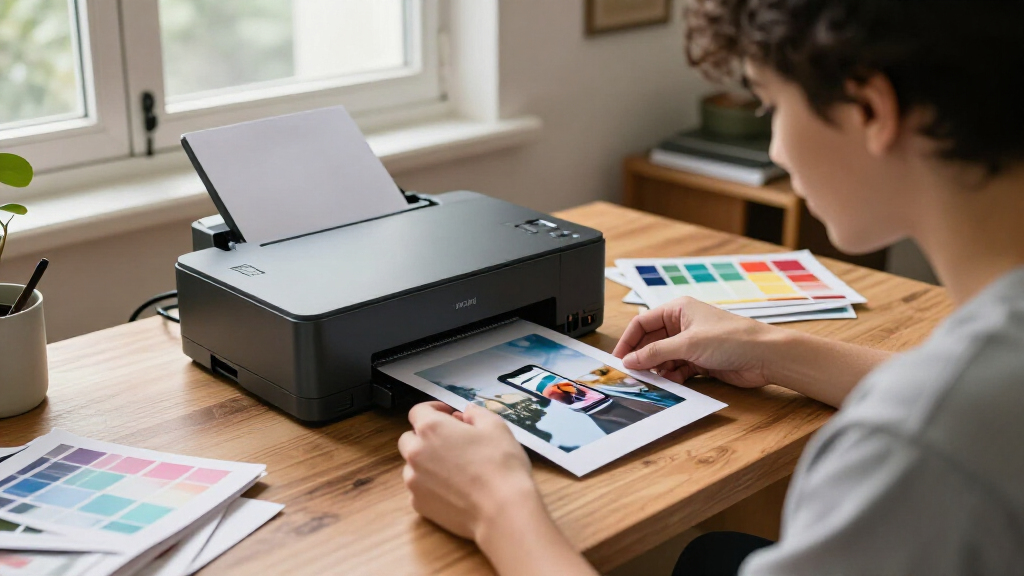
I ranked these options by how well each serves a distinct creator workflow, rather than treating every device as a substitute for a standard photo printer. I weighed output format, portability, ease of getting from an image to a physical result, and whether a printer’s extra functions—such as sticker cutting or a built-in camera—offer practical creative value. I also considered the limits each format places on finished work, since a compact keepsake printer and a 4×6 photo printer solve different problems.
The Liene M100 leads as the most versatile fit for creators who want conventional photo prints without a specialized production setup. The PixCut S1 Inspire Kit and KODAK Dock Plus rank highly for narrower but useful workflows: sticker making and dock-based 4×6 printing. Portable mini printers follow when convenience matters more than print size, while the Canal Toys camera ranks for its child-focused use rather than broad creator flexibility. I distinguish the two PixCut packages by their intended kit scope, not by assuming they produce different core print results.
| photo printer for creator | Connectivity | Compatible devices |
|---|---|---|
| Canal Toys Photo Creator Insta | USB | — |
| Liene PixCut S1 Inspire Kit Al | Bluetooth | — |
| Liene PixCut S1 Color Sticker | Bluetooth | Laptops, smartphones, and tablets |
| Liene Pearl N200 Pro Portable | Bluetooth | Android and iOS smartphones |
| Liene M100 4×6-Inch Wi-Fi Phot | Wi-Fi, USB Type-C | Smartphones, laptops, and PCs |
| Liene Pearl K100 Portable 2×3- | Bluetooth 5.2 | iOS and Android smartphones |
| KODAK Dock Plus 4×6 Photo Prin | Bluetooth and docking | iOS and Android smartphones and tablets |
| Canon IVY 2 Mini Photo Printer | Bluetooth 5.0 | iOS and Android smartphones and tablets |
Factors to Consider When Choosing Photo Printer For Creators
Before choosing, decide what you want the printed result to do after it leaves the printer. A portfolio image, a journal sticker, and a small photo to share each call for a different format and workflow. These broader questions can help narrow the field before you compare individual models.
Choose the Finished Format Before the Printer
Start with the object you plan to make, not the printer’s feature list. If you need prints for framing, client samples, or a physical portfolio, a 4×6 format is more useful than a tiny adhesive print. Smaller prints can be easier to share, add to a journal, or attach to a project, but they limit how much detail and visual impact each image can carry. Sticker work adds another decision: decide whether you need cut shapes as part of the workflow or only want adhesive-backed photos. A common mistake is buying a compact model for convenience and later finding that its output cannot serve your main presentation needs. I would choose the largest format you will use regularly, not the largest format you might use once.
Match the Workflow to Where You Create
A printer that fits a desk-based editing routine may be inconvenient for someone who creates at events, workshops, or on the move. Think through the whole sequence: where images are stored, how they reach the printer, where prints are handled, and whether you have room for supplies. A small printer can simplify spontaneous output, while a larger 4×6 setup can make more sense when you batch work at home or in a studio. Built-in or dock-oriented workflows may reduce steps for certain users, but they can also tie the printer to a particular way of working. Check how your devices connect and whether the app or interface supports the habits you already have. Convenience is only a benefit when it removes friction from your real routine.
Treat Sticker Cutting as a Separate Creative Need
Sticker printing and photo printing overlap, but they are not interchangeable jobs. A cutting machine can turn artwork into shaped stickers, which is useful for planners, product packaging, and creator merchandise. If your projects mostly involve standard photos, the added cutting function may take space and attention without improving the prints you need. Before buying an all-in-one kit, consider how often you will use the cutting workflow and whether it fits the materials and designs you make. Buyers sometimes choose a multi-function device because it sounds more capable, then use only its basic printing function. Pay for the extra workflow when it supports repeat projects, not just because it expands the feature list.
Balance Portability Against Print Scale
Portable printers make it easier to print while a creative session is still happening, but portability usually means accepting a smaller output format or a more focused use. That can be a good trade for event handouts, journaling, or casual sharing. It is less suitable when prints need to carry fine visual detail or look substantial on a wall or in a client presentation. Consider where the printer will sit most of the time, too: a model that travels well has less advantage if it will stay plugged in on a desk. If you need both compact sharing and larger finished prints, decide which job is more frequent and make the other a secondary workflow. That prevents a compromise device from becoming a poor fit for both.
Plan for Supplies and Ongoing Use
The printer is only one part of the system; compatible paper and other consumables affect how easy it is to keep creating. Check what type of media each model requires, how it is packaged, and whether you can store spare supplies in your workspace. Special adhesive media and sticker-making materials may support creative projects, but they can also narrow your choices compared with ordinary photo workflows. Think about how many prints you expect to make in a typical project, not just the first print session. A printer that is simple to set up but awkward to restock can disrupt a deadline or workshop. Pick a supply format that matches both your output volume and the kinds of finished pieces you make.
Pay for Features That Improve the Final Work
More functions do not automatically produce better results for a creator. A dock, portable design, cutting feature, or kid-oriented camera may be valuable when it removes a step or enables a type of project you make often. Otherwise, those features can pull attention away from the basics: suitable print size, a manageable workflow, and media that fits your work. Define one or two outcomes the printer must support before comparing extras. If you are still learning what you print most, a straightforward photo-first model can be a safer starting point than a specialized system. Move up to a premium or multi-function setup when you can name the recurring task it will improve.
Frequently Asked Questions
Can a mini photo printer replace a 4×6 printer for creator work?
It can replace one if your output is mainly small keepsakes, journal additions, or compact sharing prints. It is a weaker substitute for portfolio pages, larger gifts, or images meant to be viewed from a distance. Before choosing, compare the physical print size with the way your work will be displayed or delivered. Some creators keep a mini printer for spontaneous projects and use a 4×6 model for finished presentation work. If you expect to make larger prints regularly, start with a 4×6 option instead of treating a mini format as an all-purpose solution.
Should I choose the Liene PixCut S1 Inspire Kit or the standard PixCut S1?
Choose based on the scope of the sticker-making setup you need, rather than assuming the kit name means a different core purpose. Both are aimed at creators who want printing and cutting for sticker projects, so the key question is whether the Inspire Kit’s included setup suits the materials and workflow you plan to use. List the supplies and tools already in your workspace before deciding. If you primarily want ordinary photographs, neither PixCut model is as direct a fit as a photo-first printer. If shaped stickers are a recurring part of your work, compare the package contents and choose the one that fills the gaps in your setup.
Is the Canal Toys Photo Creator camera a good choice for an adult creator?
It makes the most sense when the user is a child or the project calls for a playful, camera-led activity. Its role differs from phone-connected photo printers designed to turn an existing edited image into a print. Adult creators who need control over a portfolio image, client sample, or repeatable project workflow may find a conventional photo printer more appropriate. For family activities or a young maker’s first creative setup, the built-in camera concept can be the main appeal. Decide whether the camera experience or flexible printing from your own devices matters more.
Which type of printer should I choose for selling creator-made stickers?
Start by deciding whether your products need custom-shaped cuts or simply adhesive-backed images. A cutting-focused system such as the PixCut S1 line is designed for a more involved sticker workflow, while a compact photo printer may suit simple small-format prints. Then check that the printer’s supported media and output process match the finish your customers expect. Make a small test batch before building a product around a particular format, since a design that looks good on screen may not read as clearly at sticker size. For a business, repeatability and supply planning matter as much as the first successful print.
What should I prioritize if I print at events or workshops?
Prioritize a workflow that is easy to repeat in the space you will use, along with a print format suited to what attendees will take home. Compact models can be easier to carry and set up, while 4×6 printers produce a larger handout but may call for more room and supply handling. Check how images will move from participants’ devices to the printer and who will manage that step. Bring enough compatible media for the expected session, with a margin for test prints and mistakes. If participants will make stickers rather than standard photos, choose a cutting workflow only when you can support its setup and operation during the event.
Conclusion
For the broadest mix of creator-friendly 4×6 printing and everyday flexibility, I recommend the Liene M100 as best overall. The Liene Pearl K100 is my best value-style pick for compact, adhesive 2×3 prints, while the Liene PixCut S1 Inspire Kit is the best premium-style choice for creators focused on sticker projects. Beginners who want a straightforward photo-first starting point should compare the M100 with the KODAK Dock Plus, choosing the workflow that better suits their space and devices. For pocketable prints, choose the Canon IVY 2 or Pearl K100; for a portable photo-printer format beyond tiny keepsakes, look at the Pearl N200 Pro. The Canal Toys Photo Creator is the specific pick for child-led, playful printing. If you only settle one question before buying, make it this: do you need larger photos, smaller portable prints, or cut stickers?
Halloween Picks
halloween
As an affiliate, we earn on qualifying purchases.