Smart locks are becoming a mainstream upgrade because they offer increased security and unmatched convenience. You can control locks remotely, set temporary access codes, and receive real-time alerts for security breaches. Integration with home automation means your locks work seamlessly with cameras, alarms, and lighting. Plus, features like geofencing and digital entry logs simplify daily routines and improve safety. Want to discover more about how smart locks can transform your security? Keep exploring the benefits they bring.
Key Takeaways
- They offer enhanced security features like encrypted communication and real-time tamper alerts.
- Integration with home automation systems simplifies control of multiple devices from a single interface.
- Convenience is increased through features like remote access, digital keys, and geofencing automation.
- Digital entry logs and access management improve monitoring and control over security.
- Growing adoption reflects their role in creating safer, smarter homes and businesses.
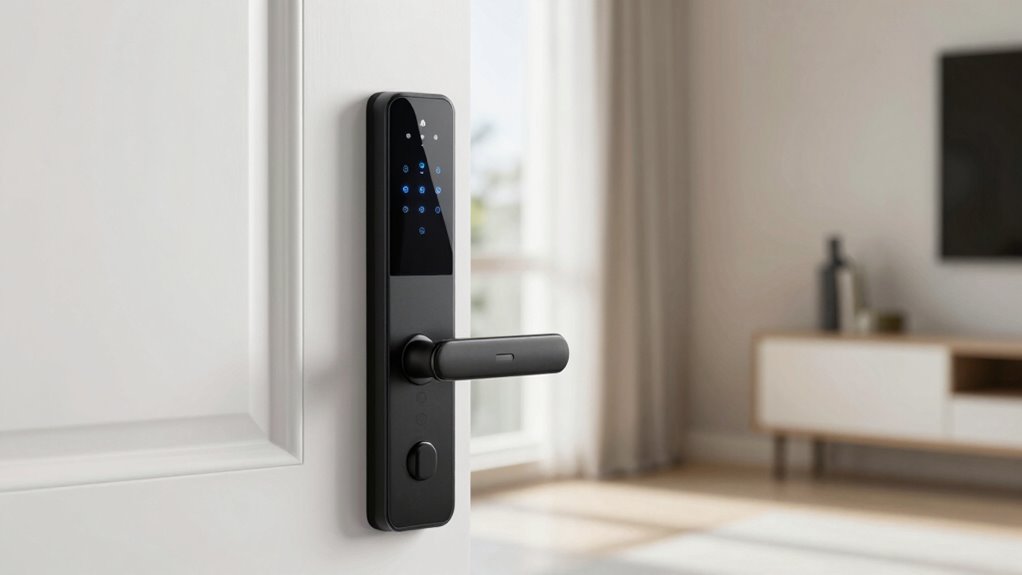
Smart locks are no longer just a futuristic concept; they’re quickly becoming a common feature in homes and businesses alike. As technology advances, these locks are transforming traditional security into an integrated part of home automation systems. You can now control your locks remotely, set temporary access codes, and monitor entry logs—all from your smartphone or other connected devices. This seamless integration makes managing your home’s security more intuitive and efficient than ever before.
One of the main reasons smart locks are gaining popularity is their ability to blend into all-encompassing security integration. Instead of standalone devices, they now work alongside cameras, alarms, and lighting systems to create a unified security network. With home automation, you don’t need to switch between different apps or systems; instead, you can operate everything from a single interface. This not only enhances security but also boosts convenience, especially when you want to grant access to family members, friends, or service providers without physically handing over keys. You can schedule access times, revoke permissions instantly, and keep a digital record of who entered and when, giving you peace of mind.
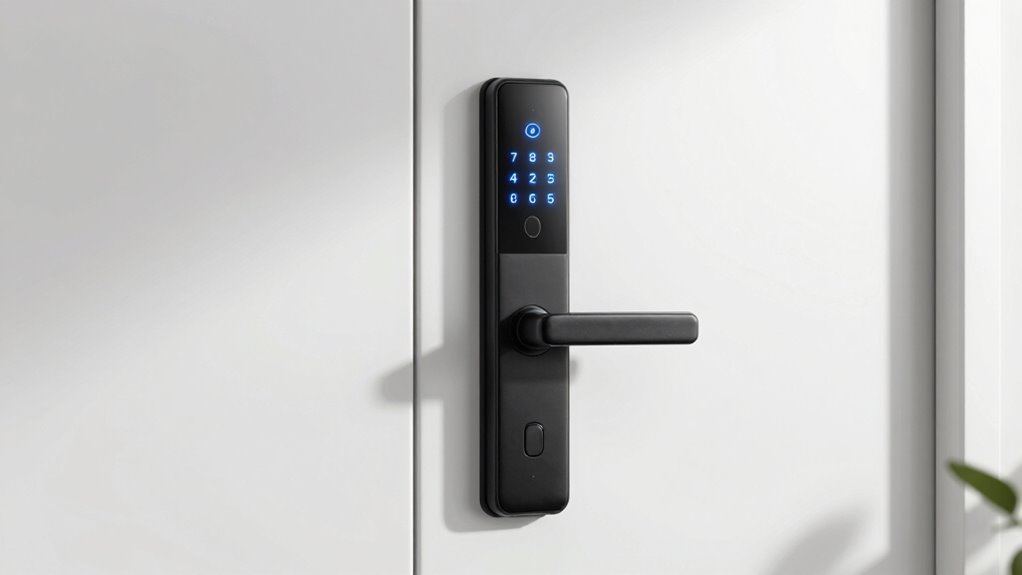
Smart locks seamlessly integrate with security systems, offering centralized control, scheduled access, and real-time monitoring for added peace of mind.
Beyond security, smart locks contribute to the broader trend of home automation by making everyday tasks easier. For example, you can set your smart lock to automatically unlock when you arrive home, using geofencing technology. This eliminates the need to fumble for keys or remember codes. When integrated with your home’s automation system, your lock can communicate with your lights, thermostat, and other devices, creating a personalized environment that responds to your presence. Imagine arriving after work to a well-lit, comfortably warm home, all triggered by your smart lock detecting your arrival. Additionally, some smart locks incorporate high-quality encryption, which further enhances their security against cyber threats. Incorporating cybersecurity best practices in their design helps protect your digital keys from hacking attempts. To further safeguard your digital keys, many manufacturers implement secure communication protocols, ensuring that data transmitted between your devices remains protected from interception.
Moreover, the security benefits of smart locks go beyond convenience. They’re designed with features such as encrypted communication and tamper alerts, which make unauthorized access much harder. If someone tries to force entry or tamper with the lock, you’ll receive an immediate notification. This proactive approach to security is a significant upgrade from traditional locks, providing real-time insights and control. Additionally, the integration of smart locks with home automation systems creates a more cohesive and customizable security environment tailored to your needs. Integrating these systems also helps to mitigate vulnerabilities by ensuring secure communication channels, which are essential in cybersecurity contexts.
In essence, your move toward smart locks means embracing a smarter, safer lifestyle. They don’t just enhance security—they integrate into your home automation system to deliver a level of control and convenience that was once only imaginable. As more homes and businesses adopt this technology, smart locks are becoming an essential upgrade for anyone looking to modernize their security and streamline daily living.

Philips Wi-Fi Door Lock, WiFi Smart Lock Keyless Entry Deadbolt for Front Door, Compatible with Alexa & Google Assistant, Remote Control, Built-in WiFi, APP Fingerprint Passcode Unlock, Auto Locking
𝐅𝐥𝐞𝐱𝐢𝐛𝐥𝐞 𝐖𝐚𝐲𝐬 𝐭𝐨 𝐔𝐧𝐥𝐨𝐜𝐤: Unlock the way you want: app, passcode, fingerprint, physical key, or voice via Alexa/Google…
As an affiliate, we earn on qualifying purchases.
As an affiliate, we earn on qualifying purchases.
Frequently Asked Questions
Are Smart Locks Compatible With All Door Types?
Smart locks aren’t compatible with all door types. Your door material, like wood, metal, or fiberglass, affects installation, while the lock mechanism matters too. Some smart locks work best with standard deadbolts, but others may require specific setups. You should verify the lock’s specifications and compatibility before buying. If your door has an unusual lock mechanism, you might need an adapter or different smart lock model to guarantee proper fit and functionality.
How Do Smart Locks Handle Power Outages?
Oh no, a power outage! Don’t worry, your smart lock isn’t helpless. Thanks to battery backup, it can keep running smoothly during a blackout. Plus, most models have power failure recovery, so once power’s restored, your lock syncs back up seamlessly. You stay secure, even when the grid doesn’t cooperate. It’s like your lock has a secret stash of energy—ready to save the day, no matter what.
Can Multiple Users Have Different Access Levels?
Yes, multiple users can have different access levels with smart locks. You can set up access control through the lock’s app, allowing you to manage user permissions easily. This user management feature lets you grant or restrict access for family members, friends, or service providers. It’s a convenient way to guarantee that only authorized individuals can enter, providing flexibility and enhanced security for your home.
What Is the Typical Installation Process for Smart Locks?
You start by gathering the necessary tools, like a screwdriver and possibly a drill, depending on your door. Then, follow the installation steps: remove your old lock, align the smart lock’s mounting plate, and secure it with screws. Connect any batteries or wiring if required, and finally, test the lock to make certain it functions properly. Most smart locks come with detailed instructions to make this process straightforward.
Are Smart Locks Vulnerable to Hacking or Security Breaches?
Like a trusty knight’s shield, smart locks use data encryption to protect your home, but cybersecurity concerns still exist. You might worry about hacking or breaches, and while no system is completely invulnerable, most smart locks incorporate robust security features. Regular updates and strong passwords greatly reduce risks. Staying vigilant and choosing reputable brands help guarantee your smart lock remains a secure, convenient upgrade without falling prey to cyber threats.
Philips Wi-Fi Door Lock, WiFi Smart Lock Keyless Entry Deadbolt for Front Door, Compatible with Alexa & Google Assistant, Remote Control, Built-in WiFi, APP Fingerprint Passcode Unlock, Auto Locking
𝐅𝐥𝐞𝐱𝐢𝐛𝐥𝐞 𝐖𝐚𝐲𝐬 𝐭𝐨 𝐔𝐧𝐥𝐨𝐜𝐤: Unlock the way you want: app, passcode, fingerprint, physical key, or voice via Alexa/Google…
As an affiliate, we earn on qualifying purchases.
As an affiliate, we earn on qualifying purchases.
Conclusion
As smart locks continue to weave themselves into the fabric of everyday life, they’re transforming your home into a fortress with a digital heartbeat. No longer just a gadget, they’re the keys to a future where convenience and security dance in harmony. Embrace this evolution, and let your door open more than just entry—open a world of smarter, safer living. The future is knocking, and it’s digital.
Philips Wi-Fi Door Lock, WiFi Smart Lock Keyless Entry Deadbolt for Front Door, Compatible with Alexa & Google Assistant, Remote Control, Built-in WiFi, APP Fingerprint Passcode Unlock, Auto Locking
𝐅𝐥𝐞𝐱𝐢𝐛𝐥𝐞 𝐖𝐚𝐲𝐬 𝐭𝐨 𝐔𝐧𝐥𝐨𝐜𝐤: Unlock the way you want: app, passcode, fingerprint, physical key, or voice via Alexa/Google…
As an affiliate, we earn on qualifying purchases.
As an affiliate, we earn on qualifying purchases.
Philips Wi-Fi Door Lock, WiFi Smart Lock Keyless Entry Deadbolt for Front Door, Compatible with Alexa & Google Assistant, Remote Control, Built-in WiFi, APP Fingerprint Passcode Unlock, Auto Locking
𝐅𝐥𝐞𝐱𝐢𝐛𝐥𝐞 𝐖𝐚𝐲𝐬 𝐭𝐨 𝐔𝐧𝐥𝐨𝐜𝐤: Unlock the way you want: app, passcode, fingerprint, physical key, or voice via Alexa/Google…
As an affiliate, we earn on qualifying purchases.
As an affiliate, we earn on qualifying purchases.