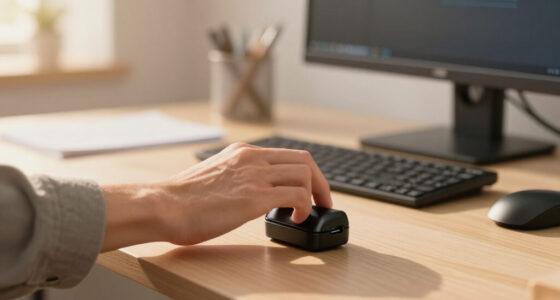
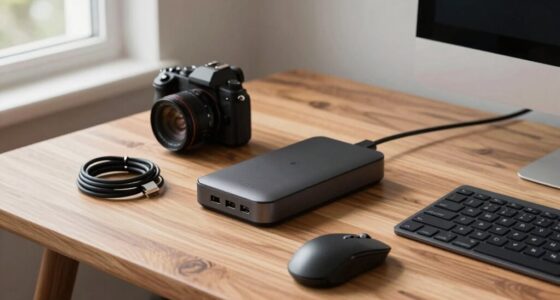
To create a better streaming corner at home, invest in a good microphone and position it close for clear sound while minimizing background noise with soft materials like rugs or curtains. Use proper lighting, such as ring lights or natural light, placed at eye level for a flattering look. Keep your space organized and clutter-free, adding personal touches to make it inviting. Ensuring all equipment is tested and optimized helps maintain a professional feel—keep going to discover even more tips.

Get the latest gadgets delivered free — and shop member deals
- Fast, free delivery on millions of items
- Access to Prime Big Deal Days deals on October 6–7
- Prime Video, Amazon Music and more included
Key Takeaways
- Use soft soundproofing materials and a quality microphone for clear, engaging audio.
- Ensure even lighting with natural light or affordable softboxes, positioning lights at eye level.
- Keep the space tidy, declutter, and add personal decorations to create an inviting atmosphere.
- Maintain a minimal background, organize cables, and set the camera at eye level for professional framing.
- Test audio, lighting, and equipment before streaming to ensure a smooth, polished broadcast.
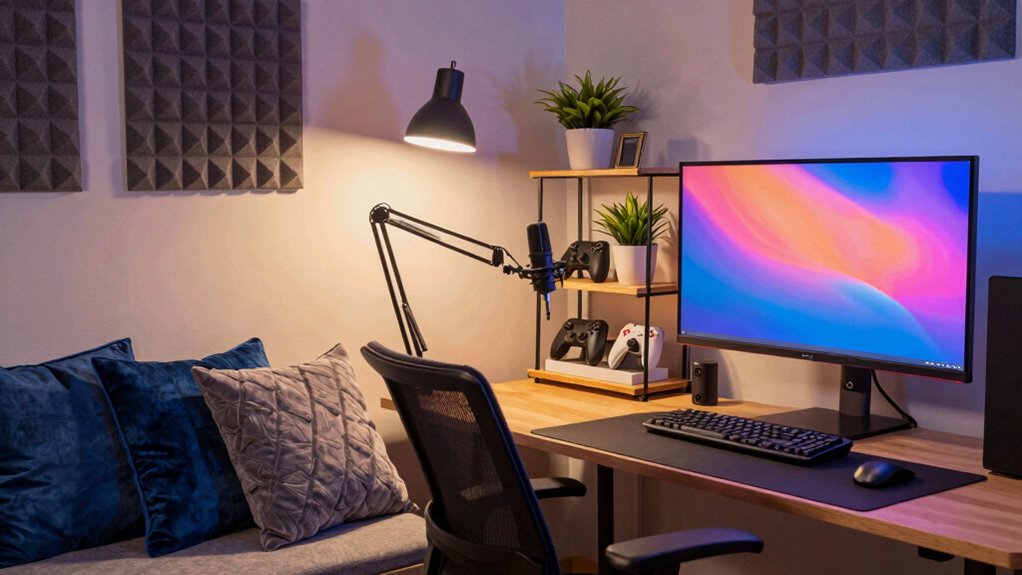
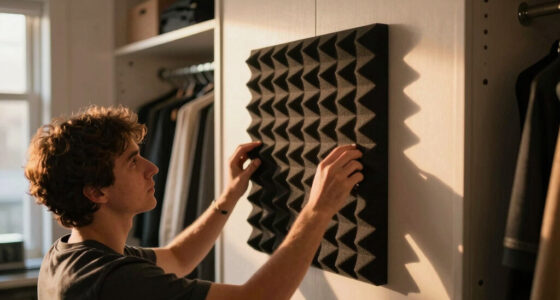
Have you ever wondered how to transform your cluttered corner into a perfect streaming setup? The key lies in creating an environment that looks professional, sounds clear, and feels inviting. To start, focus on optimizing your audio quality. Good sound is essential because viewers can forgive a less-than-perfect camera if your voice comes through crisp and clear. Invest in a decent microphone—whether it’s a USB condenser mic or a headset with a good mic—so your voice isn’t muffled or distorted. Position the microphone close enough to pick up your voice without capturing too much background noise. You can also soundproof your space by adding soft materials like foam panels, rugs, or curtains to reduce echo and external noise. This way, your audio stays clean and engaging, keeping viewers focused on what you say rather than the distractions around you.
Next, pay attention to your lighting setup. Lighting can make or break your stream’s visual appeal. You don’t need fancy equipment—just enough to illuminate your face evenly and eliminate harsh shadows. Natural light works great if you have a window, but if not, consider using a ring light or softbox. Place the light source directly in front of you at eye level to produce a flattering, well-lit appearance. Avoid backlighting, which can make you appear as a silhouette, and steer clear of overly bright or flickering lights that cause distractions. Proper lighting not only makes you look more professional but also helps your viewers see your reactions and expressions clearly, creating a more engaging experience. Additionally, adjusting your camera settings or using a good quality webcam can further enhance image clarity and overall visual quality. Incorporating lighting techniques can also help you achieve more consistent and appealing illumination. A well-organized streaming space can also contribute significantly to the overall aesthetic and professionalism of your setup. Remember, a neat setup with minimal clutter can elevate your streaming environment and make your content more inviting.
Beyond audio and lighting, declutter your streaming corner. Clear off unnecessary items and organize your gear so your background isn’t distracting. Adding some personal touches like posters, plants, or themed decorations can make the space feel inviting and authentic. Keep cables tidy with clips or sleeves to maintain a clean look. Set up your camera at eye level to create a natural perspective, and ensure your background isn’t too busy or cluttered, which can divert attention from you. Incorporating professional streaming setup tips can also help elevate the overall look and feel of your space. To further enhance your setup, consider testing your equipment regularly to identify and fix any issues before going live, ensuring a smooth stream every time.
Finally, test everything before going live. Do a quick recording to check sound clarity, lighting, and framing. Adjust as needed—maybe tweak the microphone placement or switch up the lighting angle. When all these elements come together, you’ll create a streaming corner that not only looks professional but also feels comfortable and engaging. With the right attention to detail, your streams will stand out, attracting viewers and making your content more enjoyable to watch.
USB condenser microphone for streaming
As an affiliate, we earn on qualifying purchases.
As an affiliate, we earn on qualifying purchases.
Frequently Asked Questions
How Do I Manage Cable Clutter in My Streaming Setup?
You can manage cable clutter by using cable management tools like clips, sleeves, or zip ties to organize cords neatly. Incorporate storage solutions such as shelves or cable boxes to hide excess cables and power strips. Label your cords for easy identification, and route them along furniture or walls to keep everything tidy. Regularly check and adjust your setup to guarantee cables stay organized and prevent tangling, making your streaming corner look cleaner and more professional.
What Are the Best Lighting Options for Streaming at Night?
Did you know that proper lighting can improve viewer engagement by up to 50%? For your nighttime streams, opt for adjustable ambient lighting like soft LED panels or RGB smart bulbs. Use warm color schemes for a cozy vibe or cooler tones for a modern look. Position lights to eliminate harsh shadows, ensuring your face is well-lit and your background complements your stream. This creates a professional, inviting atmosphere that keeps viewers hooked.
How Can I Soundproof My Streaming Corner Effectively?
You can soundproof your streaming corner effectively by installing acoustic panels on your walls to absorb echo and reduce noise. Additionally, hang soundproof curtains over windows and doors to block outside sounds. Combining these solutions creates a quieter environment, enhancing your audio quality. Make certain to seal any gaps around doors and windows for maximum soundproofing. This setup ensures your streams sound professional and minimize disruptions.
What Are Budget-Friendly Upgrades for Improving Stream Quality?
You can boost your stream quality with budget-friendly upgrades by improving lighting enhancement and optimizing camera positioning. Use affordable LED lights or DIY diffusers to brighten your space evenly, reducing shadows. Adjust your camera angle for a clear, professional shot—placing it at eye level makes a big difference. These simple steps enhance your video quality without breaking the bank, making your streams look more polished and engaging.
How Do I Personalize My Streaming Space Without Clutter?
They say, “Less is more,” so you can personalize your streaming space by focusing on decor organization and adding meaningful personal touches. Keep clutter at bay with smart storage solutions, like wall-mounted shelves or labeled boxes. Incorporate items that reflect your personality, like photos or collectibles, but avoid overloading the space. This way, your streaming corner stays functional, inviting, and uniquely yours without feeling cluttered.
Conclusion
Imagine yourself sinking into your cozy streaming nook, where soft lighting casts a warm glow over your sleek setup. Every piece of decor reflects your personality, creating an inviting escape from the world. As you settle in, the gentle hum of your equipment becomes a comforting background melody. Your perfect streaming corner isn’t just a space—it’s a haven that transforms every viewing session into an immersive, unforgettable experience, making every moment feel like a personal retreat.
Fall Picks
fall essentials
As an affiliate, we earn on qualifying purchases.