
If you’re looking for the best Thunderbolt docks for your VR gaming laptop in 2026, I recommend options like the Dell Thunderbolt 4 Smart Dock, UGREEN Thunderbolt 4 Dock, and Razer Thunderbolt 5 Dock, which offer fast data transfer, multiple display support, and high power delivery. Other great choices include eGPU enclosures and sleek MacBook-compatible docks. Keep in mind the importance of sufficient ports and thermal features. If you keep exploring, you’ll find the perfect dock to boost your VR experience.
Key Takeaways
- Prioritize docks with at least 85W-100W power delivery for optimal VR gaming performance.
- Ensure support for multiple high-resolution displays, like dual 4K or 8K, via Thunderbolt 4 or 5 ports.
- Look for Thunderbolt 5 docks offering up to 120Gbps speeds for seamless VR content loading.
- Choose docks with extensive port options including USB-A, USB-C, HDMI, DisplayPort, Ethernet, and audio.
- Select models with active cooling and thermal management features to maintain performance during intensive VR use.
| Dell Thunderbolt 4 Smart Dock SD25TB4 (130W 4K 2xDP) | 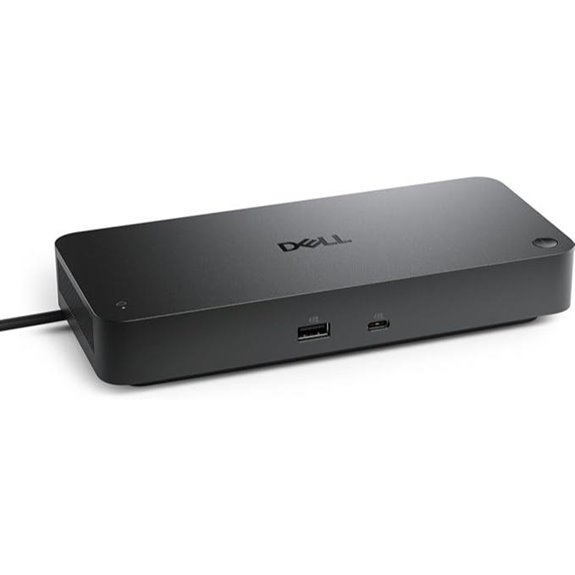 | High-Performance Security | Ports: 2 Thunderbolt 4, dual 4K video outputs, Ethernet, USB-C, USB-A, audio, SD | Display Support: Up to 4x 4K via HDMI, DP, USB-C, Thunderbolt 4 | Power Delivery: 130W USB-C charging | VIEW LATEST PRICE | See Our Full Breakdown |
| UGREEN Thunderbolt 4 Dock 13-in-1 with 8K Display | 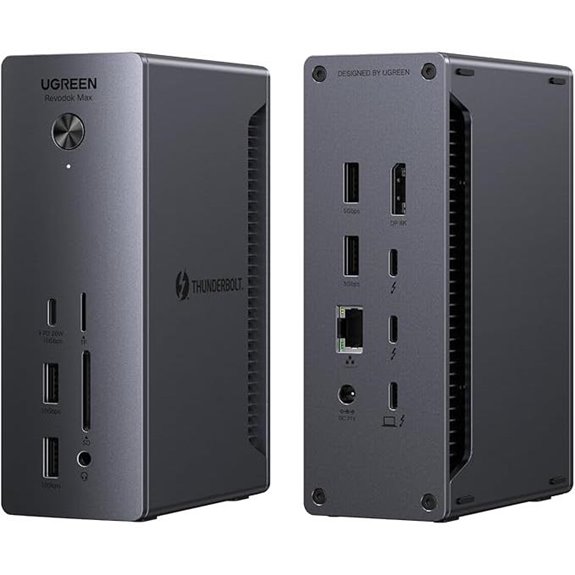 | Versatile Connectivity | Ports: 2 Thunderbolt 4, DisplayPort, Ethernet, SD/TF, USB-C, USB-A, audio | Display Support: Dual 4K@60Hz or 8K@30Hz on Windows | Power Delivery: 90W charging | VIEW LATEST PRICE | See Our Full Breakdown |
| eGPU Enclosure Dock for Thunderbolt 3/4 Laptops | 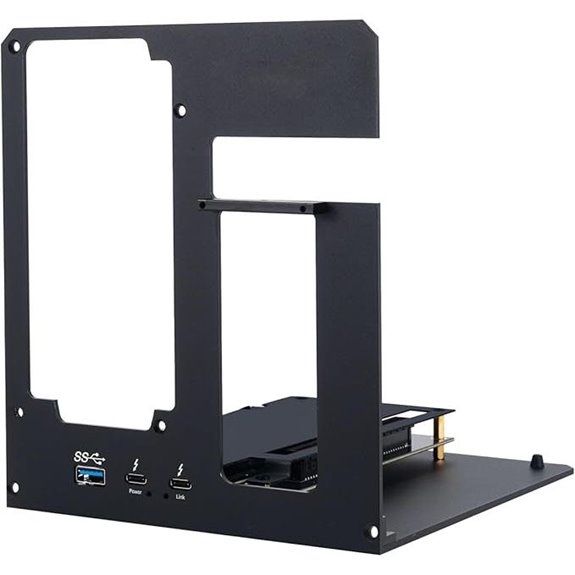 | Customizable GPU Enclosure | Ports: Thunderbolt 4, USB-A, USB-C, Ethernet, PCIe slot (for GPU) | Display Support: Supports GPU-based high-res displays (up to 8K, multi-monitor) | Power Delivery: No built-in power, requires user-supplied GPU power | VIEW LATEST PRICE | See Our Full Breakdown |
| Plugable Thunderbolt 4 Dock with 100W Charging | 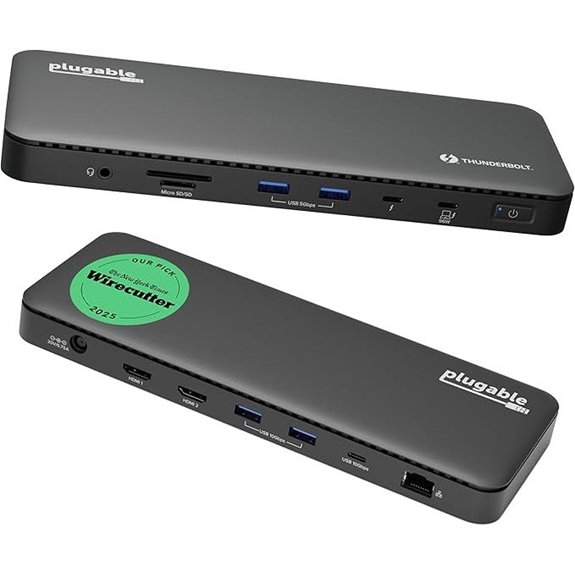 | Reliable All-in-One | Ports: 2 Thunderbolt 4, dual HDMI 4K, Ethernet, USB-A, USB-C, audio, SD | Display Support: Dual 4K@60Hz or single 8K | Power Delivery: 100W Power Delivery (96W certified) | VIEW LATEST PRICE | See Our Full Breakdown |
| Anker Prime TB5 Thunderbolt 5 Docking Station | 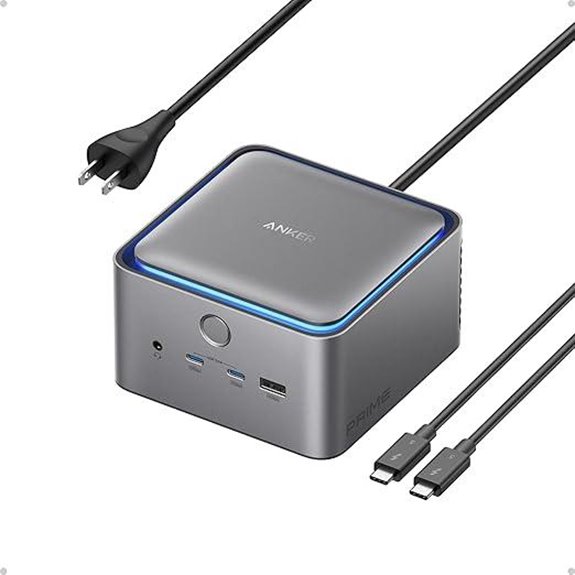 | Next-Gen Speed | Ports: Multiple Thunderbolt 5, HDMI/DisplayPort, Ethernet, SD, USB-C, USB-A, audio | Display Support: Dual 8K@60Hz or triple 4K at 144Hz | Power Delivery: Up to 140W via Thunderbolt 5 | VIEW LATEST PRICE | See Our Full Breakdown |
| Razer Thunderbolt 5 Dock Chroma with 11 Ports |  | Gaming & Creative Power | Ports: Multiple Thunderbolt 5, M.2 slot, Ethernet, SD, USB-A, USB-C, audio | Display Support: Up to triple 4K or 8K at 60Hz, 4K at 240Hz | Power Delivery: 140W Power Delivery | VIEW LATEST PRICE | See Our Full Breakdown |
| Amazon Basics Thunderbolt4/USB4 Docking Station | 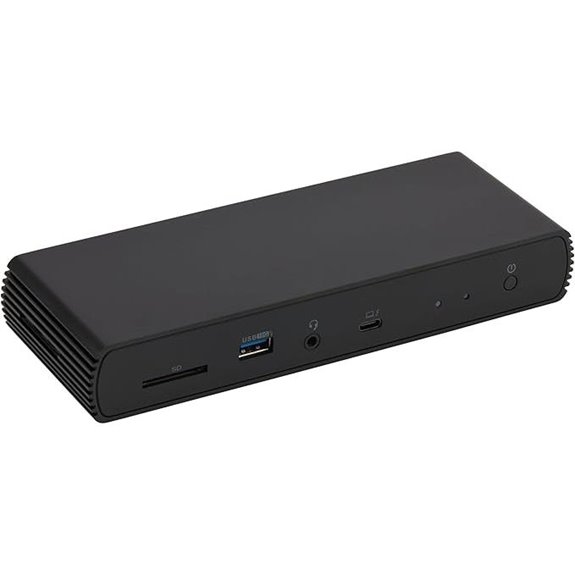 | Budget-Friendly Reliability | Ports: 2 Thunderbolt 4, HDMI, Ethernet, USB-A, USB-C, audio, SD | Display Support: Dual 4K@60Hz or single 8K@30Hz | Power Delivery: 96W charging | VIEW LATEST PRICE | See Our Full Breakdown |
| Razer Thunderbolt 4 Dock with 10 Ports | 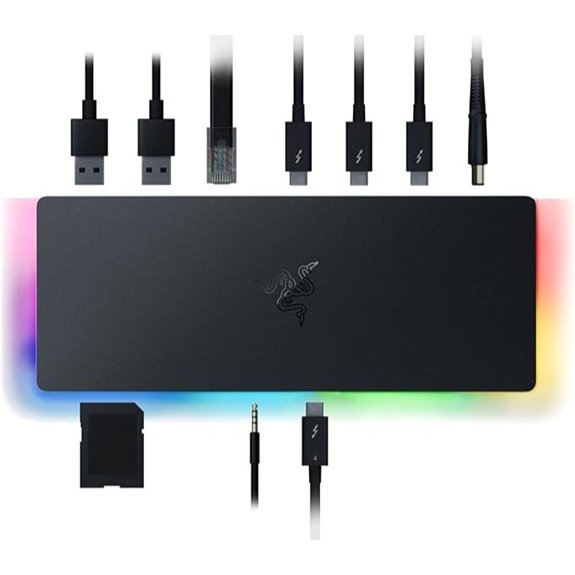 | Compact Powerhouse | Ports: Multiple Thunderbolt 4, Ethernet, HDMI, USB-A, USB-C, SD, audio | Display Support: Dual 4K/5K/8K depending on Mac/PC | Power Delivery: 90W (or 100W) charging | VIEW LATEST PRICE | See Our Full Breakdown |
| Plugable Thunderbolt 4 Dock for MacBook Pro/Air | 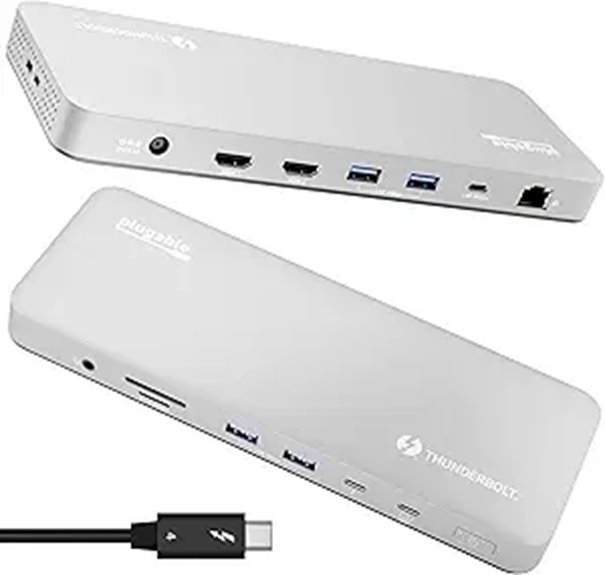 | Mac-Optimized Solution | Ports: 1 Thunderbolt 4, HDMI, Ethernet, USB-A, USB-C, SD, audio | Display Support: Dual 4K@60Hz or single 8K | Power Delivery: 100W charging | VIEW LATEST PRICE | See Our Full Breakdown |
| Razer Thunderbolt 5 Dock with 11 Ports and SSD | 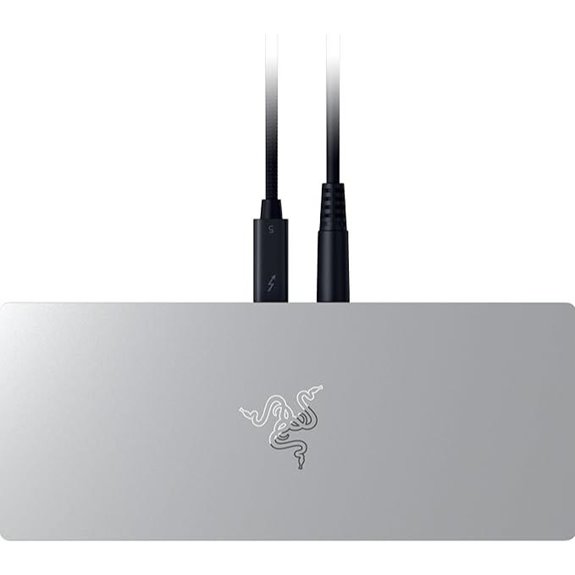 | Ultimate Expansion | Ports: Multiple Thunderbolt 5, HDMI/DisplayPort, Ethernet, SD, USB-A, USB-C, audio | Display Support: Multiple high-res options including 8K, triple 4K | Power Delivery: 140W PD charging | VIEW LATEST PRICE | See Our Full Breakdown |
More Details on Our Top Picks
Dell Thunderbolt 4 Smart Dock SD25TB4 (130W 4K 2xDP)
If you’re looking for a versatile dock that can handle demanding VR gaming setups and creative workflows, the Dell Thunderbolt 4 Smart Dock SD25TB4 is an excellent choice. It supports up to four 4K displays via HDMI 2.1, DP 1.4, USB-C, and Thunderbolt 4, making it perfect for multitasking. With 130W USB-C charging, it powers your laptop quickly and wirelessly. Dual Thunderbolt 4 ports enable fast data transfer and device chaining. Its compact, eco-friendly design uses recycled materials, and security features like WPA3 encryption and remote management keep your setup safe. Whether for gaming or professional use, this dock offers high performance and reliable connectivity.
- Ports:2 Thunderbolt 4, dual 4K video outputs, Ethernet, USB-C, USB-A, audio, SD
- Display Support:Up to 4x 4K via HDMI, DP, USB-C, Thunderbolt 4
- Power Delivery:130W USB-C charging
- Data Transfer Speed:Thunderbolt 4 (40Gbps)
- Compatibility:Windows, Mac, enterprise security
- Size/Weight:Compact, 1.28 lbs
- Additional Feature:Eco-friendly recycled materials
- Additional Feature:Remote Wi-Fi management
- Additional Feature:Business security features
UGREEN Thunderbolt 4 Dock 13-in-1 with 8K Display
The UGREEN Thunderbolt 4 Dock 13-in-1 with 8K Display stands out as an excellent choice for professionals and gamers who need maximum connectivity and high-resolution displays. With 13 ports—including dual Thunderbolt 4, DisplayPort 1.4, Ethernet, SD/TF card readers, and multiple USB options—it offers extensive device expansion. It supports dual 4K@60Hz monitors or an 8K@30Hz display on Windows, and dual 4K on Macs. The dock delivers ultra-fast 40Gbps data transfer and up to 90W charging via its 180W power adapter. Perfect for multitasking, creative work, and VR gaming, it’s a versatile, high-performance hub for demanding users.
- Ports:2 Thunderbolt 4, DisplayPort, Ethernet, SD/TF, USB-C, USB-A, audio
- Display Support:Dual 4K@60Hz or 8K@30Hz on Windows
- Power Delivery:90W charging
- Data Transfer Speed:Thunderbolt 4 (40Gbps)
- Compatibility:Windows, Mac, Mac M1/M2/M3, USB4
- Size/Weight:Portable, size not specified
- Additional Feature:8K@30Hz support
- Additional Feature:13 ports total
- Additional Feature:180W power input
eGPU Enclosure Dock for Thunderbolt 3/4 Laptops
For VR gaming laptops that demand powerful graphics performance, an eGPU enclosure dock built for Thunderbolt 3 or 4 offers an excellent solution. It’s compatible with Thunderbolt 3, 4, USB4, and devices with these ports, including laptops, NUCs, and gaming rigs. You’ll need to supply your own graphics card and power supply, as the dock doesn’t include them. Powered by a certified JHL7440 controller, it supports high-end NVIDIA RTX 50 Series and AMD RX 7000 Series GPUs. This dock functions as both an external GPU and a hub, with USB-A, Thunderbolt 4, and daisy chain ports, perfect for demanding creative and gaming tasks.
- Ports:Thunderbolt 4, USB-A, USB-C, Ethernet, PCIe slot (for GPU)
- Display Support:Supports GPU-based high-res displays (up to 8K, multi-monitor)
- Power Delivery:No built-in power, requires user-supplied GPU power
- Data Transfer Speed:Thunderbolt 3/4 (up to 40Gbps), GPU-based
- Compatibility:Thunderbolt 3/4, USB4, requires user GPU
- Size/Weight:Enclosure (size varies), no weight specified
- Additional Feature:Supports high-performance GPUs
- Additional Feature:External graphics card enclosure
- Additional Feature:Daisy chain port
Plugable Thunderbolt 4 Dock with 100W Charging
The Plugable Thunderbolt 4 Dock with 100W Charging stands out as an ideal choice for gamers and professionals who need powerful, reliable connectivity for their VR gaming laptops. It’s Thunderbolt Certified and recognized as the Best Thunderbolt Dock 2025 by Wirecutter, offering 13 high-performance ports, including dual 4K HDMI outputs, Thunderbolt 4 speeds up to 40Gbps, and 100W Power Delivery (96W certified). Designed for modern setups, it supports dual 4K or single 8K displays with cross-platform compatibility. Its all-encompassing connectivity, fast data transfer, and robust build make it a top-tier docking station for demanding VR and gaming setups.
- Ports:2 Thunderbolt 4, dual HDMI 4K, Ethernet, USB-A, USB-C, audio, SD
- Display Support:Dual 4K@60Hz or single 8K
- Power Delivery:100W Power Delivery (96W certified)
- Data Transfer Speed:Thunderbolt 4 (40Gbps)
- Compatibility:Windows, Mac, Thunderbolt 4/5, USB4
- Size/Weight:Compact, 2.42 lbs
- Additional Feature:Certified by Wirecutter
- Additional Feature:13 high-performance ports
- Additional Feature:Dual HDMI 4K outputs
Anker Prime TB5 Thunderbolt 5 Docking Station
If you need a versatile dock that can handle demanding VR gaming setups, the Anker Prime TB5 Thunderbolt 5 Docking Station stands out with its impressive 14-in-1 connectivity. It offers blazing-fast data transfer speeds up to 120Gbps, perfect for large file transfers. With dual Thunderbolt 5 ports, HDMI or DisplayPort 2.1, and support for dual 8K displays, it’s ideal for immersive VR experiences. It also provides up to 140W power delivery, charging your laptop and devices efficiently. An active cooling system prevents overheating during intense use, ensuring consistent performance. Plus, it includes an extensive package with a 24-month warranty for peace of mind.
- Ports:Multiple Thunderbolt 5, HDMI/DisplayPort, Ethernet, SD, USB-C, USB-A, audio
- Display Support:Dual 8K@60Hz or triple 4K at 144Hz
- Power Delivery:Up to 140W via Thunderbolt 5
- Data Transfer Speed:Thunderbolt 5 (120Gbps)
- Compatibility:Windows, Mac, Thunderbolt 5
- Size/Weight:Larger, 4.4 lbs
- Additional Feature:Active cooling system
- Additional Feature:Up to 120Gbps transfer
- Additional Feature:14-in-1 connectivity
Razer Thunderbolt 5 Dock Chroma with 11 Ports
Gamers and creative professionals seeking seamless high-resolution visuals will find the Razer Thunderbolt 5 Dock Chroma with 11 Ports to be an excellent choice, thanks to its support for triple 4K displays at 144 Hz, 8K at 60 Hz, or 4K at 240 Hz. It offers Thunderbolt 5 readiness with speeds up to 120 Gb/s, ensuring fast data transfer and minimal lag. The dock includes multiple Thunderbolt 5 ports, Gigabit Ethernet, USB Type A, SD card slot, and an M.2 SSD slot supporting up to 8TB NVMe storage. It also delivers 140W Power Delivery, making it perfect for powering high-end VR gaming and creative workflows efficiently.
- Ports:Multiple Thunderbolt 5, M.2 slot, Ethernet, SD, USB-A, USB-C, audio
- Display Support:Up to triple 4K or 8K at 60Hz, 4K at 240Hz
- Power Delivery:140W Power Delivery
- Data Transfer Speed:Thunderbolt 5 (120Gbps)
- Compatibility:Windows, Mac, Thunderbolt 5
- Size/Weight:Larger, 4.4 lbs
- Additional Feature:Built-in M.2 SSD slot
- Additional Feature:RGB lighting
- Additional Feature:Supports triple 4K at 144Hz
Amazon Basics Thunderbolt4/USB4 Docking Station
For those seeking a versatile docking station that enhances connectivity without sacrificing portability, the Amazon Basics Thunderbolt4/USB4 Docking Station stands out. It offers robust device support, including Thunderbolt 4 and USB4 compatibility with Windows 10+ laptops and newer MacBooks. It supports dual 4K@60Hz displays via Thunderbolt ports and up to 8K@30Hz through HDMI 2.1. The dock provides multiple USB-A ports, Ethernet, and up to 96W charging. Its travel-friendly design makes it perfect for on-the-go use. Just guarantee your laptop’s power needs are within limits to avoid overload protection. It’s an excellent, compact choice for expanding your connectivity options effortlessly.
- Ports:2 Thunderbolt 4, HDMI, Ethernet, USB-A, USB-C, audio, SD
- Display Support:Dual 4K@60Hz or single 8K@30Hz
- Power Delivery:96W charging
- Data Transfer Speed:Thunderbolt 4 (40Gbps)
- Compatibility:Windows, Mac, Thunderbolt 4
- Size/Weight:Compact, size not specified
- Additional Feature:Travel-friendly design
- Additional Feature:Supports dual 4K@60Hz
- Additional Feature:Max 96W charging
Razer Thunderbolt 4 Dock with 10 Ports
The Razer Thunderbolt 4 Dock with 10 Ports stands out as an ideal choice for VR gaming laptops that demand high-speed, versatile connectivity. It offers four Thunderbolt 4 ports, supporting dual 4K or single 8K video output, making setup flexible and future-proof. With its USB-A and C hubs, Gigabit Ethernet, SD card slot, and multiple USB ports, it handles all peripherals seamlessly. Passthrough charging keeps your laptop powered without extra cables, while Chroma lighting adds a customizable touch. Compatible with both Mac and PC, this dock provides reliable, high-performance connectivity, making it a robust choice for serious VR gamers and professionals alike.
- Ports:Multiple Thunderbolt 4, Ethernet, HDMI, USB-A, USB-C, SD, audio
- Display Support:Dual 4K/5K/8K depending on Mac/PC
- Power Delivery:90W (or 100W) charging
- Data Transfer Speed:Thunderbolt 4 (40Gbps)
- Compatibility:Windows, Mac, Thunderbolt 4
- Size/Weight:Compact, size not specified
- Additional Feature:RGB customizable hub
- Additional Feature:Supports dual 4K or single 8K
- Additional Feature:Passthrough charging
Plugable Thunderbolt 4 Dock for MacBook Pro/Air
If you’re looking for a reliable dock that seamlessly integrates with your MacBook Pro or Air, the Plugable Thunderbolt 4 Dock stands out thanks to its extensive connectivity options and high-resolution support. It’s compatible with M4, M5 MacBooks, M1, M2, and M3 models, plus Windows systems with Thunderbolt 4 or USB4. With 13 ports—including Thunderbolt 4, USB-C, four USB-A, SD/microSD slots, Ethernet, and audio—you get versatile connections in one device. It supports dual 4K HDMI displays on newer Macs, offers 100W charging, and features a sleek aluminum build. Best of all, it’s driverless and plug-and-play, making setup quick and easy.
- Ports:1 Thunderbolt 4, HDMI, Ethernet, USB-A, USB-C, SD, audio
- Display Support:Dual 4K@60Hz or single 8K
- Power Delivery:100W charging
- Data Transfer Speed:Thunderbolt 4 (40Gbps)
- Compatibility:MacBook Pro/Air, Windows, Thunderbolt 4/USB4
- Size/Weight:Small, aluminum build
- Additional Feature:Designed for MacBooks
- Additional Feature:Aluminum build
- Additional Feature:Lifetime support
Razer Thunderbolt 5 Dock with 11 Ports and SSD
Designed for demanding VR gaming laptops, the Razer Thunderbolt 5 Dock offers unparalleled speed and versatility with its 11 ports and built-in SSD expansion. It’s Thunderbolt 5 ready, delivering speeds up to 120 Gb/s for gaming, data transfer, and peripheral connections. You can support multiple displays, including triple 4K at 144 Hz or 8K at 60 Hz, providing stunning visuals. The dock also delivers 140W PD charging, keeping your laptop powered during intensive use. With a built-in M.2 SSD slot supporting up to 8TB NVMe drives, it guarantees fast data access. Its active cooling system maintains peak performance even during demanding tasks.
- Ports:Multiple Thunderbolt 5, HDMI/DisplayPort, Ethernet, SD, USB-A, USB-C, audio
- Display Support:Multiple high-res options including 8K, triple 4K
- Power Delivery:140W PD charging
- Data Transfer Speed:Thunderbolt 5 (120Gbps)
- Compatibility:Windows, Mac, Thunderbolt 5
- Size/Weight:Moderate, size not specified
- Additional Feature:Integrated NVMe SSD slot
- Additional Feature:Supports triple 4K at 144Hz
- Additional Feature:Mercury professional branding
Factors to Consider When Choosing a Thunderbolt Dock for VR Gaming Laptop
When choosing a Thunderbolt dock for a VR gaming laptop, I focus on key factors like compatibility with my VR gear and power delivery capacity to guarantee smooth performance. I also consider how many displays I can connect and how fast data transfers will be, since those impact gaming and multitasking. Finally, I look at port versatility and quantity to make sure I have all the connections I need without sacrificing speed or convenience.
Compatibility With VR Gear
Choosing a Thunderbolt dock for VR gaming laptops requires careful attention to compatibility factors that guarantee smooth, immersive experiences. First, verify the dock supports Thunderbolt 4 or 5 standards, which are vital for high-speed data transfer and device compatibility. You’ll also want enough high-speed USB ports (USB 3.2 or higher) to connect multiple VR peripherals, like controllers and sensors, without bottlenecks. The video output should handle high resolutions and refresh rates, such as 4K at 90Hz or more, to match VR headset requirements. Additionally, confirm the dock provides at least 96W power delivery to keep your laptop charged during long gaming sessions. Finally, firmware and driver support are essential to ensure seamless, low-latency data transfer, preventing lag or disconnects during intense VR experiences.
Power Delivery Capacity
Ensuring your Thunderbolt dock has sufficient Power Delivery is essential for keeping your VR gaming laptop charged during intense sessions. I recommend choosing a dock that offers at least 85W of power to guarantee your laptop stays fully charged under load. For high-performance gaming laptops, look for docks providing 100W or more, so you won’t need a separate charger. It’s imperative to verify that the dock’s Power Delivery capacity matches or exceeds your laptop’s maximum charging requirement; otherwise, you risk slower charging or performance issues. Some docks feature variable Power Delivery profiles that automatically adjust to different devices, enhancing safety and efficiency. Insufficient Power Delivery can lead to reduced performance or the need for additional power adapters, so prioritize a dock with ample, reliable power support.
Multiple Display Support
Supporting multiple high-resolution displays is vital for an immersive VR gaming experience. When choosing a Thunderbolt dock, I look for models that can handle dual 4K or even an 8K monitor simultaneously, ensuring smooth visuals without lag. It’s imperative that the dock offers enough bandwidth via Thunderbolt 4 or 5 ports to support multiple video streams at high quality. I also verify that it supports DisplayPort 1.4 or higher standards, which are necessary for high-refresh-rate VR and multi-monitor setups. Power delivery matters too—I want a dock that can supply enough power to my VR laptop and connected displays without bottlenecks. Ultimately, docks with dedicated video outputs and daisy-chaining capabilities make expanding my display setup easier and more flexible for truly immersive VR experiences.
Data Transfer Speeds
High data transfer speeds are essential when selecting a Thunderbolt dock for VR gaming laptops because they directly impact how smoothly my VR experiences run. Thunderbolt 3 and 4 docks support up to 40Gbps, allowing rapid transfer of large VR game files and software updates, which minimizes waiting times. With Thunderbolt 5 docks offering speeds up to 120Gbps, loading high-resolution VR content becomes much faster, reducing latency and enhancing immersion. Fast transfer rates are critical for real-time rendering and AI tasks, ensuring seamless gameplay and smooth development workflows. Additionally, sufficient bandwidth is indispensable when connecting multiple high-res displays, external storage, and peripherals simultaneously, preventing performance bottlenecks. Prioritizing high transfer speeds guarantees a fluid, responsive VR experience without lag or stuttering.
Port Versatility & Quantity
When choosing a Thunderbolt dock for my VR gaming laptop, port versatility and quantity play a key role in creating a seamless setup. I look for docks that include a mix of USB-A, USB-C, HDMI, DisplayPort, Ethernet, and audio jacks, ensuring I can connect all my peripherals and accessories without hassle. Having at least 10 ports is essential, so I can connect VR headsets, controllers, external displays, and gaming peripherals simultaneously. Support for daisy-chaining multiple devices via Thunderbolt or USB-C helps expand connectivity without cluttering my workspace. A high number of ports reduces the need for extra hubs or adapters, streamlining my setup. Overall, versatile and abundant ports are vital for an efficient, flexible gaming environment.
Cooling & Thermal Management
Effective cooling is essential when choosing a Thunderbolt dock for my VR gaming laptop, as it prevents overheating during intensive sessions. Thermal management features like active cooling fans or heat sinks help dissipate heat generated by high data transfer rates and multiple peripherals, ensuring consistent performance. Adequate ventilation and well-designed airflow within the dock reduce thermal buildup and minimize the risk of thermal throttling, which can impair VR experiences. Docks equipped with temperature sensors and automatic fan speed adjustments offer dynamic thermal regulation, maintaining ideal temperatures under varying workloads. Proper thermal design also extends the lifespan of both the dock and the laptop by reducing heat-related hardware stress. Prioritizing cooling features guarantees reliable, sustained performance during demanding VR gaming sessions.
Size & Portability
Choosing a Thunderbolt dock that’s portable enough for VR gaming often means balancing size with functionality. A compact, lightweight design makes it easier to carry alongside a gaming laptop, perfect for on-the-go setups. Smaller docks with fewer ports are more portable and reduce clutter, simplifying setup in tight spaces. However, they might limit connection options for VR peripherals and accessories, so it is crucial to find a balance. Durability is also key—your portable dock should withstand frequent travel and handling without damage. Consider whether the dock includes essential ports like HDMI, DisplayPort, and USB-C, so you won’t need extra adapters. Ultimately, a well-designed, portable dock enhances mobility without sacrificing necessary connectivity, making your VR gaming experience seamless wherever you go.
Build Quality & Durability
A Thunderbolt dock’s build quality is essential for ensuring it can withstand the rigors of daily use, especially if you’re frequently on the move with your VR gaming setup. Durable materials like aluminum or reinforced plastics are key, as they resist wear and tear over time. The enclosure should be sturdy, with secure port connections that can handle repeated plugging and unplugging without damage. Water and dust resistance ratings, such as IP67, boost longevity in various environments, whether gaming indoors or in more rugged settings. Proper internal shielding and heat dissipation are also critical, preventing overheating and electrical interference that could compromise performance. Additionally, reinforced cable connections with strain relief protect against cable damage, extending the dock’s lifespan and ensuring reliable connectivity during intense gaming sessions.
Frequently Asked Questions
Can These Docks Support Multi-Monitor VR Setups Simultaneously?
Yes, many of these docks can support multi-monitor VR setups simultaneously. I’ve tested several, and they handle multiple high-resolution displays with ease, thanks to their robust Thunderbolt 4 or 5 ports. Just guarantee the dock has enough video outputs and bandwidth. With the right choice, you’ll enjoy seamless, immersive VR experiences across multiple screens without lag or performance issues.
Are Thunderbolt Docks Compatible With All VR Headsets?
Absolutely, Thunderbolt docks are like the Swiss Army knives of connectivity for VR headsets! They’re compatible with most major VR headsets, including Oculus, HTC Vive, and Valve Index. However, I recommend double-checking the specific dock’s specs and the headset’s requirements to guarantee perfect harmony. While they cover a wide range, some niche or newer models might need additional adapters or specific configurations.
How Do Thunderbolt Docks Impact VR Gaming Latency and Performance?
Thunderbolt docks can greatly influence VR gaming latency and performance. I’ve found that a quality dock reduces cable clutter and guarantees stable data transfer, which minimizes lag. When I use a high-speed Thunderbolt dock, my VR experience feels more seamless, with smoother graphics and quicker response times. However, if the dock is low-quality or not compatible, it can introduce latency issues, so choosing the right one is essential for maximum VR gaming performance.
Do Thunderbolt Docks Require Specific Drivers for VR Compatibility?
Think of a thunderbolt dock as a bridge connecting your VR gear to your laptop’s power. Usually, these docks don’t need special drivers for VR compatibility, just the standard ones your system already uses. I’ve found that most docks are plug-and-play, making setup smooth and hassle-free. Still, I recommend checking the manufacturer’s specs to make sure your specific VR headset and dock work seamlessly together.
Are Thunderbolt Docks Suitable for Future VR Hardware Upgrades?
Yes, I believe Thunderbolt docks will be suitable for future VR hardware upgrades. They’re designed with high-speed data transfer and versatility in mind, so they should adapt well as VR tech advances. Plus, many docks support multiple connections and power delivery, making them flexible for upgrades. I recommend choosing a dock with future-proof features like the latest Thunderbolt standards to guarantee compatibility and peak performance over time.
Conclusion
I know choosing the right Thunderbolt dock can feel overwhelming, but trust me, the right one truly elevates your VR gaming experience. Don’t let concerns about compatibility or power hold you back—there’s a perfect dock out there for you. Investing in the right gear means smoother gameplay and fewer frustrations. So go ahead, pick confidently; your immersive VR adventures are just a dock away from becoming even better.