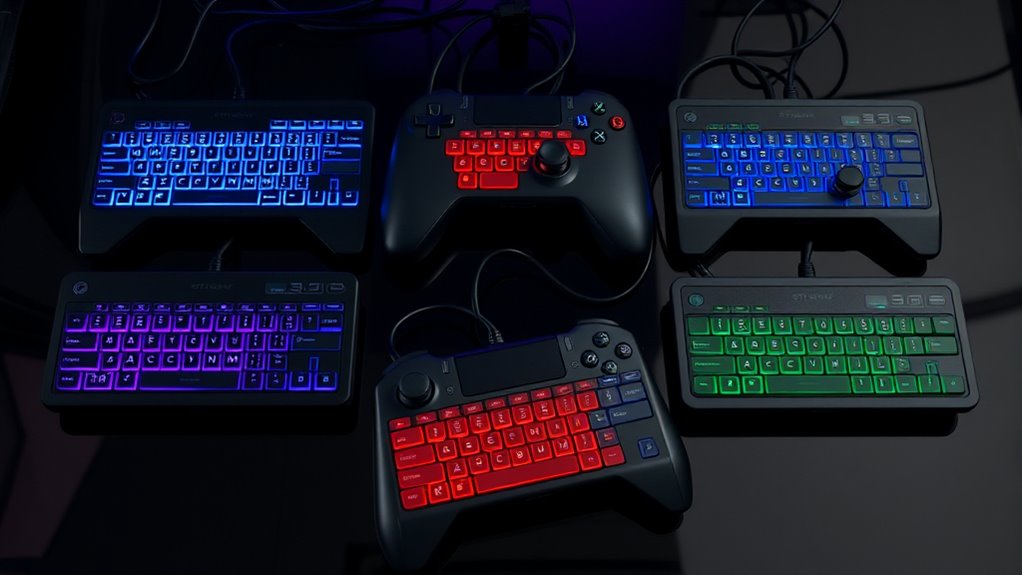

The best stream deck controller for most mixed streaming and desktop workflows is the Elgato Stream Deck +, which pairs customizable LCD keys with audio controls and knobs. For large, button-heavy setups, the Elgato Stream Deck XL offers 32 keys, while the VSD N4 Pro is a strong alternative if you want keys, RGB knobs, and a touch bar in one unit. The main tradeoff is choosing between more direct-access keys and physical controls that can adjust audio or other settings. Compact options take up less desk space but may require more page changes or layered actions. Read on for the full comparison and a pick matched to your setup.

Get the latest gadgets delivered free with Prime
- Fast, free delivery on millions of items
- Prime Video, Amazon Music and more included
- Member-only deals all year
Complete the kit



Key Takeaways
- The Elgato Stream Deck + leads for mixed workflows: its combination of LCD keys and audio-focused controls suits users who need both shortcuts and hands-on adjustments.
- The Stream Deck XL prioritizes capacity: its 32 customizable keys are a better fit for many visible actions than a controller built around knobs or a touch bar.
- The VSD N4 Pro offers the broadest mix of controls: keys, RGB knobs, and a touch bar give it a different workflow from the more key-focused Elgato models.
- The Stream Deck MK.2 is the straightforward middle ground: 15 LCD keys make it less sprawling than the XL while keeping a familiar, button-first layout.
- Compact and macro-focused models suit narrower needs: the ActionRing N3 combines six keys with three dials, while the VSD M18 favors 18 programmable keys without the roundup’s richer mix of control types.
| Elgato Stream Deck + Audio Mixer and Studio Controller |  | Best for Hands-On Audio and Studio Control | Controls: LCD keys, touch strip, and dials | Functions: Audio mixing, studio control, and production control | Customization: Multi-actions and smart profiles | VIEW ON AMAZON | See Our Full Breakdown |
| Elgato Stream Deck XL Advanced Studio Controller, 32 Customizable LCD Keys |  | Best for Large, Always-Visible Control Layouts | Keys: 32 customizable LCD keys | Connectivity: USB 3.0 | Dimensions: 182 × 112 × 34 mm (7.17 × 4.41 × 1.34 in) | VIEW ON AMAZON | See Our Full Breakdown |
| VSD N4 Pro Stream Controller with LCD Keys, RGB Knobs, Touch Bar, and USB-C |  | Best Alternative with Knobs and a Touch Bar | LCD keys: 10 | RGB knobs: 4 | Total keys: 14 | VIEW ON AMAZON | See Our Full Breakdown |
| Elgato Stream Deck MK.2 Studio Controller with 15 Customizable LCD Keys |  | Best Overall for Most Streamers | Keys: 15 customizable LCD keys | Dimensions: 118 × 84 × 25 mm (4.6 × 3.3 × 1.0 in) without stand | Weight: 145 g without stand; 270 g with stand | VIEW ON AMAZON | See Our Full Breakdown |
| ActionRing N3 Stream Controller Deck with 6 Customizable Keys and 3 Dials |  | Best Compact Controller with Dials | Model: N3 V3 | Keys: 6 customizable LCD keys | Dials: 3 | VIEW ON AMAZON | See Our Full Breakdown |
| VSD M18 Programmable Macro Pad with 18 Keys |  | Best for Built-In Utility Plugins | Keys: 18 total: 15 LCD keys and 3 physical buttons | Connectivity: USB-C | Power: USB powered | VIEW ON AMAZON | See Our Full Breakdown |
| stream deck controller | Connectivity | Keys | Dimensions | Operating systems |
|---|---|---|---|---|
| Elgato Stream Deck + Audio Mix | — | — | — | — |
| Elgato Stream Deck XL Advanced | USB 3.0 | 32 customizable LCD keys | 182 × 112 × 34 mm (7.17 × 4.41 × 1.34 in) | macOS 10.15 or newer; Windows 10 (64-bit) |
| VSD N4 Pro Stream Controller w | USB-C | — | — | Windows 10+ and macOS 11.0+ |
| Elgato Stream Deck MK.2 Studio | USB-C | 15 customizable LCD keys | 118 × 84 × 25 mm (4.6 × 3.3 × 1.0 in) without stand | macOS 10.15 or newer; Windows 10 64-bit |
| ActionRing N3 Stream Controlle | USB | 6 customizable LCD keys | 6.69 × 5.04 × 2.64 inches | — |
| VSD M18 Programmable Macro Pad | USB-C | 18 total: 15 LCD keys and 3 physical buttons | — | — |
More Details on Our Top Picks
Elgato Stream Deck + Audio Mixer and Studio Controller
The Stream Deck + suits creators who want to adjust audio and trigger studio actions without relying on a grid of buttons alone. Its LCD keys, touch strip, and dials give different tasks distinct controls, while profiles and multi-actions can tailor the layout to particular apps or workflows. Compared with the Stream Deck MK.2, it offers more tactile options for mixing and adjustment; the MK.2 is the simpler choice if a compact set of programmable keys is enough. Plugin support connects it with tools including OBS, Spotify, and Philips Hue, but the broader control surface may be more than a user needs for basic scene switching. Buyers should also check that their preferred apps and tasks are supported by the available integrations.
Pros:- Combines visual LCD keys with touch and dial controls for varied tasks
- Multi-actions can bundle several steps into one command
- Smart profiles can adapt controls to different apps
- Plugin support connects with a range of streaming, audio, and smart-light tools
Cons:- Its mix of controls may be unnecessary for users who only need programmable keys
- Useful functionality depends on compatible apps and plugins
Best for: Streamers and home-studio creators who regularly adjust audio levels and want tactile controls alongside programmable actions
Not ideal for: Buyers who only need a straightforward bank of scene or app-launch keys, or whose workflow depends on controls not supported by its integrations
- Controls:LCD keys, touch strip, and dials
- Functions:Audio mixing, studio control, and production control
- Customization:Multi-actions and smart profiles
- Software:Stream Deck app and plugin store
- Integrations:Elgato Wave Link, Camera Hub, Control Center, OBS, Twitch, YouTube, Twitter, Discord, Spotify, and Philips Hue
- Control types:Keys, touch strip, and dials
Our verdict“Choose the Stream Deck + if tactile audio and studio adjustments matter as much as programmable shortcuts.”
Elgato Stream Deck XL Advanced Studio Controller, 32 Customizable LCD Keys
The Stream Deck XL is the pick for streamers who want a large set of labeled commands at hand rather than relying on folders or layers to reach them. Its 32 customizable LCD keys can keep scenes, media, cameras, lighting, and audio actions visible together, which is a clear advantage over the 15-key Stream Deck MK.2 when a production has many moving parts. It also supports custom integrations through the Stream Deck SDK, giving technically minded users room to connect specialized workflows. That extra capacity takes up more desk space, and its 182 × 112 mm body is less suited to a compact setup. It also requires a compatible macOS or Windows computer, so it is not a standalone controller.
Pros:- 32 LCD keys provide a large, directly accessible command layout
- Visual labels make it easier to identify assigned actions
- Integrates with popular streaming and media apps
- SDK support allows custom integrations
Cons:- Larger footprint than the Stream Deck MK.2 and other compact controllers
- Requires a compatible macOS or Windows computer
Best for: Streamers and production operators who need many frequently used commands visible at once and have room for a larger controller
Not ideal for: Desk-space-conscious users or beginners who only need a small set of common shortcuts
- Keys:32 customizable LCD keys
- Connectivity:USB 3.0
- Dimensions:182 × 112 × 34 mm (7.17 × 4.41 × 1.34 in)
- Weight:410 g without stand
- Operating systems:macOS 10.15 or newer; Windows 10 (64-bit)
- Included items:USB-C to USB-C cable, magnetic stand, and quick start guide
- Model number:10GAT9
Our verdict“Pick the Stream Deck XL if keeping dozens of production commands visible is worth giving up desk space.”
VSD N4 Pro Stream Controller with LCD Keys, RGB Knobs, Touch Bar, and USB-C
The VSD N4 Pro brings together 10 LCD keys, four RGB knobs, and a touch bar, making it a flexible alternative for creators who want more than button-triggered commands. The knobs and touch bar can suit workflows involving audio adjustments or repeated controls, while the foldable stand sets the unit at a stated 60-degree angle. Compared with the Elgato Stream Deck +, it also offers keys, dials, and touch interaction, but its feature set and integrations should be checked against the specific apps a buyer plans to use. It works with Windows 10+ and macOS 11.0+, but the plastic enclosure and passive USB dock set practical limits: the dock does not add powered ports, and the controller has no built-in speakers.
Pros:- Combines 10 LCD keys with four knobs and an interactive touch bar
- Foldable stand provides a defined 60-degree working angle
- Supports Windows 10+ and macOS 11.0+
- Passive USB dock adds connection ports without a separate hub
Cons:- USB dock is passive and does not provide powered expansion
- No built-in speakers
- Plastic enclosure may feel less substantial than a metal-bodied controller
Best for: Windows and Mac creators who want a compact mix of programmable keys, adjustment knobs, and touch controls
Not ideal for: Buyers who need powered USB expansion, built-in speakers, or a controller with a verified plugin ecosystem for their specific setup
- LCD keys:10
- RGB knobs:4
- Total keys:14
- Connectivity:USB-C
- Operating systems:Windows 10+ and macOS 11.0+
- Enclosure material:Plastic
- Stand angle:60 degrees
- Built-in speakers:No
Our verdict“Choose the VSD N4 Pro if you want keys, knobs, and touch controls together and do not need a powered dock.”
Elgato Stream Deck MK.2 Studio Controller with 15 Customizable LCD Keys
The Stream Deck MK.2 is the most balanced choice here for buyers who want reliable, visually labeled shortcuts without dedicating a large area of the desk to controls. Its 15 customizable LCD keys cover common tasks such as switching scenes, launching actions, managing audio, and controlling supported apps or smart lights. Compared with the Stream Deck XL, it gives up 17 keys but takes a more compact approach; unlike the Stream Deck +, it does not add dials or a touch strip. That makes it a straightforward fit for scene switching and app commands, but less suited to workflows built around frequent hands-on audio adjustments. It connects over USB-C and needs a compatible Mac or Windows computer.
Pros:- 15 customizable LCD keys provide visual labels for assigned actions
- Can trigger single actions or grouped multi-actions
- Plugin support covers popular streaming, creative, and smart-light tools
- Compact dimensions make it a more manageable desk fit than the Stream Deck XL
Cons:- Fewer keys than the Stream Deck XL for large production layouts
- No dials or touch strip for direct audio adjustments
- Requires a compatible computer running macOS 10.15 or newer or Windows 10 64-bit
Best for: Streamers who want a compact, general-purpose controller for scene changes, app shortcuts, and common production actions
Not ideal for: Production teams needing dozens of visible commands or creators who want dials and touch controls for hands-on mixing
- Keys:15 customizable LCD keys
- Dimensions:118 × 84 × 25 mm (4.6 × 3.3 × 1.0 in) without stand
- Weight:145 g without stand; 270 g with stand
- Connectivity:USB-C
- Power source:USB powered
- Operating systems:macOS 10.15 or newer; Windows 10 64-bit
- Included items:Stream Deck, desktop stand, USB-C cable, and quick start guide
- Warranty:2-year manufacturer warranty
Our verdict“Choose the Stream Deck MK.2 for a well-rounded set of visual shortcuts without the size of the XL or the extra controls of the Stream Deck +.”
ActionRing N3 Stream Controller Deck with 6 Customizable Keys and 3 Dials
The ActionRing N3 is aimed at users who prefer a small set of direct controls over a full-size command board. Its six customizable LCD keys and three dials can handle a handful of app actions alongside media or volume adjustments, and listed software includes OBS, PowerPoint, and Adobe Premiere Pro. Compared with the Elgato Stream Deck MK.2, it trades nine keys for physical dials, so it makes more sense when adjusting controls matters more than keeping a broad set of shortcuts visible. The smaller key count also means frequent users may need to reassign actions or keep less-used commands elsewhere. Setup is required to customize its controls, and compatibility should be checked for each intended app.
Pros:- Three dials add physical controls beyond its six LCD keys
- Keys support macros, app launches, text entry, and media controls
- Listed compatibility spans Windows, macOS, and several productivity and creative apps
- Includes a 24-month warranty
Cons:- Six keys provide fewer directly accessible actions than the Stream Deck MK.2
- Requires setup to customize keys and actions
- Listed software compatibility may not cover every buyer’s preferred workflow
Best for: Creators and presenters who need a few programmable commands plus dials for media or adjustment tasks on Windows or macOS
Not ideal for: Streamers who need a large bank of simultaneously visible scene controls or want to minimize configuration work
- Model:N3 V3
- Keys:6 customizable LCD keys
- Dials:3
- Compatibility:Windows and macOS
- Connectivity:USB
- Compatible software:OBS, PowerPoint, YouTube, Twitter, Discord, Excel, Word, Photoshop, and Adobe Premiere Pro
- Dimensions:6.69 × 5.04 × 2.64 inches
- Warranty:24 months
Our verdict“Choose the ActionRing N3 if you want a small controller with dials and only need a limited set of programmable keys.”
VSD M18 Programmable Macro Pad with 18 Keys
The VSD M18 pairs 15 customizable LCD keys with three physical buttons, giving streamers room for labeled shortcuts while reserving tactile controls for frequently used actions. Its clock, weather, calendar, and reminder plugins add small desktop utilities beyond the scene switching, macros, and media controls expected of a stream deck controller. Compared with the Elgato Stream Deck MK.2, the M18 adds those three physical buttons and utility plugins, while the MK.2 is a more straightforward 15-key LCD layout. The M18 also supports JPG, PNG, and GIF key images, but its RGB customization has a firmware-upgrade caveat, and it lacks native Linux plug-and-play support. I’d shortlist it for Windows or Mac users who want a mixed control layout and built-in information panels, not Linux users seeking a simple setup.
Pros:- Combines 15 customizable LCD keys with three physical buttons for a mix of visual and tactile control
- Supports single-action and multi-step macros for stream and productivity workflows
- LCD keys accept JPG, PNG, and GIF images, including animated labels
- Built-in clock, weather, calendar, and reminder plugins add useful desktop functions
Cons:- Does not offer native Linux plug-and-play support
- Custom RGB tones require a device firmware upgrade
Best for: Windows 11+ and macOS 11+ streamers or productivity users who want LCD macro keys, three tactile buttons, and built-in clock, weather, calendar, and reminder tools.
Not ideal for: Linux users who need native plug-and-play support, or buyers who want extensive RGB customization without a firmware upgrade.
- Keys:18 total: 15 LCD keys and 3 physical buttons
- Connectivity:USB-C
- Power:USB powered
- Compatible operating systems:Windows 11 and newer; macOS 11.0 and newer
- Key image formats:JPG, PNG, GIF
- Backlighting:RGB light ring
- Water resistance:Water repellent
- Layout and hand orientation:Neo layout; ambidextrous
Our verdict“Choose the VSD M18 if you want a stream deck controller with both LCD shortcuts and tactile buttons, plus built-in desktop utility plugins, and you use a supported version of Windows or macOS.”

How We Picked
I ranked these controllers by how well their control layout fits common streaming and desktop tasks, not by key count alone. I weighed the balance of customizable keys, knobs, touch controls, desk footprint, and the kind of interaction each layout supports. A key is useful when an action needs a clear, dedicated trigger; a dial can be more practical for repeated adjustments such as volume or lighting. I also considered how easily a buyer can grow into the device without paying for controls their workflow may not use.
The Stream Deck + ranks first for its mix of direct-access keys and audio-oriented controls, while the Stream Deck XL follows for buyers who value a large bank of visible actions above all else. The N4 Pro comes next as a versatile multi-control alternative, and the MK.2 is the simpler button-first choice. The ActionRing N3 and VSD M18 rank lower for general-purpose streaming because their more specialized layouts make them less adaptable for some users, though each can suit a focused setup. These rankings reflect the listed hardware and intended use; software support and compatibility should be checked against a buyer’s computer and apps.
| stream deck controller | Connectivity | Operating systems |
|---|---|---|
| Elgato Stream Deck + Audio Mix | — | — |
| Elgato Stream Deck XL Advanced | USB 3.0 | macOS 10.15 or newer; Windows 10 (64-bit) |
| VSD N4 Pro Stream Controller w | USB-C | Windows 10+ and macOS 11.0+ |
| Elgato Stream Deck MK.2 Studio | USB-C | macOS 10.15 or newer; Windows 10 64-bit |
| ActionRing N3 Stream Controlle | USB | — |
| VSD M18 Programmable Macro Pad | USB-C | — |
Factors to Consider When Choosing Stream Deck Controller
Before choosing a controller, map the actions you actually repeat during a stream or work session. The number of buttons matters, but so do the controls you reach for, the apps you use, and how much desk space you can spare. These factors can help you avoid buying capacity or features that your workflow will not use.
Choose Between Dedicated Keys and Adjustable Controls
Dedicated keys work best for actions you trigger by name or moment, such as changing scenes, muting a source, or launching a routine. Dials suit controls that move through a range, including volume and other adjustable settings. Touch surfaces can add flexible interactions, but they may be less direct than a clearly labeled physical key. A common mistake is choosing a device with many knobs when most tasks are simple on-off commands. Write down your frequent actions first, then decide whether they call for buttons, dials, or both.
Count Actions You Need Visible at Once
A higher key count can reduce reliance on folders or profile changes, which helps when you need to reach actions quickly. That benefit matters less if your workflow uses only a small set of commands or if you are comfortable grouping actions into pages. Consider how many controls you need during the busiest part of a session, rather than counting every possible shortcut you might someday add. A large layout also takes up more desk area and can make frequently used keys less convenient if the device sits out of reach. Buy for the actions you use together, not for an impressive-looking total.
Check Software and App Compatibility Before Buying
Hardware controls are only useful when the software can connect them to the actions you want. Check whether the controller works with your operating system, streaming application, audio tools, and any other programs central to your setup. Also look for details about plugin support and whether your preferred actions require extra configuration. A controller can have an appealing layout yet create friction if key integrations are missing or limited. Verify compatibility against the exact apps and versions you rely on, rather than assuming all models behave alike.
Match the Layout to Your Desk and Reach
Measure the space where the controller will sit and think about whether you will use it beside a keyboard, microphone, or audio interface. A larger panel can keep more controls visible but may crowd a compact desk or force an awkward reach. A smaller controller is easier to place, though its reduced control area can mean more page switching. Check cable direction and connection needs as part of the layout plan, especially if the device will sit near a monitor stand or other equipment. A practical position often matters more than having a few extra controls.
Decide Whether You Need a Controller for Streaming or Broader Work
Some buyers need reliable scene, mute, and recording commands; others want one control surface for editing, meetings, music, and general computer shortcuts. Broader workflows can benefit from a flexible layout, but extra controls do not automatically make setup easier. If the device will serve several apps, check whether profiles or software integrations let you organize actions without losing track of them. For a single-purpose setup, a simpler macro pad may be easier to program and use. Choose versatility when you have concrete tasks for it, not just because it sounds useful.
Pay More for Controls You Will Use Regularly
Higher-end features make sense when they reduce repeated work or keep important adjustments within easy reach. Knobs can be valuable for frequent audio changes, while extra keys can prevent a busy workflow from depending on nested menus. If you mainly need a handful of shortcuts, a large or feature-rich controller may add setup work without improving your routine. Think about daily use as well as initial setup: complex customization can become a burden if you rarely revisit it. Spend for a specific workflow benefit rather than for unused capacity.
Frequently Asked Questions
Is the Elgato Stream Deck + a better choice than the Stream Deck XL?
That depends on whether you need more visible commands or more hands-on adjustment. The Stream Deck + combines LCD keys with audio-oriented controls, which suits workflows that mix triggers and changing levels. The XL is more focused on key capacity, with 32 customizable LCD keys for users who want many actions directly accessible. If your setup relies on lots of scene, app, or macro commands, the XL’s layout may fit better. If you regularly adjust audio and still want programmable keys, the Stream Deck + is the stronger match.
Should I choose the VSD N4 Pro or the Elgato Stream Deck MK.2?
Choose based on whether you want multiple control types or a simpler button-first layout. The N4 Pro combines LCD keys with RGB knobs and a touch bar, which can help when your routine includes adjustments as well as triggered actions. The MK.2 keeps the focus on 15 customizable LCD keys, making its purpose more direct. Before buying the N4 Pro, check that its controls and software support match the apps you use. If you expect to rely mostly on named shortcuts, the MK.2 may be the less complicated fit.
Will a 6-key controller be enough for streaming?
Six keys can be enough if you use a small set of commands or are willing to organize actions into layers or pages. The ActionRing N3 also includes three dials, so it may suit a compact desk where adjustment controls matter alongside a few shortcuts. The tradeoff is that a larger set of always-visible commands is harder to accommodate than on the MK.2 or XL. List the actions you need during a live session and separate must-have commands from occasional ones. If several must-have actions need instant access, a higher-key model may save interruptions.
Is the VSD M18 a good first stream deck controller?
The VSD M18 may suit a beginner who wants a straightforward bank of 18 programmable keys and does not need dials or a touch bar. Its more focused layout can make sense for macros and repeatable commands without introducing multiple control styles. Buyers who want audio adjustment built into the controller may prefer the Stream Deck + or a model with dials. Before choosing the M18, check the configuration software and compatibility for your streaming apps. A simple layout is only beginner-friendly if it supports the actions you plan to assign.
What should I check before buying a controller for both streaming and everyday computer tasks?
Start with software compatibility, since a controller that cannot trigger actions in your daily apps may end up serving only one purpose. Check how profiles or action groups are managed so streaming commands and work shortcuts stay organized. Consider whether you need more keys for separate commands or dials for settings that change gradually. Desk placement matters too: a controller that is difficult to reach is less useful during a call or live session. Map a few real tasks from each use case before deciding which layout is worth the space.
Conclusion
Best overall: I recommend the Elgato Stream Deck + for buyers who want programmable keys alongside hands-on audio controls. Best premium and best for large command sets: choose the Elgato Stream Deck XL if keeping many actions visible matters more than having dials. Best value for a button-first setup: the Elgato Stream Deck MK.2 offers a more focused alternative to the XL. Best for beginners: the MK.2 is a sensible starting point for users who want a clear set of customizable keys, while the VSD M18 suits those who prefer a macro-pad layout. Best for specific needs: pick the VSD N4 Pro for its mix of keys, knobs, and touch controls, or the ActionRing N3 when a compact footprint and a few dials matter more than a large key bank. Match the layout to your actual commands and app support before choosing.
Fall Picks
fall essentials
As an affiliate, we earn on qualifying purchases.