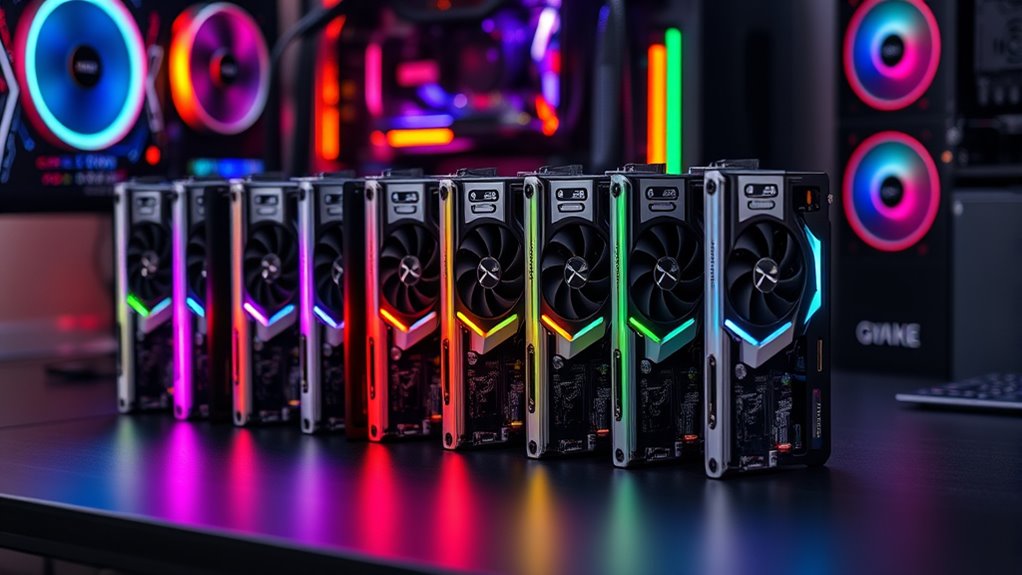

For streamers and content creators seeking a reliable PCIe capture card that handles 4K at high frame rates, the options can be overwhelming. The Elgato 4K Pro Internal Capture Card stands out as the best overall, thanks to its 8K60 passthrough and solid build quality. The AVerMedia Live Gamer 4K 2.1 offers excellent 4K60 recording with low latency, making it a top pick for serious gamers. Meanwhile, the Elgato 4K X Capture Card provides ultra-low latency with HDMI 2.1 support for demanding streaming setups. As you weigh these choices, keep in mind factors like compatibility, latency, and future-proofing. Continue reading for a detailed breakdown of each option and how they compare.
Complete the kit



Key Takeaways
- The best PCIe capture cards balance high frame rate support with low latency for seamless streaming.
- Many top models offer HDMI 2.1, which future-proofs your setup for 4K144 and beyond.
- Build quality and driver stability are critical to avoiding technical headaches during live sessions.
- Pricing varies widely; investing in premium models pays off for professional streaming but may be overkill for casual users.
- Compatibility with existing hardware and software ecosystems can influence the overall user experience and setup complexity.
| Elgato 4K Pro Internal Capture Card, 8K60 Passthrough |  | Best Overall for High-End Gaming and Streaming | Hardware Interface: HDMI | Video Capture Resolution: 1080p | Operating System: Windows 10 | VIEW ON AMAZON | See Our Full Breakdown |
| AVerMedia HDMI Capture Card for Streaming and Video Gaming, 4K60 Pass-Through with Ultra-Low Latency on PS5, PS4 Pro, Xbox Series X/S, Xbox One X, Switch – GC571 |  | Best Value for Broad Compatibility and Easy Setup | Hardware Interface: PCIe x4 | Video Capture Resolution: 1440p60, 2160p30 | Operating System: Windows 11 | VIEW ON AMAZON | See Our Full Breakdown |
| AVerMedia Live Gamer 4K 2.1 PCIe Capture Card for 4K60 Streaming and Recording |  | Best for Ultra-Low Latency and HDR Support | Interface: PCIe Gen 3 x4 | Video Input: HDMI 2.1 | Capture Resolution: 1080p240, 1440p120 | VIEW ON AMAZON | See Our Full Breakdown |
| Elgato 4K X Capture Card, HDMI 2.1, 4K144 Ultra-Low Latency |  | Best for Professional-Grade 4K at 144fps | Input: HDMI (unencrypted) | Output: HDMI (lag-free passthrough) | Recording & Passthrough Resolution: up to 4K144 HDR10 | VIEW ON AMAZON | See Our Full Breakdown |
| VIXLW 4K Internal PCIe Capture Card with HDMI, 4K60 Passthrough, Ultra-Low Latency for Streaming & Recording |  | Best for Native 4K60 Passthrough and High-Speed Recording | Hardware Interface: PCIe | Video Capture Resolution: Supports 4K60 | Operating System: Windows | VIEW ON AMAZON | See Our Full Breakdown |
| AVerMedia GC573 Live Gamer 4K Internal Capture Card for 4K60 HDR10 Streaming and Recording |  | Best Overall for High-Quality 4K60 HDR Capture and Versatile Compatibility | Hardware Interface: PCI Express x4 | Video Capture Resolution: 4K60 HDR10 | Operating System: Windows 10, Windows 11 | VIEW ON AMAZON | See Our Full Breakdown |
| Elgato 4K Pro Internal Capture Card |  | Best Premium for 8K60 Passthrough and 4K60 HDR10 Recording | Hardware Interface: PCI Express x16 | Video Capture Resolution: 1080p | Operating System: Windows | VIEW ON AMAZON | See Our Full Breakdown |
| Blackmagic Design Intensity Pro 4K PCIe Video Capture Card |  | Best for Versatile Video Capture Across Platforms | Hardware Interface: PCIe | Video Capture Resolution: 4K, 720p | Operating System: Windows, Mac, Linux | VIEW ON AMAZON | See Our Full Breakdown |
| Game Capture Card, HDMI PCI-E 4K 30fps Record |  | Best Budget-Friendly for 4K 30FPS Streaming and Recording | Hardware Interface: PCI Express x1 | Video Capture Resolution: 1080p | Operating System: Linux, Mac OS, Windows 10/8 | VIEW ON AMAZON | See Our Full Breakdown |
| pcie capture card 4k | Hardware Interface | Video Capture Resolution | Operating System | Special Features |
|---|---|---|---|---|
| Elgato 4K Pro Internal Capture | HDMI | 1080p | Windows 10 | — |
| AVerMedia HDMI Capture Card fo | PCIe x4 | 1440p60, 2160p30 | Windows 11 | VRR Support |
| AVerMedia Live Gamer 4K 2.1 PC | — | — | — | HDR Pass-Through |
| Elgato 4K X Capture Card | — | — | — | — |
| VIXLW 4K Internal PCIe Capture | PCIe | Supports 4K60 | Windows | Ultra-Low Latency |
| AVerMedia GC573 Live Gamer 4K | PCI Express x4 | 4K60 HDR10 | Windows 10, Windows 11 | 4Kp60 HDR support, high frame rate capture, ultra low latency |
| Elgato 4K Pro Internal Capture | PCI Express x16 | 1080p | Windows | 8K60 passthrough, 4K60 HDR10 |
| Blackmagic Design Intensity Pr | PCIe | 4K, 720p | Windows, Mac, Linux | Deep Color HDMI Support |
| Game Capture Card | PCI Express x1 | 1080p | Linux, Mac OS, Windows 10/8 | Zero Delay HDMI Loop-out |
More Details on Our Top Picks
Elgato 4K Pro Internal Capture Card, 8K60 Passthrough
The Elgato 4K Pro stands out for its support of 8K60 passthrough combined with 4K60 capture, making it ideal for streamers who demand top-tier resolution and future-proofing. Compared with the VIXLW 4K, it offers higher passthrough resolution, but at a significantly higher price and hardware requirement. Its HDMI 2.1 connectivity ensures ultra-smooth gameplay, yet it requires a powerful PC setup to fully leverage its capabilities, which may be a barrier for casual users. While its video input resolution is limited to 1080p for capture, the high-end passthrough makes it perfect for professional workflows. This pick makes the most sense for high-end streamers or content creators with advanced setups.Pros:- Supports 8K60 passthrough for future-proofing and high-end applications
- Compatible with multiple consoles including PS5, Xbox Series X, and Nintendo Switch
- HDMI 2.1 for high frame rates up to 240fps in 1080p
Cons:- Requires a high-end PC or dual-PC setup for optimal performance
- Limited details on user interface and software features
Best for: High-end gamers and professional streamers needing 8K passthrough and top-quality 4K capture
Not ideal for: Casual streamers or users with modest hardware, due to its high cost and demanding system requirements
- Hardware Interface:HDMI
- Video Capture Resolution:1080p
- Operating System:Windows 10
- AV Output:AVCHD Compatible Devices
- Platform Compatibility:Gaming Console, Personal Computer
- Passthrough Support:8K60
Our verdict“This is best suited for professional or enthusiast streamers investing in a premium, high-resolution setup.”
AVerMedia HDMI Capture Card for Streaming and Video Gaming, 4K60 Pass-Through with Ultra-Low Latency on PS5, PS4 Pro, Xbox Series X/S, Xbox One X, Switch – GC571
The AVerMedia GC571 offers solid 4K60 pass-through and ultra-low latency at a more accessible price point, making it suitable for gamers and streamers who want reliable performance without breaking the bank. Unlike the Elgato 4K Pro, it doesn’t support 8K passthrough but compensates with broad console compatibility and plug-and-play simplicity. Its support for VRR enhances responsiveness, but it requires a PCIe slot, limiting use to compatible systems. While it delivers 4K60 pass-through, its capture resolution tops out at 1440p or 2160p30, which might be a compromise for users needing higher capture resolutions. This makes it an excellent choice for gamers seeking quality, affordability, and ease of use.Pros:- Supports 4K60 pass-through for smooth gameplay and streaming
- VRR support reduces tearing and lag
- Plug-and-play setup with broad Windows compatibility
Cons:- Limited to Windows OS, no Mac support
- Capture resolution limited to 1440p60 or 2160p30
Best for: Mid-range gamers and streamers who want reliable 4K pass-through with minimal fuss
Not ideal for: Users with older or incompatible PCs lacking PCIe slots or those seeking 8K capture capabilities
- Hardware Interface:PCIe x4
- Video Capture Resolution:1440p60, 2160p30
- Operating System:Windows 11
- Platform:PlayStation, Windows
- Special Features:VRR Support
- Item Dimensions:7.95 x 5.93 x 2.04 inches
Our verdict“This card is ideal for gamers who prioritize affordability and broad device compatibility over high-resolution capture.”
AVerMedia Live Gamer 4K 2.1 PCIe Capture Card for 4K60 Streaming and Recording
The AVerMedia Live Gamer 4K 2.1 excels at delivering ultra-low latency capture with 4K60 recording, making it well-suited for competitive gamers and streamers who need real-time feedback. Its support for HDR pass-through adds visual depth, setting it apart from the Elgato 4K Pro, which focuses more on high-end passthrough rather than HDR. It’s compatible with major consoles like PS5 and Xbox Series X/S, but it’s limited to PCIe slots and Windows 10/11, which could restrict some users. Its capture resolution tops at 1440p120 or 1080p240, so it’s not ideal for high-resolution recording, but it offers exceptional low-latency performance for gameplay.Pros:- Supports 4K60 recording with ultra-low latency
- HDR pass-through enhances visual quality
- Compatible with major gaming consoles and PC
Cons:- Limited to 1080p240 or 1440p120 capture resolutions
- Requires PCIe slot and Windows OS
Best for: Competitive gamers and streamers requiring ultra-low latency and HDR visuals
Not ideal for: Content creators seeking 8K or high-resolution 4K recording for archival purposes
- Interface:PCIe Gen 3 x4
- Video Input:HDMI 2.1
- Capture Resolution:1080p240, 1440p120
- Supported Platforms:Windows 10/11, PS5, Xbox Series X/S
- Special Features:HDR Pass-Through
- Weight:5.31 ounces
Our verdict“Ideal for gamers who prioritize real-time responsiveness and HDR support over maximum capture resolution.”
Elgato 4K X Capture Card, HDMI 2.1, 4K144 Ultra-Low Latency
The Elgato 4K X pushes the boundaries with support for 4K at 144fps, making it a top choice for professional broadcasters and high-performance gamers alike. Its HDMI 2.1 support with VRR passthrough ensures tear-free, smooth gameplay, comparable to the VIXLW but with a more polished interface and broad device compatibility, including macOS and iPadOS. The ultra-low latency guarantees synchronized streaming, yet it demands a USB 3.2 Gen 2 port and recent hardware, which could limit older setups. While the price isn’t specified, this device targets users seeking the highest quality and frame rates, often at a premium.Pros:- Supports 4K at 144fps and 1080p at 240fps for extreme performance
- HDMI 2.1 with VRR for tear-free visuals
- Ultra-low latency for synchronized gameplay and streaming
Cons:- Requires modern USB 3.2 Gen 2 port for optimal performance
- Price not specified, likely premium
Best for: Professional streamers and gamers aiming for ultra-high frame rate 4K capture and low latency
Not ideal for: Budget-conscious users or those with older computers lacking USB 3.2 Gen 2 ports
- Input:HDMI (unencrypted)
- Output:HDMI (lag-free passthrough)
- Recording & Passthrough Resolution:up to 4K144 HDR10
- Dimensions:112 x 72 x 18 mm
- Weight:91 g
- System Requirements:Windows 10/ macOS 11 / iPadOS 17+
Our verdict“This card is best suited for demanding professionals prioritizing maximum frame rates and visual fidelity.”
VIXLW 4K Internal PCIe Capture Card with HDMI, 4K60 Passthrough, Ultra-Low Latency for Streaming & Recording
The VIXLW 4K PCIe offers native 4K60 passthrough combined with ultra-low latency, making it a strong choice for streamers and recorders who need seamless, high-quality gameplay. Unlike the Elgato 4K Pro or AVerMedia GC571, it emphasizes native 4K60 support with a dedicated high-speed 240fps recording at 1080p, appealing for fast-paced game capture. Its compatibility with PS4, PS5, and Xbox consoles, along with Windows, broadens its appeal, but limited details about software and no Mac support may restrict some users. It’s a practical option for those who want a straightforward, high-performance PCIe card.Pros:- Supports native 4K60 passthrough for clean gameplay
- High-speed 240fps recording at 1080p for fast action
- Compatible with multiple gaming consoles and PCs
Cons:- Limited PCIe slot compatibility (may not fit older systems)
- No mention of bundled software or advanced features
Best for: Streamers and gamers wanting native 4K60 passthrough with high-speed 1080p recording
Not ideal for: Users seeking advanced software features or Mac compatibility, as these are not specified
- Hardware Interface:PCIe
- Video Capture Resolution:Supports 4K60
- Operating System:Windows
- Video Recording:Yes, 240fps at 1080p
- Special Features:Ultra-Low Latency
- AV Output:HDMI
Our verdict“This card is well-suited for gamers who prioritize native 4K passthrough and high-speed recording on a PCIe platform.”
AVerMedia GC573 Live Gamer 4K Internal Capture Card for 4K60 HDR10 Streaming and Recording
The AVerMedia GC573 stands out for its support of 4K60 HDR10 video, making it an excellent choice for streamers and content creators who prioritize high dynamic range and detailed visuals. Compared with the Elgato 4K Pro, it offers comparable low latency and high frame rate capture but excels with its ultra-low latency pass-through tailored for smooth gameplay. Its support for up to 240 fps captures ensures ultra-smooth recordings, ideal for fast-paced games. However, it requires a PCIe x4 slot and a Windows 10 or 11 system, which might limit some users. Its installation can be complex for beginners, but the performance benefits make it worthwhile for those with compatible systems.
Pros:- Supports 4K60 HDR10 video capture for vivid streaming and recording
- Ultra-low latency pass-through ensures smooth gameplay
- High frame rate capture up to 240 fps for detailed recordings
- Compatible with popular platforms like OBS, Twitch, and YouTube
Cons:- Requires a PCIe x4 slot and compatible system setup
- Installation and configuration can be challenging for beginners
Best for: Streamers and gamers seeking high-resolution, HDR-capable capture with minimal latency on a Windows PC.
Not ideal for: Casual users or those on older systems without PCIe x4 slots, due to installation complexity and system requirements.
- Hardware Interface:PCI Express x4
- Video Capture Resolution:4K60 HDR10
- Operating System:Windows 10, Windows 11
- Video Recording:Yes
- Special Features:4Kp60 HDR support, high frame rate capture, ultra low latency
- Item Dimensions:5.9 x 4.9 x 0.8 inches
Our verdict“This card is ideal for serious streamers and gamers with a compatible Windows system who want high-quality HDR 4K60 recording with minimal delay.”
Elgato 4K Pro Internal Capture Card
The Elgato 4K Pro excels in delivering 8K60 passthrough alongside 4K60 HDR10 recording, making it the top choice for professionals who need the highest resolution options. Unlike the AVerMedia GC573, it offers an x16 PCIe interface, which provides more bandwidth but limits flexibility for smaller systems. Its support for 8K60 passthrough is a significant advantage for those with compatible hardware, ensuring future-proofing for upcoming displays. However, its setup can be complex for newcomers and it demands a high-spec Windows system. This device is best suited for high-end content creators or broadcasters who need top-tier visual fidelity and have the hardware to support it.
Pros:- Supports 8K60 passthrough for ultra-high resolution gaming and editing
- Seamless 4K60 HDR10 recording with ultra-low latency
- Versatile platform compatibility including PC, PS5, and Xbox Series X/S
- Future-proofed for high-end streaming setups
Cons:- Requires a PCIe x16 slot and high-performance hardware
- Setup can be complex for users unfamiliar with internal cards
Best for: High-end streamers and professional content creators with powerful PCs seeking maximum resolution and future-proofing.
Not ideal for: Casual gamers or users with limited PCIe slots or less powerful systems, due to its high hardware demands and complexity.
- Hardware Interface:PCI Express x16
- Video Capture Resolution:1080p
- Operating System:Windows
- Platform Compatibility:PlayStation 5, Windows, Xbox Series S/X
- AV Output:HDMI
- Special Features:8K60 passthrough, 4K60 HDR10
Our verdict“This premium option is best for professional broadcasters or high-end streamers with the latest hardware who need top-tier resolution and performance.”
Blackmagic Design Intensity Pro 4K PCIe Video Capture Card
The Blackmagic Design Intensity Pro 4K offers broad compatibility with Windows, Mac, and Linux, making it appealing for users seeking flexible OS support. It supports 4K Ultra HD at 30fps, which is lower than the 60fps options in other cards like the Elgato 4K Pro, but it compensates with deep color support and multi-system compatibility. Its HDMI input and output facilitate high-quality recording and playback, and it’s suitable for video editing, archival, or streaming projects. The primary tradeoff is that it does not support higher frame rates at 4K, limiting real-time, fast-paced gameplay recording. Its broad OS support makes it ideal for users working across multiple platforms, but it demands a PCIe slot and may be pricier for casual users.
Pros:- Supports 4K Ultra HD recording and playback
- Compatible with Windows, Mac, and Linux systems
- Deep color HDMI support for professional-quality videos
Cons:- Limited to 30fps at 4K, less suitable for fast-paced gaming
- No included software for streaming or editing
Best for: Video editors, broadcasters, and multi-platform content creators who need flexible OS compatibility and solid 4K support at moderate frame rates.
Not ideal for: Gamers seeking ultra-smooth 4K60 gameplay capture or those wanting the latest high-frame-rate streaming features.
- Hardware Interface:PCIe
- Video Capture Resolution:4K, 720p
- Operating System:Windows, Mac, Linux
- AV Output:HDMI
- Special Features:Deep Color HDMI Support
- Item Dimensions:5.6 x 5.4 x 2.2 inches
Our verdict“This card fits users who need cross-platform compatibility and reliable 4K recording without the high frame rate demands of gaming-focused cards.”
Game Capture Card, HDMI PCI-E 4K 30fps Record
The Game Capture Card, HDMI PCI-E 4K 30fps Record offers a straightforward, plug-and-play solution for gamers who want decent 4K recording at 30fps without breaking the bank. It is comparable to the Blackmagic Design Intensity Pro 4K in functionality but emphasizes ease of use with minimal setup. Its support for zero delay HDMI loop-out ensures smooth live streaming, making it suitable for casual or semi-professional streamers. However, it’s limited to 30fps at 4K, which may not satisfy those wanting ultra-smooth gameplay or high-frame-rate streaming. Its compatibility is good across Windows, Mac, and Linux, but users should be aware that it requires a PCIe slot that may not be present in all systems.
Pros:- Supports 4K recording at 30fps for decent visual quality
- Zero delay HDMI loop-out for smooth streaming
- Plug-and-play with no driver installation needed
- High-speed PCI-E transmission
Cons:- Limited to 30fps at 4K, not suitable for fast-paced gaming
- Compatibility may vary with older operating systems
Best for: Budget-conscious gamers and streamers who need reliable 4K recording at 30fps and simple setup.
Not ideal for: High-end streamers or gamers seeking 60fps or higher at 4K, or those with older systems lacking PCIe slots.
- Hardware Interface:PCI Express x1
- Video Capture Resolution:1080p
- Operating System:Linux, Mac OS, Windows 10/8
- Video Recording:Yes
- Special Features:Zero Delay HDMI Loop-out
- Minimum System Requirements:Windows 7/Mac OS or higher
Our verdict“This capture card is a sensible choice for budget-limited users wanting decent 4K30 recording and straightforward setup.”
How We Picked
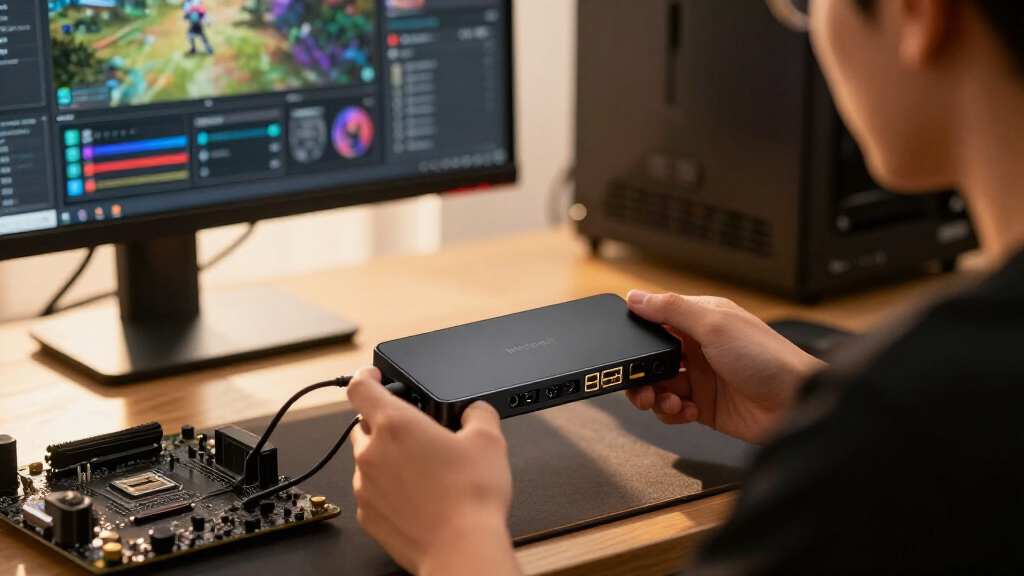
The products in this roundup were selected based on their ability to deliver reliable 4K capture through PCIe interfaces, prioritizing performance, latency, and build quality. We evaluated each card’s support for high frame rates, HDMI standards, and overall compatibility with popular streaming platforms. Ease of installation and driver stability also played a key role, as these impact long-term usability. Products were ranked to highlight the best overall performance, value, and specialized features for different user needs, ensuring a balanced and practical selection for diverse buyers.| pcie capture card 4k | Hardware Interface | Operating System |
|---|---|---|
| Elgato 4K Pro Internal Capture | HDMI | Windows 10 |
| AVerMedia HDMI Capture Card fo | PCIe x4 | Windows 11 |
| AVerMedia Live Gamer 4K 2.1 PC | — | — |
| Elgato 4K X Capture Card | — | — |
| VIXLW 4K Internal PCIe Capture | PCIe | Windows |
| AVerMedia GC573 Live Gamer 4K | PCI Express x4 | Windows 10, Windows 11 |
| Elgato 4K Pro Internal Capture | PCI Express x16 | Windows |
| Blackmagic Design Intensity Pr | PCIe | Windows, Mac, Linux |
| Game Capture Card | PCI Express x1 | Linux, Mac OS, Windows 10/8 |
Factors to Consider When Choosing Pcie Capture Card 4k
Choosing the right PCIe capture card for 4K streaming involves several key considerations. Beyond raw specs, factors like latency, compatibility, and future-proofing influence how well a card will serve your needs over time. Understanding these aspects will help you avoid costly mistakes and select a model that aligns with your streaming ambitions and technical setup.Performance and Frame Rate Support
Ensure the capture card supports at least 4K resolution at 60fps for smooth streaming and recording. Higher frame rate support, such as 144Hz or 240Hz, is beneficial if you plan to capture fast-paced gameplay or high-refresh-rate outputs. Keep in mind that some cards may cap at lower frame rates even if they claim 4K support, so verify actual performance specifications and real-world user feedback.
Latency and HDMI Standards
Low latency is critical for live streaming, especially if you’re gameplay involves real-time interactions or commentary. HDMI 2.1 support often correlates with reduced latency and higher bandwidth, enabling features like 4K144 or HDR. Be cautious of older PCIe cards with HDMI 2.0 or lower, as they may introduce noticeable delays, hampering real-time control or viewing experience.
Compatibility and Ease of Use
Check whether the capture card is compatible with your operating system, streaming software, and hardware setup. Driver stability and software updates significantly affect long-term reliability. Cards with straightforward installation procedures and good manufacturer support tend to reduce setup headaches, especially for users new to high-end capture hardware.
Build Quality and Future-Proofing
Opt for cards built with quality components and solid construction to ensure durability. Future-proofing means selecting models that support emerging HDMI standards and higher refresh rates, giving you more flexibility as your streaming needs evolve. Budget models may suffice initially but could require upgrades sooner as standards advance.
Price and Value
While premium models tend to offer the best performance and features, assess whether their price aligns with your specific needs. For casual streamers, mid-range options might deliver excellent value without overspending. Conversely, professionals should consider investing in higher-end cards that offer extra reliability, higher frame rates, and broader compatibility to justify the cost.
Frequently Asked Questions
Can a PCIe capture card handle 4K streaming at 60fps without lag?
Yes, most high-quality PCIe capture cards designed for 4K can handle 60fps streaming with minimal lag, especially when paired with a capable GPU and CPU. The key is selecting a model that specifically supports 4K60 or higher with low latency features. Keep in mind that your overall system performance and network bandwidth also influence lag, so ensure your setup is balanced for demanding tasks.
Is HDMI 2.1 necessary for 4K60 or higher streaming?
While HDMI 2.1 isn’t strictly necessary for 4K60, it becomes important if you want higher frame rates like 4K144 or HDR support. HDMI 2.1 provides increased bandwidth and lower latency, which benefits high-fidelity, high-refresh-rate outputs. If your devices support HDMI 2.1, choosing a capture card with this standard can future-proof your setup and improve overall performance.
Are PCIe capture cards compatible with all streaming software?
Most PCIe capture cards are compatible with major streaming platforms like OBS, Streamlabs, and XSplit, thanks to standard drivers and protocols. However, some models may have better support for specific software or require additional configuration. Always check manufacturer recommendations and user reviews for compatibility with your preferred streaming tools before purchasing.
How important is build quality for long-term reliability?
Build quality directly impacts the longevity and stability of your capture card. A well-constructed card with quality components is less prone to overheating, hardware failure, or driver issues. Since streaming often involves long sessions, investing in a durable, high-quality card can save time and frustration over years of use, especially if you plan to upgrade your setup gradually.
Should I buy a more expensive PCIe capture card for future needs?
In many cases, paying more upfront can be worthwhile if you want to future-proof your streaming setup. Higher-end cards often support higher resolutions, faster frame rates, and newer HDMI standards, which can save you money in the long run. However, evaluate whether your current hardware and streaming goals justify the investment—if you’re just starting out, mid-range models may suffice.
Conclusion
If you’re a casual streamer or beginner, the AVerMedia Live Gamer 4K 2.1 offers reliable 4K60 recording with minimal fuss. For professionals or serious content creators, the Elgato 4K Pro Internal Capture Card provides robust performance and future-proof features. Those seeking ultra-low latency and high frame rate support should consider the Elgato 4K X Capture Card with HDMI 2.1. Budget-conscious buyers should weigh mid-range options that strike a balance between cost and performance, while high-end users will find value in investing in premium models for maximum reliability and capabilities. Tailor your choice based on your specific needs, technical setup, and future plans.