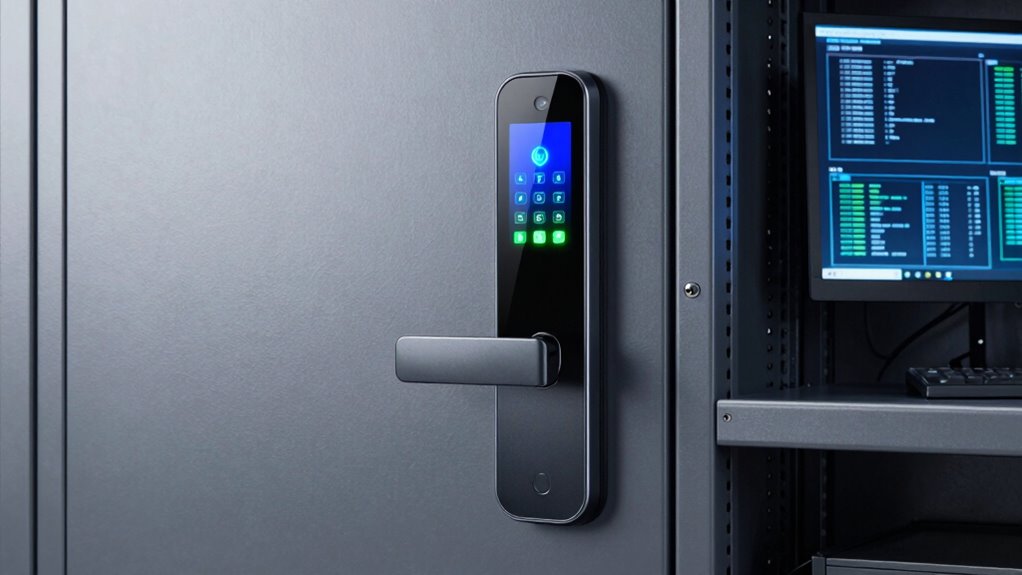

A smart lock for a data closet should make access controlled and traceable without making routine maintenance a hassle. My lead pick is the Sifely Fingerprint Smart Door Lock for its access logs, guest codes, and several ways to enter; the TMEZON T8 is the simpler fit for buyers who want fingerprint, passcode, and card access without drilling a standard US door. The main tradeoff is connectivity: Sifely can add remote access with a separate gateway, while TMEZON is Bluetooth-only. Neither listing establishes compatibility with a server-rack cabinet, electronic access-control system, or fire-rated door, so I would treat both as options for a suitable room door—not assume they secure every kind of data closet.

Get the latest gadgets delivered free with Prime
- Fast, free delivery on millions of items
- Prime Video, Amazon Music and more included
- Member-only deals all year
Complete the kit



Key Takeaways
- I rank Sifely first for a shared closet because its access logs and guest codes help distinguish routine staff entry from temporary access.
- Sifely’s remote access and voice-control features depend on a separately purchased Wi-Fi Gateway; Bluetooth alone does not provide remote management.
- TMEZON includes four IC cards and supports up to 100 cards, making card-based entry a practical alternative to sharing a keypad code.
- TMEZON is the clearer choice when no-drill installation on a compatible standard US door is the priority, but its app is Bluetooth-only.
- Before choosing either lock, I would verify door type, thickness, latch setup, emergency-access policy, and whether the closet requires a commercial access-control system.
| Sifely Fingerprint Smart Door Lock with Handle and Keypad |  | Best Overall for Shared Closet Access | Entry methods: Fingerprint, keypad, app, key fob, physical key | Connectivity: Bluetooth; Wi-Fi through optional Sifely Wi-Fi Gateway | Remote access: Available with optional gateway | VIEW ON AMAZON | See Our Full Breakdown |
| TMEZON T8 Smart Door Lock with Fingerprint and Handle |  | Best for No-Drill Installation and Card Access | Entry methods: Fingerprint, passcode, Bluetooth app, IC card, physical key | App and connectivity: TUYA Bluetooth app; no Wi-Fi | Fingerprint capacity: 50+ fingerprints | VIEW ON AMAZON | See Our Full Breakdown |
| smart lock for data closet | Entry methods | Warranty | Connectivity | Remote access |
|---|---|---|---|---|
| Sifely Fingerprint Smart Door | Fingerprint, keypad, app, key fob, physical key | One year | Bluetooth; Wi-Fi through optional Sifely Wi-Fi Gateway | Available with optional gateway |
| TMEZON T8 Smart Door Lock with | Fingerprint, passcode, Bluetooth app, IC card, physical key | At least one year | — | — |
More Details on Our Top Picks
Sifely Fingerprint Smart Door Lock with Handle and Keypad
For a data closet with several authorized people, I favor the Sifely Fingerprint Smart Door Lock because its mix of access methods is paired with guest codes and access logs. Fingerprint entry can spare staff from remembering a shared PIN, while a temporary code can give a contractor access without handing over a physical key. The access-log feature is a useful point of difference from TMEZON, whose listed strengths center more on multiple fingerprints and card capacity than on recorded entry history.
Sifely also offers more flexibility if the site’s access needs change. It supports a keypad, fingerprint, app, key fob, and physical key, and its Bluetooth app provides local controls. Buyers who need access while away from the site can add the Sifely Wi-Fi Gateway; that extra device is also required for the listed Alexa and Google Assistant compatibility. I would not treat those remote features as included or assume that voice control is appropriate for a controlled equipment room.
Installation and fit are the main checks. The reversible handle is designed for DIY installation on many standard doors, but “most standard doors” is not a guarantee for every thickness, bore, latch, or existing handle arrangement. Compared with TMEZON’s stated no-drill installation, Sifely may require more attention to the door setup. Its weather-resistant description may help in some locations, but it does not make this a stated outdoor or commercial-grade access-control lock. I would choose it for a compatible room door where access records and temporary codes matter, and skip it if the site requires verified enterprise integration or guaranteed fit with a specialized door.
Pros:- Five listed entry options include fingerprint, keypad, app, key fob, and physical key.
- Guest codes and access logs support more managed shared access than a basic keypad-only setup.
- Reversible handle is designed for DIY installation on many standard doors.
- Optional gateway adds remote access and Alexa or Google Assistant compatibility.
Cons:- Remote access and voice control require a separate Wi-Fi Gateway.
- Compatibility is described for many standard doors, so buyers must confirm their specific door setup.
- The supplied details do not establish commercial access-control integration or audit-log retention.
Best for: Small offices or equipment rooms with several authorized users, especially where a manager wants guest codes and an access log alongside fingerprint and key entry.
Not ideal for: Buyers who need remote access without additional hardware, a confirmed fit for a nonstandard or fire-rated door, or documented integration with enterprise access-control systems.
- Entry methods:Fingerprint, keypad, app, key fob, physical key
- Connectivity:Bluetooth; Wi-Fi through optional Sifely Wi-Fi Gateway
- Remote access:Available with optional gateway
- Voice assistants:Alexa and Google Assistant with optional gateway
- Lock type:Deadbolt
- Additional features:Guest codes, access logs, auto-lock, one-touch lock, backlit keypad, anti-peeping password
- Material and finish:Zinc; satin nickel
- Dimensions:7 x 3 x 1.12 inches
- Warranty:One year
Our verdict“I would choose Sifely over TMEZON when guest access and entry records matter more than included card capacity or a stated no-drill fit.”
TMEZON T8 Smart Door Lock with Fingerprint and Handle
The TMEZON T8 is a practical alternative when the installation method and card credentials matter more than remote management. Its five entry routes—fingerprint, passcode, Bluetooth app, IC card, and physical key—give staff choices without making the phone app the only fallback. The package includes four IC cards, and the lock is listed to support up to 100 cards. For a small office that already uses cards for local entry, that capacity may be more useful than Sifely’s guest-code emphasis.
TMEZON’s standout fit detail is no-drill installation on compatible standard US doors. It is also described as fitting many left- or right-handed doors, and its auto-lock can engage five seconds after the door closes. Those features can reduce installation work and the chance that a door is left unsecured after a quick visit. Sifely offers its own auto-lock feature, but its reversible-handle installation description does not make the same no-drill claim.
The constraint is connectivity. The TUYA app works over Bluetooth, with no Wi-Fi, so I would not choose this model for a manager who needs to grant or revoke access remotely. The lock must also be awakened before fingerprint or passcode entry, an extra step that may interrupt rapid access during maintenance. TMEZON is specified for indoor use in homes, hotels, and offices; it should not be treated as a rack lock or as a substitute for a facility’s required access-control system. I see it as a better fit than Sifely when local card access and minimal installation work lead the decision, but a weaker fit for remote oversight or a formal audit trail.
Pros:- Five entry methods include fingerprint, passcode, Bluetooth app, IC card, and physical key.
- Includes four IC cards and supports up to 100 cards.
- Designed for no-drill installation on compatible standard US doors.
- Auto-lock can engage five seconds after the door closes, with an additional one-key anti-lock function.
Cons:- The app is Bluetooth-only and does not support Wi-Fi remote access.
- The lock must be awakened before fingerprint or passcode entry.
- Indoor-use positioning and standard-door fit may not suit specialized or outdoor installations.
Best for: A small office or indoor equipment room with a compatible standard US door, where staff want card and fingerprint entry and the installer prefers a no-drill setup.
Not ideal for: Teams that need remote access, Wi-Fi-based management, documented entry logs, or a confirmed solution for a server-rack enclosure or specialized door.
- Entry methods:Fingerprint, passcode, Bluetooth app, IC card, physical key
- App and connectivity:TUYA Bluetooth app; no Wi-Fi
- Fingerprint capacity:50+ fingerprints
- IC card capacity:Up to 100 cards; four included
- Physical keys:Two included
- Auto-lock:Can lock five seconds after the door closes
- Door compatibility:Most standard US left- or right-handed doors
- Installation:No-drill installation on compatible doors
- Warranty:At least one year
Our verdict“I would pick TMEZON over Sifely when included card access and no-drill installation matter more than remote controls and listed access logs.”

How We Picked
I ranked these two locks around the needs of a data-closet door, not general smart-home convenience. That means I gave the most weight to how a buyer can control access, issue entry to several people, and recover access if a phone or fingerprint is unavailable. I also looked at what each lock can actually do without optional hardware, since a feature that depends on an added gateway is not the same as a built-in capability.
Sifely takes the lead because guest codes and access logs give a closet manager more useful access-management tools on paper, alongside fingerprint, keypad, fob, app, and key entry. Its optional gateway can add remote access and voice control, though that adds equipment and setup. TMEZON earns the second spot for its five entry methods, included IC cards, stated no-drill installation, and compatibility with many standard US left- or right-handed doors. Its Bluetooth-only app is a meaningful limit for teams that need remote administration.
I did not treat either product as a certified commercial access-control system. The supplied details do not establish audit-log retention, administrator permissions, encryption standards, network-management features, integration with existing security systems, or suitability for a rack enclosure. I also considered practical fit: both are described for standard doors, and TMEZON is explicitly positioned for indoor use. Buyers should confirm the door and site requirements before purchasing, especially where equipment uptime, fire ratings, or formal access policies are involved.
| smart lock for data closet | Entry methods | Warranty |
|---|---|---|
| Sifely Fingerprint Smart Door | Fingerprint, keypad, app, key fob, physical key | One year |
| TMEZON T8 Smart Door Lock with | Fingerprint, passcode, Bluetooth app, IC card, physical key | At least one year |
Factors to Consider When Choosing Smart Lock For Data Closet
I would choose a data-closet lock by matching its access features to the room’s actual door and operating rules. A convenient credential is not enough if it cannot be managed the way the team needs, and neither product should be assumed to meet facility or security standards that are not stated.Start with the door, not the app
Check whether the door is a standard hinged room door, a fire-rated door, a glass door, or a cabinet or rack enclosure. These products are presented as door locks for compatible standard doors; neither description confirms fit on a server cabinet or rack. Compare the lock’s installation requirements with the existing bore, backset, door thickness, handle, and latch arrangement. TMEZON makes a no-drill claim for compatible standard US doors, while Sifely describes a reversible handle designed for DIY installation on many standard doors. I would confirm fit with the manufacturer before relying on either for a specialized opening.
Match credentials to the people who enter
For a small team, fingerprints can reduce dependence on a shared code, while a keypad or physical key gives an alternative when a biometric credential is unavailable. Sifely has the more management-oriented feature set in this comparison because it lists guest codes and access logs. TMEZON instead provides four IC cards and supports up to 100 cards, a useful distinction when the team prefers card credentials. Before choosing, decide how staff will be added and removed, who controls the credentials, and what happens when a card or key is lost. The supplied product details do not define those administrative processes in full.
Treat connectivity as a real operating difference
Both locks offer Bluetooth app access, but that does not mean either is remotely manageable over the internet as sold. Sifely can add remote access with its optional Wi-Fi Gateway; buyers should account for the separate device and confirm that the intended functions work with their setup. TMEZON’s app is Bluetooth-only and has no Wi-Fi support, so app actions depend on local proximity. If a site needs remote credential changes, centralized oversight, or integration with an existing security platform, I would verify those needs directly rather than infer them from the word “smart.”
Plan for the fallback and the failure case
A closet lock should not create a maintenance outage when a fingerprint fails, a phone is unavailable, or connectivity is down. Both products list physical-key entry, and each provides other credentials, but buyers should decide who holds emergency keys and how access is controlled. Auto-lock can help prevent an accidentally open door: TMEZON specifies locking five seconds after the door closes, while Sifely lists auto-lock and one-touch locking. Check the behavior against real workflows, since an automatic lock can inconvenience staff if the door must remain open during authorized work.
Separate smart features from security assurance
Fingerprint readers, access logs, cards, and app controls can improve convenience and everyday access management, but they do not by themselves establish a security certification or suitability for regulated infrastructure. The supplied details do not specify encryption, log-retention periods, administrator roles, tamper alarms, backup power behavior, or integration with building access control. If the data closet is part of a regulated, high-availability, or centrally managed environment, compare these consumer-oriented features with the organization’s written security requirements before selecting a lock.
Frequently Asked Questions
Which of these locks is better for a shared data closet?
I would give Sifely the lead for shared access when guest codes and access logs are useful to the person managing the room. TMEZON may suit a team that prefers assigning IC cards, since four are included and the lock supports up to 100. Neither description provides enough detail to treat either as an enterprise audit system, so I would check whether the listed features meet the organization’s access policy.
Can I manage either lock remotely?
Sifely offers remote access when paired with its optional Wi-Fi Gateway; Bluetooth by itself is local connectivity. TMEZON uses a Bluetooth TUYA app and does not support Wi-Fi, so it is not the choice for remote app management. If remote entry changes are a requirement, I would confirm the exact functions and network setup before buying Sifely or look for a lock designed for the required access-control platform.
Will either lock fit a server rack or cabinet?
The supplied descriptions concern door locks intended for standard doors, not a rack-mounted cabinet lock. TMEZON is described for most standard US doors, and Sifely for many standard doors, but neither listing confirms cabinet compatibility. I would check the enclosure’s mounting pattern and locking hardware and select a purpose-built cabinet or rack lock if the data equipment itself needs securing.
Is TMEZON’s no-drill installation enough to guarantee compatibility?
No. The no-drill claim is for compatible standard US doors, and the product is also described as fitting most left- or right-handed doors. Door thickness, existing hardware, latch configuration, and other site details can still affect fit. I would verify those measurements and installation conditions before ordering, especially for a fire-rated or nonstandard door.
Should I rely on fingerprint entry as the only way into the closet?
I would not make fingerprint access the only fallback for a room that staff may need to enter during maintenance. Both models list additional entry options, including a physical key, and each has other credential methods. Set a clear process for backup keys and alternate access, then check how the lock behaves when the app, fingerprint reader, or a credential is unavailable.
Conclusion
For a shared data-closet door where guest codes and access logs are the deciding features, I would choose Sifely, provided the door is compatible and the optional gateway fits the remote-access plan. For a local-only setup that favors IC cards and no-drill installation on a suitable standard US door, TMEZON is the more targeted pick. If the requirement is a rack lock, verified commercial access control, or centralized security integration, I would choose neither until the manufacturer or facility team confirms suitability. The right choice depends first on the opening and access policy, then on which credentials the staff can manage reliably.