
The StarTech.com USB to RJ45 Console Cable stands out as the best overall choice for professional network administrators due to its robust build quality and reliable FTDI chipset compatibility. For those needing modern laptop connectivity, the Cable Matters USB-C to RJ45 Console Cable offers a sleek, driver-free experience for newer devices, while the OIKWAN 2-Pack provides exceptional value for teams managing multiple switches. When selecting a console cable, the primary tradeoff lies between chipset reliability (FTDI vs. generic) and connector type (USB-A vs. USB-C), as incompatible drivers can waste hours of troubleshooting time. This guide breaks down the technical differences to help you match the right cable to your specific network infrastructure and operating system requirements.

Get the latest gadgets delivered free with Prime
- Fast, free delivery on millions of items
- Prime Video, Amazon Music and more included
- Member-only deals all year
Complete the kit



Key Takeaways
- Cables using genuine FTDI chipsets consistently offer better cross-platform driver support than cheaper generic alternatives, reducing setup friction on macOS and Linux.
- USB-C to RJ45 cables are becoming the standard for new purchases as modern laptops phase out USB-A ports, though USB-A remains dominant in legacy server rooms.
- Cable length matters more than perceived: 6-foot cables are ideal for rack-mounted switches, while 10-12 foot options are necessary for laptop-based management from a distance.
- 2-pack bundles often provide better per-unit value for IT teams than single cables, but check if both cables share the same chipset quality control.
- Rollover vs. Straight-Through wiring is the most common point of failure; always verify if your device requires Cisco-style rollover or standard Ethernet mapping.
| OIKWAN USB to RJ45 Console Cable, 10 ft |  | Best for Rack-Mounted Access | Chipset: FTDI FT232RL + ZT213LEEA | Cable Length: 10 ft | Connectors: USB to RJ45 | VIEW ON AMAZON | See Our Full Breakdown |
| OIKWAN USB-C to RJ45 Console Cable, 6 ft | 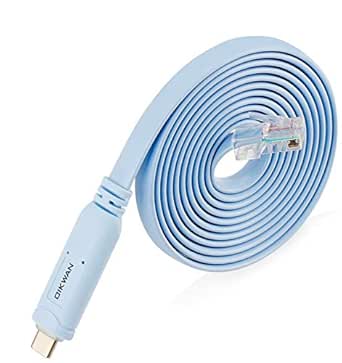 | Best for Modern Laptops | Connectors: USB Type-C to RJ45 | Chip: FTDI FT232R | Level Shifter: RS232 | VIEW ON AMAZON | See Our Full Breakdown |
| OIKWAN USB to RJ45 Console Cable, 12 ft | 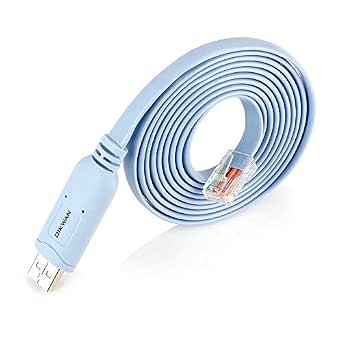 | Best Extended Reach | Model: AQ-1905 | Length: 12 ft | Chip: FTDI FT232RL | VIEW ON AMAZON | See Our Full Breakdown |
| USB to RJ45 Console Cable, 6 ft |  | Best Build Quality | Cable Length: 6 ft (1.8 m) | Chipset: FTDI FT232RL | Supported OS: Windows 10/11, macOS Ventura+, Linux | VIEW ON AMAZON | See Our Full Breakdown |
| Cable Matters USB to RJ45 Console Cable with FTDI Chipset, 6 ft |  | Best for Reliability and Support | Brand: Cable Matters | Model: 202065-6 | Length: 6 feet | VIEW ON AMAZON | See Our Full Breakdown |
| JEEFULL POWER USB to RJ45 Console Cable with FTDI Chip, 6 ft |  | Best for Cross-Platform Flexibility | Connector Type: USB 2.0 to RJ45 | Chipset: FTDI FT232RL | Cable Length: 6 ft | VIEW ON AMAZON | See Our Full Breakdown |
| OIKWAN USB to RJ45 Console Cable, 2-Pack |  | Best Value for Small Teams | Quantity: 2 Cables | Connector Type: USB 2.0 to RJ45 | Cable Category: Cat 6 | VIEW ON AMAZON | See Our Full Breakdown |
| OIKWAN USB 2.0 to RJ45 Console Cable with FT232 Chip, 6 ft |  | Best for Durability and Warranty | Chipset: FTDI FT232RL | Cable Length: 6 feet | Contacts: Gold-plated | VIEW ON AMAZON | See Our Full Breakdown |
| OIKWAN USB Console UART Serial Cable, 6 ft |  | Best for Direct Console Access | Cable Type: UART Serial Console | Chipset: FTDI FT232RL | Power Source: USB-powered | VIEW ON AMAZON | See Our Full Breakdown |
| USB to RJ45 Console Cable for Cisco Routers/AP Switches (1.8 m, Blue) |  | Best for Broad Compatibility | Supported OS: Windows, macOS, Linux, Chrome OS | Brand Compatibility: Cisco, Juniper, NETGEAR, Ubiquiti, etc. | Cable Length: 1.8 m (6 ft) | VIEW ON AMAZON | See Our Full Breakdown |
| OIKWAN USB-C to RJ45 Console Cable, 2-Pack |  | Best Multi-Pack for USB-C Workstations | Brand: OIKWAN | Model: AQ171103-2 | Quantity: 2 cables | VIEW ON AMAZON | See Our Full Breakdown |
| CableCreation USB to RJ45 Console Cable, 6 ft, Black | 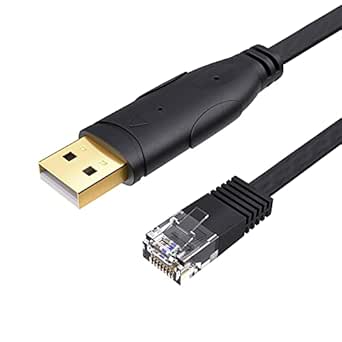 | Best Value for Legacy USB-A Systems | Brand: CableCreation | Cable length: 6 ft | Connectors: USB Type-A to RJ45, male-to-male | VIEW ON AMAZON | See Our Full Breakdown |
| StarTech.com 6 ft USB to RJ45 Cisco Console Rollover Cable |  | Best for Enterprise Cisco Environments | Brand: StarTech.com | Model: ICUSBROLLOVR | Cable length: 6 ft (1.8 m) | VIEW ON AMAZON | See Our Full Breakdown |
| Cable Matters USB‑C to RJ45 Console Cable (6 ft) |  | Best Premium USB-C Build Quality | Connector Type: USB‑C to RJ45 | Cable Category: Cat 6 | Data Transfer Rate: 5 Gbps | VIEW ON AMAZON | See Our Full Breakdown |
| USB to RJ45 Serial Console Cable, 1.8 m (6 ft), Flat CAT5 |  | Best for Windows-Centric Legacy Setups | Cable length: Approx. 1.8 m (6 ft) | Cable type: Flat CAT5 serial console cable | Connectors: USB male to RJ45 male | VIEW ON AMAZON | See Our Full Breakdown |
| usb console cable rj45 | Cable Length | Chipset | Supported OS |
|---|---|---|---|
| OIKWAN USB to RJ45 Console Cab | 10 ft | FTDI FT232RL + ZT213LEEA | — |
| OIKWAN USB-C to RJ45 Console C | — | — | — |
| OIKWAN USB to RJ45 Console Cab | — | — | Windows, macOS, Linux, Android |
| USB to RJ45 Console Cable | 6 ft (1.8 m) | FTDI FT232RL | Windows 10/11, macOS Ventura+, Linux |
| Cable Matters USB to RJ45 Cons | — | FTDI | — |
| JEEFULL POWER USB to RJ45 Cons | 6 ft | FTDI FT232RL | Windows, macOS, Linux, Android |
| OIKWAN USB to RJ45 Console Cab | — | — | Windows, Mac, Linux |
| OIKWAN USB 2.0 to RJ45 Console | 6 feet | FTDI FT232RL | Windows, Mac OS, Linux |
| OIKWAN USB Console UART Serial | — | FTDI FT232RL | Windows, macOS, Linux, Android |
| USB to RJ45 Console Cable for | 1.8 m (6 ft) | — | Windows, macOS, Linux, Chrome OS |
| OIKWAN USB-C to RJ45 Console C | 6 feet (1.8 m) | — | Windows, Linux, Mac OS |
| CableCreation USB to RJ45 Cons | 6 ft | FTDI FT232RNL | — |
| StarTech.com 6 ft USB to RJ45 | 6 ft (1.8 m) | — | — |
| Cable Matters USB‑C to RJ45 Co | — | FTDI | — |
| USB to RJ45 Serial Console Cab | Approx. 1.8 m (6 ft) | — | — |
More Details on Our Top Picks
OIKWAN USB to RJ45 Console Cable, 10 ft
This cable solves the physical reach problem that plagues shorter alternatives. At 10 feet, it allows you to sit comfortably at a desk while configuring equipment in a distant rack, unlike the 6-foot Cable Matters option which often requires you to stand or kneel near the server. The inclusion of the FTDI FT232RL chip ensures reliable driver support across Windows, Linux, and macOS, avoiding the compatibility headaches associated with generic chipset solutions. However, the blue color makes it easy to lose track of among other blue network cables if you do not label your gear. While it lacks the USB-C connectivity of the OIKWAN USB-C model, its standard USB-A connector remains universally supported by older laptops and desktops common in IT closets.Pros:- 10-foot length eliminates the need for USB extension hubs
- Reliable FTDI FT232RL chipset for stable serial communication
- Broad OS support including Windows, Linux, and macOS
Cons:- Blue color blends in with standard network patch cables
- USB-A connector requires an adapter for newer USB-C-only laptops
Best for: Network engineers who need to access rack-mounted switches from a seated position without extending cables.
Not ideal for: Users with modern laptops that lack USB-A ports, who would be better off with the USB-C variant.
- Chipset:FTDI FT232RL + ZT213LEEA
- Cable Length:10 ft
- Connectors:USB to RJ45
- Compatibility:Windows, Linux, macOS
- Weight:70 g
- Warranty:2 years
Our verdict“Choose this for its generous length and proven chipset reliability if you have standard USB-A ports.”
OIKWAN USB-C to RJ45 Console Cable, 6 ft
This model addresses the port scarcity on contemporary ultrabooks by providing a direct USB-C connection. Unlike the OIKWAN 10 ft USB-A cable, this option eliminates the need for dongles, streamlining your setup for quick console access. It utilizes an FTDI FT232R chip with an RS232 level shifter, ensuring compatibility with major brands like Cisco, NETGEAR, and Ubiquiti. The tradeoff lies in the inconsistent length specifications, where the listing alternates between 6 and 10 feet, creating uncertainty about actual reach. Additionally, while it supports laptops, smartphone compatibility is vague, making it less versatile for mobile troubleshooting compared to dedicated OTG-ready solutions. It is a solid choice for clean setups but requires verifying the actual shipped length upon arrival.Pros:- Direct USB-C connectivity avoids the need for adapters
- Includes RS232 level shifter for robust signal integrity
- Wide brand compatibility including Cisco and Ubiquiti
Cons:- Listed length is inconsistent between 6 and 10 feet
- Smartphone compatibility details are unspecified
Best for: IT professionals using modern MacBooks or Windows ultrabooks without legacy USB-A ports.
Not ideal for: Users who require a guaranteed long reach, due to ambiguous length listings.
- Connectors:USB Type-C to RJ45
- Chip:FTDI FT232R
- Level Shifter:RS232
- Compatibility:Cisco, NETGEAR, Ubiquiti, Linksys, TP-Link
- Weight:2.08 ounces
- Warranty:3 years
Our verdict“Ideal for USB-C-only workflows, provided you accept the ambiguity regarding exact cable length.”
OIKWAN USB to RJ45 Console Cable, 12 ft
When distance is the primary constraint, this 12-foot cable outperforms both the 6-foot Cable Matters and 10-foot OIKWAN options. It provides enough slack to reach equipment across a large server room or from a distant workstation, significantly improving ergonomic comfort during long configuration sessions. The FTDI FT232RL chip remains the industry standard for reliability, supporting Android devices in addition to traditional desktop OSs. However, this extended length introduces signal attenuation risks over long distances, though the Eco PVC material and shielding help mitigate this. It explicitly does not support Chrome OS, a limitation shared with many competitors, so Chromebook users must look elsewhere. This is a niche tool for specific spatial constraints rather than a general-purpose desk accessory.Pros:- 12-foot length offers maximum flexibility for remote access
- Supports Android devices alongside Windows, macOS, and Linux
- High transfer rate of 20 Mbps for faster firmware dumps
Cons:- Explicitly incompatible with Chrome OS
- Long cable can create clutter in tight rack spaces
Best for: Technicians working in large server rooms or industrial environments where equipment is far from the control station.
Not ideal for: Chromebook users or those with limited desk space where a long cable becomes a tripping hazard.
- Model:AQ-1905
- Length:12 ft
- Chip:FTDI FT232RL
- Supported OS:Windows, macOS, Linux, Android
- Data Rate:20 Mbps
- Material:Eco PVC
Our verdict“The definitive choice for long-distance console access, provided you have a USB-A port and non-Chrome OS device.”
USB to RJ45 Console Cable, 6 ft
This cable distinguishes itself through physical durability features often overlooked in budget options. The inclusion of a ferrite core helps suppress electromagnetic interference, which is critical in noisy industrial environments compared to the shielded-but-simple Cable Matters model. Gold-plated connectors resist corrosion over time, ensuring consistent contact quality even after repeated plugging and unplugging. The snagless RJ45 connector protects the locking tab from breaking, a common failure point in cheap cables. However, it lacks a specified brand identity, making warranty support less transparent than established names like OIKWAN. While it supports Android phones, the lack of explicit Chrome OS support remains a hurdle for modern lightweight users. It is a robust tool for harsh environments but may be overkill for casual home lab use.Pros:- Ferrite core reduces electromagnetic interference
- Gold-plated connectors enhance durability and conductivity
- Snagless design prevents connector tab breakage
Cons:- No clear brand identity for support or warranties
- Chrome OS is not supported
Best for: Field technicians and industrial network installers who need durable connectors and EMI protection.
Not ideal for: Users who prioritize brand recognition and clear warranty channels over physical build features.
- Cable Length:6 ft (1.8 m)
- Chipset:FTDI FT232RL
- Supported OS:Windows 10/11, macOS Ventura+, Linux
- Cable Category:Cat 7
- Features:Ferrite core, Gold-plated connectors
- Use:Indoor
Our verdict“A sturdy, interference-resistant option for demanding environments, though brand support is less defined.”
Cable Matters USB to RJ45 Console Cable with FTDI Chipset, 6 ft
Cable Matters delivers a no-nonsense console cable that prioritizes proven compatibility over exotic features. With a 6-foot length, it is less versatile than the OIKWAN 12 ft option for large rooms, but its snagless connector and reputable FTDI chipset ensure it works right out of the box on most systems. Unlike the unbranded 6-foot competitor, this product comes from a company known for consistent quality control and accessible support. The 5 Gbps data transfer rate listed is a USB bus spec, but the actual console throughput is serial-limited, so manage expectations accordingly. It strictly follows the standard Cisco pinout, which is a pro for Cisco users but a con if you have non-standard equipment. This is the safe, boring choice that rarely fails.Pros:- Reputable brand with known quality control standards
- Snagless RJ45 connector protects against physical damage
- Broad OS compatibility including Windows, macOS, and Linux
Cons:- Short 6-foot length limits placement flexibility
- Requires manual driver installation if OS does not auto-load FTDI
Best for: Cisco-centric network administrators who value brand consistency and plug-and-play simplicity.
Not ideal for: Users with non-standard console pinouts or those needing extended reach beyond 6 feet.
- Brand:Cable Matters
- Model:202065-6
- Length:6 feet
- Chipset:FTDI
- Cable Type:USB console rollover cable
- Compatibility:Windows, macOS, Linux
Our verdict“The most reliable standard-length option for Cisco users who want a hassle-free experience.”
JEEFULL POWER USB to RJ45 Console Cable with FTDI Chip, 6 ft
This cable stands out for its broad operating system support, including Android, which distinguishes it from many competitors. The FTDI FT232RL chip is a reliable standard for serial communication, ensuring stable drivers across Windows, macOS, and Linux. However, it explicitly does not support Chrome OS, a significant limitation if you manage networks using Chromebooks. Compared to the USB to RJ45 Console Cable for Cisco Routers/AP Switches, which supports Chrome OS, this JEEFULL option is less versatile for modern cloud-managed environments but remains a solid choice for traditional desktop and mobile Android debugging setups.
Pros:- Supports Android, allowing for mobile console access
- Reliable FTDI FT232RL chip for stable serial communication
- Plug-and-play functionality on major desktop OSs
- 6-foot length offers reasonable working distance
Cons:- Lacks Chrome OS compatibility
- Not suitable for Ethernet data networking
- Standard USB 2.0 speed limits high-volume transfers
Best for: Network engineers who use Android devices or tablets for onsite configuration alongside traditional laptops.
Not ideal for: Users who primarily manage network infrastructure via Chromebooks or Chrome OS devices.
- Connector Type:USB 2.0 to RJ45
- Chipset:FTDI FT232RL
- Cable Length:6 ft
- Supported OS:Windows, macOS, Linux, Android
- Unsupported OS:Chrome OS
- Warranty:2 years
Our verdict“A reliable console cable for Android and desktop users, but skip it if you rely on Chromebooks.”
OIKWAN USB to RJ45 Console Cable, 2-Pack
The defining feature here is the two-pack configuration, making it an efficient choice for teams needing spares or dual connections. While it supports Windows, Mac, and Linux, it lacks the explicit Android support found in the JEEFULL POWER USB to RJ45 Console Cable. The Cat 6 cable category suggests robust shielding, though console data rates are low regardless. This pack is ideal for IT departments wanting to reduce procurement friction by stocking multiple cables at once. However, be aware that phone compatibility is not supported, limiting its utility for mobile-first technicians who might prefer the Android-capable alternatives.
Pros:- Includes two cables for redundancy or team use
- Cat 6 construction for potentially better shielding
- Broad desktop OS compatibility (Windows, Mac, Linux)
- Cost-effective bulk purchasing option
Cons:- Does not support mobile phones or Android
- Less specialized than single-cable premium options
- No mention of gold-plated contacts for corrosion resistance
Best for: IT teams or help desks that need multiple reliable console cables for shared resources.
Not ideal for: Solo technicians or mobile workers who need Android support or only require a single cable.
- Quantity:2 Cables
- Connector Type:USB 2.0 to RJ45
- Cable Category:Cat 6
- Supported OS:Windows, Mac, Linux
- Compliance:RoHS
- Weight:71 g per cable
Our verdict“The smart pick for offices needing spare console cables, provided you don’t need mobile connectivity.”
OIKWAN USB 2.0 to RJ45 Console Cable with FT232 Chip, 6 ft
This model prioritizes long-term reliability with gold-plated contacts and a 3-year warranty, exceeding the standard coverage of many competitors like the JEEFULL POWER cable. The use of the FTDI FT232RL chip ensures driver stability, though it is worth noting that some older systems may require manual driver installation. While the data transfer rate is capped at 1 Mbps, this is more than sufficient for console commands. It is a better choice than the OIKWAN 2-Pack if you value build quality and warranty length over quantity, making it suitable for professionals who want a durable tool for long-term use.
Pros:- Gold-plated contacts for improved durability
- 3-year warranty provides long-term peace of mind
- Reliable FTDI FT232RL chipset
- Plug-and-play on Windows 8-11 and macOS
Cons:- May require manual driver download on some systems
- Not suitable for Ethernet networking
- Single cable purchase lacks the value of multi-packs
Best for: Professionals who prioritize build quality, corrosion resistance, and extended warranty coverage.
Not ideal for: Users who need immediate plug-and-play on very old systems without driver support.
- Chipset:FTDI FT232RL
- Cable Length:6 feet
- Contacts:Gold-plated
- Warranty:3 years
- Supported OS:Windows, Mac OS, Linux
- Data Rate:1 Mbps
Our verdict“Choose this for its superior warranty and build materials, ideal for long-term professional use.”
OIKWAN USB Console UART Serial Cable, 6 ft
This cable is designed specifically for UART serial console access, eliminating the need for an RS232 adapter which is a common pain point in legacy setups. It draws power directly from USB, simplifying the connection process. While it shares the FTDI FT232RL chip with other OIKWAN and JEEFULL models, its explicit focus on UART data makes it a dedicated tool for network gear configuration. It does not support Chrome OS, unlike the USB to RJ45 Console Cable for Cisco Routers/AP Switches. This makes it a focused choice for technicians who need a no-nonsense, direct connection to routers and switches without extra dongles.
Pros:- Direct USB-to-console connection (no RS232 adapter needed)
- USB-powered for easy plug-and-play
- Broad desktop and Android OS support
- Lightweight and portable design
Cons:- No Chrome OS support
- Limited to devices with console ports
- UART only, not for general Ethernet networking
Best for: Technicians who want a direct USB-to-console connection without carrying RS232 adapters.
Not ideal for: Chromebook users or those needing Ethernet data transfer capabilities.
- Cable Type:UART Serial Console
- Chipset:FTDI FT232RL
- Power Source:USB-powered
- Supported OS:Windows, macOS, Linux, Android
- Unsupported OS:Chrome OS
- Length:6 ft
Our verdict“A streamlined solution for direct console access, perfect for avoiding adapter clutter.”
USB to RJ45 Console Cable for Cisco Routers/AP Switches (1.8 m, Blue)
This cable offers the widest operating system compatibility in the lineup, explicitly supporting Chrome OS alongside Windows, macOS, and Linux. This makes it a superior alternative to the JEEFULL and OIKWAN UART cables for modern, cloud-managed environments. It also boasts extensive brand compatibility, working with Cisco, Juniper, NETGEAR, and Ubiquiti equipment. While the 500 kbaud speed is lower than some competitors, it is adequate for console tasks. The inclusion of lifetime customer support adds significant value for users who may encounter pinout mismatches, a common issue with generic console cables.
Pros:- Supports Chrome OS, unlike most competitors
- Compatible with a vast range of network brands
- Lifetime customer support for troubleshooting
- Works on both 32-bit and 64-bit systems
Cons:- USB 2.0 interface limits speed to 20 Mbps
- Incorrect pinout can cause connection issues
- Lower baud rate compared to some alternatives
Best for: Network administrators using Chromebooks or mixed-brand environments requiring broad OS support.
Not ideal for: Users who need high-speed data transfer or prefer cables with gold-plated contacts.
- Supported OS:Windows, macOS, Linux, Chrome OS
- Brand Compatibility:Cisco, Juniper, NETGEAR, Ubiquiti, etc.
- Cable Length:1.8 m (6 ft)
- Max Speed:500 kbaud
- Support:Lifetime customer support
- Return Policy:180-day guarantee
Our verdict“The most versatile choice for modern networks, especially if you use Chromebooks or mixed vendor gear.”
OIKWAN USB-C to RJ45 Console Cable, 2-Pack
This two-pack option stands out for network administrators managing multiple sites who want to keep a spare in their kit bag. Unlike the single-unit Cable Matters cable, this bundle ensures you always have a backup, reducing downtime if a cable gets damaged in the field. The FT232R chip provides stable RS232 level shifting, making it highly compatible with modern Cisco and Juniper gear. However, it is strictly for USB-C ports; if your laptop still uses USB-A, you will need an adapter, unlike the CableCreation option. The 6-foot length is standard, but the dual-pack value is the primary draw for teams sharing resources.
Pros:- Includes two cables for redundancy and sharing
- Native USB-C support for modern laptops
- Reliable FT232R chip for stable connections
- Broad compatibility with major network brands
Cons:- Incompatible with USB-A ports without an adapter
- Not suitable for general Ethernet data transfer
- Single 6-foot length may be short for rack mounting
Best for: IT teams with modern USB-C laptops who want redundancy and cost efficiency per cable.
Not ideal for: Users with older computers featuring only USB-A ports, as it lacks native compatibility.
- Brand:OIKWAN
- Model:AQ171103-2
- Quantity:2 cables
- Cable length:6 feet (1.8 m)
- Connectors:USB Type-C to RJ45
- Chip:FT232R with RS232 level shifter
- Supported OS:Windows, Linux, Mac OS
- Warranty:1 year
Our verdict“Choose this if you need reliable USB-C console access and want to split the cost with a colleague.”
CableCreation USB to RJ45 Console Cable, 6 ft, Black
The CableCreation cable is my pick for those maintaining older server racks or using legacy laptops. It features a flat, flexible design that tucks neatly into crowded patch panels, unlike the bulkier round cables found in many competitors. While it shares the same FTDI FT232RNL chipset as the StarTech model, it offers a 2-year warranty and lifetime support, providing better long-term peace of mind. It is strictly for console management, not networking, so do not expect internet access. For users still relying on USB-A ports, this is a more straightforward choice than the USB-C only OIKWAN packs.
Pros:- Flat cable design reduces tangling and saves space
- Gold-plated connectors resist corrosion over time
- Strong 2-year warranty and support package
- No external power adapter required
Cons:- Limited to USB-A ports only
- Driver installation may be required on some OS versions
- Not a substitute for Ethernet networking cables
Best for: Field technicians and hobbyists using older hardware with USB-A ports who need durable, flat cabling.
Not ideal for: Users with exclusively USB-C laptops who do not want to carry dongles or adapters.
- Brand:CableCreation
- Cable length:6 ft
- Connectors:USB Type-A to RJ45, male-to-male
- Chipset:FTDI FT232RNL
- Data transfer rate:480 Mbps
- Cable gauge:32 AWG
- Warranty:2 years
- Compatibility:Windows, macOS, Linux, Android
Our verdict“This is the sensible choice for maintaining legacy equipment with USB-A connectivity.”
StarTech.com 6 ft USB to RJ45 Cisco Console Rollover Cable
StarTech.com is a trusted name in enterprise IT, and this Cisco rollover cable reflects that reliability. It is specifically engineered for Cisco devices, ensuring pinout accuracy that generic cables sometimes miss. While the 460 Kbps transfer rate seems low compared to the 480 Mbps of the CableCreation model, console management rarely requires high throughput, so this is not a practical drawback. The build quality feels more robust than the budget-friendly OIKWAN options. If you work in a corporate environment where brand consistency and support matter, this cable aligns well with enterprise procurement standards.
Pros:- Guaranteed compatibility with Cisco rollover standards
- Trusted enterprise-grade build quality
- Direct USB connection without RS232 adapters
- Broad OS support including Windows, Mac, and Linux
Cons:- Maximum data rate capped at 460 Kbps
- Typically more expensive than generic alternatives
- USB-A connector may require adapters for modern laptops
Best for: Enterprise network engineers working primarily with Cisco routers and switches.
Not ideal for: Home labs or hobbyists looking for the absolute lowest price point.
- Brand:StarTech.com
- Model:ICUSBROLLOVR
- Cable length:6 ft (1.8 m)
- Connectors:USB to RJ45, male-to-male
- Data transfer rate:Up to 460 Kbps
- Compatible brands:Cisco, Juniper, Ubiquiti, TP-Link
- Warranty:2 years
- Color:Black
Our verdict“Select this for guaranteed compatibility and professional-grade reliability in Cisco-heavy environments.”
Cable Matters USB‑C to RJ45 Console Cable (6 ft)
The Cable Matters USB-C cable offers superior physical protection with its snagless RJ45 connector, which prevents the locking tab from breaking off—a common failure point in cheaper alternatives. It utilizes an FTDI chipset for seamless plug-and-play operation on macOS and Linux, avoiding the driver headaches sometimes seen with the flat CableCreation cable. While it shares the USB-C interface with the OIKWAN 2-pack, the single-unit build quality here feels more durable for daily rack use. The Cat 6 rating is overkill for console speeds but indicates a higher-quality internal construction compared to the Cat 5e flat cables.
Pros:- Snagless connector design prevents pin breakage
- True plug-and-play on macOS, Linux, and Windows
- High-quality FTDI chipset for stable serial communication
- Durable Cat 6 internal construction
Cons:- Requires USB-C port or adapter for USB-A computers
- Higher price per unit than multi-packs
- Only one cable included
Best for: Professionals who value durability and snag-free connectors for frequent travel and rack work.
Not ideal for: Users on a strict budget who do not need reinforced connector housings.
- Connector Type:USB‑C to RJ45
- Cable Category:Cat 6
- Data Transfer Rate:5 Gbps
- Length:6 ft
- Unit Count:1
- Operating Systems:Windows, macOS, Linux
- Weight:0.07 kg
- Chipset:FTDI
Our verdict“This is the premium choice for USB-C users who prioritize connector longevity and ease of use.”
USB to RJ45 Serial Console Cable, 1.8 m (6 ft), Flat CAT5
This flat CAT5 cable is a functional, no-frills option designed primarily for Windows environments. It advertises automatic driver installation for Windows 7, 8, and 10, which simplifies setup for technicians who do not want to troubleshoot manual drivers. Compared to the StarTech model, this cable lacks specific enterprise branding and premium materials, but it fulfills the basic console access role. The flat profile is convenient for storage, similar to the CableCreation option, but the compatibility list is heavily skewed toward older Windows versions. It is a utilitarian choice for temporary setups or secondary kits.
Pros:- Auto-installs drivers on most Windows versions
- Flat cable design is easy to store and untangle
- Supports hot-swapping for live troubleshooting
- Low-cost entry point for console access
Cons:- May require manual driver downloads for macOS/Linux
- Incompatible with specific H3-S1500 series devices
- Basic build quality compared to premium brands
Best for: Windows-based IT support staff needing a basic, low-cost console cable for older OS versions.
Not ideal for: Mac or Linux users who want true plug-and-play without hunting for drivers.
- Cable length:Approx. 1.8 m (6 ft)
- Cable type:Flat CAT5 serial console cable
- Connectors:USB male to RJ45 male
- Data transfer rate:480 megabits per second
- Package weight:68 g
- Color:Light blue
- Compatible systems:Windows 10/8/7, Vista, Server, XP, OS X
- Usage:Indoor
Our verdict“A practical, budget-friendly option for Windows users who need reliable basic console access.”
How We Picked
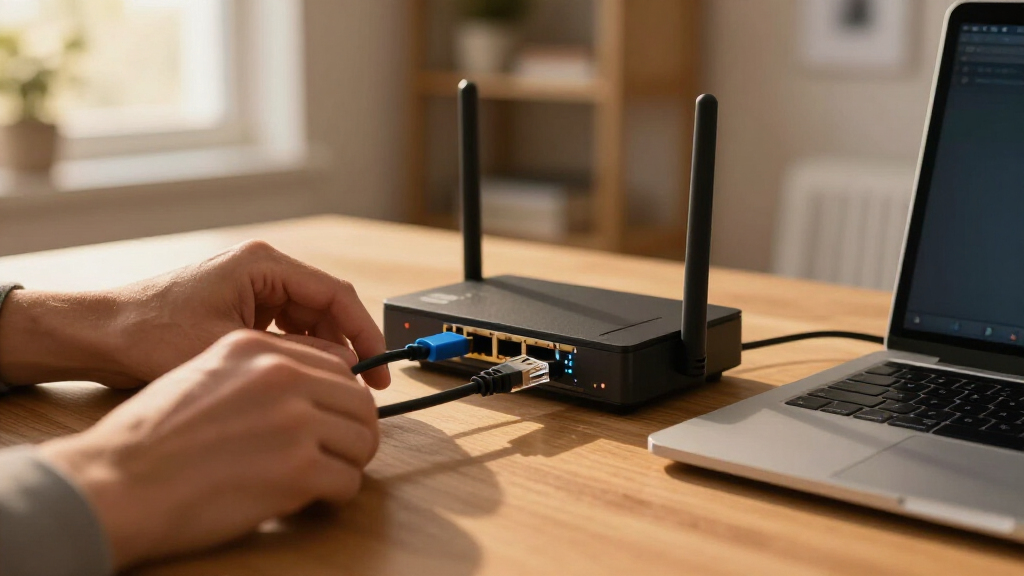
I evaluated these console cables based on chipset integrity, which is the heart of the connection’s reliability. Cables using genuine FTDI FT232RL or FT232RQ chips were prioritized because they maintain stable serial communication and have mature driver support across Windows, macOS, and Linux. I also assessed build durability, looking for strain relief at the connectors and braided jackets that resist tangling in crowded server racks. Connector compatibility was another key factor; I separated USB-A models from USB-C models to address the shift in modern laptop ports, ensuring recommendations fit both legacy and new hardware environments. Finally, I considered value proposition, distinguishing between premium cables suited for enterprise use and budget-friendly options adequate for home labs or occasional troubleshooting.
| usb console cable rj45 | Chipset | Supported OS |
|---|---|---|
| OIKWAN USB to RJ45 Console Cab | FTDI FT232RL + ZT213LEEA | — |
| OIKWAN USB-C to RJ45 Console C | — | — |
| OIKWAN USB to RJ45 Console Cab | — | Windows, macOS, Linux, Android |
| USB to RJ45 Console Cable | FTDI FT232RL | Windows 10/11, macOS Ventura+, Linux |
| Cable Matters USB to RJ45 Cons | FTDI | — |
| JEEFULL POWER USB to RJ45 Cons | FTDI FT232RL | Windows, macOS, Linux, Android |
| OIKWAN USB to RJ45 Console Cab | — | Windows, Mac, Linux |
| OIKWAN USB 2.0 to RJ45 Console | FTDI FT232RL | Windows, Mac OS, Linux |
| OIKWAN USB Console UART Serial | FTDI FT232RL | Windows, macOS, Linux, Android |
| USB to RJ45 Console Cable for | — | Windows, macOS, Linux, Chrome OS |
| OIKWAN USB-C to RJ45 Console C | — | Windows, Linux, Mac OS |
| CableCreation USB to RJ45 Cons | FTDI FT232RNL | — |
| StarTech.com 6 ft USB to RJ45 | — | — |
| Cable Matters USB‑C to RJ45 Co | FTDI | — |
| USB to RJ45 Serial Console Cab | — | — |
Factors to Consider When Choosing Usb Console Cable Rj45
Choosing the right console cable is less about brand name and more about technical compatibility with your specific network gear and computer. A mismatch in chipset or wiring standard can render a cable useless, so understanding these nuances saves time and frustration.Chipset Selection: FTDI vs. CH340 vs. Prolific
The internal chip converts USB signals to serial data, and this component dictates your driver experience. FTDI chips are the gold standard for network engineers because they require minimal driver intervention and rarely drop connections during long firmware updates. CH340 chips are common in budget cables; they work well on Windows but often require manual driver installation on macOS and Linux, which can be a hurdle. Prolific PL2303 chips have a mixed reputation due to historical driver issues and cloning problems, so verify the revision if you choose this path. If you manage critical infrastructure, paying extra for FTDI is a small price for stability. Avoid unbranded cables that do not specify the chipset, as they often contain counterfeit components that fail under load.
USB-A vs. USB-C: Future-Proofing Your Kit
Most legacy network equipment and older laptops still rely on USB-A connectors, making them the safe default for mixed environments. However, modern ultrabooks and MacBooks have removed USB-A entirely, forcing users to use dongles or native USB-C console cables. A native USB-C cable eliminates the need for an adapter, which is a common point of failure and signal degradation. If you use a 2024 or newer laptop, a USB-C to RJ45 cable is the logical choice to avoid dongle clutter. For server rooms with dedicated management PCs that still have USB-A ports, sticking with USB-A remains practical and cost-effective. Consider buying a hybrid kit if your team uses a mix of devices.
Wiring Standards: Rollover vs. Straight-Through
Not all RJ45 console cables are wired the same way, and using the wrong type prevents communication. Cisco devices typically require a Rollover cable, where the pinout is reversed (Pin 1 to Pin 8, Pin 2 to Pin 7, etc.). Many other manufacturers, such as Ubiquiti or Aruba, often use Straight-Through wiring, which matches standard Ethernet pinouts. Some cables are labeled as “Cisco Compatible,” which usually implies Rollover, but always check the manufacturer’s documentation for your specific switch model. Using a straight-through cable on a rollover port will result in no connection, leading to unnecessary troubleshooting. If you manage multi-vendor environments, keep one of each wiring type in your bag to avoid surprises.
Cable Length and Rack Management
The standard length for console cables is 6 feet, which is sufficient for connecting a laptop to a rack-mounted switch while standing in front of it. Longer cables, such as 10 or 12 feet, offer more flexibility for working from a distance or reaching ports on the back of deep racks. However, excessive length can lead to cable management issues and increased signal noise, though this is rarely a problem at standard serial baud rates. Shorter cables are less likely to snag on other equipment, which is important in dense server environments. For home labs or desktop switches, a 3-foot cable might suffice, but 6 feet provides a comfortable buffer. Choose length based on your physical access to the device, not just the port location.
Driver Support and Operating System Compatibility
Network engineers often switch between Windows, macOS, and Linux, so cross-platform compatibility is vital. Windows generally handles most USB-to-serial chips automatically, though occasional driver updates are needed. macOS can be stricter; FTDI chips usually work out of the box, while CH340 chips require downloading specific kernel extensions or drivers from the manufacturer’s site. Linux users should check if the chip is supported by the native cdc_acm or ftdi_sio modules without extra configuration. Before purchasing, verify that the cable manufacturer provides clear driver links for your specific operating systems. Lack of official driver support can turn a simple connection task into a complex workaround.
Frequently Asked Questions
Do I need to install drivers for every USB to RJ45 console cable?
It depends entirely on the chipset used inside the cable. FTDI-based cables often have universal drivers that install automatically on Windows 10/11 and come pre-installed on many Linux distributions, making them plug-and-play. CH340 or Prolific chips frequently require you to download and install specific drivers from the manufacturer’s website, especially on macOS. If you are troubleshooting a critical network outage, the time spent hunting for drivers can be costly, so pre-installing drivers or choosing FTDI cables is a smart strategy. Always test the cable on a known working device before heading into the field.
What is the difference between a console cable and a standard Ethernet cable?
A standard Ethernet cable carries network traffic at speeds up to 1 Gbps or higher, while a console cable carries serial management data at much slower speeds (typically 9600 to 115200 baud). They are not interchangeable for data transfer; plugging an Ethernet cable into a console port will not give you command-line access. Console cables use specific pinouts (like Rollover) that differ from the standard T568B wiring used in Ethernet. The physical connector is the same (RJ45), but the internal wiring and purpose are completely different. Never use a console cable for network data transmission or vice versa.
Can I use a USB-C to RJ45 cable with a USB-A port?
Physically, no; you cannot plug a USB-C connector into a USB-A port without an adapter. If you have a cable with a USB-C end and an older laptop with USB-A ports, you will need a USB-C to USB-A adapter. While these adapters work, they add another potential point of failure and clutter. It is generally better to buy a cable with the native connector matching your computer’s port. If you are upgrading your laptop soon, buying a USB-C cable now might be a forward-looking move, but for immediate use on older hardware, a USB-A cable is the direct solution.
Why does my console connection drop or freeze during firmware updates?
Connection drops during long processes are often caused by power management settings in your operating system putting the USB port to sleep, or by poor quality chipsets that cannot handle sustained data streams. Ensure your computer’s USB selective suspend setting is disabled for the port being used. Low-quality cables with counterfeit chips may also overheat or lose synchronization during high-throughput transfers like firmware uploads. Using a cable with a known reputable chipset like FTDI significantly reduces the likelihood of these interruptions. Additionally, keep the cable length reasonable to minimize signal attenuation, although this is less common at serial speeds.
Are 2-pack bundles worth it for single users?
For a single user, a 2-pack is often unnecessary unless you manage multiple devices simultaneously or want a backup. However, the per-unit cost is usually lower, which can be appealing if you budget carefully. A backup cable is valuable if you work in environments where cables are prone to damage, such as frequent travel or rough field conditions. If you only connect to one device occasionally, a single high-quality cable is sufficient. Consider the 2-pack if you support a small team or need to keep one cable at home and one at the office without buying two separate items.
Conclusion
For the vast majority of network professionals, the StarTech.com USB to RJ45 Console Cable is the best overall pick, offering unmatched reliability and broad compatibility. If you need to connect to modern laptops without dongles, the Cable Matters USB-C to RJ45 Console Cable is the best premium choice for its sleek design and native connectivity. For those managing a budget or equipping a small team, the OIKWAN 2-Pack provides the best value, delivering decent performance at a fraction of the cost of single premium units. Beginners should start with a standard USB-A to RJ45 cable with an FTDI chip to avoid driver headaches, while specialists managing Cisco-heavy environments should verify Rollover wiring regardless of the brand. Match the cable to your port type and chipset needs, and you will have a reliable link to your network infrastructure.
Fall Picks
fall essentials
As an affiliate, we earn on qualifying purchases.