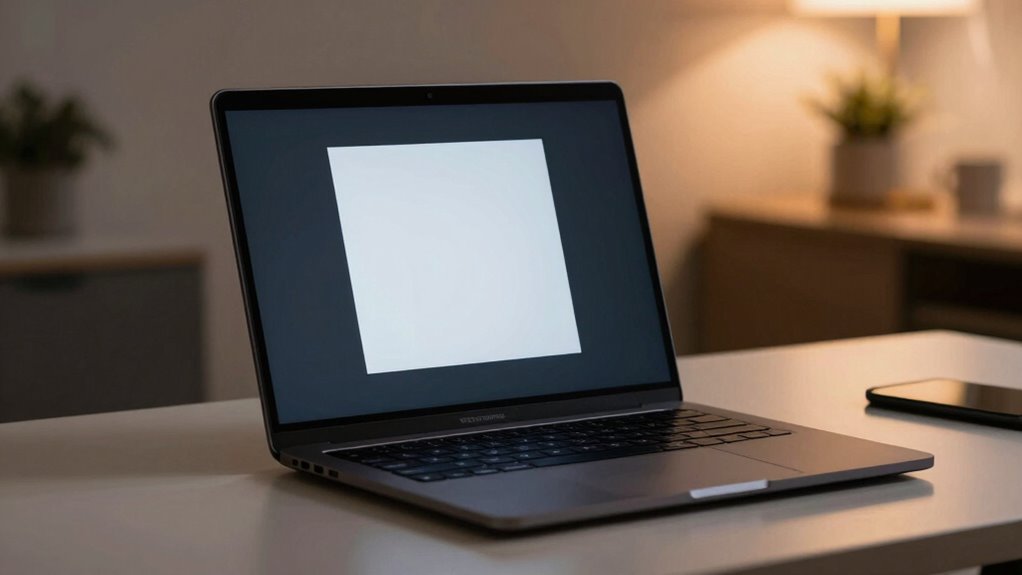
When it comes to protecting your sensitive information on a laptop, privacy screen filters are an essential tool. The best options balance privacy, glare reduction, and ease of use, but they vary significantly in quality and features. The SightPro Magnetic 16 Inch Privacy Screen stands out as the overall best for its strong magnetic attachment and clear display. The STARY 360° Privacy Screen for 14-inch laptops offers versatile viewing angles, making it ideal for shared spaces. However, many models trade off between privacy and screen clarity, or require compatibility considerations. Keep reading to see how these options compare and which best fits your specific needs.

Get the latest gadgets delivered free with Prime
- Fast, free delivery on millions of items
- Prime Video, Amazon Music and more included
- Member-only deals all year
Complete the kit



Key Takeaways
- Magnetic attachment offers easier installation and removal, as seen with the SightPro Magnetic models.
- Compatibility with specific laptop sizes and aspect ratios is critical to ensure a perfect fit and effective privacy.
- Anti-glare and blue light protection features add value for extended use, but may slightly reduce screen clarity.
- 360° privacy screens provide flexible viewing angles, but often come at a higher price point.
- Price varies widely, with premium options offering better durability and clarity, while budget models focus on basic privacy.
| SightPro Magnetic Laptop Privacy Screen 16 Inch 16:10 |  | Best Overall for Magnetic Ease and Versatile Privacy | Filter Dimensions: Width: 13.56″ (344.5 mm), Height: 8.49″ (215.6 mm), Diagonal: 16″ (406 mm) | Compatibility: Lenovo, HP, Dell, Acer, Asus, Samsung, and other laptop brands | VIEW ON AMAZON | See Our Full Breakdown | |
| SightPro 14 Inch Privacy Screen Filter – Anti-Glare and Blue Light Protection |  | Best for Budget-Conscious Travelers and Public Spaces | Filter Dimensions: Width: 12 3/16″ (310 mm), Height: 6 7/8″ (175 mm), Diagonal: 14″ (355.6 mm) | Compatibility: Lenovo, HP, Dell, Acer, Asus, Samsung, other laptops | Attachment Options: Adhesive strips, slide mount tabs | VIEW ON AMAZON | See Our Full Breakdown |
| STARY 360° Laptop Privacy Screen Protector 14 inch 16:10 Ratio (1920×1200) |  | Best for Complete 360-Degree Privacy and Versatile Finish | Dimensions: Width: 11.89″ (302 mm), Height: 7.40″ (188 mm) | Compatibility: 14 inch 16:10 laptops (not compatible with MacBook and Surface) | Finish Options: Glossy and Matte | VIEW ON AMAZON | See Our Full Breakdown |
| Laptop Privacy Screen 14 Inch Compatible with HP, Dell, Acer, Samsung, Asus, Lenovo, Toshiba |  | Best for Compatibility and Reusability on 14-inch Models | Size: 14 inches | Aspect Ratio: 16:10 | Width: 11.89 inch / 302 mm | VIEW ON AMAZON | See Our Full Breakdown |
| SightPro 15.6 Inch Laptop Privacy Screen Filter – Anti-Glare and Privacy Shield |  | Best for Larger Screens and Versatile Privacy Needs | Filter Dimensions: Width: 13 9/16″ (345 mm), Height: 7 5/8″ (194 mm), Diagonal: 15.6″ (396.24 mm) | Compatibility: Lenovo, HP, Dell, Acer, Asus, Samsung, other laptop brands | VIEW ON AMAZON | See Our Full Breakdown | |
| SightPro 14 Inch 16:10 Laptop Privacy Screen Filter |  | Best Overall for Versatility and Compatibility | Filter Dimensions: Width: 11 15/16″ (304 mm), Height: 7 1/2″ (190 mm), Diagonal: 14.1″ (358.14 mm) | Compatibility: Lenovo, HP, Dell, Acer, Asus, Samsung, other laptops | Attachment Options: Adhesive strips, slide mount tabs | VIEW ON AMAZON | See Our Full Breakdown |
| SightPro Magnetic Laptop Privacy Screen 14 Inch 16:10 |  | Best for Quick Attachment and Side Privacy | Dimensions: Width: 11 15/16″ (304 mm), Height: 7 1/2″ (190 mm), Diagonal: 14.1″ (358.14 mm) | Compatibility: Lenovo, HP, Dell, Acer, Asus, Samsung, and other laptops (verify measurements) | Not optimized for: Touchscreens | VIEW ON AMAZON | See Our Full Breakdown |
| SightPro Magnetic Laptop Privacy Screen 14 Inch 16:9 |  | Best for Consistent Privacy with Magnetic Ease | Filter Dimensions: Width: 12 3/16″ (310 mm), Height: 6 7/8″ (175 mm) | Diagonal Size: 14 inches | Material: Microlouver Film | VIEW ON AMAZON | See Our Full Breakdown |
| ZOEGAA 4-way 360° Laptop Privacy Screen for 14 inch 16:10 Aspect Ratio |  | Best for Full 360° Privacy with Custom Install Options | Screen Size Compatibility: 14 inch 16:10 aspect ratio | Dimensions: Width: 11 14/16″ (30.2 cm), Height: 7 6/16″ (18.8 cm), Diagonal: 14″ (35.56 cm) | Finish Options: Glossy, Matte | VIEW ON AMAZON | See Our Full Breakdown |
| privacy screen filters for laptop | Compatibility | Filter Dimensions |
|---|---|---|
| SightPro Magnetic Laptop Priva | Lenovo, HP, Dell, Acer, Asus, Samsung, and other laptop brands | Width: 13.56" (344.5 mm), Height: 8.49" (215.6 mm), Diagonal: 16" (406 mm) |
| SightPro 14 Inch Privacy Scree | Lenovo, HP, Dell, Acer, Asus, Samsung, other laptops | Width: 12 3/16" (310 mm), Height: 6 7/8" (175 mm), Diagonal: 14" (355.6 mm) |
| STARY 360° Laptop Privacy Scre | 14 inch 16:10 laptops (not compatible with MacBook and Surface) | — |
| Laptop Privacy Screen 14 Inch | — | — |
| SightPro 15.6 Inch Laptop Priv | Lenovo, HP, Dell, Acer, Asus, Samsung, other laptop brands | Width: 13 9/16" (345 mm), Height: 7 5/8" (194 mm), Diagonal: 15.6" (396.24 mm) |
| SightPro 14 Inch 16:10 Laptop | Lenovo, HP, Dell, Acer, Asus, Samsung, other laptops | Width: 11 15/16" (304 mm), Height: 7 1/2" (190 mm), Diagonal: 14.1" (358.14 mm) |
| SightPro Magnetic Laptop Priva | Lenovo, HP, Dell, Acer, Asus, Samsung, and other laptops (verify measurements) | — |
| SightPro Magnetic Laptop Priva | — | Width: 12 3/16" (310 mm), Height: 6 7/8" (175 mm) |
| ZOEGAA 4-way 360° Laptop Priva | — | — |
More Details on Our Top Picks
SightPro Magnetic Laptop Privacy Screen 16 Inch 16:10
This model stands out for its magnetic attachment system, making it the most convenient to install and remove among the options. Compared to the SightPro 15.6 Inch Privacy Screen, its magnetic design simplifies setup, especially for frequent travelers. It offers superior side-view privacy and eye protection, making it ideal for open workspaces or transit. The inclusion of accessories like a webcam cover adds extra value. However, it’s not optimized for touchscreens, so users with touch-enabled laptops should consider other options. Its fit depends on verifying screen dimensions beforehand to avoid compatibility issues.
Pros:- Easy magnetic attachment and removal
- Provides excellent side-view privacy
- Protects eyes from UV and blue light
- Includes useful accessories like webcam cover
Cons:- Not optimized for touchscreen laptops
- Requires verification of screen dimensions before purchase
Best for: Users who prioritize quick, tool-free attachment and removal, especially frequent travelers or mobile workers
Not ideal for: Touchscreen laptop owners, since the magnetic system may interfere with touch functionality or compatibility
- Filter Dimensions:Width: 13.56″ (344.5 mm), Height: 8.49″ (215.6 mm), Diagonal: 16″ (406 mm)
- Compatibility:Lenovo, HP, Dell, Acer, Asus, Samsung, and other laptop brands
Our verdict“This is best suited for users needing quick, hassle-free privacy solutions on non-touch laptops.”
SightPro 14 Inch Privacy Screen Filter – Anti-Glare and Blue Light Protection
This pick makes the most sense for users seeking a versatile privacy filter with anti-glare benefits at an affordable price. Compared to the SightPro Magnetic 16 Inch, it offers similar privacy and eye protection features but for 14-inch screens, with easy attachment options like adhesive strips and slide tabs. It excels at reducing glare and filtering UV and blue light, ensuring comfortable use outdoors or in bright environments. Its non-touchscreen compatibility and need for dimension checks are notable tradeoffs, but overall, it balances cost and functionality well for frequent travelers or remote workers.
Pros:- Excellent privacy and glare reduction
- Multiple easy-to-use attachment options
- Protects eyes from blue light and UV rays
- Suitable for travel and public workspaces
Cons:- Not compatible with MacBooks
- Not optimized for touchscreens
Best for: Travelers or workers in public spaces needing a budget-friendly privacy and glare reduction solution
Not ideal for: Owners of touchscreen laptops or those with non-standard screen sizes, as it isn’t optimized for these configurations
- Filter Dimensions:Width: 12 3/16″ (310 mm), Height: 6 7/8″ (175 mm), Diagonal: 14″ (355.6 mm)
- Compatibility:Lenovo, HP, Dell, Acer, Asus, Samsung, other laptops
- Attachment Options:Adhesive strips, slide mount tabs
Our verdict“Ideal for budget-minded users who need reliable privacy and glare control on standard 14-inch laptops.”
STARY 360° Laptop Privacy Screen Protector 14 inch 16:10 Ratio (1920×1200)
Compared with the SightPro 14 Inch, the STARY 360° offers full privacy coverage from all viewing angles, making it ideal for highly sensitive environments. Its dual finish options—glossy and matte—allow users to customize glare and privacy settings, unlike the single-sided options of other filters. The 98% blue light filtering and scratch resistance enhance eye comfort and durability. However, its compatibility is limited to certain 14-inch models, excluding MacBooks and Surface devices. The installation is straightforward, but checking dimensions is essential to ensure a proper fit. This model clearly targets users who need maximum privacy during mobile use.
Pros:- Provides 360-degree privacy coverage
- Includes both glossy and matte sides for customization
- Blocks 98% blue light
- Easy to install with multiple options
Cons:- Not compatible with MacBook and Surface
- Diagonal measurement alone isn’t sufficient for a perfect fit
Best for: Professionals handling confidential information in public or transit environments requiring full 360-degree privacy
Not ideal for: Users with MacBook or Surface laptops, since it’s not compatible with those models
- Dimensions:Width: 11.89″ (302 mm), Height: 7.40″ (188 mm)
- Compatibility:14 inch 16:10 laptops (not compatible with MacBook and Surface)
- Finish Options:Glossy and Matte
- Blue Light Filter:98%
Our verdict“This is the best choice for users who need comprehensive privacy protection from all sides and customization options.”
Laptop Privacy Screen 14 Inch Compatible with HP, Dell, Acer, Samsung, Asus, Lenovo, Toshiba
This filter offers effective privacy protection by limiting side viewing angles, similar to the SightPro 14 Inch but with a focus on broad compatibility. Its 92% blue light reduction and 98% UV filtering help safeguard eye health, while its reusable design makes it a cost-effective choice. Unlike the STARY model, it emphasizes compatibility across multiple brands and easy removal for frequent use. The installation may require adhesive or slide tabs, and the reversible surface means some adjustment might be needed to optimize viewing angles. It’s a practical option for users seeking a reliable, reusable privacy solution without extra bells and whistles.
Pros:- Effective privacy with limited viewing angles
- Reduces blue and UV light to protect eyes
- Reusable and easy to install/remove
- Compatible with multiple laptop brands
Cons:- May darken screen from the sides
- Installation requires adhesive or slide tabs
Best for: Users needing a versatile, reusable privacy filter compatible with various 14-inch laptops
Not ideal for: Owners of MacBooks or Surface devices, because it’s not designed for those specific models
- Size:14 inches
- Aspect Ratio:16:10
- Width:11.89 inch / 302 mm
- Height:7.40 inch / 188 mm
- Blue Light Reduction:92%
- UV Light Reduction:98%
Our verdict“Perfect for users seeking a durable, multi-brand compatible privacy filter that can be reused multiple times.”
SightPro 15.6 Inch Laptop Privacy Screen Filter – Anti-Glare and Privacy Shield
This model excels for those with 15.6-inch screens who want effective anti-glare and privacy features, similar to the 14-inch SightPro but tailored for larger displays. Its combination of adhesive strips and slide mount tabs offers flexible installation, comparable to the SightPro 14 Inch filter, but with a bigger coverage area. It provides solid side-view privacy, reduces glare, and filters blue and UV light, protecting eyes during prolonged use. Its main drawback is that it’s not optimized for touchscreens, and larger size demands careful dimension verification. Overall, it makes sense for professionals working on larger laptops in public or busy environments.
Pros:- Easy to install with multiple options
- Provides excellent privacy and glare reduction
- Protects eyes from blue light and UV rays
- Ideal for travel and public workspaces
Cons:- Not optimized for touchscreen laptops
- May not fit all 15.6-inch screens perfectly
- Requires dimension verification before purchase
Best for: Professionals with 15.6-inch screens needing reliable privacy and glare reduction on the go
Not ideal for: Touchscreen laptop owners, since it’s not designed to be touchscreen-compatible
- Filter Dimensions:Width: 13 9/16″ (345 mm), Height: 7 5/8″ (194 mm), Diagonal: 15.6″ (396.24 mm)
- Compatibility:Lenovo, HP, Dell, Acer, Asus, Samsung, other laptop brands
Our verdict“This filter fits well for users with larger screens seeking privacy and anti-glare benefits in mobile or public settings.”
SightPro 14 Inch 16:10 Laptop Privacy Screen Filter
This privacy screen filter stands out for its broad compatibility with multiple laptop brands and ease of installation through adhesive or slide mount tabs. Compared to the SightPro Magnetic Laptop Privacy Screen 14 Inch 16:10, it offers similar privacy protection but with slightly less convenience in attachment method. Its anti-glare, UV, and blue light filtering features help reduce eye strain, making it suitable for frequent travelers or remote workers. However, it isn’t optimized for touchscreen laptops, which could hinder ease of use for some users. Overall, this pick makes the most sense for those seeking reliable privacy, flexible attachment options, and compatibility across different devices, despite the need for careful measurement verification before purchase.
Pros:- Easy to install with multiple attachment options
- Provides excellent privacy and anti-glare protection
- Compatible with various laptop brands and sizes
Cons:- Not optimized for touchscreens
- May not block visibility directly behind you
Best for: Professionals working in open offices or travel-heavy users needing easy installation on various laptops
Not ideal for: Touchscreen users who need seamless interaction without detaching the filter frequently
- Filter Dimensions:Width: 11 15/16″ (304 mm), Height: 7 1/2″ (190 mm), Diagonal: 14.1″ (358.14 mm)
- Compatibility:Lenovo, HP, Dell, Acer, Asus, Samsung, other laptops
- Attachment Options:Adhesive strips, slide mount tabs
- Protection Features:Anti-glare, UV, blue light filtering
Our verdict“This filter is ideal for users who prioritize broad compatibility and flexible installation, accepting minor limitations for touchscreen use.”
SightPro Magnetic Laptop Privacy Screen 14 Inch 16:10
This magnetic privacy screen excels in quick, tool-free attachment with its snap-on design, making it a convenient choice for frequent setup and removal. Compared with the SightPro 14 Inch 16:10 filter, it offers a more streamlined, magnetic solution that reduces installation time. Its strong side-view blackout effectively protects sensitive information in open workspaces, while UV and blue light filters help reduce eye strain. It includes extras like a webcam cover and cleaning cloth, adding value for busy users. The main tradeoff involves the need to verify screen dimensions, as the magnetic mount isn’t compatible with all laptop models. Overall, this pick makes the most sense for users who want fast, secure attachment and excellent privacy in transit or office environments.
Pros:- Easy magnetic snap-on attachment
- Excellent side-view privacy
- Protects against UV and blue light
Cons:- Not optimized for touchscreen laptops
- Requires verification of screen dimensions before purchase
Best for: Travelers or remote workers who prefer quick setup and removal without tools
Not ideal for: Touchscreen users or those with non-standard screen sizes who need precise fit
- Dimensions:Width: 11 15/16″ (304 mm), Height: 7 1/2″ (190 mm), Diagonal: 14.1″ (358.14 mm)
- Compatibility:Lenovo, HP, Dell, Acer, Asus, Samsung, and other laptops (verify measurements)
- Not optimized for:Touchscreens
- Protection Features:UV and blue light filtering
Our verdict“Ideal for users seeking a hassle-free, secure privacy solution with fast attachment and removal, despite the need for careful size checks.”
SightPro Magnetic Laptop Privacy Screen 14 Inch 16:9
This privacy screen is tailored for 14-inch laptops with a 16:9 aspect ratio, offering easy magnetic attachment for quick, secure placement. Unlike the 16:10 version, this model’s slightly larger width ensures a snug fit on most 14-inch screens in this ratio, but it may not fit non-standard sizes, requiring careful measurement. Its multilayered privacy filter effectively blacks out side views, comparable to the 16:10 magnetic model, while also filtering UV and blue light to reduce eye fatigue. The inclusion of a webcam cover and cleaning cloth adds convenience. The main limitation involves compatibility—if your laptop’s dimensions differ slightly, it may not fit perfectly. This makes it best for users who value quick attachment and consistent privacy but have standard-sized screens.
Pros:- Easy magnetic attachment for quick setup
- Effective multi-layered side-view blackout
- Includes webcam cover and cleaning cloth
Cons:- Compatibility depends on precise measurements
- Not optimized for touchscreens
Best for: Professionals needing fast, reliable privacy during travel or in open offices with standard 14-inch screens
Not ideal for: Users with non-standard or larger/larger aspect ratio screens that may not match measurements
- Filter Dimensions:Width: 12 3/16″ (310 mm), Height: 6 7/8″ (175 mm)
- Diagonal Size:14 inches
- Material:Microlouver Film
- Finish Type:Glossy & Matte
- Water Resistance Level:Water Resistant
- Protection Features:UV and blue light filtering
Our verdict“Perfect for users seeking a fast, secure privacy screen with consistent effectiveness on standard 14-inch, 16:9 laptops, provided measurements align.”
ZOEGAA 4-way 360° Laptop Privacy Screen for 14 inch 16:10 Aspect Ratio
The ZOEGAA 4-way privacy screen offers comprehensive 360-degree privacy, making it stand out for users who need protection from all viewing angles. Unlike the magnetic or slide-in options, this model’s insert or double-sided adhesive installation provides a flexible, if more involved, setup process. Its ability to block blue light and UV rays is on par with the other filters, helping reduce eye fatigue during long work sessions. The main downside is its incompatibility with certain series like Surface or MacBook, and the need for precise installation to ensure stability. This pick makes the most sense for users in shared environments who want maximum privacy from all directions, willing to accept a more involved setup process.
Pros:- Provides comprehensive 360° privacy
- Blocks blue light and UV rays
- Flexible installation options (insert, adhesive)
Cons:- Not compatible with Surface or MacBook series
- Requires careful installation for stability
Best for: Frequent travelers or office workers needing all-around privacy and flexible installation options
Not ideal for: Owners of non-standard or ultra-slim laptops, or those seeking quick, tool-free setup
- Screen Size Compatibility:14 inch 16:10 aspect ratio
- Dimensions:Width: 11 14/16″ (30.2 cm), Height: 7 6/16″ (18.8 cm), Diagonal: 14″ (35.56 cm)
- Finish Options:Glossy, Matte
- Protection:360-degree privacy, blue light and UV blocking
- Installation Methods:Insert, Double-sided adhesive
Our verdict“This screen is best for users prioritizing full-angle privacy and flexible mounting, accepting a more detailed installation process.”

How We Picked
These privacy screen filters were selected based on a combination of factors including build quality, ease of installation, compatibility, and user feedback. We prioritized products that offer reliable privacy protection without significantly compromising display clarity or color accuracy. Durability and ease of removal also played a role, especially for users who need to frequently switch between private and open views. The ranking reflects a balance between value and performance, ensuring that both casual users and professionals find suitable options.| privacy screen filters for laptop | Filter Dimensions |
|---|---|
| SightPro Magnetic Laptop Priva | Width: 13.56" (344.5 mm), Height: 8.49" (215.6 mm), Diagonal: 16" (406 mm) |
| SightPro 14 Inch Privacy Scree | Width: 12 3/16" (310 mm), Height: 6 7/8" (175 mm), Diagonal: 14" (355.6 mm) |
| STARY 360° Laptop Privacy Scre | — |
| Laptop Privacy Screen 14 Inch | — |
| SightPro 15.6 Inch Laptop Priv | Width: 13 9/16" (345 mm), Height: 7 5/8" (194 mm), Diagonal: 15.6" (396.24 mm) |
| SightPro 14 Inch 16:10 Laptop | Width: 11 15/16" (304 mm), Height: 7 1/2" (190 mm), Diagonal: 14.1" (358.14 mm) |
| SightPro Magnetic Laptop Priva | — |
| SightPro Magnetic Laptop Priva | Width: 12 3/16" (310 mm), Height: 6 7/8" (175 mm) |
| ZOEGAA 4-way 360° Laptop Priva | — |
Factors to Consider When Choosing Privacy Screen Filters For Laptops
Choosing the right privacy screen filter involves understanding several key factors that influence how well it suits your needs. Beyond basic privacy, considerations such as compatibility, ease of installation, and additional screen protections can impact your overall experience. Recognizing these elements helps avoid common pitfalls, like buying a filter that doesn’t fit or diminishes display quality too much.Compatibility and Size
Matching the filter size and aspect ratio to your laptop is essential for effective privacy. An ill-fitting filter can leave parts of the screen exposed or cause glare issues. Many models specify compatible screen sizes, so measuring your display beforehand prevents costly mistakes. Also, consider whether your laptop’s bezel design supports magnetic or clip-on attachments for easier mounting.
Ease of Installation and Removal
Frequent switching between private and open views makes installation convenience important. Magnetic filters, like some SightPro models, offer quick attachment and detachment without tools. Clip-on or adhesive-based options might be more secure but can be more cumbersome to remove and may leave residue. Think about your daily workflow and choose a method that minimizes hassle.
Privacy Effectiveness and Viewing Angles
The primary function is to prevent side-viewing, but the degree varies. Some screens block views from sharp angles, while others restrict the viewing angle more broadly. 360° privacy screens provide maximum flexibility but often reduce display brightness or clarity. Balance your need for privacy with how much you’re willing to sacrifice screen quality.
Additional Features: Glare and Blue Light Filtering
Many privacy filters incorporate anti-glare or blue light protection, which can reduce eye strain during long work sessions. However, these features sometimes diminish brightness or alter color accuracy. Decide whether you prioritize a brighter, more vibrant display or added eye comfort, as some filters excel in one area but not the other.
Price and Durability
Pricing varies from budget-friendly options to premium models with enhanced durability and clarity. Cheaper filters may wear out faster or be less effective, so consider long-term value. Investing in a higher-quality filter often results in better visual clarity, more reliable privacy, and longer lifespan, especially if you work in demanding environments.
Frequently Asked Questions
Will a privacy screen reduce my laptop’s display quality?
Many privacy screens can slightly diminish display brightness or alter color reproduction, but high-quality options minimize these effects. If you work in color-sensitive tasks like photo editing, look for filters that specify minimal impact on color accuracy. Balancing privacy with display quality is key, and some brands offer models designed to preserve clarity better than others.
Can I use a privacy screen with a touchscreen laptop?
Yes, many privacy filters are compatible with touchscreen laptops, especially those with magnetic or clip-on attachments. However, some filters may reduce touch sensitivity or interfere with gestures. It’s important to select a filter explicitly designed for touch-enabled screens and verify compatibility before purchase to avoid usability issues.
Are magnetic privacy screens safe for my laptop?
Magnetic privacy screens are generally safe for laptops, provided they are designed for this purpose. They use magnets that are strong enough to hold the filter in place but won’t interfere with internal components or data transmission. Always verify that the product specifies compatibility with your device model to prevent any accidental damage or performance issues.
How durable are privacy screen filters for daily use?
The durability of a privacy screen depends on material quality and usage habits. High-quality filters made from sturdy plastic or tempered glass tend to last longer and resist scratches. Proper cleaning with recommended methods also extends lifespan. Investing in a robust model can prevent frequent replacements and maintain privacy effectiveness over time.
Do privacy screens work in bright outdoor environments?
While privacy screens reduce side-view visibility, their effectiveness can diminish in bright outdoor settings due to glare and brightness levels. Anti-glare and blue light features can help, but a high-brightness display paired with a quality privacy filter will provide better results. For outdoor use, look for filters with high light transmission ratings to maintain visibility while protecting privacy.
Conclusion
For general office use and daily privacy needs, the SightPro Magnetic 16 Inch Privacy Screen offers a reliable, easy-to-use choice with strong magnetic attachment. Those seeking affordability without sacrificing privacy can opt for budget-friendly filters, but should be mindful of potential impacts on display quality. Professionals working in high-security environments might prioritize premium, durable options like the STARY 360° Privacy Screen. Beginners or casual users should focus on models with simple installation, while advanced users requiring maximum privacy may prefer 360° solutions. Ultimately, selecting the right filter depends on your specific use case, budget, and device compatibility.
As an affiliate, we earn on qualifying purchases.Fall Picks
fall essentials