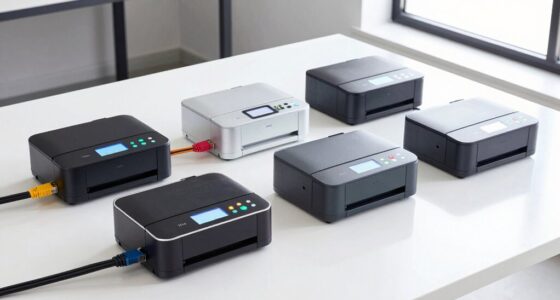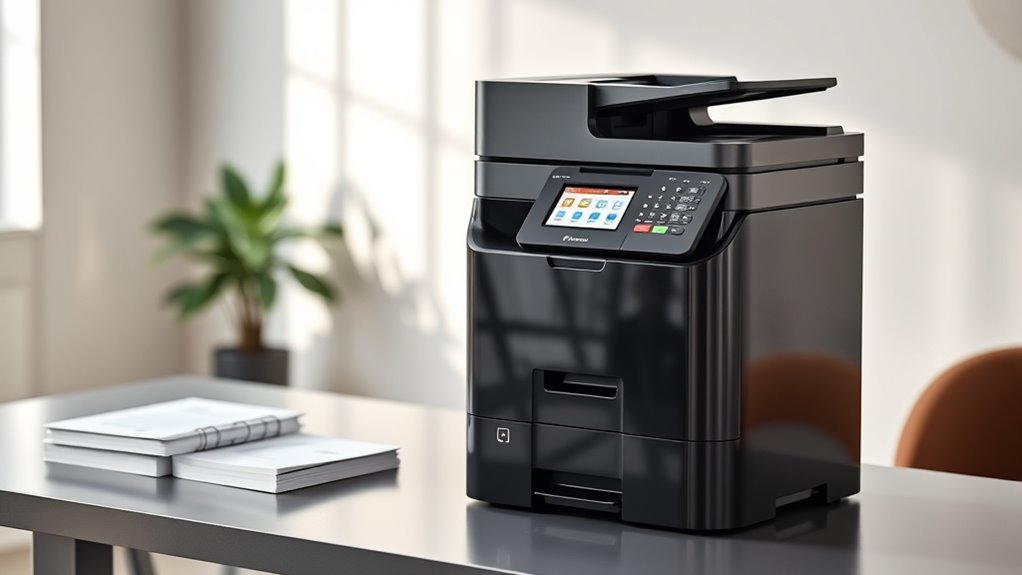

When searching for a multifunction laser printer, the goal is to find a device that combines fast, high-quality printing with versatile functions like scanning and copying. The HP Color LaserJet Pro MFP 3301sdw stands out as the best overall choice for its balanced performance and user-friendly features. For those prioritizing cost efficiency, the Brother HL-L2480DW offers impressive monochrome printing at a lower price. Meanwhile, the Ricoh MP C3004 caters to larger teams needing high-volume color printing. The main tradeoffs often revolve around balancing price, print quality, speed, and multifunction capabilities. Keep reading for a detailed breakdown of these options to find your perfect fit.

Get the latest gadgets delivered free — and shop member deals
- Fast, free delivery on millions of items
- Access to Prime Big Deal Days deals on October 6–7
- Prime Video, Amazon Music and more included
Complete the kit



Key Takeaways
- The top picks balance print quality, speed, and multifunction features for different user needs.
- Color models excel for businesses needing vibrant output, but monochrome options often provide better value for black-and-white printing.
- Wireless connectivity and ease of setup are common features among the best models, simplifying office workflows.
- Higher-end options tend to have better build quality and faster print speeds, but come with a higher price tag.
- Choosing the right model depends on your volume needs, whether for small offices or home use, and whether color printing is essential.
| HP Color LaserJet Pro MFP 3301sdw Wireless All-in-One Color Laser Printer |  | Best Overall Multifunction Laser Printer for Small Offices | Print Speed: up to 26 ppm | Functions: Print, Scan, Copy | Auto Duplex: Yes | VIEW ON AMAZON | See Our Full Breakdown |
| HP LaserJet MFP M234sdw Wireless Printer, Print, Scan, Copy for Small Teams |  | Best for Small Teams Needing Fast Mono Printing and Security | Print Speed: Up to 30 ppm | Functions: Print, Scan, Copy | Auto Document Feeder: Yes | VIEW ON AMAZON | See Our Full Breakdown |
| HP LaserJet Pro MFP 3101sdw Wireless Black and White All-in-One Laser Printer |  | Best for Fast Monochrome Printing with Duplex | Print Speed: up to 35 ppm | Functions: Print, Scan, Copy | Duplex: Auto 2-sided | VIEW ON AMAZON | See Our Full Breakdown |
| HP LaserJet Pro MFP 3101fdw Wireless Black & White All-in-One Laser Printer |  | Best for Multifunction with Fax for Small Teams | Print Speed: up to 35 ppm | Functions: Print, Scan, Copy, Fax | Connectivity: Wi-Fi, Ethernet, Bluetooth | VIEW ON AMAZON | See Our Full Breakdown |
| Brother HL-L2480DW Wireless Monochrome Multi-Function Laser Printer with Copy and Scan |  | Best Compact MFP for Small Spaces and Home Use | Print Speed: 36 ppm | Functions: Print, Scan, Copy | Connectivity: Wi-Fi, Ethernet, USB | VIEW ON AMAZON | See Our Full Breakdown |
| RICOH MP C3004 Color Laser Multifunction Printer |  | Best Overall for High-Volume, Color Office Printing | Functions: Print, copy, scan, optional fax | Print speed: Up to 30 ppm | Resolution: 1200 x 1200 dpi | VIEW ON AMAZON | See Our Full Breakdown |
| Ricoh Aficio MP C3003 A3 Color Laser Multifunction Copier |  | Best for Large-Format, High-Speed Printing and Copying | Print Speed: 30 ppm | Maximum Paper Size: 12″ x 18″ | Paper Input Capacity: 1,200 sheets | VIEW ON AMAZON | See Our Full Breakdown |
| Brother MFC-L5915DW All-in-One Laser Printer with Scanner and Copier |  | Best for High-Volume Monochrome Workflow | Print Speed: 50 ppm | Auto Document Feeder: 70 pages | Scanning Speed: 56 ipm | VIEW ON AMAZON | See Our Full Breakdown |
| Canon imageCLASS MF465dw II Monochrome Wireless Duplex Laser Printer |  | Best for Small Offices Needing Wireless Convenience | Functionality: Print, Scan, Copy, Fax | Print Speed: 42 PPM | Wireless: Yes | VIEW ON AMAZON | See Our Full Breakdown |
| Brother DCP-L2640DW Wireless Monochrome Multi-Function Laser Printer with Copy and Scan |  | Best Compact All-in-One for Small Spaces | Print Speed: Up to 36 ppm | Scan Speed: Up to 23.6/7.9 ipm | Auto Document Feeder: 50 pages | VIEW ON AMAZON | See Our Full Breakdown |
| Brother MFC-L2820DW Wireless Monochrome All-in-One Laser Printer |  | Best for Small Office Spaces with Wireless Connectivity | Print Speed: 36 ppm | Scan Speed: 23.6/7.9 ipm | Auto Document Feeder: 50 pages | VIEW ON AMAZON | See Our Full Breakdown |
| HP LaserJet Pro MFP 3105sdw Wireless Printer |  | Best for Secure, Small Team Office Automation | Print Speed: up to 33 ppm | Functions: Print, Scan, Copy | Connectivity: Wi-Fi | VIEW ON AMAZON | See Our Full Breakdown |
| Canon imageCLASS MF3010 VP Monochrome Laser Printer with Scanner and Copier |  | Best for Budget-Conscious Small Office or Home Use | Printer Type: Monochrome Laser | Functions: Print, Scan, Copy | Print Speed: 19 PPM | VIEW ON AMAZON | See Our Full Breakdown |
| multifunction laser printer | Print Speed | Connectivity | Functions |
|---|---|---|---|
| HP Color LaserJet Pro MFP 3301 | up to 26 ppm | Wireless | Print, Scan, Copy |
| HP LaserJet MFP M234sdw Wirele | Up to 30 ppm | Wi-Fi, Ethernet | Print, Scan, Copy |
| HP LaserJet Pro MFP 3101sdw Wi | up to 35 ppm | Wireless | Print, Scan, Copy |
| HP LaserJet Pro MFP 3101fdw Wi | up to 35 ppm | Wi-Fi, Ethernet, Bluetooth | Print, Scan, Copy, Fax |
| Brother HL-L2480DW Wireless Mo | 36 ppm | Wi-Fi, Ethernet, USB | Print, Scan, Copy |
| RICOH MP C3004 Color Laser Mul | Up to 30 ppm | Ethernet, USB 2.0, optional Wi-Fi | Print, copy, scan, optional fax |
| Ricoh Aficio MP C3003 A3 Color | 30 ppm | — | — |
| Brother MFC-L5915DW All-in-One | 50 ppm | Gigabit Ethernet, Dual-band WiFi | — |
| Canon imageCLASS MF465dw II Mo | 42 PPM | — | — |
| Brother DCP-L2640DW Wireless M | Up to 36 ppm | Wireless (2.4GHz / 5GHz), Ethernet, USB | — |
| Brother MFC-L2820DW Wireless M | 36 ppm | Wi-Fi, Ethernet, USB | — |
| HP LaserJet Pro MFP 3105sdw Wi | up to 33 ppm | Wi-Fi | Print, Scan, Copy |
| Canon imageCLASS MF3010 VP Mon | 19 PPM | USB | Print, Scan, Copy |
More Details on Our Top Picks
HP Color LaserJet Pro MFP 3301sdw Wireless All-in-One Color Laser Printer
This model stands out for its vibrant color printing combined with reliable all-in-one capabilities, making it ideal for small teams needing professional-quality documents. Compared with the monochrome HP LaserJet Pro MFP 3101sdw, it offers the advantage of color, which is essential for marketing materials and presentations. However, this comes with a tradeoff—reliance on original HP toner cartridges with embedded chips can lead to higher ongoing costs and potential restrictions with firmware updates. Its fast print speed of up to 26 ppm and 250-sheet input tray support continuous work without frequent reloads, but it’s primarily designed for office environments, not high-volume printing. If color printing matters for your business, this model is the best choice, despite the higher consumable costs.
Pros:- Vivid color output suitable for marketing materials
- All-in-one functions (print, scan, copy) for versatile office tasks
- Auto duplex printing saves time and paper
- Reliable performance with a 250-sheet input tray
Cons:- Requires original HP toner cartridges with chips, increasing ongoing expenses
- Firmware updates may restrict third-party toner use
- Designed mainly for office use, not high-volume production
Best for: Small offices or teams that require vibrant color documents regularly.
Not ideal for: Offices prioritizing low-cost monochrome printing or high-volume bulk jobs, due to higher toner costs and limited capacity.
- Print Speed:up to 26 ppm
- Functions:Print, Scan, Copy
- Auto Duplex:Yes
- Input Tray Capacity:250 sheets
- Connectivity:Wireless
- Color:Color
Our verdict“This printer is perfect for small teams needing reliable, color-capable multifunctionality with professional output quality.”
HP LaserJet MFP M234sdw Wireless Printer, Print, Scan, Copy for Small Teams
This model excels in monochrome document workflows, offering fast printing up to 30 ppm and strong security features, making it a solid choice for small teams focused on professional reports and internal documents. Unlike the color HP LaserJet Pro, the M234sdw is limited to black-and-white output, which reduces costs but limits visual impact. Its auto document feeder and mobile printing support streamline daily tasks, while dual-band Wi-Fi and Ethernet provide flexible connectivity options. The absence of color printing may be a drawback for offices that occasionally need visual presentations, but for pure document efficiency, it’s a top contender. If security and speed are priorities, this model fits the bill well.
Pros:- Fast printing speeds up to 30 ppm
- Strong security features protect sensitive data
- Wireless and mobile printing support for convenience
- Auto document feeder boosts productivity
Cons:- Limited to monochrome printing, not suitable for color needs
- Designed primarily for small teams (1-5 users), not large offices
- No color printing options available
Best for: Small teams or offices that prioritize fast, secure monochrome document handling.
Not ideal for: Businesses that require color output or do occasional color printing, as it only handles black-and-white documents.
- Print Speed:Up to 30 ppm
- Functions:Print, Scan, Copy
- Auto Document Feeder:Yes
- Connectivity:Wi-Fi, Ethernet
- Security:Built-in security features
- Color:Black & White
Our verdict“This printer is ideal for small teams needing fast, secure monochrome printing with basic multifunction features.”
HP LaserJet Pro MFP 3101sdw Wireless Black and White All-in-One Laser Printer
This pick delivers a robust monochrome solution, offering a fast 35 ppm print speed and duplex capability, making it suitable for small teams with high-volume black-and-white document needs. Compared to the HP LaserJet M234sdw, it provides slightly higher speeds, but both share similar security and connectivity features. Its 250-sheet input tray and auto duplex printing reduce manual intervention, though it requires compatible HP chips or circuitry cartridges, which could increase ongoing costs. It’s a strong choice for those who do not need color but prioritize speed and reliability in a compact design. If your focus is on efficient black-and-white output, this model fits well, despite some cartridge restrictions.
Pros:- Fast print speed of up to 35 ppm
- Automatic duplex printing saves paper and time
- Reliable wireless connectivity for flexible setup
- All-in-one functions including scan and copy
Cons:- Works only with HP chips or circuitry cartridges, possibly increasing costs
- Limited to monochrome printing, not suitable for color needs
- Designed primarily for small teams, not large-scale printing
Best for: Small teams needing high-speed monochrome printing with duplex and good connectivity.
Not ideal for: Offices requiring color printing or larger volume capacity beyond 250 sheets.
- Print Speed:up to 35 ppm
- Functions:Print, Scan, Copy
- Duplex:Auto 2-sided
- Input Tray Capacity:250 sheets
- Connectivity:Wireless
Our verdict“This model suits small teams demanding fast, reliable black-and-white printing with duplex features.”
HP LaserJet Pro MFP 3101fdw Wireless Black & White All-in-One Laser Printer
This model extends the monochrome capabilities by adding fax functions, making it ideal for small offices that still rely on fax communication. It offers the same fast 35 ppm speed and duplex printing as the 3101sdw but adds a layer of office communication through faxing. Its security features and multiple connectivity options support diverse office environments. However, it remains limited to black-and-white output, and its size may be less suitable for very space-constrained setups. Compared to the Brother HL-L2480DW, it offers additional fax capability, but at a higher price. For offices needing fax alongside print, scan, and copy, this is a well-rounded choice.
Pros:- Fast print speed of up to 35 ppm
- Includes fax capability for traditional office communication
- Wireless, Ethernet, and Bluetooth connectivity
- Auto duplex printing and document feeder
Cons:- Limited to monochrome printing, not suitable for color needs
- Larger footprint may be less ideal for tight spaces
- Higher price due to added fax feature
Best for: Small offices or teams that still require fax functionality alongside printing, scanning, and copying.
Not ideal for: Home users or offices that do not need fax, since the added feature increases complexity and cost.
- Print Speed:up to 35 ppm
- Functions:Print, Scan, Copy, Fax
- Connectivity:Wi-Fi, Ethernet, Bluetooth
- Auto 2-sided printing:Yes
- Suitable for:Up to 7 people
Our verdict“This multifunction printer is a strong fit for small offices that still rely on fax, with fast monochrome output and versatile connectivity.”
Brother HL-L2480DW Wireless Monochrome Multi-Function Laser Printer with Copy and Scan
This compact monochrome laser MFP is designed with small offices and home environments in mind. It provides solid print speeds of 36 ppm, with a user-friendly 2.7-inch touchscreen for easy operation. Its wireless and Ethernet options support flexible placement, and automatic duplexing reduces paper waste. Compared to the HP LaserJet Pro MFP 3101sdw, it offers similar functions but in a smaller footprint, making it ideal for tight spaces. The main tradeoff is its monochrome-only output, which limits its applicability for offices needing color documents. For users prioritizing space efficiency and straightforward multifunctionality, this model makes a strong case.
Pros:- Compact design fits small spaces
- Fast print speed of 36 ppm
- Automatic duplex printing reduces paper usage
- Touchscreen interface for intuitive operation
Cons:- Limited to monochrome printing only
- No fax functionality available
- Requires compatible toner cartridges for best performance
Best for: Small offices or home users with limited space needing reliable monochrome printing, copying, and scanning.
Not ideal for: Offices requiring color printing or high-volume output, due to its monochrome focus and modest paper capacity.
- Print Speed:36 ppm
- Functions:Print, Scan, Copy
- Connectivity:Wi-Fi, Ethernet, USB
- Display:2.7-inch touchscreen
- Paper Capacity:250 sheets
Our verdict“This printer suits users needing space-saving, monochrome multifunctionality with easy-to-use features.”
RICOH MP C3004 Color Laser Multifunction Printer
This model stands out for its ability to handle large workloads with high-quality color output, making it ideal for busy offices needing vibrant, professional documents. Compared with the Ricoh Aficio MP C3003, it offers faster scan speeds and more advanced security features, but it comes at a higher price and may require more complex setup, especially for Wi-Fi connectivity. Its large paper capacity and expandable options support high-volume tasks without frequent refilling, which benefits teams with heavy printing demands. The 10.1-inch Smart Operation Panel simplifies operation once configured, but initial setup can be a hurdle for less tech-savvy users. Overall, this pick makes the most sense for medium to large businesses prioritizing quality, speed, and security over initial investment.
Pros:- High-quality color printing and copying with crisp detail
- Large, expandable paper capacity supports heavy workloads
- Fast scan and print speeds enhance productivity
- Advanced security features protect sensitive information
Cons:- High initial cost may be prohibitive for small budgets
- Setup can be complex, especially configuring Wi-Fi and security settings
Best for: Mid-sized offices with high-volume, color printing needs and security concerns
Not ideal for: Small businesses or home offices seeking affordable, simple solutions due to its complexity and cost
- Functions:Print, copy, scan, optional fax
- Print speed:Up to 30 ppm
- Resolution:1200 x 1200 dpi
- Maximum paper size:12″ x 18″ (SRA3)
- Standard paper capacity:1,200 sheets
- Connectivity:Ethernet, USB 2.0, optional Wi-Fi
Our verdict“This printer suits organizations that need robust, high-quality color multifunctionality and are prepared for a larger investment.”
Ricoh Aficio MP C3003 A3 Color Laser Multifunction Copier
Compared with the RICOH MP C3004, this model emphasizes speed and capacity, offering a consistent 30 ppm and supporting larger paper sizes up to 12″ x 18″. Its multiple paper trays and high input capacity make it well-suited for environments with frequent large-format jobs. While it provides robust features like auto duplex and network connectivity, being a renewed product could lead to warranty limitations, and its bulkiness demands considerable space. Setup may be challenging for users unfamiliar with multifunction copiers. It makes the most sense for large offices needing high throughput and large paper handling, but less so for small or budget-conscious setups.
Pros:- Fast print speed of 30 ppm ensures quick turnaround
- Supports large paper sizes up to 12″ x 18″ for versatile printing
- Multiple paper trays increase capacity and reduce refilling frequency
- Auto duplex printing saves paper and costs
Cons:- Being a renewed product might limit warranty coverage
- Size and weight require significant dedicated space
- Setup complexity could be a barrier for less experienced users
Best for: Large offices or print shops requiring high-speed, large-format color copying and printing
Not ideal for: Small businesses or personal use where space and budget are limited
- Print Speed:30 ppm
- Maximum Paper Size:12″ x 18″
- Paper Input Capacity:1,200 sheets
- Features:Copy, Fax, Print, Scan, Auto Duplex
- Includes:Pre-installed PostScript 3
Our verdict“Ideal for high-volume, large-format work environments that prioritize speed and capacity over initial cost and size.”
Brother MFC-L5915DW All-in-One Laser Printer with Scanner and Copier
This model is tailored for busy offices that primarily need black-and-white output, offering impressive speeds up to 50 ppm, which surpasses many color options like the RICOH MP C3004. The high-capacity 70-page auto document feeder and high-yield toner make it suitable for high-volume scanning and copying, reducing the need for frequent toner replacements. Its flexible connectivity, including dual-band Wi-Fi and Ethernet, supports diverse network environments. However, its monochrome-only capability limits use for those requiring color printing, and the initial cost may be high, especially for small operations. This pick makes the most sense for document-centric workflows where color isn’t a priority.
Pros:- Extremely fast print and copy speeds for high productivity
- High-volume scanning with a 70-page auto feeder
- Flexible wireless and Ethernet connectivity
- High-yield toner reduces ongoing costs
Cons:- Limited to monochrome printing, restricting creative or color-dependent tasks
- Higher initial investment compared to smaller monochrome models
- No color printing capabilities
Best for: Large, monochrome document workflows in busy office settings
Not ideal for: Offices needing color output or more versatile multifunction features
- Print Speed:50 ppm
- Auto Document Feeder:70 pages
- Scanning Speed:56 ipm
- Connectivity:Gigabit Ethernet, Dual-band WiFi
- Toner Capacity:18,000 pages (high-yield)
Our verdict“Best suited for high-volume, monochrome document workflows where speed and cost-efficiency matter most.”
Canon imageCLASS MF465dw II Monochrome Wireless Duplex Laser Printer
Compared with the Brother DCP-L2640DW, this Canon offers a slightly faster print speed of 42 ppm and a more sophisticated 5-inch touchscreen, making it easier to operate wirelessly. Its wireless setup and mobile device printing are straightforward, ideal for small offices that want convenience without sacrificing speed. However, being monochrome limits its use for tasks requiring color, and toner costs can add up over time. The model is a good fit for teams that need reliable, fast monochrome printing with simplified mobile integration but are okay with limited functionality beyond black-and-white documents.
Pros:- Fast print speed of 42 pages per minute for quick turnaround
- User-friendly 5-inch touchscreen for easy operation
- Wireless and mobile device printing support simplifies workflow
- All-in-one functionality with fax, scan, and copy
Cons:- Limited to monochrome printing, restricting creative options
- Potentially higher toner replacement costs over time
Best for: Small businesses or home offices prioritizing wireless, fast monochrome printing and ease of use
Not ideal for: Organizations needing color printing or multifunctionality beyond print, scan, copy, and fax
- Functionality:Print, Scan, Copy, Fax
- Print Speed:42 PPM
- Wireless:Yes
- Duplex:Yes
- Touchscreen:5-inch
Our verdict“A solid choice for small offices needing speedy, wireless monochrome printing with easy mobile access.”
Brother DCP-L2640DW Wireless Monochrome Multi-Function Laser Printer with Copy and Scan
Compared to the larger RICOH MP C3004, this Brother model excels in its compact form, making it ideal for small offices or tight spaces. While it doesn’t offer color printing, it provides reliable speed of up to 36 ppm and supports mobile printing, making it suitable for basic document workflows. Its simple setup and Ethernet/Wi-Fi options are user-friendly, but its monochrome-only function limits versatility for businesses needing color output or advanced features. The toner replacement process is straightforward but could become costly over time, especially with high-volume use. This device makes the most sense for small teams that value space efficiency and reliable monochrome performance.
Pros:- Compact design fits small office or home environments
- Fast printing and scanning speeds support daily workflows
- Wireless and Ethernet connectivity for flexible setup
- Supports mobile printing and management
Cons:- Limited to black-and-white documents, restricting creative uses
- Ongoing toner costs for high-volume printing
- No color or advanced multifunction options
Best for: Small offices or home use with limited space needing monochrome multifunctionality
Not ideal for: Organizations requiring color printing or extensive multifunction features
- Print Speed:Up to 36 ppm
- Scan Speed:Up to 23.6/7.9 ipm
- Auto Document Feeder:50 pages
- Connectivity:Wireless (2.4GHz / 5GHz), Ethernet, USB
- Includes:Refresh Subscription Trial
Our verdict“Ideal for small, space-constrained offices that need dependable monochrome printing, copying, and scanning.”
Brother MFC-L2820DW Wireless Monochrome All-in-One Laser Printer
This compact, monochrome laser printer stands out for small offices needing reliable, fast printing without color. Compared to the Canon imageCLASS MF3010 VP, it offers quicker speeds (36 ppm vs. 19 ppm) and more connectivity options, including Wi-Fi, Ethernet, and USB. However, its monochrome-only output limits versatility for those needing color. The MFC-L2820DW’s 50-page auto document feeder and user-friendly touchscreen make multitasking smoother, but its size and feature set are tailored for small-scale use, not high-volume or color printing. It’s a practical choice where space and speed matter most, with tradeoffs in color capability and advanced features.
Pros:- Compact design fits small office environments
- Fast print and scan speeds improve workflow
- Multiple connectivity options including Wi-Fi and Ethernet
- Supports cloud and mobile printing for convenience
Cons:- Monochrome only, no color printing
- Limited to small office use due to size and features
- Requires compatible toner cartridges for optimal performance
Best for: Small office users who need fast monochrome printing with wireless options and limited space.
Not ideal for: Teams requiring color printing or high-volume document handling, as it lacks color support and has moderate duty cycle limits.
- Print Speed:36 ppm
- Scan Speed:23.6/7.9 ipm
- Auto Document Feeder:50 pages
- Connectivity:Wi-Fi, Ethernet, USB
- Touchscreen:2.7 inches
- Supported Cloud Printing:Yes
Our verdict“This printer is ideal for small offices prioritizing speed and wireless flexibility over color capabilities.”
HP LaserJet Pro MFP 3105sdw Wireless Printer
The HP LaserJet Pro MFP 3105sdw offers a balanced mix of speed, security, and ease of use, making it a strong choice for busy small teams. It outpaces the Canon model with a speed of up to 33 ppm and adds AI-powered scan-to-email, streamlining document workflows. Compared to the Brother HL-L2480DW, it provides enhanced security features like HP Wolf Pro Security, which is vital for teams handling sensitive information. Its wireless setup and mobile printing are straightforward, but it’s limited to black-and-white output and uses proprietary cartridges with chips, which can add to ongoing costs. This model makes the most sense for offices seeking reliable security and efficiency without the need for color.
Pros:- High-speed printing of up to 33 ppm
- AI-driven scan-to-email enhances productivity
- Built-in security features for sensitive data
- Easy setup with mobile and wireless printing
Cons:- Limited to black-and-white printing
- Uses proprietary cartridges with chips, potentially increasing costs
- Designed primarily for small office environments, not high-volume demands
Best for: Small teams requiring fast, secure monochrome printing with automated workflows.
Not ideal for: Design or creative teams needing color documents, or users who prefer third-party toner options to reduce costs.
- Print Speed:up to 33 ppm
- Functions:Print, Scan, Copy
- Connectivity:Wi-Fi
- Auto Duplex:Yes
- Maximum Users:7
- Security:HP Wolf Pro Security
Our verdict“This printer is perfect for security-conscious small teams seeking fast monochrome output and workflow automation.”
Canon imageCLASS MF3010 VP Monochrome Laser Printer with Scanner and Copier
The Canon imageCLASS MF3010 VP excels in affordability and simplicity, offering essential multifunction features in a small, wired package. Its slower speed of 19 ppm makes it less suitable for high-volume environments, but the high toner yield (up to 2,300 pages) helps keep ongoing costs low. Unlike the Brother MFC-L2820DW, it lacks wireless connectivity, meaning setup and operation are limited to USB, which could hinder flexibility. The 600 dpi scanner supports detailed document digitization, but the absence of wireless or Ethernet limits its integration into modern workflows. This model is better suited for budget-conscious users who prioritize basic functions over speed or wireless features.
Pros:- High toner yield reduces long-term costs
- Compact design fits small spaces
- Includes scanner and copier functions
- Energy-efficient sleep mode
Cons:- Limited to wired USB connection
- Slower print speed at 19 ppm
- No wireless or network support
Best for: Home offices or small businesses needing reliable monochrome printing with minimal upfront investment.
Not ideal for: Teams with high-volume printing needs or those requiring wireless and network connectivity for multiple users.
- Printer Type:Monochrome Laser
- Functions:Print, Scan, Copy
- Print Speed:19 PPM
- Toner Yield:Up to 2,300 pages
- Scan Resolution:600 dpi
- Paper Capacity:150 sheets
- Connectivity:USB
Our verdict“This printer suits budget-minded users who want dependable monochrome printing with minimal features and wired setup simplicity.”

How We Picked
These printers were selected based on performance, versatility, build quality, ease of use, and value for money. We prioritized models that offer reliable printing speeds, high-quality output, and comprehensive multifunction features like scanning and copying. Ease of setup and wireless connectivity were also key, as they significantly impact daily usability. The ranking reflects a balance between cost and features, ensuring options for different budgets and needs, from compact home setups to small business environments.| multifunction laser printer | Functions |
|---|---|
| HP Color LaserJet Pro MFP 3301 | Print, Scan, Copy |
| HP LaserJet MFP M234sdw Wirele | Print, Scan, Copy |
| HP LaserJet Pro MFP 3101sdw Wi | Print, Scan, Copy |
| HP LaserJet Pro MFP 3101fdw Wi | Print, Scan, Copy, Fax |
| Brother HL-L2480DW Wireless Mo | Print, Scan, Copy |
| RICOH MP C3004 Color Laser Mul | Print, copy, scan, optional fax |
| Ricoh Aficio MP C3003 A3 Color | — |
| Brother MFC-L5915DW All-in-One | — |
| Canon imageCLASS MF465dw II Mo | — |
| Brother DCP-L2640DW Wireless M | — |
| Brother MFC-L2820DW Wireless M | — |
| HP LaserJet Pro MFP 3105sdw Wi | Print, Scan, Copy |
| Canon imageCLASS MF3010 VP Mon | Print, Scan, Copy |
Factors to Consider When Choosing Multifunction Laser Printer
Choosing the right multifunction laser printer involves considering several key factors beyond just print quality. First, evaluate your volume needs; high-volume environments benefit from faster speeds and larger input trays. Next, decide between color and monochrome printers based on your typical printing tasks, as color models tend to be more expensive but necessary for marketing or detailed graphics. Connectivity options like Wi-Fi or Ethernet can streamline your workflow and reduce clutter. Additionally, consider the cost of consumables—toner and drum replacements—as they significantly impact long-term expenses. Lastly, weigh the ease of use and maintenance features to ensure the printer fits seamlessly into your daily routine.Performance and Speed
Performance and speed are vital for maintaining productivity, especially in busy environments. Look for models with higher pages-per-minute (PPM) ratings if you print large volumes regularly. However, higher speed often correlates with increased noise and energy consumption, so balance your needs accordingly. For small offices or home use, moderate speeds may suffice, while larger teams should prioritize faster printers to avoid workflow bottlenecks.Color vs. Monochrome
Deciding between color and monochrome models depends on your primary printing tasks. Color printers are essential for marketing materials, presentations, or detailed graphics but tend to cost more upfront and per page. Monochrome printers excel in document printing with lower ongoing costs, making them ideal for text-heavy jobs. Consider your actual needs and whether the added expense of color printing translates into enough value for your use case.Connectivity Options
Wireless connectivity options like Wi-Fi and mobile printing support make everyday operations more flexible, especially in shared environments. Ethernet connections can provide more stable network performance for larger offices, while Bluetooth may be useful for quick, local device pairing. Avoid models with limited or complex connectivity setups, as they can frustrate users and slow down productivity.Cost of Consumables
Toner cartridges and drums represent ongoing expenses that can significantly affect the total cost of ownership. Some models feature high-yield cartridges that reduce replacement frequency, saving money over time. Be wary of printers with proprietary consumables, which tend to be more expensive. Calculating estimated monthly printing volume helps determine the most cost-effective options for your needs.Ease of Use and Maintenance
A user-friendly interface, straightforward paper loading, and accessible maintenance features can save time and reduce frustration. Look for printers with intuitive touchscreens or minimal setup requirements. Regular maintenance tasks like replacing toner or clearing paper jams should be simple and well-documented, especially if the device will be used frequently or in a busy environment.Frequently Asked Questions
Is it better to choose a color or monochrome multifunction laser printer?
The choice depends on your typical printing needs. Monochrome printers are usually more affordable and faster for black-and-white documents, making them ideal for most office or home use. Color printers provide vibrant output, which is essential for presentations, marketing materials, or detailed graphics, but they often come with higher initial costs and ongoing expenses. Consider how often you need color versus monochrome printing to make the most cost-effective choice.
How important is wireless connectivity in a multifunction laser printer?
Wireless connectivity significantly enhances flexibility, allowing multiple users to print from various devices without physical connections. It simplifies setup and reduces clutter, especially in shared environments. If you frequently print from smartphones, tablets, or multiple computers, a model with robust Wi-Fi or Ethernet options becomes a valuable feature. However, wired connections may still be preferable for larger networks demanding more stable and faster data transfer.
What should I consider regarding the ongoing costs of a multifunction laser printer?
Ongoing costs mainly involve toner cartridges, drums, and maintenance supplies. High-yield cartridges can reduce the frequency of replacements, lowering costs over time. Be aware of proprietary consumables, which tend to be more expensive, and check the estimated cost per page before purchasing. Factoring in these expenses helps avoid surprises and ensures the device remains economical in the long run.
Are multifunction laser printers suitable for home use?
Yes, many multifunction laser printers are well-suited for home offices, especially models with compact footprints and easy-to-use interfaces. Monochrome models are typically enough for printing documents, while color options are beneficial if you print photos or graphics. Be mindful of the monthly duty cycle and paper capacity to select a model that matches your volume, preventing wear and tear from overuse.
What features should I prioritize if I need a printer for high-volume printing?
For high-volume printing, prioritize models with high pages-per-minute speeds, large input and output trays, and durable build quality. High-yield toner cartridges and reliable paper handling are essential to minimize downtime and reduce costs. Additionally, consider models with robust network connectivity options and easy maintenance features to support continuous operation without frequent interruptions or complex upkeep.
Conclusion
For small offices or home users, the HP LaserJet Pro MFP 3101sdw offers a balanced mix of affordability, ease of use, and versatile features. The Brother HL-L2480DW stands out as the best value monochrome choice for budget-conscious buyers. Those needing a premium, high-capacity machine should consider the Ricoh MP C3004 for its speed and color quality. Beginners will benefit from models with simple setup and intuitive controls, like the Canon imageCLASS MF465dw II. For environments with demanding print volumes, prioritizing speed, durability, and high yield consumables is key—these are the factors that differentiate the top contenders in this roundup.
Evergreen bestsellers Picks
bestsellers
As an affiliate, we earn on qualifying purchases.