
Copilot+ PCs support native ARM apps for the best performance, allowing you to run Adobe tools like Photoshop smoothly. If an app isn’t native, you can use Microsoft’s Prism emulator to run x86 and x64 software, though some slowdowns may occur. Web apps and cloud services offer another flexible option, reducing compatibility issues. To maximize your experience and troubleshoot regional differences, explore how native, emulated, and web solutions work together—more details are ahead.
Key Takeaways
- Copilot+ supports native ARM apps like Photoshop and Lightroom for optimal performance and full feature access.
- Microsoft’s Prism emulator enables running x86/x64 Windows apps on ARM-based devices with acceptable performance.
- Web apps and cloud services provide compatibility and flexibility, reducing dependency on native or emulated software.
- Emulation may cause slower performance and minor glitches, especially with resource-intensive or complex applications.
- Regional variations can affect app support and performance due to local regulations and software restrictions.
Native ARM apps for Windows laptops
As an affiliate, we earn on qualifying purchases.
As an affiliate, we earn on qualifying purchases.
Native App Support on Copilot+ PCs
Native app support on Copilot+ PCs is a key advantage, as these devices use Snapdragon X Series ARM processors optimized for running native ARM applications. You’ll notice faster performance, longer battery life, and smoother operation when using native apps like Adobe Photoshop, Lightroom, or Moises Live. These apps take full advantage of the hardware’s capabilities, delivering responsive workflows and reduced power consumption. Many creative, audio, and productivity tools now run natively, with support expanding through collaborations between Microsoft, Qualcomm, and partners like Adobe. This native compatibility ensures you experience the full potential of ARM architecture, minimizing lag and inefficiency. Additionally, thriving software ecosystems are being developed to leverage native support, further enhancing performance and user experience. As native app support grows, you’ll find your essential software ecosystem becoming more robust and tailored for ARM-powered Copilot+ PCs. Moreover, native application development is actively encouraged to optimize performance and compatibility across diverse software titles, fostering a more integrated user environment. To maximize benefits, developers are increasingly focusing on optimization techniques that improve app responsiveness and stability on ARM hardware. This ongoing development underscores the importance of hardware-software synergy in achieving optimal device performance.
Emulation With Prism: Running X86/X64 Apps
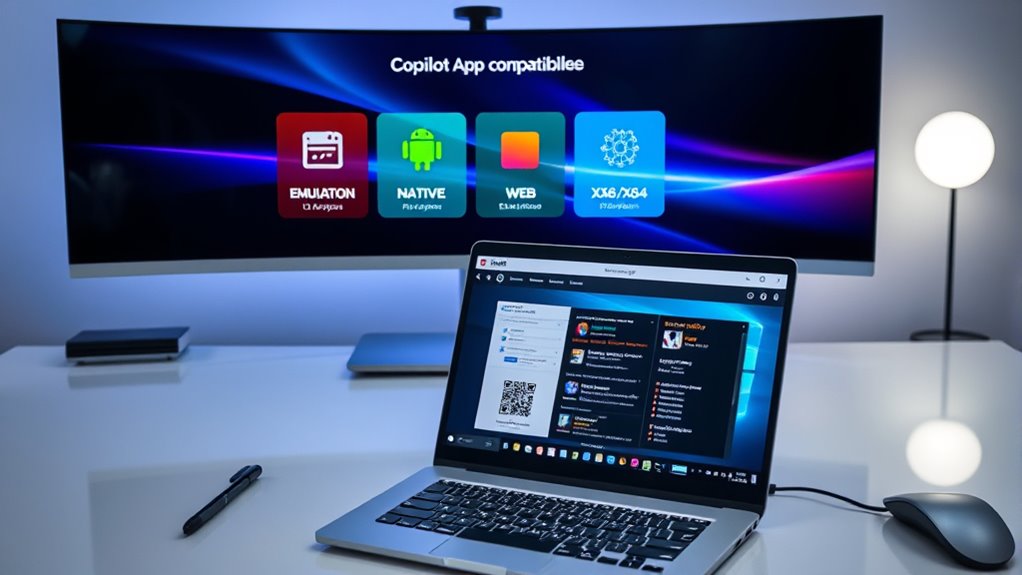
Microsoft’s Prism emulator allows you to run x86 and x64 Windows applications on ARM-based Copilot+ PCs with minimal impact on speed. You don’t need native versions for most software, making Prism a practical solution for broader app compatibility. It translates x86 and x64 instructions into ARM, enabling many legacy and mainstream apps to operate smoothly. Performance is generally acceptable, though some apps may run slower or encounter minor glitches, especially those relying on processor-specific features. Emulation transparency is limited; certain apps, especially complex or resource-intensive ones, might face compatibility or stability issues. Samsung warns that some apps, particularly games, could experience problems due to emulation limitations or regional Windows components. Overall, Prism helps bridge compatibility gaps, but testing critical applications is essential for ideal performance.
Adobe’s Creative Ecosystem and ARM Compatibility
Adobe’s creative apps are making significant strides toward ARM compatibility on Copilot+ PCs, ensuring you can run essential tools like Photoshop, Lightroom, and Express efficiently. Many of these apps now operate natively, leveraging ARM architecture for faster performance and better battery life. Adobe is actively expanding native support, with future plans for Illustrator, Premiere Pro, and other Creative Cloud tools on ARM. Some apps still run via emulation, offering acceptable but reduced performance. Compatibility varies by app, so it’s wise to check Adobe’s official and community resources. Native apps deliver the best experience, especially when combined with NPU acceleration. Adobe’s commitment to ARM support aims to provide a seamless creative workflow across architectures, and ongoing software updates are crucial for maintaining compatibility. Staying aware of compatibility developments can help you optimize your workflow and hardware choices, especially as hardware compatibility continues to evolve to better support creative professionals. Additionally, understanding emulation performance can help set realistic expectations for older or less optimized applications. Keeping an eye on performance optimization strategies can further enhance your experience with these applications.
Performance Insights and User Experience

Performance and user experience on Copilot+ PCs vary depending on how applications are optimized for ARM architecture. Native ARM apps, like Chrome or Adobe Lightroom, run smoothly, offering quick response times, reduced lag, and better battery life. These apps fully leverage the Snapdragon NPU for AI features, improving productivity and creative workflows. Emulated apps, such as Skype or some legacy software, perform acceptably but often with noticeable slowdown and higher power consumption. Emulation transparency is limited, so compatibility issues may arise, especially with processor-specific APIs. Regional differences can affect app performance, as certain components are restricted in some markets. Additionally, optimizing software for ARM can significantly enhance overall performance and stability. Proper optimization can also help ensure that applications utilize hardware acceleration effectively, leading to smoother operation. Moreover, ongoing advancements in software development are expanding the range of apps that run natively, further improving user experience. Overall, native apps deliver the best experience, while emulated ones fill gaps but don’t match native performance. Your satisfaction depends on choosing optimized software suited for ARM architecture. Additionally, understanding the Law of Attraction principles can help users cultivate a positive mindset that enhances their overall experience with new technology. Recognizing the importance of software optimization can also lead to better performance outcomes and user satisfaction.
Navigating Compatibility Challenges and Regional Variations
Managing compatibility challenges on Copilot+ PCs requires understanding that app support can vary considerably across regions, influenced by local regulations and software restrictions. For example, in South Korea, certain components are limited due to antitrust rulings, which may reduce app functionality or availability. Regional differences can also affect emulation performance, as some apps rely on specific Windows components unavailable in certain markets. Additionally, developers may not optimize apps for ARM architecture in all regions, leading to inconsistent performance. You should verify app compatibility before adopting a device, especially for professional or enterprise use. Engaging with community forums and databases can help identify regional issues and workarounds. Testing critical apps locally ensures you understand limitations and avoids surprises in daily workflows. Essential Oils for Compatibility knowledge can help you understand how regional variations impact app functionality and user experience. Being aware of regional software restrictions can further aid in troubleshooting and planning your device setup effectively, especially when considering region-specific app limitations.
Optimizing Your Workflow With Web Apps and Cloud Services

To maximize your productivity on Copilot+ PCs, leveraging web apps and cloud services offers a flexible alternative when native or emulated software falls short. Web apps run directly in your browser, eliminating compatibility issues and ensuring access to essential tools regardless of app support. Cloud services enable you to offload intensive tasks, collaborate in real-time, and access your work from anywhere, improving flexibility. Many popular productivity tools, like Google Workspace, Microsoft 365, and Canva, are optimized for web use, providing seamless performance and updates. Integrating these services into your workflow reduces dependency on native or emulated apps and helps maintain continuity. By combining cloud-based solutions with native and emulated software, you streamline operations and adapt quickly to evolving software landscapes on your Copilot+ PC.
Frequently Asked Questions
How Does Native App Performance Compare to Emulated Apps on Copilot+?
Native apps on your Copilot+ run faster, use less battery, and deliver smoother experiences because they fully leverage the hardware’s capabilities. Emulated apps, however, tend to be slower and less efficient, often facing performance issues or compatibility hiccups. While emulation works well for many apps, native versions provide the best performance, especially for demanding creative or productivity tools, giving you a more seamless and responsive experience overall.
Are All Popular Windows Apps Compatible With ARM Architecture on Copilot+?
Not all popular Windows apps are fully compatible with ARM architecture on Copilot+ PCs. While many essential apps run natively or via emulation, some programs, especially niche or legacy software, may not function properly or at all. You should check community databases and official lists to verify compatibility for your critical apps. Testing your most-used software beforehand ensures smooth performance, especially in professional or enterprise settings.
What Regional Restrictions Affect App Compatibility on Samsung Copilot+ PCS?
You should be aware that regional restrictions can impact app compatibility on Samsung Copilot+ PCs, especially in South Korea. Due to antitrust rulings, Microsoft’s Windows version there lacks certain components, which may prevent some apps from running correctly or at all. This means you might face limitations with certain software, and it’s advisable to verify app compatibility locally before making a purchase or relying on specific applications.
Can I Run Legacy or Specialized Software Reliably on Arm-Based Copilot+?
You can run legacy or specialized software on ARM-based Copilot+ PCs, but reliability varies. About 87% of app usage benefits from native ARM support, yet some niche or outdated programs may struggle or not run at all. You should test critical apps beforehand and check community reports for compatibility issues. Emulation helps with x86/x64 apps, but expect some performance hiccups, especially with software relying on processor-specific features.
How Do Web Apps and Cloud Services Complement Native and Emulated App Use?
Web apps and cloud services seamlessly complement native and emulated apps by providing flexible, accessible solutions for tasks that may not run well locally. You can access your favorite tools through browsers or cloud platforms, reducing dependency on native or emulated software. This approach guarantees you stay productive, especially when dealing with compatibility issues or resource-intensive applications, making your workflow more versatile and resilient on Copilot+ PCs.
Conclusion
As you explore Copilot+’s compatibility options, imagine a versatile landscape where native, emulated, and web tools blend seamlessly like a well-orchestrated symphony. While some pathways may feel like winding trails, each offers a scenic route to boost your productivity. Embrace these evolving avenues, and you’ll find your workflow flowing smoothly, much like a river finding its course. With patience and adaptation, you’re well on your way to a harmonious digital experience.