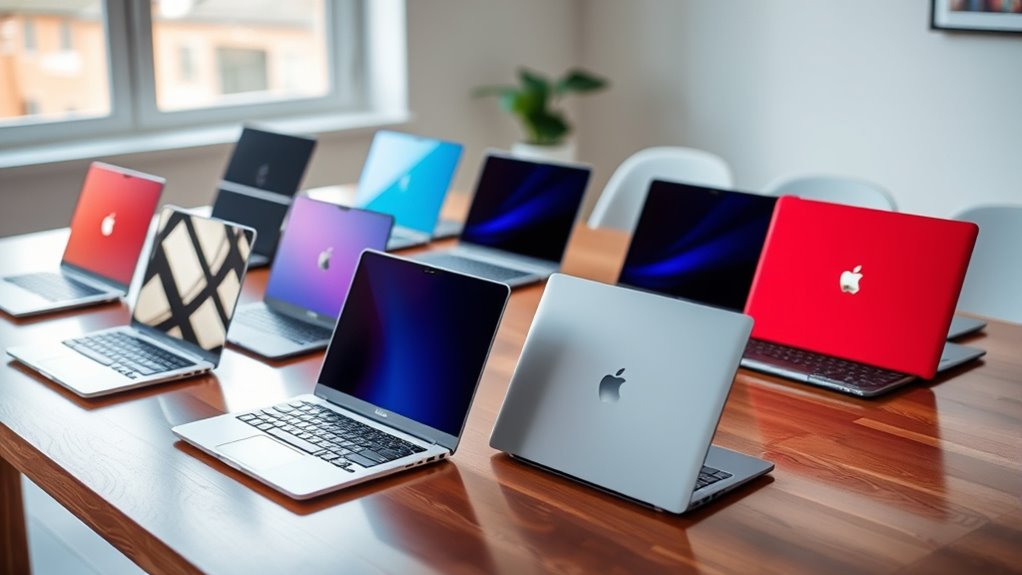

For laptops under 500, my best overall pick is the Lenovo IdeaPad Slim 3 with a Core i5 and 16GB RAM, whose stronger processor and memory make it better suited to multitasking than the entry-level models here. The Dell 15 with a Core 3 and 512GB SSD is a practical alternative for buyers who want more storage, while the ASUS Vivobook Go 15 offers 8GB RAM and a Ryzen 3 processor for everyday work. The main tradeoff is between basic new laptops with limited memory and storage, faster configurations with stronger specs, and renewed business laptops with older hardware. Screen size, operating system, and how much local storage you need also shape the choice. Read on for the full breakdown, buying advice, and picks for different needs.

Get the latest gadgets delivered free with Prime
- Fast, free delivery on millions of items
- Prime Video, Amazon Music and more included
- Member-only deals all year
Complete the kit



Key Takeaways
- The Lenovo IdeaPad Slim 3 with Core i5, 16GB RAM, and 512GB SSD leads on capability, giving it more room for multitasking and demanding everyday workloads than the 4GB models.
- The Dell 15 and ASUS Vivobook Go offer useful middle-ground configurations: both have 8GB RAM, while the Dell has a larger 512GB SSD and the ASUS pairs a Ryzen 3 processor with a smaller 128GB SSD.
- Many listed new laptops have only 4GB of RAM and 128GB of storage, a combination best reserved for light browsing, documents, and web-based tasks.
- The renewed Dell Latitude 5420 stands apart from the basic new models with 16GB RAM and business-oriented hardware, though its renewed condition and older processor generation are tradeoffs.
- Screen and system choices affect fit as much as processor names: the Acer Chromebook favors browser-based use, while larger 15.6- and 17.3-inch options give more room at the cost of portability.


| laptops under 500 | Processor | Memory | Storage | Display |
|---|---|---|---|---|
| HP New Everyday Slim Laptop | AMD High Performance Processor | 4GB DDR5 | 128GB SSD | 14-inch IPS LED, 1366 × 768 |
| HP 14-inch Laptop with Intel N | Intel N150, 4 cores, up to 3.6GHz | 4GB LPDDR5 | 128GB UFS plus 500GB external drive | 14-inch HD anti-glare, 1366 × 768, 250 nits |
| Dell Latitude 5420 14-inch FHD | Intel Core i5-1145G7, 4 cores, 2.4GHz up to 4.2GHz | 16GB DDR4 | 256GB SSD | 14-inch LCD, 1920 × 1080, 60Hz, non-touch |
| Lenovo 15.6" IdeaPad Everyday | Intel N100 quad-core, up to 3.4GHz | 4GB LPDDR5-4800 | 128GB UFS 3.1 | 15.6-inch FHD anti-glare, 1920 × 1080 |
| Acer Chromebook 315 Laptop | Intel Celeron N4020, up to 2.8GHz | 4GB LPDDR4 SDRAM | 64GB eMMC | 15.6-inch HD anti-glare LCD, 1366 × 768 |
| HP Essential 14-Inch Laptop | Intel N150, 4 cores, up to 3.6 GHz | 4GB LPDDR5 | 128GB UFS | 14-inch HD anti-glare, 1366 × 768, 250 nits |
| Lenovo IdeaPad Slim 3 16-Inch | Intel Core i5-13420H, 8 cores, up to 4.6 GHz | 16GB DDR5 | 512GB PCIe 4.0 NVMe SSD | 16-inch WUXGA IPS, 1920 × 1200, 300 nits, 60Hz |
| HP OmniBook 3 17.3-inch Laptop | AMD Ryzen 3 30, 4 cores, 8 threads, up to 4.1 GHz | 8GB onboard LPDDR5-5500 | 512GB PCIe NVMe M.2 SSD | 17.3-inch FHD IPS, 1920 × 1080, 300 nits |
| Dell Latitude 7480 14" FHD Bus | Intel Core i5-6300U, 2.4 GHz up to 3.0 GHz | 8GB DDR4 | 256GB SSD | 14-inch Full HD, 1920 × 1080 |
| Acer Aspire Go 15 AI Ready Lap | Intel Core 3 N355 | 8GB DDR5 | 128GB UFS | 15.6-inch Full HD IPS |
| HP 14-inch Laptop with Intel N | Intel N150, up to 4.4 GHz | 4GB DDR5 | 128GB SSD | 14-inch IPS, 1920 × 1080, anti-glare |
| Lenovo Essential 15.6" FHD Lap | Intel N100 quad-core, up to 3.4 GHz | 4GB LPDDR5-4800 | 128GB UFS 3.1 | 15.6-inch Full HD anti-glare |
| Lenovo IdeaPad Slim 3i 15.6-in | Intel N100, 4 cores and 4 threads, up to 3.4 GHz | 4GB LPDDR5 | 128GB SSD | 15.6-inch Full HD LCD, 1920 × 1080, 16:10 |
| Dell 15.6-Inch FHD Laptop with | Intel Core 3 100U | 8GB DDR4 | 512GB SSD | 15.6-inch, 1920 × 1080, matte anti-glare, 120 Hz |
| ASUS Vivobook Go 15.6” FHD Sli | AMD Ryzen 3 7320U | 8GB DDR5 | 128GB SSD | 15.6-inch Full HD NanoEdge |
More Details on Our Top Picks
HP New Everyday Slim Laptop, 2026 Edition, AMD High Performance Processor, 4GB DDR5 RAM, 128GB SSD, Long Battery Life, Windows 11
The HP New Everyday Slim makes the most sense for buyers who want a compact Windows laptop for browsing, streaming, and simple office work. Its 14-inch size and 52Wh battery suit moving between rooms or working away from an outlet, while the SSD should feel more responsive for everyday tasks than the Acer Chromebook 315’s eMMC storage. The tradeoff is the HP’s 4GB of RAM: keeping many tabs or heavier apps open can slow it down, so the faster memory type does not make it a strong multitasking pick. Its 1366 × 768 screen also has less detail than the Lenovo IdeaPad Everyday’s Full HD display. Choose this HP for a slim Windows setup; skip it if screen clarity or workload headroom matters more.
Pros:- 14-inch slim form is easy to carry and store
- 52Wh battery capacity supports portable use
- 128GB SSD offers faster everyday file access than eMMC storage
- Windows 11 comes preloaded
Cons:- 4GB RAM can constrain multitasking
- 1366 × 768 resolution gives less screen detail than Full HD alternatives
- Integrated graphics are not suited to demanding games or creative workloads
Best for: People who need a lightweight Windows laptop for web browsing, video streaming, and a few office apps at a time
Not ideal for: Students or remote workers who keep many browser tabs and demanding apps open or need a Full HD display
- Processor:AMD High Performance Processor
- Memory:4GB DDR5
- Storage:128GB SSD
- Display:14-inch IPS LED, 1366 × 768
- Graphics:Integrated AMD Graphics
- Operating system:Windows 11
- Battery:52Wh
- Ports and wireless:3 USB ports, HDMI, Bluetooth, Wi-Fi 802.11ac
Our verdict“Pick this HP for simple Windows tasks on the move, provided its 4GB RAM and HD screen fit your needs.”
HP 14-inch Laptop with Intel N150, 4GB LPDDR5, 628GB Storage, Windows 11 Pro and Microsoft Office 2024, Willow Green
This HP is aimed at buyers who want a ready-to-use school or office bundle: it includes Windows 11 Pro, Microsoft Office 2024 Professional Plus, a mouse, and a 500GB external drive. That drive gives it more room for documents and media than the Acer Chromebook 315’s built-in 64GB, although the extra capacity is external and must be carried separately. The Intel N150 and 4GB RAM point to basic productivity rather than demanding multitasking, and its HD screen matches the modest resolution of the HP New Everyday Slim rather than the Lenovo IdeaPad Everyday’s Full HD panel. Wi-Fi 6 and a broad port selection add practical flexibility. This is a bundle-led choice; buyers who value built-in memory and a sharper display should look elsewhere.
Pros:- Includes Windows 11 Pro and Microsoft Office 2024 Professional Plus
- 500GB external drive adds room for files beyond the 128GB UFS storage
- Wi-Fi 6 and Bluetooth 5.4 support current wireless connections
- USB-C, USB-A, HDMI, and SD card reader cover common peripherals
Cons:- 4GB memory limits demanding multitasking
- The 500GB drive is external rather than built-in
- 1366 × 768 display has less detail than Full HD options
Best for: Students or home-office users who want Windows Pro, Office, and common accessories in one package
Not ideal for: People who need smooth heavy multitasking, a Full HD screen, or all their storage built into the laptop
- Processor:Intel N150, 4 cores, up to 3.6GHz
- Memory:4GB LPDDR5
- Storage:128GB UFS plus 500GB external drive
- Display:14-inch HD anti-glare, 1366 × 768, 250 nits
- Operating system:Windows 11 Pro
- Software:Microsoft Office 2024 Professional Plus
- Wireless:Wi-Fi 6 and Bluetooth 5.4
- Battery:41Wh, up to 9 hours
- Weight:3.24 pounds
Our verdict“Choose this HP if the included Office software and accessories matter more than built-in storage and multitasking capacity.”
Dell Latitude 5420 14-inch FHD Business Laptop, Intel Core i5-1145G7, 16GB RAM, 256GB SSD, Windows 11 Pro (Renewed)
The renewed Latitude 5420 has the strongest multitasking setup among these five: its 16GB RAM and Core i5 processor give it more room for simultaneous office apps and browser tabs than the 4GB HP and Lenovo options. The Full HD matte screen also provides sharper text and more workspace than those models’ HD panels, which can help with spreadsheets and documents. It is a business laptop from 2021, though, and its renewed condition plus a 30-day warranty call for more caution than a new device. The 256GB SSD is modest beside many newer configurations, and the display is not touch-enabled. Compared with the new Lenovo IdeaPad Everyday, the Dell prioritizes memory and processing headroom over a newer purchase and a larger screen.
Pros:- 16GB RAM supports more simultaneous work than the 4GB models
- Core i5-1145G7 offers more processing headroom for office tasks
- 1920 × 1080 matte display provides sharper text than HD panels
- 256GB SSD and Windows 11 Pro are included
Cons:- Renewed condition may involve more wear than a new laptop
- Listed warranty is 30 days
- Display is non-touch and storage is limited to 256GB
Best for: Office users who keep several applications open and prefer a sharp matte display over a new-device warranty
Not ideal for: Buyers who require a new laptop, touch input, or a longer stated warranty
- Model:Dell Latitude 5420, 2021
- Processor:Intel Core i5-1145G7, 4 cores, 2.4GHz up to 4.2GHz
- Memory:16GB DDR4
- Storage:256GB SSD
- Display:14-inch LCD, 1920 × 1080, 60Hz, non-touch
- Operating system:Windows 11 Pro
- Graphics:Integrated Intel graphics
- Weight:3 pounds
- Warranty:30 days
Our verdict“Choose the renewed Latitude if multitasking and a Full HD business display matter more than buying new.”
Lenovo 15.6″ IdeaPad Everyday Laptop, 2026 Edition, 128GB Storage
The IdeaPad Everyday makes the case for a larger display without moving beyond entry-level components. Its 15.6-inch Full HD anti-glare panel gives documents and video more room and detail than the HD screens on the HP New Everyday Slim and Acer Chromebook 315. The USB-C port with power delivery and DisplayPort, Wi-Fi 6, and SD card reader also make it easier to connect accessories or an external screen. The limit is its 4GB RAM paired with an Intel N100: this combination suits basic browsing and schoolwork, but leaves little headroom for many open apps. Its 128GB UFS storage is also leaner than the Dell Latitude’s 256GB SSD. This Lenovo fits buyers who value screen space and current connectivity over speed and storage capacity.
Pros:- 15.6-inch Full HD anti-glare screen is sharper and larger than the HD panels here
- USB-C supports power delivery and DisplayPort
- Wi-Fi 6 and Bluetooth 5.2 are included
- 47Wh battery capacity and 3.42-pound weight suit occasional portable use
Cons:- 4GB RAM can restrict multitasking
- 128GB UFS storage leaves limited space for large files
- Keyboard is not backlit
Best for: Students and home users who want a large Full HD screen for documents, video, and light everyday work
Not ideal for: People who run demanding apps, keep many tabs open, or store large local media and project files
- Processor:Intel N100 quad-core, up to 3.4GHz
- Memory:4GB LPDDR5-4800
- Storage:128GB UFS 3.1
- Display:15.6-inch FHD anti-glare, 1920 × 1080
- Graphics:Intel UHD Graphics
- Battery:47Wh
- Wireless:Wi-Fi 6 and Bluetooth 5.2
- Weight:3.42 pounds
- Ports:2 USB-A, USB-C with power delivery and DisplayPort, HDMI 1.4, SD card reader, headphone/mic jack
Our verdict“Pick this Lenovo if a large Full HD screen and flexible ports matter more than multitasking headroom.”
Acer Chromebook 315 Laptop, 15.6″ HD Display, Intel Celeron N4020, 4GB RAM, 64GB eMMC, Chrome OS
The Chromebook 315 is the straightforward pick for people whose work and entertainment already live in a browser. ChromeOS and the claimed up to 12.5 hours of battery life make it suited to web apps, streaming, and school tasks away from a desk. Its 15.6-inch display is larger than the 14-inch HP models, but the 1366 × 768 resolution falls short of the Lenovo IdeaPad Everyday’s Full HD screen. At 64GB, built-in eMMC storage is the most limited here, and the Celeron N4020 is a basic processor; neither is a good match for large local libraries or intensive applications. Unlike the Windows laptops in this group, this Acer runs ChromeOS, so buyers should check that their essential software is available for that system.
Pros:- ChromeOS suits web apps and browser-centered routines
- Claimed battery life is up to 12.5 hours
- 15.6-inch anti-glare screen offers a large viewing area
- Includes two USB-A and two USB-C ports
Cons:- 64GB eMMC storage is limited for local files and apps
- Celeron N4020 is a basic processor for light workloads
- 1366 × 768 resolution is less sharp than the Lenovo IdeaPad Everyday’s Full HD panel
Best for: Web-first students and home users who mainly use browser apps, stream video, and want a large screen
Not ideal for: People who need Windows desktop software, ample local storage, or performance for intensive workloads
- Processor:Intel Celeron N4020, up to 2.8GHz
- Memory:4GB LPDDR4 SDRAM
- Storage:64GB eMMC
- Display:15.6-inch HD anti-glare LCD, 1366 × 768
- Operating system:ChromeOS
- Battery life:Up to 12.5 hours
- Graphics:Intel UHD Graphics 600
- Ports:2 USB-A 3.1, 2 USB-C 3.1, headphone jack
- Weight:3.59 pounds
Our verdict“Choose the Acer for browser-based tasks and long unplugged stretches if ChromeOS and 64GB storage meet your needs.”
HP Essential 14-Inch Laptop (2026) with Intel N150, 4GB RAM, 128GB Storage, Microsoft 365, and Windows 11
The 14-inch size and 3.24-pound weight make this HP the easiest fit here for buyers who carry a laptop between rooms, classes, or appointments. Its Intel N150 and 4GB of memory suit browsing, documents, and video calls, but leave little room for heavy multitasking. Compared with the Acer Aspire Go 15, this model takes up less space and includes a one-year Microsoft 365 Personal subscription; the Acer gives you a larger Full HD screen and twice the memory. The HP’s 1366 × 768 display is the bigger daily compromise, with less workspace and detail than the Full HD panels elsewhere in the group. Its USB-C, HDMI, USB-A, and SD card reader add flexibility, while 128GB storage calls for careful file management.
Pros:- Compact 3.24-pound design with a 14-inch anti-glare display
- Includes a one-year Microsoft 365 Personal subscription
- Useful USB-C, USB-A, HDMI, and SD card connections
- Wi-Fi 6 and Bluetooth 5.4 support
Cons:- 4GB RAM can constrain multitasking
- 128GB UFS storage leaves limited room for applications and files
- HD resolution and 250-nit brightness are modest
Best for: Students or home users who prioritize a lightweight 14-inch Windows laptop for documents, browsing, and video calls
Not ideal for: Buyers who keep many applications or large files locally, or need a sharp Full HD screen for extended work
- Processor:Intel N150, 4 cores, up to 3.6 GHz
- Memory:4GB LPDDR5
- Storage:128GB UFS
- Display:14-inch HD anti-glare, 1366 × 768, 250 nits
- Wireless:Wi-Fi 6 and Bluetooth 5.4
- Ports:USB-C with DisplayPort, 2 USB-A, HDMI, audio combo jack, SD card reader
- Weight:3.24 lb
- Operating system:Windows 11
- Battery life:Up to 11 hours video playback; up to 7.5 hours mixed use or wireless streaming
Our verdict“Choose this HP for a portable, basic Windows laptop with included Microsoft 365, provided its small screen and limited memory fit your workload.”
Lenovo IdeaPad Slim 3 16-Inch Laptop, Intel Core i5-13420H, 16GB DDR5 RAM, 512GB SSD
Among these five, the 16GB of DDR5 memory and Core i5-13420H give this IdeaPad the strongest stated setup for juggling spreadsheets, browser tabs, and office applications. Its 512GB SSD also offers much more working room than the HP Essential 14 or Acer Aspire Go 15, both of which list 128GB. The payoff is a 16-inch WUXGA IPS display with extra vertical space for documents, though the 3.70-pound chassis is less compact than the HP. The tradeoff is graphics: integrated Intel UHD is suited to everyday use and light creative tasks, while the listed 45% NTSC gamut is a poor fit for color-critical editing. For buyers needing a large screen and stronger multitasking capacity, it is the most productivity-focused choice here.
Pros:- 16GB DDR5 memory supports heavier multitasking than the 4GB models
- 512GB PCIe 4.0 NVMe SSD offers ample room for everyday files and apps
- 16-inch 1920 × 1200 IPS display provides extra document space
- USB-C with charging and DisplayPort, HDMI, and SD card reader
Cons:- Integrated Intel UHD graphics are not suited to demanding games or graphics workloads
- 45% NTSC color gamut limits color-critical work
- Larger 16-inch body is less compact than the 14-inch HP
Best for: Home office users and students who keep many browser tabs and productivity apps open on a large display
Not ideal for: Color-focused creators or buyers who need a compact laptop for frequent travel
- Processor:Intel Core i5-13420H, 8 cores, up to 4.6 GHz
- Memory:16GB DDR5
- Storage:512GB PCIe 4.0 NVMe SSD
- Display:16-inch WUXGA IPS, 1920 × 1200, 300 nits, 60Hz
- Graphics:Integrated Intel UHD Graphics
- Wireless:Wi-Fi 6 and Bluetooth 5.2
- Ports:2 USB-A, USB-C with Power Delivery and DisplayPort, HDMI, SD card reader, audio jack
- Weight:3.70 lb
- Operating system:Windows 11 Home
Our verdict“Pick the IdeaPad Slim 3 for multitasking and a spacious screen, if portability and color-accurate creative work are secondary.”
HP OmniBook 3 17.3-inch Laptop, FHD, AMD Ryzen 3 30, 8 GB RAM, 512 GB SSD, Radeon 610M, Windows 11 Home
The OmniBook 3 is the clear choice when a 17.3-inch Full HD screen matters more than carrying a small laptop. Its 300-nit IPS panel gives streaming and side-by-side windows more room than the Lenovo IdeaPad Slim 3’s 16-inch display, while the Lenovo counters with twice the RAM and a more capable listed processor. The HP’s 8GB onboard memory and four-core Ryzen 3 are a more modest match for everyday work, and onboard RAM means there is no stated upgrade path. A 512GB SSD, 1080p camera, and two USB-C ports make the package well equipped for home use. At 4.4 pounds, it is the heaviest option in this batch, so its large screen is best enjoyed from a desk.
Pros:- Large 17.3-inch anti-glare Full HD IPS display
- 512GB NVMe SSD provides useful storage capacity
- 1080p camera with HDR auto switch
- Two USB-C ports and HDMI 2.1
Cons:- 4.4-pound weight makes it the least portable option here
- 8GB onboard memory limits multitasking headroom and upgrade flexibility
- Integrated Radeon 610M is not suited to demanding graphics workloads
Best for: Home users who want a large Full HD screen for streaming, video calls, and everyday documents
Not ideal for: Frequent travelers or users who need memory headroom for demanding multitasking and creative work
- Processor:AMD Ryzen 3 30, 4 cores, 8 threads, up to 4.1 GHz
- Memory:8GB onboard LPDDR5-5500
- Storage:512GB PCIe NVMe M.2 SSD
- Display:17.3-inch FHD IPS, 1920 × 1080, 300 nits
- Graphics:Integrated AMD Radeon 610M
- Camera:1080p FHD with HDR auto switch
- Wireless:Wi-Fi 6 and Bluetooth 5.4
- Ports:2 USB-A, 2 USB-C, HDMI 2.1, headphone/microphone combo
- Weight:4.4 lb
Our verdict“Choose the OmniBook 3 for a large home laptop screen and capable video calls, if you can accept its weight and fixed 8GB memory.”
Dell Latitude 7480 14″ FHD Business Laptop (Renewed)
This renewed Latitude suits buyers who value a business-oriented 14-inch format and Windows 11 Pro over newer components. Its 8GB RAM and 256GB SSD are a step up in capacity from the HP Essential 14, whose 4GB memory and 128GB storage are better matched to light tasks. But the Latitude’s Core i5-6300U is an older dual-core processor, so the “high-performance” description should not be read as evidence that it outpaces the newer chips in this lineup. The Full HD display and USB-C, HDMI, three USB-A ports, and card reader cover useful everyday connections. Because this is renewed, condition and warranty details matter to the purchase; buyers seeking predictable long-term support may prefer a new model.
Pros:- 14-inch Full HD display offers sharper workspace than the HP Essential 14
- 8GB RAM and 256GB SSD exceed the HP Essential 14’s listed capacity
- Windows 11 Pro is included
- Three USB-A ports, USB-C, HDMI, and microSD reader
Cons:- Older Core i5-6300U processor trails the newer systems in this group
- Renewed condition may vary, and warranty coverage is unspecified
- No battery life or display brightness figures are provided
Best for: Budget-conscious office users who want Windows 11 Pro, Full HD, and several legacy-friendly ports in a compact laptop
Not ideal for: Buyers who need current-generation performance, a guaranteed condition, or clearly stated warranty coverage
- Processor:Intel Core i5-6300U, 2.4 GHz up to 3.0 GHz
- Memory:8GB DDR4
- Storage:256GB SSD
- Display:14-inch Full HD, 1920 × 1080
- Operating system:Windows 11 Pro
- Ports:3 USB-A, USB-C, HDMI, audio combo jack, microSD card reader
- Weight:3 lb
- Dimensions:331 × 220 × 17.05 mm
- Condition:Renewed
Our verdict“Consider this Latitude for a lower-cost Windows 11 Pro business setup only if the renewed condition and older processor suit your needs.”
Acer Aspire Go 15 AI Ready Laptop, 15.6″ FHD IPS Display, Intel Core 3 N355, 8GB DDR5, 128GB UFS, Windows 11 Home in S Mode
The Aspire Go 15 makes a stronger case for everyday viewing than the HP Essential 14: its 15.6-inch Full HD IPS screen gives documents and video more space and detail, and its 8GB DDR5 memory offers more breathing room than the HP’s 4GB. The tradeoff is storage: 128GB UFS is still restrictive, so a large media library or many installed applications may require external storage. Its Core 3 N355 is aimed at routine productivity rather than demanding workloads, while two USB-C ports and HDMI 2.1 give it useful connection options. Windows 11 Home in S Mode may limit app installation to Microsoft Store apps until the mode is switched. This is the balanced screen-and-memory choice for basic work, with less capacity than the Lenovo IdeaPad Slim 3.
Pros:- 15.6-inch Full HD IPS screen provides more detail than the HP Essential 14
- 8GB DDR5 memory exceeds the HP Essential 14’s 4GB
- Two USB-C ports, two USB-A ports, and HDMI 2.1
- Wi-Fi 6 and Energy Star and EPEAT Gold certifications
Cons:- 128GB UFS storage is limited for large files and application libraries
- Core 3 N355 and integrated graphics are not suited to demanding workloads
- Windows 11 Home in S Mode can restrict app installation
Best for: Students and home users who want a Full HD screen and 8GB memory for browsing, streaming, and schoolwork
Not ideal for: Users who need large local storage, demanding graphics performance, or unrestricted app installation without changing S Mode
- Processor:Intel Core 3 N355
- Memory:8GB DDR5
- Storage:128GB UFS
- Display:15.6-inch Full HD IPS
- Operating system:Windows 11 Home in S Mode
- Wireless:Wi-Fi 6 and Bluetooth 5.1
- Ports:2 USB-C, 2 USB 3.2 Gen 1, HDMI 2.1, headphone jack, Kensington lock
- Camera:720p HD with Acer TNR technology
- Materials and certifications:30% recycled plastic back cover; Energy Star and EPEAT Gold
Our verdict“Pick the Aspire Go 15 for a roomy Full HD display and everyday Windows tasks, if 128GB storage and S Mode fit your routine.”
HP 14-inch Laptop with Intel N150, 4GB RAM and 128GB SSD
I’d choose this HP for a smaller everyday setup where a clear screen and familiar Windows apps matter more than heavy multitasking. Its 14-inch Full HD IPS display offers a sharper, wider-viewing picture than the Lenovo Essential’s TN panel, while the anti-glare finish helps with bright rooms. USB-C, two USB-A ports, and HDMI also make it easy to connect common accessories without a hub.
The tradeoff is its 4GB of RAM and 128GB SSD, which leave little room for many open apps or a large local file library. The Lenovo IdeaPad Slim 3i adds conveniences such as a fingerprint reader and rapid charging, while this HP lists up to 11 hours of battery life and includes Microsoft 365 for a year. I’d pick the HP for simpler, portable work; demanding workloads call for more memory.
Pros:- 14-inch Full HD IPS display with anti-glare coating
- USB-C, two USB-A ports, and HDMI
- Stated battery life of up to 11 hours
- One-year Microsoft 365 subscription included
Cons:- 4GB of RAM can restrict multitasking
- 128GB SSD leaves limited room for apps and files
- 720p webcam has modest resolution
Best for: Students and home users who want a compact Windows laptop for documents, browsing, video calls, and occasional HDMI connections.
Not ideal for: People who regularly keep many apps open, store large media libraries, or need a laptop for demanding creative work.
- Processor:Intel N150, up to 4.4 GHz
- Memory:4GB DDR5
- Storage:128GB SSD
- Display:14-inch IPS, 1920 × 1080, anti-glare
- Operating system:Windows 11
- Ports:USB-C, 2 USB-A, HDMI, headphone/microphone combo
- Weight:3.24 lbs
- Battery life:Up to 11 hours, as stated
Our verdict“Choose this HP for portable everyday Windows use with a better viewing panel than the Lenovo Essential, as long as 4GB of RAM fits your workload.”
Lenovo Essential 15.6″ FHD Laptop with Intel Processor and 128GB Storage
I’d point frequent commuters and shared-space users toward the Lenovo Essential if connectivity and camera privacy matter more than screen color. It pairs Wi-Fi 6 and Bluetooth 5.2 with a 720p camera shutter, USB-C that supports Power Delivery and DisplayPort, HDMI, and an SD card reader. Those extras make it more adaptable than the HP 14-inch Laptop, whose listed wireless standard is Wi-Fi 802.11ac.
The 15.6-inch Full HD screen gives documents more room, though its TN panel may look less consistent from off-center angles than the HP’s IPS display. Both machines have 4GB of memory and 128GB of storage, so neither is a strong fit for demanding multitasking or a large offline library. I’d favor this Lenovo for port variety and privacy; its display is the compromise.
Pros:- Wi-Fi 6 and Bluetooth 5.2 connectivity
- USB-C supports Power Delivery and DisplayPort
- Camera privacy shutter and SD card reader
- MIL-STD-810H tested build
Cons:- TN panel may have weaker color and viewing angles than the HP 14-inch Laptop’s IPS screen
- 4GB RAM limits heavier multitasking
- 128GB UFS storage may require external or cloud storage
Best for: Commuters and students who want a larger anti-glare screen, modern wireless, a camera shutter, and a broad set of ports.
Not ideal for: Buyers who prioritize accurate colors or wide viewing angles, or who need ample memory and storage for demanding workloads.
- Processor:Intel N100 quad-core, up to 3.4 GHz
- Memory:4GB LPDDR5-4800
- Storage:128GB UFS 3.1
- Display:15.6-inch Full HD anti-glare
- Wireless:Wi-Fi 6, Bluetooth 5.2
- Camera:720p with privacy shutter
- Ports:2 USB-A, USB-C with Power Delivery and DisplayPort, HDMI, SD card reader, headphone jack
- Weight:3.42 lbs
Our verdict“Pick the Lenovo Essential for its port selection, wireless features, and camera shutter if you can accept a TN display and entry-level memory.”
Lenovo IdeaPad Slim 3i 15.6-inch FHD Laptop, Intel N100, 4GB RAM, 128GB SSD, Windows 11
For schoolwork and routine home tasks, I like the IdeaPad Slim 3i’s collection of practical details: a full-size keyboard with numeric keypad, fingerprint reader, camera shutter, and rapid charging. Its 15.6-inch anti-glare screen provides space for split windows, while the low-blue-light certification may appeal to people who spend long stretches reading. Compared with the Lenovo Essential, it adds a fingerprint reader and rapid charging, though both share an N100 processor and 4GB of RAM.
That memory is the limiting factor: browser tabs, video calls, and several open apps can quickly crowd a modest system. The 128GB SSD also calls for careful file management, and this model’s USB-C port handles data transfer only, unlike the Essential’s port with Power Delivery and DisplayPort. I’d pick it for study routines and quick top-ups, but shoppers who depend on USB-C docking should look elsewhere.
Pros:- Full-size keyboard with numeric keypad
- Fingerprint reader and webcam privacy shutter
- Rapid Charge Boost provides up to two hours of use from a 15-minute charge
- Anti-glare screen with TÜV-certified Low Blue Light
Cons:- 4GB RAM can constrain multitasking
- 128GB SSD is limited for local files and apps
- USB-C supports data transfer only
Best for: Students who want a numeric keypad, fingerprint sign-in, camera privacy, and quick charging for everyday assignments and browsing.
Not ideal for: People who rely on USB-C for charging or display output, or who need memory and storage for heavier multitasking.
- Processor:Intel N100, 4 cores and 4 threads, up to 3.4 GHz
- Memory:4GB LPDDR5
- Storage:128GB SSD
- Display:15.6-inch Full HD LCD, 1920 × 1080, 16:10
- Operating system:Windows 11
- Wireless:Wi-Fi 6, Bluetooth 5.1
- Ports:2 USB-A, USB-C data, HDMI, SD card reader, 3.5mm combo jack
- Weight:3.41 lbs
Our verdict“Choose the IdeaPad Slim 3i for student-friendly conveniences and rapid charging, provided its basic memory and data-only USB-C meet your needs.”
Dell 15.6-Inch FHD Laptop with Intel Core 3 100U, 8 GB RAM, and 512 GB SSD
The Dell is the clearest step up in this group for buyers who keep more than a few tasks open or save files locally. Its 8GB of RAM and 512GB SSD give it a practical advantage over the HP and Lenovo N100 models, each of which has 4GB of memory and 128GB of storage. That extra room can mean fewer storage cleanups and less pressure to close apps during ordinary work and study.
The larger capacity comes with a less portable package: at 4.2 pounds, it weighs more than the other listed laptops, and its specifications don’t include a touchscreen or fingerprint reader. The matte 120 Hz Full HD display, numeric keypad, and Wi-Fi 6 suit desk-based productivity, while integrated graphics set a limit for demanding games and graphics work. I’d choose it for local files and broader multitasking, not for frequent carrying or graphics-heavy projects.
Pros:- 8GB DDR4 memory for more everyday multitasking headroom
- 512GB SSD offers more local storage than the other four picks
- 15.6-inch matte Full HD display with 120 Hz refresh rate
- Numeric keypad and one-year onsite service
Cons:- Heavier than the other laptops in this batch at 4.2 pounds
- Integrated graphics are not suited to demanding graphics workloads
- No touchscreen or fingerprint reader
Best for: Home workers and students who want more memory and local storage for documents, downloads, and several everyday apps.
Not ideal for: Frequent travelers seeking a lighter laptop, or gamers and creators who need dedicated graphics or a touchscreen.
- Processor:Intel Core 3 100U
- Memory:8GB DDR4
- Storage:512GB SSD
- Display:15.6-inch, 1920 × 1080, matte anti-glare, 120 Hz
- Operating system:Windows 11 Home
- Wireless:Wi-Fi 6, Bluetooth 5.3
- Ports:3 USB ports, HDMI, Secure Digital card slot
- Weight:4.2 pounds
Our verdict“Pick the Dell if extra memory and a 512GB SSD matter more to you than low carry weight or dedicated graphics.”
ASUS Vivobook Go 15.6” FHD Slim Laptop, AMD Ryzen 3 7320U, 8GB DDR5, 128GB SSD, Windows 11 Home, Black
I’d give the Vivobook Go the edge for buyers who want a lightweight everyday laptop with 8GB of DDR5 memory and an AMD Ryzen 3 7320U. That memory gives it more multitasking room than the 4GB HP and Lenovo options, while its 3.59-pound frame is easier to carry than the Dell. The 15.6-inch Full HD NanoEdge display and camera privacy shutter round out a setup aimed at browsing, documents, calls, and entertainment.
Its weak point is capacity: the 128GB SSD is much smaller than the Dell’s 512GB drive, so a large collection of downloads or media may need external or cloud storage. Wi-Fi 5 is also an older wireless standard than the Wi-Fi 6 in the Lenovo IdeaPad Slim 3i and Dell. I’d choose ASUS for the balance of memory and portability, but buyers who value local storage or newer Wi-Fi should compare those alternatives.
Pros:- 8GB DDR5 memory, more than the 4GB HP and Lenovo models
- Slim 3.59-pound design
- 15.6-inch Full HD NanoEdge display
- Webcam privacy shutter
Cons:- 128GB SSD offers much less capacity than the Dell’s 512GB SSD
- Wi-Fi 5 is older than Wi-Fi 6 on the Lenovo IdeaPad Slim 3i and Dell
- No dedicated graphics for demanding games or graphics work
Best for: Students and mobile home users who want 8GB of memory in a relatively light 15.6-inch Windows laptop for routine work and entertainment.
Not ideal for: People with large offline file collections, those who need Wi-Fi 6, or users who expect to run graphics-intensive games and applications.
- Processor:AMD Ryzen 3 7320U
- Memory:8GB DDR5
- Storage:128GB SSD
- Display:15.6-inch Full HD NanoEdge
- Operating system:Windows 11 Home
- Wireless:Wi-Fi 5, Bluetooth 5.1
- Ports:USB-C, USB-A, HDMI, audio jack, DC-in
- Weight:3.59 lbs
Our verdict“Choose the Vivobook Go for a lighter 15.6-inch laptop with 8GB of memory, if its small SSD and Wi-Fi 5 fit your routine.”

How We Picked
I compared the 15 listed configurations by how well their processor, memory, and storage match common school, home, and office tasks. I gave more weight to combinations with enough RAM for several browser tabs and apps, and enough storage for files and software, while noting when the listing gives limited detail. I also considered screen resolution and size, operating system, portability, and whether the laptop is new or renewed.
The ranking favors balanced, capable configurations over models with a single standout spec and major limits elsewhere. That puts the Lenovo IdeaPad Slim 3 with Core i5, 16GB RAM, and 512GB SSD near the top, followed by options that balance 8GB RAM with useful processors or storage. Entry-level 4GB models remain relevant for light use, while Chromebook and renewed business options are ranked for the buyers their tradeoffs suit. I treat product names and listing claims as descriptions, not proof of real-world performance.
| laptops under 500 | Operating system |
|---|---|
| HP New Everyday Slim Laptop | Windows 11 |
| HP 14-inch Laptop with Intel N | Windows 11 Pro |
| Dell Latitude 5420 14-inch FHD | Windows 11 Pro |
| Lenovo 15.6" IdeaPad Everyday | — |
| Acer Chromebook 315 Laptop | ChromeOS |
| HP Essential 14-Inch Laptop | Windows 11 |
| Lenovo IdeaPad Slim 3 16-Inch | Windows 11 Home |
| HP OmniBook 3 17.3-inch Laptop | — |
| Dell Latitude 7480 14" FHD Bus | Windows 11 Pro |
| Acer Aspire Go 15 AI Ready Lap | Windows 11 Home in S Mode |
| HP 14-inch Laptop with Intel N | Windows 11 |
| Lenovo Essential 15.6" FHD Lap | — |
| Lenovo IdeaPad Slim 3i 15.6-in | Windows 11 |
| Dell 15.6-Inch FHD Laptop with | Windows 11 Home |
| ASUS Vivobook Go 15.6” FHD Sli | Windows 11 Home |
Factors to Consider When Choosing Laptops Under 500
Before choosing among laptops under 500, I would match the configuration to the work you actually do and check the full listing for details such as screen resolution, upgrade options, and software terms. These broader tradeoffs can matter more than small differences in model names.
How Much Memory Do Your Apps Need?
Memory affects how smoothly a laptop handles several open tasks at once. A 4GB model may suit a few browser tabs, email, and document editing, but can feel constrained when video calls and multiple apps run together. For a laptop you plan to keep for several years, 8GB is a more comfortable starting point, and 16GB gives extra room for heavier multitasking. Do not mistake storage capacity for memory: a large drive does not make apps run more smoothly. Check whether memory is upgradeable before relying on that as a future fix. If the listing does not say, treat the installed amount as what you will have for the life of the laptop.
Choose Storage for Your Files and Workflow
Small drives work best when most files live in cloud services and you install few large programs. Photos, downloaded videos, and offline school or work files can fill a modest drive quickly, so leave space for updates as well as personal data. A 512GB SSD offers more breathing room than 128GB, though the type of storage also affects responsiveness. Some listings mention UFS or eMMC rather than an SSD; these terms describe different storage technologies, so avoid assuming every capacity will behave alike. Check whether the drive can be replaced or expanded, since that varies by model. External storage can help, but it adds something to carry and manage.
Match the Operating System to Your Software
ChromeOS makes sense when your work happens mostly in a browser and the services you use support it. Windows offers broader desktop software compatibility, which can matter for specialized school, office, or creative programs. Before choosing, check the exact apps and peripherals you depend on rather than assuming a familiar brand means compatibility. Windows S Mode can limit which apps you install until you switch modes, so check the listing and your software needs first. Bundled Office or Microsoft 365 wording also deserves a close read: confirm whether it is a perpetual license, a trial, or a subscription. The right system is the one that fits your workflow without added workarounds.
Screen Size Is a Portability Decision
A 14-inch laptop is easier to carry and fits smaller desks, but its display gives you less room for side-by-side windows. A 15.6-inch screen can be a better everyday balance for spreadsheets, reading, and general home use. Larger displays, such as 16 or 17.3 inches, can make text and multitasking more comfortable while increasing the space the laptop occupies. Screen size alone does not tell you sharpness: check resolution and panel details in the listing. An HD screen and an FHD screen will not show the same level of detail. If you work away from a desk, factor in the laptop’s weight and battery details too.
Assess Renewed Listings and Missing Details
Renewed business laptops can offer stronger memory or a sturdier work-oriented design than an entry-level new laptop. Their age, battery condition, cosmetic wear, and included accessories can vary, so read the condition description and return terms carefully. A capable processor from an older generation may still suit everyday tasks, but its model number alone cannot tell you the condition of the whole machine. Newer low-end models have the advantage of being new, yet they may come with tighter memory and storage limits. Also check for a clear screen resolution, port list, and warranty description. When a listing leaves out a detail that matters to you, compare it with another option that states it plainly.
Spend for the Bottleneck You Actually Have
Paying for a more powerful processor is useful only if your work can take advantage of it. For browser-heavy multitasking, extra memory may matter more than a small processor bump, while a large local media library makes storage the priority. For video calls and schoolwork, a decent screen, webcam details, and dependable battery information may matter more than a premium-sounding processor label. Avoid choosing by one headline spec while ignoring the rest of the configuration. If your work is basic, a modest model may be enough; if you edit large media or run specialized software, this category may involve sharper compromises. Set priorities before comparing listings so the strongest fit is clear.
Frequently Asked Questions
Is 4GB of RAM enough for school or office work?
It can handle basic documents, email, and light browsing, especially when you keep few tabs open. Video calls, large spreadsheets, and many browser tabs can push a 4GB laptop into slowdowns. The roundup’s 4GB models are best treated as simple-use choices rather than all-purpose multitasking machines. If you routinely switch between apps, prioritize an 8GB or 16GB configuration. Check upgradeability before buying, since some laptops have memory that cannot be replaced.
Should I choose a Chromebook or a Windows laptop?
Choose a Chromebook if your work fits browser-based services and you do not rely on Windows desktop apps. A Windows laptop is the safer choice for software that requires Windows or for peripherals with Windows-only drivers. The Acer Chromebook 315 has a large display, but its 4GB RAM and 64GB eMMC also call for a lighter workload. Check whether your school or employer requires particular apps before deciding. That compatibility check can prevent more frustration than comparing processor labels.
Is a renewed business laptop a better buy than a new entry-level model?
It can be, if the renewed model’s stronger configuration suits your work and you are comfortable checking its condition and coverage. The listed Dell Latitude 5420 has 16GB RAM and a 256GB SSD, giving it a different balance from many new models with 4GB RAM. Renewal status adds uncertainty around battery wear, cosmetic condition, and included parts. Read the seller’s condition description, warranty, and return terms before choosing. A new laptop may be preferable if predictable condition matters more to you than added memory.
Do I need a 512GB drive, or will 128GB be enough?
A 128GB drive can work if you use cloud storage, keep few programs installed, and do not save much media locally. Offline files, photos, and larger applications can consume that space faster than expected. Among these listings, the Dell 15 and Lenovo IdeaPad Slim 3 provide 512GB, which gives more room for local files and future growth. Check the storage type as well as capacity, since the product list includes SSD, UFS, and eMMC descriptions. If you use cloud storage, consider whether you will have reliable internet wherever you work.
Which specs should I prioritize if I mainly use a laptop for web browsing and video calls?
For that workload, I would look for enough memory to keep your call software and browser open together, then check webcam, microphone, battery, and screen details. An 8GB configuration is a more comfortable fit than 4GB if you often keep many tabs open. Screen size and resolution affect comfort during long sessions, while a listed processor name alone does not tell you about camera quality or battery life. Confirm those details in the full product listing because they are not specified consistently across these 15 options. If your calls run through a browser, check that the service supports the laptop’s operating system.
Conclusion
For the strongest all-around configuration, I would start with the Lenovo IdeaPad Slim 3 with Core i5, 16GB RAM, and 512GB SSD; it stands ahead of the entry-level models on multitasking and storage. The Dell 15 with Core 3 and 512GB SSD is my value-oriented pick for buyers who want a roomy drive and 8GB RAM, while the Dell Latitude 5420 Renewed suits someone prioritizing 16GB memory and business-oriented hardware who is willing to review renewal terms. For beginners doing light browser and document work, a basic HP or Lenovo 14-inch model may be enough, but I would favor an 8GB configuration if the workload is likely to grow. For browser-first use, choose the Acer Chromebook; for a large screen, compare the 16- and 17.3-inch Lenovo and HP options while checking their resolution and portability. These are recommendations by configuration and fit, so confirm the complete listing details before choosing.
Halloween Picks
halloween
As an affiliate, we earn on qualifying purchases.