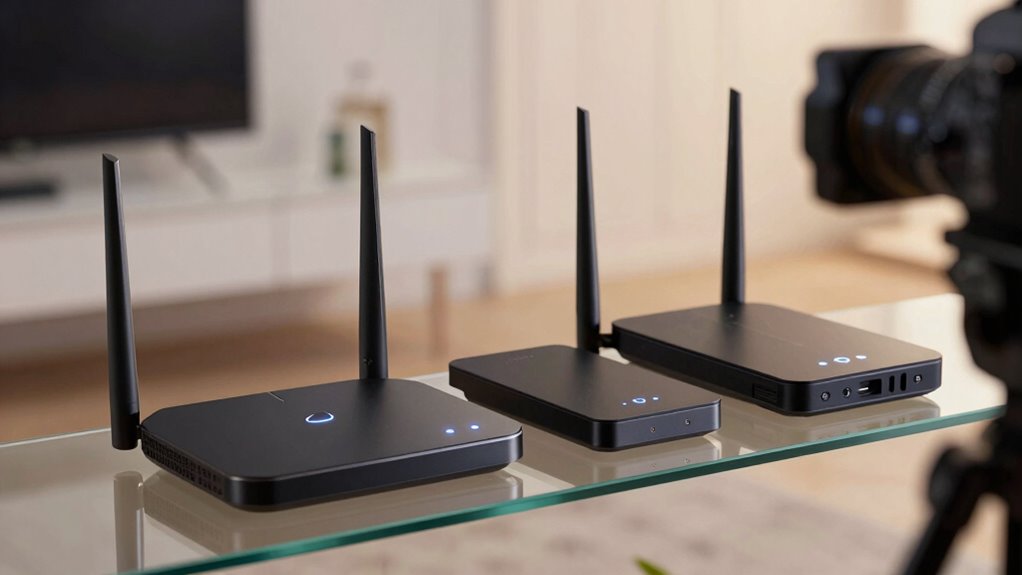

A Wi-Fi 6E router adds access to the 6 GHz band, which can give compatible devices more room away from congestion on 2.4 GHz and 5 GHz. My best overall pick is the TP-Link Archer AXE75 for its straightforward balance of tri-band features and traditional router design; the Deco XE75 2-Pack is a stronger fit when whole-home coverage matters, while the Archer AXE300 suits buyers seeking a more capable premium setup. The main tradeoffs are whether you need one router or mesh nodes, how much performance your devices can use, and whether added hardware complexity is worth it. 6 GHz coverage can be more sensitive to walls and distance than lower bands, so a higher-spec router alone may not fix dead zones. Read on for the full breakdown and help matching each option to your home.

Get the latest gadgets delivered free with Prime
- Fast, free delivery on millions of items
- Prime Video, Amazon Music and more included
- Member-only deals all year
Complete the kit



Key Takeaways
- The Archer AXE75 is the most balanced standalone pick: it offers a simpler route to Wi-Fi 6E than the AXE300 without requiring a mesh setup.
- Mesh capacity and router power solve different problems: the Deco XE75 2-Pack and 3-Pack are aimed at spreading coverage, while the Archer AXE300 prioritizes a higher-end single-router setup.
- The three Deco XE75 listings share the same core platform: choose between one, two, or three units based on home layout and coverage needs, not a different Wi-Fi standard.
- The renewed Archer AXE7800 calls for extra purchase checks: confirm the seller’s return terms and the included accessories rather than treating its model name as a guarantee of condition.
- The MSI RadiX AXE6600 has a distinct gaming focus: it may suit buyers who value gaming-oriented controls, but general households may prefer the Archer AXE75 or Deco mesh options.
| TP-Link Archer AXE75 AXE5400 Tri-Band Wi-Fi 6E Router |  | Best Overall | Wi-Fi generation: Wi-Fi 6E | Frequency bands: Tri-band: 6 GHz, 5 GHz, and 2.4 GHz | Maximum data rate: 5,400 Mbps | VIEW ON AMAZON | See Our Full Breakdown |
| TP-Link Archer AXE7800 Tri-Band Wi-Fi 6E Router, Black (Renewed) |  | Best for Multi-Gig Wired Setups | Wi-Fi generation: Wi-Fi 6E (802.11ax) | Frequency bands: Tri-band, including 6 GHz | Maximum data transfer rate: 7.8 Gbps | VIEW ON AMAZON | See Our Full Breakdown |
| TP-Link Deco XE75 AXE5400 Tri-Band Wi-Fi 6E Mesh System, 2-Pack |  | Best for Whole-Home Coverage | Pack size: 2 units | Wi-Fi generation: Wi-Fi 6E | Frequency bands: Tri-band: 6 GHz, 5 GHz, and 2.4 GHz | VIEW ON AMAZON | See Our Full Breakdown |
| TP-Link Archer AXE300 AXE16000 Quad-Band Wi-Fi 6E Router |  | Best Premium Multi-Gig Router | Wi-Fi generation: Wi-Fi 6E | Frequency bands: Quad-band: 6 GHz, two 5 GHz bands, and 2.4 GHz | Advertised combined speed: Up to 15.6 Gbps | VIEW ON AMAZON | See Our Full Breakdown |
| TP-Link Deco XE75 AXE5400 Tri-Band Wi-Fi 6E Mesh System, 1-Pack | 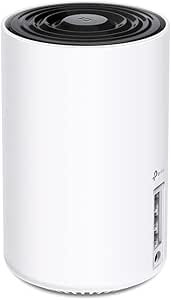 | Best for Starting a Deco Mesh | Package quantity: 1 pack | Wi-Fi standard: Wi-Fi 6E | Wireless bands: 2.4 GHz, 5 GHz, and 6 GHz | VIEW ON AMAZON | See Our Full Breakdown |
| TP-Link Deco XE75 AXE5400 Tri-Band Wi-Fi 6E Mesh System, 3-Pack |  | Best for Whole-Home Mesh Coverage | System type: Tri-band mesh Wi-Fi 6E | Pack size: 3 | Coverage: Up to 7,200 sq. ft. | VIEW ON AMAZON | See Our Full Breakdown |
| MSI RadiX AXE6600 WiFi 6E Tri-Band Gaming Router |  | Best for Gaming Traffic Prioritization | Wi-Fi generation: Wi-Fi 6E | Frequency bands: 2.4 GHz, 5 GHz, 6 GHz | Maximum data transfer rate: Up to 6.6 Gbps | VIEW ON AMAZON | See Our Full Breakdown |
| wi fi 6e router | Frequency bands | Wi-Fi generation | Antennas | Ports |
|---|---|---|---|---|
| TP-Link Archer AXE75 AXE5400 T | Tri-band: 6 GHz, 5 GHz, and 2.4 GHz | Wi-Fi 6E | 8 fixed antennas | 5; LAN bandwidth up to 1,000 Mbps |
| TP-Link Archer AXE7800 Tri-Ban | Tri-band, including 6 GHz | Wi-Fi 6E (802.11ax) | 8 fixed antennas | 1 × 2.5 Gbps WAN/LAN, 1 × 1 Gbps WAN/LAN, 3 × Gigabit LAN, 2 × USB |
| TP-Link Deco XE75 AXE5400 Tri- | Tri-band: 6 GHz, 5 GHz, and 2.4 GHz | Wi-Fi 6E | — | 6; 10/100/1000 Mbps LAN |
| TP-Link Archer AXE300 AXE16000 | Quad-band: 6 GHz, two 5 GHz bands, and 2.4 GHz | Wi-Fi 6E | 8 | — |
| TP-Link Deco XE75 AXE5400 Tri- | — | — | — | — |
| TP-Link Deco XE75 AXE5400 Tri- | 6 GHz, 5 GHz, 2.4 GHz | — | — | 9; LAN bandwidth: 10/100/1000 Mbps |
| MSI RadiX AXE6600 WiFi 6E Tri- | 2.4 GHz, 5 GHz, 6 GHz | Wi-Fi 6E | 6 | — |
More Details on Our Top Picks
TP-Link Archer AXE75 AXE5400 Tri-Band Wi-Fi 6E Router
The Archer AXE75 is a balanced choice for a household ready for Wi-Fi 6E but not looking for the extra hardware of a flagship router. Its three bands include a dedicated 6 GHz band for compatible nearby devices, while EasyMesh gives you a path to extend coverage later. Compared with the Deco XE75 2-Pack, this is a single router rather than a multi-node system, so it suits homes where one central router can reach the rooms that matter. The Deco is the more direct fit for broad coverage across a spread-out home.
VPN server and client support, WPA3, and a gigabit port lineup add useful flexibility. The tradeoff is that its LAN ports top out at 1 Gbps, and some HomeShield controls are limited in the basic tier. You will also need a separate modem for most internet service.
Pros:- Tri-band design includes a dedicated 6 GHz band for compatible devices.
- EasyMesh support allows compatible coverage expansion.
- VPN server and client support adds remote-access flexibility.
- WPA3 security and HomeShield network protection are included.
Cons:- Gigabit LAN ports limit wired connections to 1 Gbps.
- Some HomeShield security and parental-control features are limited to the basic tier.
- A separate modem is required for most internet providers.
Best for: Households that want a capable standalone Wi-Fi 6E router, VPN options, and the option to expand coverage with EasyMesh.
Not ideal for: People with a large or awkwardly shaped home who need multiple access points immediately, or users with multi-gig wired internet who need faster LAN ports.
- Wi-Fi generation:Wi-Fi 6E
- Frequency bands:Tri-band: 6 GHz, 5 GHz, and 2.4 GHz
- Maximum data rate:5,400 Mbps
- Band speeds:6 GHz: 2,402 Mbps; 5 GHz: 2,402 Mbps; 2.4 GHz: 574 Mbps
- Processor and memory:1.0 GHz dual-core CPU; 512 MB RAM
- Antennas:8 fixed antennas
- Ports:5; LAN bandwidth up to 1,000 Mbps
- Security and VPN:WPA2, WPA2-Enterprise, WPA3; OpenVPN, PPTP, and L2TP
- Mesh compatibility:EasyMesh
Our verdict“Choose the Archer AXE75 for a well-rounded single-router Wi-Fi 6E setup with VPN support and a practical mesh expansion path.”
TP-Link Archer AXE7800 Tri-Band Wi-Fi 6E Router, Black (Renewed)
The Archer AXE7800 is the wired-connectivity pick in this group: its 2.5 Gbps WAN/LAN port can serve a faster-than-gigabit internet connection or a compatible wired device, and two USB ports add room for shared peripherals or storage. Its 1.7 GHz quad-core processor and advertised 7.8 Gbps combined wireless rate place it above the Archer AXE75 on paper, especially for buyers who need more port flexibility than that router’s gigabit-only LAN offers.
That advantage comes with a condition: this is a renewed unit with a listed 90-day limited warranty, so buyers seeking a new product or longer warranty coverage should look elsewhere. The Deco XE75 2-Pack is a better fit when coverage across multiple rooms matters more than a multi-gig wired port. Coverage and actual performance still depend on the home and client devices.
Pros:- A 2.5 Gbps WAN/LAN port supports faster-than-gigabit wired networking.
- Two USB ports provide options for connecting shared devices or storage.
- Tri-band Wi-Fi 6E includes a dedicated 6 GHz band.
- OneMesh support and Alexa compatibility add network and voice-control options.
Cons:- Renewed condition and a 90-day limited warranty may not suit buyers seeking long-term coverage.
- A single router may be a poor fit for homes that need multiple nodes for consistent coverage.
- Real-world wireless speeds vary with layout and connected-device capabilities.
Best for: Buyers with a multi-gig internet plan or wired devices who want Wi-Fi 6E, USB ports, and a 2.5 Gbps connection.
Not ideal for: Shoppers who want a new router with longer warranty coverage, or households that need multiple mesh nodes for broad coverage.
- Wi-Fi generation:Wi-Fi 6E (802.11ax)
- Frequency bands:Tri-band, including 6 GHz
- Maximum data transfer rate:7.8 Gbps
- Ports:1 × 2.5 Gbps WAN/LAN, 1 × 1 Gbps WAN/LAN, 3 × Gigabit LAN, 2 × USB
- Antennas:8 fixed antennas
- Processor:1.7 GHz quad-core CPU
- Security:WPA2-PSK and WPA3
- Mesh and voice support:OneMesh and Alexa compatibility
- Condition and warranty:Renewed; 90-day limited warranty
Our verdict“Pick this renewed Archer AXE7800 if multi-gig wired connectivity matters more than buying new or getting mesh coverage in the box.”
TP-Link Deco XE75 AXE5400 Tri-Band Wi-Fi 6E Mesh System, 2-Pack
The Deco XE75 2-Pack is the coverage-focused choice for homes where one router may leave weak spots. Two mesh units are rated for up to 5,500 square feet, and the 6 GHz band can connect Wi-Fi 6E devices or serve as a wireless backhaul between nodes. That backhaul option can help the system carry traffic across the home without requiring a wired link between units. Compared with the single-unit Deco XE75, this package gives buyers a second node from the start; the Archer AXE75 is simpler for a smaller space but does not include that multi-unit coverage setup.
The app handles setup and controls, and the system is rated for up to 200 devices. The tradeoff is that 6 GHz access requires compatible devices, while most older clients stay on 2.4 or 5 GHz. App-based management may also be less appealing to people who prefer hands-on browser controls, and most providers still require a separate modem.
Pros:- Two mesh units are rated to cover up to 5,500 square feet.
- The 6 GHz band can serve as a wireless backhaul or connect Wi-Fi 6E clients.
- Supports up to 200 devices.
- Deco app includes setup, management, parental controls, and network security features.
Cons:- The 6 GHz band is available only to Wi-Fi 6E-compatible devices.
- App-based control may not suit buyers who prefer browser-based router management.
- A separate modem is required for most internet providers.
Best for: Families in larger or multi-room homes who want mesh coverage, have compatible Wi-Fi 6E devices, and prefer app-based setup.
Not ideal for: People in compact homes who need only one router, or households expecting older devices to connect on the 6 GHz band.
- Pack size:2 units
- Wi-Fi generation:Wi-Fi 6E
- Frequency bands:Tri-band: 6 GHz, 5 GHz, and 2.4 GHz
- Maximum combined data rate:5,400 Mbps
- Band data rates:6 GHz: 2,402 Mbps; 5 GHz: 2,402 Mbps; 2.4 GHz: 574 Mbps
- Device capacity:Up to 200 devices
- Ports:6; 10/100/1000 Mbps LAN
- Security and control:WPA-Personal, WPA2-Personal, WPA3-Personal; managed through the Deco app
Our verdict“Choose the Deco XE75 2-Pack when multi-room coverage and a wireless mesh backhaul matter more than having a single traditional router.”
TP-Link Archer AXE300 AXE16000 Quad-Band Wi-Fi 6E Router
The Archer AXE300 is the specialist pick for networks that need more headroom than a standard tri-band Wi-Fi 6E router. Its quad-band layout adds a second 5 GHz band alongside 6 GHz and 2.4 GHz, while two 10 Gbps WAN/LAN ports and one 2.5 Gbps port give advanced wired setups room to connect high-speed internet or local-network equipment. Compared with the Archer AXE75, this is a far more capable fit for multi-gig infrastructure, but that capacity is wasted in a home with ordinary gigabit service and few demanding clients.
Eight antennas, a quad-core CPU, VPN support, and HomeShield round out the feature set. The port configuration has a specific limit: the 10 Gbps and 2.5 Gbps ports cannot all act as WAN ports at once. It is also a standalone router, unlike the Deco XE75 2-Pack, which includes two mesh units for distributing coverage around a larger home.
Pros:- Quad-band design includes 6 GHz, two 5 GHz bands, and 2.4 GHz.
- Two 10 Gbps WAN/LAN ports support high-speed internet or local-network links.
- A 2.5 Gbps WAN/LAN port adds another faster-than-gigabit connection option.
- VPN server and client support plus HomeShield security are included.
Cons:- Its advanced multi-gig hardware is excessive for many standard home networks.
- The 10 Gbps and 2.5 Gbps ports cannot all be configured as WAN ports at the same time.
- A separate modem is required for most internet providers.
Best for: Power users with multi-gig internet, fast wired storage or workstations, and several demanding wireless clients.
Not ideal for: Households on standard gigabit service, buyers who want mesh nodes included, or anyone unlikely to use its high-speed wired ports.
- Wi-Fi generation:Wi-Fi 6E
- Frequency bands:Quad-band: 6 GHz, two 5 GHz bands, and 2.4 GHz
- Advertised combined speed:Up to 15.6 Gbps
- High-speed ports:Two 10 Gbps WAN/LAN ports; one 2.5 Gbps WAN/LAN port
- Other ports:Four Gigabit LAN ports
- Antennas:8
- Processor:Quad-core CPU
- VPN support:OpenVPN, PPTP, and L2TP server and client
- Security:WPA, WPA2, WPA3, and TP-Link HomeShield
Our verdict“Choose the Archer AXE300 for a multi-gig home network that can use its quad-band Wi-Fi and high-speed ports, not for a basic internet setup.”
TP-Link Deco XE75 AXE5400 Tri-Band Wi-Fi 6E Mesh System, 1-Pack
The single-unit Deco XE75 is a flexible entry point for buyers who want a Wi-Fi 6E router now and the option to add compatible Deco units later. It works as a standalone router, supports up to 200 devices, and uses AI-driven mesh features to help devices stay connected as they move around the home. Compared with the Archer AXE75, it favors the Deco app and a mesh-family upgrade path over EasyMesh compatibility and the Archer’s listed VPN features. Compared with the Deco XE75 2-Pack, this package provides only one unit, so it does not offer the same ready-made spread of mesh coverage.
Its tri-band design includes a 6 GHz band for compatible clients, and Alexa support adds voice-control convenience. The catch is that some HomeShield features require a premium service, while most internet providers require a separate modem. This is a sensible starting point for a smaller space, but buyers with weak-signal rooms should look at the two-pack instead.
Pros:- Can operate as a standalone router or join compatible TP-Link Deco systems.
- Tri-band Wi-Fi 6E includes a dedicated 6 GHz band.
- Supports up to 200 devices.
- App-based management, Alexa support, and AI-driven mesh features are included.
Cons:- One unit does not provide the same distributed coverage as the Deco XE75 2-Pack.
- Some HomeShield security and parental-control features require a premium service.
- A separate modem is required for most internet providers.
Best for: People in smaller homes who want one Wi-Fi 6E router now and plan to extend coverage later with compatible Deco units.
Not ideal for: Households that already need coverage across several floors or distant rooms, or buyers seeking built-in VPN server and client support.
- Package quantity:1 pack
- Wi-Fi standard:Wi-Fi 6E
- Wireless bands:2.4 GHz, 5 GHz, and 6 GHz
- Combined speed:Up to 5,400 Mbps
- Band speeds:2.4 GHz: 574 Mbps; 5 GHz: 2,402 Mbps; 6 GHz: 2,402 Mbps
- Device capacity:Up to 200 devices
- Compatibility:Compatible with TP-Link Deco mesh systems
- Smart home support:Amazon Alexa
- Management and security:Deco app; basic HomeShield security and parental controls
Our verdict“Start with the single Deco XE75 if one unit suits your current space and you want the option to expand with compatible Deco nodes later.”
TP-Link Deco XE75 AXE5400 Tri-Band Wi-Fi 6E Mesh System, 3-Pack
I’d choose the three-pack Deco XE75 when a large or multi-level home needs more even coverage than a single router can provide. Its three mesh units are rated for up to 7,200 square feet, while the 6 GHz band offers a less congested connection for compatible devices nearby. Compared with the Deco XE75 2-Pack, this set adds another node for broader reach; it makes more sense for a sprawling layout than for a smaller home where that extra coverage may go unused.
The tradeoff is that the 6 GHz benefit applies only to Wi-Fi 6E devices, and this is a mesh system rather than a standalone gaming router like the MSI RadiX AXE6600. Setup and management run through the Deco app, with Alexa compatibility and HomeShield features. You’ll still need a modem for most internet providers.
Pros:- Three mesh units are rated to cover up to 7,200 square feet.
- Tri-band Wi-Fi 6E adds a 6 GHz band for compatible devices.
- Supports up to 200 devices, suiting busy connected households.
- Deco app management, Alexa compatibility, and HomeShield security features.
Cons:- Most internet providers require a separate modem.
- Devices without Wi-Fi 6E cannot use the 6 GHz band.
- The mesh system may be more coverage and equipment than smaller homes need.
Best for: Households with large, multi-floor homes, several dead zones, and many connected devices that want app-managed mesh coverage.
Not ideal for: People in smaller homes who need only one router, or buyers seeking a gaming-focused standalone router with traffic-prioritization features.
- System type:Tri-band mesh Wi-Fi 6E
- Pack size:3
- Coverage:Up to 7,200 sq. ft.
- Maximum combined data rate:Up to 5,400 Mbps
- Frequency bands:6 GHz, 5 GHz, 2.4 GHz
- Band speeds:6 GHz: 2,402 Mbps; 5 GHz: 2,402 Mbps; 2.4 GHz: 574 Mbps
- Supported devices:Up to 200
- Ports:9; LAN bandwidth: 10/100/1000 Mbps
- Management and compatibility:Deco app; Alexa compatible; modem required for most providers
Our verdict“Choose this three-pack for broad mesh coverage across a large home; pick a smaller Deco XE75 set if you don’t need the extra node.”
MSI RadiX AXE6600 WiFi 6E Tri-Band Gaming Router
The MSI RadiX AXE6600 is the more fitting choice for a gaming-focused setup where prioritizing traffic matters more than spreading coverage across multiple nodes. Its AI QoS is designed to prioritize gaming, streaming, and work traffic, and the 6 GHz band gives compatible devices another band to use. Compared with the mesh-oriented TP-Link Deco XE75 3-Pack, this is a single-router alternative, not a whole-home coverage kit.
MSI lists a 1.8 GHz quad-core processor, six antennas, and a 2.5 Gbps LAN bandwidth specification, plus customizable RGB lighting. Those features suit a wired, gaming-centered setup, but the large 16.3 × 12.5 × 5.4-inch body may be awkward in a compact room. The provided data gives no coverage area, and it does not specify a multi-unit mesh package, so buyers with dead zones should favor the Deco system.
Pros:- Tri-band Wi-Fi 6E includes 2.4 GHz, 5 GHz, and 6 GHz bands.
- AI QoS is designed to prioritize gaming, streaming, and work traffic.
- 1.8 GHz quad-core processor and 512 MB RAM are specified.
- Includes six antennas and a 2.5 Gbps LAN bandwidth specification.
Cons:- The supplied product data does not state a coverage area.
- Its 16.3 × 12.5 × 5.4-inch dimensions may be difficult to place discreetly.
- Unlike the Deco XE75 3-Pack, it is not presented as a multi-node mesh system.
Best for: Gamers and households with mixed gaming, streaming, and work traffic who want a Wi-Fi 6E router with AI-based prioritization and a 2.5 Gbps LAN specification.
Not ideal for: People needing documented whole-home coverage, a multi-node mesh package, or a compact router for a small desk or shelf.
- Wi-Fi generation:Wi-Fi 6E
- Frequency bands:2.4 GHz, 5 GHz, 6 GHz
- Maximum data transfer rate:Up to 6.6 Gbps
- Processor:1.8 GHz quad-core
- RAM:512 MB
- Antennas:6
- LAN port bandwidth:2,500 Mbps
- Security protocols:WPA-PSK, WPA2-PSK, WPA3-PSK
- Dimensions:16.3 × 12.5 × 5.4 in
Our verdict“Pick the MSI for a gaming-centered setup that benefits from traffic prioritization, but choose the Deco XE75 3-Pack if broad mesh coverage is the priority.”

How We Picked
I ranked these options by how clearly they meet the needs of different Wi-Fi 6E buyers: standalone coverage, whole-home reach, performance headroom, ease of setup, and the practical value of the hardware configuration. A router’s advertised class or band count does not tell the whole story; the useful question is whether a household has compatible 6E devices, enough signal coverage, and a reason to prioritize 6 GHz.
The Archer AXE75 leads as the most balanced conventional router, while the Deco XE75 2-Pack ranks high for homes where spreading coverage matters more than concentrating capability in one unit. The AXE300 earns the premium spot for buyers seeking more headroom, not the default recommendation for every home. The AXE7800 is ranked more cautiously because it is listed as renewed, and the Deco single- and three-unit packages are separated by their coverage use rather than treated as different router platforms. The MSI earns a distinct gaming role, though its specialty matters less to buyers with ordinary browsing and streaming needs.
| wi fi 6e router | Wi-Fi generation |
|---|---|
| TP-Link Archer AXE75 AXE5400 T | Wi-Fi 6E |
| TP-Link Archer AXE7800 Tri-Ban | Wi-Fi 6E (802.11ax) |
| TP-Link Deco XE75 AXE5400 Tri- | Wi-Fi 6E |
| TP-Link Archer AXE300 AXE16000 | Wi-Fi 6E |
| TP-Link Deco XE75 AXE5400 Tri- | — |
| TP-Link Deco XE75 AXE5400 Tri- | — |
| MSI RadiX AXE6600 WiFi 6E Tri- | Wi-Fi 6E |
Factors to Consider When Choosing Wi Fi 6e Router
Choosing a Wi-Fi 6E system starts with your home and devices, not the largest number on the box. These broader checks can help prevent paying for capacity you cannot use or expecting a single router to solve a coverage problem.
Check Whether Your Devices Can Use 6 GHz
Wi-Fi 6E’s 6 GHz band is available only to compatible devices, so older phones, laptops, and smart-home gear will keep using their supported bands. Before buying, list the devices you expect to benefit and check their Wi-Fi specifications. A newer router can still serve older equipment, but the 6E band will not automatically speed up every connection. If only one device supports 6E, a balanced router such as the Archer AXE75 may make more sense than paying for the AXE300’s extra headroom. Also check whether the devices that matter most will be near enough to the router for 6 GHz to be useful. This keeps the decision tied to actual household use rather than future-proofing claims alone.
Decide Between a Strong Central Router and Mesh Coverage
Mesh systems and standalone routers address different household problems: mesh adds distributed access points, while a traditional router concentrates its wireless coverage in one location. If your connection is weak across multiple rooms or floors, adding mesh nodes may help more than choosing a higher-class single router. A mesh pack needs sensible placement; putting a node in a dead zone can leave it with a weak link back to the main unit. For smaller homes with a practical central router location, a standalone model may be simpler and less cluttered. Measure the likely node locations before buying a two- or three-pack. Paying for extra nodes makes little sense if they will sit close together or remain unused.
Treat 6 GHz as a Shorter-Reach Capacity Band
The 6 GHz band can offer more spectrum and less interference, but its signal generally has more trouble passing through walls than lower-frequency Wi-Fi bands. That makes room layout, building materials, and router placement part of the performance decision. A clear line of sight can help a compatible device take advantage of 6 GHz, while a distant bedroom may depend more on 5 GHz or mesh coverage. Do not assume that a Wi-Fi 6E label guarantees faster service everywhere in the home. Place the main router openly and centrally when possible, away from cabinets and dense obstructions. If the layout prevents that, prioritize coverage design over peak advertised throughput.
Match Router Capacity to Your Internet Plan and Traffic
A router with high wireless capacity cannot raise the speed supplied by an internet plan, though it can help manage multiple local connections and reduce bottlenecks within the home. Consider how many people stream, game, join video calls, and transfer files at the same time. For routine use, a premium quad-band model may add capacity that is difficult to use fully. For a busy household with compatible devices and demanding local traffic, additional headroom may be more appealing. Check wired port needs as well: a fast Wi-Fi specification does not guarantee the connections your desktop, switch, or network storage requires. Compare the router’s ports and management features against your actual setup before treating wireless class as the deciding spec.
Weigh Setup, Management, and Gaming Features
Router management affects daily use as much as headline performance: setup apps, network controls, guest access, and update processes can shape how much attention the system demands. Buyers who want a straightforward home network may prefer a simple router or a mesh system with guided setup. Gaming-oriented options can offer controls designed around gaming traffic, but those tools matter most when the household actually needs them and can configure them. Do not assume a gaming label will fix high latency caused by a weak internet connection or poor placement. Check which controls are available and whether they require an account or ongoing app use. Choose specialized features for a specific need, not just because they sound advanced.
Account for Package Size and Renewed-Product Terms
When the same mesh system is sold as a one-, two-, or three-unit package, the core platform may be similar while the coverage capacity changes. A single unit can suit a small space or serve as an addition to an existing compatible setup, whereas larger homes may benefit from multiple nodes. Avoid buying extra units without a placement plan, since poorly located nodes can add clutter without improving the connection. The renewed Archer AXE7800 also requires a different check: review the seller’s condition description, included power supply and accessories, warranty details, and return window. These terms can change the ownership experience even when the model designation stays the same. Compare the full package and support terms, not just the name printed in the listing.
Frequently Asked Questions
Should I choose the Deco XE75 2-Pack or the Archer AXE75?
Choose the Deco XE75 2-Pack if the main issue is coverage across several rooms or floors and you can place the nodes where they have a usable connection to each other. Choose the Archer AXE75 if one centrally placed router is likely to cover your home and you prefer a conventional single-router setup. Mesh adds placement flexibility, but it also means managing more than one unit. Neither option guarantees strong 6 GHz reception through every wall. Think about where your devices are used most before deciding which problem you need to solve.
Is Wi-Fi 6E worth it if most of my devices are not 6E-compatible?
It may be worthwhile if you expect to add compatible phones, laptops, or other devices, but older equipment will not connect on 6 GHz. Those devices can still use the router’s supported 2.4 GHz and 5 GHz bands, so the purchase does not make them obsolete. If your current network is stable and few devices support 6E, the benefit may be limited today. Compare the cost and complexity of the upgrade with your current coverage or congestion problem. A new router is most compelling when it addresses a specific need, not just a newer Wi-Fi label.
Will a Wi-Fi 6E router improve coverage in a distant room?
Not necessarily: 6 GHz can deliver useful capacity nearby, but it is more easily weakened by walls and distance than lower-frequency bands. A single premium router may still leave a far room with poor reception if the layout blocks the signal. For a home with multiple coverage gaps, a mesh setup can be a better match than moving up to a more powerful single-unit model. Place mesh nodes between the main router and the weak area rather than at the edge of the dead zone. If only one room has trouble, check placement and interference before replacing the whole network.
Does the Archer AXE300 make sense for a typical household?
The AXE300 is most compelling when a household can make use of its higher-end capacity and wants a premium standalone router. Many homes will not benefit from its added headroom if their internet service, devices, or usage patterns are more modest. It also does not automatically solve a multi-room coverage problem; a mesh system may suit that need better. Compare its ports and capabilities with the devices and traffic you actually have. If you cannot name a specific bottleneck it addresses, the Archer AXE75 is the more restrained choice in this lineup.
What should I check before buying the renewed Archer AXE7800?
Read the listing’s condition notes and confirm what comes in the box, including the power adapter and any required accessories. Check the return window and warranty coverage, since renewed products can have different terms from new hardware. Also verify that the router is compatible with your internet service and that any setup or management features you need remain supported. A renewed listing may be suitable for a buyer comfortable checking those details, but it adds purchase uncertainty absent from the standard new-product choice. If simple support and predictable condition matter most, compare it with the Archer AXE75 before deciding.
Conclusion
For most buyers who want a balanced standalone Wi-Fi 6E router, I recommend the TP-Link Archer AXE75 as the best overall choice. The Deco XE75 2-Pack is my value-oriented coverage pick when a home needs distributed signal rather than one more powerful central unit; choose the one-pack for a smaller space or the three-pack only when the layout justifies more nodes. The Archer AXE300 is the best premium option for households with a clear need for higher capacity and compatible equipment. Beginners who want guided whole-home coverage should start with the Deco XE75 system, while gaming-focused buyers can look at the MSI RadiX AXE6600 for its specialized role. I would approach the renewed AXE7800 only after checking its condition and support terms. Match the hardware to your coverage and device needs, and the right pick becomes much clearer.
Halloween Picks

HOPOCO Halloween Pumpkin Fog Machine with 12 LED Colors and 4 Light Modes

Vexalify 11-Inch Halloween Pumpkin Fog Machine with 12-Color Lights

ELAMAS 11ft Animatronic Flying Witch Halloween Decoration
As an affiliate, we earn on qualifying purchases.